Repository: zhongjie-chen/wx-drawer
Branch: master
Commit: 7599c4dc2b84
Files: 8
Total size: 6.5 KB
Directory structure:
gitextract_qw50pl_g/
├── README.md
├── app.js
├── app.json
├── app.wxss
└── pages/
└── wxDrawer/
├── index.js
├── index.json
├── index.wxml
└── index.wxss
================================================
FILE CONTENTS
================================================
================================================
FILE: README.md
================================================
# wx-drawer
小程序模仿QQ6.0侧滑菜单 wx-drawer 😃
## 其他组件
- [wx-alphabetical-listview带字母滑动的列表](https://github.com/zhongjie-chen/wx-alphabetical-listview)
- [wx-scrollable-tab-view可滚动的tabview](https://github.com/zhongjie-chen/wx-scrollable-tab-view)
## 截屏
### 电脑上的截屏
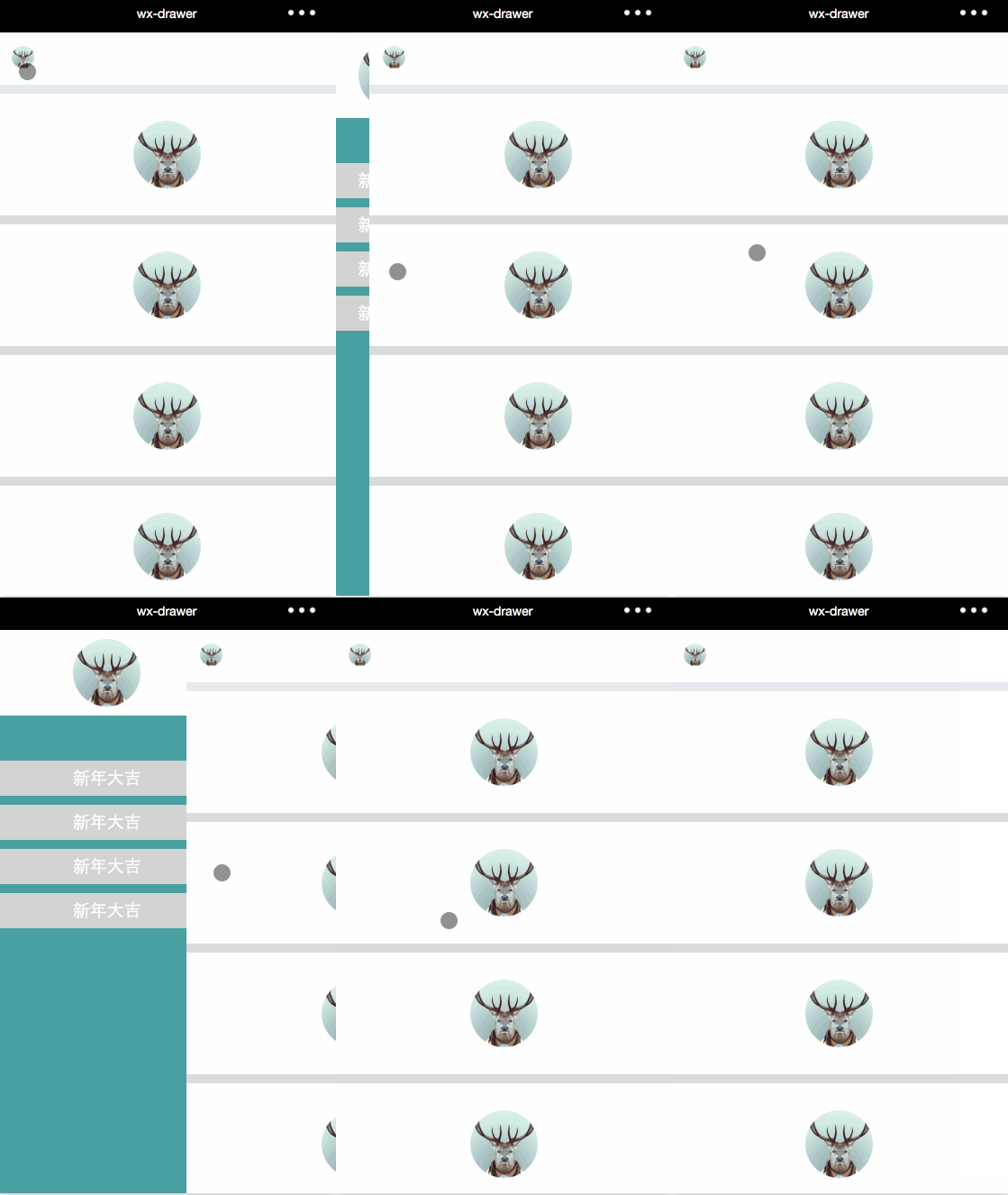
## 功能
- [x] 模仿QQ6.0侧滑菜单功能,小程序实现
- [x] 在android ios 平台测试过,确保真实环境一致
- [ ] 小程序目前不支持组件化;后期会抽离一些公共的东西,让使用起来更加方便
## 如何使用
1. 复制page下的文件夹到自己项目中
2. 配置app.json
3. 编译
### 其它
- 👉 欢迎issue
- 👉 欢迎pr
================================================
FILE: app.js
================================================
//app.js
App({
onLaunch: function () {
//调用API从本地缓存中获取数据
var logs = wx.getStorageSync('logs') || []
logs.unshift(Date.now())
wx.setStorageSync('logs', logs)
},
getUserInfo:function(cb){
var that = this
if(this.globalData.userInfo){
typeof cb == "function" && cb(this.globalData.userInfo)
}else{
//调用登录接口
wx.login({
success: function () {
wx.getUserInfo({
success: function (res) {
that.globalData.userInfo = res.userInfo
typeof cb == "function" && cb(that.globalData.userInfo)
}
})
}
})
}
},
globalData:{
userInfo:null
}
})
================================================
FILE: app.json
================================================
{
"pages":[
"pages/wxDrawer/index"
],
"window":{
"backgroundTextStyle":"light",
"navigationBarBackgroundColor": "#000",
"navigationBarTitleText": "wx-drawer",
"navigationBarTextStyle":"white"
}
}
================================================
FILE: app.wxss
================================================
================================================
FILE: pages/wxDrawer/index.js
================================================
//wx-drawer
const MENU_WIDTH_SCALE = 0.82;
const FAST_SPEED_SECOND = 300;
const FAST_SPEED_DISTANCE = 5;
const FAST_SPEED_EFF_Y = 50;
var app = getApp()
Page({
data: {
ui: {
windowWidth: 0,
menuWidth: 0,
offsetLeft: 0,
tStart: true
}
},
onLoad() {
try {
let res = wx.getSystemInfoSync()
this.windowWidth = res.windowWidth;
this.data.ui.menuWidth = this.windowWidth * MENU_WIDTH_SCALE;
this.data.ui.offsetLeft = 0;
this.data.ui.windowWidth = res.windowWidth;
this.setData({ui: this.data.ui})
} catch (e) {
}
},
handlerStart(e) {
let {clientX, clientY} = e.touches[0];
this.tapStartX = clientX;
this.tapStartY = clientY;
this.tapStartTime = e.timeStamp;
this.startX = clientX;
this.data.ui.tStart = true;
this.setData({ui: this.data.ui})
},
handlerMove(e) {
let {clientX} = e.touches[0];
let {ui} = this.data;
let offsetX = this.startX - clientX;
this.startX = clientX;
ui.offsetLeft -= offsetX;
if(ui.offsetLeft <= 0) {
ui.offsetLeft = 0;
} else if(ui.offsetLeft >= ui.menuWidth) {
ui.offsetLeft = ui.menuWidth;
}
this.setData({ui: ui})
},
handlerCancel(e) {
// console.log(e);
},
handlerEnd(e) {
this.data.ui.tStart = false;
this.setData({ui: this.data.ui})
let {ui} = this.data;
let {clientX, clientY} = e.changedTouches[0];
let endTime = e.timeStamp;
//快速滑动
if(endTime - this.tapStartTime <= FAST_SPEED_SECOND) {
//向左
if(this.tapStartX - clientX > FAST_SPEED_DISTANCE) {
ui.offsetLeft = 0;
} else if(this.tapStartX - clientX < -FAST_SPEED_DISTANCE && Math.abs(this.tapStartY - clientY) < FAST_SPEED_EFF_Y) {
ui.offsetLeft = ui.menuWidth;
} else {
if(ui.offsetLeft >= ui.menuWidth/2){
ui.offsetLeft = ui.menuWidth;
} else {
ui.offsetLeft = 0;
}
}
} else {
if(ui.offsetLeft >= ui.menuWidth/2){
ui.offsetLeft = ui.menuWidth;
} else {
ui.offsetLeft = 0;
}
}
this.setData({ui: ui})
},
handlerPageTap(e) {
let {ui} = this.data;
if(ui.offsetLeft != 0) {
ui.offsetLeft = 0;
this.setData({ui: ui})
}
},
handlerAvatarTap(e) {
let {ui} = this.data;
if(ui.offsetLeft == 0) {
ui.offsetLeft = ui.menuWidth;
this.setData({ui: ui})
}
}
})
================================================
FILE: pages/wxDrawer/index.json
================================================
{}
================================================
FILE: pages/wxDrawer/index.wxml
================================================
================================================
FILE: pages/wxDrawer/index.wxss
================================================
.mpage {
z-index: 10;
position: fixed;
bottom: 0;
top: 0;
background-color: #e7eaef;
}
.withAnimate {
transition: all 300ms ease;
-webkit-transform: translate3d(0, 0, 0);
-moz-transform: translate3d(0, 0, 0);
-ms-transform: translate3d(0, 0, 0);
transform: translate3d(0, 0, 0);
-webkit-backface-visibility: hidden;
-moz-backface-visibility: hidden;
-ms-backface-visibility: hidden;
backface-visibility: hidden;
-webkit-perspective: 1000;
-moz-perspective: 1000;
-ms-perspective: 1000;
perspective: 1000;
}
.search {
background: white;
display: flex;
align-items: center;
margin-bottom: 20rpx;
}
.search .avatar {
padding: 30rpx;
}
.search .avatar image {
width: 50rpx;
height: 50rpx;
}
.item {
display: flex;
align-items: center;
justify-content: center;
background: white;
padding: 60rpx;
border-bottom: 20rpx solid #dbdbdb;
}
.item image {
height: 150rpx;
width: 150rpx;
}
.user {
position: fixed;
top: 0;
bottom: 0;
left: 0;
background-color: #e7eaef;
border-right: 1px solid #dbdbdb;
box-sizing: border-box;
}
.user .user-box {
position: absolute;
top: 0;
bottom: 0;
background: cadetblue;
}
.user .user-box .user-face-wrapper {
display: flex;
align-items: center;
justify-content: center;
background: snow;
padding: 20rpx;
margin-bottom: 100rpx;
}
.user .user-box .user-face {
width: 150rpx;
height: 150rpx;
}
.user .user-box .one-menu {
display: flex;
align-items: center;
justify-content: center;
padding: 20rpx;
margin-bottom: 20rpx;
background: lightgray;
color: white;
font-size: 38rpx;
}