Repository: ggomaeng/react-native-magazine-listview
Branch: master
Commit: 2ce20829950a
Files: 6
Total size: 10.3 KB
Directory structure:
gitextract_806nzrp7/

├── README.md
├── exp.json
├── main.js
├── package.json
└── src/
    ├── components/
    │   └── digital-magazine.js
    └── index.js
================================================
FILE CONTENTS
================================================
================================================
FILE: README.md
================================================
# react-native-magazine-listview
A pure javascript magazine listview for React Native framework.
###Inspiration
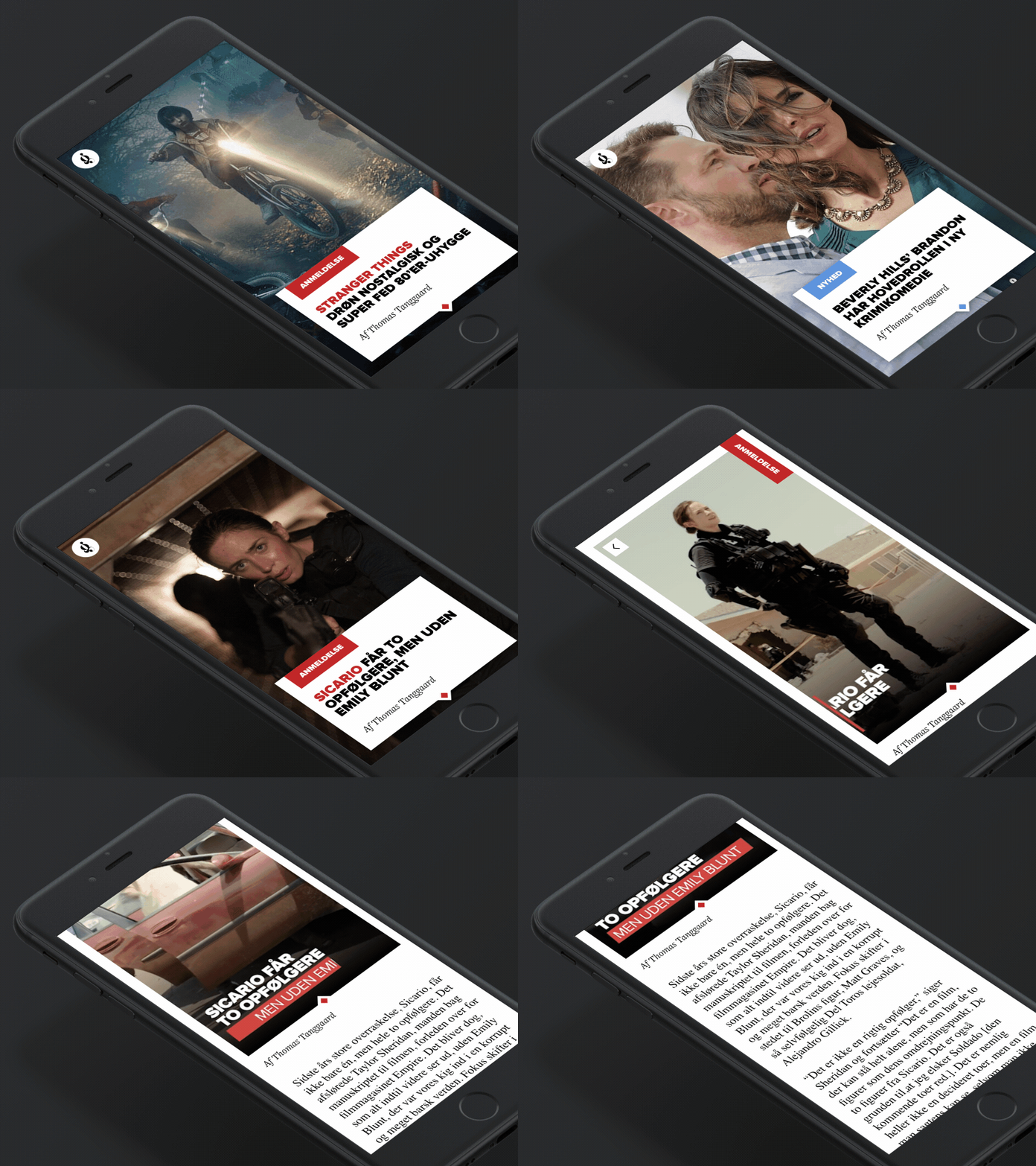
By Frederik Røssell from dribbble.com
https://dribbble.com/shots/3058788-Digital-magazine-mockup
###Demo
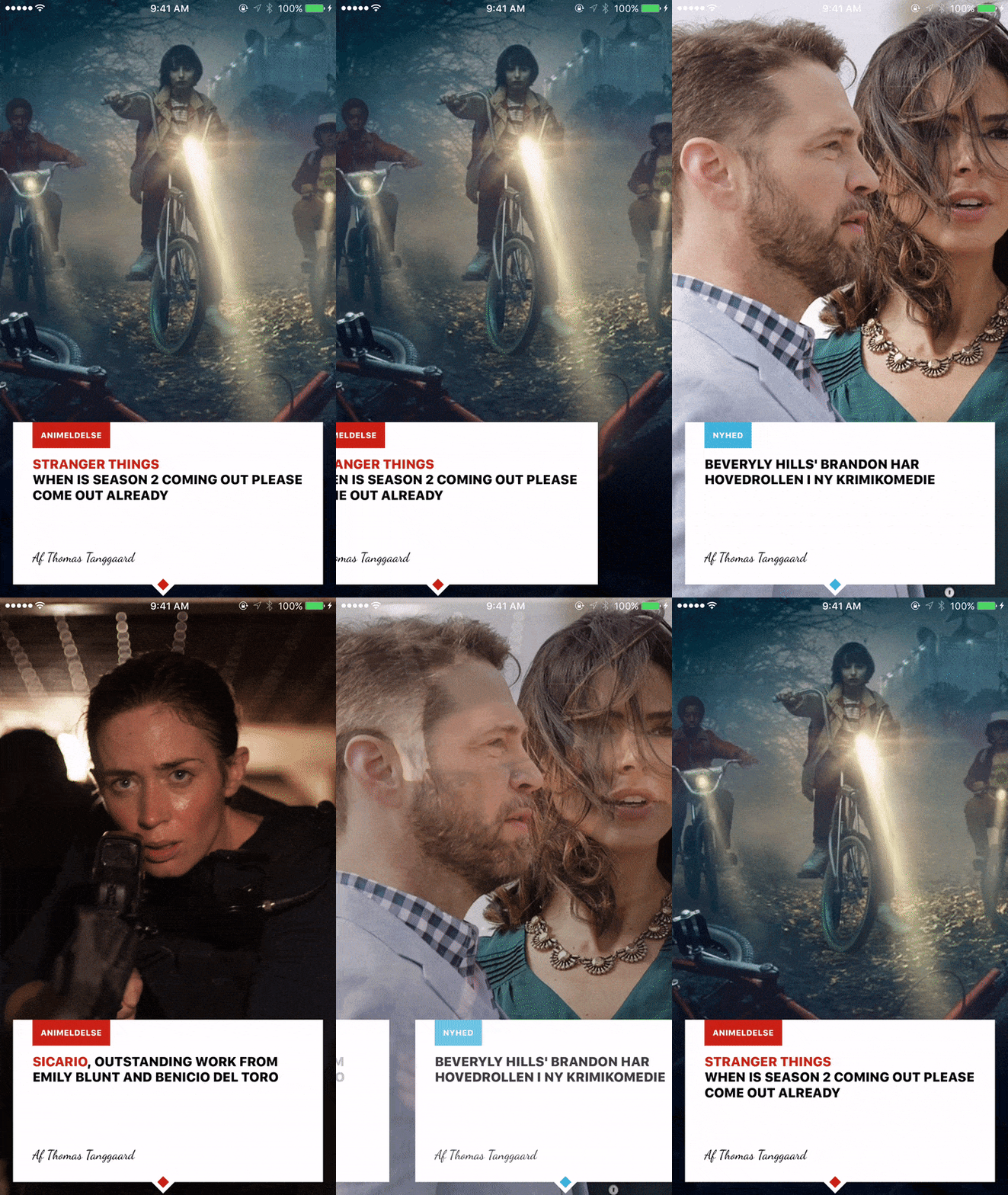
## Try it out
Try it with Exponent: https://getexponent.com/@sungwoopark95/react-native-digital-magazine
## Run it locally
To install, there are two steps:
1. Install Exponent XDE [following this
guide](https://docs.getexponent.com/versions/latest/introduction/installation.html).
Also install the Exponent app on your phone if you want to test it on
your device, otherwise you don't need to do anything for the simulator.
2. Clone this repo and run `npm install`
```bash
git clone https://github.com/ggomaeng/react-native-magazine-listview.git magazineListview
cd magazineListview
npm install
```
3. Open the project with Exponent XDE and run it.
================================================
FILE: exp.json
================================================
{
"name": "react-native-digital-magazine",
"description": "An empty new project",
"slug": "react-native-digital-magazine",
"sdkVersion": "11.0.0",
"version": "1.0.0",
"orientation": "portrait",
"primaryColor": "#cccccc",
"iconUrl": "https://s3.amazonaws.com/exp-brand-assets/ExponentEmptyManifest_192.png",
"notification": {
"iconUrl": "https://s3.amazonaws.com/exp-us-standard/placeholder-push-icon-blue-circle.png",
"color": "#000000"
},
"loading": {
"iconUrl": "https://s3.amazonaws.com/exp-brand-assets/ExponentEmptyManifest_192.png",
"hideExponentText": false
},
"packagerOpts": {
"assetExts": ["ttf", "mp4"]
}
}
================================================
FILE: main.js
================================================
import Exponent from 'exponent';
import Main from './src/index';
Exponent.registerRootComponent(Main);
================================================
FILE: package.json
================================================
{
"name": "react-native-digital-magazine",
"version": "0.0.0",
"description": "Hello Exponent!",
"author": null,
"private": true,
"main": "main.js",
"dependencies": {
"exponent": "~11.0.2",
"@exponent/vector-icons": "~2.0.3",
"react": "~15.3.2",
"react-native": "git+https://github.com/exponentjs/react-native#sdk-11.0.3"
}
}
================================================
FILE: src/components/digital-magazine.js
================================================
/**
* Created by ggoma on 2016. 11. 25..
*/
import Exponent from 'exponent';
import React, {Component} from 'react';
import {
Animated,
View,
Text,
Image,
Dimensions,
ListView,
StyleSheet
} from 'react-native';
const {width, height} = Dimensions.get('window');
const midpoint = width / 2;
export default class DigitalMagazine extends Component {
constructor(props) {
super(props);
const ds = new ListView.DataSource({rowHasChanged: (r1, r2) => r1 !== r2});
this.state = {
dataSource: ds.cloneWithRows(props.items),
opacity: new Animated.Value(1),
images: props.images.reverse(), //to stack the images in right order
opacity_values : props.images.map(() => {
return new Animated.Value(1)
}),
text_opacity : props.images.map(() => {
return new Animated.Value(1)
}),
};
this.page = props.images.length - 1; //backwards
this.offset = 0;
this._renderRow = this._renderRow.bind(this);
this.handleScroll = this.handleScroll.bind(this);
}
_renderRow(row) {
var {page, publisher, title, author, highlight, color} = row;
return (
<View style={{height, width, justifyContent: 'center', alignItems: 'center'}}>
<View style={{position:'absolute', bottom: 16, margin: 16,
backgroundColor: 'white', height: 200, width: width - 32}}>
<Animated.View style={{flex: 1, opacity: this.state.text_opacity[page]}}>
<View style={{flexDirection: 'row'}}>
<View style={{backgroundColor: color, padding: 10, marginLeft: 24}}>
<Text style={{fontSize: 12, color: 'white', fontWeight: '800'}}>{publisher}</Text>
</View>
</View>
<View style={{flex: 1, padding: 24, paddingTop: 10, paddingBottom: 0}}>
<Text style={{fontSize: 20, fontWeight: '900',}}>
<Text style={{color: color}}>{highlight}</Text>{title}
</Text>
</View>
<View style={{padding: 24}}>
<Text style={{fontSize: 16, fontFamily:'cursive', fontStyle: 'italic'}}>
{author}
</Text>
</View>
</Animated.View>
</View>
<View style={{padding: 5, transform: [{rotate: '45deg'}],
backgroundColor: 'white', position: 'absolute', bottom: 6, left: width/2 - 16}}>
<View style={{ height: 10, width: 10, backgroundColor: color}} />
</View>
</View>
)
}
handleScroll (event) {
var e = event.nativeEvent;
var currentOffset = e.contentOffset.x;
var offset_ratio = (currentOffset / width);
if(currentOffset > this.offset) {
if(!Number.isInteger(offset_ratio) && offset_ratio > 0 ) {
var page = Math.floor(offset_ratio);
// console.log('scrolling right on page', page);
var stack = Math.abs(page - this.state.opacity_values.length + 1);
// console.log('position on stack', stack);
//make current slide fade to 0
if(stack != 0) { //check last page
this.state.opacity_values[stack].setValue(Math.abs((currentOffset - ( width * (page +1) )) / width));
//set current page to 0
this.state.text_opacity[page].setValue(Math.abs((currentOffset - ( width * (page +1) )) / width));
//set next page to 1 from 0
this.state.text_opacity[page + 1].setValue(Math.abs((currentOffset - ( width * (page) )) / width));
}
}
} else {
if(!Number.isInteger(offset_ratio) && offset_ratio > 0) {
var page = Math.ceil(offset_ratio);
// console.log('scrolling left on page', page);
var stack = Math.abs(page - this.state.opacity_values.length + 1);
// console.log('position on stack', stack);
if(this.state.opacity_values[stack + 1] != null && page < this.state.opacity_values.length) {
//make previous slide fade to 1 -- remember, here uses math.ceil
this.state.opacity_values[stack + 1].setValue(Math.abs(currentOffset - ( width * page )) / width);
//set left page to 1
this.state.text_opacity[page - 1].setValue(Math.abs((currentOffset - ( width * (page) )) / width));
//set current page from 1 to 0
this.state.text_opacity[page].setValue(Math.abs(currentOffset - (width * (page-1) )) / width);
}
}
}
this.offset = currentOffset;
}
renderImages() {
var {images, opacity_values} = this.state;
return images.map((image, i) => {
return <Animated.Image key={i} style={[styles.img, {opacity: opacity_values[i]}]} source={images[i]}/>
})
}
render() {
var {images, page, opacity} = this.state;
return (
<View style={{flex: 1}}>
{this.renderImages()}
<View style={{position:'absolute'}}>
<ListView
pagingEnabled={true}
showsHorizontalScrollIndicator={false}
onScroll={this.handleScroll}
horizontal={true}
dataSource={this.state.dataSource}
renderRow={this._renderRow}
/>
</View>
</View>
)
}
}
var styles = StyleSheet.create({
img: {
width: width,
height: height,
position: 'absolute',
}
})
================================================
FILE: src/index.js
================================================
/**
* Created by ggoma on 2016. 11. 25..
*/
import Exponent from 'exponent';
import React from 'react';
import {
StyleSheet,
Text,
View,
} from 'react-native';
import DigitalMagazine from './components/digital-magazine';
export default class App extends React.Component {
state = {
appIsReady: false,
}
async componentWillMount() {
try {
await Exponent.Font.loadAsync({cursive: require('../assets/dancingscript.ttf')});
this.setState({appIsReady: true});
} catch(e) {
// console.warn(
// 'There was an error caching assets (see: main.js), perhaps due to a ' +
// 'network timeout, so we skipped caching. Reload the app to try again.'
// );
// console.log(e.message);
}
}
render() {
if (!this.state.appIsReady) {
return (
<Exponent.Components.AppLoading />
);
}
return (
<View style={styles.container}>
<DigitalMagazine
images={[require('./img/page1.jpg'), require('./img/page2.jpg'), require('./img/page3.jpg')]}
items={
[
{page: 0, color: '#ca2214', publisher:'ANIMELDELSE',
highlight: 'SICARIO',
title: ', OUTSTANDING WORK FROM EMILY BLUNT AND BENICIO DEL TORO', author: 'Af Thomas Tanggaard'},
{page: 1, color: '#3db3db', publisher:'NYHED',
title: "BEVERYLY HILLS' BRANDON HAR HOVEDROLLEN I NY KRIMIKOMEDIE", author: 'Af Thomas Tanggaard'},
{page: 2, color: '#ca2214', publisher:'ANIMELDELSE',
highlight: 'STRANGER THINGS\n',
title: 'WHEN IS SEASON 2 COMING OUT PLEASE COME OUT ALREADY', author: 'Af Thomas Tanggaard'},
]}
/>
</View>
);
}
}
const styles = StyleSheet.create({
container: {
flex: 1,
backgroundColor: '#fff',
},
});
gitextract_806nzrp7/
├── README.md
├── exp.json
├── main.js
├── package.json
└── src/
├── components/
│ └── digital-magazine.js
└── index.js
SYMBOL INDEX (9 symbols across 2 files)

FILE: src/components/digital-magazine.js
  class DigitalMagazine (line 19) | class DigitalMagazine extends Component {
    method constructor (line 20) | constructor(props) {
    method _renderRow (line 46) | _renderRow(row) {
    method handleScroll (line 87) | handleScroll (event) {
    method renderImages (line 128) | renderImages() {
    method render (line 140) | render() {

FILE: src/index.js
  class App (line 14) | class App extends React.Component {
    method componentWillMount (line 21) | async componentWillMount() {
    method render (line 36) | render() {
Condensed preview — 6 files, each showing path, character count, and a content snippet. Download the .json file or copy for the full structured content (11K chars).
[
  {
    "path": "README.md",
    "chars": 1095,
    "preview": "# react-native-magazine-listview\nA pure javascript magazine listview for React Native framework.\n\n###Inspiration\n![alt t"
  },
  {
    "path": "exp.json",
    "chars": 666,
    "preview": "{\n  \"name\": \"react-native-digital-magazine\",\n  \"description\": \"An empty new project\",\n  \"slug\": \"react-native-digital-ma"
  },
  {
    "path": "main.js",
    "chars": 104,
    "preview": "import Exponent from 'exponent';\nimport Main from './src/index';\n\nExponent.registerRootComponent(Main);\n"
  },
  {
    "path": "package.json",
    "chars": 357,
    "preview": "{\n  \"name\": \"react-native-digital-magazine\",\n  \"version\": \"0.0.0\",\n  \"description\": \"Hello Exponent!\",\n  \"author\": null,"
  },
  {
    "path": "src/components/digital-magazine.js",
    "chars": 6150,
    "preview": "/**\n * Created by ggoma on 2016. 11. 25..\n */\nimport Exponent from 'exponent';\nimport React, {Component} from 'react';\ni"
  },
  {
    "path": "src/index.js",
    "chars": 2128,
    "preview": "/**\n * Created by ggoma on 2016. 11. 25..\n */\nimport Exponent from 'exponent';\nimport React from 'react';\nimport {\n    S"
  }
]
About this extraction
This page contains the full source code of the ggomaeng/react-native-magazine-listview GitHub repository, extracted and formatted as plain text for AI agents and large language models (LLMs). The extraction includes 6 files (10.3 KB), approximately 2.6k tokens, and a symbol index with 9 extracted functions, classes, methods, constants, and types. Use this with OpenClaw, Claude, ChatGPT, Cursor, Windsurf, or any other AI tool that accepts text input. You can copy the full output to your clipboard or download it as a .txt file.
Extracted by GitExtract — free GitHub repo to text converter for AI. Built by Nikandr Surkov.