Showing preview only (4,796K chars total). Download the full file or copy to clipboard to get everything.
Repository: seleniumbase/SeleniumBase
Branch: master
Commit: 72bdaf1a69f2
Files: 686
Total size: 4.5 MB
Directory structure:
gitextract_chj3u5ci/

├── .dockerignore
├── .github/
│   ├── FUNDING.yml
│   ├── Workflows.md
│   └── workflows/
│       ├── pages.yml
│       ├── python-nightly-mac.yml
│       ├── python-nightly-ubuntu.yml
│       ├── python-nightly-windows.yml
│       └── python-package.yml
├── .gitignore
├── CHANGELOG.md
├── CNAME
├── CODE_OF_CONDUCT.md
├── CONTRIBUTING.md
├── Dockerfile
├── LICENSE
├── MANIFEST.in
├── README.md
├── SECURITY.md
├── _config.yml
├── azure-pipelines.yml
├── examples/
│   ├── ReadMe.md
│   ├── __init__.py
│   ├── basic_test.py
│   ├── behave_bdd/
│   │   ├── ReadMe.md
│   │   ├── __init__.py
│   │   ├── behave.ini
│   │   └── features/
│   │       ├── __init__.py
│   │       ├── behave.ini
│   │       ├── calculator.feature
│   │       ├── environment.py
│   │       ├── fail_page.feature
│   │       ├── login_app.feature
│   │       ├── realworld.feature
│   │       ├── steps/
│   │       │   ├── __init__.py
│   │       │   ├── calculator.py
│   │       │   ├── fail_page.py
│   │       │   ├── imported.py
│   │       │   └── swag_labs.py
│   │       └── swag_labs.feature
│   ├── boilerplates/
│   │   ├── ReadMe.md
│   │   ├── __init__.py
│   │   ├── base_test_case.py
│   │   ├── boilerplate_test.py
│   │   ├── classic_obj_test.py
│   │   ├── page_objects.py
│   │   ├── samples/
│   │   │   ├── __init__.py
│   │   │   ├── file_parsing/
│   │   │   │   ├── __init__.py
│   │   │   │   ├── parse_files.py
│   │   │   │   ├── qa_login_example.txt
│   │   │   │   └── staging_login_example.txt
│   │   │   ├── google_objects.py
│   │   │   ├── google_test.py
│   │   │   ├── sb_swag_test.py
│   │   │   ├── swag_labs_test.py
│   │   │   └── test_page_objects.py
│   │   └── sb_fixture_test.py
│   ├── capabilities/
│   │   ├── ReadMe.md
│   │   ├── mac_cap_file.py
│   │   ├── sample_cap_file_BS.py
│   │   ├── sample_cap_file_BS.yml
│   │   ├── sample_cap_file_SL.py
│   │   ├── selenoid_cap_file.py
│   │   └── win10_cap_file.py
│   ├── case_plans/
│   │   ├── basic_test.MyTestClass.test_basics.md
│   │   ├── my_first_test.MyTestClass.test_swag_labs.md
│   │   ├── shadow_root_test.ShadowRootTest.test_shadow_root.md
│   │   ├── test_assert_elements.ListAssertTests.test_assert_list_of_elements.md
│   │   ├── test_calculator.CalculatorTests.test_6_times_7_plus_12_equals_54.md
│   │   ├── test_demo_site.DemoSiteTests.test_demo_site.md
│   │   ├── test_login.SwagLabsLoginTests.test_swag_labs_login.md
│   │   └── test_mfa_login.TestMFALogin.test_mfa_login.md
│   ├── case_summary.md
│   ├── cdp_mode/
│   │   ├── ReadMe.md
│   │   ├── __init__.py
│   │   ├── playwright/
│   │   │   ├── ReadMe.md
│   │   │   ├── __init__.py
│   │   │   ├── raw_basic_async.py
│   │   │   ├── raw_basic_nested.py
│   │   │   ├── raw_basic_sync.py
│   │   │   ├── raw_bing_cap_async.py
│   │   │   ├── raw_bing_cap_nested.py
│   │   │   ├── raw_bing_cap_sync.py
│   │   │   ├── raw_cf_cap_sync.py
│   │   │   ├── raw_copilot_async.py
│   │   │   ├── raw_copilot_nested.py
│   │   │   ├── raw_copilot_sync.py
│   │   │   ├── raw_footlocker_sync.py
│   │   │   ├── raw_gas_info_async.py
│   │   │   ├── raw_gas_info_sync.py
│   │   │   ├── raw_gitlab_async.py
│   │   │   ├── raw_gitlab_nested.py
│   │   │   ├── raw_gitlab_sync.py
│   │   │   ├── raw_idealista_nested.py
│   │   │   ├── raw_nike_sync.py
│   │   │   ├── raw_nordstrom_sync.py
│   │   │   ├── raw_planetmc_sync.py
│   │   │   ├── raw_reddit_sync.py
│   │   │   ├── raw_seatgeek_sync.py
│   │   │   └── raw_walmart_sync.py
│   │   ├── raw_ad_blocking.py
│   │   ├── raw_ahrefs.py
│   │   ├── raw_albertsons.py
│   │   ├── raw_amazon.py
│   │   ├── raw_antibot.py
│   │   ├── raw_async.py
│   │   ├── raw_basic_async.py
│   │   ├── raw_basic_cdp.py
│   │   ├── raw_basic_mobile.py
│   │   ├── raw_bestwestern.py
│   │   ├── raw_browserscan.py
│   │   ├── raw_canvas.py
│   │   ├── raw_cdp.py
│   │   ├── raw_cdp_copilot.py
│   │   ├── raw_cdp_drivers.py
│   │   ├── raw_cdp_extended.py
│   │   ├── raw_cdp_gitlab.py
│   │   ├── raw_cdp_hyatt.py
│   │   ├── raw_cdp_login.py
│   │   ├── raw_cdp_methods.py
│   │   ├── raw_cdp_mobile.py
│   │   ├── raw_cdp_nike.py
│   │   ├── raw_cdp_nordstrom.py
│   │   ├── raw_cdp_pixelscan.py
│   │   ├── raw_cdp_recaptcha.py
│   │   ├── raw_cdp_reddit.py
│   │   ├── raw_cdp_shadow.py
│   │   ├── raw_cdp_tabs.py
│   │   ├── raw_cdp_turnstile.py
│   │   ├── raw_cdp_walmart.py
│   │   ├── raw_cdp_with_sb.py
│   │   ├── raw_cf.py
│   │   ├── raw_cf_captcha.py
│   │   ├── raw_cf_clearance.py
│   │   ├── raw_chatgpt.py
│   │   ├── raw_consecutive_c.py
│   │   ├── raw_cookies_async.py
│   │   ├── raw_copilot.py
│   │   ├── raw_demo_site.py
│   │   ├── raw_drag_and_drop.py
│   │   ├── raw_driver.py
│   │   ├── raw_easyjet.py
│   │   ├── raw_elal.py
│   │   ├── raw_facebook.py
│   │   ├── raw_fingerprint.py
│   │   ├── raw_footlocker.py
│   │   ├── raw_form_turnstile.py
│   │   ├── raw_gas_records.py
│   │   ├── raw_geolocation.py
│   │   ├── raw_geolocation_sb.py
│   │   ├── raw_gettyimages.py
│   │   ├── raw_gitlab.py
│   │   ├── raw_glassdoor.py
│   │   ├── raw_handle_alerts.py
│   │   ├── raw_homedepot.py
│   │   ├── raw_hyatt.py
│   │   ├── raw_idealista.py
│   │   ├── raw_indeed.py
│   │   ├── raw_indeed_login.py
│   │   ├── raw_kohls.py
│   │   ├── raw_linkedin.py
│   │   ├── raw_mfa_login.py
│   │   ├── raw_mobile_agents.py
│   │   ├── raw_mobile_async.py
│   │   ├── raw_mobile_gitlab.py
│   │   ├── raw_mobile_roblox.py
│   │   ├── raw_mouser.py
│   │   ├── raw_multi_async.py
│   │   ├── raw_multi_captcha.py
│   │   ├── raw_multi_cdp.py
│   │   ├── raw_mycdp_cookies.py
│   │   ├── raw_nevada_search.py
│   │   ├── raw_nike.py
│   │   ├── raw_nordstrom.py
│   │   ├── raw_pixelscan.py
│   │   ├── raw_planetmc.py
│   │   ├── raw_pokemon.py
│   │   ├── raw_priceline.py
│   │   ├── raw_print_to_pdf.py
│   │   ├── raw_proxy.py
│   │   ├── raw_publication.py
│   │   ├── raw_radwell.py
│   │   ├── raw_ralphlauren.py
│   │   ├── raw_reddit.py
│   │   ├── raw_reddit_async.py
│   │   ├── raw_req_async.py
│   │   ├── raw_req_mod.py
│   │   ├── raw_req_sb.py
│   │   ├── raw_res_nike.py
│   │   ├── raw_res_sb.py
│   │   ├── raw_reuse_browser.py
│   │   ├── raw_science.py
│   │   ├── raw_seatgeek.py
│   │   ├── raw_socialblade.py
│   │   ├── raw_softpedia.py
│   │   ├── raw_southwest.py
│   │   ├── raw_stopandshop.py
│   │   ├── raw_tab_switching.py
│   │   ├── raw_theaters.py
│   │   ├── raw_tiktok.py
│   │   ├── raw_timezone.py
│   │   ├── raw_timezone_sb.py
│   │   ├── raw_totalwine.py
│   │   ├── raw_trails.py
│   │   ├── raw_turnstile.py
│   │   ├── raw_united.py
│   │   ├── raw_walmart.py
│   │   ├── raw_wsform.py
│   │   ├── raw_xhr_async.py
│   │   ├── raw_xhr_sb.py
│   │   ├── raw_xpath.py
│   │   └── raw_zoro.py
│   ├── chart_maker/
│   │   ├── ReadMe.md
│   │   ├── chart_presentation.py
│   │   ├── my_chart.py
│   │   ├── pie_charts.py
│   │   ├── test_area_chart.py
│   │   ├── test_display_chart.py
│   │   ├── test_line_chart.py
│   │   ├── test_multi_series.py
│   │   └── test_save_chart.py
│   ├── coffee_cart_tests.py
│   ├── custom_settings.py
│   ├── desktop_apps/
│   │   ├── ReadMe.md
│   │   └── recorder.py
│   ├── dialog_boxes/
│   │   ├── ReadMe.md
│   │   └── dialog_box_tour.py
│   ├── edge_test.py
│   ├── example_config.cfg
│   ├── example_logs/
│   │   ├── ReadMe.md
│   │   ├── basic_test_info.txt
│   │   └── page_source.html
│   ├── github_test.py
│   ├── gui_test_runner.py
│   ├── hack_the_planet.py
│   ├── handle_alert_test.py
│   ├── iframe_tests.py
│   ├── locale_code_test.py
│   ├── master_qa/
│   │   ├── ReadMe.md
│   │   ├── __init__.py
│   │   ├── basic_masterqa_test_0.py
│   │   ├── masterqa_test_1.py
│   │   └── pytest.ini
│   ├── migration/
│   │   ├── __init__.py
│   │   ├── protractor/
│   │   │   ├── ReadMe.md
│   │   │   ├── __init__.py
│   │   │   ├── example_spec.js
│   │   │   ├── example_test.py
│   │   │   ├── input_spec.js
│   │   │   ├── input_test.py
│   │   │   ├── mat_paginator_spec.js
│   │   │   └── mat_paginator_test.py
│   │   └── raw_selenium/
│   │       ├── ReadMe.md
│   │       ├── __init__.py
│   │       ├── flaky_messy_raw.py
│   │       ├── long_messy_raw.py
│   │       ├── messy_raw.py
│   │       ├── pytest.ini
│   │       ├── refined_raw.py
│   │       └── simple_sbase.py
│   ├── multiple_cdp_drivers.py
│   ├── my_first_test.py
│   ├── nth_child_test.py
│   ├── offline_examples/
│   │   ├── __init__.py
│   │   ├── demo_page.html
│   │   ├── load_html_test.py
│   │   ├── test_demo_page.py
│   │   ├── test_extended_driver.py
│   │   ├── test_handle_alerts.py
│   │   ├── test_request_fixture.py
│   │   └── test_user_agent.py
│   ├── old_wordle_script.py
│   ├── parameterized_test.py
│   ├── performance_test.py
│   ├── presenter/
│   │   ├── ReadMe.md
│   │   ├── core_presentation.py
│   │   ├── edge_presentation.py
│   │   ├── fundamentals.py
│   │   ├── hacking_with_cdp.py
│   │   ├── multi_uc.py
│   │   ├── my_presentation.py
│   │   ├── py_virtual_envs.py
│   │   ├── uc_presentation.py
│   │   ├── uc_presentation_3.py
│   │   ├── uc_presentation_4.py
│   │   └── web_scraping_on_gha.py
│   ├── proxy_test.py
│   ├── pytest.ini
│   ├── rate_limiting_test.py
│   ├── raw_ahrefs.py
│   ├── raw_antibot_login.py
│   ├── raw_bing_captcha.py
│   ├── raw_block.py
│   ├── raw_brotector_captcha.py
│   ├── raw_call.py
│   ├── raw_cdp_drivers.py
│   ├── raw_cdp_logging.py
│   ├── raw_cf.py
│   ├── raw_cookies.py
│   ├── raw_detection.py
│   ├── raw_driver_context.py
│   ├── raw_driver_manager.py
│   ├── raw_file_call.py
│   ├── raw_form_turnstile.py
│   ├── raw_games.py
│   ├── raw_gitlab.py
│   ├── raw_google.py
│   ├── raw_gui_click.py
│   ├── raw_hobbit.py
│   ├── raw_invisible_captcha.py
│   ├── raw_login_context.py
│   ├── raw_login_driver.py
│   ├── raw_login_sb.py
│   ├── raw_main_call.py
│   ├── raw_mobile.py
│   ├── raw_multi_drivers.py
│   ├── raw_multi_sb.py
│   ├── raw_no_context_mgr.py
│   ├── raw_order_tickets.py
│   ├── raw_parameter_script.py
│   ├── raw_performance_logs.py
│   ├── raw_pixelscan.py
│   ├── raw_pyautogui.py
│   ├── raw_recaptcha.py
│   ├── raw_robot.py
│   ├── raw_sb.py
│   ├── raw_test_scripts.py
│   ├── raw_turnstile.py
│   ├── raw_uc_events.py
│   ├── raw_uc_mode.py
│   ├── sb_fixture_tests.py
│   ├── setup.cfg
│   ├── shadow_root_test.py
│   ├── swag_labs_user_tests.py
│   ├── test_3d_apis.py
│   ├── test_apple_site.py
│   ├── test_assert_elements.py
│   ├── test_calculator.py
│   ├── test_canvas.py
│   ├── test_cdp_ad_blocking.py
│   ├── test_checkboxes.py
│   ├── test_chinese_pdf.py
│   ├── test_chromedriver.py
│   ├── test_coffee_cart.py
│   ├── test_console_logging.py
│   ├── test_contains_selector.py
│   ├── test_cycle_elements.py
│   ├── test_decryption.py
│   ├── test_deferred_asserts.py
│   ├── test_demo_site.py
│   ├── test_detect_404s.py
│   ├── test_docs_site.py
│   ├── test_double_click.py
│   ├── test_download_files.py
│   ├── test_download_images.py
│   ├── test_drag_and_drop.py
│   ├── test_error_page.py
│   ├── test_event_firing.py
│   ├── test_fail.py
│   ├── test_geolocation.py
│   ├── test_get_coffee.py
│   ├── test_get_locale_code.py
│   ├── test_get_pdf_text.py
│   ├── test_get_swag.py
│   ├── test_get_user_agent.py
│   ├── test_hack_search.py
│   ├── test_highlight_elements.py
│   ├── test_image_saving.py
│   ├── test_inspect_html.py
│   ├── test_login.py
│   ├── test_markers.py
│   ├── test_mfa_login.py
│   ├── test_multiple_drivers.py
│   ├── test_null.py
│   ├── test_override_driver.py
│   ├── test_override_sb_fixture.py
│   ├── test_parse_soup.py
│   ├── test_pdf_asserts.py
│   ├── test_pytest_parametrize.py
│   ├── test_repeat_tests.py
│   ├── test_request_sb_fixture.py
│   ├── test_roblox_mobile.py
│   ├── test_save_screenshots.py
│   ├── test_sb_fixture.py
│   ├── test_scrape_bing.py
│   ├── test_select_options.py
│   ├── test_shadow_dom.py
│   ├── test_show_file_choosers.py
│   ├── test_simple_login.py
│   ├── test_suite.py
│   ├── test_swag_labs.py
│   ├── test_tinymce.py
│   ├── test_todomvc.py
│   ├── test_url_asserts.py
│   ├── test_usefixtures.py
│   ├── test_verify_chromedriver.py
│   ├── test_window_switching.py
│   ├── test_xfail.py
│   ├── test_xkcd.py
│   ├── time_limit_test.py
│   ├── tour_examples/
│   │   ├── ReadMe.md
│   │   ├── bootstrap_google_tour.py
│   │   ├── bootstrap_xkcd_tour.py
│   │   ├── driverjs_maps_tour.py
│   │   ├── google_tour.py
│   │   ├── hopscotch_google_tour.py
│   │   ├── introjs_google_tour.py
│   │   ├── maps_introjs_tour.py
│   │   ├── octocat_tour.py
│   │   ├── shepherd_google_tour.py
│   │   └── xkcd_tour.py
│   ├── translations/
│   │   ├── ReadMe.md
│   │   ├── chinese_test_1.py
│   │   ├── dutch_test_1.py
│   │   ├── english_test_1.py
│   │   ├── french_test_1.py
│   │   ├── italian_test_1.py
│   │   ├── japanese_test_1.py
│   │   ├── korean_test_1.py
│   │   ├── portuguese_test_1.py
│   │   ├── pytest.ini
│   │   ├── russian_test_1.py
│   │   └── spanish_test_1.py
│   ├── uc_cdp_events.py
│   ├── unit_tests/
│   │   ├── ReadMe.md
│   │   └── verify_framework.py
│   ├── upgrade_chromedriver.py
│   ├── upload_file_test.py
│   ├── user_agent_test.py
│   ├── verify_undetected.py
│   ├── visual_testing/
│   │   ├── ReadMe.md
│   │   ├── __init__.py
│   │   ├── case_plans/
│   │   │   ├── layout_test.VisualLayoutTests.test_applitools_layout_change.md
│   │   │   ├── python_home_test.VisualLayoutTests.test_python_home_layout_change.md
│   │   │   ├── test_layout_fail.VisualLayoutFailureTests.test_applitools_change.md
│   │   │   ├── test_layout_fail.VisualLayoutFailureTests.test_xkcd_logo_change.md
│   │   │   ├── test_layout_fail.VisualLayout_FixtureTests.test_python_home_change.md
│   │   │   └── xkcd_visual_test.VisualLayoutTests.test_xkcd_layout_change.md
│   │   ├── layout_test.py
│   │   ├── python_home_test.py
│   │   ├── test_layout_fail.py
│   │   └── xkcd_visual_test.py
│   ├── wordle_test.py
│   ├── xpath_test.py
│   └── youtube_search_test.py
├── help_docs/
│   ├── ReadMe.md
│   ├── behave_gui.md
│   ├── case_plans.md
│   ├── cdp_mode_methods.md
│   ├── commander.md
│   ├── customizing_test_runs.md
│   ├── demo_mode.md
│   ├── desired_capabilities.md
│   ├── features_list.md
│   ├── handling_iframes.md
│   ├── happy_customers.md
│   ├── hidden_files_info.md
│   ├── how_it_works.md
│   ├── html_inspector.md
│   ├── install.md
│   ├── install_python_pip_git.md
│   ├── js_package_manager.md
│   ├── locale_codes.md
│   ├── method_summary.md
│   ├── mobile_testing.md
│   ├── mysql_installation.md
│   ├── recorder_mode.md
│   ├── shadow_dom.md
│   ├── syntax_formats.md
│   ├── thank_you.md
│   ├── translations.md
│   ├── uc_mode.md
│   ├── useful_grep_commands.md
│   ├── using_safari_driver.md
│   ├── verify_webdriver.md
│   ├── virtualenv_instructions.md
│   └── webdriver_installation.md
├── install.sh
├── integrations/
│   ├── __init__.py
│   ├── azure/
│   │   ├── azure_pipelines/
│   │   │   └── ReadMe.md
│   │   └── jenkins/
│   │       └── ReadMe.md
│   ├── behave/
│   │   ├── ReadMe.md
│   │   ├── behave.ini
│   │   └── features/
│   │       ├── __init__.py
│   │       ├── behave.ini
│   │       ├── calculator.feature
│   │       ├── environment.py
│   │       ├── fail_page.feature
│   │       ├── realworld.feature
│   │       ├── steps/
│   │       │   ├── __init__.py
│   │       │   ├── calculator.py
│   │       │   ├── fail_page.py
│   │       │   ├── real_world.py
│   │       │   └── swag_labs.py
│   │       └── swag_labs.feature
│   ├── brython/
│   │   ├── ReadMe.md
│   │   ├── index.html
│   │   ├── index.py
│   │   └── library.html
│   ├── docker/
│   │   ├── ReadMe.md
│   │   ├── docker-entrypoint.sh
│   │   └── run_docker_test_in_chrome.sh
│   ├── github/
│   │   ├── ReadMe.md
│   │   └── workflows/
│   │       ├── ReadMe.md
│   │       └── extras.md
│   ├── google_cloud/
│   │   └── ReadMe.md
│   ├── katalon/
│   │   └── ReadMe.md
│   ├── linux/
│   │   ├── Linuxfile.sh
│   │   ├── ReadMe.md
│   │   ├── Xvfb_launcher.sh
│   │   ├── jenkins_permissions.sh
│   │   └── tomcat_permissions.sh
│   ├── node_js/
│   │   ├── ReadMe.md
│   │   ├── __init__.py
│   │   ├── index.html
│   │   ├── my_first_test.py
│   │   ├── npm-shrinkwrap.json
│   │   ├── package.json
│   │   ├── server.js
│   │   └── test_demo_site.py
│   ├── selenium_grid/
│   │   └── ReadMe.md
│   └── selenium_ide/
│       └── ReadMe.md
├── mkdocs.yml
├── mkdocs_build/
│   ├── ReadMe.txt
│   ├── docs_instructions.txt
│   ├── index.txt
│   ├── prepare.py
│   └── requirements.txt
├── pyproject.toml
├── pytest.ini
├── requirements.txt
├── sbase/
│   ├── ReadMe.txt
│   ├── __init__.py
│   ├── __main__.py
│   └── steps.py
├── seleniumbase/
│   ├── ReadMe.md
│   ├── __init__.py
│   ├── __main__.py
│   ├── __version__.py
│   ├── behave/
│   │   ├── __init__.py
│   │   ├── behave_helper.py
│   │   ├── behave_sb.py
│   │   └── steps.py
│   ├── common/
│   │   ├── ReadMe.md
│   │   ├── __init__.py
│   │   ├── decorators.py
│   │   ├── encryption.py
│   │   ├── exceptions.py
│   │   ├── obfuscate.py
│   │   └── unobfuscate.py
│   ├── config/
│   │   ├── __init__.py
│   │   ├── ad_block_list.py
│   │   ├── proxy_list.py
│   │   └── settings.py
│   ├── console_scripts/
│   │   ├── ReadMe.md
│   │   ├── __init__.py
│   │   ├── logo_helper.py
│   │   ├── rich_helper.py
│   │   ├── run.py
│   │   ├── sb_behave_gui.py
│   │   ├── sb_caseplans.py
│   │   ├── sb_commander.py
│   │   ├── sb_install.py
│   │   ├── sb_mkchart.py
│   │   ├── sb_mkdir.py
│   │   ├── sb_mkfile.py
│   │   ├── sb_mkpres.py
│   │   ├── sb_mkrec.py
│   │   ├── sb_objectify.py
│   │   ├── sb_print.py
│   │   └── sb_recorder.py
│   ├── core/
│   │   ├── __init__.py
│   │   ├── application_manager.py
│   │   ├── browser_launcher.py
│   │   ├── capabilities_parser.py
│   │   ├── colored_traceback.py
│   │   ├── create_db_tables.sql
│   │   ├── detect_b_ver.py
│   │   ├── download_helper.py
│   │   ├── encoded_images.py
│   │   ├── jqc_helper.py
│   │   ├── log_helper.py
│   │   ├── mysql.py
│   │   ├── proxy_helper.py
│   │   ├── recorder_helper.py
│   │   ├── report_helper.py
│   │   ├── s3_manager.py
│   │   ├── sb_cdp.py
│   │   ├── sb_driver.py
│   │   ├── session_helper.py
│   │   ├── settings_parser.py
│   │   ├── style_sheet.py
│   │   ├── testcase_manager.py
│   │   ├── tour_helper.py
│   │   └── visual_helper.py
│   ├── drivers/
│   │   ├── ReadMe.md
│   │   ├── __init__.py
│   │   ├── atlas_drivers/
│   │   │   └── __init__.py
│   │   ├── brave_drivers/
│   │   │   └── __init__.py
│   │   ├── cft_drivers/
│   │   │   └── __init__.py
│   │   ├── chromium_drivers/
│   │   │   └── __init__.py
│   │   ├── chs_drivers/
│   │   │   └── __init__.py
│   │   ├── comet_drivers/
│   │   │   └── __init__.py
│   │   └── opera_drivers/
│   │       └── __init__.py
│   ├── extensions/
│   │   ├── ReadMe.md
│   │   ├── __init__.py
│   │   └── firefox_addon.xpi
│   ├── fixtures/
│   │   ├── __init__.py
│   │   ├── base_case.py
│   │   ├── constants.py
│   │   ├── css_to_xpath.py
│   │   ├── errors.py
│   │   ├── js_utils.py
│   │   ├── page_actions.py
│   │   ├── page_utils.py
│   │   ├── shared_utils.py
│   │   ├── unittest_helper.py
│   │   ├── words.py
│   │   └── xpath_to_css.py
│   ├── js_code/
│   │   ├── __init__.py
│   │   ├── active_css_js.py
│   │   ├── live_js.py
│   │   └── recorder_js.py
│   ├── masterqa/
│   │   ├── ReadMe.md
│   │   ├── __init__.py
│   │   └── master_qa.py
│   ├── plugins/
│   │   ├── __init__.py
│   │   ├── base_plugin.py
│   │   ├── basic_test_info.py
│   │   ├── db_reporting_plugin.py
│   │   ├── driver_manager.py
│   │   ├── page_source.py
│   │   ├── pytest_plugin.py
│   │   ├── s3_logging_plugin.py
│   │   ├── sb_manager.py
│   │   ├── screen_shots.py
│   │   └── selenium_plugin.py
│   ├── resources/
│   │   ├── ReadMe.md
│   │   └── __init__.py
│   ├── translate/
│   │   ├── __init__.py
│   │   ├── chinese.py
│   │   ├── dutch.py
│   │   ├── french.py
│   │   ├── italian.py
│   │   ├── japanese.py
│   │   ├── korean.py
│   │   ├── master_dict.py
│   │   ├── portuguese.py
│   │   ├── russian.py
│   │   ├── spanish.py
│   │   └── translator.py
│   ├── undetected/
│   │   ├── __init__.py
│   │   ├── cdp.py
│   │   ├── cdp_driver/
│   │   │   ├── __init__.py
│   │   │   ├── _contradict.py
│   │   │   ├── browser.py
│   │   │   ├── cdp_util.py
│   │   │   ├── config.py
│   │   │   ├── connection.py
│   │   │   ├── element.py
│   │   │   └── tab.py
│   │   ├── dprocess.py
│   │   ├── options.py
│   │   ├── patcher.py
│   │   ├── reactor.py
│   │   └── webelement.py
│   └── utilities/
│       ├── __init__.py
│       ├── selenium_grid/
│       │   ├── ReadMe.md
│       │   ├── __init__.py
│       │   ├── download_selenium_server.py
│       │   ├── font_color
│       │   ├── grid-hub
│       │   ├── grid-node
│       │   ├── grid_hub.py
│       │   ├── grid_node.py
│       │   ├── register-grid-node.bat
│       │   ├── register-grid-node.sh
│       │   ├── start-grid-hub.bat
│       │   └── start-grid-hub.sh
│       └── selenium_ide/
│           ├── ReadMe.md
│           ├── __init__.py
│           └── convert_ide.py
├── setup.cfg
├── setup.py
├── virtualenv_install.sh
├── win_install.bat
└── win_virtualenv.bat
================================================
FILE CONTENTS
================================================
================================================
FILE: .dockerignore
================================================
.git/
.gitignore
.idea/
.mypy_cache/
.pytest_cache/
.tox/
.venv/
.vscode/
*.egg-info/
*.log
*.py[cod]
__pycache__/
build/
dist/
help_docs/
node_modules/
site/
================================================
FILE: .github/FUNDING.yml
================================================
github: mdmintz
================================================
FILE: .github/Workflows.md
================================================
### <img src="https://seleniumbase.github.io/img/logo6.png" title="SeleniumBase" width="32" /> SeleniumBase Workflows
> **Table of Contents / Navigation:**
> - [**CI build**](workflows/python-package.yml)
================================================
FILE: .github/workflows/pages.yml
================================================
# Build and deploy a Jekyll site to GitHub Pages
name: Deploy docs to GitHub Pages
on:
# Runs on pushes targeting the default branch
push:
branches: ["master"]
# Allows you to run this workflow manually from the Actions tab
workflow_dispatch:
# Sets permissions of the GITHUB_TOKEN to allow deployment to GitHub Pages
permissions:
contents: read
pages: write
id-token: write
# Allow only one concurrent deployment
concurrency:
group: "pages"
cancel-in-progress: false
jobs:
# Build job
build:
if: github.repository == 'seleniumbase/SeleniumBase'
runs-on: ubuntu-latest
steps:
- name: Checkout
uses: actions/checkout@v6
- name: Setup Pages
uses: actions/configure-pages@v5
- name: Build with Jekyll
uses: actions/jekyll-build-pages@v1
with:
source: ./
destination: ./_site
- name: Upload artifact
uses: actions/upload-pages-artifact@v4
# Deployment job
deploy:
environment:
name: github-pages
url: ${{ steps.deployment.outputs.page_url }}
if: github.repository == 'seleniumbase/SeleniumBase'
runs-on: ubuntu-latest
needs: build
steps:
- name: Deploy to GitHub Pages
id: deployment
uses: actions/deploy-pages@v4
================================================
FILE: .github/workflows/python-nightly-mac.yml
================================================
name: Nightly Tests (macOS)
on:
schedule:
- cron: "40 1 * * *"
workflow_dispatch:
branches:
jobs:
build:
env:
PY_COLORS: "1"
runs-on: macos-latest
strategy:
fail-fast: false
max-parallel: 6
matrix:
python-version: ["3.9", "3.10", "3.11", "3.12", "3.13", "3.14"]
steps:
- uses: actions/checkout@v6
- name: Set up Python ${{ matrix.python-version }}
uses: actions/setup-python@v6
with:
python-version: ${{ matrix.python-version }}
- name: Install dependencies
run: |
python -m pip install --upgrade pip
python -m pip install --upgrade wheel
pip install -r requirements.txt
- name: Install SeleniumBase
run: |
pip install .
- name: Check the console scripts interface
run: |
seleniumbase
sbase
- name: Install chromedriver
run: |
seleniumbase install chromedriver
- name: Make sure pytest is working
run: |
echo "def test_1(): pass" > nothing.py
pytest nothing.py
- name: Make sure nosetests is working
run: |
echo "def test_2(): pass" > nothing2.py
nosetests nothing2.py
- name: Run pytest examples/unit_tests/verify_framework.py --browser=chrome --headless
run: |
pytest examples/unit_tests/verify_framework.py --browser=chrome --headless -v -s --junit-xml=junit/test-results.xml
- name: Run pytest examples/offline_examples --browser=chrome --headless --rs
run: |
pytest examples/offline_examples --rs --browser=chrome --headless -v -s --junit-xml=junit/test-results.xml
- name: Run pytest examples/boilerplate_test.py --browser=chrome --headless
run: |
pytest examples/boilerplates/boilerplate_test.py --browser=chrome --headless -v -s --junit-xml=junit/test-results.xml
- name: Run pytest examples/test_window_switching.py --browser=chrome --headless
run: |
pytest examples/test_window_switching.py --browser=chrome --headless -v -s --junit-xml=junit/test-results.xml
- name: Verify seleniumbase install from PyPI
run: |
pip install seleniumbase -U --no-deps --force-reinstall --no-cache-dir
================================================
FILE: .github/workflows/python-nightly-ubuntu.yml
================================================
name: Nightly Tests (Ubuntu)
on:
schedule:
- cron: "30 1 * * *"
workflow_dispatch:
branches:
jobs:
build:
env:
PY_COLORS: "1"
runs-on: ubuntu-latest
strategy:
fail-fast: false
max-parallel: 6
matrix:
python-version: ["3.9", "3.10", "3.11", "3.12", "3.13", "3.14"]
steps:
- uses: actions/checkout@v6
- name: Set up Python ${{ matrix.python-version }}
uses: actions/setup-python@v6
with:
python-version: ${{ matrix.python-version }}
- name: Install dependencies
run: |
python -m pip install --upgrade pip
python -m pip install --upgrade wheel
pip install -r requirements.txt
- name: Install SeleniumBase
run: |
pip install .
- name: Check the console scripts interface
run: |
seleniumbase
sbase
- name: Install chromedriver
run: |
seleniumbase install chromedriver
- name: Make sure pytest is working
run: |
echo "def test_1(): pass" > nothing.py
pytest nothing.py
- name: Make sure nosetests is working
run: |
echo "def test_2(): pass" > nothing2.py
nosetests nothing2.py
- name: Run pytest examples/unit_tests/verify_framework.py --browser=chrome --headless
run: |
pytest examples/unit_tests/verify_framework.py --browser=chrome --headless -v -s --junit-xml=junit/test-results.xml
- name: Run pytest examples/offline_examples --browser=chrome --headless --rs
run: |
pytest examples/offline_examples --rs --browser=chrome --headless -v -s --junit-xml=junit/test-results.xml
- name: Run pytest examples/boilerplate_test.py --browser=chrome --headless
run: |
pytest examples/boilerplates/boilerplate_test.py --browser=chrome --headless -v -s --junit-xml=junit/test-results.xml
- name: Run pytest examples/test_window_switching.py --browser=chrome --headless
run: |
pytest examples/test_window_switching.py --browser=chrome --headless -v -s --junit-xml=junit/test-results.xml
- name: Verify seleniumbase install from PyPI
run: |
pip install seleniumbase -U --no-deps --force-reinstall --no-cache-dir
================================================
FILE: .github/workflows/python-nightly-windows.yml
================================================
name: Nightly Tests (Windows)
on:
schedule:
- cron: "50 1 * * *"
workflow_dispatch:
branches:
jobs:
build:
env:
PY_COLORS: "1"
runs-on: windows-latest
strategy:
fail-fast: false
max-parallel: 6
matrix:
python-version: ["3.9", "3.10", "3.11", "3.12", "3.13", "3.14"]
steps:
- uses: actions/checkout@v6
- name: Set up Python ${{ matrix.python-version }}
uses: actions/setup-python@v6
with:
python-version: ${{ matrix.python-version }}
- name: Install dependencies
run: |
python -m pip install --upgrade pip
python -m pip install --upgrade wheel
pip install -r requirements.txt
- name: Install SeleniumBase
run: |
pip install .
- name: Check the console scripts interface
run: |
seleniumbase
sbase
- name: Install chromedriver
run: |
seleniumbase install chromedriver
- name: Get chrome-headless-shell
run: |
sbase get chs
- name: Make sure pytest is working
run: |
echo "def test_1(): pass" > nothing.py
pytest nothing.py
- name: Make sure nosetests is working
run: |
echo "def test_2(): pass" > nothing2.py
nosetests nothing2.py
- name: Run pytest examples/unit_tests/verify_framework.py --browser=chrome --headless
run: |
pytest examples/unit_tests/verify_framework.py --browser=chrome --headless -v -s --junit-xml=junit/test-results.xml
- name: Run pytest examples/offline_examples --browser=chrome --headless --rs
run: |
pytest examples/offline_examples --rs --browser=chrome --headless -v -s --junit-xml=junit/test-results.xml
- name: Run pytest examples/boilerplate_test.py --browser=chrome --headless
run: |
pytest examples/boilerplates/boilerplate_test.py --browser=chrome --headless -v -s --junit-xml=junit/test-results.xml
- name: Run pytest examples/test_window_switching.py --browser=chrome --headless
run: |
pytest examples/test_window_switching.py --browser=chrome --headless -v -s --junit-xml=junit/test-results.xml
- name: Verify seleniumbase install from PyPI
run: |
pip install seleniumbase -U --no-deps --force-reinstall --no-cache-dir
================================================
FILE: .github/workflows/python-package.yml
================================================
name: CI build
on:
pull_request:
branches:
push:
branches:
- master
workflow_dispatch:
branches:
jobs:
build:
env:
PY_COLORS: "1"
runs-on: ubuntu-latest
strategy:
fail-fast: false
max-parallel: 6
matrix:
python-version: ["3.9", "3.10", "3.11", "3.12", "3.13", "3.14"]
steps:
- uses: actions/checkout@v6
- name: Set up Python ${{ matrix.python-version }}
uses: actions/setup-python@v6
with:
python-version: ${{ matrix.python-version }}
- name: Install dependencies
run: |
python -m pip install --upgrade pip wheel setuptools
pip install -r requirements.txt
- name: Install SeleniumBase
run: |
pip install .
- name: Lint with flake8
run: |
pip install flake8
# Stop the build if there are flake8 issues
flake8 . --count --show-source --statistics --exclude=temp
- name: Install Chrome
run: |
sudo apt install google-chrome-stable
- name: Check the console scripts interface
run: |
seleniumbase
sbase
- name: Install chromedriver
run: |
seleniumbase install chromedriver
- name: Make sure pytest is working
run: |
pytest --help
echo "def test_1(): pass" > nothing.py
pytest nothing.py
- name: Make sure nosetests is working
run: |
echo "def test_2(): pass" > nothing2.py
nosetests nothing2.py
- name: Run pytest examples/unit_tests/verify_framework.py --browser=chrome --headless
run: |
pytest examples/unit_tests/verify_framework.py --browser=chrome --headless -v -s --junit-xml=junit/test-results.xml
- name: Run pytest examples/boilerplate_test.py --browser=chrome --headless
run: |
pytest examples/boilerplates/boilerplate_test.py --browser=chrome --headless -v -s --junit-xml=junit/test-results.xml
- name: Run pytest examples/test_demo_site.py --browser=chrome --xvfb
run: |
pytest examples/test_demo_site.py --browser=chrome --xvfb -v -s --junit-xml=junit/test-results.xml
- name: Run pytest examples/iframe_tests.py --browser=chrome --xvfb --rs --crumbs
run: |
pytest examples/iframe_tests.py --browser=chrome --xvfb --rs --crumbs -v -s --junit-xml=junit/test-results.xml
- name: Run pytest examples/test_mfa_login.py --browser=chrome --xvfb
run: |
pytest examples/test_mfa_login.py --browser=chrome --xvfb -v -s --junit-xml=junit/test-results.xml
- name: Run pytest examples/iframe_tests.py --browser=chrome --xvfb --rs
run: |
pytest examples/iframe_tests.py --browser=chrome --xvfb --rs -v -s --junit-xml=junit/test-results.xml
- name: Run pytest examples/test_window_switching.py --browser=chrome --headless
run: |
pytest examples/test_window_switching.py --browser=chrome --headless -v -s --junit-xml=junit/test-results.xml
- name: Run pytest examples/my_first_test.py --browser=chrome --headless
run: |
pytest examples/my_first_test.py --browser=chrome --headless -v -s --junit-xml=junit/test-results.xml
- name: Run pytest examples/test_inspect_html.py --browser=chrome --headless
run: |
pytest examples/test_inspect_html.py --browser=chrome --headless -v -s --junit-xml=junit/test-results.xml
- name: Run behave examples/behave_bdd/features/calculator.feature -D rs -D crumbs -D xvfb
run: |
behave examples/behave_bdd/features/calculator.feature -D rs -D crumbs -D xvfb -T -k
- name: Run behave examples/behave_bdd/features/realworld.feature -D rs -D crumbs -D xvfb
run: |
behave examples/behave_bdd/features/realworld.feature -D rs -D crumbs -D xvfb -T -k
================================================
FILE: .gitignore
================================================
# Compiled Python Bytecode
*.py[cod]
# Packages
*.egg
*.egg-info
.eggs
eggs
develop-eggs
bin
build
dist
lib
lib64
parts
sdist
var
.installed.cfg
__pycache__
# Python3 pyvenv
.env
.venv
env/
venv/
ENV/
VENV/
env.bak/
venv.bak/
.sbase
.sbase*
seleniumbase_env
seleniumbase_venv
sbase_env
sbase_venv
pyvenv.cfg
.Python
include
pip-delete-this-directory.txt
pip-selfcheck.json
ipython.1.gz
nosetests.1
.noseids
# Installer logs
pip-log.txt
.swp
# Unit test / coverage reports
.coverage
.tox
coverage.xml
nosetests.xml
# py.test
.cache/*
.pytest_cache/*
.pytest_config
# Azure Pipelines
junit
test-results.xml
# Developer
.idea
.project
.pydevproject
.vscode
# Web Drivers
chromedriver
geckodriver
msedgedriver
operadriver
uc_driver
MicrosoftWebDriver.exe
headless_ie_selenium.exe
IEDriverServer.exe
chromedriver.exe
geckodriver.exe
msedgedriver.exe
operadriver.exe
uc_driver.exe
# Chromium Zip Files
chrome-mac.zip
chrome-linux.zip
chrome-win.zip
# Chromium folders
chrome-mac
chrome-linux
chrome-win
# Chrome for Testing Zip Files
chrome-mac-arm64.zip
chrome-mac-x64.zip
chrome-linux64.zip
chrome-win64.zip
chrome-win32.zip
# Chrome for Testing folders
chrome-mac-arm64
chrome-mac-x64
chrome-linux64
chrome-win64
chrome-win32
# Chrome-Headless-Shell Zip Files
chrome-headless-shell-mac-arm64.zip
chrome-headless-shell-mac-x64.zip
chrome-headless-shell-linux64.zip
chrome-headless-shell-win64.zip
chrome-headless-shell-win32.zip
# Chrome-Headless-Shell folders
chrome-headless-shell-mac-arm64
chrome-headless-shell-mac-x64
chrome-headless-shell-linux64
chrome-headless-shell-win64
chrome-headless-shell-win32
# msedgedriver requirements
libc++.dylib
# Logs
logs
latest_logs
log_archives
archived_logs
geckodriver.log
ghostdriver.log
pytestdebug.log
# Reports
reports/*.xml
latest_report
report_archives
archived_reports
html_report.html
last_report.html
report.html
report.xml
# Dashboard
dashboard.html
dashboard.json
dash_pie.json
dashboard.lock
# Allure Reports / Results
allure_report
allure-report
allure_results
allure-results
# Charts
saved_charts
# Presentations
saved_presentations
# Tours
tours_exported
# Images
images_exported
# Cookies
saved_cookies
# Recordings
recordings
# Automated Visual Testing
visual_baseline
# MkDocs WebSite Generator
site/*
mkdocs_build/*.md
mkdocs_build/*/*.md
mkdocs_build/*/*/*.md
mkdocs_build/*/*/*/*.md
# macOS system files
.DS_Store
# Other
selenium-server-standalone.jar
proxy.zip
proxy.lock
verbose_hub_server.dat
verbose_node_server.dat
ip_of_grid_hub.dat
downloaded_files
archived_files
assets
temp
temp_*/
node_modules
================================================
FILE: CHANGELOG.md
================================================
<h2><img src="https://seleniumbase.github.io/img/logo6.png" title="SeleniumBase" width="32" /> CHANGELOG</h2>
## See: [SeleniumBase/releases](https://github.com/seleniumbase/SeleniumBase/releases) 🗂️ 📋
### (For CDP Mode, see the [CDP Mode docs](https://github.com/seleniumbase/SeleniumBase/blob/master/examples/cdp_mode/ReadMe.md))
### (For Stealthy Playwright, see the [Stealthy Playwright docs](https://github.com/seleniumbase/SeleniumBase/blob/master/examples/cdp_mode/playwright/ReadMe.md))
================================================
FILE: CNAME
================================================
seleniumbase.dev
================================================
FILE: CODE_OF_CONDUCT.md
================================================
# Code of conduct
(SeleniumBase uses a modified version of [Flutter's Code of conduct](https://github.com/flutter/flutter/blob/master/CODE_OF_CONDUCT.md))
The SeleniumBase project expects SeleniumBase's contributors to act professionally and respectfully. SeleniumBase contributors are expected to maintain the safety and dignity of SeleniumBase's social environments (such as GitHub and Gitter).
Specifically:
* Respect people, their identities, their culture, and their work.
* Be kind. Be courteous. Be welcoming.
* Listen. Consider and acknowledge people's points before responding.
Should you experience anything that makes you feel unwelcome in SeleniumBase's community, please [contact us](https://gitter.im/seleniumbase/SeleniumBase).
The SeleniumBase project will not tolerate harassment in SeleniumBase's community, even outside of SeleniumBase's public communication channels.
## Questions
It's always OK to ask questions. Seleniumbase is a big project, and we don't expect everyone to know everything about everything.
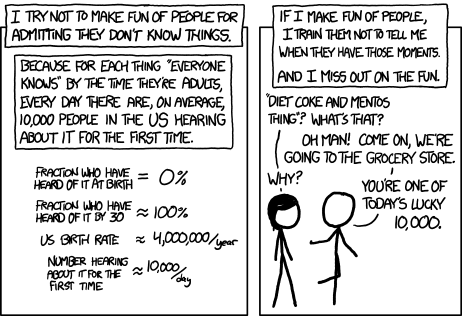
Source: _[xkcd, May 2012](https://xkcd.com/1053/)_
================================================
FILE: CONTRIBUTING.md
================================================
# Contributing to SeleniumBase
The SeleniumBase project welcomes meaningful contributions.
There are many ways to help:
## Bug Reports
When opening a new issue or commenting on an existing issue, please make sure to provide concise, detailed instructions on how to reproduce the issue. If the issue can't be reproduced, it will be closed. Clearly describe the results you're seeing, and the results you're expecting.
## Feature Requests
If you find that SeleniumBase is missing something, feel free to open an issue with details describing what feature(s) you'd like added or changed.
## Documentation
SeleniumBase is a big software project, and documentation is key to
understanding how it works and how to use it properly. If you feel that important documentation is missing, please let us know, or submit a pull request.
## Code Contributions
The SeleniumBase project welcomes meaningful contributions. Given the complexity of the project, it may be easier to open an issue for a change you want made than to try implementing the change yourself.
Recently, we've been moving toward the policy discussed in https://github.com/readme/featured/how-open-is-open-source, which is: "Open-Source, not Open-Contribution". As the article states, even small contributions (via pull requests) typically require hours of time to properly test and validate. We're still grateful for community involvement and when folks report bugs or suggest features. With some special exceptions, this project is mainly closed to contribution (via pull requests).
## (A Note on Style Guide Rules)
[flake8](https://github.com/PyCQA/flake8) is the law of the land. The only flake8 rule ignored is [W503](https://github.com/grantmcconnaughey/Flake8Rules/blob/master/_rules/W503.md). For more details on why W503 should be ignored, see [this explanation](https://peps.python.org/pep-0008/#should-a-line-break-before-or-after-a-binary-operator), or [this shorter explanation](https://github.com/PyCQA/flake8/issues/494) by Python expert [Anthony Sottile](https://github.com/asottile).
--------
For questions about this document, reach out to [Michael Mintz](https://github.com/mdmintz).
================================================
FILE: Dockerfile
================================================
# SeleniumBase Docker Image
FROM ubuntu:24.04
SHELL ["/bin/bash", "-o", "pipefail", "-c"]
ENV PYTHONUNBUFFERED=1
ENV PYTHONIOENCODING=UTF-8
ENV DEBIAN_FRONTEND=noninteractive
#======================
# Locale Configuration
#======================
RUN apt-get update
RUN apt-get install -y --no-install-recommends tzdata locales
RUN sed -i '/en_US.UTF-8/s/^# //g' /etc/locale.gen && locale-gen
ENV TZ=America/New_York
RUN ln -snf /usr/share/zoneinfo/$TZ /etc/localtime && echo $TZ > /etc/timezone
ENV LANG=en_US.UTF-8
ENV LANGUAGE=en_US:en
ENV LC_ALL=en_US.UTF-8
RUN echo "LC_ALL=en_US.UTF-8" >> /etc/environment
RUN echo "en_US.UTF-8 UTF-8" >> /etc/locale.gen
RUN echo "LANG=en_US.UTF-8" > /etc/locale.conf
RUN locale-gen en_US.UTF-8
#===========================
# Fingerprint Configuration
#===========================
RUN apt-get update
RUN apt install -y fonts-liberation fonts-noto-color-emoji libvulkan1 libnss3 libatk-bridge2.0-0 libcups2 libxcomposite1 libxrandr2 libgbm1 libpango-1.0-0 libcairo2
RUN apt install -y fonts-freefont-ttf fonts-dejavu-core fonts-ubuntu fonts-roboto fonts-droid-fallback
#======================
# Install Common Fonts
#======================
RUN apt-get update
RUN apt-get install -y \
fonts-liberation2 \
fonts-font-awesome \
fonts-terminus \
fonts-powerline \
fonts-open-sans \
fonts-mononoki \
fonts-lato
#============================
# Install Linux Dependencies
#============================
RUN apt-get update
RUN apt-get install -y \
dbus-x11 \
libatk1.0-0 \
libatspi2.0-0 \
libdbus-1-3 \
libdrm2 \
libgtk-3-0 \
libnspr4 \
libasound2t64 \
libu2f-udev \
libwayland-client0 \
libx11-6 \
libx11-xcb1 \
libxdamage1 \
libxfixes3 \
libxkbcommon0
#==========================
# Install useful utilities
#==========================
RUN apt-get update
RUN apt-get install -y xdg-utils ca-certificates x11vnc
#=================================
# Install Bash Command Line Tools
#=================================
RUN apt-get update
RUN apt-get -qy --no-install-recommends install \
curl \
sudo \
unzip \
vim \
wget \
xvfb
#================
# Install Chrome
#================
RUN apt-get update
RUN wget https://dl.google.com/linux/direct/google-chrome-stable_current_amd64.deb
RUN apt-get install -y ./google-chrome-stable_current_amd64.deb
RUN rm ./google-chrome-stable_current_amd64.deb
#================
# Install Python
#================
RUN apt-get update && apt-get install -y software-properties-common
RUN add-apt-repository ppa:deadsnakes/ppa -y
RUN apt-get update
RUN apt-get install -y python3.13 python3.13-venv python3.13-dev build-essential
RUN update-alternatives --install /usr/bin/python3 python3 /usr/bin/python3.13 1
RUN apt-get clean && rm -rf /var/lib/apt/lists/*
RUN python3.13 -m ensurepip --upgrade
RUN python3.13 -m pip install --upgrade pip
RUN apt-get update
RUN apt-get install -y python3.13-tk python3.13-dev
RUN alias python=python3
RUN echo "alias python=python3" >> ~/.bashrc
RUN rm /usr/bin/python3
RUN ln -s python3.13 /usr/bin/python3
#===============
# Cleanup Lists
#===============
RUN apt-get clean
RUN rm -rf /var/lib/apt/lists/*
#=====================
# Set up SeleniumBase
#=====================
COPY sbase /SeleniumBase/sbase/
COPY seleniumbase /SeleniumBase/seleniumbase/
COPY examples /SeleniumBase/examples/
COPY integrations /SeleniumBase/integrations/
COPY requirements.txt /SeleniumBase/requirements.txt
COPY setup.py /SeleniumBase/setup.py
COPY MANIFEST.in /SeleniumBase/MANIFEST.in
COPY pytest.ini /SeleniumBase/pytest.ini
COPY setup.cfg /SeleniumBase/setup.cfg
COPY virtualenv_install.sh /SeleniumBase/virtualenv_install.sh
RUN find . -name '*.pyc' -delete
RUN pip install --upgrade pip setuptools wheel
RUN cd /SeleniumBase && ls && pip install -r requirements.txt --upgrade
RUN cd /SeleniumBase && pip install .
RUN pip install pyautogui
RUN pip install playwright
RUN seleniumbase get cft
RUN seleniumbase get chromium
#=======================
# Download chromedriver
#=======================
RUN seleniumbase get chromedriver --path
#==============
# Extra config
#==============
ENV DISPLAY=":99"
RUN Xvfb :99 -screen 1 1920x1080x16 -nolisten tcp &
#==========================================
# Create entrypoint and grab example tests
#==========================================
COPY integrations/docker/docker-entrypoint.sh /
COPY integrations/docker/run_docker_test_in_chrome.sh /
RUN chmod +x *.sh
ENTRYPOINT ["/docker-entrypoint.sh"]
CMD ["/bin/bash"]
================================================
FILE: LICENSE
================================================
The MIT License (MIT)
Copyright (c) 2014-2026 Michael Mintz
Permission is hereby granted, free of charge, to any person obtaining a copy
of this software and associated documentation files (the "Software"), to deal
in the Software without restriction, including without limitation the rights
to use, copy, modify, merge, publish, distribute, sublicense, and/or sell
copies of the Software, and to permit persons to whom the Software is
furnished to do so, subject to the following conditions:
The above copyright notice and this permission notice shall be included in all
copies or substantial portions of the Software.
THE SOFTWARE IS PROVIDED "AS IS", WITHOUT WARRANTY OF ANY KIND, EXPRESS OR
IMPLIED, INCLUDING BUT NOT LIMITED TO THE WARRANTIES OF MERCHANTABILITY,
FITNESS FOR A PARTICULAR PURPOSE AND NONINFRINGEMENT. IN NO EVENT SHALL THE
AUTHORS OR COPYRIGHT HOLDERS BE LIABLE FOR ANY CLAIM, DAMAGES OR OTHER
LIABILITY, WHETHER IN AN ACTION OF CONTRACT, TORT OR OTHERWISE, ARISING FROM,
OUT OF OR IN CONNECTION WITH THE SOFTWARE OR THE USE OR OTHER DEALINGS IN THE
SOFTWARE.
================================================
FILE: MANIFEST.in
================================================
include README.md
include pytest.ini
include setup.cfg
include .gitignore
include requirements.txt
include install.sh
include install.bat
include virtualenv_install.sh
include virtualenv_install.bat
include seleniumbase/core/create_db_tables.sql
include seleniumbase/extensions/*.zip
include seleniumbase/utilities/selenium_grid/grid-hub
include seleniumbase/utilities/selenium_grid/grid-node
include seleniumbase/utilities/selenium_grid/font_color
include seleniumbase/utilities/selenium_grid/start-grid-hub.bat
include seleniumbase/utilities/selenium_grid/register-grid-node.bat
include seleniumbase/utilities/selenium_grid/start-grid-hub.sh
include seleniumbase/utilities/selenium_grid/register-grid-node.sh
================================================
FILE: README.md
================================================
<!-- SeleniumBase Docs -->
<meta property="og:site_name" content="SeleniumBase">
<meta property="og:title" content="SeleniumBase: Python Web Automation and E2E Testing" />
<meta property="og:description" content="Fast, easy, and reliable Web/UI testing with Python." />
<meta property="og:keywords" content="Python, pytest, selenium, webdriver, testing, automation, seleniumbase, framework, dashboard, recorder, reports, screenshots">
<meta property="og:image" content="https://seleniumbase.github.io/cdn/img/mac_sb_logo_5b.png" />
<link rel="icon" href="https://seleniumbase.github.io/img/logo7.png" />
<h1>SeleniumBase</h1>
<p align="center"><a href="https://github.com/seleniumbase/SeleniumBase/"><img src="https://seleniumbase.github.io/cdn/img/nice_logo_5t.png" alt="SeleniumBase" title="SeleniumBase" width="344" /></a></p>
<p align="center" class="hero__title"><b>All-in-one Browser Automation Framework:<br />Web Crawling / Testing / Scraping / Stealth</b></p>
<p align="center"><a href="https://pypi.python.org/pypi/seleniumbase" target="_blank"><img src="https://img.shields.io/pypi/v/seleniumbase.svg?color=3399EE" alt="PyPI version" /></a> <a href="https://github.com/seleniumbase/SeleniumBase/actions" target="_blank"><img src="https://github.com/seleniumbase/SeleniumBase/workflows/CI%20build/badge.svg" alt="SeleniumBase GitHub Actions" /></a> <a href="https://seleniumbase.io"><img src="https://img.shields.io/badge/docs-seleniumbase.io-11BBAA.svg" alt="SeleniumBase Docs" /></a> <a href="https://pepy.tech/projects/seleniumbase?timeRange=threeMonths&category=version&includeCIDownloads=true&granularity=daily&viewType=line&versions=*" target="_blank"><img src="https://static.pepy.tech/badge/seleniumbase" alt="SeleniumBase PyPI downloads" /></a> <a href="https://discord.gg/EdhQTn3EyE" target="_blank"><img src="https://img.shields.io/discord/727927627830001734?color=7289DA&label=Discord&logo=discord&logoColor=white"/></a></p>
<p align="center"></p>
<p align="center">
<a href="#python_installation">🚀 Start</a> |
<a href="https://github.com/seleniumbase/SeleniumBase/blob/master/help_docs/features_list.md">🏰 Features</a> |
<a href="https://github.com/seleniumbase/SeleniumBase/blob/master/help_docs/customizing_test_runs.md">🎛️ Options</a> |
<a href="https://github.com/seleniumbase/SeleniumBase/blob/master/examples/ReadMe.md">📚 Examples</a> |
<a href="https://github.com/seleniumbase/SeleniumBase/blob/master/seleniumbase/console_scripts/ReadMe.md">🪄 Scripts</a> |
<a href="https://github.com/seleniumbase/SeleniumBase/blob/master/help_docs/mobile_testing.md">📱 Mobile</a>
<br />
<a href="https://github.com/seleniumbase/SeleniumBase/blob/master/help_docs/method_summary.md">📘 The API</a> |
<a href="https://github.com/seleniumbase/SeleniumBase/blob/master/help_docs/syntax_formats.md"> 🔠 SyntaxFormats</a> |
<a href="https://github.com/seleniumbase/SeleniumBase/blob/master/help_docs/recorder_mode.md">🔴 Recorder</a> |
<a href="https://github.com/seleniumbase/SeleniumBase/blob/master/examples/example_logs/ReadMe.md">📊 Dashboard</a> |
<a href="https://github.com/seleniumbase/SeleniumBase/blob/master/help_docs/locale_codes.md">🗾 Locale</a>
<br />
<a href="https://github.com/seleniumbase/SeleniumBase/blob/master/help_docs/commander.md">🎖️ GUI</a> |
<a href="https://seleniumbase.io/demo_page">📰 TestPage</a> |
<a href="https://github.com/seleniumbase/SeleniumBase/blob/master/help_docs/uc_mode.md">👤 UC Mode</a> |
<a href="https://github.com/seleniumbase/SeleniumBase/blob/master/examples/cdp_mode/ReadMe.md">🐙 CDP Mode</a> |
<a href="https://github.com/seleniumbase/SeleniumBase/blob/master/examples/chart_maker/ReadMe.md">📶 Charts</a> |
<a href="https://seleniumbase.io/devices/?url=seleniumbase.com">🖥️ Farm</a>
<br />
<a href="https://github.com/seleniumbase/SeleniumBase/blob/master/help_docs/how_it_works.md">👁️ How</a> |
<a href="https://github.com/seleniumbase/SeleniumBase/tree/master/examples/migration/raw_selenium">🚝 Migration</a> |
<a href="https://github.com/seleniumbase/SeleniumBase/blob/master/examples/cdp_mode/playwright/ReadMe.md">🎭 Stealthy Playwright</a> |
<a href="https://github.com/seleniumbase/SeleniumBase/blob/master/examples/master_qa/ReadMe.md">🛂 MasterQA</a> |
<a href="https://github.com/seleniumbase/SeleniumBase/blob/master/examples/tour_examples/ReadMe.md">🚎 Tours</a>
<br />
<a href="https://github.com/seleniumbase/SeleniumBase/blob/master/integrations/github/workflows/ReadMe.md">🤖 CI/CD</a> |
<a href="https://github.com/seleniumbase/SeleniumBase/blob/master/help_docs/js_package_manager.md">❇️ JSMgr</a> |
<a href="https://github.com/seleniumbase/SeleniumBase/blob/master/help_docs/translations.md">🌏 Translator</a> |
<a href="https://github.com/seleniumbase/SeleniumBase/blob/master/examples/presenter/ReadMe.md">🎞️ Presenter</a> |
<a href="https://github.com/seleniumbase/SeleniumBase/blob/master/examples/visual_testing/ReadMe.md">🖼️ Visual</a> |
<a href="https://github.com/seleniumbase/SeleniumBase/blob/master/help_docs/case_plans.md">🗂️ CPlans</a>
<br />
</p>
📊 <a href="https://github.com/seleniumbase/SeleniumBase/"><b translate="no">SeleniumBase</b></a> is a complete framework for browser automation activities. It supports <a href="https://docs.pytest.org/en/latest/how-to/usage.html">pytest</a>, which makes it easy to scale testing. Includes advanced tools for reporting, script-generation, JavaScript manipulation, and stealthy automation.
🐙 Stealth modes: <a translate="no" href="https://github.com/seleniumbase/SeleniumBase/blob/master/help_docs/uc_mode.md">UC Mode</a> and <a translate="no" href="https://github.com/seleniumbase/SeleniumBase/blob/master/examples/cdp_mode/ReadMe.md"><b>CDP Mode</b></a> can bypass bot-detection, handle CAPTCHAs, and call methods from the <a href="https://chromedevtools.github.io/devtools-protocol/" translate="no">Chrome Devtools Protocol</a>. Includes <a href="https://github.com/seleniumbase/SeleniumBase/blob/master/examples/cdp_mode/playwright/ReadMe.md"><b><span translate="no">Stealthy Playwright Mode</span></b></a>, which makes Playwright stealthy via CDP Mode.
📚 Example scripts and tests are located in [**SeleniumBase/examples/**](https://github.com/seleniumbase/SeleniumBase/tree/master/examples).
🥷 Stealthy example scripts are located in [**SeleniumBase/examples/cdp_mode/**](https://github.com/seleniumbase/SeleniumBase/tree/master/examples/cdp_mode).
--------
<p align="left">📗 This script performs a Google Search using SeleniumBase UC Mode + CDP Mode:<br /><a href="https://github.com/seleniumbase/SeleniumBase/blob/master/examples/raw_google.py">SeleniumBase/examples/raw_google.py</a> (Results are saved as PDF, HTML, and PNG)</p>
```python
from seleniumbase import SB
with SB(uc=True, test=True) as sb:
url = "https://google.com/ncr"
sb.activate_cdp_mode(url)
sb.type('[name="q"]', "SeleniumBase GitHub page")
sb.click('[value="Google Search"]')
sb.sleep(4) # The "AI Overview" sometimes loads
print(sb.get_page_title())
sb.save_as_pdf_to_logs()
sb.save_page_source_to_logs()
sb.save_screenshot_to_logs()
print("Logs have been saved to: ./latest_logs/")
```
> `python raw_google.py`
<a href="https://github.com/seleniumbase/SeleniumBase/blob/master/examples/raw_google.py"><img src="https://seleniumbase.github.io/cdn/img/google_sb_result.jpg" alt="SeleniumBase on Google" title="SeleniumBase on Google" width="580" /></a>
--------
<p align="left">📗 Here's a script that bypasses Cloudflare's challenge page with UC Mode + CDP Mode: <a href="https://github.com/seleniumbase/SeleniumBase/blob/master/examples/cdp_mode/raw_gitlab.py">SeleniumBase/examples/cdp_mode/raw_gitlab.py</a></p>
```python
from seleniumbase import SB
with SB(uc=True, test=True, locale="en") as sb:
url = "https://gitlab.com/users/sign_in"
sb.activate_cdp_mode(url)
sb.sleep(2)
sb.solve_captcha()
# (The rest is for testing and demo purposes)
sb.assert_text("Username", '[for="user_login"]', timeout=3)
sb.assert_element('label[for="user_login"]')
sb.highlight('button:contains("Sign in")')
sb.highlight('h1:contains("GitLab")')
sb.post_message("SeleniumBase wasn't detected", duration=4)
```
<img src="https://seleniumbase.github.io/other/cf_sec.jpg" title="SeleniumBase" width="344"> <img src="https://seleniumbase.github.io/other/gitlab_bypass.png" title="SeleniumBase" width="298">
<p align="left">📙 There's also SeleniumBase's "Pure CDP Mode", which doesn't use WebDriver or Selenium at all: <a href="https://github.com/seleniumbase/SeleniumBase/blob/master/examples/cdp_mode/raw_cdp_gitlab.py">SeleniumBase/examples/cdp_mode/raw_cdp_gitlab.py</a></p>
```python
from seleniumbase import sb_cdp
url = "https://gitlab.com/users/sign_in"
sb = sb_cdp.Chrome(url, incognito=True)
sb.sleep(2)
sb.solve_captcha()
sb.highlight('h1:contains("GitLab")')
sb.highlight('button:contains("Sign in")')
sb.driver.stop()
```
--------
<p align="left">📗 Here's <a href="https://github.com/seleniumbase/SeleniumBase/blob/master/examples/test_get_swag.py">SeleniumBase/examples/test_get_swag.py</a>, which tests an e-commerce site:</p>
```python
from seleniumbase import BaseCase
BaseCase.main(__name__, __file__) # Call pytest
class MyTestClass(BaseCase):
def test_swag_labs(self):
self.open("https://www.saucedemo.com")
self.type("#user-name", "standard_user")
self.type("#password", "secret_sauce\n")
self.assert_element("div.inventory_list")
self.click('button[name*="backpack"]')
self.click("#shopping_cart_container a")
self.assert_text("Backpack", "div.cart_item")
self.click("button#checkout")
self.type("input#first-name", "SeleniumBase")
self.type("input#last-name", "Automation")
self.type("input#postal-code", "77123")
self.click("input#continue")
self.click("button#finish")
self.assert_text("Thank you for your order!")
```
> `pytest test_get_swag.py`
<a href="https://github.com/seleniumbase/SeleniumBase/blob/master/examples/test_get_swag.py"><img src="https://seleniumbase.github.io/cdn/gif/fast_swag_2.gif" alt="SeleniumBase Test" title="SeleniumBase Test" width="480" /></a>
> (The default browser is `--chrome` if not set.)
--------
<p align="left">📗 Here's <a href="https://github.com/seleniumbase/SeleniumBase/blob/master/examples/test_coffee_cart.py" target="_blank">SeleniumBase/examples/test_coffee_cart.py</a>, which verifies an e-commerce site:</p>
```zsh
pytest test_coffee_cart.py --demo
```
<p align="left"><a href="https://seleniumbase.io/coffee/" target="_blank"><img src="https://seleniumbase.github.io/cdn/gif/coffee_cart.gif" width="480" alt="SeleniumBase Coffee Cart Test" title="SeleniumBase Coffee Cart Test" /></a></p>
> <p>(<code translate="no">--demo</code> mode slows down tests and highlights actions)</p>
--------
<a id="multiple_examples"></a>
<p align="left">📗 Here's <a href="https://github.com/seleniumbase/SeleniumBase/blob/master/examples/test_demo_site.py" target="_blank">SeleniumBase/examples/test_demo_site.py</a>, which covers several actions:</p>
```zsh
pytest test_demo_site.py
```
<p align="left"><a href="https://seleniumbase.io/demo_page" target="_blank"><img src="https://seleniumbase.github.io/cdn/gif/demo_page_5.gif" width="480" alt="SeleniumBase Example" title="SeleniumBase Example" /></a></p>
> Easy to type, click, select, toggle, drag & drop, and more.
(For more examples, see the <a href="https://github.com/seleniumbase/SeleniumBase/blob/master/examples/ReadMe.md">SeleniumBase/examples/</a> folder.)
--------
<p align="left">📓 Here's a high-level stealthy architecture overview of SeleniumBase:</p>
<img src="https://seleniumbase.github.io/other/sb_stealth.png" width="585" alt="High-Level Stealthy Architecture Overview" title="High-Level Stealthy Architecture Overview" />
(For maximum stealth, use <a translate="no" href="https://github.com/seleniumbase/SeleniumBase/blob/master/examples/cdp_mode/ReadMe.md">CDP Mode</a>, which is used by <a translate="no" href="https://github.com/seleniumbase/SeleniumBase/blob/master/examples/cdp_mode/playwright/ReadMe.md">Stealthy Playwright Mode</a>)
--------
<p align="left"><a href="https://github.com/seleniumbase/SeleniumBase/"><img src="https://seleniumbase.github.io/cdn/img/super_logo_sb3.png" alt="SeleniumBase" title="SeleniumBase" width="232" /></a></p>
<blockquote>
<p dir="auto"><strong>Explore the README:</strong></p>
<ul dir="auto">
<li><a href="#install_seleniumbase" ><strong>Get Started / Installation</strong></a></li>
<li><a href="#basic_example_and_usage"><strong>Basic Example / Usage</strong></a></li>
<li><a href="#common_methods" ><strong>Common Test Methods</strong></a></li>
<li><a href="#fun_facts" ><strong>Fun Facts / Learn More</strong></a></li>
<li><a href="#demo_mode_and_debugging"><strong>Demo Mode / Debugging</strong></a></li>
<li><a href="#command_line_options" ><strong>Command-line Options</strong></a></li>
<li><a href="#directory_configuration"><strong>Directory Configuration</strong></a></li>
<li><a href="#seleniumbase_dashboard" ><strong>SeleniumBase Dashboard</strong></a></li>
<li><a href="#creating_visual_reports"><strong>Generating Test Reports</strong></a></li>
</ul>
</blockquote>
--------
<details>
<summary> ▶️ How is <b>SeleniumBase</b> different from raw Selenium? (<b>click to expand</b>)</summary>
<div>
<p>💡 SeleniumBase is a Python framework for browser automation and testing. SeleniumBase uses <a href="https://www.w3.org/TR/webdriver2/#endpoints" target="_blank">Selenium/WebDriver</a> APIs and incorporates test-runners such as <code translate="no">pytest</code>, <code translate="no">pynose</code>, and <code translate="no">behave</code> to provide organized structure, test discovery, test execution, test state (<i>eg. passed, failed, or skipped</i>), and command-line options for changing default settings (<i>eg. browser selection</i>). With raw Selenium, you would need to set up your own options-parser for configuring tests from the command-line.</p>
<p>💡 SeleniumBase's driver manager gives you more control over automatic driver downloads. (Use <code translate="no">--driver-version=VER</code> with your <code translate="no">pytest</code> run command to specify the version.) By default, SeleniumBase will download a driver version that matches your major browser version if not set.</p>
<p>💡 SeleniumBase automatically detects between CSS Selectors and XPath, which means you don't need to specify the type of selector in your commands (<i>but optionally you could</i>).</p>
<p>💡 SeleniumBase methods often perform multiple actions in a single method call. For example, <code translate="no">self.type(selector, text)</code> does the following:<br />1. Waits for the element to be visible.<br />2. Waits for the element to be interactive.<br />3. Clears the text field.<br />4. Types in the new text.<br />5. Presses Enter/Submit if the text ends in <code translate="no">"\n"</code>.<br />With raw Selenium, those actions require multiple method calls.</p>
<p>💡 SeleniumBase uses default timeout values when not set:<br />
✅ <code translate="no">self.click("button")</code><br />
With raw Selenium, methods would fail instantly (<i>by default</i>) if an element needed more time to load:<br />
❌ <code translate="no">self.driver.find_element(by="css selector", value="button").click()</code><br />
(Reliable code is better than unreliable code.)</p>
<p>💡 SeleniumBase lets you change the explicit timeout values of methods:<br />
✅ <code translate="no">self.click("button", timeout=10)</code><br />
With raw Selenium, that requires more code:<br />
❌ <code translate="no">WebDriverWait(driver, 10).until(EC.element_to_be_clickable("css selector", "button")).click()</code><br />
(Simple code is better than complex code.)</p>
<p>💡 SeleniumBase gives you clean error output when a test fails. With raw Selenium, error messages can get very messy.</p>
<p>💡 SeleniumBase gives you the option to generate a dashboard and reports for tests. It also saves screenshots from failing tests to the <code translate="no">./latest_logs/</code> folder. Raw <a href="https://www.selenium.dev/documentation/webdriver/" translate="no" target="_blank">Selenium</a> does not have these options out-of-the-box.</p>
<p>💡 SeleniumBase includes desktop GUI apps for running tests, such as <a href="https://github.com/seleniumbase/SeleniumBase/blob/master/help_docs/commander.md" translate="no">SeleniumBase Commander</a> for <code translate="no">pytest</code> and <a href="https://github.com/seleniumbase/SeleniumBase/blob/master/examples/behave_bdd/ReadMe.md" translate="no">SeleniumBase Behave GUI</a> for <code translate="no">behave</code>.</p>
<p>💡 SeleniumBase has its own <a href="https://github.com/seleniumbase/SeleniumBase/blob/master/help_docs/recorder_mode.md">Recorder / Test Generator</a> for creating tests from manual browser actions.</p>
<p>💡 SeleniumBase comes with <a href="https://github.com/seleniumbase/SeleniumBase/blob/master/help_docs/case_plans.md">test case management software, ("CasePlans")</a>, for organizing tests and step descriptions.</p>
<p>💡 SeleniumBase includes tools for <a href="https://github.com/seleniumbase/SeleniumBase/blob/master/examples/chart_maker/ReadMe.md">building data apps, ("ChartMaker")</a>, which can generate JavaScript from Python.</p>
</div>
</details>
--------
<p>📚 <b>Learn about different ways of writing tests:</b></p>
<p align="left">📗📝 Here's <a href="https://github.com/seleniumbase/SeleniumBase/blob/master/examples/test_simple_login.py">test_simple_login.py</a>, which uses <code translate="no"><a href="https://github.com/seleniumbase/SeleniumBase/blob/master/seleniumbase/fixtures/base_case.py">BaseCase</a></code> class inheritance, and runs with <a href="https://docs.pytest.org/en/latest/how-to/usage.html">pytest</a> or <a href="https://github.com/mdmintz/pynose">pynose</a>. (Use <code translate="no">self.driver</code> to access Selenium's raw <code translate="no">driver</code>.)</p>
```python
from seleniumbase import BaseCase
BaseCase.main(__name__, __file__)
class TestSimpleLogin(BaseCase):
def test_simple_login(self):
self.open("seleniumbase.io/simple/login")
self.type("#username", "demo_user")
self.type("#password", "secret_pass")
self.click('a:contains("Sign in")')
self.assert_exact_text("Welcome!", "h1")
self.assert_element("img#image1")
self.highlight("#image1")
self.click_link("Sign out")
self.assert_text("signed out", "#top_message")
```
<p align="left">📘📝 Here's <a href="https://github.com/seleniumbase/SeleniumBase/blob/master/examples/raw_login_sb.py">raw_login_sb.py</a>, which uses the <b><code translate="no">SB</code></b> Context Manager. Runs with pure <code translate="no">python</code>. (Use <code translate="no">sb.driver</code> to access Selenium's raw <code translate="no">driver</code>.)</p>
```python
from seleniumbase import SB
with SB() as sb:
sb.open("seleniumbase.io/simple/login")
sb.type("#username", "demo_user")
sb.type("#password", "secret_pass")
sb.click('a:contains("Sign in")')
sb.assert_exact_text("Welcome!", "h1")
sb.assert_element("img#image1")
sb.highlight("#image1")
sb.click_link("Sign out")
sb.assert_text("signed out", "#top_message")
```
<p align="left">📙📝 Here's <a href="https://github.com/seleniumbase/SeleniumBase/blob/master/examples/raw_login_driver.py">raw_login_driver.py</a>, which uses the <b><code translate="no">Driver</code></b> Manager. Runs with pure <code translate="no">python</code>. (The <code>driver</code> is an improved version of Selenium's raw <code translate="no">driver</code>, with more methods.)</p>
```python
from seleniumbase import Driver
driver = Driver()
try:
driver.open("seleniumbase.io/simple/login")
driver.type("#username", "demo_user")
driver.type("#password", "secret_pass")
driver.click('a:contains("Sign in")')
driver.assert_exact_text("Welcome!", "h1")
driver.assert_element("img#image1")
driver.highlight("#image1")
driver.click_link("Sign out")
driver.assert_text("signed out", "#top_message")
finally:
driver.quit()
```
--------
<a id="python_installation"></a>
<h2><img src="https://seleniumbase.github.io/cdn/img/python_logo.png" title="SeleniumBase" width="42" /> Set up Python & Git:</h2>
<a href="https://www.python.org/downloads/"><img src="https://img.shields.io/pypi/pyversions/seleniumbase.svg?color=FACE42" title="Supported Python Versions" /></a>
🔵 Add <b><a href="https://www.python.org/downloads/">Python</a></b> and <b><a href="https://git-scm.com/">Git</a></b> to your System PATH.
🔵 Using a <a href="https://github.com/seleniumbase/SeleniumBase/blob/master/help_docs/virtualenv_instructions.md">Python virtual env</a> is recommended.
<a id="install_seleniumbase"></a>
<h2><img src="https://seleniumbase.github.io/img/logo7.png" title="SeleniumBase" width="32" /> Install SeleniumBase:</h2>
**You can install `seleniumbase` from [PyPI](https://pypi.org/project/seleniumbase/) or [GitHub](https://github.com/seleniumbase/SeleniumBase):**
🔵 **How to install `seleniumbase` from PyPI:**
```zsh
pip install seleniumbase
```
* (Add `--upgrade` OR `-U` to upgrade SeleniumBase.)
* (Add `--force-reinstall` to upgrade indirect packages.)
🔵 **How to install `seleniumbase` from a GitHub clone:**
```zsh
git clone https://github.com/seleniumbase/SeleniumBase.git
cd SeleniumBase/
pip install -e .
```
🔵 **How to upgrade an existing install from a GitHub clone:**
```zsh
git pull
pip install -e .
```
🔵 **Type `seleniumbase` or `sbase` to verify that SeleniumBase was installed successfully:**
```zsh
___ _ _ ___
/ __| ___| |___ _ _ (_)_ _ _ __ | _ ) __ _ ______
\__ \/ -_) / -_) ' \| | \| | ' \ | _ \/ _` (_-< -_)
|___/\___|_\___|_||_|_|\_,_|_|_|_\|___/\__,_/__|___|
----------------------------------------------------
╭──────────────────────────────────────────────────╮
│ * USAGE: "seleniumbase [COMMAND] [PARAMETERS]" │
│ * OR: "sbase [COMMAND] [PARAMETERS]" │
│ │
│ COMMANDS: PARAMETERS / DESCRIPTIONS: │
│ get / install [DRIVER_NAME] [OPTIONS] │
│ methods (List common Python methods) │
│ options (List common pytest options) │
│ behave-options (List common behave options) │
│ gui / commander [OPTIONAL PATH or TEST FILE] │
│ behave-gui (SBase Commander for Behave) │
│ caseplans [OPTIONAL PATH or TEST FILE] │
│ mkdir [DIRECTORY] [OPTIONS] │
│ mkfile [FILE.py] [OPTIONS] │
│ mkrec / codegen [FILE.py] [OPTIONS] │
│ recorder (Open Recorder Desktop App.) │
│ record (If args: mkrec. Else: App.) │
│ mkpres [FILE.py] [LANG] │
│ mkchart [FILE.py] [LANG] │
│ print [FILE] [OPTIONS] │
│ translate [SB_FILE.py] [LANG] [ACTION] │
│ convert [WEBDRIVER_UNITTEST_FILE.py] │
│ extract-objects [SB_FILE.py] │
│ inject-objects [SB_FILE.py] [OPTIONS] │
│ objectify [SB_FILE.py] [OPTIONS] │
│ revert-objects [SB_FILE.py] [OPTIONS] │
│ encrypt / obfuscate │
│ decrypt / unobfuscate │
│ proxy (Start a basic proxy server) │
│ download server (Get Selenium Grid JAR file) │
│ grid-hub [start|stop] [OPTIONS] │
│ grid-node [start|stop] --hub=[HOST/IP] │
│ │
│ * EXAMPLE => "sbase get chromedriver stable" │
│ * For command info => "sbase help [COMMAND]" │
│ * For info on all commands => "sbase --help" │
╰──────────────────────────────────────────────────╯
```
<h3>🔵 Downloading webdrivers:</h3>
✅ SeleniumBase automatically downloads webdrivers as needed, such as `chromedriver`.
<div></div>
<details>
<summary> ▶️ Here's sample output from a chromedriver download. (<b>click to expand</b>)</summary>
```zsh
*** chromedriver to download = 141.0.7390.78 (Latest Stable)
Downloading chromedriver-mac-arm64.zip from:
https://storage.googleapis.com/chrome-for-testing-public/141.0.7390.78/mac-arm64/chromedriver-mac-arm64.zip ...
Download Complete!
Extracting ['chromedriver'] from chromedriver-mac-arm64.zip ...
Unzip Complete!
The file [chromedriver] was saved to:
~/github/SeleniumBase/seleniumbase/drivers/
chromedriver
Making [chromedriver 141.0.7390.78] executable ...
[chromedriver 141.0.7390.78] is now ready for use!
```
</details>
<a id="basic_example_and_usage"></a>
<h2><img src="https://seleniumbase.github.io/img/logo7.png" title="SeleniumBase" width="32" /> Basic Example / Usage:</h2>
🔵 If you've cloned SeleniumBase, you can run tests from the [examples/](https://github.com/seleniumbase/SeleniumBase/tree/master/examples) folder.
<p align="left">Here's <a href="https://github.com/seleniumbase/SeleniumBase/blob/master/examples/my_first_test.py">my_first_test.py</a>:</p>
```zsh
cd examples/
pytest my_first_test.py
```
<a href="https://github.com/seleniumbase/SeleniumBase/blob/master/examples/my_first_test.py"><img src="https://seleniumbase.github.io/cdn/gif/fast_swag_2.gif" alt="SeleniumBase Test" title="SeleniumBase Test" width="480" /></a>
<p align="left"><b>Here's the full code for <a href="https://github.com/seleniumbase/SeleniumBase/blob/master/examples/my_first_test.py">my_first_test.py</a>:</b></p>
```python
from seleniumbase import BaseCase
BaseCase.main(__name__, __file__)
class MyTestClass(BaseCase):
def test_swag_labs(self):
self.open("https://www.saucedemo.com")
self.type("#user-name", "standard_user")
self.type("#password", "secret_sauce\n")
self.assert_element("div.inventory_list")
self.assert_exact_text("Products", "span.title")
self.click('button[name*="backpack"]')
self.click("#shopping_cart_container a")
self.assert_exact_text("Your Cart", "span.title")
self.assert_text("Backpack", "div.cart_item")
self.click("button#checkout")
self.type("#first-name", "SeleniumBase")
self.type("#last-name", "Automation")
self.type("#postal-code", "77123")
self.click("input#continue")
self.assert_text("Checkout: Overview")
self.assert_text("Backpack", "div.cart_item")
self.assert_text("29.99", "div.inventory_item_price")
self.click("button#finish")
self.assert_exact_text("Thank you for your order!", "h2")
self.assert_element('img[alt="Pony Express"]')
self.js_click("a#logout_sidebar_link")
self.assert_element("div#login_button_container")
```
* By default, **[CSS Selectors](https://www.w3schools.com/cssref/css_selectors.asp)** are used for finding page elements.
* If you're new to CSS Selectors, games like [CSS Diner](http://flukeout.github.io/) can help you learn.
* For more reading, [here's an advanced guide on CSS attribute selectors](https://developer.mozilla.org/en-US/docs/Web/CSS/Attribute_selectors).
<a id="common_methods"></a>
<h3><img src="https://seleniumbase.github.io/img/logo7.png" title="SeleniumBase" width="32" /> Here are some common SeleniumBase methods:</h3>
```python
self.open(url) # Navigate the browser window to the URL.
self.type(selector, text) # Update the field with the text.
self.click(selector) # Click the element with the selector.
self.click_link(link_text) # Click the link containing text.
self.go_back() # Navigate back to the previous URL.
self.select_option_by_text(dropdown_selector, option)
self.hover_and_click(hover_selector, click_selector)
self.drag_and_drop(drag_selector, drop_selector)
self.get_text(selector) # Get the text from the element.
self.get_current_url() # Get the URL of the current page.
self.get_page_source() # Get the HTML of the current page.
self.get_attribute(selector, attribute) # Get element attribute.
self.get_title() # Get the title of the current page.
self.switch_to_frame(frame) # Switch into the iframe container.
self.switch_to_default_content() # Leave the iframe container.
self.open_new_window() # Open a new window in the same browser.
self.switch_to_window(window) # Switch to the browser window.
self.switch_to_default_window() # Switch to the original window.
self.get_new_driver(OPTIONS) # Open a new driver with OPTIONS.
self.switch_to_driver(driver) # Switch to the browser driver.
self.switch_to_default_driver() # Switch to the original driver.
self.wait_for_element(selector) # Wait until element is visible.
self.is_element_visible(selector) # Return element visibility.
self.is_text_visible(text, selector) # Return text visibility.
self.sleep(seconds) # Do nothing for the given amount of time.
self.save_screenshot(name) # Save a screenshot in .png format.
self.assert_element(selector) # Verify the element is visible.
self.assert_text(text, selector) # Verify text in the element.
self.assert_exact_text(text, selector) # Verify text is exact.
self.assert_title(title) # Verify the title of the web page.
self.assert_downloaded_file(file) # Verify file was downloaded.
self.assert_no_404_errors() # Verify there are no broken links.
self.assert_no_js_errors() # Verify there are no JS errors.
```
🔵 For the complete list of SeleniumBase methods, see: <b><a href="https://github.com/seleniumbase/SeleniumBase/blob/master/help_docs/method_summary.md">Method Summary</a></b>
<a id="fun_facts"></a>
<h2><img src="https://seleniumbase.github.io/img/logo7.png" title="SeleniumBase" width="32" /> Fun Facts / Learn More:</h2>
<p>✅ SeleniumBase automatically handles common <a href="https://www.selenium.dev/documentation/webdriver/" target="_blank">WebDriver</a> actions such as launching web browsers before tests, saving screenshots during failures, and closing web browsers after tests.</p>
<p>✅ SeleniumBase lets you customize tests via <a href="https://github.com/seleniumbase/SeleniumBase/blob/master/help_docs/customizing_test_runs.md">command-line options</a>.</p>
<p>✅ SeleniumBase uses simple syntax for commands. Example:</p>
```python
self.type("input", "dogs\n") # (The "\n" presses ENTER)
```
Most SeleniumBase scripts can be run with <code translate="no">pytest</code>, <code translate="no">pynose</code>, or pure <code translate="no">python</code>. Not all test runners can run all test formats. For example, tests that use the `sb` pytest fixture can only be run with `pytest`. (See <a href="https://github.com/seleniumbase/SeleniumBase/blob/master/help_docs/syntax_formats.md">Syntax Formats</a>) There's also a <a href="https://behave.readthedocs.io/en/stable/gherkin.html#features" target="_blank">Gherkin</a> test format that runs with <a href="https://github.com/seleniumbase/SeleniumBase/blob/master/examples/behave_bdd/ReadMe.md">behave</a>.
```zsh
pytest coffee_cart_tests.py --rs
pytest test_sb_fixture.py --demo
pytest test_suite.py --rs --html=report.html --dashboard
pynose basic_test.py --mobile
pynose test_suite.py --headless --report --show-report
python raw_sb.py
python raw_test_scripts.py
behave realworld.feature
behave calculator.feature -D rs -D dashboard
```
<p>✅ <code translate="no">pytest</code> includes automatic test discovery. If you don't specify a specific file or folder to run, <code translate="no">pytest</code> will automatically search through all subdirectories for tests to run based on the following criteria:</p>
* Python files that start with `test_` or end with `_test.py`.
* Python methods that start with `test_`.
With a SeleniumBase [pytest.ini](https://github.com/seleniumbase/SeleniumBase/blob/master/examples/pytest.ini) file present, you can modify default discovery settings. The Python class name can be anything because `seleniumbase.BaseCase` inherits `unittest.TestCase` to trigger autodiscovery.
<p>✅ You can do a pre-flight check to see which tests would get discovered by <code translate="no">pytest</code> before the actual run:</p>
```zsh
pytest --co -q
```
<p>✅ You can be more specific when calling <code translate="no">pytest</code> or <code translate="no">pynose</code> on a file:</p>
```zsh
pytest [FILE_NAME.py]::[CLASS_NAME]::[METHOD_NAME]
pynose [FILE_NAME.py]:[CLASS_NAME].[METHOD_NAME]
```
<p>✅ No More Flaky Tests! SeleniumBase methods automatically wait for page elements to finish loading before interacting with them (<i>up to a timeout limit</i>). This means <b>you no longer need random <span><code translate="no">time.sleep()</code></span> statements</b> in your scripts.</p>
<img src="https://img.shields.io/badge/Flaky%20Tests%3F-%20NO%21-11BBDD.svg" alt="NO MORE FLAKY TESTS!" />
✅ SeleniumBase supports all major browsers and operating systems:
<p><b>Browsers:</b> Chrome, Edge, Firefox, and Safari.</p>
<p><b>Systems:</b> Linux/Ubuntu, macOS, and Windows.</p>
✅ SeleniumBase works on all popular CI/CD platforms:
<p><a href="https://github.com/seleniumbase/SeleniumBase/blob/master/integrations/github/workflows/ReadMe.md"><img alt="GitHub Actions integration" src="https://img.shields.io/badge/GitHub_Actions-12B2C2.svg?logo=GitHubActions&logoColor=CFFFC2" /></a> <a href="https://github.com/seleniumbase/SeleniumBase/blob/master/integrations/azure/jenkins/ReadMe.md"><img alt="Jenkins integration" src="https://img.shields.io/badge/Jenkins-32B242.svg?logo=jenkins&logoColor=white" /></a> <a href="https://github.com/seleniumbase/SeleniumBase/blob/master/integrations/azure/azure_pipelines/ReadMe.md"><img alt="Azure integration" src="https://img.shields.io/badge/Azure-2288EE.svg?logo=AzurePipelines&logoColor=white" /></a> <a href="https://github.com/seleniumbase/SeleniumBase/blob/master/integrations/google_cloud/ReadMe.md"><img alt="Google Cloud integration" src="https://img.shields.io/badge/Google_Cloud-11CAE8.svg?logo=GoogleCloud&logoColor=EE0066" /></a> <a href="#utilizing_advanced_features"><img alt="AWS integration" src="https://img.shields.io/badge/AWS-4488DD.svg?logo=AmazonAWS&logoColor=FFFF44" /></a> <a href="https://en.wikipedia.org/wiki/Personal_computer" target="_blank"><img alt="Your Computer" src="https://img.shields.io/badge/💻_Your_Computer-44E6E6.svg" /></a></p>
<p>✅ SeleniumBase includes an automated/manual hybrid solution called <b><a href="https://github.com/seleniumbase/SeleniumBase/blob/master/examples/master_qa/ReadMe.md">MasterQA</a></b> to speed up manual testing with automation while manual testers handle validation.</p>
<p>✅ SeleniumBase supports <a href="https://github.com/seleniumbase/SeleniumBase/tree/master/examples/offline_examples">running tests while offline</a> (<i>assuming webdrivers have previously been downloaded when online</i>).</p>
<p>✅ For a full list of SeleniumBase features, <a href="https://github.com/seleniumbase/SeleniumBase/blob/master/help_docs/features_list.md">Click Here</a>.</p>
<a id="demo_mode_and_debugging"></a>
<h2><img src="https://seleniumbase.github.io/img/logo7.png" title="SeleniumBase" width="32" /> Demo Mode / Debugging:</h2>
🔵 <b>Demo Mode</b> helps you see what a test is doing. If a test is moving too fast for your eyes, run it in <b>Demo Mode</b> to pause the browser briefly between actions, highlight page elements being acted on, and display assertions:
```zsh
pytest my_first_test.py --demo
```
🔵 `time.sleep(seconds)` can be used to make a test wait at a specific spot:
```python
import time; time.sleep(3) # Do nothing for 3 seconds.
```
🔵 **Debug Mode** with Python's built-in **[pdb](https://docs.python.org/3/library/pdb.html)** library helps you debug tests:
```python
import pdb; pdb.set_trace()
import pytest; pytest.set_trace()
breakpoint() # Shortcut for "import pdb; pdb.set_trace()"
```
> (**`pdb`** commands: `n`, `c`, `s`, `u`, `d` => `next`, `continue`, `step`, `up`, `down`)
🔵 To pause an active test that throws an exception or error, (*and keep the browser window open while **Debug Mode** begins in the console*), add **`--pdb`** as a `pytest` option:
```zsh
pytest test_fail.py --pdb
```
🔵 To start tests in Debug Mode, add **`--trace`** as a `pytest` option:
```zsh
pytest test_coffee_cart.py --trace
```
<a href="https://github.com/mdmintz/pdbp"><img src="https://seleniumbase.github.io/cdn/gif/coffee_pdbp.gif" alt="SeleniumBase test with the pdbp (Pdb+) debugger" title="SeleniumBase test with the pdbp (Pdb+) debugger" /></a>
<a id="command_line_options"></a>
<h2>🔵 Command-line Options:</h2>
<a id="pytest_options"></a>
✅ Here are some useful command-line options that come with <code translate="no">pytest</code>:
```zsh
-v # Verbose mode. Prints the full name of each test and shows more details.
-q # Quiet mode. Print fewer details in the console output when running tests.
-x # Stop running the tests after the first failure is reached.
--html=report.html # Creates a detailed pytest-html report after tests finish.
--co | --collect-only # Show what tests would get run. (Without running them)
--co -q # (Both options together!) - Do a dry run with full test names shown.
-n=NUM # Multithread the tests using that many threads. (Speed up test runs!)
-s # See print statements. (Should be on by default with pytest.ini present.)
--junit-xml=report.xml # Creates a junit-xml report after tests finish.
--pdb # If a test fails, enter Post Mortem Debug Mode. (Don't use with CI!)
--trace # Enter Debug Mode at the beginning of each test. (Don't use with CI!)
-m=MARKER # Run tests with the specified pytest marker.
```
<a id="new_pytest_options"></a>
✅ SeleniumBase provides additional <code translate="no">pytest</code> command-line options for tests:
```zsh
--browser=BROWSER # (The web browser to use. Default: "chrome".)
--chrome # (Shortcut for "--browser=chrome". On by default.)
--edge # (Shortcut for "--browser=edge".)
--firefox # (Shortcut for "--browser=firefox".)
--safari # (Shortcut for "--browser=safari".)
--opera # (Shortcut for "--browser=opera".)
--brave # (Shortcut for "--browser=brave".)
--comet # (Shortcut for "--browser=comet".)
--atlas # (Shortcut for "--browser=atlas".)
--settings-file=FILE # (Override default SeleniumBase settings.)
--env=ENV # (Set the test env. Access with "self.env" in tests.)
--account=STR # (Set account. Access with "self.account" in tests.)
--data=STRING # (Extra test data. Access with "self.data" in tests.)
--var1=STRING # (Extra test data. Access with "self.var1" in tests.)
--var2=STRING # (Extra test data. Access with "self.var2" in tests.)
--var3=STRING # (Extra test data. Access with "self.var3" in tests.)
--variables=DICT # (Extra test data. Access with "self.variables".)
--user-data-dir=DIR # (Set the Chrome user data directory to use.)
--protocol=PROTOCOL # (The Selenium Grid protocol: http|https.)
--server=SERVER # (The Selenium Grid server/IP used for tests.)
--port=PORT # (The Selenium Grid port used by the test server.)
--cap-file=FILE # (The web browser's desired capabilities to use.)
--cap-string=STRING # (The web browser's desired capabilities to use.)
--proxy=SERVER:PORT # (Connect to a proxy server:port as tests are running)
--proxy=USERNAME:PASSWORD@SERVER:PORT # (Use an authenticated proxy server)
--proxy-bypass-list=STRING # (";"-separated hosts to bypass, Eg "*.foo.com")
--proxy-pac-url=URL # (Connect to a proxy server using a PAC_URL.pac file.)
--proxy-pac-url=USERNAME:PASSWORD@URL # (Authenticated proxy with PAC URL.)
--proxy-driver # (If a driver download is needed, will use: --proxy=PROXY.)
--multi-proxy # (Allow multiple authenticated proxies when multi-threaded.)
--agent=STRING # (Modify the web browser's User-Agent string.)
--mobile # (Use the mobile device emulator while running tests.)
--metrics=STRING # (Set mobile metrics: "CSSWidth,CSSHeight,PixelRatio".)
--chromium-arg="ARG=N,ARG2" # (Set Chromium args, ","-separated, no spaces.)
--firefox-arg="ARG=N,ARG2" # (Set Firefox args, comma-separated, no spaces.)
--firefox-pref=SET # (Set a Firefox preference:value set, comma-separated.)
--extension-zip=ZIP # (Load a Chrome Extension .zip|.crx, comma-separated.)
--extension-dir=DIR # (Load a Chrome Extension directory, comma-separated.)
--disable-features="F1,F2" # (Disable features, comma-separated, no spaces.)
--binary-location=PATH # (Set path of the Chromium browser binary to use.)
--driver-version=VER # (Set the chromedriver or uc_driver version to use.)
--sjw # (Skip JS Waits for readyState to be "complete" or Angular to load.)
--wfa # (Wait for AngularJS to be done loading after specific web actions.)
--pls=PLS # (Set pageLoadStrategy on Chrome: "normal", "eager", or "none".)
--headless # (The default headless mode. Linux uses this mode by default.)
--headless1 # (Use Chrome's old headless mode. Fast, but has limitations.)
--headless2 # (Use Chrome's new headless mode, which supports extensions.)
--headed # (Run tests in headed/GUI mode on Linux OS, where not default.)
--xvfb # (Run tests using the Xvfb virtual display server on Linux OS.)
--xvfb-metrics=STRING # (Set Xvfb display size on Linux: "Width,Height".)
--locale=LOCALE_CODE # (Set the Language Locale Code for the web browser.)
--interval=SECONDS # (The autoplay interval for presentations & tour steps)
--start-page=URL # (The starting URL for the web browser when tests begin.)
--archive-logs # (Archive existing log files instead of deleting them.)
--archive-downloads # (Archive old downloads instead of deleting them.)
--time-limit=SECONDS # (Safely fail any test that exceeds the time limit.)
--slow # (Slow down the automation. Faster than using Demo Mode.)
--demo # (Slow down and visually see test actions as they occur.)
--demo-sleep=SECONDS # (Set the wait time after Slow & Demo Mode actions.)
--highlights=NUM # (Number of highlight animations for Demo Mode actions.)
--message-duration=SECONDS # (The time length for Messenger alerts.)
--check-js # (Check for JavaScript errors after page loads.)
--ad-block # (Block some types of display ads from loading.)
--host-resolver-rules=RULES # (Set host-resolver-rules, comma-separated.)
--block-images # (Block images from loading during tests.)
--do-not-track # (Indicate to websites that you don't want to be tracked.)
--verify-delay=SECONDS # (The delay before MasterQA verification checks.)
--ee | --esc-end # (Lets the user end the current test via the ESC key.)
--recorder # (Enables the Recorder for turning browser actions into code.)
--rec-behave # (Same as Recorder Mode, but also generates behave-gherkin.)
--rec-sleep # (If the Recorder is enabled, also records self.sleep calls.)
--rec-print # (If the Recorder is enabled, prints output after tests end.)
--disable-cookies # (Disable Cookies on websites. Pages might break!)
--disable-js # (Disable JavaScript on websites. Pages might break!)
--disable-csp # (Disable the Content Security Policy of websites.)
--disable-ws # (Disable Web Security on Chromium-based browsers.)
--enable-ws # (Enable Web Security on Chromium-based browsers.)
--enable-sync # (Enable "Chrome Sync" on websites.)
--uc | --undetected # (Use undetected-chromedriver to evade bot-detection.)
--uc-cdp-events # (Capture CDP events when running in "--undetected" mode.)
--log-cdp # ("goog:loggingPrefs", {"performance": "ALL", "browser": "ALL"})
--remote-debug # (Sync to Chrome Remote Debugger chrome://inspect/#devices)
--ftrace | --final-trace # (Debug Mode after each test. Don't use with CI!)
--dashboard # (Enable the SeleniumBase Dashboard. Saved at: dashboard.html)
--dash-title=STRING # (Set the title shown for the generated dashboard.)
--enable-3d-apis # (Enables WebGL and 3D APIs.)
--swiftshader # (Chrome "--use-gl=angle" / "--use-angle=swiftshader-webgl")
--incognito # (Enable Chrome's Incognito mode.)
--guest # (Enable Chrome's Guest mode.)
--dark # (Enable Chrome's Dark mode.)
--devtools # (Open Chrome's DevTools when the browser opens.)
--rs | --reuse-session # (Reuse browser session for all tests.)
--rcs | --reuse-class-session # (Reuse session for tests in class.)
--crumbs # (Delete all cookies between tests reusing a session.)
--disable-beforeunload # (Disable the "beforeunload" event on Chrome.)
--window-position=X,Y # (Set the browser's starting window position.)
--window-size=WIDTH,HEIGHT # (Set the browser's starting window size.)
--maximize # (Start tests with the browser window maximized.)
--screenshot # (Save a screenshot at the end of each test.)
--no-screenshot # (No screenshots saved unless tests directly ask it.)
--visual-baseline # (Set the visual baseline for Visual/Layout tests.)
--wire # (Use selenium-wire's webdriver for replacing selenium webdriver.)
--external-pdf # (Set Chromium "plugins.always_open_pdf_externally":True.)
--timeout-multiplier=MULTIPLIER # (Multiplies the default timeout values.)
--list-fail-page # (After each failing test, list the URL of the failure.)
```
(See the full list of command-line option definitions **[here](https://github.com/seleniumbase/SeleniumBase/blob/master/seleniumbase/plugins/pytest_plugin.py)**. For detailed examples of command-line options, see **[customizing_test_runs.md](https://github.com/seleniumbase/SeleniumBase/blob/master/help_docs/customizing_test_runs.md)**)
--------
🔵 During test failures, logs and screenshots from the most recent test run will get saved to the `latest_logs/` folder. Those logs will get moved to `archived_logs/` if you add --archive_logs to command-line options, or have `ARCHIVE_EXISTING_LOGS` set to True in [settings.py](https://github.com/seleniumbase/SeleniumBase/blob/master/seleniumbase/config/settings.py), otherwise log files with be cleaned up at the start of the next test run. The `test_suite.py` collection contains tests that fail on purpose so that you can see how logging works.
```zsh
cd examples/
pytest test_suite.py --chrome
pytest test_suite.py --firefox
```
An easy way to override seleniumbase/config/settings.py is by using a custom settings file.
Here's the command-line option to add to tests: (See [examples/custom_settings.py](https://github.com/seleniumbase/SeleniumBase/blob/master/examples/custom_settings.py))
`--settings_file=custom_settings.py`
(Settings include default timeout values, a two-factor auth key, DB credentials, S3 credentials, and other important settings used by tests.)
🔵 To pass additional data from the command-line to tests, add `--data="ANY STRING"`.
Inside your tests, you can use `self.data` to access that.
<a id="directory_configuration"></a>
<h2><img src="https://seleniumbase.github.io/img/logo7.png" title="SeleniumBase" width="32" /> Directory Configuration:</h2>
🔵 When running tests with **`pytest`**, you'll want a copy of **[pytest.ini](https://github.com/seleniumbase/SeleniumBase/blob/master/pytest.ini)** in your root folders. When running tests with **`pynose`**, you'll want a copy of **[setup.cfg](https://github.com/seleniumbase/SeleniumBase/blob/master/setup.cfg)** in your root folders. These files specify default configuration details for tests. Test folders should also include a blank **[__init__.py](https://github.com/seleniumbase/SeleniumBase/blob/master/examples/offline_examples/__init__.py)** file to allow your test files to import other files from that folder.
🔵 `sbase mkdir DIR` creates a folder with config files and sample tests:
```zsh
sbase mkdir ui_tests
```
> That new folder will have these files:
```zsh
ui_tests/
├── __init__.py
├── my_first_test.py
├── parameterized_test.py
├── pytest.ini
├── requirements.txt
├── setup.cfg
├── test_demo_site.py
└── boilerplates/
├── __init__.py
├── base_test_case.py
├── boilerplate_test.py
├── classic_obj_test.py
├── page_objects.py
├── sb_fixture_test.py
└── samples/
├── __init__.py
├── google_objects.py
├── google_test.py
├── sb_swag_test.py
└── swag_labs_test.py
```
<b>ProTip™:</b> You can also create a boilerplate folder without any sample tests in it by adding `-b` or `--basic` to the `sbase mkdir` command:
```zsh
sbase mkdir ui_tests --basic
```
> That new folder will have these files:
```zsh
ui_tests/
├── __init__.py
├── pytest.ini
├── requirements.txt
└── setup.cfg
```
Of those files, the `pytest.ini` config file is the most important, followed by a blank `__init__.py` file. There's also a `setup.cfg` file (for pynose). Finally, the `requirements.txt` file can be used to help you install seleniumbase into your environments (if it's not already installed).
<b>ProTip™:</b> Add `--gha` to include a GitHub Actions `.yml` file with default settings:
```zsh
ui_tests/
└── .github
└── workflows/
└── python-package.yml
```
--------
<h3><img src="https://seleniumbase.github.io/img/logo7.png" title="SeleniumBase" width="32" /> Log files from failed tests:</h3>
Let's try an example of a test that fails:
```python
""" test_fail.py """
from seleniumbase import BaseCase
BaseCase.main(__name__, __file__)
class MyTestClass(BaseCase):
def test_find_army_of_robots_on_xkcd_desert_island(self):
self.open("https://xkcd.com/731/")
self.assert_element("div#ARMY_OF_ROBOTS", timeout=1) # This should fail
```
You can run it from the `examples/` folder like this:
```zsh
pytest test_fail.py
```
🔵 You'll notice that a logs folder, `./latest_logs/`, was created to hold information (and screenshots) about the failing test. During test runs, past results get moved to the archived_logs folder if you have ARCHIVE_EXISTING_LOGS set to True in [settings.py](https://github.com/seleniumbase/SeleniumBase/blob/master/seleniumbase/config/settings.py), or if your run tests with `--archive-logs`. If you choose not to archive existing logs, they will be deleted and replaced by the logs of the latest test run.
--------
<a id="seleniumbase_dashboard"></a>
<h2><img src="https://seleniumbase.github.io/img/logo7.png" title="SeleniumBase" width="32" /> SeleniumBase Dashboard:</h2>
🔵 The `--dashboard` option for pytest generates a SeleniumBase Dashboard located at `dashboard.html`, which updates automatically as tests run and produce results. Example:
```zsh
pytest --dashboard --rs --headless
```
<img src="https://seleniumbase.github.io/cdn/img/dashboard_1.png" alt="The SeleniumBase Dashboard" title="The SeleniumBase Dashboard" width="380" />
🔵 Additionally, you can host your own SeleniumBase Dashboard Server on a port of your choice. Here's an example of that using Python's `http.server`:
```zsh
python -m http.server 1948
```
🔵 Now you can navigate to `http://localhost:1948/dashboard.html` in order to view the dashboard as a web app. This requires two different terminal windows: one for running the server, and another for running the tests, which should be run from the same directory. (Use <kbd>Ctrl+C</kbd> to stop the http server.)
🔵 Here's a full example of what the SeleniumBase Dashboard may look like:
```zsh
pytest test_suite.py test_image_saving.py --dashboard --rs --headless
```
<img src="https://seleniumbase.github.io/cdn/img/dashboard_2.png" alt="The SeleniumBase Dashboard" title="The SeleniumBase Dashboard" width="520" />
--------
<a id="creating_visual_reports"></a>
<h2><img src="https://seleniumbase.github.io/img/logo7.png" title="SeleniumBase" width="32" /> Generating Test Reports:</h2>
<h3>🔵 <code>pytest</code> HTML Reports:</h3>
✅ Using `--html=report.html` gives you a fancy report of the name specified after your test suite completes.
```zsh
pytest test_suite.py --html=report.html
```
<img src="https://seleniumbase.github.io/cdn/img/html_report.png" alt="Example Pytest Report" title="Example Pytest Report" width="520" />
✅ When combining pytest html reports with SeleniumBase Dashboard usage, the pie chart from the Dashboard will get added to the html report. Additionally, if you set the html report URL to be the same as the Dashboard URL when also using the dashboard, (example: `--dashboard --html=dashboard.html`), then the Dashboard will become an advanced html report when all the tests complete.
✅ Here's an example of an upgraded html report:
```zsh
pytest test_suite.py --dashboard --html=report.html
```
<img src="https://seleniumbase.github.io/cdn/img/dash_report.jpg" alt="Dashboard Pytest HTML Report" title="Dashboard Pytest HTML Report" width="520" />
If viewing pytest html reports in [Jenkins](https://www.jenkins.io/), you may need to [configure Jenkins settings](https://stackoverflow.com/a/46197356/7058266) for the html to render correctly. This is due to [Jenkins CSP changes](https://www.jenkins.io/doc/book/system-administration/security/configuring-content-security-policy/).
You can also use `--junit-xml=report.xml` to get an xml report instead. Jenkins can use this file to display better reporting for your tests.
```zsh
pytest test_suite.py --junit-xml=report.xml
```
<h3>🔵 <code>pynose</code> Reports:</h3>
The `--report` option gives you a fancy report after your test suite completes.
```zsh
pynose test_suite.py --report
```
<img src="https://seleniumbase.github.io/cdn/img/nose_report.png" alt="Example pynose Report" title="Example pynose Report" width="320" />
(NOTE: You can add `--show-report` to immediately display pynose reports after the test suite completes. Only use `--show-report` when running tests locally because it pauses the test run.)
<h3>🔵 <code>behave</code> Dashboard & Reports:</h3>
(The [behave_bdd/](https://github.com/seleniumbase/SeleniumBase/tree/master/examples/behave_bdd) folder can be found in the [examples/](https://github.com/seleniumbase/SeleniumBase/tree/master/examples) folder.)
```zsh
behave behave_bdd/features/ -D dashboard -D headless
```
<img src="https://seleniumbase.github.io/cdn/img/sb_behave_dashboard.png" title="SeleniumBase" width="520">
You can also use `--junit` to get `.xml` reports for each <code translate="no">behave</code> feature. Jenkins can use these files to display better reporting for your tests.
```zsh
behave behave_bdd/features/ --junit -D rs -D headless
```
<h3>🔵 Allure Reports:</h3>
See: [https://allurereport.org/docs/pytest/](https://allurereport.org/docs/pytest/)
SeleniumBase no longer includes `allure-pytest` as part of installed dependencies. If you want to use it, install it first:
```zsh
pip install allure-pytest
```
Now your tests can create Allure results files, which can be processed by Allure Reports.
```zsh
pytest test_suite.py --alluredir=allure_results
```
--------
<h3><img src="https://seleniumbase.github.io/img/logo7.png" title="SeleniumBase" width="32" /> Using a Proxy Server:</h3>
If you wish to use a proxy server for your browser tests (Chromium or Firefox), you can add `--proxy=IP_ADDRESS:PORT` as an argument on the command line.
```zsh
pytest proxy_test.py --proxy=IP_ADDRESS:PORT
```
If the proxy server that you wish to use requires authentication, you can do the following (Chromium only):
```zsh
pytest proxy_test.py --proxy=USERNAME:PASSWORD@IP_ADDRESS:PORT
```
SeleniumBase also supports SOCKS4 and SOCKS5 proxies:
```zsh
pytest proxy_test.py --proxy="socks4://IP_ADDRESS:PORT"
pytest proxy_test.py --proxy="socks5://IP_ADDRESS:PORT"
```
To make things easier, you can add your frequently-used proxies to PROXY_LIST in [proxy_list.py](https://github.com/seleniumbase/SeleniumBase/blob/master/seleniumbase/config/proxy_list.py), and then use `--proxy=KEY_FROM_PROXY_LIST` to use the IP_ADDRESS:PORT of that key.
```zsh
pytest proxy_test.py --proxy=proxy1
```
<h3><img src="https://seleniumbase.github.io/img/logo7.png" title="SeleniumBase" width="32" /> Changing the User-Agent:</h3>
🔵 If you wish to change the User-Agent for your browser tests (Chromium and Firefox only), you can add `--agent="USER AGENT STRING"` as an argument on the command-line.
```zsh
pytest user_agent_test.py --agent="Mozilla/5.0 (Nintendo 3DS; U; ; en) Version/1.7412.EU"
```
<h3><img src="https://seleniumbase.github.io/img/logo7.png" title="SeleniumBase" width="32" /> Handling Pop-Up Alerts:</h3>
🔵 <code translate="no">self.accept_alert()</code> automatically waits for and accepts alert pop-ups. <code translate="no">self.dismiss_alert()</code> automatically waits for and dismisses alert pop-ups. On occasion, some methods like <code translate="no">self.click(SELECTOR)</code> might dismiss a pop-up on its own because they call JavaScript to make sure that the <code translate="no">readyState</code> of the page is <code translate="no">complete</code> before advancing. If you're trying to accept a pop-up that got dismissed this way, use this workaround: Call <code translate="no">self.find_element(SELECTOR).click()</code> instead, (which will let the pop-up remain on the screen), and then use <code translate="no">self.accept_alert()</code> to accept the pop-up (<a href="https://github.com/seleniumbase/SeleniumBase/issues/600#issuecomment-647270426">more on that here</a>). If pop-ups are intermittent, wrap code in a try/except block.
<h3><img src="https://seleniumbase.github.io/img/logo7.png" title="SeleniumBase" width="32" /> Building Guided Tours for Websites:</h3>
🔵 Learn about <a href="https://github.com/seleniumbase/SeleniumBase/blob/master/examples/tour_examples/ReadMe.md">SeleniumBase Interactive Walkthroughs</a> (in the `examples/tour_examples/` folder). It's great for prototyping a website onboarding experience.
<a id="utilizing_advanced_features"></a>
--------
<div></div>
<h3><img src="https://seleniumbase.github.io/img/logo7.png" title="SeleniumBase" width="32" /> Production Environments & Integrations:</h3>
<div></div>
<details>
<summary> ▶️ Here are some things you can do to set up a production environment for your testing. (<b>click to expand</b>)</summary>
<ul>
<li>You can set up a <a href="https://jenkins.io/" target="_blank">Jenkins</a> build server for running tests at regular intervals. For a real-world Jenkins example of headless browser automation in action, check out the <a href="https://github.com/seleniumbase/SeleniumBase/blob/master/integrations/azure/jenkins/ReadMe.md">SeleniumBase Jenkins example on Azure</a> or the <a href="https://github.com/seleniumbase/SeleniumBase/blob/master/integrations/google_cloud/ReadMe.md">SeleniumBase Jenkins example on Google Cloud</a>.</li>
<li>You can use <a href="https://selenium.dev/documentation/en/grid/" target="_blank">the Selenium Grid</a> to scale your testing by distributing tests on several machines with parallel execution. To do this, check out the <a href="https://github.com/seleniumbase/SeleniumBase/tree/master/seleniumbase/utilities/selenium_grid">SeleniumBase selenium_grid folder</a>, which should have everything you need, including the <a href="https://github.com/seleniumbase/SeleniumBase/blob/master/seleniumbase/utilities/selenium_grid/ReadMe.md">Selenium Grid ReadMe</a> to help you get started.</li>
<li>If you're using the <a href="https://github.com/seleniumbase/SeleniumBase/blob/master/help_docs/mysql_installation.md">SeleniumBase MySQL feature</a> to save results from tests running on a server machine, you can install <a href="https://dev.mysql.com/downloads/tools/workbench/">MySQL Workbench</a> to help you read & write from your DB more easily.</li>
<li>If you're using AWS, you can set up an <a href="https://aws.amazon.com/s3/" target="_blank">Amazon S3</a> account for saving log files and screenshots from your tests. To activate this feature, modify <a href="https://github.com/seleniumbase/SeleniumBase/blob/master/seleniumbase/config/settings.py">settings.py</a> with connection details in the S3 section, and add <code translate="no">--with-s3-logging</code> on the command-line when running your tests.</li>
</ul>
Here's an example of running tests with some additional features enabled:
```zsh
pytest [YOUR_TEST_FILE.py] --with-db-reporting --with-s3-logging
```
</details>
<a id="detailed_method_specifications"></a>
<h3><img src="https://seleniumbase.github.io/img/logo7.png" title="SeleniumBase" width="32" /> Detailed Method Specifications and Examples:</h3>
🔵 **Navigating to a web page: (and related commands)**
```python
self.open("https://xkcd.com/378/") # This method opens the specified page.
self.go_back() # This method navigates the browser to the previous page.
self.go_forward() # This method navigates the browser forward in history.
self.refresh_page() # This method reloads the current page.
self.get_current_url() # This method returns the current page URL.
self.get_page_source() # This method returns the current page source.
```
<b>ProTip™:</b> You can use the <code translate="no">self.get_page_source()</code> method with Python's <code translate="no">find()</code> command to parse through HTML to find something specific. (For more advanced parsing, see the <a href="https://github.com/seleniumbase/SeleniumBase/blob/master/examples/test_parse_soup.py">BeautifulSoup example</a>.)
```python
source = self.get_page_source()
head_open_tag = source.find('<head>')
head_close_tag = source.find('</head>', head_open_tag)
everything_inside_head = source[head_open_tag+len('<head>'):head_close_tag]
```
🔵 **Clicking:**
To click an element on the page:
```python
self.click("div#my_id")
```
**ProTip™:** In most web browsers, you can right-click on a page and select `Inspect Element` to see the CSS selector details that you'll need to create your own scripts.
🔵 **Typing Text:**
<code translate="no">self.type(selector, text)</code> # updates the text from the specified element with the specified value. An exception is raised if the element is missing or if the text field is not editable. Example:
```python
self.type("input#id_value", "2012")
```
You can also use <code translate="no">self.add_text()</code> or the <a href="https://www.selenium.dev/documentation/webdriver/" target="_blank">WebDriver</a> <code translate="no">.send_keys()</code> command, but those won't clear the text box first if there's already text inside.
🔵 **Getting the text from an element on a page:**
```python
text = self.get_text("header h2")
```
🔵 **Getting the attribute value from an element on a page:**
```python
attribute = self.get_attribute("#comic img", "title")
```
🔵 **Asserting existence of an element on a page within some number of seconds:**
```python
self.wait_for_element_present("div.my_class", timeout=10)
```
(NOTE: You can also use: `self.assert_element_present(ELEMENT)`)
🔵 **Asserting visibility of an element on a page within some number of seconds:**
```python
self.wait_for_element_visible("a.my_class", timeout=5)
```
(NOTE: The short versions of that are `self.find_element(ELEMENT)` and `self.assert_element(ELEMENT)`. The `find_element()` version returns the element.)
Since the line above returns the element, you can combine that with `.click()` as shown below:
```python
self.find_element("a.my_class", timeout=5).click()
# But you're better off using the following statement, which does the same thing:
self.click("a.my_class") # DO IT THIS WAY!
```
**ProTip™:** You can use dots to signify class names (Ex: `div.class_name`) as a simplified version of `div[class="class_name"]` within a CSS selector.
You can also use `*=` to search for any partial value in a CSS selector as shown below:
```python
self.click('a[name*="partial_name"]')
```
🔵 **Asserting visibility of text inside an element on a page within some number of seconds:**
```python
self.assert_text("Make it so!", "div#trek div.picard div.quotes")
self.assert_text("Tea. Earl Grey. Hot.", "div#trek div.picard div.quotes", timeout=3)
```
(NOTE: `self.find_text(TEXT, ELEMENT)` and `self.wait_for_text(TEXT, ELEMENT)` also do this. For backwards compatibility, older method names were kept, but the default timeout may be different.)
🔵 **Asserting Anything:**
```python
self.assert_true(var1 == var2)
self.assert_false(var1 == var2)
self.assert_equal(var1, var2)
```
🔵 **Useful Conditional Statements: (with creative examples)**
❓ `is_element_visible(selector):` (visible on the page)
```python
if self.is_element_visible('div#warning'):
print("Red Alert: Something bad might be happening!")
```
❓ `is_element_present(selector):` (present in the HTML)
```python
if self.is_element_present('div#top_secret img.tracking_cookie'):
self.contact_cookie_monster() # Not a real SeleniumBase method
else:
current_url = self.get_current_url()
self.contact_the_nsa(url=current_url, message="Dark Zone Found") # Not a real SeleniumBase method
```
```python
def is_there_a_cloaked_klingon_ship_on_this_page():
if self.is_element_present("div.ships div.klingon"):
return not self.is_element_visible("div.ships div.klingon")
return False
```
❓ `is_text_visible(text, selector):` (text visible on element)
```python
if self.is_text_visible("You Shall Not Pass!", "h1"):
self.open("https://www.youtube.com/watch?v=3xYXUeSmb-Y")
```
<div></div>
<details>
<summary> ▶️ Click for a longer example of <code translate="no">is_text_visible():</code></summary>
```python
def get_mirror_universe_captain_picard_superbowl_ad(superbowl_year):
selector = "div.superbowl_%s div.commercials div.transcript div.picard" % superbowl_year
if self.is_text_visible("Yes, it was I who summoned you all here.", selector):
return "Picard Paramount+ Superbowl Ad 2020"
elif self.is_text_visible("Commander, signal the following: Our Network is Secure!"):
return "Picard Mirror Universe iboss Superbowl Ad 2018"
elif self.is_text_visible("For the Love of Marketing and Earl Grey Tea!", selector):
return "Picard Mirror Universe HubSpot Superbowl Ad 2015"
elif self.is_text_visible("Delivery Drones... Engage", selector):
return "Picard Mirror Universe Amazon Superbowl Ad 2015"
elif self.is_text_visible("Bing it on Screen!", selector):
return "Picard Mirror Universe Microsoft Superbowl Ad 2015"
elif self.is_text_visible("OK Glass, Make it So!", selector):
return "Picard Mirror Universe Google Superbowl Ad 2015"
elif self.is_text_visible("Number One, I've Never Seen Anything Like It.", selector):
return "Picard Mirror Universe Tesla Superbowl Ad 2015"
elif self.is_text_visible("Let us make sure history never forgets the name ... Facebook", selector):
return "Picard Mirror Universe Facebook Superbowl Ad 2015"
elif self.is_text_visible("""With the first link, the chain is forged.
The first speech censored, the first thought forbidden,
the first freedom denied, chains us all irrevocably.""", selector):
return "Picard Mirror Universe Wikimedia Superbowl Ad 2015"
else:
raise Exception("Reports of my assimilation are greatly exaggerated.")
```
</details>
❓ `is_link_text_visible(link_text):`
```python
if self.is_link_text_visible("Stop! Hammer time!"):
self.click_link("Stop! Hammer time!")
```
<h3>🔵 Switching Tabs:</h3>
<p>If your test opens up a new tab/window, you can switch to it. (SeleniumBase automatically switches to new tabs that don't open to <code translate="no">about:blank</code> URLs.)</p>
```python
self.switch_to_window(1) # This switches to the new tab (0 is the first one)
```
<h3>🔵 How to handle iframes:</h3>
🔵 <b>iframes</b> follow the same principle as new windows: You must first switch to the iframe if you want to perform actions in there:
```python
self.switch_to_frame("iframe")
# ... Now perform actions inside the iframe
self.switch_to_parent_frame() # Exit the current iframe
```
To exit from multiple iframes, use `self.switch_to_default_content()`. (If inside a single iframe, this has the same effect as `self.switch_to_parent_frame()`.)
```python
self.switch_to_frame('iframe[name="frame1"]')
self.switch_to_frame('iframe[name="frame2"]')
# ... Now perform actions inside the inner iframe
self.switch_to_default_content() # Back to the main page
```
🔵 You can also use a context manager to act inside iframes:
```python
with self.frame_switch("iframe"):
# ... Now perform actions while inside the code block
# You have left the iframe
```
This also works with nested iframes:
```python
with self.frame_switch('iframe[name="frame1"]'):
with self.frame_switch('iframe[name="frame2"]'):
# ... Now perform actions while inside the code block
# You are now back inside the first iframe
# You have left all the iframes
```
<h3>🔵 How to execute custom jQuery scripts:</h3>
<p>jQuery is a powerful JavaScript library that allows you to perform advanced actions in a web browser.
If the web page you're on already has jQuery loaded, you can start executing jQuery scripts immediately.
You'd know this because the web page would contain something like the following in the HTML:</p>
```html
<script src="https://ajax.googleapis.com/ajax/libs/jquery/3.6.3/jquery.min.js"></script>
```
🔵 It's OK if you want to use jQuery on a page that doesn't have it loaded yet. To do so, run the following command first:
```python
self.activate_jquery()
```
<div></div>
<details>
<summary> ▶️ Here are some examples of using jQuery in your scripts. (<b>click to expand</b>)</summary>
```python
self.execute_script("jQuery, window.scrollTo(0, 600)") # Scrolling the page
self.execute_script("jQuery('#annoying-widget').hide()") # Hiding elements on a page
self.execute_script("jQuery('#hidden-widget').show(0)") # Showing hidden elements on a page
self.execute_script("jQuery('#annoying-button a').remove()") # Removing elements on a page
self.execute_script("jQuery('%s').mouseover()" % (mouse_over_item)) # Mouse-over elements on a page
self.execute_script("jQuery('input#the_id').val('my_text')") # Fast text input on a page
self.execute_script("jQuery('div#dropdown a.link').click()") # Click elements on a page
self.execute_script("return jQuery('div#amazing')[0].text") # Returns the css "text" of the element given
self.execute_script("return jQuery('textarea')[2].value") # Returns the css "value" of the 3rd textarea element on the page
```
(Most of the above commands can be done directly with built-in SeleniumBase methods.)
</details>
<h3>🔵 How to handle a restrictive CSP:</h3>
❗ Some websites have a restrictive [Content Security Policy](https://developer.mozilla.org/en-US/docs/Web/HTTP/CSP) to prevent users from loading jQuery and other external libraries onto their websites. If you need to use jQuery or another JS library on those websites, add `--disable-csp` as a `pytest` command-line option to load a Chromium extension that bypasses the CSP.
<h3>🔵 More JavaScript fun:</h3>
<div></div>
<details>
<summary> ▶️ In this example, JavaScript creates a referral button on a page, which is then clicked. (<b>click to expand</b>)</summary>
```python
start_page = "https://xkcd.com/465/"
destination_page = "https://github.com/seleniumbase/SeleniumBase"
self.open(start_page)
referral_link = '''<a class='analytics test' href='%s'>Free-Referral Button!</a>''' % destination_page
self.execute_script('''document.body.innerHTML = \"%s\"''' % referral_link)
self.click("a.analytics") # Clicks the generated button
```
(Due to popular demand, this traffic generation example has been included in SeleniumBase with the <code translate="no">self.generate_referral(start_page, end_page)</code> and the <code translate="no">self.generate_traffic(start_page, end_page, loops)</code> methods.)
</details>
<h3>🔵 How to use deferred asserts:</h3>
<p>Let's say you want to verify multiple different elements on a web page in a single test, but you don't want the test to fail until you verified several elements at once so that you don't have to rerun the test to find more missing elements on the same page. That's where deferred asserts come in. Here's an example:</p>
```python
from seleniumbase import BaseCase
BaseCase.main(__name__, __file__)
class DeferredAssertTests(BaseCase):
def test_deferred_asserts(self):
self.open("https://xkcd.com/993/")
self.wait_for_element("#comic")
self.deferred_assert_element('img[alt="Brand Identity"]')
self.deferred_assert_element('img[alt="Rocket Ship"]') # Will Fail
self.deferred_assert_element("#comicmap")
self.deferred_assert_text("Fake Item", "ul.comicNav") # Will Fail
self.deferred_assert_text("Random", "ul.comicNav")
self.deferred_assert_element('a[name="Super Fake !!!"]') # Will Fail
self.deferred_assert_exact_text("Brand Identity", "#ctitle")
self.deferred_assert_exact_text("Fake Food", "#comic") # Will Fail
self.process_deferred_asserts()
```
<code translate="no">deferred_assert_element()</code> and <code translate="no">deferred_assert_text()</code> will save any exceptions that would be raised.
To flush out all the failed deferred asserts into a single exception, make sure to call <code translate="no">self.process_deferred_asserts()</code> at the end of your test method. If your test hits multiple pages, you can call <code translate="no">self.process_deferred_asserts()</code> before navigating to a new page so that the screenshot from your log files matches the URL where the deferred asserts were made.
<h3>🔵 How to access raw <a href="https://www.selenium.dev/documentation/webdriver/" target="_blank">WebDriver</a>:</h3>
<p>If you need access to any commands that come with standard <a href="https://www.selenium.dev/documentation/webdriver/" target="_blank">WebDriver</a>, you can call them directly like this:</p>
```python
self.driver.delete_all_cookies()
capabilities = self.driver.capabilities
self.driver.find_elements("partial link text", "GitHub")
```
(In general, you'll want to use the SeleniumBase versions of methods when available.)
<h3>🔵 How to retry failing tests automatically:</h3>
<p>You can use <code translate="no">pytest --reruns=NUM</code> to retry failing tests that many times. Add <code translate="no">--reruns-delay=SECONDS</code> to wait that many seconds between retries. Example:</p>
```zsh
pytest --reruns=1 --reruns-delay=1
```
<p>You can use the <code translate="no">@retry_on_exception()</code> decorator to retry failing methods. (First import: <code translate="no">from seleniumbase import decorators</code>). To learn more about SeleniumBase decorators, <a href="https://github.com/seleniumbase/SeleniumBase/tree/master/seleniumbase/common">click here</a>.</p>
--------
> "Catch bugs in QA before deploying code to Production!"
<p align="left"><a href="https://seleniumbase.io/error_page" target="_blank"><img src="https://seleniumbase.github.io/cdn/gif/error_page.gif" alt="Catch bugs in QA before deploying code to Production!" title="Catch bugs in QA before deploying code to Production!" /></a></p>
--------
<h3><img src="https://seleniumbase.github.io/img/logo7.png" title="SeleniumBase" width="32" /> Wrap-Up</h3>
<p>
<div><b>If you see something, say something!</b></div>
<div><a href="https://github.com/seleniumbase/SeleniumBase/issues?q=is%3Aissue+is%3Aclosed"><img src="https://img.shields.io/github/issues-closed-raw/seleniumbase/SeleniumBase.svg?color=22BB88" title="Closed Issues" /></a> <a href="https://github.com/seleniumbase/SeleniumBase/pulls?q=is%3Apr+is%3Aclosed"><img src="https://img.shields.io/github/issues-pr-closed/seleniumbase/SeleniumBase.svg?logo=github&logoColor=white&color=22BB99" title="Closed Pull Requests" /></a></div>
</p>
<p align="left"><a href="https://github.com/seleniumbase/SeleniumBase/"><img src="https://seleniumbase.github.io/cdn/img/sb_logo_10t.png" alt="SeleniumBase" title="SeleniumBase" width="274" /></a></p>
<a href="https://pypi.org/project/seleniumbase/" target="_blank"><img src="https://img.shields.io/pypi/pyversions/seleniumbase.svg?color=22AAEE&logo=python&logoColor=FEDC54" title="Supported Python Versions" /></a>
<p><div>
<span><a href="https://www.youtube.com/playlist?list=PLp9uKicxkBc5UIlGi2BuE3aWC7JyXpD3m"><img src="https://seleniumbase.github.io/cdn/img/youtube.png" title="SeleniumBase Playlist on YouTube" alt="SeleniumBase Playlist on YouTube" width="70" /></a></span>
<span><a href="https://github.com/seleniumbase/SeleniumBase"><img src="https://seleniumbase.github.io/img/social/share_github.svg" title="SeleniumBase on GitHub" alt="SeleniumBase on GitHub" width="64" /></a></span>
<span><a href="https://discord.gg/EdhQTn3EyE"><img src="https://seleniumbase.github.io/other/discord_icon.png" title="SeleniumBase on Discord" alt="SeleniumBase on Discord" width="66" /></a></span>
<span><a href="https://www.facebook.com/SeleniumBase"><img src="https://seleniumbase.io/img/social/share_facebook.svg" title="SeleniumBase on Facebook" alt="SeleniumBase on Facebook" width="62" /></a></span>
</div></p>
<p><div><b><a href="https://github.com/mdmintz">https://github.com/mdmintz</a></b></div></p>
<div><a href="https://github.com/seleniumbase/SeleniumBase/"><img src="https://seleniumbase.github.io/cdn/img/super_logo_sb3.png" title="SeleniumBase" width="310" /></a></div>
<div><a href="https://seleniumbase.io"><img src="https://img.shields.io/badge/docs-seleniumbase.io-11BBAA.svg" alt="SeleniumBase Docs" /></a> <a href="https://github.com/seleniumbase/SeleniumBase/blob/master/LICENSE"><img src="https://img.shields.io/badge/license-MIT-22BBCC.svg" title="SeleniumBase" /></a> <a href="https://github.com/seleniumbase/SeleniumBase/stargazers"><img src="https://img.shields.io/github/stars/seleniumbase/seleniumbase.svg?color=19A57B" title="Stargazers" /></a></div>
<div><a href="https://github.com/seleniumbase/SeleniumBase"><img src="https://img.shields.io/badge/tested%20with-SeleniumBase-04C38E.svg" alt="Tested with SeleniumBase" /></a> <img src="https://views.whatilearened.today/views/github/seleniumbase/SeleniumBase.svg" width="98px" height="20px" alt="Views" /></div>
<div align="left"></div>
<div><a href="https://pepy.tech/projects/seleniumbase?timeRange=threeMonths&category=version&includeCIDownloads=true&granularity=daily&viewType=line&versions=*" target="_blank"><img src="https://static.pepy.tech/badge/seleniumbase" alt="SeleniumBase PyPI downloads" /></a> <a href="https://discord.gg/EdhQTn3EyE" target="_blank"><img src="https://img.shields.io/discord/727927627830001734?color=7289DA&label=Discord&logo=discord&logoColor=white"/></a></div>
================================================
FILE: SECURITY.md
================================================
# Security Policy
## Reporting a Vulnerability
If you've found a security vulnerability in SeleniumBase, (or a dependency we use), please open an issue.
[github.com/seleniumbase/SeleniumBase/issues](https://github.com/seleniumbase/SeleniumBase/issues)
Please describe the results you're seeing, and the results you're expecting.
================================================
FILE: _config.yml
================================================
theme: jekyll-theme-cayman
title: SeleniumBase
description: Reliable Browser Automation & Testing
================================================
FILE: azure-pipelines.yml
================================================
# Test the SeleniumBase Python package with Azure Pipelines.
# https://docs.microsoft.com/azure/devops/pipelines/languages/python
trigger:
- master
jobs:
- job: 'Test'
pool:
vmImage: 'Ubuntu-22.04'
strategy:
matrix:
Python3_7:
python.version: '3.7'
Python3_8:
python.version: '3.8'
Python3_9:
python.version: '3.9'
Python3_10:
python.version: '3.10'
Python3_11:
python.version: '3.11'
maxParallel: 5
steps:
- task: UsePythonVersion@0
inputs:
versionSpec: '$(python.version)'
architecture: 'x64'
- script: python -m pip install --upgrade pip && pip --version
displayName: 'Install/upgrade pip'
- script: python -m pip install seleniumbase
displayName: 'Verify install from PyPI'
#- script: python -m pip install -r requirements.txt --upgrade
# displayName: 'Install dependencies'
- script: python -m pip install -e .
displayName: 'Install SeleniumBase'
- script: |
sudo apt install google-chrome-stable
displayName: 'Install Chrome'
#- script: |
# sudo apt-get install firefox
# displayName: 'Install Firefox'
- script: |
seleniumbase
sbase
displayName: 'Check the console scripts interface'
- script: |
seleniumbase install chromedriver
displayName: 'Install chromedriver'
- script: |
echo "def test_1(): pass" > nothing.py
pytest nothing.py
displayName: 'Make sure pytest is working'
#- script: python -m pytest examples/unit_tests/verify_framework.py
# displayName: 'Run pytest verify_framework.py'
- script: python -m pytest examples/boilerplates/boilerplate_test.py --browser=chrome --headless -v -s --junit-xml=junit/test-results.xml
displayName: 'Run pytest boilerplate_test.py --browser=chrome --headless'
#- script: python -m pytest examples/boilerplates/boilerplate_test.py --browser=chrome --headless -v -s --junit-xml=junit/test-results.xml
# displayName: 'Run pytest boilerplate_test.py --browser=firefox --headless'
#- script: python -m pytest examples/test_demo_site.py --browser=chrome --headless -v -s --junit-xml=junit/test-results.xml
# displayName: 'Run pytest test_demo_site.py --browser=chrome --headless'
#- script: python -m pytest examples/my_first_test.py --browser=chrome --headless -v -s --junit-xml=junit/test-results.xml
# displayName: 'Run pytest my_first_test.py --browser=chrome --headless'
#- script: python -m pytest examples/test_inspect_html.py --browser=chrome --headless -v -s --junit-xml=junit/test-results.xml
# displayName: 'Run pytest test_inspect_html.py --browser=chrome --headless'
- task: PublishTestResults@2
inputs:
testResultsFiles: '**/test-results.xml'
testRunTitle: 'Python $(python.version)'
condition: succeededOrFailed()
#- job: 'Publish'
# dependsOn: 'Test'
# pool:
# vmImage: 'Ubuntu-22.04'
# steps:
# - task: UsePythonVersion@0
# inputs:
# versionSpec: '3.x'
# architecture: 'x64'
# - script: python setup.py sdist
# displayName: 'Build sdist'
================================================
FILE: examples/ReadMe.md
================================================
<!-- SeleniumBase Docs -->
<h2><a href="https://github.com/seleniumbase/SeleniumBase/"><img src="https://seleniumbase.github.io/img/logo6.png" title="SeleniumBase" width="32"></a> Example Tests:</h2>
<p align="left"><a align="center" href="https://github.com/seleniumbase/SeleniumBase/blob/master/examples/test_demo_site.py"><img align="center" src="https://seleniumbase.github.io/cdn/img/sb_demo_page.png" alt="SeleniumBase Demo Page" width="420" /></a></p>
* <b>SeleniumBase</b> "tests" are run with <b>pytest</b>.
* Chrome is the default browser if not specified.
* Tests are structured using [25 unique syntax formats](https://github.com/seleniumbase/SeleniumBase/blob/master/help_docs/syntax_formats.md).
* Logs from test failures are saved to `./latest_logs/`.
* Tests can be run with [multiple command-line options](https://github.com/seleniumbase/SeleniumBase/blob/master/help_docs/customizing_test_runs.md).
* Examples can be found in [SeleniumBase/examples/](https://github.com/seleniumbase/SeleniumBase/tree/master/examples).
* For stealthy examples, see [SeleniumBase/examples/cdp_mode/](https://github.com/seleniumbase/SeleniumBase/tree/master/examples/cdp_mode).
(NOTE: Some example tests fail on purpose to demonstrate [logging features](https://github.com/seleniumbase/SeleniumBase/blob/master/examples/example_logs/ReadMe.md).)
--------
<h3><img src="https://seleniumbase.github.io/img/logo7.png" title="SeleniumBase" width="32" /> Example tests with run commands to help you get started:</h3>
--------
Run an [example test](https://github.com/seleniumbase/SeleniumBase/blob/master/examples/my_first_test.py): (Default option: `--chrome`)
```zsh
pytest my_first_test.py
```
<img src="https://seleniumbase.github.io/cdn/gif/fast_swag.gif" title="SeleniumBase Demo Page" /><br />
--------
Here's one way of changing the browser to Firefox:
```zsh
pytest my_first_test.py --firefox
```
--------
Another [example test](https://github.com/seleniumbase/SeleniumBase/blob/master/examples/test_demo_site.py) for a web page that has lots of different HTML items:
```zsh
pytest test_demo_site.py
```
<img src="https://seleniumbase.github.io/cdn/gif/demo_page_4.gif" title="SeleniumBase Demo Page" /><br />
--------
Run an example test in `--demo` mode: (highlight assertions)
```zsh
pytest test_swag_labs.py --demo
```
<img src="https://seleniumbase.github.io/cdn/gif/swag_demo_3.gif" /><br />
--------
Run [test_coffee_cart.py](https://github.com/seleniumbase/SeleniumBase/blob/master/examples/test_coffee_cart.py) to test the [Coffee Cart](https://seleniumbase.io/coffee/) app:
```zsh
pytest test_coffee_cart.py --demo
```
<img src="https://seleniumbase.github.io/cdn/gif/coffee_cart.gif" title="SeleniumBase Coffee App Example" alt="SeleniumBase Example" title="SeleniumBase Coffee App Example" />
You can debug tests easily with the included `pdbp` (Pdb+) debugger:
```zsh
pytest test_coffee_cart.py --trace
```
<h3><a href="https://github.com/seleniumbase/SeleniumBase"><img src="https://seleniumbase.github.io/cdn/gif/coffee_pdbp.gif" alt="SeleniumBase test with the pdbp debugger" title="SeleniumBase test with the pdbp debugger" /></a></h3>
--------
Run a [Wordle-solver example](https://github.com/seleniumbase/SeleniumBase/blob/master/examples/wordle_test.py):
```zsh
pytest wordle_test.py
```
<img src="https://seleniumbase.github.io/cdn/gif/wordle.gif" title="Solving Wordle with SeleniumBase" /><br />
--------
Run an example test in `--headless` mode: (invisible browser)
```zsh
pytest my_first_test.py --headless
```
--------
Run an [example test](https://github.com/seleniumbase/SeleniumBase/blob/master/examples/test_swag_labs.py) using Chrome's mobile device emulator: (default settings)
```zsh
pytest test_swag_labs.py --mobile
```
<img src="https://seleniumbase.github.io/cdn/gif/swag_mobile_2.gif" title="SeleniumBase Mobile Mode" /><br />
--------
Run an [example test](https://github.com/seleniumbase/SeleniumBase/blob/master/examples/test_xkcd.py) in `--demo` mode: (highlight assertions)
```zsh
pytest test_xkcd.py --demo
```
<img src="https://seleniumbase.github.io/cdn/gif/xkcd_vid.gif" title="SeleniumBase Demo Mode" /><br />
--------
Run a [test suite](https://github.com/seleniumbase/SeleniumBase/blob/master/examples/test_suite.py) with verbose output: (see more details)
```zsh
pytest test_suite.py -v
```
--------
Run a test suite using multiple parallel processes (`-n=NUM`):
```zsh
pytest test_suite.py -n=8
```
--------
Run a [parameterized test](https://github.com/seleniumbase/SeleniumBase/blob/master/examples/parameterized_test.py): (Generates multiple tests from one)
```zsh
pytest parameterized_test.py -v
```
--------
Run a test suite and generate a SeleniumBase Dashboard:
```zsh
pytest test_suite.py --dashboard
```
--------
Run a test suite and generate a `pytest` report:
```zsh
pytest test_suite.py --html=report.html
```
--------
Run a [failing test](https://github.com/seleniumbase/SeleniumBase/blob/master/examples/test_fail.py): (See the `latest_logs/` folder for logs and screenshots)
```zsh
pytest test_fail.py
```
--------
Run a failing test that activates `pdb` debug mode on failure:
```zsh
pytest test_fail.py --pdb -s
```
> (**`pdb`** commands: `n`, `c`, `s`, `u`, `d` => `next`, `continue`, `step`, `up`, `down`)
--------
Run a test suite that demonstrates the use of `pytest` markers:
```zsh
pytest -m marker_test_suite -v
```
--------
Run a test suite that reuses the browser session between tests:
```zsh
pytest test_suite.py --rs
```
--------
Run an [example test](https://github.com/seleniumbase/SeleniumBase/blob/master/examples/rate_limiting_test.py) demonstrating the `rate_limited` Python decorator:
```zsh
pytest rate_limiting_test.py
```
--------
Run an [example test](https://github.com/seleniumbase/SeleniumBase/blob/master/examples/upload_file_test.py) that demonstrates how to upload a file to a website:
```zsh
pytest upload_file_test.py
```
--------
🎖️ **SeleniumBase Commander** is a GUI for `pytest`:
```zsh
sbase gui
```
<img src="https://seleniumbase.github.io/cdn/img/sbase_commander.png" title="SeleniumBase Commander / GUI for pytest" width="520" /><br />
--------
<b>SeleniumBase tests can also be run with `pynose`:</b>
```zsh
pynose my_first_test.py
```
--------
Run an example test suite and generate a `pynose` test report:
```zsh
pynose test_suite.py --report --show-report
```
--------
Run an example test using a `pynose` configuration file:
```zsh
pynose my_first_test.py --config=example_config.cfg
```
--------
For more advanced **run commands**, such as using a proxy server, see [../help_docs/customizing_test_runs.md](https://github.com/seleniumbase/SeleniumBase/blob/master/help_docs/customizing_test_runs.md)
--------
If you just need to perform some quick website verification on various devices, you can use the <a href="https://seleniumbase.io/devices/">SeleniumBase Device Farm</a>. Just plug in a website URL, and it will display how the website looks on four different devices:
<a href="https://seleniumbase.io/devices/?url=github.com"><img src="https://seleniumbase.github.io/cdn/img/github_demo2.png" width="540" title="SeleniumBase Mobile Mode" /></a><br />
--------
To make things easier, here's a **simple GUI program** that allows you to run a few example tests by pressing a button:
```zsh
python gui_test_runner.py
```
<img src="https://seleniumbase.github.io/cdn/img/gui_test_runner.png" title="GUI Test Runner" width="320" />
(The newer **[SeleniumBase Commander](https://seleniumbase.io/help_docs/commander/)** improves on that.)
--------
<h3><a href="https://discord.gg/EdhQTn3EyE"><img src="https://seleniumbase.github.io/other/discord_icon.png" title="Join the SeleniumBase chat on Discord" alt="Join the SeleniumBase chat on Discord" width="44" /></a> <a href="https://discord.gg/EdhQTn3EyE">Join the SeleniumBase chat on Discord!</a></h3>
Ask questions. Find answers. Learn how to automate!
--------
<img src="https://seleniumbase.github.io/cdn/img/super_logo_sb.png" title="SeleniumBase" width="320" />
<a href="https://github.com/seleniumbase/SeleniumBase">
<img src="https://img.shields.io/badge/tested%20with-SeleniumBase-04C38E.svg" alt="Tested with SeleniumBase" /></a>
================================================
FILE: examples/__init__.py
================================================
================================================
FILE: examples/basic_test.py
================================================
"""Add an item to a shopping cart. Verify. Remove item. Verify."""
from seleniumbase import BaseCase
BaseCase.main(__name__, __file__)
class MyTestClass(BaseCase):
def test_basics(self):
self.open("https://www.saucedemo.com")
self.type("#user-name", "standard_user")
self.type("#password", "secret_sauce\n")
self.assert_element("div.inventory_list")
self.assert_exact_text("Products", "span.title")
self.click('button[name*="backpack"]')
self.click("#shopping_cart_container a")
self.assert_exact_text("Your Cart", "span.title")
self.assert_text("Backpack", "div.cart_item")
self.click('button:contains("Remove")') # HTML innerText
self.assert_text_not_visible("Backpack", "div.cart_item")
self.js_click("a#logout_sidebar_link")
self.assert_element("div#login_button_container")
================================================
FILE: examples/behave_bdd/ReadMe.md
================================================
<!-- SeleniumBase Docs -->
## [<img src="https://seleniumbase.github.io/img/logo6.png" title="SeleniumBase" width="32">](https://github.com/seleniumbase/SeleniumBase/) 🐝 Behave test runner for SeleniumBase 🐝
🐝 (Utilizes the [Behave BDD Python library](https://github.com/behave/behave). For more info, see the [Behave tutorial](https://behave.readthedocs.io/en/stable/tutorial/) and read about [Behave's Gherkin model](https://behave.readthedocs.io/en/stable/gherkin/).)
🐝 Behave examples with SeleniumBase: [SeleniumBase/examples/behave_bdd](https://github.com/seleniumbase/SeleniumBase/blob/master/examples/behave_bdd)
```zsh
> cd examples/behave_bdd/
> behave features/realworld.feature -T -D dashboard -k
Dashboard: /Users/michael/github/SeleniumBase/examples/behave_bdd/dashboard.html
********************************************************************************
Feature: SeleniumBase scenarios for the RealWorld App # features/realworld.feature:1
Scenario: Verify RealWorld App (log in / sign out) # features/realworld.feature:3
Given Open "seleniumbase.io/realworld/login" # ../../sbase/steps.py:10
And Clear Session Storage # ../../sbase/steps.py:669
When Type "demo_user" into "#username" # ../../sbase/steps.py:40
And Type "secret_pass" into "#password" # ../../sbase/steps.py:40
And Do MFA "GAXG2MTEOR3DMMDG" into "#totpcode" # ../../sbase/steps.py:322
Then Assert exact text "Welcome!" in "h1" # ../../sbase/steps.py:157
And Highlight "img#image1" # ../../sbase/steps.py:184
And Click 'a:contains("This Page")' # ../../sbase/steps.py:27
And Save screenshot to logs # ../../sbase/steps.py:239
When Click link "Sign out" # ../../sbase/steps.py:195
Then Assert element 'a:contains("Sign in")' # ../../sbase/steps.py:120
And Assert text "You have been signed out!" # ../../sbase/steps.py:145
✅ Scenario Passed!
- Dashboard: /Users/michael/github/SeleniumBase/examples/behave_bdd/dashboard.html
--- LogPath: /Users/michael/github/SeleniumBase/examples/behave_bdd/latest_logs/
==================================================================================
1 feature passed, 0 failed, 0 skipped
1 scenario passed, 0 failed, 0 skipped
12 steps passed, 0 failed, 0 skipped, 0 undefined
Took 0m4.682s
```
🐝 Another example, which uses higher-level Behave steps to simplify the ``.feature`` file:
```zsh
> cd examples/behave_bdd/
> behave features/calculator.feature:61 -T -D dashboard -k
Dashboard: /Users/michael/github/SeleniumBase/examples/behave_bdd/dashboard.html
********************************************************************************
Feature: SeleniumBase scenarios for the Calculator App # features/calculator.feature:1
Background: # features/calculator.feature:3
Scenario: 7.0 × (3 + 3) = 42 # features/calculator.feature:49
Given Open the Calculator App # features/steps/calculator.py:4
When Press C # features/steps/calculator.py:9
And Press 7 # features/steps/calculator.py:79
And Press . # features/steps/calculator.py:104
And Press 0 # features/steps/calculator.py:94
And Press × # features/steps/calculator.py:29
And Press ( # features/steps/calculator.py:14
And Press 3 # features/steps/calculator.py:59
And Press + # features/steps/calculator.py:39
And Press 3 # features/steps/calculator.py:59
And Press ) # features/steps/calculator.py:19
Then Verify output is "7.0×(3+3)" # features/steps/calculator.py:135
When Press = # features/steps/calculator.py:44
Then Verify output is "42" # features/steps/calculator.py:135
✅ Scenario Passed!
- Dashboard: /Users/michael/github/SeleniumBase/examples/behave_bdd/dashboard.html
--- LogPath: /Users/michael/github/SeleniumBase/examples/behave_bdd/latest_logs/
==================================================================================
1 feature passed, 0 failed, 0 skipped
1 scenario passed, 0 failed, 8 skipped
14 steps passed, 0 failed, 60 skipped, 0 undefined
Took 0m1.672s
```
🐝⚪ With the Dashboard enabled, you'll get one of these:
<img src="https://seleniumbase.github.io/cdn/img/sb_behave_dashboard.png" title="SeleniumBase" width="600">
### 🐝 Behave-Gherkin files:
🐝 The ``*.feature`` files can use any step seen from:
```zsh
behave --steps-catalog
```
🐝 SeleniumBase includes several pre-made Behave steps, which you can use by creating a Python file with the following line in your ``features/steps/`` directory:
```python
from seleniumbase.behave import steps # noqa
```
🐝 Inside your ``features/environment.py`` file, you should have the following:
```python
from seleniumbase import BaseCase
from seleniumbase.behave import behave_sb
behave_sb.set_base_class(BaseCase) # Accepts a BaseCase subclass
from seleniumbase.behave.behave_sb import before_all # noqa
from seleniumbase.behave.behave_sb import before_feature # noqa
from seleniumbase.behave.behave_sb import before_scenario # noqa
from seleniumbase.behave.behave_sb import before_step # noqa
from seleniumbase.behave.behave_sb import after_step # noqa
from seleniumbase.behave.behave_sb import after_scenario # noqa
from seleniumbase.behave.behave_sb import after_feature # noqa
from seleniumbase.behave.behave_sb import after_all # noqa
```
🐝 If you've already created a subclass of ``BaseCase`` with custom methods, you can swap ``BaseCase`` in with your own subclass, which will allow you to easily use your own custom methods in your Behave step definitions.
🐝 Here's an example Python file in the ``features/steps/`` folder:
```python
from behave import step
@step("Open the Swag Labs Login Page")
def go_to_swag_labs(context):
sb = context.sb
sb.open("https://www.saucedemo.com")
sb.clear_local_storage()
@step("Login to Swag Labs with {user}")
def login_to_swag_labs(context, user):
sb = context.sb
sb.type("#user-name", user)
sb.type("#password", "secret_sauce\n")
@step("Verify that the current user is logged in")
def verify_logged_in(context):
sb = context.sb
sb.assert_element("#header_container")
sb.assert_element("#react-burger-menu-btn")
sb.assert_element("#shopping_cart_container")
@step('Add "{item}" to cart')
def add_item_to_cart(context, item):
sb = context.sb
sb.click('div.inventory_item:contains("%s") button[name*="add"]' % item)
```
🐝 A ``*.feature`` file could look like this:
```gherkin
Feature: SeleniumBase scenarios for the Swag Labs App
Background:
Given Open the Swag Labs Login Page
Scenario: User can order a backpack from the store
When Login to Swag Labs with standard_user
Then Verify that the current user is logged in
And Save price of "Backpack" to <item_price>
When Add "Backpack" to Cart
Then Verify shopping cart badge shows 1 item(s)
When Click on shopping cart icon
And Click Checkout
And Enter checkout info: First, Last, 12345
And Click Continue
Then Verify 1 "Backpack"(s) in cart
And Verify cost of "Backpack" is <item_price>
And Verify item total is $29.99
And Verify tax amount is $2.40
And Verify total cost is $32.39
When Click Finish
Then Verify order complete
When Logout from Swag Labs
Then Verify on Login page
```
🐝 Here's another example of a ``*.feature`` file:
```gherkin
Feature: SeleniumBase scenarios for the RealWorld App
Scenario: Verify RealWorld App (log in / sign out)
Given Open "seleniumbase.io/realworld/login"
And Clear Session Storage
When Type "demo_user" into "#username"
And Type "secret_pass" into "#password"
And Do MFA "GAXG2MTEOR3DMMDG" into "#totpcode"
Then Assert text "Welcome!" in "h1"
And Highlight element "img#image1"
And Click 'a:contains("This Page")'
And Save screenshot to logs
When Click link "Sign out"
Then Assert element 'a:contains("Sign in")'
And Assert text "You have been signed out!"
```
🐝 If there's a test failure, that's easy to spot:
```zsh
Feature: SeleniumBase scenarios for the Fail Page # features/fail_page.feature:1
Scenario: Fail test on purpose to see what happens # features/fail_page.feature:3
When Open the Fail Page # features/steps/fail_page.py:4
Then Fail test on purpose # features/steps/fail_page.py:9
Assertion Failed: This test fails on purpose!
Captured stdout:
>>> STEP FAILED: (#2) Fail test on purpose
Class / Feature: SeleniumBase scenarios for the Fail Page
Test / Scenario: Fail test on purpose to see what happens
❌ Scenario Failed!
```
🐝🎖️ For convenience, the [SeleniumBase Behave GUI](https://github.com/seleniumbase/SeleniumBase/blob/master/help_docs/behave_gui.md) lets you run ``behave`` scripts from a Desktop app.
🐝🎖️ To launch it, call ``sbase behave-gui`` or ``sbase gui-behave``:
```zsh
sbase behave-gui
* Starting the SeleniumBase Behave Commander GUI App...
```
<img src="https://seleniumbase.github.io/cdn/img/sbase_behave_gui_wide_5.png" title="SeleniumBase" width="600">
🐝🎖️ You can customize the tests that show up there:
```zsh
sbase behave-gui # all tests
sbase behave-gui -i=calculator # tests with "calculator" in the name
sbase behave-gui features/ # tests located in the "features/" folder
sbase behave-gui features/calculator.feature # tests in that feature
```
--------
<div>To learn more about SeleniumBase, check out the Docs Site:</div>
<a href="https://seleniumbase.io">
<img src="https://img.shields.io/badge/docs-%20%20SeleniumBase.io-11BBDD.svg" alt="SeleniumBase.io Docs" /></a>
<div>All the code is on GitHub:</div>
<a href="https://github.com/seleniumbase/SeleniumBase">
<img src="https://img.shields.io/badge/✅%20💛%20View%20Code-on%20GitHub%20🌎%20🚀-02A79E.svg" alt="SeleniumBase on GitHub" /></a>
================================================
FILE: examples/behave_bdd/__init__.py
================================================
================================================
FILE: examples/behave_bdd/behave.ini
================================================
[behave]
show_skipped=false
show_timings=false
================================================
FILE: examples/behave_bdd/features/__init__.py
================================================
================================================
FILE: examples/behave_bdd/features/behave.ini
================================================
[behave]
show_skipped=false
show_timings=false
================================================
FILE: examples/behave_bdd/features/calculator.feature
================================================
Feature: SeleniumBase scenarios for the Calculator App
Background:
Given Open the Calculator App
Scenario: Pressing "C" outputs "0"
When Press C
Then Verify output is "0"
Scenario: 1 + 2 + 3 + 4 + 5 = 15
When Press C
And Press 1
And Press +
And Press 2
And Press +
And Press 3
And Press +
And Press 4
And Press +
And Press 5
Then Verify output is "1+2+3+4+5"
When Press =
Then Verify output is "15"
Scenario: 6 × 7 × 8 × 9 = 3024
When Press C
And Press 6
And Press ×
And Press 7
And Press ×
And Press 8
And Press ×
And Press 9
Then Verify output is "6×7×8×9"
When Press =
Then Verify output is "3024"
Scenario: 44 - 11 = 33
When Press C
And Press 4
And Press 4
And Press -
And Press 1
And Press 1
Then Verify output is "44-11"
When Press =
Then Verify output is "33"
Scenario: 7.0 × (3 + 3) = 42
When Press C
And Press 7
And Press .
And Press 0
And Press ×
And Press (
And Press 3
And Press +
And Press 3
And Press )
Then Verify output is "7.0×(3+3)"
When Press =
Then Verify output is "42"
Scenario: 4.5 × 68 = 306
When Press C
And Evaluate [4.5 × 68]
Then Verify output is "306"
Scenario Outline: <First> ÷ <Second> = <Result>
When Press C
And Press [<First>]
And Press ÷
And Press [<Second>]
And Press =
Then Verify output is "<Result>"
Examples:
| First | Second | Result |
| 1948 | 4 | 487 |
| 21 | 0 | Error |
Scenario: Save calculator screenshot to logs
Given Press [1337]
Given Save calculator screenshot to logs
================================================
FILE: examples/behave_bdd/features/environment.py
================================================
from seleniumbase import BaseCase
from seleniumbase.behave import behave_sb
behave_sb.set_base_class(BaseCase) # Accepts a BaseCase subclass
from seleniumbase.behave.behave_sb import before_all # noqa
from seleniumbase.behave.behave_sb import before_feature # noqa
from seleniumbase.behave.behave_sb import before_scenario # noqa
from seleniumbase.behave.behave_sb import before_step # noqa
from seleniumbase.behave.behave_sb import after_step # noqa
from seleniumbase.behave.behave_sb import after_scenario # noqa
from seleniumbase.behave.behave_sb import after_feature # noqa
from seleniumbase.behave.behave_sb import after_all # noqa
================================================
FILE: examples/behave_bdd/features/fail_page.feature
================================================
Feature: SeleniumBase scenarios for the Fail Page
Scenario: Fail test on purpose to see what happens
When Open the Fail Page
Then Fail test on purpose
================================================
FILE: examples/behave_bdd/features/login_app.feature
================================================
Feature: SeleniumBase scenarios for the Simple App
Scenario: Verify the Simple App (Login / Logout)
Given Open "seleniumbase.io/simple/login"
And Type "demo_user" into "#username"
And Type "secret_pass" into "#password"
And Click 'a:contains("Sign in")'
And Assert exact text "Welcome!" in "h1"
And Assert element "img#image1"
And Highlight "#image1"
And Click link "Sign out"
And Assert text "signed out" in "#top_message"
================================================
FILE: examples/behave_bdd/features/realworld.feature
================================================
Feature: SeleniumBase scenarios for the RealWorld App
Scenario: Verify RealWorld App (log in / sign out)
Given Open "seleniumbase.io/realworld/login"
And Clear Session Storage
When Type "demo_user" into "#username"
And Type "secret_pass" into "#password"
And Do MFA "GAXG2MTEOR3DMMDG" into "#totpcode"
Then Assert exact text "Welcome!" in "h1"
And Highlight "img#image1"
And Click 'a:contains("This Page")'
And Save screenshot to logs
When Click link "Sign out"
Then Assert element 'a:contains("Sign in")'
And Assert text "You have been signed out!"
================================================
FILE: examples/behave_bdd/features/steps/__init__.py
================================================
================================================
FILE: examples/behave_bdd/features/steps/calculator.py
================================================
from behave import step
@step("Open the Calculator App")
def go_to_calculator(context):
context.sb.open("https://seleniumbase.io/apps/calculator")
@step("Press C")
def press_c(context):
context.sb.click("button#clear")
@step("Press (")
def press_open_paren(context):
context.sb.click('button[id="("]')
@step("Press )")
def press_close_paren(context):
context.sb.click('button[id=")"]')
@step("Press ÷")
def press_divide(context):
context.sb.click("button#divide")
@step("Press ×")
def press_multiply(context):
context.sb.click("button#multiply")
@step("Press -")
def press_subtract(context):
context.sb.click("button#subtract")
@step("Press +")
def press_add(context):
context.sb.click("button#add")
@step("Press =")
def press_equal(context):
context.sb.click("button#equal")
@step("Press 1")
def press_1(context):
context.sb.click('button[id="1"]')
@step("Press 2")
def press_2(context):
context.sb.click('button[id="2"]')
@step("Press 3")
def press_3(context):
context.sb.click('button[id="3"]')
@step("Press 4")
def press_4(context):
context.sb.click('button[id="4"]')
@step("Press 5")
def press_5(context):
context.sb.click('button[id="5"]')
@step("Press 6")
def press_6(context):
context.sb.click('button[id="6"]')
@step("Press 7")
def press_7(context):
context.sb.click('button[id="7"]')
@step("Press 8")
def press_8(context):
context.sb.click('button[id="8"]')
@step("Press 9")
def press_9(context):
context.sb.click('button[id="9"]')
@step("Press 0")
def press_0(context):
context.sb.click('button[id="0"]')
@step("Press ←")
def press_delete(context):
context.sb.click("button#delete")
@step("Press .")
def press_dot(context):
context.sb.click('button[id="."]')
@step("Press [{number}]")
def enter_number_into_calc(context, number):
sb = context.sb
for digit in number:
sb.click('button[id="%s"]' % digit)
@step("Evaluate [{equation}]")
def evaluate_equation(context, equation):
sb = context.sb
for key in equation:
if key == " ":
continue
elif key == "÷":
sb.click("button#divide")
elif key == "×":
sb.click("button#multiply")
elif key == "-":
sb.click("button#subtract")
elif key == "+":
sb.click("button#add")
else:
sb.click('button[id="%s"]' % key)
sb.click("button#equal")
@step('Verify output is "{output}"')
def verify_output(context, output):
sb = context.sb
sb.assert_exact_text(output, "#output")
@step("Save calculator screenshot to logs")
def save_calculator_screenshot_to_logs(context):
sb = context.sb
sb.save_screenshot_to_logs()
================================================
FILE: examples/behave_bdd/features/steps/fail_page.py
================================================
from behave import step
@step("Open the Fail Page")
def go_to_error_page(context):
context.sb.open("https://seleniumbase.io/error_page/")
@step("Fail test on purpose")
def fail_on_purpose(context):
context.sb.fail("This test fails on purpose!")
================================================
FILE: examples/behave_bdd/features/steps/imported.py
================================================
from seleniumbase.behave import steps # noqa
================================================
FILE: examples/behave_bdd/features/steps/swag_labs.py
================================================
from behave import step
@step("Open the Swag Labs Login Page")
def go_to_swag_labs(context):
sb = context.sb
sb.open("https://www.saucedemo.com")
sb.clear_local_storage()
@step("Login to Swag Labs with {user}")
def login_to_swag_labs(context, user):
sb = context.sb
sb.type("#user-name", user)
sb.type("#password", "secret_sauce\n")
@step("Verify that the current user is logged in")
def verify_logged_in(context):
sb = context.sb
sb.assert_element("#header_container")
sb.assert_element("#react-burger-menu-btn")
sb.assert_element("#shopping_cart_container")
@step('Add "{item}" to cart')
def add_item_to_cart(context, item):
sb = context.sb
sb.click('div.inventory_item:contains("%s") button[name*="add"]' % item)
@step('Save price of "{item}" to <{var}>')
def save_price_of_item(context, item, var):
sb = context.sb
price = sb.get_text(
'div.inventory_item:contains("%s") .inventory_item_price' % item
)
sb.variables[var] = price
@step('Remove "{item}" from cart')
def remove_item_to_cart(context, item):
sb = context.sb
sb.click('div.inventory_item:contains("%s") button[name*="remove"]' % item)
@step("Verify shopping cart badge shows {number} item(s)")
def verify_badge_number(context, number):
sb = context.sb
sb.assert_exact_text(number, "span.shopping_cart_badge")
@step("Verify shopping cart badge is missing")
def verify_badge_missing(context):
sb = context.sb
sb.assert_element_not_visible("span.shopping_cart_badge")
@step("Click on shopping cart icon")
def click_shopping_cart(context):
sb = context.sb
sb.click("#shopping_cart_container a")
@step("Click Checkout")
def click_checkout(context):
sb = context.sb
sb.click("#checkout")
@step("Enter checkout info: {first_name}, {last_name}, {zip_code}")
def enter_checkout_info(context, first_name, last_name, zip_code):
sb = context.sb
sb.type("#first-name", first_name)
sb.type("#last-name", last_name)
sb.type("#postal-code", zip_code)
@step("Click Continue")
def click_continue(context):
sb = context.sb
sb.click("input#continue")
@step('Verify {quantity} "{item}"(s) in cart')
def verify_item_in_cart(context, quantity, item):
sb = context.sb
sb.assert_exact_text(
quantity, 'div.cart_item:contains("%s") div.cart_quantity' % item
)
@step('Verify cost of "{item}" is <{var}>')
def verify_cost_of_item(context, item, var):
sb = context.sb
earlier_price = sb.variables[var]
sb.assert_exact_text(
earlier_price,
'div.cart_item_label:contains("%s") .inventory_item_price' % item,
)
@step("Verify item total is {item_total}")
def verify_item_total(context, item_total):
sb = context.sb
sb.assert_exact_text(
"Item total: %s" % item_total, "div.summary_subtotal_label", timeout=1
)
@step("Verify tax amount is {tax_amount}")
def verify_tax_amount(context, tax_amount):
sb = context.sb
sb.assert_exact_text(
"Tax: %s" % tax_amount, "div.summary_tax_label", timeout=1
)
@step("Verify total cost is {total_cost}")
def verify_total_cost(context, total_cost):
sb = context.sb
sb.assert_exact_text(
"Total: %s" % total_cost, "div.summary_total_label", timeout=1
)
@step("Click Finish")
def click_finish(context):
sb = context.sb
sb.click("button#finish")
@step("Verify order complete")
def verify_order_complete(context):
sb = context.sb
sb.assert_exact_text("Thank you for your order!", "h2")
sb.assert_element('img[alt="Pony Express"]')
@step("Logout from Swag Labs")
def logout_from_swag_labs(context):
sb = context.sb
sb.js_click("a#logout_sidebar_link")
@step("Verify on Login page")
def verify_on_login_page(context):
sb = context.sb
sb.assert_element("#login-button")
@step("Sort items from Z to A")
def sort_items_from_z_to_a(context):
sb = context.sb
sb.select_option_by_text("select.product_sort_container", "Name (Z to A)")
@step('Verify "{item}" on top')
def verify_item_on_top(context, item):
sb = context.sb
sb.assert_text(item, "div.inventory_item_name")
================================================
FILE: examples/behave_bdd/features/swag_labs.feature
================================================
Feature: SeleniumBase scenarios for the Swag Labs App
Background:
Given Open the Swag Labs Login Page
Scenario: User can log in and log out successfully
When Login to Swag Labs with standard_user
Then Verify that the current user is logged in
When Logout from Swag Labs
Then Verify on Login page
Scenario: User can order a backpack from the store
When Login to Swag Labs with standard_user
Then Verify that the current user is logged in
And Save price of "Backpack" to <item_price>
When Add "Backpack" to Cart
Then Verify shopping cart badge shows 1 item(s)
When Click on shopping cart icon
And Click Checkout
And Enter checkout info: First, Last, 12345
And Click Continue
Then Verify 1 "Backpack"(s) in cart
And Verify cost of "Backpack" is <item_price>
And Verify item total is $29.99
And Verify tax amount is $2.40
And Verify total cost is $32.39
When Click Finish
Then Verify order complete
When Logout from Swag Labs
Then Verify on Login page
Scenario: User can order two items from the store
When Login to Swag Labs with standard_user
And Add "Bike Light" to Cart
And Add "Fleece Jacket" to Cart
Then Verify shopping cart badge shows 2 item(s)
When Click on shopping cart icon
And Click Checkout
And Enter checkout info: First, Last, 54321
And Click Continue
Then Verify 1 "Bike Light"(s) in cart
Then Verify 1 "Fleece Jacket"(s) in cart
And Verify item total is $59.98
And Verify tax amount is $4.80
And Verify total cost is $64.78
When Click Finish
Then Verify order complete
When Logout from Swag Labs
Then Verify on Login page
Scenario: User can sort items by name from Z to A
When Login to Swag Labs with standard_user
And Sort items from Z to A
Then Verify "Test.allTheThings() T-Shirt" on top
When Logout from Swag Labs
Then Verify on Login page
Scenario: User can add & remove 6 items to/from cart
When Login to Swag Labs with standard_user
And Add "Backpack" to Cart
And Add "Bike Light" to Cart
And Add "Bolt T-Shirt" to Cart
And Add "Fleece Jacket" to Cart
And Add "Onesie" to Cart
And Add "Test.allTheThings() T-Shirt" to Cart
Then Verify shopping cart badge shows 6 item(s)
When Remove "Backpack" from Cart
And Remove "Bike Light" from Cart
And Remove "Bolt T-Shirt" from Cart
And Remove "Fleece Jacket" from Cart
And Remove "Onesie" from Cart
And Remove "Test.allTheThings() T-Shirt" from Cart
Then Verify shopping cart badge is missing
When Logout from Swag Labs
Then Verify on Login page
================================================
FILE: examples/boilerplates/ReadMe.md
================================================
<!-- SeleniumBase Docs -->
<img src="https://seleniumbase.github.io/cdn/img/sb_text_f.png" title="SeleniumBase" align="center" width="290">
<h2><img src="https://seleniumbase.github.io/img/logo6.png" title="SeleniumBase" width="24" /> Example Boilerplates:</h2>
* Boilerplate files are located in the [SeleniumBase => examples/boilerplates/](https://github.com/seleniumbase/SeleniumBase/blob/master/examples/boilerplates) folder.
* Boilerplates can help you structure tests using common design patterns such as the Page Object Model.
* For all 20 SeleniumBase design patterns, see: [Syntax Formats](https://github.com/seleniumbase/SeleniumBase/blob/master/help_docs/syntax_formats.md)
<h2><img src="https://seleniumbase.github.io/img/logo6.png" title="SeleniumBase" width="24" /> Boilerplate Files:</h2>
* <b>[base_test_case.py](https://github.com/seleniumbase/SeleniumBase/blob/master/examples/boilerplates/base_test_case.py):</b> This example demonstrates a test class inheriting [BaseCase](https://github.com/seleniumbase/SeleniumBase/blob/master/seleniumbase/fixtures/base_case.py) for adding new methods.
* <b>[page_objects.py](https://github.com/seleniumbase/SeleniumBase/blob/master/examples/boilerplates/page_objects.py):</b> This example demonstrates Page Objects for reusing commonly-used selectors in tests.
* <b>[boilerplate_test.py](https://github.com/seleniumbase/SeleniumBase/blob/master/examples/boilerplates/boilerplate_test.py):</b> This example demonstrates inheritance of the above files for making a complete test.
* <b>[classic_obj_test.py](https://github.com/seleniumbase/SeleniumBase/blob/master/examples/boilerplates/classic_obj_test.py):</b> This example demonstrates the classic Page Object Model for structuring tests.
--------
<div><a href="https://github.com/seleniumbase/SeleniumBase"><img src="https://seleniumbase.github.io/cdn/img/sb_logo_gs.png" alt="SeleniumBase" width="300" /></a></div>
================================================
FILE: examples/boilerplates/__init__.py
================================================
================================================
FILE: examples/boilerplates/base_test_case.py
================================================
"""Use this as a boilerplate for your test framework.
Define customized library methods in a class like this.
Then have your test classes inherit it.
BaseTestCase inherits SeleniumBase methods from BaseCase."""
from seleniumbase import BaseCase
class BaseTestCase(BaseCase):
def setUp(self):
super().setUp()
# <<< Run custom setUp() code for tests AFTER the super().setUp() >>>
def tearDown(self):
self.save_teardown_screenshot() # If test fails, or if "--screenshot"
if self.has_exception():
# <<< Run custom code if the test failed. >>>
pass
else:
# <<< Run custom code if the test passed. >>>
pass
# (Wrap unreliable tearDown() code in a try/except block.)
# <<< Run custom tearDown() code BEFORE the super().tearDown() >>>
super().tearDown()
def login(self):
# <<< Placeholder. Add your code here. >>>
# Reduce duplicate code in tests by having reusable methods like this.
# If the UI changes, the fix can be applied in one place.
pass
def example_method(self):
# <<< Placeholder. Add your code here. >>>
pass
"""
# Now you can do something like this in your test files:
from base_test_case import BaseTestCase
class MyTests(BaseTestCase):
def test_example(self):
self.login()
self.example_method()
self.type("input", "Name")
self.click("form button")
...
"""
================================================
FILE: examples/boilerplates/boilerplate_test.py
================================================
try: # Run with "pytest" (relative imports are valid)
from .base_test_case import BaseTestCase
from .page_objects import Page
except (ImportError, ValueError): # Run with "python"
from base_test_case import BaseTestCase
from page_objects import Page
BaseTestCase.main(__name__, __file__)
class MyTestClass(BaseTestCase):
def test_boilerplate(self):
self.login()
self.example_method()
self.assert_element(Page.html)
================================================
FILE: examples/boilerplates/classic_obj_test.py
================================================
"""Classic Page Object Model with BaseCase inheritance."""
from seleniumbase import BaseCase
BaseCase.main(__name__, __file__)
class DataPage:
def go_to_data_url(self, sb):
sb.open("data:text/html,<p>Hello!</p><input />")
def add_input_text(self, sb, text):
sb.type("input", text)
class ObjTests(BaseCase):
def test_data_url_page(self):
DataPage().go_to_data_url(self)
self.assert_text("Hello!", "p")
DataPage().add_input_text(self, "Goodbye!")
================================================
FILE: examples/boilerplates/page_objects.py
================================================
"""Example of using the Page Object Pattern in tests.
Makes code more Readable, Maintainable, and Reusable.
Import files like this at the top of your test files."""
class Page(object):
html = "html"
ok_button = "#ok"
cancel_button = "#cancel"
see_items_button = "button.items"
class HomePage(object):
see_items_button = "button.items"
class ShoppingPage(object):
buyable_item = 'img[alt="Item"]'
add_to_cart = "button.add"
go_to_checkout = "#checkout"
class CheckoutPage(object):
remove_from_cart = "button.remove"
buy_now = "#buy-now"
shop_more = "#shop-more"
"""
# Now you can do something like this in your test files:
from .base_test_case import BaseTestCase
from .page_objects import HomePage, ShoppingPage, CheckoutPage
class MyTests(BaseTestCase):
def test_example(self):
self.login()
self.click(HomePage.see_items_button)
self.click(ShoppingPage.buyable_item)
self.click(ShoppingPage.add_to_cart)
self.click(CheckoutPage.buy_now)
self.assert_element("#success")
self.assert_text("Order Received!", "#h2")
"""
================================================
FILE: examples/boilerplates/samples/__init__.py
================================================
================================================
FILE: examples/boilerplates/samples/file_parsing/__init__.py
================================================
================================================
FILE: examples/boilerplates/samples/file_parsing/parse_files.py
================================================
"""Example of parsing data from files."""
from seleniumbase import BaseCase
BaseCase.main(__name__, __file__)
class ParseTestCase(BaseCase):
def get_login_credentials(self, user_type):
# Example of parsing data from a file (Method 1)
with open("qa_login_example.txt") as f:
file_lines = [line.rstrip() for line in f]
for line in file_lines:
line_items = line.split(",")
if line_items[0] == user_type:
return line_items[1], line_items[2]
def get_all_login_credentials(self):
# Example of parsing data from a file (Method 2)
keys = {}
with open("staging_login_example.txt") as f:
file_lines = [line.rstrip() for line in f]
for line in file_lines:
line_items = line.split(",")
if line_items[0] == "admin":
keys["admin"] = {
"username": line_items[1],
"password": line_items[2],
}
if line_items[0] == "employee":
keys["employee"] = {
"username": line_items[1],
"password": line_items[2],
}
if line_items[0] == "customer":
keys["customer"] = {
"username": line_items[1],
"password": line_items[2],
}
return keys
class ParseTests(ParseTestCase):
def test_get_login_credentials(self):
print("\nExample 1 of getting login info from parsing a config file:")
print("")
username, password = self.get_login_credentials("admin")
print("Getting Admin User login data:")
print("Username: %s" % username)
print("Password: %s" % password)
print("\nExample 2 of getting login info from parsing a config file:")
print("")
keys = self.get_all_login_credentials()
print("Getting Customer login data:")
print("Username: %s" % keys["customer"]["username"])
print("Password: %s" % keys["customer"]["password"])
================================================
FILE: examples/boilerplates/samples/file_parsing/qa_login_example.txt
================================================
admin,admin_username_qa,admin_password_qa
employee,employee_username_qa,employee_password_qa
customer,customer_username_qa,customer_password_qa
================================================
FILE: examples/boilerplates/samples/file_parsing/staging_login_example.txt
================================================
admin,admin_username_staging,admin_password_staging
employee,employee_username_staging,employee_password_staging
customer,customer_username_staging,customer_password_staging
================================================
FILE: examples/boilerplates/samples/google_objects.py
================================================
"""google.com page objects"""
class HomePage(object):
dialog_box = '[role="dialog"] div'
search_box = '[title="Search"]'
search_button = 'input[value="Google Search"]'
feeling_lucky_button = """input[value="I'm Feeling Lucky"]"""
class ResultsPage(object):
search_results = "div#center_col"
================================================
FILE: examples/boilerplates/samples/google_test.py
================================================
"""google.com example test that uses page objects"""
from seleniumbase import BaseCase
try:
from .google_objects import HomePage, ResultsPage
except Exception:
from google_objects import HomePage, ResultsPage
BaseCase.main(__name__, __file__, "--uc")
class GoogleTests(BaseCase):
def test_google_dot_com(self):
if self.headless:
self.open_if_not_url("about:blank")
print("\n Skipping test in headless mode.")
self.skip("Skipping test in headless mode.")
if not self.undetectable:
self.get_new_driver(undetectable=True)
self.driver.get("https://google.com/ncr")
self.assert_title_contains("Google")
self.sleep(0.05)
self.save_screenshot_to_logs() # ("./latest_logs" folder)
self.type(HomePage.search_box, "github.com")
self.assert_element(HomePage.search_button)
self.assert_element(HomePage.feeling_lucky_button)
self.click(HomePage.search_button)
self.assert_text("github.com", ResultsPage.search_results)
================================================
FILE: examples/boilerplates/samples/sb_swag_test.py
================================================
"""Classic Page Object Model with the "sb" fixture."""
from seleniumbase import BaseCase
BaseCase.main(__name__, __file__)
class LoginPage:
def login_to_swag_labs(self, sb: BaseCase, username):
sb.open("https://www.saucedemo.com")
sb.type("#user-name", username)
sb.type("#password", "secret_sauce")
sb.click('input[type="submit"]')
class MyTests:
def test_swag_labs_login(self, sb: BaseCase):
LoginPage().login_to_swag_labs(sb, "standard_user")
sb.assert_element("div.inventory_list")
sb.assert_element('div:contains("Sauce Labs Backpack")')
sb.js_click("a#logout_sidebar_link")
sb.assert_element("div#login_button_container")
================================================
FILE: examples/boilerplates/samples/swag_labs_test.py
================================================
"""Classic Page Object Model with BaseCase inheritance."""
from seleniumbase import BaseCase
BaseCase.main(__name__, __file__)
class LoginPage:
def login_to_swag_labs(self, sb: BaseCase, username):
sb.open("https://www.saucedemo.com")
sb.type("#user-name", username)
sb.type("#password", "secret_sauce")
sb.click('input[type="submit"]')
class MyTests(BaseCase):
def test_swag_labs_login(self):
LoginPage().login_to_swag_labs(self, "standard_user")
self.assert_element("div.inventory_list")
self.assert_element('div:contains("Sauce Labs Backpack")')
self.js_click("a#logout_sidebar_link")
self.assert_element("div#login_button_container")
================================================
FILE: examples/boilerplates/samples/test_page_objects.py
================================================
"""An example using the Classic Page Object Model."""
from seleniumbase import BaseCase
BaseCase.main(__name__, __file__, "--uc")
class GooglePage:
def go_to_google(self, sb):
sb.driver.get("https://google.com/ncr")
def assert_google_title(self, sb):
sb.assert_title_contains("Google")
def hide_sign_in_pop_up(self, sb):
if not sb.is_element_visible("iframe"):
sb.sleep(1.5) # A slow pop-up might appear
sb.hide_elements('iframe')
sb.sleep(0.05)
def do_search(self, sb, search_term):
sb.sleep(0.05)
sb.click('[title="Search"]')
sb.type('[title="Search"]', search_term + "\n")
def click_search_result(self, sb, content):
sb.click('a:contains("%s")' % content)
class SeleniumBaseIOPage:
def do_search_and_click(self, sb, search_term):
sb.sleep(0.05)
sb.type('form[name="search"] input', search_term)
sb.click("li.md-search-result__item h1:contains(%s)" % search_term)
class MyTests(BaseCase):
def test_page_objects(self):
if self.headless:
self.open_if_not_url("about:blank")
print("\n Skipping test in headless mode.")
self.skip("Skipping test in headless mode.")
if not self.undetectable:
self.get_new_driver(undetectable=True)
search_term = "SeleniumBase.io Docs"
expected_text = "SeleniumBase"
GooglePage().go_to_google(self)
GooglePage().assert_google_title(self)
GooglePage().hide_sign_in_pop_up(self)
GooglePage().do_search(self, search_term)
self.assert_text(expected_text, "#search")
GooglePage().click_search_result(self, expected_text)
SeleniumBaseIOPage().do_search_and_click(self, "Dashboard")
self.assert_text("Dashboard", "main h1")
================================================
FILE: examples/boilerplates/sb_fixture_test.py
================================================
"""Classic Page Object Model with the "sb" fixture."""
class DataPage:
def go_to_data_url(self, sb):
sb.open("data:text/html,<p>Hello!</p><input />")
def add_input_text(self, sb, text):
sb.type("input", text)
class ObjTests:
def test_data_url_page(self, sb):
DataPage().go_to_data_url(sb)
sb.assert_text("Hello!", "p")
DataPage().add_input_text(sb, "Goodbye!")
================================================
FILE: examples/capabilities/ReadMe.md
================================================
<!-- SeleniumBase Docs -->
## [<img src="https://seleniumbase.github.io/img/logo6.png" title="SeleniumBase" width="32">](https://github.com/seleniumbase/SeleniumBase/) Using Desired Capabilities
You can specify browser capabilities when running SeleniumBase tests on a remote Selenium Grid server (such as <a href="https://www.browserstack.com/automate/capabilities" target="_blank">BrowserStack</a> or <a href="https://saucelabs.com/products/platform-configurator" target="_blank">Sauce Labs</a>).
Sample run commands may look like this when run from the [SeleniumBase/examples/](https://github.com/seleniumbase/SeleniumBase/tree/master/examples) folder: (The browser is now specified in the capabilities file.)
```zsh
pytest test_demo_site.py --browser=remote --server=USERNAME:KEY@hub.browserstack.com --port=80 --cap_file=capabilities/sample_cap_file_BS.py
```
```zsh
pytest test_demo_site.py --browser=remote --server=USERNAME:KEY@ondemand.us-east-1.saucelabs.com --port=443 --protocol=https --cap_file=capabilities/sample_cap_file_SL.py
```
(Parameters: ``--browser=remote``, ``--server=SERVER``, ``--port=PORT``, ``--protocol=PROTOCOL``, and ``--cap_file=CAP_FILE.py``)
Here's an example desired capabilities file for BrowserStack using the newer SDK format in a `.yml` / `.yaml` file:
```yml
platforms:
- browserName: safari
osVersion: 17
deviceName: iPhone 15 Pro Max
buildIdentifier: ${BUILD_NUMBER}
parallelsPerPlatform: 1
projectName: My Project
browserstackLocal: true
debug: true
networkLogs: true
```
Here's an example desired capabilities file for BrowserStack using the legacy JSONWP format in a `.py` file:
```python
desired_cap = {
"browser": "Chrome",
"os": "Windows",
"os_version": "11",
"browser_version": "latest",
"browserstack.console": "info",
"browserstack.debug": "true",
"browserstack.networkLogs": "true",
"browserstack.local": "true",
}
```
Here's an example desired capabilities file for Sauce Labs:
```python
capabilities = {
"browserName": "chrome",
"browserVersion": "latest",
"platformName": "macOS 10.14",
"sauce:options": {},
}
```
(Note that the browser is now being specified in the capabilities file, rather than with ``--BROWSER`` when using a **remote** Selenium Grid. If using a **local** Selenium Grid, specify the browser, eg: ``--firefox``.)
<div><b>You can generate specific desired capabilities using:</b></div>
<ul>
<li><a href="https://www.browserstack.com/docs/automate/capabilities" target="_blank">BrowserStack desired capabilities</a></li>
<li><a href="https://saucelabs.com/products/platform-configurator" target="_blank">Sauce Labs desired capabilities</a></li>
</ul>
<div><b>Parsing desired capabilities:</b></div>
SeleniumBase has a desired capabilities parser that can capture all lines from the specified file in the following formats:
```python
'KEY': 'VALUE'
'KEY': True
'KEY': False
caps['KEY'] = "VALUE"
caps['KEY'] = True
caps['KEY'] = False
```
(Each pair must be on a separate line. You can interchange single and double quotes.)
You can also swap ``--browser=remote`` with an actual browser, eg ``--browser=chrome``, which will combine the default SeleniumBase desired capabilities with those that were specified in the capabilities file when using ``--cap_file=FILE.py``. Capabilities will override other parameters, so if you set the browser to one thing and the capabilities browser to another, SeleniumBase will use the capabilities browser.
You'll need default SeleniumBase capabilities for:
* Using a proxy server (not the same as a Selenium Grid server)
* Downloading files to a desired folder
* Disabling some warnings on Chrome
* Overriding a website's Content Security Policy on Chrome
* Other possible reasons
You can also set browser desired capabilities from a command-line string. Eg:
```zsh
pytest test_swag_labs.py --cap-string='{"browserName":"chrome","name":"test1"}' --server="127.0.0.1" --browser=remote
```
(Enclose cap-string in single quotes. Enclose parameter keys in double quotes.)
If you pass ``"*"`` into the ``"name"`` field of ``--cap-string``, the name will become the test identifier. Eg:
```zsh
pytest my_first_test.py --cap-string='{"browserName":"chrome","name":"*"}' --server="127.0.0.1" --browser=chrome
```
Example name: ``"my_first_test.MyTestClass.test_basics"``
<h3>Using a local Selenium Grid</h3>
If using a local Selenium Grid with SeleniumBase, start up the Grid Hub and nodes first:
```zsh
sbase grid-hub start
sbase grid-node start
```
(The Selenium Server JAR file will be automatically downloaded for first-time Grid users. You'll also need Java installed to start up the Grid.)
================================================
FILE: examples/capabilities/mac_cap_file.py
================================================
# Desired capabilities example file for generic macOS Grid nodes
capabilities = {
"platformName": "MAC",
"browserVersion": "latest",
}
================================================
FILE: examples/capabilities/sample_cap_file_BS.py
================================================
# Desired capabilities example .py file for BrowserStack:
# https://www.browserstack.com/docs/automate/capabilities
desired_cap = {
"browser": "Chrome",
"os": "Windows",
"os_version": "11",
"browser_version": "latest",
"browserstack.console": "info",
"browserstack.debug": "true",
"browserstack.networkLogs": "true",
"browserstack.local": "true",
}
================================================
FILE: examples/capabilities/sample_cap_file_BS.yml
================================================
# Desired capabilities example YML file for BrowserStack:
# https://www.browserstack.com/docs/automate/capabilities
platforms:
- browserName: safari
osVersion: 17
deviceName: iPhone 15 Pro Max
buildIdentifier: ${BUILD_NUMBER}
parallelsPerPlatform: 1
projectName: My Project
browserstackLocal: true
debug: true
networkLogs: true
================================================
FILE: examples/capabilities/sample_cap_file_SL.py
================================================
# Desired capabilities example file for Sauce Labs
# Generate from https://saucelabs.com/products/platform-configurator
capabilities = {
"browserName": "chrome",
"browserVersion": "latest",
"platformName": "macOS 10.14",
"sauce:options": {},
}
================================================
FILE: examples/capabilities/selenoid_cap_file.py
================================================
# Desired capabilities example file for Selenoid Grid
#
# The same result can be achieved on the command-line. Eg:
# --cap-string='{"selenoid:options": {"enableVNC": true}}'
capabilities = {
"acceptSslCerts": True,
"acceptInsecureCerts": True,
"screenResolution": "1920x1080x24",
"selenoid:options": {
"enableVNC": True,
"enableVideo": False,
},
}
================================================
FILE: examples/capabilities/win10_cap_file.py
================================================
# Desired capabilities example file for Windows 10 Grid nodes
capabilities = {
"platformName": "WIN10",
"browserVersion": "latest",
}
================================================
FILE: examples/case_plans/basic_test.MyTestClass.test_basics.md
================================================
``basic_test.py::MyTestClass::test_basics``
---
| # | Step Description | Expected Result |
| - | ---------------- | --------------- |
| 1 | Log in to https://www.saucedemo.com with ``standard_user``. | Login was successful. |
| 2 | Click on the ``Backpack`` ``ADD TO CART`` button. | The button text changed to ``REMOVE``. |
| 3 | Click on the cart icon. | The ``Backpack`` is seen in the cart. |
| 4 | Remove the ``Backpack`` from the cart. | The ``Backpack`` is no longer in the cart. |
| 5 | Log out from the website. | Logout was successful. |
================================================
FILE: examples/case_plans/my_first_test.MyTestClass.test_swag_labs.md
================================================
``my_first_test.py::MyTestClass::test_swag_labs``
---
| # | Step Description | Expected Result |
| - | ---------------- | --------------- |
| 1 | Log in to https://www.saucedemo.com with ``standard_user``. | Login was successful. |
| 2 | Click on the ``Backpack`` ``ADD TO CART`` button. | The button text changed to ``REMOVE``. |
| 3 | Click on the cart icon. | The ``Backpack`` is seen in the cart. |
| 4 | Click on the ``CHECKOUT`` button. <br /> Enter user details and click ``CONTINUE``. | The ``Backpack`` is seen in the cart on the ``CHECKOUT: OVERVIEW`` page. |
| 5 | Click on the ``FINISH`` button. | There is a ``Thank you`` message. |
| 6 | Log out from the website. | Logout was successful. |
================================================
FILE: examples/case_plans/shadow_root_test.ShadowRootTest.test_shadow_root.md
================================================
``shadow_root_test.py::ShadowRootTest::test_shadow_root``
---
| # | Step Description | Expected Result |
| - | ---------------- | --------------- |
| 1 | Open https://seleniumbase.io/other/shadow_dom. <br /> Click each tab and verify the text contained within the Shadow Root sections. | Tab 1 text: ``Content Panel 1`` <br /> Tab 2 text: ``Content Panel 2`` <br /> Tab 3 text: ``Content Panel 3`` |
================================================
FILE: examples/case_plans/test_assert_elements.ListAssertTests.test_assert_list_of_elements.md
================================================
``test_assert_elements.py::ListAssertTests::test_assert_list_of_elements``
---
| # | Step Description | Expected Result |
| - | ---------------- | --------------- |
| 1 | Open https://seleniumbase.io/demo_page. | |
| 2 | Use ``self.assert_elements_present("head", "style", "script")`` to verify that multiple elements are present in the HTML. | The assertion is successful. |
| 3 | Use ``self.assert_elements("h1", "h2", "h3")`` to verify that multiple elements are visible. | The assertion is successful. |
| 4 | Use ``self.assert_elements(["#myDropdown", "#myButton", "#svgRect"])`` to verify that multiple elements are visible. | The assertion is successful. |
================================================
FILE: examples/case_plans/test_calculator.CalculatorTests.test_6_times_7_plus_12_equals_54.md
================================================
``test_calculator.py::CalculatorTests::test_6_times_7_plus_12_equals_54``
---
| # | Step Description | Expected Result |
| - | ---------------- | --------------- |
| 1 | Open https://seleniumbase.io/apps/calculator. <br /> Perform the following calculation: ``6 × 7 + 12`` | The output is ``54`` after pressing ``=`` |
================================================
FILE: examples/case_plans/test_demo_site.DemoSiteTests.test_demo_site.md
================================================
``test_demo_site.py::DemoSiteTests::test_demo_site``
---
| # | Step Description | Expected Result |
| - | ---------------- | --------------- |
| 1 | Open https://seleniumbase.io/demo_page | |
| 2 | Assert the title of the current web page. <br /> Assert that a given element is visible on the page. <br /> Assert that a text substring appears in an element's text. | The assertions were successful. |
| 3 | Type text into various text fields and then verify. | The assertions were successful. |
| 4 | Verify that a hover dropdown link changes page text. | The assertion was successful. |
| 5 | Verify that a button click changes text on the page. | The assertion was successful. |
| 6 | Verify that an SVG element is located on the page. | The assertion was successful. |
| 7 | Verify that a slider control updates a progress bar. | The assertion was successful. |
| 8 | Verify that a "select" option updates a meter bar. | The assertion was successful. |
| 9 | Assert an element located inside an iFrame. | The assertion was successful. |
| 10 | Assert text located inside an iFrame. | The assertion was successful. |
| 11 | Verify that clicking a radio button selects it. | The assertion was successful. |
| 12 | Verify that clicking an empty checkbox makes it selected. | The assertion was successful. |
| 13 | Verify clicking on multiple elements with one call. | The assertions were successful. |
| 14 | Verify that clicking an iFrame checkbox selects it. | The assertions were successful. |
| 15 | Verify that Drag and Drop works. | The assertion was successful. |
| 16 | Assert link text. | The assertion was successful. |
| 17 | Verify clicking on link text. | The action was successful. |
| 18 | Assert exact text in an element. | The assertion was successful. |
| 19 | Highlight a page element. | The action was successful. |
| 20 | Verify that Demo Mode works. | The assertion was successful. |
================================================
FILE: examples/case_plans/test_login.SwagLabsLoginTests.test_swag_labs_login.md
================================================
``test_login.py::SwagLabsLoginTests::test_swag_labs_login``
---
| # | Step Description | Expected Result |
| - | ---------------- | --------------- |
| 1 | Log in to https://www.saucedemo.com with ``standard_user``. | Login was successful. |
| 2 | Log out from the website. | Logout was successful. |
================================================
FILE: examples/case_plans/test_mfa_login.TestMFALogin.test_mfa_login.md
================================================
``test_mfa_login.py::TestMFALogin::test_mfa_login``
---
| # | Step Description | Expected Result |
| - | ---------------- | --------------- |
| 1 | Open https://seleniumbase.io/realworld/login <br /> Enter credentials and Sign In. | Sign In was successful. |
| 2 | Click the ``This Page`` button. <br /> Save a screenshot to the logs. | |
| 3 | Click to Sign Out | Sign Out was successful. |
================================================
FILE: examples/case_summary.md
================================================
<h2>Summary of existing Case Plans</h2>
| | | |
| - | -: | - |
| 🔵 | 14 | Case Plans with customized tables |
| ⭕ | 0 | Case Plans using boilerplate code |
| 🚧 | 0 | Case Plans that are missing tables |
--------
<h3>🔎 (Click rows to expand) 🔍</h3>
<details>
<summary> 🔵 <code><b>basic_test.py::MyTestClass::test_basics</b></code></summary>
| # | Step Description | Expected Result |
| - | ---------------- | --------------- |
| 1 | Log in to https://www.saucedemo.com with ``standard_user``. | Login was successful. |
| 2 | Click on the ``Backpack`` ``ADD TO CART`` button. | The button text changed to ``REMOVE``. |
| 3 | Click on the cart icon. | The ``Backpack`` is seen in the cart. |
| 4 | Remove the ``Backpack`` from the cart. | The ``Backpack`` is no longer in the cart. |
| 5 | Log out from the website. | Logout was successful. |
</details>
<details>
<summary> 🔵 <code><b>my_first_test.py::MyTestClass::test_swag_labs</b></code></summary>
| # | Step Description | Expected Result |
| - | ---------------- | --------------- |
| 1 | Log in to https://www.saucedemo.com with ``standard_user``. | Login was successful. |
| 2 | Click on the ``Backpack`` ``ADD TO CART`` button. | The button text changed to ``REMOVE``. |
| 3 | Click on the cart icon. | The ``Backpack`` is seen in the cart. |
| 4 | Click on the ``CHECKOUT`` button. <br /> Enter user details and click ``CONTINUE``. | The ``Backpack`` is seen in the cart on the ``CHECKOUT: OVERVIEW`` page. |
| 5 | Click on the ``FINISH`` button. | There is a ``Thank you`` message. |
| 6 | Log out from the website. | Logout was successful. |
</details>
<details>
<summary> 🔵 <code><b>shadow_root_test.py::ShadowRootTest::test_shadow_root</b></code></summary>
| # | Step Description | Expected Result |
| - | ---------------- | --------------- |
| 1 | Open https://seleniumbase.io/other/shadow_dom. <br /> Click each tab and verify the text contained within the Shadow Root sections. | Tab 1 text: ``Content Panel 1`` <br /> Tab 2 text: ``Content Panel 2`` <br /> Tab 3 text: ``Content Panel 3`` |
</details>
<details>
<summary> 🔵 <code><b>test_assert_elements.py::ListAssertTests::test_assert_list_of_elements</b></code></summary>
| # | Step Description | Expected Result |
| - | ---------------- | --------------- |
| 1 | Open https://seleniumbase.io/demo_page. | |
| 2 | Use ``self.assert_elements_present("head", "style", "script")`` to verify that multiple elements are present in the HTML. | The assertion is successful. |
| 3 | Use ``self.assert_elements("h1", "h2", "h3")`` to verify that multiple elements are visible. | The assertion is successful. |
| 4 | Use ``self.assert_elements(["#myDropdown", "#myButton", "#svgRect"])`` to verify that multiple elements are visible. | The assertion is successful. |
</details>
<details>
<summary> 🔵 <code><b>test_calculator.py::CalculatorTests::test_6_times_7_plus_12_equals_54</b></code></summary>
| # | Step Description | Expected Result |
| - | ---------------- | --------------- |
| 1 | Open https://seleniumbase.io/apps/calculator. <br /> Perform the following calculation: ``6 × 7 + 12`` | The output is ``54`` after pressing ``=`` |
</details>
<details>
<summary> 🔵 <code><b>test_demo_site.py::DemoSiteTests::test_demo_site</b></code></summary>
| # | Step Description | Expected Result |
| - | ---------------- | --------------- |
| 1 | Open https://seleniumbase.io/demo_page | |
| 2 | Assert the title of the current web page. <br /> Assert that a given element is visible on the page. <br /> Assert that a text substring appears in an element's text. | The assertions were successful. |
| 3 | Type text into various text fields and then verify. | The assertions were successful. |
| 4 | Verify that a hover dropdown link changes page text. | The assertion was successful. |
| 5 | Verify that a button click changes text on the page. | The assertion was successful. |
| 6 | Verify that an SVG element is located on the page. | The assertion was successful. |
| 7 | Verify that a slider control updates a progress bar. | The assertion was successful. |
| 8 | Verify that a "select" option updates a meter bar. | The assertion was successful. |
| 9 | Assert an element located inside an iFrame. | The assertion was successful. |
| 10 | Assert text located inside an iFrame. | The assertion was successful. |
| 11 | Verify that clicking a radio button selects it. | The assertion was successful. |
| 12 | Verify that clicking an empty checkbox makes it selected. | The assertion was successful. |
| 13 | Verify clicking on multiple elements with one call. | The assertions were successful. |
| 14 | Verify that clicking an iFrame checkbox selects it. | The assertions were successful. |
| 15 | Verify that Drag and Drop works. | The assertion was successful. |
| 16 | Assert link text. | The assertion was successful. |
| 17 | Verify clicking on link text. | The action was successful. |
| 18 | Assert exact text in an element. | The assertion was successful. |
| 19 | Highlight a page element. | The action was successful. |
| 20 | Verify that Demo Mode works. | The assertion was successful. |
</details>
<details>
<summary> 🔵 <code><b>test_login.py::SwagLabsLoginTests::test_swag_labs_login</b></code></summary>
| # | Step Description | Expected Result |
| - | ---------------- | --------------- |
| 1 | Log in to https://www.saucedemo.com with ``standard_user``. | Login was successful. |
| 2 | Log out from the website. | Logout was successful. |
</details>
<details>
<summary> 🔵 <code><b>test_mfa_login.py::TestMFALogin::test_mfa_login</b></code></summary>
| # | Step Description | Expected Result |
| - | ---------------- | --------------- |
| 1 | Open https://seleniumbase.io/realworld/login <br /> Enter credentials and Sign In. | Sign In was successful. |
| 2 | Click the ``This Page`` button. <br /> Save a screenshot to the logs. | |
| 3 | Click to Sign Out | Sign Out was successful. |
</details>
<details>
<summary> 🔵 <code><b>visual_testing/layout_test.py::VisualLayoutTests::test_applitools_layout_change</b></code></summary>
| # | Step Description | Expected Result |
| - | ---------------- | --------------- |
| 1 | Open https://applitools.com/helloworld?diff1. <br /> Call ``check_window()`` with ``baseline=True``. <br /> Click the button that changes the text of an element. <br /> Call ``check_window()`` three times for ``level=1``, ``level=2``, and ``level=3``. | No issues are detected because a text change should not affect ``check_window()`` |
| 2 | Click the button that makes a hidden element visible. <br /> Call ``check_window()`` three times for ``level=1``, ``level=2``, and ``level=3``, but wrap the third call with ``self.assert_raises(Exception):``. | No exceptions are raised because the first two calls should pass and the third one was wrapped with ``self.assert_raises(Exception):``. |
</details>
<details>
<summary> 🔵 <code><b>visual_testing/python_home_test.py::VisualLayoutTests::test_python_home_layout_change</b></code></summary>
| # | Step Description | Expected Result |
| - | ---------------- | --------------- |
| 1 | Open https://python.org/. <br /> Call ``check_window()`` with ``baseline=True``. | |
| 2 | Remove the ``Donate`` button using ``remove_element(SELECTOR)``. <br /> Call ``check_window()`` with ``level=0``. | The test detects that the ``Donate`` button was removed. The test does not fail because the check was set to ``level=0`` (print-only). <br /> A ``side_by_side_NAME.html`` file appears in the specific ``latest_logs/`` folder of the test. |
</details>
<details>
<summary> 🔵 <code><b>visual_testing/test_layout_fail.py::VisualLayout_FixtureTests::test_python_home_change</b></code></summary>
| # | Step Description | Expected Result |
| - | ---------------- | --------------- |
| 1 | Open https://python.org/. <br /> Call ``check_window()`` with ``baseline=True``. | |
| 2 | Remove the ``Donate`` button using ``remove_element(SELECTOR)``. <br /> Call ``check_window()`` with ``level=3``. | The test fails because the ``Donate`` button was removed. <br /> A ``side_by_side.html`` file appears in the specific ``latest_logs/`` folder of the test. |
</details>
<details>
<summary> 🔵 <code><b>visual_testing/test_layout_fail.py::VisualLayoutFailureTests::test_applitools_change</b></code></summary>
| # | Step Description | Expected Result |
| - | ---------------- | --------------- |
| 1 | Open https://applitools.com/helloworld?diff1. <br /> Call ``check_window()`` with ``baseline=True``. | |
| 2 | Click the button that makes a hidden element visible. <br /> Call ``check_window()`` with ``level=3``. | The test fails because the element attribute has changed. <br /> A ``side_by_side.html`` file appears in the specific ``latest_logs/`` folder of the test. |
</details>
<details>
<summary> 🔵 <code><b>visual_testing/test_layout_fail.py::VisualLayoutFailureTests::test_xkcd_logo_change</b></code></summary>
| # | Step Description | Expected Result |
| - | ---------------- | --------------- |
| 1 | Open https://xkcd.com/554/. <br /> Call ``check_window()`` with ``baseline=True``. | |
| 2 | Resize the logo using ``set_attribute()``. <br /> Call ``check_window()`` with ``level=3``. | The test fails because the logo has changed. <br /> A ``side_by_side.html`` file appears in the specific ``latest_logs/`` folder of the test. |
</details>
<details>
<summary> 🔵 <code><b>visual_testing/xkcd_visual_test.py::VisualLayoutTests::test_xkcd_layout_change</b></code></summary>
| # | Step Description | Expected Result |
| - | ---------------- | --------------- |
| 1 | Open https://xkcd.com/554/. <br /> Call ``check_window()`` with ``baseline=True``. | |
| 2 | Resize the logo using ``set_attribute()``. <br /> Call ``check_window()`` with ``level=0``. | The test detects that the logo has changed. The test does not fail because the check was set to ``level=0`` (print-only). <br /> A ``side_by_side_NAME.html`` file appears in the specific ``latest_logs/`` folder of the test. |
</details>
================================================
FILE: examples/cdp_mode/ReadMe.md
================================================
<!-- SeleniumBase Docs -->
<h2><a href="https://github.com/seleniumbase/SeleniumBase/"><img src="https://seleniumbase.github.io/img/logo6.png" title="SeleniumBase" width="32"></a> CDP Mode 🐙</h2>
🐙 <b translate="no">SeleniumBase</b> <b translate="no">CDP Mode</b> is a stealth mode that uses the <a href="https://chromedevtools.github.io/devtools-protocol/" translate="no">Chrome Devtools Protocol</a> (via <a href="https://github.com/mdmintz/MyCDP" translate="no"><span translate="no">MyCDP</span></a>) to control the web browser. <b translate="no">CDP Mode</b> can be used as a subset of <b><a href="https://github.com/seleniumbase/SeleniumBase/blob/master/help_docs/uc_mode.md" translate="no"><span translate="no">UC Mode</span></a></b>, or via <b><a href="#Pure_CDP_Mode" translate="no">Pure CDP Mode</a></b>, which has sync and async formats. From CDP Mode, you can make Playwright stealthy (<a translate="no" href="https://github.com/seleniumbase/SeleniumBase/blob/master/examples/cdp_mode/playwright/ReadMe.md">Stealthy Playwright Mode</a>).
----
⚙️ This diagram shows the stealthy architecture with <b>CDP Mode</b>:
<img src="https://seleniumbase.github.io/other/sb_stealth.png" width="585" alt="High-Level Stealthy Architecture Overview" title="High-Level Stealthy Architecture Overview" />
----
### 🎞️ YouTube tutorials that cover CDP Mode:
<!-- YouTube View --><a href="https://www.youtube.com/watch?v=Mr90iQmNsKM"><img src="https://github.com/user-attachments/assets/91e7ff7b-d155-4ba9-b17b-b097825fcf42" title="SeleniumBase on YouTube" width="320" /></a>
<p>(<b><a href="https://www.youtube.com/watch?v=Mr90iQmNsKM">Watch "Undetectable Automation 4" on YouTube! ▶️</a></b>)</p>
(See `examples/cdp_mode/` for up-to-date examples.)
----
<!-- YouTube View --><a href="https://www.youtube.com/watch?v=vt2zsdiNh3U"><img src="https://github.com/user-attachments/assets/82ab2715-727e-4d09-9314-b8905795dc43" title="SeleniumBase on YouTube" width="320" /></a>
<p>(<b><a href="https://www.youtube.com/watch?v=vt2zsdiNh3U">Watch "Hacking websites with CDP" on YouTube! ▶️</a></b>)</p>
----
<!-- YouTube View --><a href="https://www.youtube.com/watch?v=gEZhTfaIxHQ"><img src="https://github.com/user-attachments/assets/656977e1-5d66-4d1c-9eec-0aaa41f6522f" title="SeleniumBase on YouTube" width="320" /></a>
<p>(<b><a href="https://www.youtube.com/watch?v=gEZhTfaIxHQ">Watch "Web-Scraping with GitHub Actions" on YouTube! ▶️</a></b>)</p>
----
ℹ️ Note the differences between <b>UC Mode</b> and <b>CDP Mode</b>:
👤 <b translate="no">UC Mode</b>'s stealth is based on a modified chromedriver (<code>uc_driver</code>) that avoids bot-detection by disconnecting and reconnecting WebDriver from the browser at strategic times. Due to advancements in anti-bot technology, more stealth was needed to bypass advanced bot-detection. (That's where <b translate="no">CDP Mode</b> comes in.)
🐙 <b translate="no">CDP Mode</b> includes multiple updates to the above, such as:
* Using CDP directly, which is stealthier than WebDriver.
* Backwards compatibility for existing UC Mode scripts.
* More configuration options when launching browsers.
* The ability to use WebDriver and CDP calls together.
* Full access to call any advanced CDP library method.
* Can be used to make the Playwright library stealthy.
----
### 🐙 <b translate="no">CDP Mode</b> Usage (when used as a subset of UC Mode):
* **`sb.activate_cdp_mode(url)`**
That disconnects WebDriver from Chrome (which prevents detection), and gives you access to `sb.cdp` methods (which don't trigger anti-bot checks).
> (**New:** Calling **`sb.open(url)`** from UC Mode also activates CDP Mode now.)
Simple example from [SeleniumBase/examples/cdp_mode/raw_gitlab.py](https://github.com/seleniumbase/SeleniumBase/blob/master/examples/cdp_mode/raw_gitlab.py):
```python
from seleniumbase import SB
with SB(uc=True, test=True, locale="en") as sb:
url = "https://gitlab.com/users/sign_in"
sb.activate_cdp_mode(url)
sb.sleep(2)
sb.solve_captcha()
sb.sleep(2)
```
<img src="https://seleniumbase.github.io/other/cf_sec.jpg" title="SeleniumBase" width="332"> <img src="https://seleniumbase.github.io/other/gitlab_bypass.png" title="SeleniumBase" width="288">
(If the CAPTCHA wasn't bypassed automatically when going to the URL, then `sb.solve_captcha()` gets the job done.)
----
Here's another example that calls `sb.solve_captcha()`:
([SeleniumBase/examples/cdp_mode/raw_planetmc.py](https://github.com/seleniumbase/SeleniumBase/blob/master/examples/cdp_mode/raw_planetmc.py))
```python
from seleniumbase import SB
with SB(uc=True, test=True, guest=True) as sb:
url = "www.planetminecraft.com/account/sign_in/"
sb.activate_cdp_mode(url)
sb.sleep(2)
sb.solve_captcha()
sb.wait_for_element_absent("input[disabled]")
sb.sleep(2)
```
<img src="https://seleniumbase.github.io/other/planet_mc.png" title="SeleniumBase" width="480">
In many cases, the CAPTCHA will be solved automatically without needing to call `solve_captcha()`.
----
You can also use `PyAutoGUI` to click on elements with the mouse by calling `sb.cdp.gui_click_element(selector)`.
ℹ️ Note that `PyAutoGUI` is an optional dependency. If calling a method that uses it when not already installed, then `SeleniumBase` installs `PyAutoGUI` at runtime.
----
### 🐙 Here are a few common `sb.cdp` methods:
* `sb.cdp.click(selector)` (Uses the CDP API to click)
* `sb.cdp.click_if_visible(selector)` (Click if visible)
* `sb.cdp.solve_captcha()` (Uses CDP to click a CAPTCHA)
* `sb.cdp.gui_click_element(selector)` (Uses `PyAutoGUI`)
* `sb.cdp.type(selector, text)` (Type text into a selector)
* `sb.cdp.press_keys(selector, text)` (Human-speed `type`)
* `sb.cdp.select_all(selector)` (Returns matching elements)
* `sb.cdp.get_text(selector)` (Returns the element's text)
Methods that start with `sb.cdp.gui` use `PyAutoGUI` for interaction.
To use WebDriver methods again, call:
* **`sb.reconnect()`** or **`sb.connect()`**
(Note that reconnecting allows anti-bots to detect you, so only reconnect if it is safe to do so.)
To disconnect again, call:
* **`sb.disconnect()`**
While disconnected, if you call a WebDriver method, then <b translate="no">SeleniumBase</b> will attempt to use the <b translate="no">CDP Mode</b> version of that method (if available). For example, if you call `sb.click(selector)` instead of `sb.cdp.click(selector)`, then your WebDriver call will automatically be redirected to the <b translate="no">CDP Mode</b> version. Not all WebDriver methods have a matching <b translate="no">CDP Mode</b> method. In that scenario, calling a WebDriver method while disconnected could raise an error, or make WebDriver automatically reconnect first.
To find out if WebDriver is connected or disconnected, call:
* **`sb.is_connected()`**
<b>Note:</b> When <b translate="no">CDP Mode</b> is initialized from <b translate="no">UC Mode</b>, the WebDriver is disconnected from the browser. (The stealthy <b translate="no">CDP-Driver</b> takes over.)
----
### 🐙 <b translate="no">CDP Mode</b> examples ([SeleniumBase/examples/cdp_mode](https://github.com/seleniumbase/SeleniumBase/tree/master/examples/cdp_mode))
<p><div /></p>
<div></div>
<details>
<summary> ▶️ 🔖 <b>Example 1: (Pokemon site using Incapsula/Imperva protection with invisible reCAPTCHA)</b></summary>
```python
from seleniumbase import SB
with SB(uc=True, test=True, locale="en", ad_block=True) as sb:
url = "https://www.pokemon.com/us"
sb.activate_cdp_mode(url)
sb.sleep(1.5)
sb.click_if_visible("button#onetrust-accept-btn-handler")
sb.sleep(1.2)
sb.click("a span.icon_pokeball")
sb.sleep(2.5)
sb.click('b:contains("Show Advanced Search")')
sb.sleep(2.5)
sb.click('span[data-type="type"][data-value="electric"]')
sb.sleep(0.7)
sb.scroll_into_view("a#advSearch")
sb.sleep(0.7)
sb.click("a#advSearch")
sb.sleep(1.2)
sb.click('img[src*="img/pokedex/detail/025.png"]')
sb.assert_text("Pikachu", 'div[class*="title"]')
sb.assert_element('img[alt="Pikachu"]')
sb.scroll_into_view("div.pokemon-ability-info")
sb.sleep(1.2)
sb.cdp.flash('div[class*="title"]')
sb.cdp.flash('img[alt="Pikachu"]')
sb.cdp.flash("div.pokemon-ability-info")
name = sb.get_text("label.styled-select")
info = sb.get_text("div.version-descriptions p.active")
print("*** %s: ***\n* %s" % (name, info))
sb.sleep(2)
sb.cdp.highlight_overlay("div.pokemon-ability-info")
sb.sleep(2)
sb.open("https://events.pokemon.com/EventLocator/")
sb.sleep(2)
sb.click('span:contains("Championship")')
sb.sleep(2)
events = sb.select_all("div.event-info__title")
print("*** Pokémon Championship Events: ***")
for event in events:
print("* " + event.text)
sb.sleep(2)
```
</details>
> [SeleniumBase/examples/cdp_mode/raw_pokemon.py](https://github.com/seleniumbase/SeleniumBase/tree/master/examples/cdp_mode/raw_pokemon.py)
<div></div>
<details>
<summary> ▶️ 🔖 <b>Example 2: (Hyatt site using Kasada protection)</b></summary>
```python
from seleniumbase import SB
with SB(uc=True, test=True, locale="en") as sb:
url = "https://www.hyatt.com/"
sb.activate_cdp_mode(url)
sb.sleep(3.2)
sb.click_if_visible('button[aria-label="Close"]')
sb.sleep(0.1)
sb.click_if_visible("#onetrust-reject-all-handler")
sb.sleep(1.2)
location = "Anaheim, CA, USA"
sb.type('input[id="search-term"]', location)
sb.sleep(1.2)
sb.click('li[data-js="suggestion"]')
sb.sleep(0.6)
sb.click_if_visible('button[aria-label="Close"]')
sb.sleep(0.6)
sb.click("button.be-button-shop")
sb.sleep(1)
sb.click_if_visible('[label="Find Hotels"]')
sb.sleep(5)
card_info = 'div[data-booking-status="BOOKABLE"] [class*="HotelCard_info"]'
hotels = sb.select_all(card_info)
print("Hyatt Hotels in %s:" % location)
print("(" + sb.get_text('span[class*="summary_destination"]') + ")")
if len(hotels) == 0:
print("No availability over the selected dates!")
for hotel in hotels:
info = hotel.text.strip()
if "Avg/Night" in info and not info.startswith("Rates from"):
name = info.split(" (")[0].split(" + ")[0].split(" Award Cat")[0]
name = name.split(" Rates from :")[0]
price = "?"
if "Rates from : " in info:
price = info.split("Rates from : ")[1].split(" Avg/Night")[0]
print("* %s => %s" % (name, price))
```
</details>
> [SeleniumBase/examples/cdp_mode/raw_hyatt.py](https://github.com/seleniumbase/SeleniumBase/tree/master/examples/cdp_mode/raw_hyatt.py)
<div></div>
<details>
<summary> ▶️ 🔖 <b>Example 3: (BestWestern site using DataDome protection)</b></summary>
```python
from seleniumbase import SB
with SB(uc=True, test=True, locale="en", guest=True) as sb:
url = "https://www.bestwestern.com/en_US.html"
sb.activate_cdp_mode(url)
sb.sleep(3)
sb.click_if_visible(".onetrust-close-btn-handler")
sb.sleep(1)
sb.click("input#destination-input")
sb.sleep(2)
location = "Palm Springs, CA, USA"
sb.press_keys("input#destination-input", location)
sb.sleep(1)
sb.click("ul#google-suggestions li")
sb.sleep(1)
sb.click("button#btn-modify-stay-update")
sb.sleep(4)
sb.click("label#available-label")
sb.sleep(2.5)
print("Best Western Hotels in %s:" % location)
summary_details = sb.get_text("#summary-details-column")
dates = summary_details.split("DESTINATION")[-1]
dates = dates.split(" CHECK-OUT")[0].strip() + " CHECK-OUT"
dates = dates.replace(" ", " ")
print("(Dates: %s)" % dates)
flip_cards = sb.select_all(".flipCard")
for i, flip_card in enumerate(flip_cards):
hotel = flip_card.query_selector(".hotelName")
price = flip_card.query_selector(".priceSection")
if hotel and price:
print("* %s: %s => %s" % (
i + 1, hotel.text.strip(), price.text.strip())
)
```
</details>
> [SeleniumBase/examples/cdp_mode/raw_bestwestern.py](https://github.com/seleniumbase/SeleniumBase/tree/master/examples/cdp_mode/raw_bestwestern.py)
<div></div>
<details>
<summary> ▶️ 🔖 <b>Example 4: (Walmart site using Akamai protection with PerimeterX)</b></summary>
```python
from seleniumbase import SB
with SB(uc=True, test=True, ad_block=True) as sb:
url = "https://www.walmart.com/"
sb.activate_cdp_mode(url)
sb.sleep(1.8)
continue_button = 'button:contains("Continue shopping")'
if sb.is_element_visible(continue_button):
sb.cdp.gui_click_element(continue_button)
sb.sleep(0.6)
sb.click('input[aria-label="Search"]')
sb.sleep(1.2)
search = "Settlers of Catan Board Game"
required_text = "Catan"
sb.press_keys('input[aria-label="Search"]', search + "\n")
sb.sleep(3.8)
if sb.is_element_visible("#px-captcha"):
sb.cdp.gui_click_and_hold("#px-captcha", 7.2)
sb.sleep(4.2)
if sb.is_element_visible("#px-captcha"):
sb.cdp.gui_click_and_hold("#px-captcha", 4.2)
sb.sleep(3.2)
sb.remove_elements('[data-testid="skyline-ad"]')
sb.remove_elements('[data-testid="sba-container"]')
print('*** Walmart Search for "%s":' % search)
print(' (Results must contain "%s".)' % required_text)
unique_item_text = []
sb.click_if_visible('[data-automation-id="sb-btn-close-mark"]')
items = sb.find_elements('[data-item-id]')
for item in items:
if required_text in item.text:
description = item.querySelector(
'[data-automation-id="product-title"]'
)
if description and description.text not in unique_item_text:
gitextract_chj3u5ci/ ├── .dockerignore ├── .github/ │ ├── FUNDING.yml │ ├── Workflows.md │ └── workflows/ │ ├── pages.yml │ ├── python-nightly-mac.yml │ ├── python-nightly-ubuntu.yml │ ├── python-nightly-windows.yml │ └── python-package.yml ├── .gitignore ├── CHANGELOG.md ├── CNAME ├── CODE_OF_CONDUCT.md ├── CONTRIBUTING.md ├── Dockerfile ├── LICENSE ├── MANIFEST.in ├── README.md ├── SECURITY.md ├── _config.yml ├── azure-pipelines.yml ├── examples/ │ ├── ReadMe.md │ ├── __init__.py │ ├── basic_test.py │ ├── behave_bdd/ │ │ ├── ReadMe.md │ │ ├── __init__.py │ │ ├── behave.ini │ │ └── features/ │ │ ├── __init__.py │ │ ├── behave.ini │ │ ├── calculator.feature │ │ ├── environment.py │ │ ├── fail_page.feature │ │ ├── login_app.feature │ │ ├── realworld.feature │ │ ├── steps/ │ │ │ ├── __init__.py │ │ │ ├── calculator.py │ │ │ ├── fail_page.py │ │ │ ├── imported.py │ │ │ └── swag_labs.py │ │ └── swag_labs.feature │ ├── boilerplates/ │ │ ├── ReadMe.md │ │ ├── __init__.py │ │ ├── base_test_case.py │ │ ├── boilerplate_test.py │ │ ├── classic_obj_test.py │ │ ├── page_objects.py │ │ ├── samples/ │ │ │ ├── __init__.py │ │ │ ├── file_parsing/ │ │ │ │ ├── __init__.py │ │ │ │ ├── parse_files.py │ │ │ │ ├── qa_login_example.txt │ │ │ │ └── staging_login_example.txt │ │ │ ├── google_objects.py │ │ │ ├── google_test.py │ │ │ ├── sb_swag_test.py │ │ │ ├── swag_labs_test.py │ │ │ └── test_page_objects.py │ │ └── sb_fixture_test.py │ ├── capabilities/ │ │ ├── ReadMe.md │ │ ├── mac_cap_file.py │ │ ├── sample_cap_file_BS.py │ │ ├── sample_cap_file_BS.yml │ │ ├── sample_cap_file_SL.py │ │ ├── selenoid_cap_file.py │ │ └── win10_cap_file.py │ ├── case_plans/ │ │ ├── basic_test.MyTestClass.test_basics.md │ │ ├── my_first_test.MyTestClass.test_swag_labs.md │ │ ├── shadow_root_test.ShadowRootTest.test_shadow_root.md │ │ ├── test_assert_elements.ListAssertTests.test_assert_list_of_elements.md │ │ ├── test_calculator.CalculatorTests.test_6_times_7_plus_12_equals_54.md │ │ ├── test_demo_site.DemoSiteTests.test_demo_site.md │ │ ├── test_login.SwagLabsLoginTests.test_swag_labs_login.md │ │ └── test_mfa_login.TestMFALogin.test_mfa_login.md │ ├── case_summary.md │ ├── cdp_mode/ │ │ ├── ReadMe.md │ │ ├── __init__.py │ │ ├── playwright/ │ │ │ ├── ReadMe.md │ │ │ ├── __init__.py │ │ │ ├── raw_basic_async.py │ │ │ ├── raw_basic_nested.py │ │ │ ├── raw_basic_sync.py │ │ │ ├── raw_bing_cap_async.py │ │ │ ├── raw_bing_cap_nested.py │ │ │ ├── raw_bing_cap_sync.py │ │ │ ├── raw_cf_cap_sync.py │ │ │ ├── raw_copilot_async.py │ │ │ ├── raw_copilot_nested.py │ │ │ ├── raw_copilot_sync.py │ │ │ ├── raw_footlocker_sync.py │ │ │ ├── raw_gas_info_async.py │ │ │ ├── raw_gas_info_sync.py │ │ │ ├── raw_gitlab_async.py │ │ │ ├── raw_gitlab_nested.py │ │ │ ├── raw_gitlab_sync.py │ │ │ ├── raw_idealista_nested.py │ │ │ ├── raw_nike_sync.py │ │ │ ├── raw_nordstrom_sync.py │ │ │ ├── raw_planetmc_sync.py │ │ │ ├── raw_reddit_sync.py │ │ │ ├── raw_seatgeek_sync.py │ │ │ └── raw_walmart_sync.py │ │ ├── raw_ad_blocking.py │ │ ├── raw_ahrefs.py │ │ ├── raw_albertsons.py │ │ ├── raw_amazon.py │ │ ├── raw_antibot.py │ │ ├── raw_async.py │ │ ├── raw_basic_async.py │ │ ├── raw_basic_cdp.py │ │ ├── raw_basic_mobile.py │ │ ├── raw_bestwestern.py │ │ ├── raw_browserscan.py │ │ ├── raw_canvas.py │ │ ├── raw_cdp.py │ │ ├── raw_cdp_copilot.py │ │ ├── raw_cdp_drivers.py │ │ ├── raw_cdp_extended.py │ │ ├── raw_cdp_gitlab.py │ │ ├── raw_cdp_hyatt.py │ │ ├── raw_cdp_login.py │ │ ├── raw_cdp_methods.py │ │ ├── raw_cdp_mobile.py │ │ ├── raw_cdp_nike.py │ │ ├── raw_cdp_nordstrom.py │ │ ├── raw_cdp_pixelscan.py │ │ ├── raw_cdp_recaptcha.py │ │ ├── raw_cdp_reddit.py │ │ ├── raw_cdp_shadow.py │ │ ├── raw_cdp_tabs.py │ │ ├── raw_cdp_turnstile.py │ │ ├── raw_cdp_walmart.py │ │ ├── raw_cdp_with_sb.py │ │ ├── raw_cf.py │ │ ├── raw_cf_captcha.py │ │ ├── raw_cf_clearance.py │ │ ├── raw_chatgpt.py │ │ ├── raw_consecutive_c.py │ │ ├── raw_cookies_async.py │ │ ├── raw_copilot.py │ │ ├── raw_demo_site.py │ │ ├── raw_drag_and_drop.py │ │ ├── raw_driver.py │ │ ├── raw_easyjet.py │ │ ├── raw_elal.py │ │ ├── raw_facebook.py │ │ ├── raw_fingerprint.py │ │ ├── raw_footlocker.py │ │ ├── raw_form_turnstile.py │ │ ├── raw_gas_records.py │ │ ├── raw_geolocation.py │ │ ├── raw_geolocation_sb.py │ │ ├── raw_gettyimages.py │ │ ├── raw_gitlab.py │ │ ├── raw_glassdoor.py │ │ ├── raw_handle_alerts.py │ │ ├── raw_homedepot.py │ │ ├── raw_hyatt.py │ │ ├── raw_idealista.py │ │ ├── raw_indeed.py │ │ ├── raw_indeed_login.py │ │ ├── raw_kohls.py │ │ ├── raw_linkedin.py │ │ ├── raw_mfa_login.py │ │ ├── raw_mobile_agents.py │ │ ├── raw_mobile_async.py │ │ ├── raw_mobile_gitlab.py │ │ ├── raw_mobile_roblox.py │ │ ├── raw_mouser.py │ │ ├── raw_multi_async.py │ │ ├── raw_multi_captcha.py │ │ ├── raw_multi_cdp.py │ │ ├── raw_mycdp_cookies.py │ │ ├── raw_nevada_search.py │ │ ├── raw_nike.py │ │ ├── raw_nordstrom.py │ │ ├── raw_pixelscan.py │ │ ├── raw_planetmc.py │ │ ├── raw_pokemon.py │ │ ├── raw_priceline.py │ │ ├── raw_print_to_pdf.py │ │ ├── raw_proxy.py │ │ ├── raw_publication.py │ │ ├── raw_radwell.py │ │ ├── raw_ralphlauren.py │ │ ├── raw_reddit.py │ │ ├── raw_reddit_async.py │ │ ├── raw_req_async.py │ │ ├── raw_req_mod.py │ │ ├── raw_req_sb.py │ │ ├── raw_res_nike.py │ │ ├── raw_res_sb.py │ │ ├── raw_reuse_browser.py │ │ ├── raw_science.py │ │ ├── raw_seatgeek.py │ │ ├── raw_socialblade.py │ │ ├── raw_softpedia.py │ │ ├── raw_southwest.py │ │ ├── raw_stopandshop.py │ │ ├── raw_tab_switching.py │ │ ├── raw_theaters.py │ │ ├── raw_tiktok.py │ │ ├── raw_timezone.py │ │ ├── raw_timezone_sb.py │ │ ├── raw_totalwine.py │ │ ├── raw_trails.py │ │ ├── raw_turnstile.py │ │ ├── raw_united.py │ │ ├── raw_walmart.py │ │ ├── raw_wsform.py │ │ ├── raw_xhr_async.py │ │ ├── raw_xhr_sb.py │ │ ├── raw_xpath.py │ │ └── raw_zoro.py │ ├── chart_maker/ │ │ ├── ReadMe.md │ │ ├── chart_presentation.py │ │ ├── my_chart.py │ │ ├── pie_charts.py │ │ ├── test_area_chart.py │ │ ├── test_display_chart.py │ │ ├── test_line_chart.py │ │ ├── test_multi_series.py │ │ └── test_save_chart.py │ ├── coffee_cart_tests.py │ ├── custom_settings.py │ ├── desktop_apps/ │ │ ├── ReadMe.md │ │ └── recorder.py │ ├── dialog_boxes/ │ │ ├── ReadMe.md │ │ └── dialog_box_tour.py │ ├── edge_test.py │ ├── example_config.cfg │ ├── example_logs/ │ │ ├── ReadMe.md │ │ ├── basic_test_info.txt │ │ └── page_source.html │ ├── github_test.py │ ├── gui_test_runner.py │ ├── hack_the_planet.py │ ├── handle_alert_test.py │ ├── iframe_tests.py │ ├── locale_code_test.py │ ├── master_qa/ │ │ ├── ReadMe.md │ │ ├── __init__.py │ │ ├── basic_masterqa_test_0.py │ │ ├── masterqa_test_1.py │ │ └── pytest.ini │ ├── migration/ │ │ ├── __init__.py │ │ ├── protractor/ │ │ │ ├── ReadMe.md │ │ │ ├── __init__.py │ │ │ ├── example_spec.js │ │ │ ├── example_test.py │ │ │ ├── input_spec.js │ │ │ ├── input_test.py │ │ │ ├── mat_paginator_spec.js │ │ │ └── mat_paginator_test.py │ │ └── raw_selenium/ │ │ ├── ReadMe.md │ │ ├── __init__.py │ │ ├── flaky_messy_raw.py │ │ ├── long_messy_raw.py │ │ ├── messy_raw.py │ │ ├── pytest.ini │ │ ├── refined_raw.py │ │ └── simple_sbase.py │ ├── multiple_cdp_drivers.py │ ├── my_first_test.py │ ├── nth_child_test.py │ ├── offline_examples/ │ │ ├── __init__.py │ │ ├── demo_page.html │ │ ├── load_html_test.py │ │ ├── test_demo_page.py │ │ ├── test_extended_driver.py │ │ ├── test_handle_alerts.py │ │ ├── test_request_fixture.py │ │ └── test_user_agent.py │ ├── old_wordle_script.py │ ├── parameterized_test.py │ ├── performance_test.py │ ├── presenter/ │ │ ├── ReadMe.md │ │ ├── core_presentation.py │ │ ├── edge_presentation.py │ │ ├── fundamentals.py │ │ ├── hacking_with_cdp.py │ │ ├── multi_uc.py │ │ ├── my_presentation.py │ │ ├── py_virtual_envs.py │ │ ├── uc_presentation.py │ │ ├── uc_presentation_3.py │ │ ├── uc_presentation_4.py │ │ └── web_scraping_on_gha.py │ ├── proxy_test.py │ ├── pytest.ini │ ├── rate_limiting_test.py │ ├── raw_ahrefs.py │ ├── raw_antibot_login.py │ ├── raw_bing_captcha.py │ ├── raw_block.py │ ├── raw_brotector_captcha.py │ ├── raw_call.py │ ├── raw_cdp_drivers.py │ ├── raw_cdp_logging.py │ ├── raw_cf.py │ ├── raw_cookies.py │ ├── raw_detection.py │ ├── raw_driver_context.py │ ├── raw_driver_manager.py │ ├── raw_file_call.py │ ├── raw_form_turnstile.py │ ├── raw_games.py │ ├── raw_gitlab.py │ ├── raw_google.py │ ├── raw_gui_click.py │ ├── raw_hobbit.py │ ├── raw_invisible_captcha.py │ ├── raw_login_context.py │ ├── raw_login_driver.py │ ├── raw_login_sb.py │ ├── raw_main_call.py │ ├── raw_mobile.py │ ├── raw_multi_drivers.py │ ├── raw_multi_sb.py │ ├── raw_no_context_mgr.py │ ├── raw_order_tickets.py │ ├── raw_parameter_script.py │ ├── raw_performance_logs.py │ ├── raw_pixelscan.py │ ├── raw_pyautogui.py │ ├── raw_recaptcha.py │ ├── raw_robot.py │ ├── raw_sb.py │ ├── raw_test_scripts.py │ ├── raw_turnstile.py │ ├── raw_uc_events.py │ ├── raw_uc_mode.py │ ├── sb_fixture_tests.py │ ├── setup.cfg │ ├── shadow_root_test.py │ ├── swag_labs_user_tests.py │ ├── test_3d_apis.py │ ├── test_apple_site.py │ ├── test_assert_elements.py │ ├── test_calculator.py │ ├── test_canvas.py │ ├── test_cdp_ad_blocking.py │ ├── test_checkboxes.py │ ├── test_chinese_pdf.py │ ├── test_chromedriver.py │ ├── test_coffee_cart.py │ ├── test_console_logging.py │ ├── test_contains_selector.py │ ├── test_cycle_elements.py │ ├── test_decryption.py │ ├── test_deferred_asserts.py │ ├── test_demo_site.py │ ├── test_detect_404s.py │ ├── test_docs_site.py │ ├── test_double_click.py │ ├── test_download_files.py │ ├── test_download_images.py │ ├── test_drag_and_drop.py │ ├── test_error_page.py │ ├── test_event_firing.py │ ├── test_fail.py │ ├── test_geolocation.py │ ├── test_get_coffee.py │ ├── test_get_locale_code.py │ ├── test_get_pdf_text.py │ ├── test_get_swag.py │ ├── test_get_user_agent.py │ ├── test_hack_search.py │ ├── test_highlight_elements.py │ ├── test_image_saving.py │ ├── test_inspect_html.py │ ├── test_login.py │ ├── test_markers.py │ ├── test_mfa_login.py │ ├── test_multiple_drivers.py │ ├── test_null.py │ ├── test_override_driver.py │ ├── test_override_sb_fixture.py │ ├── test_parse_soup.py │ ├── test_pdf_asserts.py │ ├── test_pytest_parametrize.py │ ├── test_repeat_tests.py │ ├── test_request_sb_fixture.py │ ├── test_roblox_mobile.py │ ├── test_save_screenshots.py │ ├── test_sb_fixture.py │ ├── test_scrape_bing.py │ ├── test_select_options.py │ ├── test_shadow_dom.py │ ├── test_show_file_choosers.py │ ├── test_simple_login.py │ ├── test_suite.py │ ├── test_swag_labs.py │ ├── test_tinymce.py │ ├── test_todomvc.py │ ├── test_url_asserts.py │ ├── test_usefixtures.py │ ├── test_verify_chromedriver.py │ ├── test_window_switching.py │ ├── test_xfail.py │ ├── test_xkcd.py │ ├── time_limit_test.py │ ├── tour_examples/ │ │ ├── ReadMe.md │ │ ├── bootstrap_google_tour.py │ │ ├── bootstrap_xkcd_tour.py │ │ ├── driverjs_maps_tour.py │ │ ├── google_tour.py │ │ ├── hopscotch_google_tour.py │ │ ├── introjs_google_tour.py │ │ ├── maps_introjs_tour.py │ │ ├── octocat_tour.py │ │ ├── shepherd_google_tour.py │ │ └── xkcd_tour.py │ ├── translations/ │ │ ├── ReadMe.md │ │ ├── chinese_test_1.py │ │ ├── dutch_test_1.py │ │ ├── english_test_1.py │ │ ├── french_test_1.py │ │ ├── italian_test_1.py │ │ ├── japanese_test_1.py │ │ ├── korean_test_1.py │ │ ├── portuguese_test_1.py │ │ ├── pytest.ini │ │ ├── russian_test_1.py │ │ └── spanish_test_1.py │ ├── uc_cdp_events.py │ ├── unit_tests/ │ │ ├── ReadMe.md │ │ └── verify_framework.py │ ├── upgrade_chromedriver.py │ ├── upload_file_test.py │ ├── user_agent_test.py │ ├── verify_undetected.py │ ├── visual_testing/ │ │ ├── ReadMe.md │ │ ├── __init__.py │ │ ├── case_plans/ │ │ │ ├── layout_test.VisualLayoutTests.test_applitools_layout_change.md │ │ │ ├── python_home_test.VisualLayoutTests.test_python_home_layout_change.md │ │ │ ├── test_layout_fail.VisualLayoutFailureTests.test_applitools_change.md │ │ │ ├── test_layout_fail.VisualLayoutFailureTests.test_xkcd_logo_change.md │ │ │ ├── test_layout_fail.VisualLayout_FixtureTests.test_python_home_change.md │ │ │ └── xkcd_visual_test.VisualLayoutTests.test_xkcd_layout_change.md │ │ ├── layout_test.py │ │ ├── python_home_test.py │ │ ├── test_layout_fail.py │ │ └── xkcd_visual_test.py │ ├── wordle_test.py │ ├── xpath_test.py │ └── youtube_search_test.py ├── help_docs/ │ ├── ReadMe.md │ ├── behave_gui.md │ ├── case_plans.md │ ├── cdp_mode_methods.md │ ├── commander.md │ ├── customizing_test_runs.md │ ├── demo_mode.md │ ├── desired_capabilities.md │ ├── features_list.md │ ├── handling_iframes.md │ ├── happy_customers.md │ ├── hidden_files_info.md │ ├── how_it_works.md │ ├── html_inspector.md │ ├── install.md │ ├── install_python_pip_git.md │ ├── js_package_manager.md │ ├── locale_codes.md │ ├── method_summary.md │ ├── mobile_testing.md │ ├── mysql_installation.md │ ├── recorder_mode.md │ ├── shadow_dom.md │ ├── syntax_formats.md │ ├── thank_you.md │ ├── translations.md │ ├── uc_mode.md │ ├── useful_grep_commands.md │ ├── using_safari_driver.md │ ├── verify_webdriver.md │ ├── virtualenv_instructions.md │ └── webdriver_installation.md ├── install.sh ├── integrations/ │ ├── __init__.py │ ├── azure/ │ │ ├── azure_pipelines/ │ │ │ └── ReadMe.md │ │ └── jenkins/ │ │ └── ReadMe.md │ ├── behave/ │ │ ├── ReadMe.md │ │ ├── behave.ini │ │ └── features/ │ │ ├── __init__.py │ │ ├── behave.ini │ │ ├── calculator.feature │ │ ├── environment.py │ │ ├── fail_page.feature │ │ ├── realworld.feature │ │ ├── steps/ │ │ │ ├── __init__.py │ │ │ ├── calculator.py │ │ │ ├── fail_page.py │ │ │ ├── real_world.py │ │ │ └── swag_labs.py │ │ └── swag_labs.feature │ ├── brython/ │ │ ├── ReadMe.md │ │ ├── index.html │ │ ├── index.py │ │ └── library.html │ ├── docker/ │ │ ├── ReadMe.md │ │ ├── docker-entrypoint.sh │ │ └── run_docker_test_in_chrome.sh │ ├── github/ │ │ ├── ReadMe.md │ │ └── workflows/ │ │ ├── ReadMe.md │ │ └── extras.md │ ├── google_cloud/ │ │ └── ReadMe.md │ ├── katalon/ │ │ └── ReadMe.md │ ├── linux/ │ │ ├── Linuxfile.sh │ │ ├── ReadMe.md │ │ ├── Xvfb_launcher.sh │ │ ├── jenkins_permissions.sh │ │ └── tomcat_permissions.sh │ ├── node_js/ │ │ ├── ReadMe.md │ │ ├── __init__.py │ │ ├── index.html │ │ ├── my_first_test.py │ │ ├── npm-shrinkwrap.json │ │ ├── package.json │ │ ├── server.js │ │ └── test_demo_site.py │ ├── selenium_grid/ │ │ └── ReadMe.md │ └── selenium_ide/ │ └── ReadMe.md ├── mkdocs.yml ├── mkdocs_build/ │ ├── ReadMe.txt │ ├── docs_instructions.txt │ ├── index.txt │ ├── prepare.py │ └── requirements.txt ├── pyproject.toml ├── pytest.ini ├── requirements.txt ├── sbase/ │ ├── ReadMe.txt │ ├── __init__.py │ ├── __main__.py │ └── steps.py ├── seleniumbase/ │ ├── ReadMe.md │ ├── __init__.py │ ├── __main__.py │ ├── __version__.py │ ├── behave/ │ │ ├── __init__.py │ │ ├── behave_helper.py │ │ ├── behave_sb.py │ │ └── steps.py │ ├── common/ │ │ ├── ReadMe.md │ │ ├── __init__.py │ │ ├── decorators.py │ │ ├── encryption.py │ │ ├── exceptions.py │ │ ├── obfuscate.py │ │ └── unobfuscate.py │ ├── config/ │ │ ├── __init__.py │ │ ├── ad_block_list.py │ │ ├── proxy_list.py │ │ └── settings.py │ ├── console_scripts/ │ │ ├── ReadMe.md │ │ ├── __init__.py │ │ ├── logo_helper.py │ │ ├── rich_helper.py │ │ ├── run.py │ │ ├── sb_behave_gui.py │ │ ├── sb_caseplans.py │ │ ├── sb_commander.py │ │ ├── sb_install.py │ │ ├── sb_mkchart.py │ │ ├── sb_mkdir.py │ │ ├── sb_mkfile.py │ │ ├── sb_mkpres.py │ │ ├── sb_mkrec.py │ │ ├── sb_objectify.py │ │ ├── sb_print.py │ │ └── sb_recorder.py │ ├── core/ │ │ ├── __init__.py │ │ ├── application_manager.py │ │ ├── browser_launcher.py │ │ ├── capabilities_parser.py │ │ ├── colored_traceback.py │ │ ├── create_db_tables.sql │ │ ├── detect_b_ver.py │ │ ├── download_helper.py │ │ ├── encoded_images.py │ │ ├── jqc_helper.py │ │ ├── log_helper.py │ │ ├── mysql.py │ │ ├── proxy_helper.py │ │ ├── recorder_helper.py │ │ ├── report_helper.py │ │ ├── s3_manager.py │ │ ├── sb_cdp.py │ │ ├── sb_driver.py │ │ ├── session_helper.py │ │ ├── settings_parser.py │ │ ├── style_sheet.py │ │ ├── testcase_manager.py │ │ ├── tour_helper.py │ │ └── visual_helper.py │ ├── drivers/ │ │ ├── ReadMe.md │ │ ├── __init__.py │ │ ├── atlas_drivers/ │ │ │ └── __init__.py │ │ ├── brave_drivers/ │ │ │ └── __init__.py │ │ ├── cft_drivers/ │ │ │ └── __init__.py │ │ ├── chromium_drivers/ │ │ │ └── __init__.py │ │ ├── chs_drivers/ │ │ │ └── __init__.py │ │ ├── comet_drivers/ │ │ │ └── __init__.py │ │ └── opera_drivers/ │ │ └── __init__.py │ ├── extensions/ │ │ ├── ReadMe.md │ │ ├── __init__.py │ │ └── firefox_addon.xpi │ ├── fixtures/ │ │ ├── __init__.py │ │ ├── base_case.py │ │ ├── constants.py │ │ ├── css_to_xpath.py │ │ ├── errors.py │ │ ├── js_utils.py │ │ ├── page_actions.py │ │ ├── page_utils.py │ │ ├── shared_utils.py │ │ ├── unittest_helper.py │ │ ├── words.py │ │ └── xpath_to_css.py │ ├── js_code/ │ │ ├── __init__.py │ │ ├── active_css_js.py │ │ ├── live_js.py │ │ └── recorder_js.py │ ├── masterqa/ │ │ ├── ReadMe.md │ │ ├── __init__.py │ │ └── master_qa.py │ ├── plugins/ │ │ ├── __init__.py │ │ ├── base_plugin.py │ │ ├── basic_test_info.py │ │ ├── db_reporting_plugin.py │ │ ├── driver_manager.py │ │ ├── page_source.py │ │ ├── pytest_plugin.py │ │ ├── s3_logging_plugin.py │ │ ├── sb_manager.py │ │ ├── screen_shots.py │ │ └── selenium_plugin.py │ ├── resources/ │ │ ├── ReadMe.md │ │ └── __init__.py │ ├── translate/ │ │ ├── __init__.py │ │ ├── chinese.py │ │ ├── dutch.py │ │ ├── french.py │ │ ├── italian.py │ │ ├── japanese.py │ │ ├── korean.py │ │ ├── master_dict.py │ │ ├── portuguese.py │ │ ├── russian.py │ │ ├── spanish.py │ │ └── translator.py │ ├── undetected/ │ │ ├── __init__.py │ │ ├── cdp.py │ │ ├── cdp_driver/ │ │ │ ├── __init__.py │ │ │ ├── _contradict.py │ │ │ ├── browser.py │ │ │ ├── cdp_util.py │ │ │ ├── config.py │ │ │ ├── connection.py │ │ │ ├── element.py │ │ │ └── tab.py │ │ ├── dprocess.py │ │ ├── options.py │ │ ├── patcher.py │ │ ├── reactor.py │ │ └── webelement.py │ └── utilities/ │ ├── __init__.py │ ├── selenium_grid/ │ │ ├── ReadMe.md │ │ ├── __init__.py │ │ ├── download_selenium_server.py │ │ ├── font_color │ │ ├── grid-hub │ │ ├── grid-node │ │ ├── grid_hub.py │ │ ├── grid_node.py │ │ ├── register-grid-node.bat │ │ ├── register-grid-node.sh │ │ ├── start-grid-hub.bat │ │ └── start-grid-hub.sh │ └── selenium_ide/ │ ├── ReadMe.md │ ├── __init__.py │ └── convert_ide.py ├── setup.cfg ├── setup.py ├── virtualenv_install.sh ├── win_install.bat └── win_virtualenv.bat
Showing preview only (353K chars total). Download the full file or copy to clipboard to get everything.
SYMBOL INDEX (4241 symbols across 309 files)
FILE: examples/basic_test.py
class MyTestClass (line 6) | class MyTestClass(BaseCase):
method test_basics (line 7) | def test_basics(self):
FILE: examples/behave_bdd/features/steps/calculator.py
function go_to_calculator (line 5) | def go_to_calculator(context):
function press_c (line 10) | def press_c(context):
function press_open_paren (line 15) | def press_open_paren(context):
function press_close_paren (line 20) | def press_close_paren(context):
function press_divide (line 25) | def press_divide(context):
function press_multiply (line 30) | def press_multiply(context):
function press_subtract (line 35) | def press_subtract(context):
function press_add (line 40) | def press_add(context):
function press_equal (line 45) | def press_equal(context):
function press_1 (line 50) | def press_1(context):
function press_2 (line 55) | def press_2(context):
function press_3 (line 60) | def press_3(context):
function press_4 (line 65) | def press_4(context):
function press_5 (line 70) | def press_5(context):
function press_6 (line 75) | def press_6(context):
function press_7 (line 80) | def press_7(context):
function press_8 (line 85) | def press_8(context):
function press_9 (line 90) | def press_9(context):
function press_0 (line 95) | def press_0(context):
function press_delete (line 100) | def press_delete(context):
function press_dot (line 105) | def press_dot(context):
function enter_number_into_calc (line 110) | def enter_number_into_calc(context, number):
function evaluate_equation (line 117) | def evaluate_equation(context, equation):
function verify_output (line 136) | def verify_output(context, output):
function save_calculator_screenshot_to_logs (line 142) | def save_calculator_screenshot_to_logs(context):
FILE: examples/behave_bdd/features/steps/fail_page.py
function go_to_error_page (line 5) | def go_to_error_page(context):
function fail_on_purpose (line 10) | def fail_on_purpose(context):
FILE: examples/behave_bdd/features/steps/swag_labs.py
function go_to_swag_labs (line 5) | def go_to_swag_labs(context):
function login_to_swag_labs (line 12) | def login_to_swag_labs(context, user):
function verify_logged_in (line 19) | def verify_logged_in(context):
function add_item_to_cart (line 27) | def add_item_to_cart(context, item):
function save_price_of_item (line 33) | def save_price_of_item(context, item, var):
function remove_item_to_cart (line 42) | def remove_item_to_cart(context, item):
function verify_badge_number (line 48) | def verify_badge_number(context, number):
function verify_badge_missing (line 54) | def verify_badge_missing(context):
function click_shopping_cart (line 60) | def click_shopping_cart(context):
function click_checkout (line 66) | def click_checkout(context):
function enter_checkout_info (line 72) | def enter_checkout_info(context, first_name, last_name, zip_code):
function click_continue (line 80) | def click_continue(context):
function verify_item_in_cart (line 86) | def verify_item_in_cart(context, quantity, item):
function verify_cost_of_item (line 94) | def verify_cost_of_item(context, item, var):
function verify_item_total (line 104) | def verify_item_total(context, item_total):
function verify_tax_amount (line 112) | def verify_tax_amount(context, tax_amount):
function verify_total_cost (line 120) | def verify_total_cost(context, total_cost):
function click_finish (line 128) | def click_finish(context):
function verify_order_complete (line 134) | def verify_order_complete(context):
function logout_from_swag_labs (line 141) | def logout_from_swag_labs(context):
function verify_on_login_page (line 147) | def verify_on_login_page(context):
function sort_items_from_z_to_a (line 153) | def sort_items_from_z_to_a(context):
function verify_item_on_top (line 159) | def verify_item_on_top(context, item):
FILE: examples/boilerplates/base_test_case.py
class BaseTestCase (line 8) | class BaseTestCase(BaseCase):
method setUp (line 9) | def setUp(self):
method tearDown (line 13) | def tearDown(self):
method login (line 25) | def login(self):
method example_method (line 31) | def example_method(self):
FILE: examples/boilerplates/boilerplate_test.py
class MyTestClass (line 10) | class MyTestClass(BaseTestCase):
method test_boilerplate (line 11) | def test_boilerplate(self):
FILE: examples/boilerplates/classic_obj_test.py
class DataPage (line 6) | class DataPage:
method go_to_data_url (line 7) | def go_to_data_url(self, sb):
method add_input_text (line 10) | def add_input_text(self, sb, text):
class ObjTests (line 14) | class ObjTests(BaseCase):
method test_data_url_page (line 15) | def test_data_url_page(self):
FILE: examples/boilerplates/page_objects.py
class Page (line 6) | class Page(object):
class HomePage (line 13) | class HomePage(object):
class ShoppingPage (line 17) | class ShoppingPage(object):
class CheckoutPage (line 23) | class CheckoutPage(object):
FILE: examples/boilerplates/samples/file_parsing/parse_files.py
class ParseTestCase (line 6) | class ParseTestCase(BaseCase):
method get_login_credentials (line 7) | def get_login_credentials(self, user_type):
method get_all_login_credentials (line 16) | def get_all_login_credentials(self):
class ParseTests (line 41) | class ParseTests(ParseTestCase):
method test_get_login_credentials (line 42) | def test_get_login_credentials(self):
FILE: examples/boilerplates/samples/google_objects.py
class HomePage (line 4) | class HomePage(object):
class ResultsPage (line 11) | class ResultsPage(object):
FILE: examples/boilerplates/samples/google_test.py
class GoogleTests (line 10) | class GoogleTests(BaseCase):
method test_google_dot_com (line 11) | def test_google_dot_com(self):
FILE: examples/boilerplates/samples/sb_swag_test.py
class LoginPage (line 6) | class LoginPage:
method login_to_swag_labs (line 7) | def login_to_swag_labs(self, sb: BaseCase, username):
class MyTests (line 14) | class MyTests:
method test_swag_labs_login (line 15) | def test_swag_labs_login(self, sb: BaseCase):
FILE: examples/boilerplates/samples/swag_labs_test.py
class LoginPage (line 6) | class LoginPage:
method login_to_swag_labs (line 7) | def login_to_swag_labs(self, sb: BaseCase, username):
class MyTests (line 14) | class MyTests(BaseCase):
method test_swag_labs_login (line 15) | def test_swag_labs_login(self):
FILE: examples/boilerplates/samples/test_page_objects.py
class GooglePage (line 6) | class GooglePage:
method go_to_google (line 7) | def go_to_google(self, sb):
method assert_google_title (line 10) | def assert_google_title(self, sb):
method hide_sign_in_pop_up (line 13) | def hide_sign_in_pop_up(self, sb):
method do_search (line 19) | def do_search(self, sb, search_term):
method click_search_result (line 24) | def click_search_result(self, sb, content):
class SeleniumBaseIOPage (line 28) | class SeleniumBaseIOPage:
method do_search_and_click (line 29) | def do_search_and_click(self, sb, search_term):
class MyTests (line 35) | class MyTests(BaseCase):
method test_page_objects (line 36) | def test_page_objects(self):
FILE: examples/boilerplates/sb_fixture_test.py
class DataPage (line 4) | class DataPage:
method go_to_data_url (line 5) | def go_to_data_url(self, sb):
method add_input_text (line 8) | def add_input_text(self, sb, text):
class ObjTests (line 12) | class ObjTests:
method test_data_url_page (line 13) | def test_data_url_page(self, sb):
FILE: examples/cdp_mode/playwright/raw_basic_async.py
function main (line 6) | async def main():
FILE: examples/cdp_mode/playwright/raw_bing_cap_async.py
function main (line 6) | async def main():
FILE: examples/cdp_mode/playwright/raw_copilot_async.py
function main (line 6) | async def main():
FILE: examples/cdp_mode/playwright/raw_gas_info_async.py
function main (line 6) | async def main():
FILE: examples/cdp_mode/playwright/raw_gitlab_async.py
function main (line 6) | async def main():
FILE: examples/cdp_mode/raw_ad_blocking.py
function block_urls (line 6) | async def block_urls(tab):
FILE: examples/cdp_mode/raw_async.py
function main (line 8) | async def main():
FILE: examples/cdp_mode/raw_basic_async.py
function main (line 6) | async def main():
FILE: examples/cdp_mode/raw_canvas.py
function get_canvas_pixel_colors_at_top_left (line 5) | def get_canvas_pixel_colors_at_top_left(sb):
FILE: examples/cdp_mode/raw_cdp.py
function main (line 7) | def main():
FILE: examples/cdp_mode/raw_cdp_login.py
function main (line 5) | def main():
FILE: examples/cdp_mode/raw_cf_clearance.py
function get_cf_clearance_cookie (line 4) | def get_cf_clearance_cookie(sb):
FILE: examples/cdp_mode/raw_cookies_async.py
function get_login_cookies (line 8) | async def get_login_cookies():
function login_with_cookies (line 21) | async def login_with_cookies(cookies):
FILE: examples/cdp_mode/raw_geolocation.py
function main (line 7) | def main():
FILE: examples/cdp_mode/raw_mobile_async.py
function main (line 8) | async def main():
FILE: examples/cdp_mode/raw_multi_async.py
function main (line 9) | async def main(url):
function set_up_loop (line 20) | def set_up_loop(url):
FILE: examples/cdp_mode/raw_multi_captcha.py
function main (line 8) | def main(url):
FILE: examples/cdp_mode/raw_multi_cdp.py
function main (line 8) | def main(url):
FILE: examples/cdp_mode/raw_proxy.py
function main (line 9) | def main():
FILE: examples/cdp_mode/raw_reddit_async.py
function main (line 5) | async def main():
FILE: examples/cdp_mode/raw_req_async.py
class RequestPausedTest (line 16) | class RequestPausedTest():
method request_paused_handler (line 17) | async def request_paused_handler(self, event, tab):
method start_test (line 32) | async def start_test(self):
function main (line 43) | def main():
FILE: examples/cdp_mode/raw_req_mod.py
function request_paused_handler (line 6) | async def request_paused_handler(event, tab):
FILE: examples/cdp_mode/raw_req_sb.py
function request_paused_handler (line 14) | async def request_paused_handler(event, tab):
FILE: examples/cdp_mode/raw_res_nike.py
function send_handler (line 14) | async def send_handler(event: mycdp.network.RequestWillBeSent):
function receive_handler (line 23) | async def receive_handler(event: mycdp.network.ResponseReceived):
FILE: examples/cdp_mode/raw_res_sb.py
function send_handler (line 14) | async def send_handler(event: mycdp.network.RequestWillBeSent):
function receive_handler (line 23) | async def receive_handler(event: mycdp.network.ResponseReceived):
FILE: examples/cdp_mode/raw_timezone.py
function request_paused_handler (line 7) | async def request_paused_handler(event, tab):
function main (line 18) | def main():
FILE: examples/cdp_mode/raw_xhr_async.py
function listenXHR (line 19) | def listenXHR(page):
function receiveXHR (line 29) | async def receiveXHR(page, requests):
function crawl (line 60) | async def crawl():
FILE: examples/cdp_mode/raw_xhr_sb.py
function listenXHR (line 18) | def listenXHR(page):
function receiveXHR (line 28) | async def receiveXHR(page, requests):
FILE: examples/chart_maker/chart_presentation.py
class ChartMakerPresentation (line 5) | class ChartMakerPresentation(BaseCase):
method test_chart_maker_presentation (line 6) | def test_chart_maker_presentation(self):
FILE: examples/chart_maker/my_chart.py
class MyChartMakerClass (line 5) | class MyChartMakerClass(BaseCase):
method test_chart_maker (line 6) | def test_chart_maker(self):
FILE: examples/chart_maker/pie_charts.py
class PieCharts (line 5) | class PieCharts(BaseCase):
method test_pie_charts (line 6) | def test_pie_charts(self):
FILE: examples/chart_maker/test_area_chart.py
class MyChartMakerClass (line 5) | class MyChartMakerClass(BaseCase):
method test_area_chart (line 6) | def test_area_chart(self):
FILE: examples/chart_maker/test_display_chart.py
class MyChartMakerClass (line 5) | class MyChartMakerClass(BaseCase):
method test_display_chart (line 6) | def test_display_chart(self):
FILE: examples/chart_maker/test_line_chart.py
class MyChartMakerClass (line 5) | class MyChartMakerClass(BaseCase):
method test_line_chart (line 6) | def test_line_chart(self):
FILE: examples/chart_maker/test_multi_series.py
class MyChartMakerClass (line 5) | class MyChartMakerClass(BaseCase):
method test_multi_series (line 6) | def test_multi_series(self):
FILE: examples/chart_maker/test_save_chart.py
class MyChartMakerClass (line 5) | class MyChartMakerClass(BaseCase):
method test_save_chart (line 6) | def test_save_chart(self):
FILE: examples/coffee_cart_tests.py
class CoffeeCartTests (line 7) | class CoffeeCartTests(BaseCase):
method test_1_verify_nav_link_to_coffee_cart (line 8) | def test_1_verify_nav_link_to_coffee_cart(self):
method test_buy_one_cappuccino (line 14) | def test_buy_one_cappuccino(self):
method test_coffee_promo_with_preview (line 30) | def test_coffee_promo_with_preview(self, accept_promo):
method test_context_click_add_coffee (line 63) | def test_context_click_add_coffee(self):
method test_remove_added_coffee (line 77) | def test_remove_added_coffee(self):
FILE: examples/desktop_apps/recorder.py
function open_recorder_desktop_app (line 6) | def open_recorder_desktop_app():
FILE: examples/dialog_boxes/dialog_box_tour.py
class DialogBoxTests (line 5) | class DialogBoxTests(BaseCase):
method test_dialog_boxes (line 6) | def test_dialog_boxes(self):
FILE: examples/edge_test.py
class EdgeTests (line 6) | class EdgeTests(BaseCase):
method test_edge (line 7) | def test_edge(self):
FILE: examples/github_test.py
class GitHubTests (line 5) | class GitHubTests(BaseCase):
method test_github (line 6) | def test_github(self):
FILE: examples/gui_test_runner.py
class App (line 8) | class App:
method __init__ (line 9) | def __init__(self, master):
method run_1 (line 94) | def run_1(self):
method run_2 (line 97) | def run_2(self):
method run_3 (line 100) | def run_3(self):
method run_4 (line 103) | def run_4(self):
method run_5 (line 106) | def run_5(self):
method run_6 (line 109) | def run_6(self):
method run_7 (line 112) | def run_7(self):
FILE: examples/hack_the_planet.py
class HackTests (line 6) | class HackTests(BaseCase):
method test_all_your_base_are_belong_to_us (line 7) | def test_all_your_base_are_belong_to_us(self):
FILE: examples/handle_alert_test.py
class HandleAlertTests (line 5) | class HandleAlertTests(BaseCase):
method test_alerts (line 6) | def test_alerts(self):
FILE: examples/iframe_tests.py
class FrameTests (line 6) | class FrameTests(BaseCase):
method test_iframe_basics (line 7) | def test_iframe_basics(self):
method test_iframes_with_context_manager (line 24) | def test_iframes_with_context_manager(self):
method test_set_content_to_frame (line 39) | def test_set_content_to_frame(self):
FILE: examples/locale_code_test.py
class LocaleCodeTests (line 5) | class LocaleCodeTests(BaseCase):
method test_locale_code (line 6) | def test_locale_code(self):
FILE: examples/master_qa/basic_masterqa_test_0.py
class MasterQATests (line 5) | class MasterQATests(MasterQA):
method test_masterqa (line 6) | def test_masterqa(self):
FILE: examples/master_qa/masterqa_test_1.py
class MasterQATests (line 5) | class MasterQATests(MasterQA):
method test_xkcd (line 6) | def test_xkcd(self):
FILE: examples/migration/protractor/example_test.py
class AngularJSHomePageTests (line 5) | class AngularJSHomePageTests(BaseCase):
method test_greet_user (line 6) | def test_greet_user(self):
method test_todo_list (line 11) | def test_todo_list(self):
FILE: examples/migration/protractor/input_test.py
class AngularMaterialInputTests (line 5) | class AngularMaterialInputTests(BaseCase):
method test_invalid_input (line 6) | def test_invalid_input(self):
FILE: examples/migration/protractor/mat_paginator_test.py
class AngularMaterialPaginatorTests (line 5) | class AngularMaterialPaginatorTests(BaseCase):
method test_pagination (line 6) | def test_pagination(self):
FILE: examples/migration/raw_selenium/flaky_messy_raw.py
class FlakyMessyRawSelenium (line 9) | class FlakyMessyRawSelenium(TestCase):
method setUp (line 10) | def setUp(self):
method tearDown (line 27) | def tearDown(self):
method is_element_visible (line 35) | def is_element_visible(self, selector, by="css selector"):
method test_add_item_to_cart (line 44) | def test_add_item_to_cart(self):
FILE: examples/migration/raw_selenium/long_messy_raw.py
class LongMessyRawSelenium (line 11) | class LongMessyRawSelenium(TestCase):
method setUp (line 12) | def setUp(self):
method tearDown (line 29) | def tearDown(self):
method test_add_item_to_cart (line 37) | def test_add_item_to_cart(self):
FILE: examples/migration/raw_selenium/messy_raw.py
class MessyRawSelenium (line 10) | class MessyRawSelenium(TestCase):
method setUp (line 11) | def setUp(self):
method tearDown (line 28) | def tearDown(self):
method wait_for_element_visible (line 36) | def wait_for_element_visible(
method wait_for_element_clickable (line 43) | def wait_for_element_clickable(
method wait_for_element_not_visible (line 50) | def wait_for_element_not_visible(
method test_add_item_to_cart (line 57) | def test_add_item_to_cart(self):
FILE: examples/migration/raw_selenium/refined_raw.py
class RefinedRawSelenium (line 10) | class RefinedRawSelenium(TestCase):
method setUp (line 11) | def setUp(self):
method tearDown (line 28) | def tearDown(self):
method wait_for_element_visible (line 36) | def wait_for_element_visible(
method wait_for_element_clickable (line 49) | def wait_for_element_clickable(
method wait_for_element_not_visible (line 62) | def wait_for_element_not_visible(
method open (line 75) | def open(self, url):
method click (line 78) | def click(self, selector, by="css selector", timeout=7):
method type (line 82) | def type(self, selector, text, by="css selector", timeout=10):
method assert_element (line 91) | def assert_element(self, selector, by="css selector", timeout=7):
method assert_text (line 94) | def assert_text(self, text, selector="html", by="css selector", timeou...
method assert_exact_text (line 98) | def assert_exact_text(self, text, selector, by="css selector", timeout...
method assert_element_not_visible (line 102) | def assert_element_not_visible(
method test_add_item_to_cart (line 107) | def test_add_item_to_cart(self):
FILE: examples/migration/raw_selenium/simple_sbase.py
class CleanSeleniumBase (line 6) | class CleanSeleniumBase(BaseCase):
method test_add_item_to_cart (line 7) | def test_add_item_to_cart(self):
FILE: examples/multiple_cdp_drivers.py
class MultipleDriversTest (line 5) | class MultipleDriversTest(BaseCase):
method test_multiple_drivers (line 6) | def test_multiple_drivers(self):
FILE: examples/my_first_test.py
class MyTestClass (line 6) | class MyTestClass(BaseCase):
method test_swag_labs (line 7) | def test_swag_labs(self):
FILE: examples/nth_child_test.py
class NthChildSelectorTests (line 5) | class NthChildSelectorTests(BaseCase):
method test_locate_rows_with_colors (line 6) | def test_locate_rows_with_colors(self):
method locate_first_row_with_color (line 28) | def locate_first_row_with_color(self, color, tbody, soup):
FILE: examples/offline_examples/load_html_test.py
class OfflineTests (line 7) | class OfflineTests(BaseCase):
method test_load_html_string (line 8) | def test_load_html_string(self):
FILE: examples/offline_examples/test_demo_page.py
class OfflineTests (line 8) | class OfflineTests(BaseCase):
method test_demo_page (line 9) | def test_demo_page(self):
FILE: examples/offline_examples/test_extended_driver.py
class OfflineTests (line 8) | class OfflineTests(BaseCase):
method test_extended_driver (line 9) | def test_extended_driver(self):
FILE: examples/offline_examples/test_handle_alerts.py
class OfflineTests (line 7) | class OfflineTests(BaseCase):
method test_alerts (line 8) | def test_alerts(self):
FILE: examples/offline_examples/test_request_fixture.py
function test_request_fixture (line 6) | def test_request_fixture(request):
class RequestTests (line 18) | class RequestTests:
method test_request_fixture_in_class (line 19) | def test_request_fixture_in_class(self, request):
FILE: examples/offline_examples/test_user_agent.py
class OfflineTests (line 7) | class OfflineTests(BaseCase):
method test_get_user_agent (line 8) | def test_get_user_agent(self):
FILE: examples/old_wordle_script.py
class WordleTests (line 14) | class WordleTests(BaseCase):
method initialize_word_list (line 18) | def initialize_word_list(self):
method modify_word_list (line 23) | def modify_word_list(self, word, letter_status):
method skip_if_incorrect_env (line 59) | def skip_if_incorrect_env(self):
method test_wordle (line 73) | def test_wordle(self):
FILE: examples/parameterized_test.py
class SearchTests (line 6) | class SearchTests(BaseCase):
method test_parameterized_search (line 14) | def test_parameterized_search(self, search_term, keyword, title_text):
FILE: examples/performance_test.py
class PerformanceClass (line 30) | class PerformanceClass(BaseCase):
method login_to_swag_labs (line 32) | def login_to_swag_labs(self):
method test_performance_of_swag_labs (line 39) | def test_performance_of_swag_labs(self):
FILE: examples/presenter/core_presentation.py
class PresentationWithChart (line 5) | class PresentationWithChart(BaseCase):
method test_seleniumbase_chart (line 6) | def test_seleniumbase_chart(self):
FILE: examples/presenter/edge_presentation.py
class EdgePresentationClass (line 8) | class EdgePresentationClass(BaseCase):
method test_presentation (line 9) | def test_presentation(self):
FILE: examples/presenter/fundamentals.py
class MyTestClass (line 5) | class MyTestClass(BaseCase):
method test_presentation (line 6) | def test_presentation(self):
FILE: examples/presenter/hacking_with_cdp.py
class UCPresentationClass (line 6) | class UCPresentationClass(BaseCase):
method test_hacking_with_cdp (line 7) | def test_hacking_with_cdp(self):
FILE: examples/presenter/multi_uc.py
function test_multi_threaded (line 9) | def test_multi_threaded(sb):
FILE: examples/presenter/my_presentation.py
class MyPresenterClass (line 5) | class MyPresenterClass(BaseCase):
method test_presenter (line 6) | def test_presenter(self):
FILE: examples/presenter/py_virtual_envs.py
class PythonVirtualEnvs (line 5) | class PythonVirtualEnvs(BaseCase):
method test_py_virtual_envs (line 6) | def test_py_virtual_envs(self):
FILE: examples/presenter/uc_presentation.py
class UCPresentationClass (line 10) | class UCPresentationClass(BaseCase):
method test_presentation (line 11) | def test_presentation(self):
FILE: examples/presenter/uc_presentation_3.py
class UCPresentationClass (line 9) | class UCPresentationClass(BaseCase):
method test_presentation_3 (line 10) | def test_presentation_3(self):
FILE: examples/presenter/uc_presentation_4.py
class UCPresentationClass (line 8) | class UCPresentationClass(BaseCase):
method test_presentation_4 (line 9) | def test_presentation_4(self):
FILE: examples/presenter/web_scraping_on_gha.py
class UCPresentationClass (line 6) | class UCPresentationClass(BaseCase):
method test_hacking_with_cdp (line 7) | def test_hacking_with_cdp(self):
FILE: examples/proxy_test.py
class ProxyTests (line 6) | class ProxyTests(BaseCase):
method test_proxy (line 7) | def test_proxy(self):
FILE: examples/rate_limiting_test.py
class RateLimitingTests (line 7) | class RateLimitingTests(BaseCase):
method print_item (line 9) | def print_item(self, item):
method test_rate_limited_printing (line 12) | def test_rate_limited_printing(self):
FILE: examples/raw_file_call.py
class TinyMceTest (line 10) | class TinyMceTest(BaseCase):
method test_tinymce (line 11) | def test_tinymce(self):
FILE: examples/raw_main_call.py
class TinyMceTest (line 8) | class TinyMceTest(BaseCase):
method test_tinymce (line 9) | def test_tinymce(self):
FILE: examples/raw_multi_drivers.py
function launch_driver (line 9) | def launch_driver(url):
FILE: examples/raw_multi_sb.py
function launch_driver (line 9) | def launch_driver(url):
FILE: examples/raw_uc_events.py
function add_cdp_listener (line 5) | def add_cdp_listener(sb):
function click_turnstile_and_verify (line 14) | def click_turnstile_and_verify(sb):
FILE: examples/sb_fixture_tests.py
function test_sb_fixture_with_no_class (line 6) | def test_sb_fixture_with_no_class(sb: BaseCase):
class Test_SB_Fixture (line 19) | class Test_SB_Fixture:
method test_sb_fixture_inside_class (line 20) | def test_sb_fixture_inside_class(self, sb: BaseCase):
FILE: examples/shadow_root_test.py
class ShadowRootTest (line 7) | class ShadowRootTest(BaseCase):
method test_shadow_root (line 8) | def test_shadow_root(self):
FILE: examples/swag_labs_user_tests.py
class SwagLabsTests (line 6) | class SwagLabsTests(BaseCase):
method login_to_swag_labs (line 7) | def login_to_swag_labs(self, username="standard_user"):
method test_swag_labs_user_flows (line 26) | def test_swag_labs_user_flows(self, username):
method tearDown (line 82) | def tearDown(self):
FILE: examples/test_3d_apis.py
class ThreeJSTests (line 5) | class ThreeJSTests(BaseCase):
method test_animation (line 6) | def test_animation(self):
FILE: examples/test_apple_site.py
class AppleTests (line 5) | class AppleTests(BaseCase):
method test_apple_developer_site_webdriver_instructions (line 6) | def test_apple_developer_site_webdriver_instructions(self):
FILE: examples/test_assert_elements.py
class ListAssertTests (line 8) | class ListAssertTests(BaseCase):
method test_assert_list_of_elements (line 9) | def test_assert_list_of_elements(self):
FILE: examples/test_calculator.py
class CalculatorTests (line 6) | class CalculatorTests(BaseCase):
method test_6_times_7_plus_12_equals_54 (line 7) | def test_6_times_7_plus_12_equals_54(self):
FILE: examples/test_canvas.py
class CanvasTests (line 6) | class CanvasTests(BaseCase):
method get_canvas_pixel_colors_at_top_left (line 7) | def get_canvas_pixel_colors_at_top_left(self):
method test_canvas_click_from_center (line 23) | def test_canvas_click_from_center(self):
method test_click_with_offset (line 36) | def test_click_with_offset(self):
FILE: examples/test_cdp_ad_blocking.py
class CDPNetworkBlockingTests (line 5) | class CDPNetworkBlockingTests(BaseCase):
method test_cdp_network_blocking (line 6) | def test_cdp_network_blocking(self):
FILE: examples/test_checkboxes.py
class CheckboxTests (line 5) | class CheckboxTests(BaseCase):
method test_checkboxes_and_radio_buttons (line 6) | def test_checkboxes_and_radio_buttons(self):
FILE: examples/test_chinese_pdf.py
class ChinesePdfTests (line 5) | class ChinesePdfTests(BaseCase):
method test_chinese_pdf (line 6) | def test_chinese_pdf(self):
FILE: examples/test_chromedriver.py
class ChromedriverTests (line 8) | class ChromedriverTests(BaseCase):
method test_chromedriver_matches_chrome (line 9) | def test_chromedriver_matches_chrome(self):
FILE: examples/test_coffee_cart.py
class CoffeeCartTest (line 6) | class CoffeeCartTest(BaseCase):
method test_coffee_cart (line 7) | def test_coffee_cart(self):
FILE: examples/test_console_logging.py
class TestConsoleLogging (line 6) | class TestConsoleLogging(BaseCase):
method test_console_logging (line 7) | def test_console_logging(self):
FILE: examples/test_contains_selector.py
class ContainsSelectorTests (line 8) | class ContainsSelectorTests(BaseCase):
method test_contains_selector (line 9) | def test_contains_selector(self):
FILE: examples/test_cycle_elements.py
class CycleTests (line 5) | class CycleTests(BaseCase):
method test_cycle_elements_with_tab_and_press_enter (line 6) | def test_cycle_elements_with_tab_and_press_enter(self):
FILE: examples/test_decryption.py
class DecryptionTests (line 8) | class DecryptionTests(BaseCase):
method test_decrypt_password (line 9) | def test_decrypt_password(self):
FILE: examples/test_deferred_asserts.py
class DeferredAssertTests (line 9) | class DeferredAssertTests(BaseCase):
method test_deferred_asserts (line 11) | def test_deferred_asserts(self):
FILE: examples/test_demo_site.py
class DemoSiteTests (line 5) | class DemoSiteTests(BaseCase):
method test_demo_site (line 6) | def test_demo_site(self):
FILE: examples/test_detect_404s.py
class BrokenLinkTests (line 5) | class BrokenLinkTests(BaseCase):
method test_link_checking (line 6) | def test_link_checking(self):
FILE: examples/test_docs_site.py
class DocsSiteTests (line 5) | class DocsSiteTests(BaseCase):
method test_docs (line 6) | def test_docs(self):
FILE: examples/test_double_click.py
class DoubleClickTests (line 6) | class DoubleClickTests(BaseCase):
method test_switch_to_frame_and_double_click (line 7) | def test_switch_to_frame_and_double_click(self):
method test_switch_to_frame_of_element_and_double_click (line 15) | def test_switch_to_frame_of_element_and_double_click(self):
FILE: examples/test_download_files.py
class DownloadTests (line 7) | class DownloadTests(BaseCase):
method test_download_chromedriver_notes (line 8) | def test_download_chromedriver_notes(self):
method test_download_files_from_pypi (line 27) | def test_download_files_from_pypi(self):
FILE: examples/test_download_images.py
class DownloadImages (line 7) | class DownloadImages(BaseCase):
method test_download_images_directly (line 8) | def test_download_images_directly(self):
method test_download_images_via_screenshot (line 30) | def test_download_images_via_screenshot(self):
FILE: examples/test_drag_and_drop.py
class DragAndDropTests (line 6) | class DragAndDropTests(BaseCase):
method test_drag_and_drop (line 7) | def test_drag_and_drop(self):
method test_w3schools_drag_and_drop (line 14) | def test_w3schools_drag_and_drop(self):
FILE: examples/test_error_page.py
class ErrorPageTests (line 8) | class ErrorPageTests(BaseCase):
method test_error_page (line 9) | def test_error_page(self):
FILE: examples/test_event_firing.py
class MyListener (line 8) | class MyListener(AbstractEventListener):
method before_navigate_to (line 9) | def before_navigate_to(self, url, driver):
method after_navigate_to (line 12) | def after_navigate_to(self, url, driver):
method before_find (line 15) | def before_find(self, by, value, driver):
method after_find (line 18) | def after_find(self, by, value, driver):
method before_click (line 21) | def before_click(self, element, driver):
method after_click (line 24) | def after_click(self, element, driver):
class EventFiringTests (line 28) | class EventFiringTests(BaseCase):
method test_event_firing_webdriver (line 29) | def test_event_firing_webdriver(self):
FILE: examples/test_fail.py
class FailingTests (line 11) | class FailingTests(BaseCase):
method test_find_army_of_robots_on_xkcd_desert_island (line 13) | def test_find_army_of_robots_on_xkcd_desert_island(self):
FILE: examples/test_geolocation.py
class TestGeolocation (line 5) | class TestGeolocation(BaseCase):
method tearDown (line 6) | def tearDown(self):
method test_geolocation (line 18) | def test_geolocation(self):
FILE: examples/test_get_coffee.py
class GetCoffeeTest (line 6) | class GetCoffeeTest(BaseCase):
method test_get_coffee (line 7) | def test_get_coffee(self):
FILE: examples/test_get_locale_code.py
class LocaleTests (line 5) | class LocaleTests(BaseCase):
method test_get_locale_code (line 6) | def test_get_locale_code(self):
FILE: examples/test_get_pdf_text.py
class PdfTests (line 5) | class PdfTests(BaseCase):
method test_get_pdf_text (line 6) | def test_get_pdf_text(self):
FILE: examples/test_get_swag.py
class MyTestClass (line 5) | class MyTestClass(BaseCase):
method test_swag_labs (line 6) | def test_swag_labs(self):
FILE: examples/test_get_user_agent.py
class UserAgentTests (line 5) | class UserAgentTests(BaseCase):
method test_get_user_agent (line 6) | def test_get_user_agent(self):
FILE: examples/test_hack_search.py
class HackingTests (line 9) | class HackingTests(BaseCase):
method test_hack_search (line 10) | def test_hack_search(self):
FILE: examples/test_highlight_elements.py
class HighlightTest (line 5) | class HighlightTest(BaseCase):
method test_highlight_inputs (line 6) | def test_highlight_inputs(self):
FILE: examples/test_image_saving.py
class ImageTests (line 21) | class ImageTests(BaseCase):
method test_1_save_element_as_image_file (line 23) | def test_1_save_element_as_image_file(self):
method test_2_add_text_overlay_to_image (line 35) | def test_2_add_text_overlay_to_image(self):
method test_3_add_text_overlay_to_page_section (line 50) | def test_3_add_text_overlay_to_page_section(self):
method test_4_add_text_overlay_to_full_page (line 70) | def test_4_add_text_overlay_to_full_page(self):
FILE: examples/test_inspect_html.py
class HtmlInspectorTests (line 8) | class HtmlInspectorTests(BaseCase):
method test_html_inspector (line 9) | def test_html_inspector(self):
FILE: examples/test_login.py
class SwagLabsLoginTests (line 6) | class SwagLabsLoginTests(BaseCase):
method login_to_swag_labs (line 7) | def login_to_swag_labs(self):
method test_swag_labs_login (line 14) | def test_swag_labs_login(self):
FILE: examples/test_markers.py
class MarkerTestSuite (line 18) | class MarkerTestSuite(BaseCase):
method test_A (line 20) | def test_A(self):
method test_B (line 25) | def test_B(self):
method test_C (line 31) | def test_C(self):
method test_D (line 35) | def test_D(self):
FILE: examples/test_mfa_login.py
class TestMFALogin (line 5) | class TestMFALogin(BaseCase):
method test_mfa_login (line 6) | def test_mfa_login(self):
FILE: examples/test_multiple_drivers.py
class MultipleDriversTest (line 5) | class MultipleDriversTest(BaseCase):
method test_multiple_drivers (line 6) | def test_multiple_drivers(self):
FILE: examples/test_null.py
class NullTests (line 5) | class NullTests(BaseCase):
method test_null (line 6) | def test_null(self):
FILE: examples/test_override_driver.py
class OverrideDriverTest (line 6) | class OverrideDriverTest(BaseCase):
method get_new_driver (line 7) | def get_new_driver(self, *args, **kwargs):
method test_driver_override (line 24) | def test_driver_override(self):
FILE: examples/test_override_sb_fixture.py
function sb (line 8) | def sb(request):
function test_override_fixture_no_class (line 71) | def test_override_fixture_no_class(sb: BaseCase):
class TestOverride (line 81) | class TestOverride:
method test_override_fixture_inside_class (line 82) | def test_override_fixture_inside_class(self, sb: BaseCase):
FILE: examples/test_parse_soup.py
class SoupParsingTests (line 6) | class SoupParsingTests(BaseCase):
method click_menu_item (line 7) | def click_menu_item(self, text):
method test_beautiful_soup_parsing (line 16) | def test_beautiful_soup_parsing(self):
FILE: examples/test_pdf_asserts.py
class PdfAssertTests (line 5) | class PdfAssertTests(BaseCase):
method test_assert_pdf_text (line 6) | def test_assert_pdf_text(self):
FILE: examples/test_pytest_parametrize.py
function test_sb_fixture_with_no_class (line 7) | def test_sb_fixture_with_no_class(sb, value):
class Test_SB_Fixture (line 15) | class Test_SB_Fixture:
method test_sb_fixture_inside_class (line 19) | def test_sb_fixture_inside_class(self, sb, value):
FILE: examples/test_repeat_tests.py
class RepeatTests (line 13) | class RepeatTests(BaseCase):
method test_repeat_this_test_with_parameterized (line 15) | def test_repeat_this_test_with_parameterized(self):
function test_repeat_this_test_with_pytest_parametrize (line 23) | def test_repeat_this_test_with_pytest_parametrize(sb):
class RepeatTestsWithPytest (line 30) | class RepeatTestsWithPytest:
method test_repeat_test_with_pytest_parametrize (line 32) | def test_repeat_test_with_pytest_parametrize(self, sb):
FILE: examples/test_request_sb_fixture.py
function test_request_sb_fixture (line 6) | def test_request_sb_fixture(request):
class Test_Request_Fixture (line 17) | class Test_Request_Fixture:
method test_request_sb_fixture_in_class (line 18) | def test_request_sb_fixture_in_class(self, request):
FILE: examples/test_roblox_mobile.py
class RobloxTests (line 11) | class RobloxTests(BaseCase):
method test_roblox_mobile_site (line 12) | def test_roblox_mobile_site(self):
FILE: examples/test_save_screenshots.py
class ScreenshotTests (line 6) | class ScreenshotTests(BaseCase):
method test_save_screenshot (line 7) | def test_save_screenshot(self):
method test_save_screenshot_to_logs (line 14) | def test_save_screenshot_to_logs(self):
FILE: examples/test_sb_fixture.py
function test_sb_fixture_with_no_class (line 6) | def test_sb_fixture_with_no_class(sb: BaseCase):
class Test_SB_Fixture (line 14) | class Test_SB_Fixture:
method test_sb_fixture_inside_class (line 15) | def test_sb_fixture_inside_class(self, sb: BaseCase):
FILE: examples/test_scrape_bing.py
class ScrapeBingTests (line 5) | class ScrapeBingTests(BaseCase):
method test_scrape_bing (line 6) | def test_scrape_bing(self):
FILE: examples/test_select_options.py
class SelectTestClass (line 5) | class SelectTestClass(BaseCase):
method test_base (line 6) | def test_base(self):
FILE: examples/test_shadow_dom.py
class ShadowDomTests (line 10) | class ShadowDomTests(BaseCase):
method download_tar_file_from_pypi (line 11) | def download_tar_file_from_pypi(self, package):
method test_shadow_dom (line 21) | def test_shadow_dom(self):
FILE: examples/test_show_file_choosers.py
class FileUpload (line 8) | class FileUpload(BaseCase):
method test_show_file_choosers (line 9) | def test_show_file_choosers(self):
FILE: examples/test_simple_login.py
class TestSimpleLogin (line 5) | class TestSimpleLogin(BaseCase):
method test_simple_login (line 6) | def test_simple_login(self):
FILE: examples/test_suite.py
class MyTestSuite (line 7) | class MyTestSuite(BaseCase):
method test_1 (line 8) | def test_1(self):
method test_2 (line 16) | def test_2(self):
method test_3 (line 21) | def test_3(self):
method test_4 (line 28) | def test_4(self):
FILE: examples/test_swag_labs.py
class SwagLabsTests (line 5) | class SwagLabsTests(BaseCase):
method login_to_swag_labs (line 6) | def login_to_swag_labs(self, username="standard_user"):
method test_swag_labs_basic_flow (line 17) | def test_swag_labs_basic_flow(self):
method tearDown (line 69) | def tearDown(self):
FILE: examples/test_tinymce.py
class TinyMceTests (line 5) | class TinyMceTests(BaseCase):
method test_tinymce (line 6) | def test_tinymce(self):
FILE: examples/test_todomvc.py
class TodoMVC (line 6) | class TodoMVC(BaseCase):
method setUp (line 7) | def setUp(self):
method tearDown (line 11) | def tearDown(self):
method test_todomvc (line 17) | def test_todomvc(self, framework):
FILE: examples/test_url_asserts.py
class URLTestClass (line 5) | class URLTestClass(BaseCase):
method test_url_asserts (line 6) | def test_url_asserts(self):
FILE: examples/test_usefixtures.py
class Test_UseFixtures (line 7) | class Test_UseFixtures:
method test_usefixtures_on_class (line 8) | def test_usefixtures_on_class(self):
FILE: examples/test_verify_chromedriver.py
class ChromedriverTests (line 6) | class ChromedriverTests(BaseCase):
method test_fail_if_versions_dont_match (line 7) | def test_fail_if_versions_dont_match(self):
FILE: examples/test_window_switching.py
class TabSwitchingTests (line 10) | class TabSwitchingTests(BaseCase):
method test_switch_to_tabs (line 11) | def test_switch_to_tabs(self):
FILE: examples/test_xfail.py
class XFailTests (line 9) | class XFailTests(BaseCase):
method test_xfail (line 11) | def test_xfail(self):
FILE: examples/test_xkcd.py
class MyTestClass (line 5) | class MyTestClass(BaseCase):
method test_xkcd (line 6) | def test_xkcd(self):
FILE: examples/time_limit_test.py
class TimeLimitTests (line 7) | class TimeLimitTests(BaseCase):
method test_runtime_limit_decorator (line 9) | def test_runtime_limit_decorator(self):
method test_set_time_limit_method (line 18) | def test_set_time_limit_method(self):
FILE: examples/tour_examples/bootstrap_google_tour.py
class MyTourClass (line 5) | class MyTourClass(BaseCase):
method test_google_tour (line 6) | def test_google_tour(self):
FILE: examples/tour_examples/bootstrap_xkcd_tour.py
class MyTestClass (line 5) | class MyTestClass(BaseCase):
method test_bootstrap_tour (line 6) | def test_bootstrap_tour(self):
FILE: examples/tour_examples/driverjs_maps_tour.py
class MyTestClass (line 5) | class MyTestClass(BaseCase):
method test_create_tour (line 6) | def test_create_tour(self):
FILE: examples/tour_examples/google_tour.py
class MyTourClass (line 5) | class MyTourClass(BaseCase):
method test_google_tour (line 6) | def test_google_tour(self):
FILE: examples/tour_examples/hopscotch_google_tour.py
class MyTourClass (line 5) | class MyTourClass(BaseCase):
method test_google_tour (line 6) | def test_google_tour(self):
FILE: examples/tour_examples/introjs_google_tour.py
class MyTourClass (line 5) | class MyTourClass(BaseCase):
method test_google_tour (line 6) | def test_google_tour(self):
FILE: examples/tour_examples/maps_introjs_tour.py
class MyTourClass (line 5) | class MyTourClass(BaseCase):
method test_google_maps_tour (line 6) | def test_google_maps_tour(self):
FILE: examples/tour_examples/octocat_tour.py
class MyTourClass (line 5) | class MyTourClass(BaseCase):
method test_octocat_tour (line 6) | def test_octocat_tour(self):
FILE: examples/tour_examples/shepherd_google_tour.py
class MyTourClass (line 5) | class MyTourClass(BaseCase):
method test_google_tour (line 6) | def test_google_tour(self):
FILE: examples/tour_examples/xkcd_tour.py
class MyTestClass (line 5) | class MyTestClass(BaseCase):
method test_create_tour (line 6) | def test_create_tour(self):
FILE: examples/translations/chinese_test_1.py
class 我的测试类 (line 6) | class 我的测试类(硒测试用例):
method test_例子1 (line 7) | def test_例子1(self):
FILE: examples/translations/dutch_test_1.py
class MijnTestklasse (line 6) | class MijnTestklasse(Testgeval):
method test_voorbeeld_1 (line 7) | def test_voorbeeld_1(self):
FILE: examples/translations/english_test_1.py
class MyTestClass (line 5) | class MyTestClass(BaseCase):
method test_example_1 (line 6) | def test_example_1(self):
FILE: examples/translations/french_test_1.py
class MaClasseDeTest (line 6) | class MaClasseDeTest(CasDeBase):
method test_exemple_1 (line 7) | def test_exemple_1(self):
FILE: examples/translations/italian_test_1.py
class MiaClasseDiTest (line 6) | class MiaClasseDiTest(CasoDiProva):
method test_esempio_1 (line 7) | def test_esempio_1(self):
FILE: examples/translations/japanese_test_1.py
class 私のテストクラス (line 6) | class 私のテストクラス(セレニウムテストケース):
method test_例1 (line 7) | def test_例1(self):
FILE: examples/translations/korean_test_1.py
class 테스트_클래스 (line 6) | class 테스트_클래스(셀레늄_테스트_케이스):
method test_실시예_1 (line 7) | def test_실시예_1(self):
FILE: examples/translations/portuguese_test_1.py
class MinhaClasseDeTeste (line 6) | class MinhaClasseDeTeste(CasoDeTeste):
method test_exemplo_1 (line 7) | def test_exemplo_1(self):
FILE: examples/translations/russian_test_1.py
class МойТестовыйКласс (line 6) | class МойТестовыйКласс(ТестНаСелен):
method test_пример_1 (line 7) | def test_пример_1(self):
FILE: examples/translations/spanish_test_1.py
class MiClaseDePrueba (line 6) | class MiClaseDePrueba(CasoDePrueba):
method test_ejemplo_1 (line 7) | def test_ejemplo_1(self):
FILE: examples/uc_cdp_events.py
class CDPTests (line 6) | class CDPTests(BaseCase):
method add_cdp_listener (line 7) | def add_cdp_listener(self):
method click_turnstile_and_verify (line 15) | def click_turnstile_and_verify(sb):
method test_display_cdp_events (line 20) | def test_display_cdp_events(self):
FILE: examples/unit_tests/verify_framework.py
function test_simple_cases (line 13) | def test_simple_cases(pytester):
function test_basecase (line 33) | def test_basecase(pytester):
function test_run_with_dashboard (line 50) | def test_run_with_dashboard(pytester):
function test_sb_fixture (line 69) | def test_sb_fixture(pytester):
function test_request_sb_fixture (line 84) | def test_request_sb_fixture(pytester):
function check_outcome_field (line 101) | def check_outcome_field(outcomes, field_name, expected_value):
function assert_outcomes (line 110) | def assert_outcomes(
function test_rerun_failures (line 128) | def test_rerun_failures(pytester):
function test_browser_launcher (line 143) | def test_browser_launcher(pytester):
function test_framework_components (line 168) | def test_framework_components(pytester):
FILE: examples/upgrade_chromedriver.py
class TestUpgradeChromedriver (line 7) | class TestUpgradeChromedriver:
method basic_run (line 8) | def basic_run(self, testdir):
method upgrade_chromedriver (line 19) | def upgrade_chromedriver(self, testdir):
method print_versions_of_chromedriver_and_chrome (line 39) | def print_versions_of_chromedriver_and_chrome(self, testdir):
method test_upgrade_chromedriver (line 79) | def test_upgrade_chromedriver(self, testdir):
FILE: examples/upload_file_test.py
class FileUploadButtonTests (line 7) | class FileUploadButtonTests(BaseCase):
method test_file_upload_button (line 8) | def test_file_upload_button(self):
FILE: examples/user_agent_test.py
class UserAgentTests (line 5) | class UserAgentTests(BaseCase):
method test_user_agent (line 6) | def test_user_agent(self):
FILE: examples/verify_undetected.py
class UndetectedTest (line 8) | class UndetectedTest(BaseCase):
method test_browser_is_undetected (line 9) | def test_browser_is_undetected(self):
FILE: examples/visual_testing/layout_test.py
class VisualLayoutTests (line 5) | class VisualLayoutTests(BaseCase):
method test_xkcd_layout_change (line 6) | def test_xkcd_layout_change(self):
FILE: examples/visual_testing/python_home_test.py
class VisualLayoutTests (line 5) | class VisualLayoutTests(BaseCase):
method test_python_home_layout_change (line 6) | def test_python_home_layout_change(self):
FILE: examples/visual_testing/test_layout_fail.py
class VisualLayout_FixtureTests (line 6) | class VisualLayout_FixtureTests:
method test_python_home_change (line 7) | def test_python_home_change(self, sb):
class VisualLayoutFailureTests (line 17) | class VisualLayoutFailureTests(BaseCase):
method test_xkcd_logo_change (line 18) | def test_xkcd_logo_change(self):
FILE: examples/visual_testing/xkcd_visual_test.py
class VisualLayoutTests (line 5) | class VisualLayoutTests(BaseCase):
method test_xkcd_layout_change (line 6) | def test_xkcd_layout_change(self):
FILE: examples/wordle_test.py
class WordleTests (line 8) | class WordleTests(BaseCase):
method initialize_word_list (line 11) | def initialize_word_list(self):
method modify_word_list (line 16) | def modify_word_list(self, word, letter_status):
method test_wordle (line 52) | def test_wordle(self):
FILE: examples/xpath_test.py
class XPathTests (line 6) | class XPathTests(BaseCase):
method test_xpath (line 7) | def test_xpath(self):
FILE: examples/youtube_search_test.py
class YouTubeSearchTests (line 5) | class YouTubeSearchTests(BaseCase):
method test_youtube_autocomplete_results (line 6) | def test_youtube_autocomplete_results(self):
FILE: integrations/behave/features/steps/calculator.py
function go_to_calculator (line 5) | def go_to_calculator(context):
function press_c (line 10) | def press_c(context):
function press_open_paren (line 15) | def press_open_paren(context):
function press_close_paren (line 20) | def press_close_paren(context):
function press_divide (line 25) | def press_divide(context):
function press_multiply (line 30) | def press_multiply(context):
function press_subtract (line 35) | def press_subtract(context):
function press_add (line 40) | def press_add(context):
function press_equal (line 45) | def press_equal(context):
function press_1 (line 50) | def press_1(context):
function press_2 (line 55) | def press_2(context):
function press_3 (line 60) | def press_3(context):
function press_4 (line 65) | def press_4(context):
function press_5 (line 70) | def press_5(context):
function press_6 (line 75) | def press_6(context):
function press_7 (line 80) | def press_7(context):
function press_8 (line 85) | def press_8(context):
function press_9 (line 90) | def press_9(context):
function press_0 (line 95) | def press_0(context):
function press_delete (line 100) | def press_delete(context):
function press_dot (line 105) | def press_dot(context):
function enter_number_into_calc (line 110) | def enter_number_into_calc(context, number):
function evaluate_equation (line 117) | def evaluate_equation(context, equation):
function verify_output (line 136) | def verify_output(context, output):
function save_calculator_screenshot_to_logs (line 142) | def save_calculator_screenshot_to_logs(context):
FILE: integrations/behave/features/steps/fail_page.py
function go_to_error_page (line 5) | def go_to_error_page(context):
function fail_on_purpose (line 10) | def fail_on_purpose(context):
FILE: integrations/behave/features/steps/real_world.py
function go_to_realworld (line 5) | def go_to_realworld(context):
function login_to_realworld (line 12) | def login_to_realworld(context):
function highlight (line 20) | def highlight(context, selector):
function click (line 30) | def click(context, selector):
function click_link (line 40) | def click_link(context, link):
function save_screenshot_to_logs (line 50) | def save_screenshot_to_logs(context):
function assert_element (line 56) | def assert_element(context, selector):
function assert_text_in_selector (line 66) | def assert_text_in_selector(context, text, selector):
function assert_text (line 80) | def assert_text(context, text):
function assert_exact_text (line 90) | def assert_exact_text(context, text, selector):
FILE: integrations/behave/features/steps/swag_labs.py
function go_to_swag_labs (line 5) | def go_to_swag_labs(context):
function login_to_swag_labs (line 12) | def login_to_swag_labs(context, user):
function verify_logged_in (line 19) | def verify_logged_in(context):
function add_item_to_cart (line 27) | def add_item_to_cart(context, item):
function save_price_of_item (line 33) | def save_price_of_item(context, item, var):
function remove_item_to_cart (line 42) | def remove_item_to_cart(context, item):
function verify_badge_number (line 48) | def verify_badge_number(context, number):
function verify_badge_missing (line 54) | def verify_badge_missing(context):
function click_shopping_cart (line 60) | def click_shopping_cart(context):
function click_checkout (line 66) | def click_checkout(context):
function enter_checkout_info (line 72) | def enter_checkout_info(context, first_name, last_name, zip_code):
function click_continue (line 80) | def click_continue(context):
function verify_item_in_cart (line 86) | def verify_item_in_cart(context, quantity, item):
function verify_cost_of_item (line 95) | def verify_cost_of_item(context, item, var):
function verify_item_total (line 105) | def verify_item_total(context, item_total):
function verify_tax_amount (line 115) | def verify_tax_amount(context, tax_amount):
function verify_total_cost (line 125) | def verify_total_cost(context, total_cost):
function click_finish (line 135) | def click_finish(context):
function verify_order_complete (line 141) | def verify_order_complete(context):
function logout_from_swag_labs (line 148) | def logout_from_swag_labs(context):
function verify_on_login_page (line 154) | def verify_on_login_page(context):
function sort_items_from_z_to_a (line 160) | def sort_items_from_z_to_a(context):
function verify_item_on_top (line 166) | def verify_item_on_top(context, item):
FILE: integrations/brython/index.py
function setup_page (line 4) | def setup_page():
FILE: integrations/node_js/my_first_test.py
class MyTestClass (line 4) | class MyTestClass(BaseCase):
method test_swag_labs (line 5) | def test_swag_labs(self):
FILE: integrations/node_js/server.js
function run_command (line 8) | function run_command(command) {
FILE: integrations/node_js/test_demo_site.py
class DemoSiteTests (line 5) | class DemoSiteTests(BaseCase):
method test_demo_site (line 6) | def test_demo_site(self):
FILE: mkdocs_build/prepare.py
function normalize_path (line 21) | def normalize_path(path):
function read_file (line 26) | def read_file(file_name):
function process_file (line 33) | def process_file(file_name):
function main (line 73) | def main(*args, **kwargs):
FILE: sbase/steps.py
function normalize_text (line 4) | def normalize_text(text):
function open_url (line 22) | def open_url(context, url):
function click_element (line 35) | def click_element(context, selector):
function type_text (line 76) | def type_text(context, selector, text):
function add_text (line 114) | def add_text(context, text, selector):
function assert_element (line 126) | def assert_element(context, selector):
function assert_text_in_element (line 139) | def assert_text_in_element(context, text, selector):
function assert_text (line 151) | def assert_text(context, text):
function assert_exact_text (line 165) | def assert_exact_text(context, text, selector):
function assert_non_empty_text (line 179) | def assert_non_empty_text(context, selector):
function highlight_element (line 190) | def highlight_element(context, selector):
function click_link (line 199) | def click_link(context, link):
function js_click (line 210) | def js_click(context, selector):
function save_screenshot_as (line 219) | def save_screenshot_as(context, name):
function save_screenshot_to_folder_as (line 233) | def save_screenshot_to_folder_as(context, name, folder):
function save_screenshot_to_logs (line 243) | def save_screenshot_to_logs(context):
function refresh_page (line 252) | def refresh_page(context):
function go_back (line 260) | def go_back(context):
function go_forward (line 268) | def go_forward(context):
function set_value (line 281) | def set_value(context, selector, text):
function switch_to_frame (line 295) | def switch_to_frame(context, frame):
function switch_to_default_content (line 306) | def switch_to_default_content(context):
function switch_to_parent_frame (line 317) | def switch_to_parent_frame(context):
function enter_mfa_code (line 342) | def enter_mfa_code(context, selector, totp_key):
function open_if_not_url (line 355) | def open_if_not_url(context, url):
function select_if_unselected (line 366) | def select_if_unselected(context, selector):
function unselect_if_selected (line 377) | def unselect_if_selected(context, selector):
function check_if_unchecked (line 388) | def check_if_unchecked(context, selector):
function uncheck_if_checked (line 399) | def uncheck_if_checked(context, selector):
function drag_and_drop (line 412) | def drag_and_drop(context, drag_selector, drop_selector):
function hover_and_click (line 425) | def hover_and_click(context, hover_selector, click_selector):
function select_option_by_text (line 442) | def select_option_by_text(context, selector, text):
function select_option_by_option (line 456) | def select_option_by_option(context, selector, text, option):
function wait_for_element (line 481) | def wait_for_element(context, selector):
function wait_for_text_in_element (line 502) | def wait_for_text_in_element(context, text, selector):
function wait_for_exact_text_in_element (line 524) | def wait_for_exact_text_in_element(context, text, selector):
function wait_for_non_empty_text_in_element (line 546) | def wait_for_non_empty_text_in_element(context, selector):
function wait_for_text (line 555) | def wait_for_text(context, text):
function double_click_element (line 569) | def double_click_element(context, selector):
function slow_click_element (line 582) | def slow_click_element(context, selector):
function clear_text_field (line 595) | def clear_text_field(context, selector):
function maximize_window (line 604) | def maximize_window(context):
function get_new_driver (line 611) | def get_new_driver(context):
function switch_to_default_driver (line 618) | def switch_to_default_driver(context):
function press_up_arrow (line 625) | def press_up_arrow(context):
function press_down_arrow (line 632) | def press_down_arrow(context):
function press_left_arrow (line 639) | def press_left_arrow(context):
function press_right_arrow (line 646) | def press_right_arrow(context):
function delete_all_cookies (line 655) | def delete_all_cookies(context):
function clear_local_storage (line 664) | def clear_local_storage(context):
function clear_session_storage (line 673) | def clear_session_storage(context):
function js_click_all (line 682) | def js_click_all(context, selector):
function click_with_offset (line 695) | def click_with_offset(context, selector, px, py):
function choose_file (line 712) | def choose_file(context, selector, file_path):
function set_content_to_frame (line 721) | def set_content_to_frame(context, frame):
function set_content_to_default (line 728) | def set_content_to_default(context):
function set_content_to_parent (line 735) | def set_content_to_parent(context):
function assert_element_present (line 744) | def assert_element_present(context, selector):
function assert_element_not_visible (line 753) | def assert_element_not_visible(context, selector):
function assert_link_text (line 762) | def assert_link_text(context, text):
function assert_title (line 772) | def assert_title(context, title):
function assert_downloaded_file (line 782) | def assert_downloaded_file(context, file):
function download_file (line 793) | def download_file(context, file):
function download_file_to_destination (line 804) | def download_file_to_destination(context, file, destination):
function assert_attribute (line 813) | def assert_attribute(context, selector, attribute):
function assert_attribute_has_value (line 826) | def assert_attribute_has_value(context, selector, attribute, value):
function show_file_choosers (line 836) | def show_file_choosers(context):
function sleep (line 845) | def sleep(context, seconds):
function activate_demo_mode (line 852) | def activate_demo_mode(context):
function deactivate_demo_mode (line 859) | def deactivate_demo_mode(context):
function deferred_assert_element (line 866) | def deferred_assert_element(context, selector):
function deferred_assert_element_present (line 873) | def deferred_assert_element_present(context, selector):
function deferred_assert_text_in_element (line 882) | def deferred_assert_text_in_element(context, text, selector):
function deferred_assert_text (line 890) | def deferred_assert_text(context, text):
function deferred_assert_exact_text (line 900) | def deferred_assert_exact_text(context, text, selector):
function deferred_assert_non_empty_text (line 908) | def deferred_assert_non_empty_text(context, selector):
function process_deferred_asserts (line 914) | def process_deferred_asserts(context):
function assert_text_not_visible_in_element (line 927) | def assert_text_not_visible_in_element(context, text, selector):
function assert_text_not_visible (line 937) | def assert_text_not_visible(context, text):
function assert_exact_text_not_visible_in_element (line 951) | def assert_exact_text_not_visible_in_element(context, text, selector):
function assert_exact_text_not_visible (line 961) | def assert_exact_text_not_visible(context, text):
function assert_title_contains (line 971) | def assert_title_contains(context, substring):
function open_new_window (line 981) | def open_new_window(context):
function accept_alert (line 988) | def accept_alert(context):
function dismiss_alert (line 995) | def dismiss_alert(context):
function assert_url (line 1004) | def assert_url(context, url):
function assert_url_contains (line 1014) | def assert_url_contains(context, substring):
function hover (line 1030) | def hover(context, selector):
function context_click (line 1047) | def context_click(context, selector):
function js_type (line 1076) | def js_type(context, text, selector):
function jquery_click (line 1088) | def jquery_click(context, selector):
function jquery_click_all (line 1097) | def jquery_click_all(context, selector):
function jquery_type (line 1126) | def jquery_type(context, text, selector):
function press_keys (line 1160) | def press_keys(context, text, selector):
function set_attribute (line 1170) | def set_attribute(context, selector, attribute, value):
function set_attributes (line 1184) | def set_attributes(context, selector, attribute, value):
function save_as_pdf_to_logs (line 1198) | def save_as_pdf_to_logs(context):
function save_page_source_to_logs (line 1207) | def save_page_source_to_logs(context):
function activate_cdp_mode (line 1214) | def activate_cdp_mode(context):
FILE: seleniumbase/behave/behave_helper.py
function generate_gherkin (line 4) | def generate_gherkin(srt_actions):
FILE: seleniumbase/behave/behave_sb.py
function set_base_class (line 129) | def set_base_class(base_class):
function get_configured_sb (line 140) | def get_configured_sb(context):
function calculate_test_id (line 1092) | def calculate_test_id(file_name, scenario_name):
function calculate_display_id (line 1102) | def calculate_display_id(file_name, line_num, scenario_name):
function get_test_id (line 1109) | def get_test_id():
function get_display_id (line 1121) | def get_display_id():
function _get_test_ids_ (line 1131) | def _get_test_ids_():
function dashboard_pre_processing (line 1137) | def dashboard_pre_processing():
function _create_dashboard_assets_ (line 1221) | def _create_dashboard_assets_():
function behave_dashboard_prepare (line 1255) | def behave_dashboard_prepare():
function _perform_behave_unconfigure_ (line 1276) | def _perform_behave_unconfigure_():
function do_final_driver_cleanup_as_needed (line 1351) | def do_final_driver_cleanup_as_needed():
function _perform_behave_terminal_summary_ (line 1362) | def _perform_behave_terminal_summary_():
function before_all (line 1408) | def before_all(context):
function before_feature (line 1415) | def before_feature(context, feature):
function before_scenario (line 1420) | def before_scenario(context, scenario):
function before_step (line 1428) | def before_step(context, step):
function after_step (line 1433) | def after_step(context, step):
function after_scenario (line 1442) | def after_scenario(context, scenario):
function after_feature (line 1450) | def after_feature(context, feature):
function after_all (line 1455) | def after_all(context):
FILE: seleniumbase/common/decorators.py
function print_runtime (line 18) | def print_runtime(description=None, limit=None):
function runtime_limit (line 81) | def runtime_limit(limit, description=None):
function retry_on_exception (line 126) | def retry_on_exception(tries=6, delay=1, backoff=2, max_delay=32):
function rate_limited (line 166) | def rate_limited(max_per_second):
function deprecated (line 197) | def deprecated(message=None):
FILE: seleniumbase/common/encryption.py
function str_xor (line 9) | def str_xor(string, key):
function is_obfuscated (line 28) | def is_obfuscated(string):
function shuffle_string (line 36) | def shuffle_string(string):
function reverse_shuffle_string (line 42) | def reverse_shuffle_string(string):
function blend_strings (line 57) | def blend_strings(string1, string2):
function rotate (line 73) | def rotate(string, n):
function ord_string_sum (line 77) | def ord_string_sum(string):
function decrypt (line 89) | def decrypt(string):
FILE: seleniumbase/common/exceptions.py
class LinkTextNotFoundException (line 17) | class LinkTextNotFoundException(Exception):
class NoSuchFileException (line 21) | class NoSuchFileException(Exception):
class NoSuchOptionException (line 25) | class NoSuchOptionException(Exception):
class NotConnectedException (line 29) | class NotConnectedException(Exception):
class NotUsingChromeException (line 33) | class NotUsingChromeException(Exception):
class NotUsingChromiumException (line 37) | class NotUsingChromiumException(Exception):
class OutOfScopeException (line 41) | class OutOfScopeException(Exception):
class ProxyConnectionException (line 45) | class ProxyConnectionException(Exception):
class TextNotVisibleException (line 49) | class TextNotVisibleException(Exception):
class TimeLimitExceededException (line 53) | class TimeLimitExceededException(Exception):
class TimeoutException (line 57) | class TimeoutException(Exception):
class VisualException (line 61) | class VisualException(Exception):
class WebDriverException (line 68) | class WebDriverException(Exception):
method __init__ (line 71) | def __init__(self, msg=None, screen=None, stacktrace=None):
method __str__ (line 77) | def __str__(self):
class InvalidSwitchToTargetException (line 87) | class InvalidSwitchToTargetException(WebDriverException):
class NoSuchFrameException (line 91) | class NoSuchFrameException(InvalidSwitchToTargetException):
class NoSuchWindowException (line 95) | class NoSuchWindowException(InvalidSwitchToTargetException):
class NoSuchElementException (line 99) | class NoSuchElementException(WebDriverException):
class NoSuchAttributeException (line 103) | class NoSuchAttributeException(WebDriverException):
class InvalidElementStateException (line 107) | class InvalidElementStateException(WebDriverException):
class NoAlertPresentException (line 112) | class NoAlertPresentException(WebDriverException):
class ElementNotVisibleException (line 116) | class ElementNotVisibleException(InvalidElementStateException):
FILE: seleniumbase/common/obfuscate.py
function main (line 15) | def main():
FILE: seleniumbase/common/unobfuscate.py
function main (line 15) | def main():
FILE: seleniumbase/console_scripts/logo_helper.py
function get_seleniumbase_logo (line 18) | def get_seleniumbase_logo():
FILE: seleniumbase/console_scripts/rich_helper.py
function process_syntax (line 6) | def process_syntax(code, lang, theme, line_numbers, code_width, word_wrap):
function get_code_without_tag (line 18) | def get_code_without_tag(code, tag):
function display_markdown (line 37) | def display_markdown(code):
function display_code (line 47) | def display_code(code):
function fix_emoji_spacing (line 56) | def fix_emoji_spacing(code):
FILE: seleniumbase/console_scripts/run.py
function show_basic_usage (line 50) | def show_basic_usage():
function show_install_usage (line 130) | def show_install_usage():
function show_commander_usage (line 172) | def show_commander_usage():
function show_behave_gui_usage (line 195) | def show_behave_gui_usage():
function show_caseplans_usage (line 216) | def show_caseplans_usage():
function show_mkdir_usage (line 237) | def show_mkdir_usage():
function show_mkfile_usage (line 261) | def show_mkfile_usage():
function show_mkrec_usage (line 304) | def show_mkrec_usage():
function show_codegen_usage (line 331) | def show_codegen_usage():
function show_recorder_usage (line 358) | def show_recorder_usage():
function show_mkpres_usage (line 376) | def show_mkpres_usage():
function show_mkchart_usage (line 403) | def show_mkchart_usage():
function show_convert_usage (line 430) | def show_convert_usage():
function show_print_usage (line 448) | def show_print_usage():
function show_translate_usage (line 466) | def show_translate_usage():
function show_extract_objects_usage (line 501) | def show_extract_objects_usage():
function show_inject_objects_usage (line 518) | def show_inject_objects_usage():
function show_objectify_usage (line 538) | def show_objectify_usage():
function show_revert_objects_usage (line 561) | def show_revert_objects_usage():
function show_encrypt_usage (line 582) | def show_encrypt_usage():
function show_decrypt_usage (line 599) | def show_decrypt_usage():
function show_download_usage (line 616) | def show_download_usage():
function show_grid_hub_usage (line 632) | def show_grid_hub_usage():
function show_grid_node_usage (line 659) | def show_grid_node_usage():
function get_version_info (line 683) | def get_version_info():
function show_version_info (line 698) | def show_version_info():
function get_package_location (line 703) | def get_package_location():
function show_package_location (line 715) | def show_package_location():
function show_methods (line 720) | def show_methods():
function show_options (line 790) | def show_options():
function show_behave_options (line 872) | def show_behave_options():
function show_detailed_help (line 943) | def show_detailed_help():
function main (line 980) | def main():
FILE: seleniumbase/console_scripts/sb_behave_gui.py
function set_colors (line 24) | def set_colors(use_colors):
function send_window_to_front (line 45) | def send_window_to_front(root):
function do_behave_run (line 51) | def do_behave_run(
function create_tkinter_gui (line 169) | def create_tkinter_gui(tests, command_string, t_count, f_count, s_tests):
function main (line 354) | def main():
FILE: seleniumbase/console_scripts/sb_caseplans.py
function set_colors (line 28) | def set_colors(use_colors):
function send_window_to_front (line 47) | def send_window_to_front(root):
function show_no_case_plans_warning (line 53) | def show_no_case_plans_warning():
function get_test_id (line 60) | def get_test_id(display_id):
function generate_case_plan_boilerplates (line 67) | def generate_case_plan_boilerplates(
function view_summary_of_existing_case_plans (line 162) | def view_summary_of_existing_case_plans(root, tests):
function create_tkinter_gui (line 365) | def create_tkinter_gui(tests, command_string):
function main (line 490) | def main():
FILE: seleniumbase/console_scripts/sb_commander.py
function set_colors (line 29) | def set_colors(use_colors):
function send_window_to_front (line 48) | def send_window_to_front(root):
function do_pytest_run (line 54) | def do_pytest_run(
function create_tkinter_gui (line 172) | def create_tkinter_gui(tests, command_string, files, solo_tests):
function main (line 393) | def main():
FILE: seleniumbase/console_scripts/sb_install.py
function invalid_run_command (line 71) | def invalid_run_command():
function make_executable (line 109) | def make_executable(file_path):
function get_proxy_info (line 116) | def get_proxy_info():
function requests_get (line 151) | def requests_get(url):
function requests_get_with_retry (line 167) | def requests_get_with_retry(url):
function get_cft_known_good_versions (line 185) | def get_cft_known_good_versions():
function get_cft_latest_versions_per_milestone (line 196) | def get_cft_latest_versions_per_milestone():
function get_cft_latest_version_from_milestone (line 207) | def get_cft_latest_version_from_milestone(milestone):
function get_chromium_channel_revision (line 212) | def get_chromium_channel_revision(platform_code, channel):
function get_chromium_latest_revision (line 254) | def get_chromium_latest_revision(platform_code):
function get_latest_chromedriver_version (line 265) | def get_latest_chromedriver_version(channel="Stable"):
function get_latest_stable_chromedriver_version (line 282) | def get_latest_stable_chromedriver_version():
function get_latest_beta_chromedriver_version (line 286) | def get_latest_beta_chromedriver_version():
function get_latest_dev_chromedriver_version (line 290) | def get_latest_dev_chromedriver_version():
function get_latest_canary_chromedriver_version (line 294) | def get_latest_canary_chromedriver_version():
function log_d (line 298) | def log_d(message):
function main (line 307) | def main(override=None, intel_for_uc=None, force_uc=None):
FILE: seleniumbase/console_scripts/sb_mkchart.py
function invalid_run_command (line 30) | def invalid_run_command(msg=None):
function main (line 58) | def main():
FILE: seleniumbase/console_scripts/sb_mkdir.py
function invalid_run_command (line 27) | def invalid_run_command(msg=None):
function main (line 52) | def main():
FILE: seleniumbase/console_scripts/sb_mkfile.py
function invalid_run_command (line 48) | def invalid_run_command(msg=None):
function main (line 92) | def main():
FILE: seleniumbase/console_scripts/sb_mkpres.py
function invalid_run_command (line 30) | def invalid_run_command(msg=None):
function main (line 58) | def main():
FILE: seleniumbase/console_scripts/sb_mkrec.py
function invalid_run_command (line 38) | def invalid_run_command(msg=None):
function set_colors (line 65) | def set_colors(use_colors):
function main (line 82) | def main():
FILE: seleniumbase/console_scripts/sb_objectify.py
function invalid_run_command (line 21) | def invalid_run_command(shell_command):
function invalid_objectify_run_command (line 34) | def invalid_objectify_run_command():
function invalid_inject_objects_run_command (line 51) | def invalid_inject_objects_run_command():
function invalid_extract_objects_run_command (line 65) | def invalid_extract_objects_run_command():
function invalid_revert_objects_run_command (line 76) | def invalid_revert_objects_run_command():
function remove_extra_slashes (line 91) | def remove_extra_slashes(selector):
function create_objects_file (line 113) | def create_objects_file(selector_list_dict=None):
function scan_objects_file (line 147) | def scan_objects_file():
function optimize_selector (line 202) | def optimize_selector(selector):
function get_next_var_name (line 213) | def get_next_var_name(existing_names):
function process_test_file (line 222) | def process_test_file(
function extract_objects (line 3033) | def extract_objects():
function inject_objects (line 3037) | def inject_objects():
function objectify (line 3041) | def objectify():
function revert_objects (line 3045) | def revert_objects():
function main (line 3049) | def main(shell_command):
FILE: seleniumbase/console_scripts/sb_print.py
function invalid_run_command (line 18) | def invalid_run_command(msg=None):
function sc_ranges (line 34) | def sc_ranges():
function is_char_wide (line 45) | def is_char_wide(char):
function get_width (line 53) | def get_width(line):
function main (line 63) | def main():
FILE: seleniumbase/console_scripts/sb_recorder.py
function set_colors (line 35) | def set_colors(use_colors):
function send_window_to_front (line 52) | def send_window_to_front(window):
function show_already_recording_warning (line 58) | def show_already_recording_warning():
function file_name_error (line 66) | def file_name_error(file_name):
function do_recording (line 79) | def do_recording(file_name, url, overwrite_enabled, use_chrome, window):
function do_playback (line 178) | def do_playback(file_name, use_chrome, window, demo_mode=False):
function create_tkinter_gui (line 222) | def create_tkinter_gui():
function recorder_still_running (line 335) | def recorder_still_running():
function show_still_running_warning (line 349) | def show_still_running_warning():
function end_program (line 361) | def end_program():
function main (line 366) | def main():
FILE: seleniumbase/core/application_manager.py
class ApplicationManager (line 4) | class ApplicationManager:
method generate_application_string (line 8) | def generate_application_string(cls, test):
FILE: seleniumbase/core/browser_launcher.py
function log_d (line 108) | def log_d(message):
function override_driver_dir (line 117) | def override_driver_dir(driver_dir):
function make_driver_executable_if_not (line 149) | def make_driver_executable_if_not(driver_path):
function extend_driver (line 157) | def extend_driver(
function requests_get (line 331) | def requests_get(url, proxy_string=None):
function get_latest_chromedriver_version (line 355) | def get_latest_chromedriver_version():
function chromedriver_on_path (line 360) | def chromedriver_on_path():
function get_uc_driver_version (line 376) | def get_uc_driver_version(full=False, local_uc_driver=None):
function find_chromedriver_version_to_use (line 399) | def find_chromedriver_version_to_use(use_version, driver_version):
function find_edgedriver_version_to_use (line 432) | def find_edgedriver_version_to_use(use_version, driver_version):
function has_captcha (line 442) | def has_captcha(text):
function __is_cdp_swap_needed (line 463) | def __is_cdp_swap_needed(driver):
function uc_execute_cdp_cmd (line 468) | def uc_execute_cdp_cmd(driver, *args, **kwargs):
function updated_get (line 474) | def updated_get(driver, url):
function uc_special_open_if_cf (line 480) | def uc_special_open_if_cf(
function uc_open (line 551) | def uc_open(driver, url):
function uc_open_with_tab (line 566) | def uc_open_with_tab(driver, url):
function uc_open_with_reconnect (line 585) | def uc_open_with_reconnect(driver, url, reconnect_time=None):
function uc_open_with_cdp_mode (line 635) | def uc_open_with_cdp_mode(driver, url=None, **kwargs):
function uc_activate_cdp_mode (line 982) | def uc_activate_cdp_mode(driver, url=None, **kwargs):
function uc_open_with_disconnect (line 986) | def uc_open_with_disconnect(driver, url, timeout=None):
function uc_click (line 1015) | def uc_click(
function verify_pyautogui_has_a_headed_browser (line 1051) | def verify_pyautogui_has_a_headed_browser(driver):
function __install_pyautogui_if_missing (line 1060) | def __install_pyautogui_if_missing():
function install_pyautogui_if_missing (line 1126) | def install_pyautogui_if_missing(driver):
function get_configured_pyautogui (line 1144) | def get_configured_pyautogui(pyautogui_copy):
function uc_gui_press_key (line 1170) | def uc_gui_press_key(driver, key):
function uc_gui_press_keys (line 1179) | def uc_gui_press_keys(driver, keys):
function uc_gui_write (line 1189) | def uc_gui_write(driver, text):
function get_gui_element_position (line 1198) | def get_gui_element_position(driver, selector):
function _uc_gui_click_x_y (line 1214) | def _uc_gui_click_x_y(driver, x, y, timeframe=0.25, uc_lock=False):
function uc_gui_click_x_y (line 1244) | def uc_gui_click_x_y(driver, x, y, timeframe=0.25):
function _on_a_cf_turnstile_page (line 1302) | def _on_a_cf_turnstile_page(driver):
function _on_a_g_recaptcha_page (line 1319) | def _on_a_g_recaptcha_page(driver):
function _uc_gui_click_captcha (line 1329) | def _uc_gui_click_captcha(
function uc_gui_click_captcha (line 1719) | def uc_gui_click_captcha(driver, frame="iframe", retry=False, blind=False):
function uc_gui_click_rc (line 1729) | def uc_gui_click_rc(driver, frame="iframe", retry=False, blind=False):
function uc_gui_click_cf (line 1739) | def uc_gui_click_cf(driver, frame="iframe", retry=False, blind=False):
function _uc_gui_handle_captcha_ (line 1749) | def _uc_gui_handle_captcha_(driver, frame="iframe", ctype=None):
function _uc_gui_handle_captcha (line 1947) | def _uc_gui_handle_captcha(driver, frame="iframe", ctype=None):
function uc_gui_handle_captcha (line 1957) | def uc_gui_handle_captcha(driver, frame="iframe"):
function uc_gui_handle_cf (line 1961) | def uc_gui_handle_cf(driver, frame="iframe"):
function uc_gui_handle_rc (line 1965) | def uc_gui_handle_rc(driver, frame="iframe"):
function uc_switch_to_frame (line 1969) | def uc_switch_to_frame(driver, frame="iframe", reconnect_time=None):
function edgedriver_on_path (line 1986) | def edgedriver_on_path():
function geckodriver_on_path (line 1990) | def geckodriver_on_path():
function iedriver_on_path (line 2000) | def iedriver_on_path():
function headless_iedriver_on_path (line 2008) | def headless_iedriver_on_path():
function get_valid_binary_names_for_browser (line 2012) | def get_valid_binary_names_for_browser(browser):
function _special_binary_exists (line 2035) | def _special_binary_exists(location, name):
function _repair_chromedriver (line 2044) | def _repair_chromedriver(chrome_options, headless_options, mcv=None):
function _repair_edgedriver (line 2086) | def _repair_edgedriver(edge_version):
function _mark_driver_repaired (line 2097) | def _mark_driver_repaired():
function _was_driver_repaired (line 2108) | def _was_driver_repaired():
function _set_proxy_filenames (line 2115) | def _set_proxy_filenames():
function _add_chrome_proxy_extension (line 2132) | def _add_chrome_proxy_extension(
function is_using_uc (line 2221) | def is_using_uc(undetectable, browser_name):
function _unzip_to_new_folder (line 2227) | def _unzip_to_new_folder(zip_file, folder):
function add_chrome_ext_dir (line 2240) | def add_chrome_ext_dir(chrome_options, dir_path):
function _add_chrome_disable_csp_extension (line 2256) | def _add_chrome_disable_csp_extension(chrome_options):
function _add_chrome_ad_block_extension (line 2263) | def _add_chrome_ad_block_extension(chrome_options):
function _add_chrome_recorder_extension (line 2270) | def _add_chrome_recorder_extension(chrome_options):
function _set_chrome_options (line 2277) | def _set_chrome_options(
function _set_firefox_options (line 2838) | def _set_firefox_options(
function get_driver (line 3008) | def get_driver(
function get_remote_driver (line 3607) | def get_remote_driver(
function get_local_driver (line 4049) | def get_local_driver(
FILE: seleniumbase/core/capabilities_parser.py
function _analyze_ast (line 7) | def _analyze_ast(contents):
function _analyze_manual (line 29) | def _analyze_manual(contents):
function _read_file (line 176) | def _read_file(file):
function _parse_py_file (line 184) | def _parse_py_file(cap_file):
function _parse_json_file (line 192) | def _parse_json_file(cap_file):
function _parse_yaml_file (line 197) | def _parse_yaml_file(cap_file):
function get_desired_capabilities (line 202) | def get_desired_capabilities(cap_file):
FILE: seleniumbase/core/colored_traceback.py
function add_hook (line 4) | def add_hook(always=False, style="default", debug=False):
class Colorizer (line 15) | class Colorizer(object):
method __init__ (line 16) | def __init__(self, style, debug=False):
method colorize_traceback (line 20) | def colorize_traceback(self, type, value, tb):
method formatter (line 31) | def formatter(self):
method stream (line 53) | def stream(self):
function _get_term_color_support (line 61) | def _get_term_color_support():
FILE: seleniumbase/core/create_db_tables.sql
type `test_run_data` (line 5) | CREATE TABLE `test_run_data` (
type `test_execution` (line 24) | CREATE TABLE `test_execution` (
FILE: seleniumbase/core/detect_b_ver.py
class File (line 11) | class File(object):
method __init__ (line 12) | def __init__(self, stream):
method filename (line 18) | def filename(self):
class OSType (line 34) | class OSType(object):
class ChromeType (line 40) | class ChromeType(object):
function os_name (line 55) | def os_name():
function os_architecture (line 66) | def os_architecture():
function os_type (line 73) | def os_type():
function is_arch (line 77) | def is_arch(os_sys_type):
function is_mac_os (line 83) | def is_mac_os(os_sys_type):
function get_date_diff (line 87) | def get_date_diff(date1, date2, date_format):
function linux_browser_apps_to_cmd (line 94) | def linux_browser_apps_to_cmd(*apps):
function chrome_on_linux_path (line 103) | def chrome_on_linux_path(chromium_ok=False, browser_type=None):
function edge_on_linux_path (line 166) | def edge_on_linux_path(browser_type=None):
function opera_on_linux_path (line 185) | def opera_on_linux_path(browser_type=None):
function brave_on_linux_path (line 202) | def brave_on_linux_path(browser_type=None):
function comet_on_linux_path (line 220) | def comet_on_linux_path(browser_type=None):
function atlas_on_linux_path (line 228) | def atlas_on_linux_path(browser_type=None):
function chrome_on_windows_path (line 236) | def chrome_on_windows_path(browser_type=None):
function edge_on_windows_path (line 266) | def edge_on_windows_path(browser_type=None):
function opera_on_windows_path (line 296) | def opera_on_windows_path(browser_type=None):
function brave_on_windows_path (line 326) | def brave_on_windows_path(browser_type=None):
function comet_on_windows_path (line 354) | def comet_on_windows_path(browser_type=None):
function atlas_on_windows_path (line 384) | def atlas_on_windows_path(browser_type=None):
function windows_browser_apps_to_cmd (line 414) | def windows_browser_apps_to_cmd(*apps):
function get_binary_location (line 424) | def get_binary_location(browser_type, chromium_ok=False):
function get_browser_version_from_binary (line 473) | def get_browser_version_from_binary(binary_location):
function get_browser_version_from_os (line 501) | def get_browser_version_from_os(browser_type):
function format_version (line 604) | def format_version(browser_type, version):
function get_browser_version (line 615) | def get_browser_version(browser_type, metadata):
function read_version_from_cmd (line 623) | def read_version_from_cmd(cmd, pattern):
function determine_powershell (line 637) | def determine_powershell():
FILE: seleniumbase/core/download_helper.py
function get_downloads_folder (line 18) | def get_downloads_folder():
function reset_downloads_folder (line 22) | def reset_downloads_folder():
function reset_downloads_folder_assistant (line 55) | def reset_downloads_folder_assistant(archived_downloads_folder):
FILE: seleniumbase/core/encoded_images.py
function get_dash_pie_png1 (line 8) | def get_dash_pie_png1():
function get_dash_pie_png2 (line 49) | def get_dash_pie_png2():
function get_dash_pie_png3 (line 102) | def get_dash_pie_png3():
function get_report_favicon (line 156) | def get_report_favicon():
function get_side_by_side_png (line 168) | def get_side_by_side_png():
function get_no_screenshot_png (line 179) | def get_no_screenshot_png():
FILE: seleniumbase/core/jqc_helper.py
function jquery_confirm_button_dialog (line 17) | def jquery_confirm_button_dialog(driver, message, buttons, options=None):
function jquery_confirm_text_dialog (line 111) | def jquery_confirm_text_dialog(driver, message, button=None, options=None):
function jquery_confirm_full_dialog (line 200) | def jquery_confirm_full_dialog(driver, message, buttons, options=None):
FILE: seleniumbase/core/log_helper.py
function __is_cdp_swap_needed (line 17) | def __is_cdp_swap_needed(driver):
function log_screenshot (line 22) | def log_screenshot(test_logpath, driver, screenshot=None, get=False):
function get_master_time (line 54) | def get_master_time():
function get_browser_version (line 90) | def get_browser_version(driver):
function get_driver_name_and_version (line 105) | def get_driver_name_and_version(driver, browser):
function log_test_failure_data (line 124) | def log_test_failure_data(test, test_logpath, driver, browser, url=None):
function log_skipped_test_data (line 301) | def log_skipped_test_data(test, test_logpath, driver, browser, reason):
function log_page_source (line 356) | def log_page_source(test_logpath, driver, source=None):
function get_test_id (line 391) | def get_test_id(test):
function get_test_name (line 432) | def get_test_name(test):
function get_last_page (line 456) | def get_last_page(driver):
function get_base_url (line 470) | def get_base_url(full_url):
function get_base_href_html (line 478) | def get_base_href_html(full_url):
function get_html_source_with_base_href (line 485) | def get_html_source_with_base_href(driver, page_source):
function copytree (line 500) | def copytree(src, dst, symlinks=False, ignore=None):
function archive_logs_if_set (line 515) | def archive_logs_if_set(log_path, archive_logs=False):
function log_folder_setup (line 543) | def log_folder_setup(log_path, archive_logs=False):
function clear_empty_logs (line 586) | def clear_empty_logs():
FILE: seleniumbase/core/mysql.py
class DatabaseManager (line 4) | class DatabaseManager:
method __init__ (line 7) | def __init__(self, database_env="test", conf_creds=None):
method query_fetch_all (line 66) | def query_fetch_all(self, query, values):
method query_fetch_one (line 73) | def query_fetch_one(self, query, values):
method execute_query (line 80) | def execute_query(self, query, values):
method __close_db (line 86) | def __close_db(self):
FILE: seleniumbase/core/proxy_helper.py
function create_proxy_ext (line 19) | def create_proxy_ext(
function remove_proxy_zip_if_present (line 157) | def remove_proxy_zip_if_present():
function validate_proxy_string (line 170) | def validate_proxy_string(proxy_string, keep_scheme=False):
function __display_proxy_warning (line 223) | def __display_proxy_warning(proxy_string):
FILE: seleniumbase/core/recorder_helper.py
function generate_sbase_code (line 4) | def generate_sbase_code(srt_actions):
FILE: seleniumbase/core/report_helper.py
function get_timestamp (line 15) | def get_timestamp():
function process_successes (line 19) | def process_successes(test, test_count, duration):
function save_test_failure_data (line 34) | def save_test_failure_data(test, name, folder=None):
function process_failures (line 99) | def process_failures(test, test_count, duration):
function clear_out_old_report_logs (line 134) | def clear_out_old_report_logs(archive_past_runs=True, get_log_folder=Fal...
function add_bad_page_log_file (line 169) | def add_bad_page_log_file(page_results_list):
function archive_new_report_logs (line 184) | def archive_new_report_logs():
function add_results_page (line 193) | def add_results_page(html):
function build_report (line 204) | def build_report(
FILE: seleniumbase/core/s3_manager.py
class S3LoggingBucket (line 6) | class S3LoggingBucket(object):
method __init__ (line 11) | def __init__(
method get_key (line 38) | def get_key(self, file_name):
method get_bucket (line 42) | def get_bucket(self):
method upload_file (line 46) | def upload_file(self, file_name, file_path):
method upload_index_file (line 63) | def upload_index_file(
method save_uploaded_file_names (line 91) | def save_uploaded_file_names(self, files):
FILE: seleniumbase/core/sb_cdp.py
class CDPMethods (line 22) | class CDPMethods():
method __init__ (line 23) | def __init__(self, loop, page, driver):
method _swap_driver (line 28) | def _swap_driver(self, driver):
method __slow_mode_pause_if_set (line 33) | def __slow_mode_pause_if_set(self):
method __add_light_pause (line 45) | def __add_light_pause(self):
method __convert_to_css_if_xpath (line 48) | def __convert_to_css_if_xpath(self, selector):
method __add_sync_methods (line 56) | def __add_sync_methods(self, element):
method get (line 113) | def get(self, url, **kwargs):
method open (line 150) | def open(self, url, **kwargs):
method reload (line 153) | def reload(self, ignore_cache=True, script_to_evaluate_on_load=None):
method refresh (line 161) | def refresh(self, *args, **kwargs):
method get_event_loop (line 164) | def get_event_loop(self):
method get_rd_host (line 167) | def get_rd_host(self):
method get_rd_port (line 174) | def get_rd_port(self):
method get_rd_url (line 181) | def get_rd_url(self):
method get_endpoint_url (line 201) | def get_endpoint_url(self):
method get_port (line 205) | def get_port(self):
method get_websocket_url (line 209) | def get_websocket_url(self):
method add_handler (line 214) | def add_handler(self, event, handler):
method find_element (line 217) | def find_element(self, selector, best_match=False, timeout=None):
method find_element_by_text (line 276) | def find_element_by_text(self, text, tag_name=None, timeout=None):
method find_all (line 307) | def find_all(self, selector, timeout=None):
method find_elements_by_text (line 321) | def find_elements_by_text(self, text, tag_name=None):
method select (line 366) | def select(self, selector, timeout=None):
method select_all (line 392) | def select_all(self, selector, timeout=None):
method find_elements (line 415) | def find_elements(self, selector, timeout=None):
method find_visible_elements (line 420) | def find_visible_elements(self, selector, timeout=None):
method click_nth_element (line 432) | def click_nth_element(self, selector, number):
method click_nth_visible_element (line 446) | def click_nth_visible_element(self, selector, number):
method click_link (line 463) | def click_link(self, link_text):
method go_back (line 466) | def go_back(self):
method go_forward (line 469) | def go_forward(self):
method get_navigation_history (line 472) | def get_navigation_history(self):
method __clear_input (line 475) | def __clear_input(self, element):
method __click (line 480) | def __click(self, element):
method __flash (line 487) | def __flash(self, element, *args, **kwargs):
method __focus (line 501) | def __focus(self, element):
method __gui_click (line 506) | def __gui_click(self, element, timeframe=None):
method __highlight_overlay (line 539) | def __highlight_overlay(self, element):
method __mouse_click (line 544) | def __mouse_click(self, element):
method __mouse_click_with_offset_async (line 551) | def __mouse_click_with_offset_async(self, element, *args, **kwargs):
method __mouse_drag (line 560) | def __mouse_drag(self, element, destination):
method __mouse_move (line 565) | def __mouse_move(self, element):
method __press_keys (line 570) | def __press_keys(self, element, text):
method __query_selector (line 585) | def __query_selector(self, element, selector):
method __query_selector_all (line 593) | def __query_selector_all(self, element, selector):
method __remove_from_dom (line 605) | def __remove_from_dom(self, element):
method __save_screenshot (line 610) | def __save_screenshot(self, element, *args, **kwargs):
method __save_to_dom (line 617) | def __save_to_dom(self, element):
method __scroll_into_view (line 622) | def __scroll_into_view(self, element):
method __select_option (line 627) | def __select_option(self, element):
method __send_file (line 632) | def __send_file(self, element, *file_paths):
method __send_keys (line 637) | def __send_keys(self, element, text):
method __set_text (line 642) | def __set_text(self, element, value):
method __set_value (line 647) | def __set_value(self, element, value):
method __type (line 652) | def __type(self, element, text):
method __get_position (line 657) | def __get_position(self, element):
method __get_html (line 662) | def __get_html(self, element):
method __get_js_attributes (line 667) | def __get_js_attributes(self, element):
method __get_attribute (line 672) | def __get_attribute(self, element, attribute):
method __get_parent (line 691) | def __get_parent(self, element):
method __get_x_scroll_offset (line 694) | def __get_x_scroll_offset(self):
method __get_y_scroll_offset (line 700) | def __get_y_scroll_offset(self):
method tile_windows (line 706) | def tile_windows(self, windows=None, max_columns=0):
method grant_permissions (line 715) | def grant_permissions(self, permissions, origin=None):
method grant_all_permissions (line 725) | def grant_all_permissions(self):
method reset_permissions (line 732) | def reset_permissions(self):
method get_all_cookies (line 739) | def get_all_cookies(self, *args, **kwargs):
method set_all_cookies (line 747) | def set_all_cookies(self, *args, **kwargs):
method save_cookies (line 755) | def save_cookies(self, *args, **kwargs):
method load_cookies (line 763) | def load_cookies(self, *args, **kwargs):
method clear_cookies (line 771) | def clear_cookies(self):
method sleep (line 777) | def sleep(self, seconds):
method bring_active_window_to_front (line 780) | def bring_active_window_to_front(self):
method get_active_element (line 784) | def get_active_element(self):
method get_active_element_css (line 789) | def get_active_element_css(self):
method click (line 796) | def click(self, selector, timeout=None):
method click_active_element (line 820) | def click_active_element(self):
method click_if_visible (line 827) | def click_if_visible(self, selector, timeout=0):
method click_visible_elements (line 839) | def click_visible_elements(self, selector, limit=0):
method mouse_click (line 871) | def mouse_click(self, selector, timeout=None):
method nested_click (line 882) | def nested_click(self, parent_selector, selector):
method get_nested_element (line 892) | def get_nested_element(self, parent_selector, selector):
method select_option_by_text (line 897) | def select_option_by_text(self, dropdown_selector, option):
method select_option_by_index (line 910) | def select_option_by_index(self, dropdown_selector, option):
method select_option_by_value (line 925) | def select_option_by_value(self, dropdown_selector, option):
method flash (line 941) | def flash(
method highlight (line 958) | def highlight(self, selector):
method focus (line 974) | def focus(self, selector):
method highlight_overlay (line 979) | def highlight_overlay(self, selector):
method get_parent (line 982) | def get_parent(self, element):
method remove_element (line 987) | def remove_element(self, selector):
method remove_from_dom (line 990) | def remove_from_dom(self, selector):
method remove_elements (line 993) | def remove_elements(self, selector):
method send_keys (line 1008) | def send_keys(self, selector, text, timeout=None):
method press_keys (line 1026) | def press_keys(self, selector, text, timeout=None):
method type (line 1052) | def type(self, selector, text, timeout=None):
method clear_input (line 1073) | def clear_input(self, selector, timeout=None):
method set_value (line 1083) | def set_value(self, selector, text, timeout=None):
method submit (line 1121) | def submit(self, selector):
method evaluate (line 1135) | def evaluate(self, expression):
method execute_script (line 1146) | def execute_script(self, expression):
method js_dumps (line 1149) | def js_dumps(self, obj_name):
method maximize (line 1155) | def maximize(self):
method minimize (line 1170) | def minimize(self):
method medimize (line 1174) | def medimize(self):
method __set_window_rect (line 1180) | def __set_window_rect(self, x, y, width, height, uc_lock=False):
method set_window_rect (line 1207) | def set_window_rect(self, x, y, width, height):
method reset_window_size (line 1210) | def reset_window_size(self):
method open_new_window (line 1218) | def open_new_window(self, url=None, switch_to=True):
method switch_to_window (line 1221) | def switch_to_window(self, window):
method switch_to_newest_window (line 1224) | def switch_to_newest_window(self):
method open_new_tab (line 1227) | def open_new_tab(self, url=None, switch_to=True, **kwargs):
method switch_to_tab (line 1298) | def switch_to_tab(self, tab):
method switch_to_newest_tab (line 1310) | def switch_to_newest_tab(self):
method close_active_tab (line 1313) | def close_active_tab(self):
method get_active_tab (line 1321) | def get_active_tab(self):
method get_tabs (line 1329) | def get_tabs(self):
method get_window (line 1335) | def get_window(self):
method get_text (line 1338) | def get_text(self, selector):
method get_title (line 1341) | def get_title(self):
method get_current_url (line 1346) | def get_current_url(self):
method get_origin (line 1351) | def get_origin(self):
method get_html (line 1356) | def get_html(self, include_shadow_dom=True):
method get_page_source (line 1361) | def get_page_source(self, include_shadow_dom=True):
method get_user_agent (line 1375) | def get_user_agent(self):
method get_cookie_string (line 1380) | def get_cookie_string(self):
method get_locale_code (line 1385) | def get_locale_code(self):
method get_local_storage_item (line 1390) | def get_local_storage_item(self, key):
method get_session_storage_item (line 1395) | def get_session_storage_item(self, key):
method get_screen_rect (line 1400) | def get_screen_rect(self):
method get_window_rect (line 1406) | def get_window_rect(self):
method get_window_size (line 1460) | def get_window_size(self):
method get_window_position (line 1472) | def get_window_position(self):
method get_element_rect (line 1484) | def get_element_rect(self, selector, timeout=None):
method get_element_size (line 1507) | def get_element_size(self, selector, timeout=None):
method get_element_position (line 1516) | def get_element_position(self, selector, timeout=None):
method get_gui_element_rect (line 1525) | def get_gui_element_rect(self, selector, timeout=None):
method get_gui_element_center (line 1554) | def get_gui_element_center(self, selector, timeout=None):
method get_document (line 1565) | def get_document(self):
method get_flattened_document (line 1568) | def get_flattened_document(self):
method get_element_attributes (line 1571) | def get_element_attributes(self, selector):
method get_element_attribute (line 1580) | def get_element_attribute(self, selector, attribute):
method get_attribute (line 1592) | def get_attribute(self, selector, attribute):
method get_element_html (line 1598) | def get_element_html(self, selector):
method get_mfa_code (line 1610) | def get_mfa_code(self, totp_key=None):
method enter_mfa_code (line 1615) | def enter_mfa_code(self, selector, totp_key=None, timeout=None):
method activate_messenger (line 1621) | def activate_messenger(self):
method set_messenger_theme (line 1625) | def set_messenger_theme(
method post_message (line 1649) | def post_message(self, message, duration=None, pause=True, style="info"):
method set_locale (line 1679) | def set_locale(self, locale):
method set_local_storage_item (line 1683) | def set_local_storage_item(self, key, value):
method set_session_storage_item (line 1688) | def set_session_storage_item(self, key, value):
method set_attributes (line 1693) | def set_attributes(self, selector, attribute, value):
method is_attribute_present (line 1718) | def is_attribute_present(self, selector, attribute, value=None):
method is_online (line 1734) | def is_online(self):
method __make_sure_pyautogui_lock_is_writable (line 1738) | def __make_sure_pyautogui_lock_is_writable(self):
method __verify_pyautogui_has_a_headed_browser (line 1742) | def __verify_pyautogui_has_a_headed_browser(self):
method __install_pyautogui_if_missing (line 1753) | def __install_pyautogui_if_missing(self):
method __get_configured_pyautogui (line 1825) | def __get_configured_pyautogui(self, pyautogui_copy):
method gui_press_key (line 1851) | def gui_press_key(self, key):
method gui_press_keys (line 1863) | def gui_press_keys(self, keys):
method gui_write (line 1876) | def gui_write(self, text):
method __gui_click_x_y (line 1887) | def __gui_click_x_y(self, x, y, timeframe=0.25, uc_lock=False):
method gui_click_x_y (line 1917) | def gui_click_x_y(self, x, y, timeframe=0.25):
method gui_click_element (line 1949) | def gui_click_element(self, selector, timeframe=0.25):
method gui_click_with_offset (line 1957) | def gui_click_with_offset(
method click_with_offset (line 1973) | def click_with_offset(self, selector, x, y, center=False):
method _on_a_cf_turnstile_page (line 1990) | def _on_a_cf_turnstile_page(self, source=None):
method _on_an_incapsula_hcaptcha_page (line 2008) | def _on_an_incapsula_hcaptcha_page(self, *args, **kwargs):
method _on_a_datadome_slider_page (line 2017) | def _on_a_datadome_slider_page(self, *args, **kwargs):
method _on_a_g_recaptcha_page (line 2027) | def _on_a_g_recaptcha_page(self, *args, **kwargs):
method __gui_click_recaptcha (line 2052) | def __gui_click_recaptcha(self, use_cdp=False):
method __gui_slide_datadome_captcha (line 2100) | def __gui_slide_datadome_captcha(self):
method __cdp_click_incapsula_hcaptcha (line 2120) | def __cdp_click_incapsula_hcaptcha(self):
method solve_captcha (line 2169) | def solve_captcha(self):
method click_captcha (line 2172) | def click_captcha(self):
method gui_click_captcha (line 2176) | def gui_click_captcha(self):
method __click_captcha (line 2180) | def __click_captcha(self, use_cdp=False):
method __gui_drag_drop (line 2364) | def __gui_drag_drop(self, x1, y1, x2, y2, timeframe=0.25, uc_lock=False):
method gui_drag_drop_points (line 2401) | def gui_drag_drop_points(self, x1, y1, x2, y2, timeframe=0.35):
method gui_drag_and_drop (line 2440) | def gui_drag_and_drop(self, drag_selector, drop_selector, timeframe=0....
method gui_click_and_hold (line 2451) | def gui_click_and_hold(self, selector, timeframe=0.35):
method __gui_hover_x_y (line 2459) | def __gui_hover_x_y(self, x, y, timeframe=0.25, uc_lock=False):
method gui_hover_x_y (line 2484) | def gui_hover_x_y(self, x, y, timeframe=0.25):
method gui_hover_element (line 2535) | def gui_hover_element(self, selector, timeframe=0.25):
method hover_element (line 2547) | def hover_element(self, selector, timeframe=0.25):
method hover_and_click (line 2556) | def hover_and_click(self, hover_selector, click_selector):
method gui_hover_and_click (line 2572) | def gui_hover_and_click(self, hover_selector, click_selector):
method internalize_links (line 2585) | def internalize_links(self):
method is_checked (line 2590) | def is_checked(self, selector):
method is_selected (line 2596) | def is_selected(self, selector):
method check_if_unchecked (line 2600) | def check_if_unchecked(self, selector):
method select_if_unselected (line 2605) | def select_if_unselected(self, selector):
method uncheck_if_checked (line 2609) | def uncheck_if_checked(self, selector):
method unselect_if_selected (line 2614) | def unselect_if_selected(self, selector):
method is_element_present (line 2618) | def is_element_present(self, selector):
method is_element_visible (line 2625) | def is_element_visible(self, selector):
method is_text_visible (line 2651) | def is_text_visible(self, text, selector="body"):
method is_exact_text_visible (line 2664) | def is_exact_text_visible(self, text, selector="body"):
method wait_for_text (line 2677) | def wait_for_text(self, text, selector="body", timeout=None):
method wait_for_text_not_visible (line 2702) | def wait_for_text_not_visible(self, text, selector="body", timeout=None):
method wait_for_element_visible (line 2723) | def wait_for_element_visible(self, selector, timeout=None):
method wait_for_element (line 2736) | def wait_for_element(self, selector, **kwargs):
method wait_for_element_not_visible (line 2740) | def wait_for_element_not_visible(self, selector, timeout=None):
method wait_for_element_absent (line 2763) | def wait_for_element_absent(self, selector, timeout=None):
method wait_for_any_of_elements_visible (line 2784) | def wait_for_any_of_elements_visible(self, *args, **kwargs):
method wait_for_any_of_elements_present (line 2856) | def wait_for_any_of_elements_present(self, *args, **kwargs):
method assert_any_of_elements_visible (line 2918) | def assert_any_of_elements_visible(self, *args, **kwargs):
method assert_any_of_elements_present (line 2923) | def assert_any_of_elements_present(self, *args, **kwargs):
method assert_element (line 2928) | def assert_element(self, selector, timeout=None):
method assert_element_visible (line 2933) | def assert_element_visible(self, selector, timeout=None):
method assert_element_present (line 2947) | def assert_element_present(self, selector, timeout=None):
method assert_element_absent (line 2957) | def assert_element_absent(self, selector, timeout=None):
method assert_element_not_visible (line 2962) | def assert_element_not_visible(self, selector, timeout=None):
method assert_element_attribute (line 2967) | def assert_element_attribute(self, selector, attribute, value=None):
method assert_title (line 2982) | def assert_title(self, title):
method assert_title_contains (line 2997) | def assert_title_contains(self, substring):
method assert_url (line 3013) | def assert_url(self, url):
method assert_url_contains (line 3026) | def assert_url_contains(self, substring):
method assert_text (line 3042) | def assert_text(self, text, selector="body", timeout=None):
method assert_exact_text (line 3047) | def assert_exact_text(self, text, selector="body", timeout=None):
method assert_text_not_visible (line 3075) | def assert_text_not_visible(self, text, selector="body", timeout=None):
method assert_true (line 3082) | def assert_true(self, expression):
method assert_false (line 3086) | def assert_false(self, expression):
method assert_equal (line 3090) | def assert_equal(self, first, second):
method assert_not_equal (line 3094) | def assert_not_equal(self, first, second):
method assert_in (line 3098) | def assert_in(self, first, second):
method assert_not_in (line 3102) | def assert_not_in(self, first, second):
method scroll_into_view (line 3106) | def scroll_into_view(self, selector):
method scroll_to_y (line 3110) | def scroll_to_y(self, y):
method scroll_by_y (line 3117) | def scroll_by_y(self, y):
method scroll_to_top (line 3124) | def scroll_to_top(self):
method scroll_to_bottom (line 3130) | def scroll_to_bottom(self):
method scroll_up (line 3136) | def scroll_up(self, amount=25):
method scroll_down (line 3145) | def scroll_down(self, amount=25):
method save_page_source (line 3154) | def save_page_source(self, name, folder=None):
method save_as_html (line 3184) | def save_as_html(self, *args, **kwargs):
method save_screenshot (line 3187) | def save_screenshot(self, name, folder=None, selector=None):
method print_to_pdf (line 3198) | def print_to_pdf(self, name, folder=None):
method save_as_pdf (line 3204) | def save_as_pdf(self, *args, **kwargs):
class Chrome (line 3208) | class Chrome(CDPMethods):
method __init__ (line 3209) | def __init__(self, url=None, **kwargs):
FILE: seleniumbase/core/sb_driver.py
class DriverMethods (line 12) | class DriverMethods(WebDriver):
method __init__ (line 13) | def __init__(self, driver):
method __is_cdp_swap_needed (line 20) | def __is_cdp_swap_needed(self):
method find_element (line 24) | def find_element(self, by=None, value=None):
method find_elements (line 34) | def find_elements(self, by=None, value=None):
method add_cookie (line 44) | def add_cookie(self, *args, **kwargs):
method get_cookie (line 48) | def get_cookie(self, *args, **kwargs):
method delete_cookie (line 52) | def delete_cookie(self, *args, **kwargs):
method back (line 56) | def back(self):
method forward (line 62) | def forward(self):
method refresh (line 68) | def refresh(self, *args, **kwargs):
method locator (line 74) | def locator(self, selector, by=None):
method get_attribute (line 85) | def get_attribute(self, selector, attribute, by="css selector"):
method get_parent (line 89) | def get_parent(self, element):
method get_current_url (line 96) | def get_current_url(self):
method get_page_source (line 103) | def get_page_source(self):
method get_title (line 108) | def get_title(self):
method open_url (line 113) | def open_url(self, *args, **kwargs):
method click (line 116) | def click(self, *args, **kwargs):
method click_link (line 119) | def click_link(self, *args, **kwargs):
method click_if_visible (line 122) | def click_if_visible(self, *args, **kwargs):
method click_active_element (line 125) | def click_active_element(self, *args, **kwargs):
method send_keys (line 128) | def send_keys(self, *args, **kwargs):
method press_keys (line 131) | def press_keys(self, *args, **kwargs):
method update_text (line 134) | def update_text(self, *args, **kwargs):
method submit (line 137) | def submit(self, *args, **kwargs):
method assert_element_visible (line 140) | def assert_element_visible(self, *args, **kwargs):
method assert_element_present (line 143) | def assert_element_present(self, *args, **kwargs):
method assert_element_not_visible (line 146) | def assert_element_not_visible(self, *args, **kwargs):
method assert_text (line 149) | def assert_text(self, *args, **kwargs):
method assert_exact_text (line 152) | def assert_exact_text(self, *args, **kwargs):
method assert_non_empty_text (line 155) | def assert_non_empty_text(self, *args, **kwargs):
method assert_text_not_visible (line 160) | def assert_text_not_visible(self, *args, **kwargs):
method wait_for_element (line 165) | def wait_for_element(self, *args, **kwargs):
method wait_for_element_visible (line 168) | def wait_for_element_visible(self, *args, **kwargs):
method wait_for_element_present (line 171) | def wait_for_element_present(self, *args, **kwargs):
method wait_for_element_absent (line 174) | def wait_for_element_absent(self, *args, **kwargs):
method wait_for_element_not_visible (line 179) | def wait_for_element_not_visible(self, *args, **kwargs):
method wait_for_selector (line 184) | def wait_for_selector(self, *args, **kwargs):
method wait_for_text (line 187) | def wait_for_text(self, *args, **kwargs):
method wait_for_exact_text (line 190) | def wait_for_exact_text(self, *args, **kwargs):
method wait_for_non_empty_text (line 193) | def wait_for_non_empty_text(self, *args, **kwargs):
method wait_for_text_not_visible (line 198) | def wait_for_text_not_visible(self, *args, **kwargs):
method wait_for_and_accept_alert (line 203) | def wait_for_and_accept_alert(self, *args, **kwargs):
method wait_for_and_dismiss_alert (line 208) | def wait_for_and_dismiss_alert(self, *args, **kwargs):
method is_element_present (line 213) | def is_element_present(self, *args, **kwargs):
method is_element_visible (line 216) | def is_element_visible(self, *args, **kwargs):
method is_text_visible (line 219) | def is_text_visible(self, *args, **kwargs):
method is_exact_text_visible (line 222) | def is_exact_text_visible(self, *args, **kwargs):
method is_attribute_present (line 225) | def is_attribute_present(self, *args, **kwargs):
method is_non_empty_text_visible (line 228) | def is_non_empty_text_visible(self, *args, **kwargs):
method is_valid_url (line 233) | def is_valid_url(self, url):
method is_alert_present (line 237) | def is_alert_present(self):
method is_online (line 244) | def is_online(self):
method is_connected (line 249) | def is_connected(self):
method is_uc_mode_active (line 267) | def is_uc_mode_active(self):
method is_cdp_mode_active (line 274) | def is_cdp_mode_active(self):
method js_click (line 282) | def js_click(self, *args, **kwargs):
method get_text (line 285) | def get_text(self, *args, **kwargs):
method get_active_element_css (line 288) | def get_active_element_css(self, *args, **kwargs):
method get_locale_code (line 293) | def get_locale_code(self, *args, **kwargs):
method get_screen_rect (line 298) | def get_screen_rect(self, *args, **kwargs):
method get_origin (line 303) | def get_origin(self, *args, **kwargs):
method get_user_agent (line 308) | def get_user_agent(self, *args, **kwargs):
method get_cookie_string (line 313) | def get_cookie_string(self, *args, **kwargs):
method highlight (line 318) | def highlight(self, *args, **kwargs):
method highlight_click (line 339) | def highlight_click(self, *args, **kwargs):
method highlight_if_visible (line 347) | def highlight_if_visible(
method switch_to_default_window (line 353) | def switch_to_default_window(self):
method switch_to_newest_window (line 356) | def switch_to_newest_window(self):
method open_new_window (line 359) | def open_new_window(self, switch_to=True):
method open_new_tab (line 369) | def open_new_tab(self, switch_to=True):
method switch_to_window (line 372) | def switch_to_window(self, *args, **kwargs):
method switch_to_tab (line 375) | def switch_to_tab(self, *args, **kwargs):
method switch_to_frame (line 378) | def switch_to_frame(self, frame="iframe"):
method reset_window_size (line 385) | def reset_window_size(self):
method set_wire_proxy (line 395) | def set_wire_proxy(self, string):
FILE: seleniumbase/core/session_helper.py
function end_reused_class_session_as_needed (line 4) | def end_reused_class_session_as_needed():
FILE: seleniumbase/core/settings_parser.py
function set_settings (line 5) | def set_settings(settings_file):
FILE: seleniumbase/core/style_sheet.py
class Saved (line 5) | class Saved:
function get_report_style (line 10) | def get_report_style():
function get_bt_backdrop_style (line 118) | def get_bt_backdrop_style():
function get_dt_backdrop_style (line 135) | def get_dt_backdrop_style():
function get_messenger_style (line 154) | def get_messenger_style():
function get_sh_style_test (line 172) | def get_sh_style_test():
function get_hops_backdrop_style (line 187) | def get_hops_backdrop_style():
function get_introjs_style (line 200) | def get_introjs_style():
function get_sh_backdrop_style (line 235) | def get_sh_backdrop_style():
function get_pytest_style (line 270) | def get_pytest_style():
FILE: seleniumbase/core/testcase_manager.py
class TestcaseManager (line 4) | class TestcaseManager:
method __init__ (line 5) | def __init__(self, database_env):
method insert_execution_data (line 8) | def insert_execution_data(self, execution_query_payload):
method update_execution_data (line 23) | def update_execution_data(self, execution_guid, execution_time):
method insert_testcase_data (line 36) | def insert_testcase_data(self, testcase_run_payload):
method update_testcase_data (line 57) | def update_testcase_data(self, testcase_payload):
method update_testcase_log_url (line 70) | def update_testcase_log_url(self, testcase_payload):
class ExecutionQueryPayload (line 79) | class ExecutionQueryPayload:
method __init__ (line 80) | def __init__(self):
method get_params (line 86) | def get_params(self):
class TestcaseDataPayload (line 95) | class TestcaseDataPayload:
method __init__ (line 96) | def __init__(self):
method get_params (line 110) | def get_params(self):
FILE: seleniumbase/core/tour_helper.py
function activate_bootstrap (line 17) | def activate_bootstrap(driver):
function is_bootstrap_activated (line 48) | def is_bootstrap_activated(driver):
function activate_driverjs (line 59) | def activate_driverjs(driver):
function is_driverjs_activated (line 92) | def is_driverjs_activated(driver):
function activate_hopscotch (line 103) | def activate_hopscotch(driver):
function is_hopscotch_activated (line 136) | def is_hopscotch_activated(driver):
function activate_introjs (line 147) | def activate_introjs(driver):
function is_introjs_activated (line 189) | def is_introjs_activated(driver):
function activate_shepherd (line 200) | def activate_shepherd(driver):
function is_shepherd_activated (line 248) | def is_shepherd_activated(driver):
function play_shepherd_tour (line 257) | def play_shepherd_tour(driver, tour_steps, msg_dur, name=None, interval=0):
function play_bootstrap_tour (line 403) | def play_bootstrap_tour(
function play_driverjs_tour (line 501) | def play_driverjs_tour(
function play_hopscotch_tour (line 634) | def play_hopscotch_tour(
function play_introjs_tour (line 771) | def play_introjs_tour(
function export_tour (line 908) | def export_tour(tour_steps, name=None, filename="my_tour.js", url=None):
FILE: seleniumbase/core/visual_helper.py
function get_visual_baseline_folder (line 10) | def get_visual_baseline_folder():
function visual_baseline_folder_setup (line 14) | def visual_baseline_folder_setup():
function get_sbs_head (line 23) | def get_sbs_head():
function get_sbs_table_row (line 36) | def get_sbs_table_row(baseline="baseline.png", diff="baseline_diff.png"):
function get_sbs_table_html (line 48) | def get_sbs_table_html(baseline="baseline.png", diff="baseline_diff.png"):
function get_sbs_gen_by (line 67) | def get_sbs_gen_by():
function get_sbs_header_text (line 75) | def get_sbs_header_text():
function get_sbs_header (line 80) | def get_sbs_header():
function get_sbs_footer (line 86) | def get_sbs_footer():
function get_sbs_html (line 96) | def get_sbs_html(baseline="baseline.png", diff="baseline_diff.png"):
FILE: seleniumbase/fixtures/base_case.py
class BaseCase (line 106) | class BaseCase(unittest.TestCase):
method __init__ (line 109) | def __init__(self, *args, **kwargs):
method __initialize_variables (line 113) | def __initialize_variables(self):
method main (line 193) | def main(self, name, file, *args):
method open (line 225) | def open(self, url, **kwargs):
method get (line 389) | def get(self, url):
method click (line 401) | def click(
method slow_click (line 675) | def slow_click(self, selector, by="css selector", timeout=None):
method double_click (line 696) | def double_click(self, selector, by="css selector", timeout=None):
method context_click (line 776) | def context_click(self, selector, by="css selector", timeout=None):
method click_chain (line 865) | def click_chain(
method update_text (line 884) | def update_text(
method add_text (line 1013) | def add_text(self, selector, text, by="css selector", timeout=None):
method type (line 1093) | def type(
method send_keys (line 1120) | def send_keys(self, selector, text, by="css selector", timeout=None):
method press_keys (line 1131) | def press_keys(self, selector, text, by="css selector", timeout=None):
method submit (line 1181) | def submit(self, selector, by="css selector"):
method clear (line 1194) | def clear(self, selector, by="css selector", timeout=None):
method focus (line 1240) | def focus(self, selector, by="css selector", timeout=None):
method refresh_page (line 1280) | def refresh_page(self):
method refresh (line 1290) | def refresh(self):
method get_current_url (line 1294) | def get_current_url(self):
method get_origin (line 1310) | def get_origin(self):
method get_html (line 1314) | def get_html(self, *args, **kwargs):
method get_page_source (line 1317) | def get_page_source(self, *args, **kwargs):
method get_page_title (line 1325) | def get_page_title(self):
method get_title (line 1336) | def get_title(self):
method get_user_agent (line 1340) | def get_user_agent(self):
method get_locale_code (line 1345) | def get_locale_code(self):
method go_back (line 1352) | def go_back(self):
method go_forward (line 1380) | def go_forward(self):
method open_start_page (line 1397) | def open_start_page(self):
method open_if_not_url (line 1423) | def open_if_not_url(self, url):
method is_element_present (line 1448) | def is_element_present(self, selector, by="css selector"):
method is_element_visible (line 1458) | def is_element_visible(self, selector, by="css selector"):
method is_element_clickable (line 1468) | def is_element_clickable(self, selector, by="css selector"):
method is_element_enabled (line 1475) | def is_element_enabled(self, selector, by="css selector"):
method is_text_visible (line 1482) | def is_text_visible(self, text, selector="body", by="css selector"):
method is_exact_text_visible (line 1493) | def is_exact_text_visible(self, text, selector="body", by="css selecto...
method is_non_empty_text_visible (line 1507) | def is_non_empty_text_visible(self, selector="body", by="css selector"):
method is_attribute_present (line 1519) | def is_attribute_present(
method is_link_text_visible (line 1539) | def is_link_text_visible(self, link_text):
method is_partial_link_text_visible (line 1547) | def is_partial_link_text_visible(self, partial_link_text):
method is_link_text_present (line 1555) | def is_link_text_present(self, link_text):
method is_partial_link_text_present (line 1567) | def is_partial_link_text_present(self, link_text):
method get_link_attribute (line 1579) | def get_link_attribute(self, link_text, attribute, hard_fail=True):
method get_link_text_attribute (line 1603) | def get_link_text_attribute(self, link_text, attribute, hard_fail=True):
method get_partial_link_text_attribute (line 1610) | def get_partial_link_text_attribute(
method click_link_text (line 1638) | def click_link_text(self, link_text, timeout=None):
method click_partial_link_text (line 1769) | def click_partial_link_text(self, partial_link_text, timeout=None):
method get_text (line 1881) | def get_text(self, selector="body", by="css selector", timeout=None):
method get_attribute (line 1922) | def get_attribute(
method set_attribute (line 1973) | def set_attribute(
method set_attributes (line 2015) | def set_attributes(self, selector, attribute, value, by="css selector"):
method set_attribute_all (line 2052) | def set_attribute_all(self, selector, attribute, value, by="css select...
method remove_attribute (line 2060) | def remove_attribute(
method remove_attributes (line 2085) | def remove_attributes(self, selector, attribute, by="css selector"):
method internalize_links (line 2105) | def internalize_links(self):
method get_parent (line 2113) | def get_parent(self, element, by="css selector", timeout=None):
method get_property (line 2126) | def get_property(
method get_text_content (line 2159) | def get_text_content(
method get_property_value (line 2171) | def get_property_value(
method get_image_url (line 2213) | def get_image_url(self, selector, by="css selector", timeout=None):
method find_elements (line 2224) | def find_elements(self, selector, by="css selector", limit=0):
method find_visible_elements (line 2241) | def find_visible_elements(self, selector, by="css selector", limit=0):
method click_visible_elements (line 2256) | def click_visible_elements(
method click_nth_visible_element (line 2350) | def click_nth_visible_element(
method click_if_visible (line 2412) | def click_if_visible(self, selector, by="css selector", timeout=0):
method click_active_element (line 2433) | def click_active_element(self):
method click_with_offset (line 2478) | def click_with_offset(
method double_click_with_offset (line 2505) | def double_click_with_offset(
method is_checked (line 2532) | def is_checked(self, selector, by="css selector", timeout=None):
method is_selected (line 2555) | def is_selected(self, selector, by="css selector", timeout=None):
method check_if_unchecked (line 2559) | def check_if_unchecked(self, selector, by="css selector"):
method select_if_unselected (line 2594) | def select_if_unselected(self, selector, by="css selector"):
method uncheck_if_checked (line 2598) | def uncheck_if_checked(self, selector, by="css selector"):
method unselect_if_selected (line 2633) | def unselect_if_selected(self, selector, by="css selector"):
method is_element_in_an_iframe (line 2637) | def is_element_in_an_iframe(self, selector, by="css selector"):
method switch_to_frame_of_element (line 2664) | def switch_to_frame_of_element(self, selector, by="css selector"):
method hover (line 2712) | def hover(self, selector, by="css selector", timeout=None):
method hover_and_click (line 2741) | def hover_and_click(
method hover_and_js_click (line 2853) | def hover_and_js_click(
method hover_and_double_click (line 2870) | def hover_and_double_click(
method drag_and_drop (line 2954) | def drag_and_drop(
method drag_and_drop_with_offset (line 3010) | def drag_and_drop_with_offset(
method __element_click (line 3035) | def __element_click(self, element):
method __select_option (line 3057) | def __select_option(
method select_option_by_text (line 3182) | def select_option_by_text(
method select_option_by_index (line 3209) | def select_option_by_index(
method select_option_by_value (line 3236) | def select_option_by_value(
method get_select_options (line 3263) | def get_select_options(
method load_html_string (line 3304) | def load_html_string(self, html_string, new_page=True):
method set_content (line 3408) | def set_content(self, html_string, new_page=False):
method load_html_file (line 3412) | def load_html_file(self, html_file, new_page=True):
method open_html_file (line 3434) | def open_html_file(self, html_file):
method evaluate (line 3451) | def evaluate(self, expression):
method execute_script (line 3491) | def execute_script(self, script, *args, **kwargs):
method execute_cdp_cmd (line 3498) | def execute_cdp_cmd(self, script, *args, **kwargs):
method execute_async_script (line 3503) | def execute_async_script(self, script, timeout=None):
method safe_execute_script (line 3510) | def safe_execute_script(self, script, *args, **kwargs):
method get_element_at_x_y (line 3520) | def get_element_at_x_y(self, x, y):
method get_gui_element_rect (line 3528) | def get_gui_element_rect(self, selector, by="css selector"):
method get_gui_element_center (line 3563) | def get_gui_element_center(self, selector, by="css selector"):
method get_screen_rect (line 3575) | def get_screen_rect(self):
method get_window_rect (line 3582) | def get_window_rect(self):
method get_window_size (line 3589) | def get_window_size(self):
method get_window_position (line 3596) | def get_window_position(self):
method set_window_rect (line 3603) | def set_window_rect(self, x, y, width, height):
method set_window_size (line 3612) | def set_window_size(self, width, height):
method set_window_position (line 3624) | def set_window_position(self, x, y):
method maximize_window (line 3636) | def maximize_window(self):
method maximize (line 3651) | def maximize(self):
method minimize_window (line 3654) | def minimize_window(self):
method minimize (line 3663) | def minimize(self):
method reset_window_size (line 3666) | def reset_window_size(self):
method switch_to_frame (line 3679) | def switch_to_frame(self, frame="iframe", timeout=None, invisible=False):
method switch_to_default_content (line 3747) | def switch_to_default_content(self):
method switch_to_parent_frame (line 3772) | def switch_to_parent_frame(self):
method frame_switch (line 3800) | def frame_switch(self, frame, timeout=None):
method set_content_to_frame (line 3829) | def set_content_to_frame(self, frame, timeout=None):
method set_content_to_default (line 3901) | def set_content_to_default(self, nested=False):
method set_content_to_default_content (line 3987) | def set_content_to_default_content(self, nested=False):
method set_content_to_parent (line 3991) | def set_content_to_parent(self):
method set_content_to_parent_frame (line 3998) | def set_content_to_parent_frame(self):
method open_new_window (line 4005) | def open_new_window(self, switch_to=True, **kwargs):
method switch_to_window (line 4036) | def switch_to_window(self, window, timeout=None):
method switch_to_default_window (line 4050) | def switch_to_default_window(self):
method switch_to_newest_window (line 4053) | def switch_to_newest_window(self):
method get_new_driver (line 4056) | def get_new_driver(
method switch_to_driver (line 4517) | def switch_to_driver(self, driver):
method switch_to_default_driver (line 4529) | def switch_to_default_driver(self):
method save_screenshot (line 4539) | def save_screenshot(
method save_screenshot_to_logs (line 4573) | def save_screenshot_to_logs(
method save_as_pdf (line 4625) | def save_as_pdf(self, name, folder=None):
method save_as_pdf_to_logs (line 4629) | def save_as_pdf_to_logs(self, name=None):
method save_page_source_to_logs (line 4664) | def save_page_source_to_logs(self, name=None):
method save_data_to_logs (line 4698) | def save_data_to_logs(self, data, file_name=None):
method append_data_to_logs (line 4719) | def append_data_to_logs(self, data, file_name=None):
method save_page_source (line 4741) | def save_page_source(self, name, folder=None):
method save_cookies (line 4751) | def save_cookies(self, name="cookies.txt"):
method load_cookies (line 4776) | def load_cookies(self, name="cookies.txt", expiry=False):
method delete_all_cookies (line 4803) | def delete_all_cookies(self):
method delete_saved_cookies (line 4817) | def delete_saved_cookies(self, name="cookies.txt"):
method get_saved_cookies (line 4836) | def get_saved_cookies(self, name="cookies.txt"):
method get_cookie (line 4857) | def get_cookie(self, name):
method get_cookies (line 4862) | def get_cookies(self):
method get_cookie_string (line 4867) | def get_cookie_string(self):
method add_cookie (line 4874) | def add_cookie(self, cookie_dict, expiry=False):
method add_cookies (line 4904) | def add_cookies(self, cookies, expiry=False):
method __set_esc_skip (line 4930) | def __set_esc_skip(self):
method __skip_if_esc (line 4948) | def __skip_if_esc(self):
method wait_for_ready_state_complete (line 4953) | def wait_for_ready_state_complete(self, timeout=None):
method wait_for_angularjs (line 4979) | def wait_for_angularjs(self, timeout=None, **kwargs):
method sleep (line 4990) | def sleep(self, seconds):
method install_addon (line 5013) | def install_addon(self, xpi_file):
method activate_jquery (line 5027) | def activate_jquery(self):
method activate_demo_mode (line 5034) | def activate_demo_mode(self):
method deactivate_demo_mode (line 5042) | def deactivate_demo_mode(self):
method activate_design_mode (line 5050) | def activate_design_mode(self):
method deactivate_design_mode (line 5057) | def deactivate_design_mode(self, url=None):
method activate_cdp_mode (line 5063) | def activate_cdp_mode(self, url=None, **kwargs):
method activate_recorder (line 5089) | def activate_recorder(self):
method __current_url_is_recordable (line 5124) | def __current_url_is_recordable(self):
method save_recorded_actions (line 5131) | def save_recorded_actions(self):
method __get_recorded_actions_on_active_tab (line 5160) | def __get_recorded_actions_on_active_tab(self):
method __process_recorded_actions (line 5172) | def __process_recorded_actions(self):
method __process_recorded_behave_actions (line 5951) | def __process_recorded_behave_actions(self, srt_actions, colorama):
method bring_active_window_to_front (line 6132) | def bring_active_window_to_front(self):
method bring_to_front (line 6145) | def bring_to_front(self, selector, by="css selector"):
method highlight_click (line 6170) | def highlight_click(
method highlight_update_text (line 6182) | def highlight_update_text(
method highlight_type (line 6200) | def highlight_type(
method highlight_if_visible (line 6219) | def highlight_if_visible(
method __highlight_element (line 6227) | def __highlight_element(self, element, loops=None, scroll=True):
method __highlight (line 6259) | def __highlight(
method highlight (line 6337) | def highlight(
method highlight_elements (line 6376) | def highlight_elements(
method press_up_arrow (line 6399) | def press_up_arrow(self, selector="body", times=1, by="css selector"):
method press_down_arrow (line 6422) | def press_down_arrow(self, selector="body", times=1, by="css selector"):
method press_left_arrow (line 6445) | def press_left_arrow(self, selector="body", times=1, by="css selector"):
method press_right_arrow (line 6468) | def press_right_arrow(self, selector="body", times=1, by="css selector"):
method scroll_to (line 6491) | def scroll_to(self, selector, by="css selector", timeout=None):
method scroll_to_element (line 6517) | def scroll_to_element(self, selector, by="css selector", timeout=None):
method slow_scroll_to (line 6521) | def slow_scroll_to(self, selector, by="css selector", timeout=None):
method slow_scroll_to_element (line 6556) | def slow_scroll_to_element(
method scroll_into_view (line 6562) | def scroll_into_view(self, selector, by="css selector", timeout=None):
method scroll_to_top (line 6577) | def scroll_to_top(self):
method scroll_to_bottom (line 6588) | def scroll_to_bottom(self):
method scroll_to_y (line 6599) | def scroll_to_y(self, y):
method scroll_by_y (line 6611) | def scroll_by_y(self, y):
method scroll_up (line 6623) | def scroll_up(self, amount=25):
method scroll_down (line 6631) | def scroll_down(self, amount=25):
method click_xpath (line 6639) | def click_xpath(self, xpath):
method js_click (line 6644) | def js_click(
method js_click_if_present (line 6805) | def js_click_if_present(self, selector, by="css selector", timeout=0):
method js_click_if_visible (line 6819) | def js_click_if_visible(self, selector, by="css selector", timeout=0):
method js_click_all (line 6833) | def js_click_all(self, selector, by="css selector", timeout=None):
method jquery_click (line 6839) | def jquery_click(self, selector, by="css selector", timeout=None):
method jquery_click_all (line 6880) | def jquery_click_all(self, selector, by="css selector", timeout=None):
method hide_element (line 6918) | def hide_element(self, selector, by="css selector"):
method hide_elements (line 6949) | def hide_elements(self, selector, by="css selector"):
method show_element (line 6972) | def show_element(self, selector, by="css selector"):
method show_elements (line 7001) | def show_elements(self, selector, by="css selector"):
method remove_element (line 7024) | def remove_element(self, selector, by="css selector"):
method remove_elements (line 7058) | def remove_elements(self, selector, by="css selector"):
method ad_block (line 7083) | def ad_block(self):
method show_file_choosers (line 7103) | def show_file_choosers(self):
method disable_beforeunload (line 7139) | def disable_beforeunload(self):
method get_domain_url (line 7152) | def get_domain_url(self, url):
method get_active_element_css (line 7156) | def get_active_element_css(self):
method get_beautiful_soup (line 7159) | def get_beautiful_soup(self, source=None):
method get_unique_links (line 7173) | def get_unique_links(self):
method get_link_status_code (line 7193) | def get_link_status_code(
method assert_link_status_code_is_not_404 (line 7217) | def assert_link_status_code_is_not_404(self, link):
method __get_link_if_404_error (line 7222) | def __get_link_if_404_error(self, link):
method assert_no_404_errors (line 7234) | def assert_no_404_errors(self, multithreaded=True, timeout=None):
method print_unique_links_with_status_codes (line 7293) | def print_unique_links_with_status_codes(self):
method __fix_unicode_conversion (line 7303) | def __fix_unicode_conversion(self, text):
method __get_type_checked_text (line 7315) | def __get_type_checked_text(self, text):
method get_pdf_text (line 7338) | def get_pdf_text(
method assert_pdf_text (line 7436) | def assert_pdf_text(
method create_folder (line 7499) | def create_folder(self, folder):
method choose_file (line 7509) | def choose_file(
method save_element_as_image_file (line 7589) | def save_element_as_image_file(
method download_file (line 7657) | def download_file(self, file_url, destination_folder=None):
method save_file_as (line 7686) | def save_file_as(self, file_url, new_file_name, destination_folder=None):
method save_data_as (line 7707) | def save_data_as(self, data, file_name, destination_folder=None):
method append_data_to_file (line 7716) | def append_data_to_file(self, data, file_name, destination_folder=None):
method get_file_data (line 7725) | def get_file_data(self, file_name, folder=None):
method print_to_pdf (line 7736) | def print_to_pdf(self, name, folder=None):
method get_downloads_folder (line 7777) | def get_downloads_folder(self):
method get_browser_downloads_folder (line 7786) | def get_browser_downloads_folder(self):
method get_downloaded_files (line 7815) | def get_downloaded_files(self, regex=None, browser=False):
method get_path_of_downloaded_file (line 7829) | def get_path_of_downloaded_file(self, file, browser=False):
method get_data_from_downloaded_file (line 7837) | def get_data_from_downloaded_file(self, file, timeout=None, browser=Fa...
method is_downloaded_file_present (line 7851) | def is_downloaded_file_present(self, file, browser=False):
method is_downloaded_file_regex_present (line 7867) | def is_downloaded_file_regex_present(self, regex, browser=False):
method delete_downloaded_file_if_present (line 7881) | def delete_downloaded_file_if_present(self, file, browser=False):
method delete_downloaded_file (line 7898) | def delete_downloaded_file(self, file, browser=False):
method assert_downloaded_file (line 7916) | def assert_downloaded_file(self, file, timeout=None, browser=False):
method assert_downloaded_file_regex (line 7980) | def assert_downloaded_file_regex(self, regex, timeout=None, browser=Fa...
method assert_data_in_downloaded_file (line 8036) | def assert_data_in_downloaded_file(
method assert_true (line 8051) | def assert_true(self, expr, msg=None):
method assert_false (line 8056) | def assert_false(self, expr, msg=None):
method assert_equal (line 8061) | def assert_equal(self, first, second, msg=None):
method assert_not_equal (line 8066) | def assert_not_equal(self, first, second, msg=None):
method assert_in (line 8071) | def assert_in(self, first, second, msg=None):
method assert_not_in (line 8076) | def assert_not_in(self, first, second, msg=None):
method assert_raises (line 8081) | def assert_raises(self, *args, **kwargs):
method wait_for_attribute (line 8090) | def wait_for_attribute(
method assert_attribute (line 8119) | def assert_attribute(
method assert_title (line 8177) | def assert_title(self, title):
method assert_title_contains (line 8226) | def assert_title_contains(self, substring):
method assert_url (line 8276) | def assert_url(self, url):
method assert_url_contains (line 8314) | def assert_url_contains(self, substring):
method assert_no_js_errors (line 8355) | def assert_no_js_errors(self, exclude=[]):
method __activate_html_inspector (line 8463) | def __activate_html_inspector(self):
method inspect_html (line 8468) | def inspect_html(self):
method is_valid_url (line 8523) | def is_valid_url(self, url):
method is_alert_present (line 8527) | def is_alert_present(self):
method is_online (line 8534) | def is_online(self):
method is_connected (line 8540) | def is_connected(self):
method is_chromium (line 8552) | def is_chromium(self):
method __fail_if_not_using_chrome (line 8565) | def __fail_if_not_using_chrome(self, method):
method __fail_if_not_using_chromium (line 8580) | def __fail_if_not_using_chromium(self, method):
method get_chrome_version (line 8592) | def get_chrome_version(self):
method get_chromium_version (line 8601) | def get_chromium_version(self):
method get_chromedriver_version (line 8606) | def get_chromedriver_version(self):
method get_chromium_driver_version (line 8614) | def get_chromium_driver_version(self):
method get_mfa_code (line 8628) | def get_mfa_code(self, totp_key=None):
method enter_mfa_code (line 8634) | def enter_mfa_code(
method convert_css_to_xpath (line 8663) | def convert_css_to_xpath(self, css):
method convert_xpath_to_css (line 8666) | def convert_xpath_to_css(self, xpath):
method convert_to_css_selector (line 8669) | def convert_to_css_selector(self, selector, by):
method set_value (line 8676) | def set_value(
method js_update_text (line 8769) | def js_update_text(self, selector, text, by="css selector", timeout=No...
method js_type (line 8789) | def js_type(self, selector, text, by="css selector", timeout=None):
method set_text (line 8803) | def set_text(self, selector, text, by="css selector", timeout=None):
method set_text_content (line 8828) | def set_text_content(
method jquery_update_text (line 8872) | def jquery_update_text(
method jquery_type (line 8921) | def jquery_type(self, selector, text, by="css selector", timeout=None):
method get_value (line 8934) | def get_value(self, selector, by="css selector", timeout=None):
method set_time_limit (line 8963) | def set_time_limit(self, time_limit):
method set_default_timeout (line 8980) | def set_default_timeout(self, timeout):
method reset_default_timeout (line 9009) | def reset_default_timeout(self):
method fail (line 9019) | def fail(self, msg="fail() called!"):
method skip (line 9023) | def skip(self, reason=""):
method start_recording_console_logs (line 9062) | def start_recording_console_logs(self):
method console_log_string (line 9080) | def console_log_string(self, string):
method console_log_script (line 9086) | def console_log_script(self, script):
method get_recorded_console_logs (line 9092) | def get_recorded_console_logs(self):
method __is_valid_storage_url (line 9103) | def __is_valid_storage_url(self):
method set_local_storage_item (line 9110) | def set_local_storage_item(self, key, value):
method get_local_storage_item (line 9121) | def get_local_storage_item(self, key):
method remove_local_storage_item (line 9131) | def remove_local_storage_item(self, key):
method clear_local_storage (line 9139) | def clear_local_storage(self):
method get_local_storage_keys (line 9150) | def get_local_storage_keys(self):
method get_local_storage_items (line 9161) | def get_local_storage_items(self):
method set_session_storage_item (line 9174) | def set_session_storage_item(self, key, value):
method get_session_storage_item (line 9185) | def get_session_storage_item(self, key):
method remove_session_storage_item (line 9195) | def remove_session_storage_item(self, key):
method clear_session_storage (line 9203) | def clear_session_storage(self):
method get_session_storage_keys (line 9226) | def get_session_storage_keys(self):
method get_session_storage_items (line 9237) | def get_session_storage_items(self):
method set_wire_proxy (line 9252) | def set_wire_proxy(self, string):
method open_url (line 9281) | def open_url(self, url):
method visit (line 9285) | def visit(self, url):
method visit_url (line 9289) | def visit_url(self, url):
method goto (line 9293) | def goto(self, url):
method go_to (line 9297) | def go_to(self, url):
method reload (line 9301) | def reload(self):
method reload_page (line 9305) | def reload_page(self):
method open_new_tab (line 9309) | def open_new_tab(self, switch_to=True, **kwargs):
method switch_to_tab (line 9313) | def switch_to_tab(self, tab, timeout=None):
method switch_to_default_tab (line 9320) | def switch_to_default_tab(self):
method switch_to_newest_tab (line 9324) | def switch_to_newest_tab(self):
method save_as_html (line 9328) | def save_as_html(self, name, folder=None):
method input (line 9332) | def input(
method fill (line 9338) | def fill(
method write (line 9344) | def write(
method click_link (line 9350) | def click_link(self, link_text, timeout=None):
method click_partial_link (line 9354) | def click_partial_link(self, partial_link_text, timeout=None):
method right_click (line 9358) | def right_click(self, selector, by="css selector", timeout=None):
method hover_element (line 9362) | def hover_element(self, selector, by="css selector", timeout=None):
method hover_on_element (line 9366) | def hover_on_element(self, selector, by="css selector", timeout=None):
method hover_over_element (line 9370) | def hover_over_element(self, selector, by="css selector", timeout=None):
method wait_for_element_visible (line 9374) | def wait_for_element_visible(
method wait_for_element_clickable (line 9398) | def wait_for_element_clickable(
method wait_for_element_not_present (line 9422) | def wait_for_element_not_present(
method wait_for_any_of_elements_visible (line 9448) | def wait_for_any_of_elements_visible(self, *args, **kwargs):
method wait_for_any_of_elements_present (line 9511) | def wait_for_any_of_elements_present(self, *args, **kwargs):
method assert_any_of_elements_visible (line 9575) | def assert_any_of_elements_visible(self, *args, **kwargs):
method assert_any_of_elements_present (line 9589) | def assert_any_of_elements_present(self, *args, **kwargs):
method select_all (line 9604) | def select_all(self, selector, by="css selector", limit=0):
method assert_link (line 9607) | def assert_link(self, link_text, timeout=None):
method assert_element_not_present (line 9616) | def assert_element_not_present(
method get_google_auth_password (line 9634) | def get_google_auth_password(self, totp_key=None):
method get_google_auth_code (line 9638) | def get_google_auth_code(self, totp_key=None):
method get_totp_code (line 9642) | def get_totp_code(self, totp_key=None):
method enter_totp_code (line 9646) | def enter_totp_code(
method clear_all_cookies (line 9654) | def clear_all_cookies(self):
method delete_local_storage (line 9658) | def delete_local_storage(self):
method delete_session_storage (line 9662) | def delete_session_storage(self):
method assert_no_broken_links (line 9666) | def assert_no_broken_links(self, multithreaded=True):
method wait (line 9670) | def wait(self, seconds):
method block_ads (line 9674) | def block_ads(self):
method _check_browser (line 9678) | def _check_browser(self):
method _print (line 9688) | def _print(self, msg):
method add_css_link (line 9706) | def add_css_link(self, css_link):
method add_js_link (line 9711) | def add_js_link(self, js_link):
method add_css_style (line 9716) | def add_css_style(self, css_style):
method add_js_code_from_link (line 9721) | def add_js_code_from_link(self, js_link):
method add_js_code (line 9726) | def add_js_code(self, js_code):
method add_meta_tag (line 9731) | def add_meta_tag(self, http_equiv=None, content=None):
method activate_messenger (line 9740) | def activate_messenger(self):
method set_messenger_theme (line 9748) | def set_messenger_theme(
method post_message (line 9774) | def post_message(self, message, duration=None, pause=True, style="info"):
method post_message_and_highlight (line 9807) | def post_message_and_highlight(self, message, selector, by="css select...
method post_success_message (line 9816) | def post_success_message(self, message, duration=None, pause=True):
method post_error_message (line 9844) | def post_error_message(self, message, duration=None, pause=True):
method generate_referral (line 9874) | def generate_referral(self, start_page, destination_page, selector=None):
method generate_traffic (line 9913) | def generate_traffic(
method generate_referral_chain (line 9926) | def generate_referral_chain(self, pages):
method generate_traffic_chain (line 9949) | def generate_traffic_chain(self, pages, loops=1):
method wait_for_element_present (line 9958) | def wait_for_element_present(
method wait_for_element (line 9982) | def wait_for_element(self, selector, by="css selector", timeout=None):
method get_element (line 10008) | def get_element(self, selector, by="css selector", timeout=None):
method locator (line 10013) | def locator(self, selector, by="css selector", timeout=None):
method wait_for_selector (line 10018) | def wait_for_selector(self, selector, by="css selector", timeout=None):
method wait_for_query_selector (line 10023) | def wait_for_query_selector(
method assert_element_present (line 10041) | def assert_element_present(
method assert_elements_present (line 10071) | def assert_elements_present(self, *args, **kwargs):
method find_element (line 10121) | def find_element(self, selector, by="css selector", timeout=None):
method assert_element (line 10125) | def assert_element(self, selector, by="css selector", timeout=None):
method assert_element_visible (line 10181) | def assert_element_visible(
method assert_elements (line 10194) | def assert_elements(self, *args, **kwargs):
method assert_elements_visible (line 10256) | def assert_elements_visible(self, *args, **kwargs):
method wait_for_text_visible (line 10263) | def wait_for_text_visible(
method wait_for_exact_text_visible (line 10281) | def wait_for_exact_text_visible(
method wait_for_non_empty_text_visible (line 10298) | def wait_for_non_empty_text_visible(
method wait_for_text (line 10319) | def wait_for_text(
method wait_for_exact_text (line 10332) | def wait_for_exact_text(
method wait_for_non_empty_text (line 10345) | def wait_for_non_empty_text(
method find_text (line 10358) | def find_text(
method find_exact_text (line 10371) | def find_exact_text(
method find_non_empty_text (line 10384) | def find_non_empty_text(
method assert_text_visible (line 10397) | def assert_text_visible(
method assert_text (line 10408) | def assert_text(
method assert_exact_text (line 10494) | def assert_exact_text(
method assert_non_empty_text (line 10541) | def assert_non_empty_text(
method wait_for_link_text_present (line 10582) | def wait_for_link_text_present(self, link_text, timeout=None):
method wait_for_partial_link_text_present (line 10611) | def wait_for_partial_link_text_present(self, link_text, timeout=None):
method wait_for_link_text_visible (line 10639) | def wait_for_link_text_visible(self, link_text, timeout=None):
method wait_for_link_text (line 10651) | def wait_for_link_text(self, link_text, timeout=None):
method find_link_text (line 10660) | def find_link_text(self, link_text, timeout=None):
method assert_link_text (line 10669) | def assert_link_text(self, link_text, timeout=None):
method wait_for_partial_link_text (line 10700) | def wait_for_partial_link_text(self, partial_link_text, timeout=None):
method find_partial_link_text (line 10710) | def find_partial_link_text(self, partial_link_text, timeout=None):
method assert_partial_link_text (line 10721) | def assert_partial_link_text(self, partial_link_text, timeout=None):
method wait_for_element_absent (line 10745) | def wait_for_element_absent(
method assert_element_absent (line 10770) | def assert_element_absent(self, selector, by="css selector", timeout=N...
method wait_for_element_not_visible (line 10791) | def wait_for_element_not_visible(
method assert_element_not_visible (line 10815) | def assert_element_not_visible(
method wait_for_text_not_visible (line 10840) | def wait_for_text_not_visible(
method wait_for_exact_text_not_visible (line 10857) | def wait_for_exact_text_not_visible(
method assert_text_not_visible (line 10870) | def assert_text_not_visible(
method assert_exact_text_not_visible (line 10891) | def assert_exact_text_not_visible(
method wait_for_attribute_not_present (line 10916) | def wait_for_attribute_not_present(
method assert_attribute_not_present (line 10929) | def assert_attribute_not_present(
method wait_for_and_accept_alert (line 10946) | def wait_for_and_accept_alert(self, timeout=None):
method wait_for_and_dismiss_alert (line 10961) | def wait_for_and_dismiss_alert(self, timeout=None):
method wait_for_and_switch_to_alert (line 10976) | def wait_for_and_switch_to_alert(self, timeout=None):
method accept_alert (line 10986) | def accept_alert(self, timeout=None):
method dismiss_alert (line 11002) | def dismiss_alert(self, timeout=None):
method switch_to_alert (line 11018) | def switch_to_alert(self, timeout=None):
method quit_extra_driver (line 11029) | def quit_extra_driver(self, driver=None):
method __assert_eq (line 11105) | def __assert_eq(self, *args, **kwargs):
method _process_visual_baseline_logs (line 11151) | def _process_visual_baseline_logs(self):
method __process_visual_baseline_logs (line 11159) | def __process_visual_baseline_logs(self):
method check_window (line 11197) | def check_window(
method __get_new_timeout (line 11507) | def __get_new_timeout(self, timeout):
method __is_cdp_swap_needed (line 11522) | def __is_cdp_swap_needed(self):
method __check_scope (line 11535) | def __check_scope(self):
method __get_exception_message (line 11556) | def __get_exception_message(self):
method __add_deferred_assert_failure (line 11571) | def __add_deferred_assert_failure(self, fs=False):
method deferred_assert_element (line 11585) | def deferred_assert_element(
method deferred_assert_element_present (line 11620) | def deferred_assert_element_present(
method deferred_assert_text (line 11655) | def deferred_assert_text(
method deferred_assert_exact_text (line 11691) | def deferred_assert_exact_text(
method deferred_assert_non_empty_text (line 11729) | def deferred_assert_non_empty_text(
method deferred_check_window (line 11770) | def deferred_check_window(
method process_deferred_asserts (line 11801) | def process_deferred_asserts(self, print_only=False):
method delayed_assert_element (line 11834) | def delayed_assert_element(
method delayed_assert_element_present (line 11842) | def delayed_assert_element_present(
method delayed_assert_text (line 11850) | def delayed_assert_text(
method delayed_assert_exact_text (line 11858) | def delayed_assert_exact_text(
method delayed_assert_non_empty_text (line 11866) | def delayed_assert_non_empty_text(
method delayed_check_window (line 11878) | def delayed_check_window(
method process_delayed_asserts (line 11897) | def process_delayed_asserts(self, print_only=False):
method create_presentation (line 11903) | def create_presentation(
method add_slide (line 12007) | def add_slide(
method save_presentation (line 12114) | def save_presentation(
method begin_presentation (line 12200) | def begin_presentation(
method create_pie_chart (line 12259) | def create_pie_chart(
method create_bar_chart (line 12303) | def create_bar_chart(
method create_column_chart (line 12347) | def create_column_chart(
method create_line_chart (line 12391) | def create_line_chart(
method create_area_chart (line 12438) | def create_area_chart(
method __create_highchart (line 12485) | def __create_highchart(
method add_series_to_chart (line 12761) | def add_series_to_chart(self, data_name=None, chart_name=None):
method add_data_point (line 12787) | def add_data_point(self, label, value, color=None, chart_name=None):
method save_chart (line 12838) | def save_chart(self, chart_name=None, filename=None, folder=None):
method display_chart (line 12895) | def display_chart(self, chart_name=None, filename=None, interval=0):
method extract_chart (line 12947) | def extract_chart(self, chart_name=None):
method create_tour (line 12985) | def create_tour(self, name=None, theme=None):
method create_shepherd_tour (line 13029) | def create_shepherd_tour(self, name=None, theme=None):
method create_bootstrap_tour (line 13087) | def create_bootstrap_tour(self, name=None):
method create_driverjs_tour (line 13112) | def create_driverjs_tour(self, name=None):
method create_hopscotch_tour (line 13139) | def create_hopscotch_tour(self, name=None):
method create_introjs_tour (line 13157) | def create_introjs_tour(self, name=None):
method set_introjs_colors (line 13178) | def set_introjs_colors(self, theme_color=None, hover_color=None):
method add_tour_step (line 13209) | def add_tour_step(
method __add_shepherd_tour_step (line 13307) | def __add_shepherd_tour_step(
method __add_bootstrap_tour_step (line 13370) | def __add_bootstrap_tour_step(
method __add_driverjs_tour_step (line 13422) | def __add_driverjs_tour_step(
method __add_hopscotch_tour_step (line 13469) | def __add_hopscotch_tour_step(
method __add_introjs_tour_step (line 13505) | def __add_introjs_tour_step(
method play_tour (line 13533) | def play_tour(self, name=None, interval=0):
method start_tour (line 13598) | def start_tour(self, name=None, interval=0):
method export_tour (line 13602) | def export_tour(self, name=None, filename="my_tour.js", url=None):
method activate_jquery_confirm (line 13626) | def activate_jquery_confirm(self):
method set_jqc_theme (line 13633) | def set_jqc_theme(self, theme, color=None, width=None):
method reset_jqc_theme (line 13703) | def reset_jqc_theme(self):
method get_jqc_button_input (line 13711) | def get_jqc_button_input(self, message, buttons, options=None):
method get_jqc_text_input (line 13773) | def get_jqc_text_input(self, message, button=None, options=None):
method get_jqc_form_inputs (line 13846) | def get_jqc_form_inputs(self, message, buttons, options=None):
method __are_quotes_escaped (line 13915) | def __are_quotes_escaped(self, string):
method __escape_quotes_if_needed (line 13918) | def __escape_quotes_if_needed(self, string):
method __is_in_frame (line 13921) | def __is_in_frame(self):
method __js_click (line 13926) | def __js_click(self, selector, by="css selector"):
method __js_click_element (line 13979) | def __js_click_element(self, element):
method __js_click_all (line 14013) | def __js_click_all(self, selector, by="css selector"):
method __click_with_offset (line 14036) | def __click_with_offset(
method __jquery_slow_scroll_to (line 14162) | def __jquery_slow_scroll_to(self, selector, by="css selector"):
method __jquery_click (line 14193) | def __jquery_click(self, selector, by="css selector"):
method __get_major_browser_version (line 14206) | def __get_major_browser_version(self):
method __get_href_from_link_text (line 14210) | def __get_href_from_link_text(self, link_text, hard_fail=True):
method __click_dropdown_link_text (line 14224) | def __click_dropdown_link_text(self, link_text, link_css):
method __get_href_from_partial_link_text (line 14269) | def __get_href_from_partial_link_text(self, link_text, hard_fail=True):
method __click_dropdown_partial_link_text (line 14285) | def __click_dropdown_partial_link_text(self, link_text, link_css):
method __recalculate_selector (line 14331) | def __recalculate_selector(self, selector, by, xp_ok=True):
method __looks_like_a_page_url (line 14338) | def __looks_like_a_page_url(self, url):
method __make_css_match_first_element_only (line 14341) | def __make_css_match_first_element_only(self, selector):
method __switch_to_newest_window_if_not_blank (line 14345) | def __switch_to_newest_window_if_not_blank(self):
method __needs_minimum_wait (line 14355) | def __needs_minimum_wait(self):
method __demo_mode_pause_if_active (line 14364) | def __demo_mode_pause_if_active(self, tiny=False):
method __slow_mode_pause_if_active (line 14376) | def __slow_mode_pause_if_active(self):
method __demo_mode_scroll_if_active (line 14383) | def __demo_mode_scroll_if_active(self, selector, by):
method __demo_mode_highlight_if_active (line 14387) | def __demo_mode_highlight_if_active(self, selector, by):
method __scroll_to_element (line 14419) | def __scroll_to_element(self, element, selector=None, by="css selector"):
method __slow_scroll_to_element (line 14428) | def __slow_scroll_to_element(self, element):
method __highlight_with_js (line 14435) | def __highlight_with_js(self, selector, loops, o_bs):
method __highlight_element_with_js (line 14440) | def __highlight_element_with_js(self, element, loops, o_bs):
method __highlight_with_jquery (line 14444) | def __highlight_with_jquery(self, selector, loops, o_bs):
method __highlight_with_js_2 (line 14449) | def __highlight_with_js_2(self, message, selector, o_bs):
method __highlight_element_with_js_2 (line 14462) | def __highlight_element_with_js_2(self, message, element, o_bs):
method __highlight_with_jquery_2 (line 14475) | def __highlight_with_jquery_2(self, message, selector, o_bs):
method __highlight_with_assert_success (line 14488) | def __highlight_with_assert_success(
method __activate_standard_virtual_display (line 14553) | def __activate_standard_virtual_display(self):
method __activate_virtual_display (line 14570) | def __activate_virtual_display(self):
method __activate_virtual_display_as_needed (line 14654) | def __activate_virtual_display_as_needed(self):
method __ad_block_as_needed (line 14674) | def __ad_block_as_needed(self):
method __disable_beforeunload_as_needed (line 14688) | def __disable_beforeunload_as_needed(self):
method jq_format (line 14706) | def jq_format(self, code):
method __get_shadow_element (line 14714) | def __get_shadow_element(
method __fail_if_invalid_shadow_selector_usage (line 14838) | def __fail_if_invalid_shadow_selector_usage(self, selector):
method __is_shadow_selector (line 14846) | def __is_shadow_selector(self, selector):
method __shadow_click (line 14852) | def __shadow_click(self, selector, timeout):
method __shadow_type (line 14858) | def __shadow_type(self, selector, text, timeout, clear_first=True):
method __shadow_clear (line 14878) | def __shadow_clear(self, selector, timeout):
method __get_shadow_text (line 14887) | def __get_shadow_text(self, selector, timeout):
method __get_shadow_attribute (line 14896) | def __get_shadow_attribute(self, selector, attribute, timeout):
method __wait_for_shadow_text_visible (line 14900) | def __wait_for_shadow_text_visible(self, text, selector, timeout):
method __wait_for_exact_shadow_text_visible (line 14934) | def __wait_for_exact_shadow_text_visible(self, text, selector, timeout):
method __wait_for_non_empty_shadow_text_visible (line 14968) | def __wait_for_non_empty_shadow_text_visible(self, selector, timeout):
method __assert_shadow_text_visible (line 14993) | def __assert_shadow_text_visible(self, text, selector, timeout):
method __assert_exact_shadow_text_visible (line 15013) | def __assert_exact_shadow_text_visible(self, text, selector, timeout):
method __assert_non_empty_shadow_text_visible (line 15033) | def __assert_non_empty_shadow_text_visible(self, selector, timeout, st...
method __is_shadow_element_present (line 15053) | def __is_shadow_element_present(self, selector):
method __is_shadow_element_visible (line 15060) | def __is_shadow_element_visible(self, selector):
method __is_shadow_element_clickable (line 15067) | def __is_shadow_element_clickable(self, selector):
method __is_shadow_element_enabled (line 15076) | def __is_shadow_element_enabled(self, selector):
method __is_shadow_text_visible (line 15083) | def __is_shadow_text_visible(self, text, selector):
method __is_shadow_exact_text_visible (line 15096) | def __is_shadow_exact_text_visible(self, text, selector):
method __is_shadow_non_empty_text_visible (line 15112) | def __is_shadow_non_empty_text_visible(self, selector):
method __is_shadow_attribute_present (line 15124) | def __is_shadow_attribute_present(self, selector, attribute, value=None):
method __wait_for_shadow_element_present (line 15140) | def __wait_for_shadow_element_present(self, selector, timeout):
method __wait_for_shadow_element_visible (line 15144) | def __wait_for_shadow_element_visible(self, selector, timeout):
method __wait_for_shadow_attribute_present (line 15150) | def __wait_for_shadow_attribute_present(
method __assert_shadow_element_present (line 15193) | def __assert_shadow_element_present(self, selector):
method __assert_shadow_element_visible (line 15209) | def __assert_shadow_element_visible(self, selector):
method setUp (line 15230) | def setUp(self, masterqa_mode=False):
method __set_last_page_screenshot (line 15825) | def __set_last_page_screenshot(self):
method __set_last_page_url (line 15907) | def __set_last_page_url(self):
method __set_last_page_source (line 15914) | def __set_last_page_source(self):
method __get_exception_info (line 15928) | def __get_exception_info(self):
method __insert_test_result (line 15945) | def __insert_test_result(self, state, err):
method _add_pytest_html_extra (line 15979) | def _add_pytest_html_extra(self):
method __add_pytest_html_extra (line 15987) | def __add_pytest_html_extra(self):
method __delay_driver_quit (line 16017) | def __delay_driver_quit(self):
method __quit_all_drivers (line 16031) | def __quit_all_drivers(self):
method __has_exception (line 16072) | def __has_exception(self):
method __get_test_id (line 16098) | def __get_test_id(self):
method __get_test_id_2 (line 16151) | def __get_test_id_2(self):
method __get_display_id (line 16172) | def __get_display_id(self):
method __get_filename (line 16207) | def __get_filename(self):
method __create_log_path_as_needed (line 16220) | def __create_log_path_as_needed(self, test_logpath):
method _process_dashboard_entry (line 16227) | def _process_dashboard_entry(self, has_exception, init=False):
method __process_dashboard (line 16239) | def __process_dashboard(self, has_exception, init=False):
method __activate_behave_post_mortem_debug_mode (line 16596) | def __activate_behave_post_mortem_debug_mode(self):
method __activate_sb_mgr_post_mortem_debug_mode (line 16603) | def __activate_sb_mgr_post_mortem_debug_mode(self):
method __activate_debug_mode_in_teardown (line 16610) | def __activate_debug_mode_in_teardown(self):
method has_exception (line 16617) | def has_exception(self):
method save_teardown_screenshot (line 16628) | def save_teardown_screenshot(self):
method _log_fail_data (line 16659) | def _log_fail_data(self):
method _get_browser_version (line 16675) | def _get_browser_version(self):
method _get_driver_name_and_version (line 16689) | def _get_driver_name_and_version(self):
method _get_num_handles (line 16717) | def _get_num_handles(self):
method _get_rec_shift_esc_script (line 16720) | def _get_rec_shift_esc_script(self):
method _addSkip (line 16742) | def _addSkip(self, result, test_case, reason):
method _callTestMethod (line 16755) | def _callTestMethod(self, method):
method run (line 16759) | def run(self, result=None):
method tearDown (line 16830) | def tearDown(self):
method setUpClass (line 17183) | def setUpClass(self):
method tearDownClass (line 17189) | def tearDownClass(self):
FILE: seleniumbase/fixtures/constants.py
class Environment (line 5) | class Environment:
class ValidEnvs (line 33) | class ValidEnvs:
class PatchPy311 (line 62) | class PatchPy311:
class PageLoadStrategy (line 69) | class PageLoadStrategy:
class Files (line 76) | class Files:
class Logs (line 85) | class Logs:
class Presentations (line 94) | class Presentations:
class Charts (line 98) | class Charts:
class Recordings (line 102) | class Recordings:
class Dashboard (line 106) | class Dashboard:
method get_dash_pie_1 (line 118) | def get_dash_pie_1():
method get_dash_pie_2 (line 123) | def get_dash_pie_2():
method get_dash_pie_3 (line 128) | def get_dash_pie_3():
class PipInstall (line 134) | class PipInstall:
class Report (line 143) | class Report:
method get_favicon (line 144) | def get_favicon():
class SideBySide (line 150) | class SideBySide:
method get_favicon (line 153) | def get_favicon():
class MultiBrowser (line 161) | class MultiBrowser:
class SavedCookies (line 170) | class SavedCookies:
class Tours (line 174) | class Tours:
class VisualBaseline (line 178) | class VisualBaseline:
class Values (line 182) | class Values:
class Scroll (line 189) | class Scroll:
class Warnings (line 193) | class Warnings:
class JQuery (line 200) | class JQuery:
class Messenger (line 205) | class Messenger:
class Underscore (line 221) | class Underscore:
class Backbone (line 228) | class Backbone:
class HtmlInspector (line 233) | class HtmlInspector:
class PrettifyJS (line 241) | class PrettifyJS:
class Reveal (line 248) | class Reveal:
class HighCharts (line 266) | class HighCharts:
class BootstrapTour (line 276) | class BootstrapTour:
class DriverJS (line 284) | class DriverJS:
class Hopscotch (line 291) | class Hopscotch:
class IntroJS (line 298) | class IntroJS:
class TourColor (line 307) | class TourColor:
class JqueryConfirm (line 315) | class JqueryConfirm:
class Shepherd (line 325) | class Shepherd:
class Tether (line 337) | class Tether:
class ProxyPy (line 344) | class ProxyPy:
class SeleniumWire (line 349) | class SeleniumWire:
class PyAutoGUI (line 355) | class PyAutoGUI:
class Mobile (line 360) | class Mobile:
class UC (line 373) | class UC:
class ValidBrowsers (line 379) | class ValidBrowsers:
class ChromiumSubs (line 394) | class ChromiumSubs:
class ValidBinaries (line 404) | class ValidBinaries:
class Browser (line 470) | class Browser:
class Protocol (line 497) | class Protocol:
class State (line 502) | class State:
FILE: seleniumbase/fixtures/css_to_xpath.py
class ConvertibleToCssTranslator (line 5) | class ConvertibleToCssTranslator(GenericTranslator):
method css_to_xpath (line 11) | def css_to_xpath(self, css, prefix="//"):
method xpath_attrib_equals (line 14) | def xpath_attrib_equals(self, xpath, name, value):
method xpath_attrib_includes (line 18) | def xpath_attrib_includes(self, xpath, name, value):
method xpath_attrib_substringmatch (line 29) | def xpath_attrib_substringmatch(self, xpath, name, value):
method xpath_class (line 39) | def xpath_class(self, class_selector):
method xpath_descendant_combinator (line 45) | def xpath_descendant_combinator(self, left, right):
function convert_css_to_xpath (line 50) | def convert_css_to_xpath(css):
FILE: seleniumbase/fixtures/errors.py
class BlockedTest (line 11) | class BlockedTest(Exception):
class SkipTest (line 16) | class SkipTest(Exception):
class DeprecatedTest (line 21) | class DeprecatedTest(Exception):
FILE: seleniumbase/fixtures/js_utils.py
function execute_script (line 17) | def execute_script(driver, script, *args, **kwargs):
function wait_for_ready_state_complete (line 23) | def wait_for_ready_state_complete(driver, timeout=settings.LARGE_TIMEOUT):
function execute_async_script (line 58) | def execute_async_script(driver, script, timeout=settings.LARGE_TIMEOUT):
function wait_for_angularjs (line 67) | def wait_for_angularjs(driver, timeout=settings.LARGE_TIMEOUT, **kwargs):
function convert_to_css_selector (line 108) | def convert_to_css_selector(selector, by=By.CSS_SELECTOR):
function is_html_inspector_activated (line 139) | def is_html_inspector_activated(driver):
function is_jquery_activated (line 147) | def is_jquery_activated(driver):
function wait_for_jquery_active (line 155) | def wait_for_jquery_active(driver, timeout=None):
function raise_unable_to_load_jquery_exception (line 171) | def raise_unable_to_load_jquery_exception(driver):
function activate_jquery (line 198) | def activate_jquery(driver):
function are_quotes_escaped (line 235) | def are_quotes_escaped(string):
function escape_quotes_if_needed (line 243) | def escape_quotes_if_needed(string):
function is_in_frame (line 266) | def is_in_frame(driver):
function safe_execute_script (line 292) | def safe_execute_script(driver, script):
function remove_extra_slashes (line 316) | def remove_extra_slashes(selector):
function optimize_selector (line 338) | def optimize_selector(selector):
function wait_for_css_query_selector (line 357) | def wait_for_css_query_selector(
function is_valid_by (line 384) | def is_valid_by(by):
function swap_selector_and_by_if_reversed (line 391) | def swap_selector_and_by_if_reversed(selector, by):
function call_me_later (line 397) | def call_me_later(driver, script, ms):
function highlight (line 403) | def highlight(driver, selector, by="css selector", loops=4):
function highlight_with_js (line 425) | def highlight_with_js(driver, selector, loops=4, o_bs=""):
function highlight_element_with_js (line 523) | def highlight_element_with_js(driver, element, loops=4, o_bs=""):
function highlight_with_jquery (line 597) | def highlight_with_jquery(driver, selector, loops=4, o_bs=""):
function add_css_link (line 675) | def add_css_link(driver, css_link):
function add_js_link (line 690) | def add_js_link(driver, js_link):
function add_css_style (line 706) | def add_css_style(driver, css_style):
function add_js_code_from_link (line 720) | def add_js_code_from_link(driver, js_link):
function add_js_code (line 737) | def add_js_code(driver, js_code):
function add_meta_tag (line 751) | def add_meta_tag(driver, http_equiv=None, content=None):
function is_jquery_confirm_activated (line 772) | def is_jquery_confirm_activated(driver):
function activate_jquery_confirm (line 780) | def activate_jquery_confirm(driver):
function activate_html_inspector (line 805) | def activate_html_inspector(driver):
function activate_messenger (line 833) | def activate_messenger(driver):
function set_messenger_theme (line 895) | def set_messenger_theme(
function post_message (line 954) | def post_message(driver, message, msg_dur=None, style="info"):
function post_messenger_success_message (line 999) | def post_messenger_success_message(driver, message, msg_dur=None):
function post_messenger_error_message (line 1013) | def post_messenger_error_message(driver, message, msg_dur=None):
function highlight_with_js_2 (line 1023) | def highlight_with_js_2(driver, message, selector, o_bs, msg_dur):
function highlight_element_with_js_2 (line 1106) | def highlight_element_with_js_2(driver, message, element, o_bs, msg_dur):
function highlight_with_jquery_2 (line 1165) | def highlight_with_jquery_2(driver, message, selector, o_bs, msg_dur):
function get_active_element_css (line 1244) | def get_active_element_css(driver):
function get_locale_code (line 1252) | def get_locale_code(driver):
function get_screen_rect (line 1257) | def get_screen_rect(driver):
function get_origin (line 1261) | def get_origin(driver):
function get_user_agent (line 1265) | def get_user_agent(driver):
function get_cookie_string (line 1269) | def get_cookie_string(driver):
function get_scroll_distance_to_element (line 1273) | def get_scroll_distance_to_element(driver, element):
function scroll_to_element (line 1287) | def scroll_to_element(driver, element):
function slow_scroll_to_element (line 1330) | def slow_scroll_to_element(driver, element, *args, **kwargs):
function get_drag_and_drop_script (line 1404) | def get_drag_and_drop_script():
function get_js_drag_and_drop_script (line 1464) | def get_js_drag_and_drop_script():
function get_drag_and_drop_with_offset_script (line 1513) | def get_drag_and_drop_with_offset_script(selector, x, y):
function clear_out_console_logs (line 1560) | def clear_out_console_logs(driver):
function _jq_format (line 1567) | def _jq_format(code):
FILE: seleniumbase/fixtures/page_actions.py
function is_element_present (line 41) | def is_element_present(driver, selector, by="css selector"):
function is_element_visible (line 61) | def is_element_visible(driver, selector, by="css selector"):
function is_element_clickable (line 81) | def is_element_clickable(driver, selector, by="css selector"):
function is_element_enabled (line 101) | def is_element_enabled(driver, selector, by="css selector"):
function is_text_visible (line 119) | def is_text_visible(driver, text, selector="html", by="css selector"):
function is_exact_text_visible (line 148) | def is_exact_text_visible(driver, text, selector, by="css selector"):
function is_attribute_present (line 181) | def is_attribute_present(
function is_non_empty_text_visible (line 216) | def is_non_empty_text_visible(driver, selector, by="css selector"):
function hover_on_element (line 243) | def hover_on_element(driver, selector, by="css selector"):
function hover_element (line 258) | def hover_element(driver, element):
function timeout_exception (line 268) | def timeout_exception(exception, message):
function hover_and_click (line 273) | def hover_and_click(
function hover_element_and_click (line 324) | def hover_element_and_click(
function hover_element_and_double_click (line 360) | def hover_element_and_double_click(
function wait_for_element_present (line 396) | def wait_for_element_present(
function wait_for_element_visible (line 454) | def wait_for_element_visible(
function wait_for_text_visible (line 536) | def wait_for_text_visible(
function wait_for_exact_text_visible (line 647) | def wait_for_exact_text_visible(
function wait_for_any_of_elements_visible (line 757) | def wait_for_any_of_elements_visible(
function wait_for_any_of_elements_present (line 838) | def wait_for_any_of_elements_present(
function wait_for_attribute (line 906) | def wait_for_attribute(
function wait_for_element_clickable (line 995) | def wait_for_element_clickable(
function wait_for_element_absent (line 1096) | def wait_for_element_absent(
function wait_for_element_not_visible (line 1152) | def wait_for_element_not_visible(
function wait_for_text_not_visible (line 1211) | def wait_for_text_not_visible(
function wait_for_exact_text_not_visible (line 1255) | def wait_for_exact_text_not_visible(
function wait_for_non_empty_text_visible (line 1301) | def wait_for_non_empty_text_visible(
function wait_for_attribute_not_present (line 1376) | def wait_for_attribute_not_present(
function find_visible_elements (line 1425) | def find_visible_elements(driver, selector, by="css selector", limit=0):
function save_screenshot (line 1463) | def save_screenshot(
function save_page_source (line 1503) | def save_page_source(driver, name, folder=None):
function wait_for_and_accept_alert (line 1538) | def wait_for_and_accept_alert(driver, timeout=settings.LARGE_TIMEOUT):
function wait_for_and_dismiss_alert (line 1552) | def wait_for_and_dismiss_alert(driver, timeout=settings.LARGE_TIMEOUT):
function wait_for_and_switch_to_alert (line 1566) | def wait_for_and_switch_to_alert(driver, timeout=settings.LARGE_TIMEOUT):
function switch_to_frame (line 1594) | def switch_to_frame(
function __switch_to_window (line 1648) | def __switch_to_window(driver, window_handle, uc_lock=True):
function switch_to_window (line 1658) | def switch_to_window(
function _reconnect_if_disconnected (line 1731) | def _reconnect_if_disconnected(driver):
function __is_cdp_swap_needed (line 1741) | def __is_cdp_swap_needed(driver):
function open_url (line 1750) | def open_url(driver, url):
function click (line 1777) | def click(driver, selector, by="css selector", timeout=settings.SMALL_TI...
function click_link (line 1788) | def click_link(driver, link_text, timeout=settings.SMALL_TIMEOUT):
function click_if_visible (line 1798) | def click_if_visible(
function click_active_element (line 1816) | def click_active_element(driver):
function js_click (line 1823) | def js_click(
function send_keys (line 1851) | def send_keys(
function press_keys (line 1868) | def press_keys(
function update_text (line 1887) | def update_text(
function submit (line 1905) | def submit(driver, selector, by="css selector"):
function has_attribute (line 1916) | def has_attribute(
function assert_element_visible (line 1925) | def assert_element_visible(
function assert_element_present (line 1946) | def assert_element_present(
function assert_element_not_visible (line 1967) | def assert_element_not_visible(
function assert_text (line 1985) | def assert_text(
function assert_exact_text (line 2001) | def assert_exact_text(
function assert_non_empty_text (line 2017) | def assert_non_empty_text(
function assert_text_not_visible (line 2029) | def assert_text_not_visible(
function wait_for_element (line 2042) | def wait_for_element(
function wait_for_selector (line 2065) | def wait_for_selector(
function wait_for_text (line 2088) | def wait_for_text(
function wait_for_exact_text (line 2107) | def wait_for_exact_text(
function wait_for_non_empty_text (line 2124) | def wait_for_non_empty_text(
function get_text (line 2139) | def get_text(
FILE: seleniumbase/fixtures/page_utils.py
function get_domain_url (line 11) | def get_domain_url(url):
function is_valid_by (line 27) | def is_valid_by(by):
function swap_selector_and_by_if_reversed (line 34) | def swap_selector_and_by_if_reversed(selector, by):
function is_xpath_selector (line 40) | def is_xpath_selector(selector):
function is_link_text_selector (line 45) | def is_link_text_selector(selector):
function is_partial_link_text_selector (line 50) | def is_partial_link_text_selector(selector):
function is_name_selector (line 58) | def is_name_selector(selector):
function recalculate_selector (line 63) | def recalculate_selector(selector, by, xp_ok=True):
function looks_like_a_page_url (line 105) | def looks_like_a_page_url(url):
function get_link_text_from_selector (line 119) | def get_link_text_from_selector(selector):
function get_partial_link_text_from_selector (line 130) | def get_partial_link_text_from_selector(selector):
function get_name_from_selector (line 147) | def get_name_from_selector(selector):
function is_valid_url (line 156) | def is_valid_url(url):
function _get_unique_links (line 178) | def _get_unique_links(page_url, soup):
function _get_link_status_code (line 259) | def _get_link_status_code(
function _print_unique_links_with_status_codes (line 284) | def _print_unique_links_with_status_codes(page_url, soup):
function _download_file_to (line 296) | def _download_file_to(
function _save_data_as (line 313) | def _save_data_as(data, destination_folder, file_name):
function _append_data_to_file (line 327) | def _append_data_to_file(data, destination_folder, file_name):
function _get_file_data (line 349) | def _get_file_data(folder, file_name):
function make_css_match_first_element_only (line 361) | def make_css_match_first_element_only(selector):
FILE: seleniumbase/fixtures/shared_utils.py
function pip_install (line 14) | def pip_install(package, version=None):
function make_version_list (line 44) | def make_version_list(version_str):
function make_version_tuple (line 48) | def make_version_tuple(version_str):
function get_mfa_code (line 52) | def get_mfa_code(totp_key=None):
function is_arm_linux (line 80) | def is_arm_linux():
function is_arm_mac (line 91) | def is_arm_mac():
function is_mac (line 103) | def is_mac():
function is_linux (line 107) | def is_linux():
function is_windows (line 111) | def is_windows():
function is_safari (line 115) | def is_safari(driver):
function get_terminal_width (line 119) | def get_terminal_width():
function fix_colorama_if_windows (line 133) | def fix_colorama_if_windows():
function fix_url_as_needed (line 138) | def fix_url_as_needed(url):
function reconnect_if_disconnected (line 148) | def reconnect_if_disconnected(driver):
function is_cdp_swap_needed (line 158) | def is_cdp_swap_needed(driver):
function is_chrome_130_or_newer (line 174) | def is_chrome_130_or_newer(self, binary_location=None):
function make_dir_files_writable (line 191) | def make_dir_files_writable(dir_path):
function make_writable (line 201) | def make_writable(file_path):
function make_executable (line 208) | def make_executable(file_path):
function format_exc (line 215) | def format_exc(exception, message):
function _format_message (line 287) | def _format_message(message):
function __time_limit_exceeded (line 292) | def __time_limit_exceeded(message):
function check_if_time_limit_exceeded (line 298) | def check_if_time_limit_exceeded():
FILE: seleniumbase/fixtures/unittest_helper.py
class _Outcome (line 6) | class _Outcome(object):
method __init__ (line 7) | def __init__(self, result=None):
method testPartExecutor (line 17) | def testPartExecutor(self, test_case, isTest=False):
FILE: seleniumbase/fixtures/words.py
class SD (line 4) | class SD:
method translate_in (line 5) | def translate_in(language):
method translate_assert (line 19) | def translate_assert(language):
method translate_assert_text (line 33) | def translate_assert_text(language):
method translate_assert_exact_text (line 47) | def translate_assert_exact_text(language):
method translate_assert_link_text (line 61) | def translate_assert_link_text(language):
method translate_assert_non_empty_text (line 75) | def translate_assert_non_empty_text(language):
method translate_assert_attribute (line 89) | def translate_assert_attribute(language):
method translate_assert_title (line 103) | def translate_assert_title(language):
method translate_assert_title_contains (line 117) | def translate_assert_title_contains(language):
method translate_assert_url (line 131) | def translate_assert_url(language):
method translate_assert_url_contains (line 145) | def translate_assert_url_contains(language):
method translate_assert_no_404_errors (line 159) | def translate_assert_no_404_errors(language):
method translate_assert_no_js_errors (line 173) | def translate_assert_no_js_errors(language):
FILE: seleniumbase/fixtures/xpath_to_css.py
class XpathException (line 31) | class XpathException(Exception):
function _handle_brackets_in_strings (line 35) | def _handle_brackets_in_strings(xpath):
function _filter_xpath_grouping (line 57) | def _filter_xpath_grouping(xpath, original):
function _get_raw_css_from_xpath (line 81) | def _get_raw_css_from_xpath(xpath, original):
function convert_xpath_to_css (line 143) | def convert_xpath_to_css(xpath):
FILE: seleniumbase/masterqa/master_qa.py
class MasterQA (line 19) | class MasterQA(BaseCase):
method setUp (line 20) | def setUp(self):
method verify (line 47) | def verify(self, *args):
method auto_close_results (line 57) | def auto_close_results(self):
method tearDown (line 64) | def tearDown(self):
method __get_timestamp (line 77) | def __get_timestamp(self):
method __manual_check_setup (line 80) | def __manual_check_setup(self):
method __clear_out_old_logs (line 87) | def __clear_out_old_logs(
method __jq_confirm_dialog (line 121) | def __jq_confirm_dialog(self, question):
method __manual_page_check (line 170) | def __manual_page_check(self, *args):
method __wait_for_special_alert_absent (line 296) | def __wait_for_special_alert_absent(self):
method __has_exception (line 312) | def __has_exception(self):
method __add_failure (line 332) | def __add_failure(self, exception=None):
method __add_bad_page_log_file (line 366) | def __add_bad_page_log_file(self):
method __add_results_page (line 379) | def __add_results_page(self, html):
method __process_manual_check_results (line 389) | def __process_manual_check_results(self, auto_close_results_page=False):
FILE: seleniumbase/plugins/base_plugin.py
class Base (line 20) | class Base(Plugin):
method options (line 41) | def options(self, parser, env):
method configure (line 199) | def configure(self, options, conf):
method beforeTest (line 219) | def beforeTest(self, test):
method finalize (line 268) | def finalize(self, result):
method addSuccess (line 285) | def addSuccess(self, test, capt):
method add_fails_or_errors (line 297) | def add_fails_or_errors(self, test, err):
method addFailure (line 336) | def addFailure(self, test, err, capt=None, tbinfo=None):
method addError (line 339) | def addError(self, test, err, capt=None):
method handleError (line 364) | def handleError(self, test, err, capt=None):
FILE: seleniumbase/plugins/basic_test_info.py
class BasicTestInfo (line 9) | class BasicTestInfo(Plugin):
method options (line 14) | def options(self, parser, env):
method configure (line 17) | def configure(self, options, conf):
method addError (line 23) | def addError(self, test, err, capt=None):
method addFailure (line 32) | def addFailure(self, test, err, capt=None, tbinfo=None):
method __log_test_error_data (line 41) | def __log_test_error_data(self, log_file, test, err, type):
FILE: seleniumbase/plugins/db_reporting_plugin.py
class DBReporting (line 8) | class DBReporting(Plugin):
method __init__ (line 12) | def __init__(self):
method options (line 22) | def options(self, parser, env):
method configure (line 59) | def configure(self, options, conf):
method begin (line 66) | def begin(self):
method startTest (line 79) | def startTest(self, test):
method finalize (line 104) | def finalize(self, result):
method afterTest (line 112) | def afterTest(self, test):
method addSuccess (line 127) | def addSuccess(self, test, capt):
method addFailure (line 132) | def addFailure(self, test, err, capt=None, tbinfo=None):
method addError (line 137) | def addError(self, test, err, capt=None):
method handleError (line 143) | def handleError(self, test, err, capt=None):
method __insert_test_result (line 162) | def __insert_test_result(self, state, test, err=None):
FILE: seleniumbase/plugins/driver_manager.py
class DriverContext (line 44) | class DriverContext():
method __init__ (line 45) | def __init__(self, *args, **kwargs):
method __enter__ (line 48) | def __enter__(self):
method __exit__ (line 51) | def __exit__(self, exc_type, exc_val, exc_tb):
function Driver (line 67) | def Driver(
FILE: seleniumbase/plugins/page_source.py
class PageSource (line 8) | class PageSource(Plugin):
method options (line 13) | def options(self, parser, env):
method configure (line 16) | def configure(self, options, conf):
method addError (line 22) | def addError(self, test, err, capt=None):
method addFailure (line 38) | def addFailure(self, test, err, capt=None, tbinfo=None):
FILE: seleniumbase/plugins/pytest_plugin.py
function pytest_addoption (line 25) | def pytest_addoption(parser):
function pytest_configure (line 1676) | def pytest_configure(config):
function pytest_sessionstart (line 2053) | def pytest_sessionstart(session):
function _get_test_ids_ (line 2057) | def _get_test_ids_(the_item):
function _create_dashboard_assets_ (line 2079) | def _create_dashboard_assets_():
function pytest_itemcollected (line 2114) | def pytest_itemcollected(item):
function pytest_deselected (line 2126) | def pytest_deselected(items):
function pytest_collection_finish (line 2137) | def pytest_collection_finish(session):
function pytest_runtest_setup (line 2181) | def pytest_runtest_setup(item):
function pytest_runtest_teardown (line 2194) | def pytest_runtest_teardown(item):
function pytest_html_duration_format (line 2267) | def pytest_html_duration_format(duration):
function pytest_sessionfinish (line 2271) | def pytest_sessionfinish(session):
function pytest_terminal_summary (line 2275) | def pytest_terminal_summary(terminalreporter):
function _perform_pytest_unconfigure_ (line 2321) | def _perform_pytest_unconfigure_(config):
function pytest_unconfigure (line 2660) | def pytest_unconfigure(config):
function sb (line 2717) | def sb(request):
function pytest_runtest_makereport (line 2765) | def pytest_runtest_makereport(item, call):
FILE: seleniumbase/plugins/s3_logging_plugin.py
class S3Logging (line 7) | class S3Logging(Plugin):
method configure (line 11) | def configure(self, options, conf):
method save_data_to_logs (line 17) | def save_data_to_logs(self, data, file_name):
method afterTest (line 25) | def afterTest(self, test):
FILE: seleniumbase/plugins/sb_manager.py
function SB (line 32) | def SB(
FILE: seleniumbase/plugins/screen_shots.py
class ScreenShots (line 7) | class ScreenShots(Plugin):
method options (line 12) | def options(self, parser, env):
method configure (line 15) | def configure(self, options, conf):
method add_screenshot (line 21) | def add_screenshot(self, test, err, capt=None, tbinfo=None):
method addError (line 28) | def addError(self, test, err, capt=None):
method addFailure (line 31) | def addFailure(self, test, err, capt=None, tbinfo=None):
FILE: seleniumbase/plugins/selenium_plugin.py
class SeleniumBrowser (line 14) | class SeleniumBrowser(Plugin):
method options (line 109) | def options(self, parser, env):
method configure (line 1079) | def configure(self, options, conf):
method beforeTest (line 1088) | def beforeTest(self, test):
method finalize (line 1528) | def finalize(self, result):
method afterTest (line 1533) | def afterTest(self, test):
FILE: seleniumbase/translate/chinese.py
class 硒测试用例 (line 6) | class 硒测试用例(BaseCase):
method __init__ (line 7) | def __init__(self, *args, **kwargs):
method 开启 (line 11) | def 开启(self, *args, **kwargs):
method 开启网址 (line 15) | def 开启网址(self, *args, **kwargs):
method 单击 (line 19) | def 单击(self, *args, **kwargs):
method 双击 (line 23) | def 双击(self, *args, **kwargs):
method 上下文点击 (line 27) | def 上下文点击(self, *args, **kwargs):
method 慢单击 (line 31) | def 慢单击(self, *args, **kwargs):
method 如果可见请单击 (line 35) | def 如果可见请单击(self, *args, **kwargs):
method JS如果存在请单击 (line 39) | def JS如果存在请单击(self, *args, **kwargs):
method 单击链接文本 (line 43) | def 单击链接文本(self, *args, **kwargs):
method 鼠标点击偏移 (line 47) | def 鼠标点击偏移(self, *args, **kwargs):
method 更新文本 (line 52) | def 更新文本(self, *args, **kwargs):
method 输入文本 (line 56) | def 输入文本(self, *args, **kwargs):
method 添加文本 (line 60) | def 添加文本(self, *args, **kwargs):
method 获取文本 (line 64) | def 获取文本(self, *args, **kwargs):
m
Condensed preview — 686 files, each showing path, character count, and a content snippet. Download the .json file or copy for the full structured content (4,961K chars).
[
  {
    "path": ".dockerignore",
    "chars": 159,
    "preview": ".git/\n.gitignore\n.idea/\n.mypy_cache/\n.pytest_cache/\n.tox/\n.venv/\n.vscode/\n*.egg-info/\n*.log\n*.py[cod]\n__pycache__/\nbuild"
  },
  {
    "path": ".github/FUNDING.yml",
    "chars": 16,
    "preview": "github: mdmintz\n"
  },
  {
    "path": ".github/Workflows.md",
    "chars": 206,
    "preview": "### <img src=\"https://seleniumbase.github.io/img/logo6.png\" title=\"SeleniumBase\" width=\"32\" /> SeleniumBase Workflows\n\n>"
  },
  {
    "path": ".github/workflows/pages.yml",
    "chars": 1296,
    "preview": "# Build and deploy a Jekyll site to GitHub Pages\nname: Deploy docs to GitHub Pages\n\non:\n  # Runs on pushes targeting the"
  },
  {
    "path": ".github/workflows/python-nightly-mac.yml",
    "chars": 2226,
    "preview": "name: Nightly Tests (macOS)\n\non:\n  schedule:\n    - cron: \"40 1 * * *\"\n  workflow_dispatch:\n    branches:\n\njobs:\n  build:"
  },
  {
    "path": ".github/workflows/python-nightly-ubuntu.yml",
    "chars": 2228,
    "preview": "name: Nightly Tests (Ubuntu)\n\non:\n  schedule:\n    - cron: \"30 1 * * *\"\n  workflow_dispatch:\n    branches:\n\njobs:\n  build"
  },
  {
    "path": ".github/workflows/python-nightly-windows.yml",
    "chars": 2303,
    "preview": "name: Nightly Tests (Windows)\n\non:\n  schedule:\n    - cron: \"50 1 * * *\"\n  workflow_dispatch:\n    branches:\n\njobs:\n  buil"
  },
  {
    "path": ".github/workflows/python-package.yml",
    "chars": 3773,
    "preview": "name: CI build\n\non:\n  pull_request:\n    branches:\n  push:\n    branches:\n      - master\n  workflow_dispatch:\n    branches"
  },
  {
    "path": ".gitignore",
    "chars": 2595,
    "preview": "# Compiled Python Bytecode\n*.py[cod]\n\n# Packages\n*.egg\n*.egg-info\n.eggs\neggs\ndevelop-eggs\nbin\nbuild\ndist\nlib\nlib64\nparts"
  },
  {
    "path": "CHANGELOG.md",
    "chars": 498,
    "preview": "<h2><img src=\"https://seleniumbase.github.io/img/logo6.png\" title=\"SeleniumBase\" width=\"32\" /> CHANGELOG</h2>\n\n## See: ["
  },
  {
    "path": "CNAME",
    "chars": 16,
    "preview": "seleniumbase.dev"
  },
  {
    "path": "CODE_OF_CONDUCT.md",
    "chars": 1619,
    "preview": "# Code of conduct\n\n(SeleniumBase uses a modified version of [Flutter's Code of conduct](https://github.com/flutter/flutt"
  },
  {
    "path": "CONTRIBUTING.md",
    "chars": 2175,
    "preview": "# Contributing to SeleniumBase\n\nThe SeleniumBase project welcomes meaningful contributions.\n\nThere are many ways to help"
  },
  {
    "path": "Dockerfile",
    "chars": 4570,
    "preview": "# SeleniumBase Docker Image\nFROM ubuntu:24.04\nSHELL [\"/bin/bash\", \"-o\", \"pipefail\", \"-c\"]\nENV PYTHONUNBUFFERED=1\nENV PYT"
  },
  {
    "path": "LICENSE",
    "chars": 1085,
    "preview": "The MIT License (MIT)\n\nCopyright (c) 2014-2026 Michael Mintz\n\nPermission is hereby granted, free of charge, to any perso"
  },
  {
    "path": "MANIFEST.in",
    "chars": 710,
    "preview": "include README.md\ninclude pytest.ini\ninclude setup.cfg\ninclude .gitignore\ninclude requirements.txt\ninclude install.sh\nin"
  },
  {
    "path": "README.md",
    "chars": 78596,
    "preview": "<!-- SeleniumBase Docs -->\n\n<meta property=\"og:site_name\" content=\"SeleniumBase\">\n<meta property=\"og:title\" content=\"Sel"
  },
  {
    "path": "SECURITY.md",
    "chars": 333,
    "preview": "# Security Policy\n\n## Reporting a Vulnerability\n\nIf you've found a security vulnerability in SeleniumBase, (or a depende"
  },
  {
    "path": "_config.yml",
    "chars": 97,
    "preview": "theme: jekyll-theme-cayman\ntitle: SeleniumBase\ndescription: Reliable Browser Automation & Testing"
  },
  {
    "path": "azure-pipelines.yml",
    "chars": 3101,
    "preview": "# Test the SeleniumBase Python package with Azure Pipelines.\n# https://docs.microsoft.com/azure/devops/pipelines/languag"
  },
  {
    "path": "examples/ReadMe.md",
    "chars": 8312,
    "preview": "<!-- SeleniumBase Docs -->\n\n<h2><a href=\"https://github.com/seleniumbase/SeleniumBase/\"><img src=\"https://seleniumbase.g"
  },
  {
    "path": "examples/__init__.py",
    "chars": 0,
    "preview": ""
  },
  {
    "path": "examples/basic_test.py",
    "chars": 890,
    "preview": "\"\"\"Add an item to a shopping cart. Verify. Remove item. Verify.\"\"\"\nfrom seleniumbase import BaseCase\nBaseCase.main(__nam"
  },
  {
    "path": "examples/behave_bdd/ReadMe.md",
    "chars": 10195,
    "preview": "<!-- SeleniumBase Docs -->\n\n## [<img src=\"https://seleniumbase.github.io/img/logo6.png\" title=\"SeleniumBase\" width=\"32\">"
  },
  {
    "path": "examples/behave_bdd/__init__.py",
    "chars": 0,
    "preview": ""
  },
  {
    "path": "examples/behave_bdd/behave.ini",
    "chars": 47,
    "preview": "[behave]\nshow_skipped=false\nshow_timings=false\n"
  },
  {
    "path": "examples/behave_bdd/features/__init__.py",
    "chars": 0,
    "preview": ""
  },
  {
    "path": "examples/behave_bdd/features/behave.ini",
    "chars": 47,
    "preview": "[behave]\nshow_skipped=false\nshow_timings=false\n"
  },
  {
    "path": "examples/behave_bdd/features/calculator.feature",
    "chars": 1728,
    "preview": "Feature: SeleniumBase scenarios for the Calculator App\n\n  Background:\n    Given Open the Calculator App\n\n  Scenario: Pre"
  },
  {
    "path": "examples/behave_bdd/features/environment.py",
    "chars": 646,
    "preview": "from seleniumbase import BaseCase\nfrom seleniumbase.behave import behave_sb\nbehave_sb.set_base_class(BaseCase)  # Accept"
  },
  {
    "path": "examples/behave_bdd/features/fail_page.feature",
    "chars": 162,
    "preview": "Feature: SeleniumBase scenarios for the Fail Page\n\n  Scenario: Fail test on purpose to see what happens\n    When Open th"
  },
  {
    "path": "examples/behave_bdd/features/login_app.feature",
    "chars": 463,
    "preview": "Feature: SeleniumBase scenarios for the Simple App\n\n  Scenario: Verify the Simple App (Login / Logout)\n    Given Open \"s"
  },
  {
    "path": "examples/behave_bdd/features/realworld.feature",
    "chars": 601,
    "preview": "Feature: SeleniumBase scenarios for the RealWorld App\n\n  Scenario: Verify RealWorld App (log in / sign out)\n    Given Op"
  },
  {
    "path": "examples/behave_bdd/features/steps/__init__.py",
    "chars": 0,
    "preview": ""
  },
  {
    "path": "examples/behave_bdd/features/steps/calculator.py",
    "chars": 2751,
    "preview": "from behave import step\n\n\n@step(\"Open the Calculator App\")\ndef go_to_calculator(context):\n    context.sb.open(\"https://s"
  },
  {
    "path": "examples/behave_bdd/features/steps/fail_page.py",
    "chars": 268,
    "preview": "from behave import step\r\n\r\n\r\n@step(\"Open the Fail Page\")\r\ndef go_to_error_page(context):\r\n    context.sb.open(\"https://s"
  },
  {
    "path": "examples/behave_bdd/features/steps/imported.py",
    "chars": 47,
    "preview": "from seleniumbase.behave import steps  # noqa\r\n"
  },
  {
    "path": "examples/behave_bdd/features/steps/swag_labs.py",
    "chars": 4170,
    "preview": "from behave import step\n\n\n@step(\"Open the Swag Labs Login Page\")\ndef go_to_swag_labs(context):\n    sb = context.sb\n    s"
  },
  {
    "path": "examples/behave_bdd/features/swag_labs.feature",
    "chars": 2676,
    "preview": "Feature: SeleniumBase scenarios for the Swag Labs App\n\n  Background:\n    Given Open the Swag Labs Login Page\n\n  Scenario"
  },
  {
    "path": "examples/boilerplates/ReadMe.md",
    "chars": 1932,
    "preview": "<!-- SeleniumBase Docs -->\n\n<img src=\"https://seleniumbase.github.io/cdn/img/sb_text_f.png\" title=\"SeleniumBase\" align=\""
  },
  {
    "path": "examples/boilerplates/__init__.py",
    "chars": 0,
    "preview": ""
  },
  {
    "path": "examples/boilerplates/base_test_case.py",
    "chars": 1495,
    "preview": "\"\"\"Use this as a boilerplate for your test framework.\nDefine customized library methods in a class like this.\nThen have "
  },
  {
    "path": "examples/boilerplates/boilerplate_test.py",
    "chars": 467,
    "preview": "try:  # Run with \"pytest\" (relative imports are valid)\n    from .base_test_case import BaseTestCase\n    from .page_objec"
  },
  {
    "path": "examples/boilerplates/classic_obj_test.py",
    "chars": 520,
    "preview": "\"\"\"Classic Page Object Model with BaseCase inheritance.\"\"\"\r\nfrom seleniumbase import BaseCase\r\nBaseCase.main(__name__, _"
  },
  {
    "path": "examples/boilerplates/page_objects.py",
    "chars": 1134,
    "preview": "\"\"\"Example of using the Page Object Pattern in tests.\nMakes code more Readable, Maintainable, and Reusable.\nImport files"
  },
  {
    "path": "examples/boilerplates/samples/__init__.py",
    "chars": 0,
    "preview": ""
  },
  {
    "path": "examples/boilerplates/samples/file_parsing/__init__.py",
    "chars": 0,
    "preview": ""
  },
  {
    "path": "examples/boilerplates/samples/file_parsing/parse_files.py",
    "chars": 2093,
    "preview": "\"\"\"Example of parsing data from files.\"\"\"\nfrom seleniumbase import BaseCase\nBaseCase.main(__name__, __file__)\n\n\nclass Pa"
  },
  {
    "path": "examples/boilerplates/samples/file_parsing/qa_login_example.txt",
    "chars": 143,
    "preview": "admin,admin_username_qa,admin_password_qa\nemployee,employee_username_qa,employee_password_qa\ncustomer,customer_username_"
  },
  {
    "path": "examples/boilerplates/samples/file_parsing/staging_login_example.txt",
    "chars": 173,
    "preview": "admin,admin_username_staging,admin_password_staging\nemployee,employee_username_staging,employee_password_staging\ncustome"
  },
  {
    "path": "examples/boilerplates/samples/google_objects.py",
    "chars": 315,
    "preview": "\"\"\"google.com page objects\"\"\"\n\n\nclass HomePage(object):\n    dialog_box = '[role=\"dialog\"] div'\n    search_box = '[title="
  },
  {
    "path": "examples/boilerplates/samples/google_test.py",
    "chars": 1063,
    "preview": "\"\"\"google.com example test that uses page objects\"\"\"\nfrom seleniumbase import BaseCase\ntry:\n    from .google_objects imp"
  },
  {
    "path": "examples/boilerplates/samples/sb_swag_test.py",
    "chars": 732,
    "preview": "\"\"\"Classic Page Object Model with the \"sb\" fixture.\"\"\"\r\nfrom seleniumbase import BaseCase\r\nBaseCase.main(__name__, __fil"
  },
  {
    "path": "examples/boilerplates/samples/swag_labs_test.py",
    "chars": 742,
    "preview": "\"\"\"Classic Page Object Model with BaseCase inheritance.\"\"\"\r\nfrom seleniumbase import BaseCase\r\nBaseCase.main(__name__, _"
  },
  {
    "path": "examples/boilerplates/samples/test_page_objects.py",
    "chars": 1890,
    "preview": "\"\"\"An example using the Classic Page Object Model.\"\"\"\r\nfrom seleniumbase import BaseCase\r\nBaseCase.main(__name__, __file"
  },
  {
    "path": "examples/boilerplates/sb_fixture_test.py",
    "chars": 434,
    "preview": "\"\"\"Classic Page Object Model with the \"sb\" fixture.\"\"\"\r\n\r\n\r\nclass DataPage:\r\n    def go_to_data_url(self, sb):\r\n        "
  },
  {
    "path": "examples/capabilities/ReadMe.md",
    "chars": 4694,
    "preview": "<!-- SeleniumBase Docs -->\n\n## [<img src=\"https://seleniumbase.github.io/img/logo6.png\" title=\"SeleniumBase\" width=\"32\">"
  },
  {
    "path": "examples/capabilities/mac_cap_file.py",
    "chars": 144,
    "preview": "# Desired capabilities example file for generic macOS Grid nodes\n\ncapabilities = {\n    \"platformName\": \"MAC\",\n    \"brows"
  },
  {
    "path": "examples/capabilities/sample_cap_file_BS.py",
    "chars": 381,
    "preview": "# Desired capabilities example .py file for BrowserStack:\n# https://www.browserstack.com/docs/automate/capabilities\ndesi"
  },
  {
    "path": "examples/capabilities/sample_cap_file_BS.yml",
    "chars": 338,
    "preview": "# Desired capabilities example YML file for BrowserStack:\n# https://www.browserstack.com/docs/automate/capabilities\nplat"
  },
  {
    "path": "examples/capabilities/sample_cap_file_SL.py",
    "chars": 260,
    "preview": "# Desired capabilities example file for Sauce Labs\n# Generate from https://saucelabs.com/products/platform-configurator\n"
  },
  {
    "path": "examples/capabilities/selenoid_cap_file.py",
    "chars": 389,
    "preview": "# Desired capabilities example file for Selenoid Grid\n#\n# The same result can be achieved on the command-line. Eg:\n#    "
  },
  {
    "path": "examples/capabilities/win10_cap_file.py",
    "chars": 143,
    "preview": "# Desired capabilities example file for Windows 10 Grid nodes\n\ncapabilities = {\n    \"platformName\": \"WIN10\",\n    \"browse"
  },
  {
    "path": "examples/case_plans/basic_test.MyTestClass.test_basics.md",
    "chars": 557,
    "preview": "``basic_test.py::MyTestClass::test_basics``\r\n---\r\n| # | Step Description | Expected Result |\r\n| - | ---------------- | -"
  },
  {
    "path": "examples/case_plans/my_first_test.MyTestClass.test_swag_labs.md",
    "chars": 715,
    "preview": "``my_first_test.py::MyTestClass::test_swag_labs``\r\n---\r\n| # | Step Description | Expected Result |\r\n| - | --------------"
  },
  {
    "path": "examples/case_plans/shadow_root_test.ShadowRootTest.test_shadow_root.md",
    "chars": 405,
    "preview": "``shadow_root_test.py::ShadowRootTest::test_shadow_root``\r\n---\r\n| # | Step Description | Expected Result |\r\n| - | ------"
  },
  {
    "path": "examples/case_plans/test_assert_elements.ListAssertTests.test_assert_list_of_elements.md",
    "chars": 672,
    "preview": "``test_assert_elements.py::ListAssertTests::test_assert_list_of_elements``\r\n---\r\n| # | Step Description | Expected Resul"
  },
  {
    "path": "examples/case_plans/test_calculator.CalculatorTests.test_6_times_7_plus_12_equals_54.md",
    "chars": 324,
    "preview": "``test_calculator.py::CalculatorTests::test_6_times_7_plus_12_equals_54``\r\n---\r\n| # | Step Description | Expected Result"
  },
  {
    "path": "examples/case_plans/test_demo_site.DemoSiteTests.test_demo_site.md",
    "chars": 1931,
    "preview": "``test_demo_site.py::DemoSiteTests::test_demo_site``\r\n---\r\n| # | Step Description | Expected Result |\r\n| - | -----------"
  },
  {
    "path": "examples/case_plans/test_login.SwagLabsLoginTests.test_swag_labs_login.md",
    "chars": 307,
    "preview": "``test_login.py::SwagLabsLoginTests::test_swag_labs_login``\r\n---\r\n| # | Step Description | Expected Result |\r\n| - | ----"
  },
  {
    "path": "examples/case_plans/test_mfa_login.TestMFALogin.test_mfa_login.md",
    "chars": 399,
    "preview": "``test_mfa_login.py::TestMFALogin::test_mfa_login``\r\n---\r\n| # | Step Description | Expected Result |\r\n| - | ------------"
  },
  {
    "path": "examples/case_summary.md",
    "chars": 10204,
    "preview": "<h2>Summary of existing Case Plans</h2>\r\n\r\n|   |    |   |\r\n| - | -: | - |\r\n| 🔵 | 14 | Case Plans with customized tables "
  },
  {
    "path": "examples/cdp_mode/ReadMe.md",
    "chars": 29920,
    "preview": "<!-- SeleniumBase Docs -->\n\n<h2><a href=\"https://github.com/seleniumbase/SeleniumBase/\"><img src=\"https://seleniumbase.g"
  },
  {
    "path": "examples/cdp_mode/__init__.py",
    "chars": 0,
    "preview": ""
  },
  {
    "path": "examples/cdp_mode/playwright/ReadMe.md",
    "chars": 6408,
    "preview": "<!-- SeleniumBase Docs -->\n\n<h2><a href=\"https://github.com/seleniumbase/SeleniumBase/\"><img src=\"https://seleniumbase.g"
  },
  {
    "path": "examples/cdp_mode/playwright/__init__.py",
    "chars": 0,
    "preview": ""
  },
  {
    "path": "examples/cdp_mode/playwright/raw_basic_async.py",
    "chars": 763,
    "preview": "import asyncio\nfrom playwright.async_api import async_playwright\nfrom seleniumbase import cdp_driver\n\n\nasync def main():"
  },
  {
    "path": "examples/cdp_mode/playwright/raw_basic_nested.py",
    "chars": 572,
    "preview": "from playwright.sync_api import sync_playwright\nfrom seleniumbase import SB\n\nwith SB(uc=True) as sb:\n    sb.activate_cdp"
  },
  {
    "path": "examples/cdp_mode/playwright/raw_basic_sync.py",
    "chars": 498,
    "preview": "from playwright.sync_api import sync_playwright\nfrom seleniumbase import sb_cdp\n\nsb = sb_cdp.Chrome()\nendpoint_url = sb."
  },
  {
    "path": "examples/cdp_mode/playwright/raw_bing_cap_async.py",
    "chars": 669,
    "preview": "import asyncio\nfrom playwright.async_api import async_playwright\nfrom seleniumbase import cdp_driver\n\n\nasync def main():"
  },
  {
    "path": "examples/cdp_mode/playwright/raw_bing_cap_nested.py",
    "chars": 484,
    "preview": "from playwright.sync_api import sync_playwright\nfrom seleniumbase import SB\n\nwith SB(uc=True, locale=\"en\") as sb:\n    sb"
  },
  {
    "path": "examples/cdp_mode/playwright/raw_bing_cap_sync.py",
    "chars": 416,
    "preview": "from playwright.sync_api import sync_playwright\nfrom seleniumbase import sb_cdp\n\nsb = sb_cdp.Chrome(locale=\"en\")\nendpoin"
  },
  {
    "path": "examples/cdp_mode/playwright/raw_cf_cap_sync.py",
    "chars": 417,
    "preview": "from playwright.sync_api import sync_playwright\r\nfrom seleniumbase import sb_cdp\r\n\r\nsb = sb_cdp.Chrome(locale=\"en\")\r\nend"
  },
  {
    "path": "examples/cdp_mode/playwright/raw_copilot_async.py",
    "chars": 1255,
    "preview": "import asyncio\nfrom playwright.async_api import async_playwright\nfrom seleniumbase import cdp_driver\n\n\nasync def main():"
  },
  {
    "path": "examples/cdp_mode/playwright/raw_copilot_nested.py",
    "chars": 1012,
    "preview": "from playwright.sync_api import sync_playwright\nfrom seleniumbase import SB\n\nwith SB(uc=True) as sb:\n    sb.activate_cdp"
  },
  {
    "path": "examples/cdp_mode/playwright/raw_copilot_sync.py",
    "chars": 902,
    "preview": "from playwright.sync_api import sync_playwright\nfrom seleniumbase import sb_cdp\n\nsb = sb_cdp.Chrome()\nendpoint_url = sb."
  },
  {
    "path": "examples/cdp_mode/playwright/raw_footlocker_sync.py",
    "chars": 991,
    "preview": "from playwright.sync_api import sync_playwright\r\nfrom seleniumbase import sb_cdp\r\n\r\nsb = sb_cdp.Chrome(locale=\"en\", ad_b"
  },
  {
    "path": "examples/cdp_mode/playwright/raw_gas_info_async.py",
    "chars": 1442,
    "preview": "import asyncio\nfrom playwright.async_api import async_playwright\nfrom seleniumbase import cdp_driver\n\n\nasync def main():"
  },
  {
    "path": "examples/cdp_mode/playwright/raw_gas_info_sync.py",
    "chars": 1063,
    "preview": "from playwright.sync_api import sync_playwright\nfrom seleniumbase import sb_cdp\n\nsb = sb_cdp.Chrome()\nendpoint_url = sb."
  },
  {
    "path": "examples/cdp_mode/playwright/raw_gitlab_async.py",
    "chars": 896,
    "preview": "import asyncio\nfrom playwright.async_api import async_playwright\nfrom seleniumbase import cdp_driver\n\n\nasync def main():"
  },
  {
    "path": "examples/cdp_mode/playwright/raw_gitlab_nested.py",
    "chars": 665,
    "preview": "from playwright.sync_api import sync_playwright\nfrom seleniumbase import SB\n\nwith SB(uc=True, locale=\"en\") as sb:\n    sb"
  },
  {
    "path": "examples/cdp_mode/playwright/raw_gitlab_sync.py",
    "chars": 581,
    "preview": "from playwright.sync_api import sync_playwright\nfrom seleniumbase import sb_cdp\n\nsb = sb_cdp.Chrome(locale=\"en\")\nendpoin"
  },
  {
    "path": "examples/cdp_mode/playwright/raw_idealista_nested.py",
    "chars": 984,
    "preview": "\"\"\"(Bypasses the DataDome slider CAPTCHA)\"\"\"\nfrom playwright.sync_api import sync_playwright\nfrom seleniumbase import SB"
  },
  {
    "path": "examples/cdp_mode/playwright/raw_nike_sync.py",
    "chars": 737,
    "preview": "from playwright.sync_api import sync_playwright\nfrom seleniumbase import sb_cdp\n\nsb = sb_cdp.Chrome()\nendpoint_url = sb."
  },
  {
    "path": "examples/cdp_mode/playwright/raw_nordstrom_sync.py",
    "chars": 1208,
    "preview": "from playwright.sync_api import sync_playwright\r\nfrom seleniumbase import sb_cdp\r\n\r\nsb = sb_cdp.Chrome(locale=\"en\")\r\nend"
  },
  {
    "path": "examples/cdp_mode/playwright/raw_planetmc_sync.py",
    "chars": 458,
    "preview": "from playwright.sync_api import sync_playwright\nfrom seleniumbase import sb_cdp\n\nsb = sb_cdp.Chrome()\nendpoint_url = sb."
  },
  {
    "path": "examples/cdp_mode/playwright/raw_reddit_sync.py",
    "chars": 840,
    "preview": "from playwright.sync_api import sync_playwright\nfrom seleniumbase import sb_cdp\n\nsb = sb_cdp.Chrome(use_chromium=True)\ne"
  },
  {
    "path": "examples/cdp_mode/playwright/raw_seatgeek_sync.py",
    "chars": 854,
    "preview": "from playwright.sync_api import sync_playwright\r\nfrom seleniumbase import sb_cdp\r\n\r\nsb = sb_cdp.Chrome(locale=\"en\", ad_b"
  },
  {
    "path": "examples/cdp_mode/playwright/raw_walmart_sync.py",
    "chars": 1870,
    "preview": "from playwright.sync_api import sync_playwright\r\nfrom seleniumbase import sb_cdp\r\n\r\nsb = sb_cdp.Chrome(locale=\"en\", gues"
  },
  {
    "path": "examples/cdp_mode/raw_ad_blocking.py",
    "chars": 1023,
    "preview": "import mycdp\r\nfrom seleniumbase import decorators\r\nfrom seleniumbase import sb_cdp\r\n\r\n\r\nasync def block_urls(tab):\r\n    "
  },
  {
    "path": "examples/cdp_mode/raw_ahrefs.py",
    "chars": 854,
    "preview": "from seleniumbase import SB\r\n\r\nwith SB(uc=True, test=True, incognito=True, locale=\"en\") as sb:\r\n    url = \"https://ahref"
  },
  {
    "path": "examples/cdp_mode/raw_albertsons.py",
    "chars": 1247,
    "preview": "from seleniumbase import SB\r\n\r\nwith SB(uc=True, test=True, locale=\"en\") as sb:\r\n    url = \"https://www.albertsons.com/re"
  },
  {
    "path": "examples/cdp_mode/raw_amazon.py",
    "chars": 542,
    "preview": "from seleniumbase import SB\n\nwith SB(uc=True, test=True, ad_block=True) as sb:\n    url = \"https://www.amazon.com\"\n    sb"
  },
  {
    "path": "examples/cdp_mode/raw_antibot.py",
    "chars": 480,
    "preview": "from seleniumbase import SB\n\nwith SB(uc=True, test=True) as sb:\n    url = \"https://seleniumbase.io/antibot/login\"\n    sb"
  },
  {
    "path": "examples/cdp_mode/raw_async.py",
    "chars": 2610,
    "preview": "import asyncio\r\nimport time\r\nfrom contextlib import suppress\r\nfrom seleniumbase import sb_cdp\r\nfrom seleniumbase import "
  },
  {
    "path": "examples/cdp_mode/raw_basic_async.py",
    "chars": 877,
    "preview": "import asyncio\r\nfrom seleniumbase import cdp_driver\r\nfrom seleniumbase import decorators\r\n\r\n\r\nasync def main():\r\n    url"
  },
  {
    "path": "examples/cdp_mode/raw_basic_cdp.py",
    "chars": 517,
    "preview": "from seleniumbase import sb_cdp\n\nurl = \"https://seleniumbase.io/simple/login\"\nsb = sb_cdp.Chrome(url)\nsb.type(\"#username"
  },
  {
    "path": "examples/cdp_mode/raw_basic_mobile.py",
    "chars": 507,
    "preview": "from seleniumbase import SB\n\nwith SB(uc=True, test=True, mobile=True) as sb:\n    url = \"https://gitlab.com/users/sign_in"
  },
  {
    "path": "examples/cdp_mode/raw_bestwestern.py",
    "chars": 1278,
    "preview": "from seleniumbase import SB\r\n\r\nwith SB(uc=True, test=True, locale=\"en\", guest=True) as sb:\r\n    url = \"https://www.bestw"
  },
  {
    "path": "examples/cdp_mode/raw_browserscan.py",
    "chars": 358,
    "preview": "from seleniumbase import SB\n\nwith SB(uc=True, test=True, ad_block=True) as sb:\n    url = \"https://www.browserscan.net/bo"
  },
  {
    "path": "examples/cdp_mode/raw_canvas.py",
    "chars": 1256,
    "preview": "\"\"\"Use SeleniumBase to interact with \"canvas\" elements.\"\"\"\r\nfrom seleniumbase import SB\r\n\r\n\r\ndef get_canvas_pixel_colors"
  },
  {
    "path": "examples/cdp_mode/raw_cdp.py",
    "chars": 1176,
    "preview": "\"\"\"Example of using CDP Mode without WebDriver\"\"\"\r\nfrom seleniumbase import decorators\r\nfrom seleniumbase import sb_cdp\r"
  },
  {
    "path": "examples/cdp_mode/raw_cdp_copilot.py",
    "chars": 1372,
    "preview": "from seleniumbase import sb_cdp\r\n\r\nurl = \"https://copilot.microsoft.com/\"\r\nsb = sb_cdp.Chrome(url, locale=\"en\", guest=Tr"
  },
  {
    "path": "examples/cdp_mode/raw_cdp_drivers.py",
    "chars": 862,
    "preview": "# An example of switching between multiple drivers\nfrom seleniumbase import SB\n\nwith SB(uc=True, test=True) as sb:\n    u"
  },
  {
    "path": "examples/cdp_mode/raw_cdp_extended.py",
    "chars": 802,
    "preview": "\"\"\"The long way of using CDP Mode without WebDriver\"\"\"\nimport asyncio\nfrom seleniumbase import sb_cdp\nfrom seleniumbase "
  },
  {
    "path": "examples/cdp_mode/raw_cdp_gitlab.py",
    "chars": 243,
    "preview": "from seleniumbase import sb_cdp\n\nurl = \"https://gitlab.com/users/sign_in\"\nsb = sb_cdp.Chrome(url, incognito=True)\nsb.sle"
  },
  {
    "path": "examples/cdp_mode/raw_cdp_hyatt.py",
    "chars": 1198,
    "preview": "from seleniumbase import sb_cdp\r\n\r\nurl = \"https://www.hyatt.com/\"\r\nsb = sb_cdp.Chrome(url, locale=\"en\", guest=True)\r\nsb."
  },
  {
    "path": "examples/cdp_mode/raw_cdp_login.py",
    "chars": 725,
    "preview": "from seleniumbase import decorators\nfrom seleniumbase import sb_cdp\n\n\ndef main():\n    url = \"https://seleniumbase.io/sim"
  },
  {
    "path": "examples/cdp_mode/raw_cdp_methods.py",
    "chars": 563,
    "preview": "from seleniumbase import sb_cdp\n\nurl = \"https://seleniumbase.io/demo_page\"\nsb = sb_cdp.Chrome(url)\nsb.press_keys(\"input\""
  },
  {
    "path": "examples/cdp_mode/raw_cdp_mobile.py",
    "chars": 617,
    "preview": "import mycdp\nfrom seleniumbase import sb_cdp\n\nsb = sb_cdp.Chrome()\ntab = sb.get_active_tab()\nloop = sb.get_event_loop()\n"
  },
  {
    "path": "examples/cdp_mode/raw_cdp_nike.py",
    "chars": 486,
    "preview": "from seleniumbase import sb_cdp\n\nurl = \"https://www.nike.com/\"\nsb = sb_cdp.Chrome(url)\nsb.sleep(1.2)\nsb.click('[data-tes"
  },
  {
    "path": "examples/cdp_mode/raw_cdp_nordstrom.py",
    "chars": 910,
    "preview": "from seleniumbase import sb_cdp\r\n\r\nurl = \"https://www.nordstrom.com/\"\r\nsb = sb_cdp.Chrome(url, locale=\"en\", guest=True)\r"
  },
  {
    "path": "examples/cdp_mode/raw_cdp_pixelscan.py",
    "chars": 579,
    "preview": "from seleniumbase import sb_cdp\r\n\r\nurl = \"https://pixelscan.net/fingerprint-check\"\r\nsb = sb_cdp.Chrome(url, incognito=Tr"
  },
  {
    "path": "examples/cdp_mode/raw_cdp_recaptcha.py",
    "chars": 285,
    "preview": "from seleniumbase import sb_cdp\n\nurl = \"https://seleniumbase.io/apps/recaptcha\"\nsb = sb_cdp.Chrome(url)\nsb.solve_captcha"
  },
  {
    "path": "examples/cdp_mode/raw_cdp_reddit.py",
    "chars": 527,
    "preview": "\"\"\"Reddit Search / Bypasses reCAPTCHA.\"\"\"\r\nfrom seleniumbase import sb_cdp\r\n\r\nsearch = \"reddit+scraper\"\r\nurl = f\"https:/"
  },
  {
    "path": "examples/cdp_mode/raw_cdp_shadow.py",
    "chars": 573,
    "preview": "\"\"\"An example of displaying Shadow DOM inside HTML\"\"\"\nfrom seleniumbase import sb_cdp\n\nurl = \"https://seleniumbase.io/ap"
  },
  {
    "path": "examples/cdp_mode/raw_cdp_tabs.py",
    "chars": 402,
    "preview": "from seleniumbase import sb_cdp\r\n\r\nsb = sb_cdp.Chrome()\r\nsb.open(\"data:text/html,<h1>Page A</h1>\")\r\nsb.assert_text(\"Page"
  },
  {
    "path": "examples/cdp_mode/raw_cdp_turnstile.py",
    "chars": 285,
    "preview": "from seleniumbase import sb_cdp\n\nurl = \"https://seleniumbase.io/apps/turnstile\"\nsb = sb_cdp.Chrome(url)\nsb.solve_captcha"
  },
  {
    "path": "examples/cdp_mode/raw_cdp_walmart.py",
    "chars": 1669,
    "preview": "from seleniumbase import sb_cdp\r\n\r\nurl = \"https://www.walmart.com/\"\r\nsb = sb_cdp.Chrome(url, locale=\"en\", guest=True)\r\ns"
  },
  {
    "path": "examples/cdp_mode/raw_cdp_with_sb.py",
    "chars": 1007,
    "preview": "\"\"\"Example of using CDP Mode with WebDriver\"\"\"\r\nfrom seleniumbase import SB\r\n\r\n\r\nwith SB(uc=True, test=True, locale=\"en\""
  },
  {
    "path": "examples/cdp_mode/raw_cf.py",
    "chars": 745,
    "preview": "\"\"\"Using CDP Mode to bypass CAPTCHAs in different ways.\"\"\"\r\nfrom seleniumbase import SB\r\n\r\nwith SB(uc=True, test=True, g"
  },
  {
    "path": "examples/cdp_mode/raw_cf_captcha.py",
    "chars": 279,
    "preview": "from seleniumbase import SB\r\n\r\nwith SB(uc=True, test=True, guest=True) as sb:\r\n    url = \"https://www.cloudflare.com/log"
  },
  {
    "path": "examples/cdp_mode/raw_cf_clearance.py",
    "chars": 588,
    "preview": "from seleniumbase import sb_cdp\n\n\ndef get_cf_clearance_cookie(sb):\n    all_cookies = sb.get_all_cookies()\n    for cookie"
  },
  {
    "path": "examples/cdp_mode/raw_chatgpt.py",
    "chars": 1020,
    "preview": "from contextlib import suppress\nfrom seleniumbase import SB\n\nwith SB(uc=True, test=True, ad_block=True) as sb:\n    url ="
  },
  {
    "path": "examples/cdp_mode/raw_consecutive_c.py",
    "chars": 425,
    "preview": "# An example of bypassing 2 consecutive CF CAPTCHAs\"\"\"\nfrom seleniumbase import SB\n\nwith SB(uc=True, test=True) as sb:\n "
  },
  {
    "path": "examples/cdp_mode/raw_cookies_async.py",
    "chars": 1172,
    "preview": "\"\"\"A script that loads cookies to bypass login.\"\"\"\r\nimport asyncio\r\nimport time\r\nfrom seleniumbase import cdp_driver\r\n\r\n"
  },
  {
    "path": "examples/cdp_mode/raw_copilot.py",
    "chars": 1544,
    "preview": "from seleniumbase import SB\r\n\r\nwith SB(uc=True, test=True, locale=\"en\") as sb:\r\n    url = \"https://copilot.microsoft.com"
  },
  {
    "path": "examples/cdp_mode/raw_demo_site.py",
    "chars": 2975,
    "preview": "\"\"\"Example of using various CDP Mode commands\"\"\"\nfrom seleniumbase import SB\n\nwith SB(uc=True, test=True) as sb:\n    url"
  },
  {
    "path": "examples/cdp_mode/raw_drag_and_drop.py",
    "chars": 815,
    "preview": "from seleniumbase import SB\r\n\r\nwith SB(uc=True, test=True, incognito=True) as sb:\r\n    url = \"https://seleniumbase.io/ot"
  },
  {
    "path": "examples/cdp_mode/raw_driver.py",
    "chars": 288,
    "preview": "import atexit\nfrom seleniumbase import Driver\n\ndriver = Driver(uc=True, guest=True)\natexit.register(driver.quit)\nurl = \""
  },
  {
    "path": "examples/cdp_mode/raw_easyjet.py",
    "chars": 1664,
    "preview": "from seleniumbase import SB\r\n\r\nwith SB(uc=True, test=True, locale=\"en\", ad_block=True) as sb:\r\n    url = \"https://www.ea"
  },
  {
    "path": "examples/cdp_mode/raw_elal.py",
    "chars": 3352,
    "preview": "import datetime\r\nimport re\r\nfrom seleniumbase import SB\r\n\r\nwith SB(uc=True, test=True, locale=\"en\") as sb:\r\n    url = \"w"
  },
  {
    "path": "examples/cdp_mode/raw_facebook.py",
    "chars": 476,
    "preview": "from seleniumbase import SB\n\nwith SB(uc=True, test=True, ad_block=True) as sb:\n    url = \"https://www.facebook.com/Selen"
  },
  {
    "path": "examples/cdp_mode/raw_fingerprint.py",
    "chars": 437,
    "preview": "from seleniumbase import SB\n\nwith SB(uc=True, test=True) as sb:\n    url = \"https://demo.fingerprint.com/playground\"\n    "
  },
  {
    "path": "examples/cdp_mode/raw_footlocker.py",
    "chars": 723,
    "preview": "from seleniumbase import SB\r\n\r\nwith SB(uc=True, test=True, locale=\"en\", ad_block=True) as sb:\r\n    url = \"https://www.fo"
  },
  {
    "path": "examples/cdp_mode/raw_form_turnstile.py",
    "chars": 767,
    "preview": "from seleniumbase import SB\n\nwith SB(uc=True, test=True) as sb:\n    url = \"seleniumbase.io/apps/form_turnstile\"\n    sb.a"
  },
  {
    "path": "examples/cdp_mode/raw_gas_records.py",
    "chars": 897,
    "preview": "\"\"\"(Bypasses the Imperva/Incapsula hCaptcha)\"\"\"\r\nfrom seleniumbase import SB\r\n\r\nwith SB(uc=True, test=True) as sb:\r\n    "
  },
  {
    "path": "examples/cdp_mode/raw_geolocation.py",
    "chars": 527,
    "preview": "\"\"\"Geolocation example using CDP Mode without WebDriver\"\"\"\nfrom seleniumbase import decorators\nfrom seleniumbase import "
  },
  {
    "path": "examples/cdp_mode/raw_geolocation_sb.py",
    "chars": 366,
    "preview": "\"\"\"Geolocation example with CDP Mode\"\"\"\nfrom seleniumbase import SB\n\nwith SB(uc=True, test=True, use_chromium=True) as s"
  },
  {
    "path": "examples/cdp_mode/raw_gettyimages.py",
    "chars": 414,
    "preview": "from seleniumbase import SB\r\n\r\nwith SB(uc=True, test=True, locale=\"en\", pls=\"none\") as sb:\r\n    sb.activate_cdp_mode(\"ht"
  },
  {
    "path": "examples/cdp_mode/raw_gitlab.py",
    "chars": 520,
    "preview": "from seleniumbase import SB\r\n\r\nwith SB(uc=True, test=True, locale=\"en\") as sb:\r\n    url = \"https://gitlab.com/users/sign"
  },
  {
    "path": "examples/cdp_mode/raw_glassdoor.py",
    "chars": 512,
    "preview": "from seleniumbase import SB\r\n\r\nwith SB(uc=True, test=True, ad_block=True) as sb:\r\n    url = \"https://www.glassdoor.com/R"
  },
  {
    "path": "examples/cdp_mode/raw_handle_alerts.py",
    "chars": 583,
    "preview": "\"\"\"An example of handling alerts in CDP Mode.\"\"\"\nfrom seleniumbase import SB\n\nwith SB(uc=True, test=True) as sb:\n    url"
  },
  {
    "path": "examples/cdp_mode/raw_homedepot.py",
    "chars": 1346,
    "preview": "from seleniumbase import SB\r\n\r\nwith SB(uc=True, test=True, ad_block=True) as sb:\r\n    url = \"https://www.homedepot.com/\""
  },
  {
    "path": "examples/cdp_mode/raw_hyatt.py",
    "chars": 1459,
    "preview": "from seleniumbase import SB\r\n\r\nwith SB(uc=True, test=True, locale=\"en\") as sb:\r\n    url = \"https://www.hyatt.com/\"\r\n    "
  },
  {
    "path": "examples/cdp_mode/raw_idealista.py",
    "chars": 561,
    "preview": "\"\"\"(Bypasses the DataDome slider CAPTCHA)\"\"\"\nfrom seleniumbase import SB\n\nwith SB(uc=True, test=True, locale=\"es\") as sb"
  },
  {
    "path": "examples/cdp_mode/raw_indeed.py",
    "chars": 1080,
    "preview": "from seleniumbase import SB\n\nwith SB(uc=True, test=True) as sb:\n    url = \"https://www.indeed.com/companies/search\"\n    "
  },
  {
    "path": "examples/cdp_mode/raw_indeed_login.py",
    "chars": 469,
    "preview": "\"\"\"An example of clicking at custom CAPTCHA coordinates.\"\"\"\r\nfrom seleniumbase import SB\r\n\r\nwith SB(uc=True, test=True, "
  },
  {
    "path": "examples/cdp_mode/raw_kohls.py",
    "chars": 1570,
    "preview": "from seleniumbase import SB\r\n\r\nwith SB(uc=True, test=True, locale=\"en\", incognito=True) as sb:\r\n    url = \"https://www.k"
  },
  {
    "path": "examples/cdp_mode/raw_linkedin.py",
    "chars": 486,
    "preview": "from seleniumbase import SB\n\nwith SB(uc=True, test=True, ad_block=True) as sb:\n    url = \"https://www.linkedin.com/compa"
  },
  {
    "path": "examples/cdp_mode/raw_mfa_login.py",
    "chars": 358,
    "preview": "from seleniumbase import sb_cdp\n\nurl = \"https://seleniumbase.io/realworld/login\"\nsb = sb_cdp.Chrome(url)\nsb.type(\"#usern"
  },
  {
    "path": "examples/cdp_mode/raw_mobile_agents.py",
    "chars": 684,
    "preview": "from seleniumbase import SB\n\nagent = \"Mozilla/5.0 (Linux; Android 10; K) AppleWebKit/537.36\"\nagent += \" (KHTML, like Gec"
  },
  {
    "path": "examples/cdp_mode/raw_mobile_async.py",
    "chars": 970,
    "preview": "import asyncio\r\nimport mycdp\r\nimport time\r\nfrom seleniumbase import cdp_driver\r\nfrom seleniumbase import decorators\r\n\r\n\r"
  },
  {
    "path": "examples/cdp_mode/raw_mobile_gitlab.py",
    "chars": 798,
    "preview": "import mycdp\nfrom seleniumbase import SB\n\nwith SB(uc=True, test=True) as sb:\n    url = \"https://gitlab.com/users/sign_in"
  },
  {
    "path": "examples/cdp_mode/raw_mobile_roblox.py",
    "chars": 802,
    "preview": "import mycdp\nfrom seleniumbase import SB\n\nwith SB(uc=True, test=True) as sb:\n    url = \"https://www.roblox.com/\"\n    age"
  },
  {
    "path": "examples/cdp_mode/raw_mouser.py",
    "chars": 509,
    "preview": "from seleniumbase import SB\r\n\r\nwith SB(uc=True, test=True, locale=\"en\") as sb:\r\n    url = \"https://www.mouser.com/\"\r\n   "
  },
  {
    "path": "examples/cdp_mode/raw_multi_async.py",
    "chars": 925,
    "preview": "# Testing multiple CDP drivers using the async API\nimport asyncio\nfrom concurrent.futures import ThreadPoolExecutor\nfrom"
  },
  {
    "path": "examples/cdp_mode/raw_multi_captcha.py",
    "chars": 714,
    "preview": "# Testing multiple CDP drivers using the sync API\nfrom concurrent.futures import ThreadPoolExecutor\nfrom random import r"
  },
  {
    "path": "examples/cdp_mode/raw_multi_cdp.py",
    "chars": 731,
    "preview": "# Testing multiple CDP drivers using the sync API\nfrom concurrent.futures import ThreadPoolExecutor\nfrom random import r"
  },
  {
    "path": "examples/cdp_mode/raw_mycdp_cookies.py",
    "chars": 283,
    "preview": "import mycdp\nfrom seleniumbase import SB\n\nwith SB(uc=True, test=True) as sb:\n    sb.activate_cdp_mode(\"https://learn.mic"
  },
  {
    "path": "examples/cdp_mode/raw_nevada_search.py",
    "chars": 732,
    "preview": "\"\"\"Business Entity Search / Bypasses hCaptcha.\"\"\"\r\nfrom seleniumbase import SB\r\n\r\nwith SB(uc=True, test=True) as sb:\r\n  "
  },
  {
    "path": "examples/cdp_mode/raw_nike.py",
    "chars": 620,
    "preview": "from seleniumbase import SB\r\n\r\nwith SB(uc=True, test=True, locale=\"en\", pls=\"none\") as sb:\r\n    url = \"https://www.nike."
  },
  {
    "path": "examples/cdp_mode/raw_nordstrom.py",
    "chars": 1006,
    "preview": "from seleniumbase import SB\r\n\r\nwith SB(uc=True, test=True, locale=\"en\") as sb:\r\n    url = \"https://www.nordstrom.com/\"\r\n"
  },
  {
    "path": "examples/cdp_mode/raw_pixelscan.py",
    "chars": 649,
    "preview": "from seleniumbase import SB\r\n\r\nwith SB(uc=True, test=True, incognito=True, ad_block=True) as sb:\r\n    url = \"https://pix"
  },
  {
    "path": "examples/cdp_mode/raw_planetmc.py",
    "chars": 273,
    "preview": "from seleniumbase import SB\r\n\r\nwith SB(uc=True, test=True, guest=True) as sb:\r\n    url = \"www.planetminecraft.com/accoun"
  },
  {
    "path": "examples/cdp_mode/raw_pokemon.py",
    "chars": 1504,
    "preview": "from seleniumbase import SB\r\n\r\nwith SB(uc=True, test=True, locale=\"en\", ad_block=True) as sb:\r\n    url = \"https://www.po"
  },
  {
    "path": "examples/cdp_mode/raw_priceline.py",
    "chars": 2498,
    "preview": "\"\"\"Priceline does a lot of A/B testing. Selectors change frequently.\"\"\"\r\nfrom seleniumbase import SB\r\n\r\nwith SB(uc=True,"
  },
  {
    "path": "examples/cdp_mode/raw_print_to_pdf.py",
    "chars": 356,
    "preview": "from seleniumbase import SB\r\n\r\nwith SB(uc=True, test=True, pls=\"none\") as sb:\r\n    url = \"https://seleniumbase.io\"\r\n    "
  },
  {
    "path": "examples/cdp_mode/raw_proxy.py",
    "chars": 1639,
    "preview": "from seleniumbase import decorators\nfrom seleniumbase import sb_cdp\n\n# Change this to \"ip:port\" or \"user:pass@ip:port\"\np"
  },
  {
    "path": "examples/cdp_mode/raw_publication.py",
    "chars": 617,
    "preview": "from seleniumbase import SB\r\n\r\nwith SB(uc=True, test=True, locale=\"en\", ad_block=True) as sb:\r\n    url = \"https://www.re"
  },
  {
    "path": "examples/cdp_mode/raw_radwell.py",
    "chars": 765,
    "preview": "from seleniumbase import SB\r\n\r\nwith SB(uc=True, test=True, locale=\"en\", incognito=True) as sb:\r\n    url = \"https://www.r"
  },
  {
    "path": "examples/cdp_mode/raw_ralphlauren.py",
    "chars": 1099,
    "preview": "from seleniumbase import SB\r\n\r\nwith SB(uc=True, test=True, locale=\"en\") as sb:\r\n    url = \"https://www.ralphlauren.com.a"
  },
  {
    "path": "examples/cdp_mode/raw_reddit.py",
    "chars": 613,
    "preview": "\"\"\"Reddit Search / Bypasses reCAPTCHA.\"\"\"\r\nfrom seleniumbase import SB\r\n\r\nwith SB(uc=True, test=True, use_chromium=True)"
  },
  {
    "path": "examples/cdp_mode/raw_reddit_async.py",
    "chars": 778,
    "preview": "import asyncio\r\nfrom seleniumbase import cdp_driver\r\n\r\n\r\nasync def main():\r\n    search = \"reddit+scraper\"\r\n    url = f\"h"
  },
  {
    "path": "examples/cdp_mode/raw_req_async.py",
    "chars": 1675,
    "preview": "\"\"\"Using CDP.fetch.RequestPaused to filter content in real-time.\"\"\"\r\nimport asyncio\r\nimport colorama\r\nimport mycdp\r\nimpo"
  },
  {
    "path": "examples/cdp_mode/raw_req_mod.py",
    "chars": 988,
    "preview": "\"\"\"Using CDP.fetch.RequestPaused to modify requests in real-time.\"\"\"\r\nimport mycdp\r\nfrom seleniumbase import SB\r\n\r\n\r\nasy"
  },
  {
    "path": "examples/cdp_mode/raw_req_sb.py",
    "chars": 1152,
    "preview": "\"\"\"Using CDP.fetch.RequestPaused to filter content in real-time.\"\"\"\r\nimport colorama\r\nimport mycdp\r\nimport sys\r\nfrom sel"
  },
  {
    "path": "examples/cdp_mode/raw_res_nike.py",
    "chars": 1476,
    "preview": "\"\"\"Using CDP.network.RequestWillBeSent and CDP.network.ResponseReceived.\"\"\"\r\nimport colorama\r\nimport mycdp\r\nimport sys\r\n"
  },
  {
    "path": "examples/cdp_mode/raw_res_sb.py",
    "chars": 1088,
    "preview": "\"\"\"Using CDP.network.RequestWillBeSent and CDP.network.ResponseReceived.\"\"\"\r\nimport colorama\r\nimport mycdp\r\nimport sys\r\n"
  },
  {
    "path": "examples/cdp_mode/raw_reuse_browser.py",
    "chars": 342,
    "preview": "\"\"\"Test connecting to an existing browser.\"\"\"\nfrom seleniumbase import sb_cdp\n\nsb1 = sb_cdp.Chrome(\"https://example.com\""
  },
  {
    "path": "examples/cdp_mode/raw_science.py",
    "chars": 536,
    "preview": "from seleniumbase import SB\r\n\r\nwith SB(uc=True, incognito=True, test=True) as sb:\r\n    url = \"https://earth.esa.int/eoga"
  },
  {
    "path": "examples/cdp_mode/raw_seatgeek.py",
    "chars": 573,
    "preview": "from seleniumbase import SB\r\n\r\nwith SB(uc=True, test=True, ad_block=True) as sb:\r\n    url = \"https://seatgeek.com/\"\r\n   "
  },
  {
    "path": "examples/cdp_mode/raw_socialblade.py",
    "chars": 1128,
    "preview": "\"\"\"Bypass bot-detection to view SocialBlade ranks for YouTube\"\"\"\nfrom seleniumbase import SB\n\nwith SB(uc=True, test=True"
  },
  {
    "path": "examples/cdp_mode/raw_softpedia.py",
    "chars": 914,
    "preview": "from seleniumbase import SB\r\n\r\nwith SB(uc=True, test=True, ad_block=True) as sb:\r\n    url = \"https://www.softpedia.com/\""
  },
  {
    "path": "examples/cdp_mode/raw_southwest.py",
    "chars": 2061,
    "preview": "from seleniumbase import SB\r\n\r\nwith SB(uc=True, test=True, locale=\"en\", ad_block=True) as sb:\r\n    url = \"https://www.so"
  },
  {
    "path": "examples/cdp_mode/raw_stopandshop.py",
    "chars": 1324,
    "preview": "\"\"\"Test Stop & Shop search. Non-US IPs might be blocked.\"\"\"\r\nfrom seleniumbase import SB\r\n\r\nwith SB(uc=True, test=True, "
  },
  {
    "path": "examples/cdp_mode/raw_tab_switching.py",
    "chars": 466,
    "preview": "from seleniumbase import SB\r\n\r\nwith SB(uc=True, test=True) as sb:\r\n    sb.activate_cdp_mode()\r\n    sb.open(\"data:text/ht"
  },
  {
    "path": "examples/cdp_mode/raw_theaters.py",
    "chars": 729,
    "preview": "\"\"\"Simple web-scraping example in CDP Mode\"\"\"\r\nfrom seleniumbase import SB\r\n\r\nwith SB(uc=True, test=True, locale=\"en\", a"
  },
  {
    "path": "examples/cdp_mode/raw_tiktok.py",
    "chars": 599,
    "preview": "from seleniumbase import SB\r\n\r\nwith SB(uc=True, test=True, guest=True) as sb:\r\n    url = \"https://www.tiktok.com/@startr"
  },
  {
    "path": "examples/cdp_mode/raw_timezone.py",
    "chars": 1072,
    "preview": "\"\"\"Timezone example using CDP Mode without WebDriver\"\"\"\r\nimport mycdp\r\nfrom seleniumbase import decorators\r\nfrom seleniu"
  }
]

// ... and 486 more files (download for full content)
About this extraction
This page contains the full source code of the seleniumbase/SeleniumBase GitHub repository, extracted and formatted as plain text for AI agents and large language models (LLMs). The extraction includes 686 files (4.5 MB), approximately 1.2M tokens, and a symbol index with 4241 extracted functions, classes, methods, constants, and types. Use this with OpenClaw, Claude, ChatGPT, Cursor, Windsurf, or any other AI tool that accepts text input. You can copy the full output to your clipboard or download it as a .txt file.
Extracted by GitExtract — free GitHub repo to text converter for AI. Built by Nikandr Surkov.