Showing preview only (509K chars total). Download the full file or copy to clipboard to get everything.
Repository: datawhalechina/smoothly-vslam
Branch: main
Commit: b267b9fc6260
Files: 58
Total size: 344.1 KB
Directory structure:
gitextract_pi78t8bo/

├── LICENSE
├── README.md
├── TASK.md
├── code/
│   ├── ch10/
│   │   ├── CMakeLists.txt
│   │   ├── cmake_modules/
│   │   │   └── FindDBoW3.cmake
│   │   ├── feature_training.cpp
│   │   ├── gen_vocab_large.cpp
│   │   └── loop_closure.cpp
│   ├── ch11/
│   │   └── dense_mono/
│   │       ├── CMakeLists.txt
│   │       └── dense_mapping.cpp
│   └── ch12/
│       └── myslam/
│           ├── CMakeLists.txt
│           ├── app/
│           │   ├── CMakeLists.txt
│           │   └── run_kitti_stereo.cpp
│           ├── bin/
│           │   └── run_kitti_stereo
│           ├── cmake_modules/
│           │   ├── FindCSparse.cmake
│           │   ├── FindG2O.cmake
│           │   └── FindGlog.cmake
│           ├── config/
│           │   └── default.yaml
│           ├── include/
│           │   └── myslam/
│           │       ├── algorithm.h
│           │       ├── backend.h
│           │       ├── camera.h
│           │       ├── common_include.h
│           │       ├── config.h
│           │       ├── dataset.h
│           │       ├── feature.h
│           │       ├── frame.h
│           │       ├── frontend.h
│           │       ├── g2o_types.h
│           │       ├── map.h
│           │       ├── mappoint.h
│           │       ├── viewer.h
│           │       └── visual_odometry.h
│           └── src/
│               ├── CMakeLists.txt
│               ├── backend.cpp
│               ├── camera.cpp
│               ├── config.cpp
│               ├── dataset.cpp
│               ├── feature.cpp
│               ├── frame.cpp
│               ├── frontend.cpp
│               ├── map.cpp
│               ├── mappoint.cpp
│               ├── viewer.cpp
│               └── visual_odometry.cpp
└── docs/
    ├── _sidebar.md
    ├── chapter1/
    │   └── chapter1.md
    ├── chapter10/
    │   └── chapter10.md
    ├── chapter11/
    │   └── chapter11.md
    ├── chapter12/
    │   └── chapter12.md
    ├── chapter2/
    │   └── chapter2.md
    ├── chapter3/
    │   └── chapter3.md
    ├── chapter4/
    │   └── chapter4.md
    ├── chapter5/
    │   └── chapter5.md
    ├── chapter6/
    │   └── chapter6.md
    ├── chapter7/
    │   └── chapter7.md
    ├── chapter8/
    │   └── chapter8.md
    ├── chapter9/
    │   └── chapter9.md
    └── reference_answers_for_each_chapter/
        └── reference_answers_for_each_chapter.md
================================================
FILE CONTENTS
================================================
================================================
FILE: LICENSE
================================================
GNU GENERAL PUBLIC LICENSE
Version 2, June 1991
Copyright (C) 1989, 1991 Free Software Foundation, Inc.,
51 Franklin Street, Fifth Floor, Boston, MA 02110-1301 USA
Everyone is permitted to copy and distribute verbatim copies
of this license document, but changing it is not allowed.
Preamble
The licenses for most software are designed to take away your
freedom to share and change it. By contrast, the GNU General Public
License is intended to guarantee your freedom to share and change free
software--to make sure the software is free for all its users. This
General Public License applies to most of the Free Software
Foundation's software and to any other program whose authors commit to
using it. (Some other Free Software Foundation software is covered by
the GNU Lesser General Public License instead.) You can apply it to
your programs, too.
When we speak of free software, we are referring to freedom, not
price. Our General Public Licenses are designed to make sure that you
have the freedom to distribute copies of free software (and charge for
this service if you wish), that you receive source code or can get it
if you want it, that you can change the software or use pieces of it
in new free programs; and that you know you can do these things.
To protect your rights, we need to make restrictions that forbid
anyone to deny you these rights or to ask you to surrender the rights.
These restrictions translate to certain responsibilities for you if you
distribute copies of the software, or if you modify it.
For example, if you distribute copies of such a program, whether
gratis or for a fee, you must give the recipients all the rights that
you have. You must make sure that they, too, receive or can get the
source code. And you must show them these terms so they know their
rights.
We protect your rights with two steps: (1) copyright the software, and
(2) offer you this license which gives you legal permission to copy,
distribute and/or modify the software.
Also, for each author's protection and ours, we want to make certain
that everyone understands that there is no warranty for this free
software. If the software is modified by someone else and passed on, we
want its recipients to know that what they have is not the original, so
that any problems introduced by others will not reflect on the original
authors' reputations.
Finally, any free program is threatened constantly by software
patents. We wish to avoid the danger that redistributors of a free
program will individually obtain patent licenses, in effect making the
program proprietary. To prevent this, we have made it clear that any
patent must be licensed for everyone's free use or not licensed at all.
The precise terms and conditions for copying, distribution and
modification follow.
GNU GENERAL PUBLIC LICENSE
TERMS AND CONDITIONS FOR COPYING, DISTRIBUTION AND MODIFICATION
0. This License applies to any program or other work which contains
a notice placed by the copyright holder saying it may be distributed
under the terms of this General Public License. The "Program", below,
refers to any such program or work, and a "work based on the Program"
means either the Program or any derivative work under copyright law:
that is to say, a work containing the Program or a portion of it,
either verbatim or with modifications and/or translated into another
language. (Hereinafter, translation is included without limitation in
the term "modification".) Each licensee is addressed as "you".
Activities other than copying, distribution and modification are not
covered by this License; they are outside its scope. The act of
running the Program is not restricted, and the output from the Program
is covered only if its contents constitute a work based on the
Program (independent of having been made by running the Program).
Whether that is true depends on what the Program does.
1. You may copy and distribute verbatim copies of the Program's
source code as you receive it, in any medium, provided that you
conspicuously and appropriately publish on each copy an appropriate
copyright notice and disclaimer of warranty; keep intact all the
notices that refer to this License and to the absence of any warranty;
and give any other recipients of the Program a copy of this License
along with the Program.
You may charge a fee for the physical act of transferring a copy, and
you may at your option offer warranty protection in exchange for a fee.
2. You may modify your copy or copies of the Program or any portion
of it, thus forming a work based on the Program, and copy and
distribute such modifications or work under the terms of Section 1
above, provided that you also meet all of these conditions:
a) You must cause the modified files to carry prominent notices
stating that you changed the files and the date of any change.
b) You must cause any work that you distribute or publish, that in
whole or in part contains or is derived from the Program or any
part thereof, to be licensed as a whole at no charge to all third
parties under the terms of this License.
c) If the modified program normally reads commands interactively
when run, you must cause it, when started running for such
interactive use in the most ordinary way, to print or display an
announcement including an appropriate copyright notice and a
notice that there is no warranty (or else, saying that you provide
a warranty) and that users may redistribute the program under
these conditions, and telling the user how to view a copy of this
License. (Exception: if the Program itself is interactive but
does not normally print such an announcement, your work based on
the Program is not required to print an announcement.)
These requirements apply to the modified work as a whole. If
identifiable sections of that work are not derived from the Program,
and can be reasonably considered independent and separate works in
themselves, then this License, and its terms, do not apply to those
sections when you distribute them as separate works. But when you
distribute the same sections as part of a whole which is a work based
on the Program, the distribution of the whole must be on the terms of
this License, whose permissions for other licensees extend to the
entire whole, and thus to each and every part regardless of who wrote it.
Thus, it is not the intent of this section to claim rights or contest
your rights to work written entirely by you; rather, the intent is to
exercise the right to control the distribution of derivative or
collective works based on the Program.
In addition, mere aggregation of another work not based on the Program
with the Program (or with a work based on the Program) on a volume of
a storage or distribution medium does not bring the other work under
the scope of this License.
3. You may copy and distribute the Program (or a work based on it,
under Section 2) in object code or executable form under the terms of
Sections 1 and 2 above provided that you also do one of the following:
a) Accompany it with the complete corresponding machine-readable
source code, which must be distributed under the terms of Sections
1 and 2 above on a medium customarily used for software interchange; or,
b) Accompany it with a written offer, valid for at least three
years, to give any third party, for a charge no more than your
cost of physically performing source distribution, a complete
machine-readable copy of the corresponding source code, to be
distributed under the terms of Sections 1 and 2 above on a medium
customarily used for software interchange; or,
c) Accompany it with the information you received as to the offer
to distribute corresponding source code. (This alternative is
allowed only for noncommercial distribution and only if you
received the program in object code or executable form with such
an offer, in accord with Subsection b above.)
The source code for a work means the preferred form of the work for
making modifications to it. For an executable work, complete source
code means all the source code for all modules it contains, plus any
associated interface definition files, plus the scripts used to
control compilation and installation of the executable. However, as a
special exception, the source code distributed need not include
anything that is normally distributed (in either source or binary
form) with the major components (compiler, kernel, and so on) of the
operating system on which the executable runs, unless that component
itself accompanies the executable.
If distribution of executable or object code is made by offering
access to copy from a designated place, then offering equivalent
access to copy the source code from the same place counts as
distribution of the source code, even though third parties are not
compelled to copy the source along with the object code.
4. You may not copy, modify, sublicense, or distribute the Program
except as expressly provided under this License. Any attempt
otherwise to copy, modify, sublicense or distribute the Program is
void, and will automatically terminate your rights under this License.
However, parties who have received copies, or rights, from you under
this License will not have their licenses terminated so long as such
parties remain in full compliance.
5. You are not required to accept this License, since you have not
signed it. However, nothing else grants you permission to modify or
distribute the Program or its derivative works. These actions are
prohibited by law if you do not accept this License. Therefore, by
modifying or distributing the Program (or any work based on the
Program), you indicate your acceptance of this License to do so, and
all its terms and conditions for copying, distributing or modifying
the Program or works based on it.
6. Each time you redistribute the Program (or any work based on the
Program), the recipient automatically receives a license from the
original licensor to copy, distribute or modify the Program subject to
these terms and conditions. You may not impose any further
restrictions on the recipients' exercise of the rights granted herein.
You are not responsible for enforcing compliance by third parties to
this License.
7. If, as a consequence of a court judgment or allegation of patent
infringement or for any other reason (not limited to patent issues),
conditions are imposed on you (whether by court order, agreement or
otherwise) that contradict the conditions of this License, they do not
excuse you from the conditions of this License. If you cannot
distribute so as to satisfy simultaneously your obligations under this
License and any other pertinent obligations, then as a consequence you
may not distribute the Program at all. For example, if a patent
license would not permit royalty-free redistribution of the Program by
all those who receive copies directly or indirectly through you, then
the only way you could satisfy both it and this License would be to
refrain entirely from distribution of the Program.
If any portion of this section is held invalid or unenforceable under
any particular circumstance, the balance of the section is intended to
apply and the section as a whole is intended to apply in other
circumstances.
It is not the purpose of this section to induce you to infringe any
patents or other property right claims or to contest validity of any
such claims; this section has the sole purpose of protecting the
integrity of the free software distribution system, which is
implemented by public license practices. Many people have made
generous contributions to the wide range of software distributed
through that system in reliance on consistent application of that
system; it is up to the author/donor to decide if he or she is willing
to distribute software through any other system and a licensee cannot
impose that choice.
This section is intended to make thoroughly clear what is believed to
be a consequence of the rest of this License.
8. If the distribution and/or use of the Program is restricted in
certain countries either by patents or by copyrighted interfaces, the
original copyright holder who places the Program under this License
may add an explicit geographical distribution limitation excluding
those countries, so that distribution is permitted only in or among
countries not thus excluded. In such case, this License incorporates
the limitation as if written in the body of this License.
9. The Free Software Foundation may publish revised and/or new versions
of the General Public License from time to time. Such new versions will
be similar in spirit to the present version, but may differ in detail to
address new problems or concerns.
Each version is given a distinguishing version number. If the Program
specifies a version number of this License which applies to it and "any
later version", you have the option of following the terms and conditions
either of that version or of any later version published by the Free
Software Foundation. If the Program does not specify a version number of
this License, you may choose any version ever published by the Free Software
Foundation.
10. If you wish to incorporate parts of the Program into other free
programs whose distribution conditions are different, write to the author
to ask for permission. For software which is copyrighted by the Free
Software Foundation, write to the Free Software Foundation; we sometimes
make exceptions for this. Our decision will be guided by the two goals
of preserving the free status of all derivatives of our free software and
of promoting the sharing and reuse of software generally.
NO WARRANTY
11. BECAUSE THE PROGRAM IS LICENSED FREE OF CHARGE, THERE IS NO WARRANTY
FOR THE PROGRAM, TO THE EXTENT PERMITTED BY APPLICABLE LAW. EXCEPT WHEN
OTHERWISE STATED IN WRITING THE COPYRIGHT HOLDERS AND/OR OTHER PARTIES
PROVIDE THE PROGRAM "AS IS" WITHOUT WARRANTY OF ANY KIND, EITHER EXPRESSED
OR IMPLIED, INCLUDING, BUT NOT LIMITED TO, THE IMPLIED WARRANTIES OF
MERCHANTABILITY AND FITNESS FOR A PARTICULAR PURPOSE. THE ENTIRE RISK AS
TO THE QUALITY AND PERFORMANCE OF THE PROGRAM IS WITH YOU. SHOULD THE
PROGRAM PROVE DEFECTIVE, YOU ASSUME THE COST OF ALL NECESSARY SERVICING,
REPAIR OR CORRECTION.
12. IN NO EVENT UNLESS REQUIRED BY APPLICABLE LAW OR AGREED TO IN WRITING
WILL ANY COPYRIGHT HOLDER, OR ANY OTHER PARTY WHO MAY MODIFY AND/OR
REDISTRIBUTE THE PROGRAM AS PERMITTED ABOVE, BE LIABLE TO YOU FOR DAMAGES,
INCLUDING ANY GENERAL, SPECIAL, INCIDENTAL OR CONSEQUENTIAL DAMAGES ARISING
OUT OF THE USE OR INABILITY TO USE THE PROGRAM (INCLUDING BUT NOT LIMITED
TO LOSS OF DATA OR DATA BEING RENDERED INACCURATE OR LOSSES SUSTAINED BY
YOU OR THIRD PARTIES OR A FAILURE OF THE PROGRAM TO OPERATE WITH ANY OTHER
PROGRAMS), EVEN IF SUCH HOLDER OR OTHER PARTY HAS BEEN ADVISED OF THE
POSSIBILITY OF SUCH DAMAGES.
END OF TERMS AND CONDITIONS
How to Apply These Terms to Your New Programs
If you develop a new program, and you want it to be of the greatest
possible use to the public, the best way to achieve this is to make it
free software which everyone can redistribute and change under these terms.
To do so, attach the following notices to the program. It is safest
to attach them to the start of each source file to most effectively
convey the exclusion of warranty; and each file should have at least
the "copyright" line and a pointer to where the full notice is found.
<one line to give the program's name and a brief idea of what it does.>
Copyright (C) <year> <name of author>
This program is free software; you can redistribute it and/or modify
it under the terms of the GNU General Public License as published by
the Free Software Foundation; either version 2 of the License, or
(at your option) any later version.
This program is distributed in the hope that it will be useful,
but WITHOUT ANY WARRANTY; without even the implied warranty of
MERCHANTABILITY or FITNESS FOR A PARTICULAR PURPOSE. See the
GNU General Public License for more details.
You should have received a copy of the GNU General Public License along
with this program; if not, write to the Free Software Foundation, Inc.,
51 Franklin Street, Fifth Floor, Boston, MA 02110-1301 USA.
Also add information on how to contact you by electronic and paper mail.
If the program is interactive, make it output a short notice like this
when it starts in an interactive mode:
Gnomovision version 69, Copyright (C) year name of author
Gnomovision comes with ABSOLUTELY NO WARRANTY; for details type `show w'.
This is free software, and you are welcome to redistribute it
under certain conditions; type `show c' for details.
The hypothetical commands `show w' and `show c' should show the appropriate
parts of the General Public License. Of course, the commands you use may
be called something other than `show w' and `show c'; they could even be
mouse-clicks or menu items--whatever suits your program.
You should also get your employer (if you work as a programmer) or your
school, if any, to sign a "copyright disclaimer" for the program, if
necessary. Here is a sample; alter the names:
Yoyodyne, Inc., hereby disclaims all copyright interest in the program
`Gnomovision' (which makes passes at compilers) written by James Hacker.
<signature of Ty Coon>, 1 April 1989
Ty Coon, President of Vice
This General Public License does not permit incorporating your program into
proprietary programs. If your program is a subroutine library, you may
consider it more useful to permit linking proprietary applications with the
library. If this is what you want to do, use the GNU Lesser General
Public License instead of this License.
================================================
FILE: README.md
================================================
# smoothly-vslam
- **项目简介**
👋 **欢迎来到VSLAM的世界**<br />SLAM是一个与传感器紧密联系的系统,VSLAM使用的传感器就是摄像头。处理摄像头数据需要理解相机成像的过程,这是一个从现实世界到计算机能处理的数据的映射过程。通过这节,你会知道相机的成像模型及映射过程的几个坐标系。与之相关的是相机的畸变及内参标定。这对应于第一章。<br />观测数据所处坐标系为传感器坐标系,为局部观测,我们需要将局部观测转换到全局观测上,这就涉及坐标系间转换。将传感器坐标系观测转换到载体坐标系需要通过外参,计算载体坐标系在世界坐标系下坐标需要用到三维空间中刚体运动变换。这两部分分别对应第二章与第三章。<br />通过上面三部分,基本就可以知道VSLAM的前端工作的一个背景了。可以想象VSLAM系统是在一个载体上搭载着摄像头,在未知环境中不断移动,对环境及自身位姿进行同时估计。那么什么是VSLAM?这块会在第四章进行介绍。<br />通过第四章,我们知道目前成熟的VSLAM框架主要包含前端,后端,回环检测及建图四个模块,这会在后续章节依次介绍。<br />前端为视觉里程计,即VO。我们着重介绍目前使用的较多的特征点法VO,也就是间接法。传统特征点法依赖人工设计的视觉特征,这块会在第五章进行介绍。<br />基于特征点的提取与匹配,我们可以对相机的位姿及特征点的三维空间位姿进行估计,这部分主要分为两个过程,即初始化过程及帧间位移估计。初始化需要确定三维空间点坐标,世界坐标系及尺度,比较复杂,在初始化完成后,就可以通过特征匹配,比较轻松得获得相机帧间位移。这两个过程会在第六章及第七章进行介绍。<br />介绍完视觉前端,接下来是视觉后端,按照使用不同技术,分为基于滤波的方法与非线性优化的方法。这两部分对应于第八章及第九章。<br />然后是回环检测模块,这部分会在第十章进行讲解。<br />VSLAM最后一个重要模块建图对应于第十一章,这也是主教程最后一个章节。<br />如果学有余力,可以看第十二章实践章节,亲自设计一个VSLAM系统。如果完成这个章节,你会获得很大的成就感,对于后面工程应用会有很大帮助。<br />最后就是进度,每天看一点就行。学到很多东西的秘诀,就是每次不要看太多。\
教程博客在线阅读地址一:[smoothly-vslam](https://www.yuque.com/u1507140/vslam-hmh)
<a name="lKFny"></a>
### 推荐书籍
VSLAM属于一个交叉系统学科,包含很多方向的内容,如多视图几何,状态估计,优化等等,以下是部分推荐书籍:<br />1.多视图几何
- 《Multiple View Geometry in Computer Vision 》
- [《计算机视觉中的数学方法》](http://in.ruc.edu.cn/wp-content/uploads/2021/01/Maths-in-3D-computer-vision.pdf)
2.刚体运动
- 李群和李代数: [Quaternion kinematics for the error-state Kalman filter ](http://www.iri.upc.edu/people/jsola/JoanSola/objectes/notes/kinematics.pdf)
- 《机器人学中的状态估计》原作者蒂莫西.D.巴富特,译者高翔。
3.VSLAM介绍
- 《视觉SLAM十四讲:从理论到实践》
- [高翔博士的博客](https://www.cnblogs.com/gaoxiang12/p/3695962.html)
- - D. Scaramuzza, F. Fraundorfer, "Visual Odometry: Part I - The First 30 Years and Fundamentals IEEE Robotics and Automation Magazine", Volume 18, issue 4, 2011.
- - F. Fraundorfer and D. Scaramuzza, "Visual Odometry : Part II: Matching, Robustness, Optimization, and Applications," in IEEE Robotics & Automation Magazine, vol. 19, no. 2, pp. 78-90, June 2012.
4.概率论
- 《概率机器人》
5.优化理论
- [数值最优化(第二版)(美)乔治·劳斯特(Jorge Nocedal)](https://www.math.uci.edu/~qnie/Publications/NumericalOptimization.pdf)
- 凸优化:[Convex Optimization ](https://web.stanford.edu/~boyd/cvxbook/bv_cvxbook.pdf)
- 凸优化:[Introductory Lectures on Convex Programming](https://citeseerx.ist.psu.edu/viewdoc/download?doi=10.1.1.693.855&rep=rep1&type=pdf)
- [g2o](http://ais.informatik.uni-freiburg.de/publications/papers/kuemmerle11icra.pdf)
- 《机器人感知:因子图在SLAM中的应用》(gtsam作者,佐治亚理工教授 Frank Dellaert写的)
优化理论进阶
- Nolinear Programming
6.一些工具
- ubuntu, cmake, [bash](https://www.zhihu.com/search?q=bash&search_source=Entity&hybrid_search_source=Entity&hybrid_search_extra=%7B%22sourceType%22%3A%22answer%22%2C%22sourceId%22%3A145219653%7D), vim, qt(optional).
- OpenCV install, read the opencv reference manual and tutorial.
- ros install: [ROS/Installation - ROS Wiki](https://link.zhihu.com/?target=http%3A//wiki.ros.org/ROS/Installation)
- ros [tutorial](https://www.zhihu.com/search?q=tutorial&search_source=Entity&hybrid_search_source=Entity&hybrid_search_extra=%7B%22sourceType%22%3A%22answer%22%2C%22sourceId%22%3A145219653%7D): [ROS/Tutorials - ROS Wiki](https://link.zhihu.com/?target=http%3A//wiki.ros.org/ROS/Tutorials) \
如果你想对本教程做贡献,请邮件联系:530019431@qq.com
Finally, hope you enjoy it!
- **项目内容目录** \
**0.前言** \
**1.一幅图像的诞生:相机投影及相机畸变** \
**2.差异与统一:坐标系变换与外参标定** \
**3.描述状态不简单:三维空间刚体运动** \
**4.也见森林:视觉SLAM简介** \
**5.以不变应万变:前端-视觉里程计之特征点** \
**6.换一个视角看世界:前端视觉里程计之对极几何** \
**7.积硅步以至千里:前端-视觉里程计之相对位姿估计** \
**8.在不确定中寻找确定:后端之卡尔曼滤波** \
**9.每次更好,就是最好:后端之非线性优化** \
**10.又回到曾经的地点:回环检测** \
**11.终识庐山真面目:建图** \
**12.实践是检验真理的唯一标准:设计VSLAM系统**
- **项目在线阅读地址**\
https://www.yuque.com/u1507140/vslam-hmh
## Roadmap
这里列一些还需要完善的部分
### 1.对各章节内容的进一步的完善
补充各章节的基础内容,从背景发展到具体的算法原理的进一步充实
比如,对第八章,卡尔曼滤波可以有如下的进一步完善
- 1.贝叶斯滤波的补充
- 2.其他滤波的介绍
### 2.内容的进阶,不仅限于VSLAM内容
- 1.SLAM更一般的理论基础,如可观性,退化场景分析
- 2.SLAM应用场景等等
**当前教程为VSLAM基础教程,涉及VSLAM背景知识及基础算法原理,对更深入的部分,计划后续开一个进阶教程进行讲解。**
## 参与贡献
- 如果你想参与到项目中来欢迎查看项目的 [Issue]() 查看没有被分配的任务。
- 如果你发现了一些问题,欢迎在 [Issue]() 中进行反馈🐛。
- 如果你对本项目感兴趣想要参与进来可以通过 [Discussion]() 进行交流💬。
如果你对 Datawhale 很感兴趣并想要发起一个新的项目,欢迎查看 [Datawhale 贡献指南](https://github.com/datawhalechina/DOPMC#%E4%B8%BA-datawhale-%E5%81%9A%E5%87%BA%E8%B4%A1%E7%8C%AE)。
## 贡献者名单
| 姓名 | 职责 | 简介 | 联系方式|
| :----| :---- | :---- |:---- |
| 胡明豪 | 项目负责人,教程初版贡献者 | DataWhale成员,VSLAM算法工程师 |530019431@qq.com|
| 王洲烽 | 第1,2章贡献者 | DataWhale成员,国防科技大学准研究生 | wangzhoufeng7346@gmail.com |
| 乔建森 | 第3,5,8,9章贡献者| 中国航天科工三院-算法工程师 | 2719008838@qq.com |
| 林俊强 | 第5章贡献者| 算法工程师 | hayasijq@gmail.com |
## 关注我们
<div align=center>
<p>扫描下方二维码关注公众号:Datawhale</p>
<img src="https://raw.githubusercontent.com/datawhalechina/pumpkin-book/master/res/qrcode.jpeg" width = "180" height = "180">
</div>
## LICENSE
<a rel="license" href="http://creativecommons.org/licenses/by-nc-sa/4.0/"><img alt="知识共享许可协议" style="border-width:0" src="https://img.shields.io/badge/license-CC%20BY--NC--SA%204.0-lightgrey" /></a><br />本作品采用<a rel="license" href="http://creativecommons.org/licenses/by-nc-sa/4.0/">知识共享署名-非商业性使用-相同方式共享 4.0 国际许可协议</a>进行许可。
================================================
FILE: TASK.md
================================================
# smoothly-vslam
基本信息 \
本项目涉及VSLAM基础概念及算法原理,通过本项目内容,降低学习者后续学习开源vslam算法的难度,平滑小白学习vslam的学习曲线,为后续学习者掌握复杂的vslam算法打下基础。
学习周期:20天,每天平均花费时间 2小时-4小时不等,根据个人学习接受能力强弱有所浮动
学习形式:教程学习+实践
人群定位:具备一定编程基础,有学习和梳理VSLAM算法的需求。
先修内容:无
难度系数:中
## 任务安排
### Task 1: 相机投影及内外参 (3天)
理论部分
1.1 介绍针孔相机模型
1.2相机成像的几个坐标系
1.3 内参矩阵及去畸变的方法
2.1介绍 坐标系变换
2.2介绍 相机外参标定
教程地址:
[1.一幅图像的诞生:相机投影及相机畸变](https://www.yuque.com/u1507140/vslam-hmh/ogc8v31hbzb6efy8) \
[2. 差异与统一:坐标系变换与外参标定](https://www.yuque.com/u1507140/vslam-hmh/csqub9k4nax99i19)
### Task 2: 三维空间刚体运动 (2天)
理论部分
介绍 世界坐标系与里程计坐标系
介绍 三维刚体运动
介绍 旋转的参数化
教程地址
[3.描述状态不简单:三维空间刚体运动](https://www.yuque.com/u1507140/vslam-hmh/pn5az0nwigy51f25)
### Task 3: 视觉SLAM简介 (1天)
理论部分
介绍 什么是视觉SLAM
介绍 视觉SLAM的主流框架及分类
教程地址
[4. 也见森林:视觉SLAM简介](https://www.yuque.com/u1507140/vslam-hmh/xkqtacgm3gg6crk5)
### Task 4: 前端-视觉里程计之特征点 (3天)
理论部分
介绍 图像特征简述
介绍 常用特征点
教程地址
[5.以不变应万变:前端-视觉里程计之特征点](https://www.yuque.com/u1507140/vslam-hmh/rcvyw38lhgchkb6g)
### Task 5: 前端-对极几何及相对位姿估计 (3天)
理论部分
1.1介绍 对极几何
1.2介绍 本质矩阵及其求解
1.3介绍 单应矩阵及其求解
1.4介绍 三角测量
2.1介绍 已知3D-2D匹配关系,估计相机相对位姿的常用算法
教程地址
[6.换一个视角看世界:前端-视觉里程计之对极几何](https://www.yuque.com/u1507140/vslam-hmh/yu9032oczfnbnr2y) \
[7.积硅步以至千里:前端-视觉里程计之相对位姿估计](https://www.yuque.com/u1507140/vslam-hmh/lusyrekv9r5g0q4n)
### Task 6: 后端之卡尔曼滤波与非线性优化 (4天)
理论部分
1.1 介绍 卡尔曼滤波原理
2.1介绍 最小二乘问题
2.2介绍 牛顿法
2.3介绍 高斯牛顿法
2.4介绍 LM法
教程地址
[8.在不确定中寻找确定:后端之卡尔曼滤波](https://www.yuque.com/u1507140/vslam-hmh/fsblfmf5te9egulq) \
[9.每次更好,就是最好:后端之非线性优化](https://www.yuque.com/u1507140/vslam-hmh/swh0g4a0t452pwux)
### Task 7: 回环检测 (2天)
理论部分
介绍 回环检测的作用
介绍 视觉常用回环检测方法
介绍 使用词袋模型进行回环检测
教程地址
[10.又回到曾经的地点:回环检测](https://www.yuque.com/u1507140/vslam-hmh/mrx3a5aotqr412qe)
### Task 8: 建图 (2天)
理论部分
介绍 地图的类型
介绍 稠密重建
介绍 点云地图
介绍 TSDF地图
介绍 实时三维重建
教程地址
[11.终识庐山真面目:建图](https://www.yuque.com/u1507140/vslam-hmh/ow0woydmogl8wc6n)
### Task 9: 设计VSLAM系统 (2天)选做
理论部分
介绍 C++的工程结构
介绍 系统设计方法
练习 设计一个VSLAM系统
教程地址
[*12.实践是检验真理的唯一标准:设计VSLAM系统](https://www.yuque.com/u1507140/vslam-hmh/cgl78erifda00hge)
================================================
FILE: code/ch10/CMakeLists.txt
================================================
cmake_minimum_required( VERSION 2.8 )
project( loop_closure )
set( CMAKE_BUILD_TYPE "Release" )
set( CMAKE_CXX_FLAGS "-std=c++11 -O3" )
# opencv
find_package( OpenCV 3.1 REQUIRED )
include_directories( ${OpenCV_INCLUDE_DIRS} )
# dbow3
# dbow3 is a simple lib so I assume you installed it in default directory
set( DBoW3_INCLUDE_DIRS "/usr/local/include" )
#set( DBoW3_LIBS "/usr/local/lib/libDBoW3.a" )
set( DBoW3_LIBS "/usr/local/lib/libDBoW3.so" )
add_executable( feature_training feature_training.cpp )
target_link_libraries( feature_training ${OpenCV_LIBS} ${DBoW3_LIBS} )
add_executable( loop_closure loop_closure.cpp )
target_link_libraries( loop_closure ${OpenCV_LIBS} ${DBoW3_LIBS} )
add_executable( gen_vocab gen_vocab_large.cpp )
target_link_libraries( gen_vocab ${OpenCV_LIBS} ${DBoW3_LIBS} )
================================================
FILE: code/ch10/cmake_modules/FindDBoW3.cmake
================================================
================================================
FILE: code/ch10/feature_training.cpp
================================================
#include "DBoW3/DBoW3.h"
#include <opencv2/core/core.hpp>
#include <opencv2/highgui/highgui.hpp>
#include <opencv2/features2d/features2d.hpp>
#include <iostream>
#include <vector>
#include <string>
using namespace cv;
using namespace std;
/***************************************************
* 本节演示了如何根据data/目录下的十张图训练字典
* ************************************************/
int main( int argc, char** argv ) {
// read the image
cout<<"reading images... "<<endl;
vector<Mat> images;
for ( int i=0; i<10; i++ )
{
string path = "../data/"+to_string(i+1)+".png";
images.push_back( imread(path) );
}
// detect ORB features
cout<<"detecting ORB features ... "<<endl;
Ptr< Feature2D > detector = ORB::create();
vector<Mat> descriptors;
for ( Mat& image:images )
{
vector<KeyPoint> keypoints;
Mat descriptor;
detector->detectAndCompute( image, Mat(), keypoints, descriptor );
descriptors.push_back( descriptor );
}
// create vocabulary
cout<<"creating vocabulary ... "<<endl;
DBoW3::Vocabulary vocab;
vocab.create( descriptors );
cout<<"vocabulary info: "<<vocab<<endl;
vocab.save( "vocabulary.yml.gz" );
cout<<"done"<<endl;
return 0;
}
================================================
FILE: code/ch10/gen_vocab_large.cpp
================================================
#include "DBoW3/DBoW3.h"
#include <opencv2/core/core.hpp>
#include <opencv2/highgui/highgui.hpp>
#include <opencv2/features2d/features2d.hpp>
#include <iostream>
#include <vector>
#include <string>
using namespace cv;
using namespace std;
int main( int argc, char** argv )
{
string dataset_dir = argv[1];
ifstream fin ( dataset_dir+"/associate.txt" );
if ( !fin )
{
cout<<"please generate the associate file called associate.txt!"<<endl;
return 1;
}
vector<string> rgb_files, depth_files;
vector<double> rgb_times, depth_times;
while ( !fin.eof() )
{
string rgb_time, rgb_file, depth_time, depth_file;
fin>>rgb_time>>rgb_file>>depth_time>>depth_file;
rgb_times.push_back ( atof ( rgb_time.c_str() ) );
depth_times.push_back ( atof ( depth_time.c_str() ) );
rgb_files.push_back ( dataset_dir+"/"+rgb_file );
depth_files.push_back ( dataset_dir+"/"+depth_file );
if ( fin.good() == false )
break;
}
fin.close();
cout<<"generating features ... "<<endl;
vector<Mat> descriptors;
Ptr< Feature2D > detector = ORB::create();
int index = 1;
for ( string rgb_file:rgb_files )
{
Mat image = imread(rgb_file);
vector<KeyPoint> keypoints;
Mat descriptor;
detector->detectAndCompute( image, Mat(), keypoints, descriptor );
descriptors.push_back( descriptor );
cout<<"extracting features from image " << index++ <<endl;
}
cout<<"extract total "<<descriptors.size()*500<<" features."<<endl;
// create vocabulary
cout<<"creating vocabulary, please wait ... "<<endl;
DBoW3::Vocabulary vocab;
vocab.create( descriptors );
cout<<"vocabulary info: "<<vocab<<endl;
vocab.save( "vocab_larger.yml.gz" );
cout<<"done"<<endl;
return 0;
}
================================================
FILE: code/ch10/loop_closure.cpp
================================================
#include "DBoW3/DBoW3.h"
#include <opencv2/core/core.hpp>
#include <opencv2/highgui/highgui.hpp>
#include <opencv2/features2d/features2d.hpp>
#include <iostream>
#include <vector>
#include <string>
using namespace cv;
using namespace std;
/***************************************************
* 本节演示了如何根据前面训练的字典计算相似性评分
* ************************************************/
int main(int argc, char **argv) {
// read the images and database
cout << "reading database" << endl;
DBoW3::Vocabulary vocab("./vocabulary.yml.gz");
// DBoW3::Vocabulary vocab("./vocab_larger.yml.gz"); // use large vocab if you want:
if (vocab.empty()) {
cerr << "Vocabulary does not exist." << endl;
return 1;
}
cout << "reading images... " << endl;
vector<Mat> images;
for (int i = 0; i < 10; i++) {
string path = "../data/" + to_string(i + 1) + ".png";
images.push_back(imread(path));
}
// NOTE: in this case we are comparing images with a vocabulary generated by themselves, this may lead to overfit.
// detect ORB features
cout << "detecting ORB features ... " << endl;
Ptr<Feature2D> detector = ORB::create();
vector<Mat> descriptors;
for (Mat &image:images) {
vector<KeyPoint> keypoints;
Mat descriptor;
detector->detectAndCompute(image, Mat(), keypoints, descriptor);
descriptors.push_back(descriptor);
}
// we can compare the images directly or we can compare one image to a database
// images :
cout << "comparing images with images " << endl;
for (int i = 0; i < images.size(); i++) {
DBoW3::BowVector v1;
vocab.transform(descriptors[i], v1);
for (int j = i; j < images.size(); j++) {
DBoW3::BowVector v2;
vocab.transform(descriptors[j], v2);
double score = vocab.score(v1, v2);
cout << "image " << i << " vs image " << j << " : " << score << endl;
}
cout << endl;
}
// or with database
cout << "comparing images with database " << endl;
DBoW3::Database db(vocab, false, 0);
for (int i = 0; i < descriptors.size(); i++)
db.add(descriptors[i]);
cout << "database info: " << db << endl;
for (int i = 0; i < descriptors.size(); i++) {
DBoW3::QueryResults ret;
db.query(descriptors[i], ret, 4); // max result=4
cout << "searching for image " << i << " returns " << ret << endl << endl;
}
cout << "done." << endl;
}
================================================
FILE: code/ch11/dense_mono/CMakeLists.txt
================================================
cmake_minimum_required(VERSION 2.8)
project(dense_monocular)
set(CMAKE_BUILD_TYPE "Release")
set(CMAKE_CXX_FLAGS "-std=c++11 -march=native -O3")
############### dependencies ######################
# Eigen
find_package(Eigen3 REQUIRED)
include_directories(${EIGEN3_INCLUDE_DIR})
include_directories(${FMT_INCLUDE_DIRS})
find_package(FMT REQUIRED)
# OpenCV
find_package(OpenCV 3.1 REQUIRED)
include_directories(${OpenCV_INCLUDE_DIRS})
# Sophus
find_package(Sophus REQUIRED)
include_directories(${Sophus_INCLUDE_DIRS})
set(THIRD_PARTY_LIBS
${OpenCV_LIBS}
${Sophus_LIBRARIES})
add_executable(dense_mapping dense_mapping.cpp)
target_link_libraries(dense_mapping ${THIRD_PARTY_LIBS} fmt::fmt)
================================================
FILE: code/ch11/dense_mono/dense_mapping.cpp
================================================
#include <iostream>
#include <vector>
#include <fstream>
using namespace std;
#include <boost/timer.hpp>
// for sophus
#include <sophus/se3.hpp>
using Sophus::SE3d;
// for eigen
#include <Eigen/Core>
#include <Eigen/Geometry>
using namespace Eigen;
#include <opencv2/core/core.hpp>
#include <opencv2/highgui/highgui.hpp>
#include <opencv2/imgproc/imgproc.hpp>
using namespace cv;
/**********************************************
* 本程序演示了单目相机在已知轨迹下的稠密深度估计
* 使用极线搜索 + NCC 匹配的方式,与书本的 12.2 节对应
* 请注意本程序并不完美,你完全可以改进它——我其实在故意暴露一些问题(这是借口)。
***********************************************/
// ------------------------------------------------------------------
// parameters
const int boarder = 20; // 边缘宽度
const int width = 640; // 图像宽度
const int height = 480; // 图像高度
const double fx = 481.2f; // 相机内参
const double fy = -480.0f;
const double cx = 319.5f;
const double cy = 239.5f;
const int ncc_window_size = 3; // NCC 取的窗口半宽度
const int ncc_area = (2 * ncc_window_size + 1) * (2 * ncc_window_size + 1); // NCC窗口面积
const double min_cov = 0.1; // 收敛判定:最小方差
const double max_cov = 10; // 发散判定:最大方差
// ------------------------------------------------------------------
// 重要的函数
/// 从 REMODE 数据集读取数据
bool readDatasetFiles(
const string &path,
vector<string> &color_image_files,
vector<SE3d> &poses,
cv::Mat &ref_depth
);
/**
* 根据新的图像更新深度估计
* @param ref 参考图像
* @param curr 当前图像
* @param T_C_R 参考图像到当前图像的位姿
* @param depth 深度
* @param depth_cov 深度方差
* @return 是否成功
*/
bool update(
const Mat &ref,
const Mat &curr,
const SE3d &T_C_R,
Mat &depth,
Mat &depth_cov2
);
/**
* 极线搜索
* @param ref 参考图像
* @param curr 当前图像
* @param T_C_R 位姿
* @param pt_ref 参考图像中点的位置
* @param depth_mu 深度均值
* @param depth_cov 深度方差
* @param pt_curr 当前点
* @param epipolar_direction 极线方向
* @return 是否成功
*/
bool epipolarSearch(
const Mat &ref,
const Mat &curr,
const SE3d &T_C_R,
const Vector2d &pt_ref,
const double &depth_mu,
const double &depth_cov,
Vector2d &pt_curr,
Vector2d &epipolar_direction
);
/**
* 更新深度滤波器
* @param pt_ref 参考图像点
* @param pt_curr 当前图像点
* @param T_C_R 位姿
* @param epipolar_direction 极线方向
* @param depth 深度均值
* @param depth_cov2 深度方向
* @return 是否成功
*/
bool updateDepthFilter(
const Vector2d &pt_ref,
const Vector2d &pt_curr,
const SE3d &T_C_R,
const Vector2d &epipolar_direction,
Mat &depth,
Mat &depth_cov2
);
/**
* 计算 NCC 评分
* @param ref 参考图像
* @param curr 当前图像
* @param pt_ref 参考点
* @param pt_curr 当前点
* @return NCC评分
*/
double NCC(const Mat &ref, const Mat &curr, const Vector2d &pt_ref, const Vector2d &pt_curr);
// 双线性灰度插值
inline double getBilinearInterpolatedValue(const Mat &img, const Vector2d &pt) {
uchar *d = &img.data[int(pt(1, 0)) * img.step + int(pt(0, 0))];
double xx = pt(0, 0) - floor(pt(0, 0));
double yy = pt(1, 0) - floor(pt(1, 0));
return ((1 - xx) * (1 - yy) * double(d[0]) +
xx * (1 - yy) * double(d[1]) +
(1 - xx) * yy * double(d[img.step]) +
xx * yy * double(d[img.step + 1])) / 255.0;
}
// ------------------------------------------------------------------
// 一些小工具
// 显示估计的深度图
void plotDepth(const Mat &depth_truth, const Mat &depth_estimate);
// 像素到相机坐标系
inline Vector3d px2cam(const Vector2d px) {
return Vector3d(
(px(0, 0) - cx) / fx,
(px(1, 0) - cy) / fy,
1
);
}
// 相机坐标系到像素
inline Vector2d cam2px(const Vector3d p_cam) {
return Vector2d(
p_cam(0, 0) * fx / p_cam(2, 0) + cx,
p_cam(1, 0) * fy / p_cam(2, 0) + cy
);
}
// 检测一个点是否在图像边框内
inline bool inside(const Vector2d &pt) {
return pt(0, 0) >= boarder && pt(1, 0) >= boarder
&& pt(0, 0) + boarder < width && pt(1, 0) + boarder <= height;
}
// 显示极线匹配
void showEpipolarMatch(const Mat &ref, const Mat &curr, const Vector2d &px_ref, const Vector2d &px_curr);
// 显示极线
void showEpipolarLine(const Mat &ref, const Mat &curr, const Vector2d &px_ref, const Vector2d &px_min_curr,
const Vector2d &px_max_curr);
/// 评测深度估计
void evaludateDepth(const Mat &depth_truth, const Mat &depth_estimate);
// ------------------------------------------------------------------
int main(int argc, char **argv) {
if (argc != 2) {
cout << "Usage: dense_mapping path_to_test_dataset" << endl;
return -1;
}
// 从数据集读取数据
vector<string> color_image_files;
vector<SE3d> poses_TWC;
Mat ref_depth;
bool ret = readDatasetFiles(argv[1], color_image_files, poses_TWC, ref_depth);
if (ret == false) {
cout << "Reading image files failed!" << endl;
return -1;
}
cout << "read total " << color_image_files.size() << " files." << endl;
// 第一张图
Mat ref = imread(color_image_files[0], 0); // gray-scale image
SE3d pose_ref_TWC = poses_TWC[0];
double init_depth = 3.0; // 深度初始值
double init_cov2 = 3.0; // 方差初始值
Mat depth(height, width, CV_64F, init_depth); // 深度图
Mat depth_cov2(height, width, CV_64F, init_cov2); // 深度图方差
for (int index = 1; index < color_image_files.size(); index++) {
cout << "*** loop " << index << " ***" << endl;
Mat curr = imread(color_image_files[index], 0);
if (curr.data == nullptr) continue;
SE3d pose_curr_TWC = poses_TWC[index];
SE3d pose_T_C_R = pose_curr_TWC.inverse() * pose_ref_TWC; // 坐标转换关系: T_C_W * T_W_R = T_C_R
update(ref, curr, pose_T_C_R, depth, depth_cov2);
evaludateDepth(ref_depth, depth);
plotDepth(ref_depth, depth);
// imshow("image", curr);
waitKey();
}
cout << "estimation returns, saving depth map ..." << endl;
imwrite("depth.png", depth);
cout << "done." << endl;
return 0;
}
bool readDatasetFiles(
const string &path,
vector<string> &color_image_files,
std::vector<SE3d> &poses,
cv::Mat &ref_depth) {
ifstream fin(path + "/first_200_frames_traj_over_table_input_sequence.txt");
if (!fin) return false;
while (!fin.eof()) {
// 数据格式:图像文件名 tx, ty, tz, qx, qy, qz, qw ,注意是 TWC 而非 TCW
string image;
fin >> image;
double data[7];
for (double &d:data) fin >> d;
color_image_files.push_back(path + string("/images/") + image);
poses.push_back(
SE3d(Quaterniond(data[6], data[3], data[4], data[5]),
Vector3d(data[0], data[1], data[2]))
);
if (!fin.good()) break;
}
fin.close();
// load reference depth
fin.open(path + "/depthmaps/scene_000.depth");
ref_depth = cv::Mat(height, width, CV_64F);
if (!fin) return false;
for (int y = 0; y < height; y++)
for (int x = 0; x < width; x++) {
double depth = 0;
fin >> depth;
ref_depth.ptr<double>(y)[x] = depth / 100.0;
}
return true;
}
// 对整个深度图进行更新
bool update(const Mat &ref, const Mat &curr, const SE3d &T_C_R, Mat &depth, Mat &depth_cov2) {
for (int x = boarder; x < width - boarder; x++)
for (int y = boarder; y < height - boarder; y++) {
// 遍历每个像素
if (depth_cov2.ptr<double>(y)[x] < min_cov || depth_cov2.ptr<double>(y)[x] > max_cov) // 深度已收敛或发散
continue;
// 在极线上搜索 (x,y) 的匹配
Vector2d pt_curr;
Vector2d epipolar_direction;
bool ret = epipolarSearch(
ref,
curr,
T_C_R,
Vector2d(x, y),
depth.ptr<double>(y)[x],
sqrt(depth_cov2.ptr<double>(y)[x]),
pt_curr,
epipolar_direction
);
if (ret == false) // 匹配失败
continue;
// 取消该注释以显示匹配
// showEpipolarMatch(ref, curr, Vector2d(x, y), pt_curr);
// 匹配成功,更新深度图
updateDepthFilter(Vector2d(x, y), pt_curr, T_C_R, epipolar_direction, depth, depth_cov2);
}
}
// 极线搜索
// 方法见书 12.2 12.3 两节
bool epipolarSearch(
const Mat &ref, const Mat &curr,
const SE3d &T_C_R, const Vector2d &pt_ref,
const double &depth_mu, const double &depth_cov,
Vector2d &pt_curr, Vector2d &epipolar_direction) {
Vector3d f_ref = px2cam(pt_ref);
f_ref.normalize();
Vector3d P_ref = f_ref * depth_mu; // 参考帧的 P 向量
Vector2d px_mean_curr = cam2px(T_C_R * P_ref); // 按深度均值投影的像素
double d_min = depth_mu - 3 * depth_cov, d_max = depth_mu + 3 * depth_cov;
if (d_min < 0.1) d_min = 0.1;
Vector2d px_min_curr = cam2px(T_C_R * (f_ref * d_min)); // 按最小深度投影的像素
Vector2d px_max_curr = cam2px(T_C_R * (f_ref * d_max)); // 按最大深度投影的像素
Vector2d epipolar_line = px_max_curr - px_min_curr; // 极线(线段形式)
epipolar_direction = epipolar_line; // 极线方向
epipolar_direction.normalize();
double half_length = 0.5 * epipolar_line.norm(); // 极线线段的半长度
if (half_length > 100) half_length = 100; // 我们不希望搜索太多东西
// 取消此句注释以显示极线(线段)
// showEpipolarLine( ref, curr, pt_ref, px_min_curr, px_max_curr );
// 在极线上搜索,以深度均值点为中心,左右各取半长度
double best_ncc = -1.0;
Vector2d best_px_curr;
for (double l = -half_length; l <= half_length; l += 0.7) { // l+=sqrt(2)
Vector2d px_curr = px_mean_curr + l * epipolar_direction; // 待匹配点
if (!inside(px_curr))
continue;
// 计算待匹配点与参考帧的 NCC
double ncc = NCC(ref, curr, pt_ref, px_curr);
if (ncc > best_ncc) {
best_ncc = ncc;
best_px_curr = px_curr;
}
}
if (best_ncc < 0.85f) // 只相信 NCC 很高的匹配
return false;
pt_curr = best_px_curr;
return true;
}
double NCC(
const Mat &ref, const Mat &curr,
const Vector2d &pt_ref, const Vector2d &pt_curr) {
// 零均值-归一化互相关
// 先算均值
double mean_ref = 0, mean_curr = 0;
vector<double> values_ref, values_curr; // 参考帧和当前帧的均值
for (int x = -ncc_window_size; x <= ncc_window_size; x++)
for (int y = -ncc_window_size; y <= ncc_window_size; y++) {
double value_ref = double(ref.ptr<uchar>(int(y + pt_ref(1, 0)))[int(x + pt_ref(0, 0))]) / 255.0;
mean_ref += value_ref;
double value_curr = getBilinearInterpolatedValue(curr, pt_curr + Vector2d(x, y));
mean_curr += value_curr;
values_ref.push_back(value_ref);
values_curr.push_back(value_curr);
}
mean_ref /= ncc_area;
mean_curr /= ncc_area;
// 计算 Zero mean NCC
double numerator = 0, demoniator1 = 0, demoniator2 = 0;
for (int i = 0; i < values_ref.size(); i++) {
double n = (values_ref[i] - mean_ref) * (values_curr[i] - mean_curr);
numerator += n;
demoniator1 += (values_ref[i] - mean_ref) * (values_ref[i] - mean_ref);
demoniator2 += (values_curr[i] - mean_curr) * (values_curr[i] - mean_curr);
}
return numerator / sqrt(demoniator1 * demoniator2 + 1e-10); // 防止分母出现零
}
bool updateDepthFilter(
const Vector2d &pt_ref,
const Vector2d &pt_curr,
const SE3d &T_C_R,
const Vector2d &epipolar_direction,
Mat &depth,
Mat &depth_cov2) {
// 不知道这段还有没有人看
// 用三角化计算深度
SE3d T_R_C = T_C_R.inverse();
Vector3d f_ref = px2cam(pt_ref);
f_ref.normalize();
Vector3d f_curr = px2cam(pt_curr);
f_curr.normalize();
// 方程
// d_ref * f_ref = d_cur * ( R_RC * f_cur ) + t_RC
// f2 = R_RC * f_cur
// 转化成下面这个矩阵方程组
// => [ f_ref^T f_ref, -f_ref^T f2 ] [d_ref] [f_ref^T t]
// [ f_2^T f_ref, -f2^T f2 ] [d_cur] = [f2^T t ]
Vector3d t = T_R_C.translation();
Vector3d f2 = T_R_C.so3() * f_curr;
Vector2d b = Vector2d(t.dot(f_ref), t.dot(f2));
Matrix2d A;
A(0, 0) = f_ref.dot(f_ref);
A(0, 1) = -f_ref.dot(f2);
A(1, 0) = -A(0, 1);
A(1, 1) = -f2.dot(f2);
Vector2d ans = A.inverse() * b;
Vector3d xm = ans[0] * f_ref; // ref 侧的结果
Vector3d xn = t + ans[1] * f2; // cur 结果
Vector3d p_esti = (xm + xn) / 2.0; // P的位置,取两者的平均
double depth_estimation = p_esti.norm(); // 深度值
// 计算不确定性(以一个像素为误差)
Vector3d p = f_ref * depth_estimation;
Vector3d a = p - t;
double t_norm = t.norm();
double a_norm = a.norm();
double alpha = acos(f_ref.dot(t) / t_norm);
double beta = acos(-a.dot(t) / (a_norm * t_norm));
Vector3d f_curr_prime = px2cam(pt_curr + epipolar_direction);
f_curr_prime.normalize();
double beta_prime = acos(f_curr_prime.dot(-t) / t_norm);
double gamma = M_PI - alpha - beta_prime;
double p_prime = t_norm * sin(beta_prime) / sin(gamma);
double d_cov = p_prime - depth_estimation;
double d_cov2 = d_cov * d_cov;
// 高斯融合
double mu = depth.ptr<double>(int(pt_ref(1, 0)))[int(pt_ref(0, 0))];
double sigma2 = depth_cov2.ptr<double>(int(pt_ref(1, 0)))[int(pt_ref(0, 0))];
double mu_fuse = (d_cov2 * mu + sigma2 * depth_estimation) / (sigma2 + d_cov2);
double sigma_fuse2 = (sigma2 * d_cov2) / (sigma2 + d_cov2);
depth.ptr<double>(int(pt_ref(1, 0)))[int(pt_ref(0, 0))] = mu_fuse;
depth_cov2.ptr<double>(int(pt_ref(1, 0)))[int(pt_ref(0, 0))] = sigma_fuse2;
return true;
}
// 后面这些太简单我就不注释了(其实是因为懒)
void plotDepth(const Mat &depth_truth, const Mat &depth_estimate) {
imshow("depth_truth", depth_truth * 0.4);
imshow("depth_estimate", depth_estimate * 0.4);
imshow("depth_error", depth_truth - depth_estimate);
// waitKey(1);
}
void evaludateDepth(const Mat &depth_truth, const Mat &depth_estimate) {
double ave_depth_error = 0; // 平均误差
double ave_depth_error_sq = 0; // 平方误差
int cnt_depth_data = 0;
for (int y = boarder; y < depth_truth.rows - boarder; y++)
for (int x = boarder; x < depth_truth.cols - boarder; x++) {
double error = depth_truth.ptr<double>(y)[x] - depth_estimate.ptr<double>(y)[x];
ave_depth_error += error;
ave_depth_error_sq += error * error;
cnt_depth_data++;
}
ave_depth_error /= cnt_depth_data;
ave_depth_error_sq /= cnt_depth_data;
cout << "Average squared error = " << ave_depth_error_sq << ", average error: " << ave_depth_error << endl;
}
void showEpipolarMatch(const Mat &ref, const Mat &curr, const Vector2d &px_ref, const Vector2d &px_curr) {
Mat ref_show, curr_show;
cv::cvtColor(ref, ref_show, CV_GRAY2BGR);
cv::cvtColor(curr, curr_show, CV_GRAY2BGR);
cv::circle(ref_show, cv::Point2f(px_ref(0, 0), px_ref(1, 0)), 5, cv::Scalar(0, 0, 250), 2);
cv::circle(curr_show, cv::Point2f(px_curr(0, 0), px_curr(1, 0)), 5, cv::Scalar(0, 0, 250), 2);
imshow("ref", ref_show);
imshow("curr", curr_show);
waitKey(1);
}
void showEpipolarLine(const Mat &ref, const Mat &curr, const Vector2d &px_ref, const Vector2d &px_min_curr,
const Vector2d &px_max_curr) {
Mat ref_show, curr_show;
cv::cvtColor(ref, ref_show, CV_GRAY2BGR);
cv::cvtColor(curr, curr_show, CV_GRAY2BGR);
cv::circle(ref_show, cv::Point2f(px_ref(0, 0), px_ref(1, 0)), 5, cv::Scalar(0, 255, 0), 2);
cv::circle(curr_show, cv::Point2f(px_min_curr(0, 0), px_min_curr(1, 0)), 5, cv::Scalar(0, 255, 0), 2);
cv::circle(curr_show, cv::Point2f(px_max_curr(0, 0), px_max_curr(1, 0)), 5, cv::Scalar(0, 255, 0), 2);
cv::line(curr_show, Point2f(px_min_curr(0, 0), px_min_curr(1, 0)), Point2f(px_max_curr(0, 0), px_max_curr(1, 0)),
Scalar(0, 255, 0), 1);
imshow("ref", ref_show);
imshow("curr", curr_show);
waitKey(1);
}
================================================
FILE: code/ch12/myslam/CMakeLists.txt
================================================
cmake_minimum_required(VERSION 2.8)
project(myslam)
set(CMAKE_BUILD_TYPE Release)
set(CMAKE_CXX_FLAGS "-std=c++11 -Wall")
set(CMAKE_CXX_FLAGS_RELEASE "-std=c++11 -O3 -fopenmp -pthread")
list(APPEND CMAKE_MODULE_PATH ${PROJECT_SOURCE_DIR}/cmake_modules)
set(EXECUTABLE_OUTPUT_PATH ${PROJECT_SOURCE_DIR}/bin)
set(LIBRARY_OUTPUT_PATH ${PROJECT_SOURCE_DIR}/lib)
############### dependencies ######################
# Eigen
include_directories("/usr/include/eigen3")
# OpenCV
find_package(OpenCV 3.1 REQUIRED)
include_directories(${OpenCV_INCLUDE_DIRS})
# pangolin
find_package(Pangolin REQUIRED)
include_directories(${Pangolin_INCLUDE_DIRS})
# Sophus
find_package(Sophus REQUIRED)
include_directories(${Sophus_INCLUDE_DIRS})
# G2O
find_package(G2O REQUIRED)
include_directories(${G2O_INCLUDE_DIRS})
# glog
find_package(Glog REQUIRED)
include_directories(${GLOG_INCLUDE_DIRS})
# gflags
find_package(GFlags REQUIRED)
include_directories(${GFLAGS_INCLUDE_DIRS})
# csparse
find_package(CSparse REQUIRED)
include_directories(${CSPARSE_INCLUDE_DIR})
set(THIRD_PARTY_LIBS
${OpenCV_LIBS}
${Sophus_LIBRARIES}
${Pangolin_LIBRARIES} GL GLU GLEW glut
g2o_core g2o_stuff g2o_types_sba g2o_solver_csparse g2o_csparse_extension
${GTEST_BOTH_LIBRARIES}
${GLOG_LIBRARIES}
${GFLAGS_LIBRARIES}
pthread
${CSPARSE_LIBRARY}
)
enable_testing()
############### source and test ######################
include_directories(${PROJECT_SOURCE_DIR}/include)
add_subdirectory(src)
add_subdirectory(app)
================================================
FILE: code/ch12/myslam/app/CMakeLists.txt
================================================
add_executable(run_kitti_stereo run_kitti_stereo.cpp)
target_link_libraries(run_kitti_stereo myslam ${THIRD_PARTY_LIBS})
================================================
FILE: code/ch12/myslam/app/run_kitti_stereo.cpp
================================================
//
// Created by gaoxiang on 19-5-4.
//
#include <gflags/gflags.h>
#include "myslam/visual_odometry.h"
DEFINE_string(config_file, "./config/default.yaml", "config file path");
int main(int argc, char **argv) {
google::ParseCommandLineFlags(&argc, &argv, true);
myslam::VisualOdometry::Ptr vo(
new myslam::VisualOdometry(FLAGS_config_file));
assert(vo->Init() == true);
vo->Run();
return 0;
}
================================================
FILE: code/ch12/myslam/cmake_modules/FindCSparse.cmake
================================================
# Look for csparse; note the difference in the directory specifications!
find_path(CSPARSE_INCLUDE_DIR NAMES cs.h
PATHS
/usr/include/suitesparse
/usr/include
/opt/local/include
/usr/local/include
/sw/include
/usr/include/ufsparse
/opt/local/include/ufsparse
/usr/local/include/ufsparse
/sw/include/ufsparse
PATH_SUFFIXES
suitesparse
)
find_library(CSPARSE_LIBRARY NAMES cxsparse libcxsparse
PATHS
/usr/lib
/usr/local/lib
/opt/local/lib
/sw/lib
)
include(FindPackageHandleStandardArgs)
find_package_handle_standard_args(CSPARSE DEFAULT_MSG
CSPARSE_INCLUDE_DIR CSPARSE_LIBRARY)
================================================
FILE: code/ch12/myslam/cmake_modules/FindG2O.cmake
================================================
# Find the header files
FIND_PATH(G2O_INCLUDE_DIR g2o/core/base_vertex.h
${G2O_ROOT}/include
$ENV{G2O_ROOT}/include
$ENV{G2O_ROOT}
/usr/local/include
/usr/include
/opt/local/include
/sw/local/include
/sw/include
NO_DEFAULT_PATH
)
# Macro to unify finding both the debug and release versions of the
# libraries; this is adapted from the OpenSceneGraph FIND_LIBRARY
# macro.
MACRO(FIND_G2O_LIBRARY MYLIBRARY MYLIBRARYNAME)
FIND_LIBRARY("${MYLIBRARY}_DEBUG"
NAMES "g2o_${MYLIBRARYNAME}_d"
PATHS
${G2O_ROOT}/lib/Debug
${G2O_ROOT}/lib
$ENV{G2O_ROOT}/lib/Debug
$ENV{G2O_ROOT}/lib
NO_DEFAULT_PATH
)
FIND_LIBRARY("${MYLIBRARY}_DEBUG"
NAMES "g2o_${MYLIBRARYNAME}_d"
PATHS
~/Library/Frameworks
/Library/Frameworks
/usr/local/lib
/usr/local/lib64
/usr/lib
/usr/lib64
/opt/local/lib
/sw/local/lib
/sw/lib
)
FIND_LIBRARY(${MYLIBRARY}
NAMES "g2o_${MYLIBRARYNAME}"
PATHS
${G2O_ROOT}/lib/Release
${G2O_ROOT}/lib
$ENV{G2O_ROOT}/lib/Release
$ENV{G2O_ROOT}/lib
NO_DEFAULT_PATH
)
FIND_LIBRARY(${MYLIBRARY}
NAMES "g2o_${MYLIBRARYNAME}"
PATHS
~/Library/Frameworks
/Library/Frameworks
/usr/local/lib
/usr/local/lib64
/usr/lib
/usr/lib64
/opt/local/lib
/sw/local/lib
/sw/lib
)
IF(NOT ${MYLIBRARY}_DEBUG)
IF(MYLIBRARY)
SET(${MYLIBRARY}_DEBUG ${MYLIBRARY})
ENDIF(MYLIBRARY)
ENDIF( NOT ${MYLIBRARY}_DEBUG)
ENDMACRO(FIND_G2O_LIBRARY LIBRARY LIBRARYNAME)
# Find the core elements
FIND_G2O_LIBRARY(G2O_STUFF_LIBRARY stuff)
FIND_G2O_LIBRARY(G2O_CORE_LIBRARY core)
# Find the CLI library
FIND_G2O_LIBRARY(G2O_CLI_LIBRARY cli)
# Find the pluggable solvers
FIND_G2O_LIBRARY(G2O_SOLVER_CHOLMOD solver_cholmod)
FIND_G2O_LIBRARY(G2O_SOLVER_CSPARSE solver_csparse)
FIND_G2O_LIBRARY(G2O_SOLVER_CSPARSE_EXTENSION csparse_extension)
FIND_G2O_LIBRARY(G2O_SOLVER_DENSE solver_dense)
FIND_G2O_LIBRARY(G2O_SOLVER_PCG solver_pcg)
FIND_G2O_LIBRARY(G2O_SOLVER_SLAM2D_LINEAR solver_slam2d_linear)
FIND_G2O_LIBRARY(G2O_SOLVER_STRUCTURE_ONLY solver_structure_only)
FIND_G2O_LIBRARY(G2O_SOLVER_EIGEN solver_eigen)
# Find the predefined types
FIND_G2O_LIBRARY(G2O_TYPES_DATA types_data)
FIND_G2O_LIBRARY(G2O_TYPES_ICP types_icp)
FIND_G2O_LIBRARY(G2O_TYPES_SBA types_sba)
FIND_G2O_LIBRARY(G2O_TYPES_SCLAM2D types_sclam2d)
FIND_G2O_LIBRARY(G2O_TYPES_SIM3 types_sim3)
FIND_G2O_LIBRARY(G2O_TYPES_SLAM2D types_slam2d)
FIND_G2O_LIBRARY(G2O_TYPES_SLAM3D types_slam3d)
# G2O solvers declared found if we found at least one solver
SET(G2O_SOLVERS_FOUND "NO")
IF(G2O_SOLVER_CHOLMOD OR G2O_SOLVER_CSPARSE OR G2O_SOLVER_DENSE OR G2O_SOLVER_PCG OR G2O_SOLVER_SLAM2D_LINEAR OR G2O_SOLVER_STRUCTURE_ONLY OR G2O_SOLVER_EIGEN)
SET(G2O_SOLVERS_FOUND "YES")
ENDIF(G2O_SOLVER_CHOLMOD OR G2O_SOLVER_CSPARSE OR G2O_SOLVER_DENSE OR G2O_SOLVER_PCG OR G2O_SOLVER_SLAM2D_LINEAR OR G2O_SOLVER_STRUCTURE_ONLY OR G2O_SOLVER_EIGEN)
# G2O itself declared found if we found the core libraries and at least one solver
SET(G2O_FOUND "NO")
IF(G2O_STUFF_LIBRARY AND G2O_CORE_LIBRARY AND G2O_INCLUDE_DIR AND G2O_SOLVERS_FOUND)
SET(G2O_FOUND "YES")
ENDIF(G2O_STUFF_LIBRARY AND G2O_CORE_LIBRARY AND G2O_INCLUDE_DIR AND G2O_SOLVERS_FOUND)
================================================
FILE: code/ch12/myslam/cmake_modules/FindGlog.cmake
================================================
# Ceres Solver - A fast non-linear least squares minimizer
# Copyright 2015 Google Inc. All rights reserved.
# http://ceres-solver.org/
#
# Redistribution and use in source and binary forms, with or without
# modification, are permitted provided that the following conditions are met:
#
# * Redistributions of source code must retain the above copyright notice,
# this list of conditions and the following disclaimer.
# * Redistributions in binary form must reproduce the above copyright notice,
# this list of conditions and the following disclaimer in the documentation
# and/or other materials provided with the distribution.
# * Neither the name of Google Inc. nor the names of its contributors may be
# used to endorse or promote products derived from this software without
# specific prior written permission.
#
# THIS SOFTWARE IS PROVIDED BY THE COPYRIGHT HOLDERS AND CONTRIBUTORS "AS IS"
# AND ANY EXPRESS OR IMPLIED WARRANTIES, INCLUDING, BUT NOT LIMITED TO, THE
# IMPLIED WARRANTIES OF MERCHANTABILITY AND FITNESS FOR A PARTICULAR PURPOSE
# ARE DISCLAIMED. IN NO EVENT SHALL THE COPYRIGHT OWNER OR CONTRIBUTORS BE
# LIABLE FOR ANY DIRECT, INDIRECT, INCIDENTAL, SPECIAL, EXEMPLARY, OR
# CONSEQUENTIAL DAMAGES (INCLUDING, BUT NOT LIMITED TO, PROCUREMENT OF
# SUBSTITUTE GOODS OR SERVICES; LOSS OF USE, DATA, OR PROFITS; OR BUSINESS
# INTERRUPTION) HOWEVER CAUSED AND ON ANY THEORY OF LIABILITY, WHETHER IN
# CONTRACT, STRICT LIABILITY, OR TORT (INCLUDING NEGLIGENCE OR OTHERWISE)
# ARISING IN ANY WAY OUT OF THE USE OF THIS SOFTWARE, EVEN IF ADVISED OF THE
# POSSIBILITY OF SUCH DAMAGE.
#
# Author: alexs.mac@gmail.com (Alex Stewart)
#
# FindGlog.cmake - Find Google glog logging library.
#
# This module defines the following variables:
#
# GLOG_FOUND: TRUE iff glog is found.
# GLOG_INCLUDE_DIRS: Include directories for glog.
# GLOG_LIBRARIES: Libraries required to link glog.
#
# The following variables control the behaviour of this module:
#
# GLOG_INCLUDE_DIR_HINTS: List of additional directories in which to
# search for glog includes, e.g: /timbuktu/include.
# GLOG_LIBRARY_DIR_HINTS: List of additional directories in which to
# search for glog libraries, e.g: /timbuktu/lib.
#
# The following variables are also defined by this module, but in line with
# CMake recommended FindPackage() module style should NOT be referenced directly
# by callers (use the plural variables detailed above instead). These variables
# do however affect the behaviour of the module via FIND_[PATH/LIBRARY]() which
# are NOT re-called (i.e. search for library is not repeated) if these variables
# are set with valid values _in the CMake cache_. This means that if these
# variables are set directly in the cache, either by the user in the CMake GUI,
# or by the user passing -DVAR=VALUE directives to CMake when called (which
# explicitly defines a cache variable), then they will be used verbatim,
# bypassing the HINTS variables and other hard-coded search locations.
#
# GLOG_INCLUDE_DIR: Include directory for glog, not including the
# include directory of any dependencies.
# GLOG_LIBRARY: glog library, not including the libraries of any
# dependencies.
# Reset CALLERS_CMAKE_FIND_LIBRARY_PREFIXES to its value when
# FindGlog was invoked.
macro(GLOG_RESET_FIND_LIBRARY_PREFIX)
if (MSVC)
set(CMAKE_FIND_LIBRARY_PREFIXES "${CALLERS_CMAKE_FIND_LIBRARY_PREFIXES}")
endif (MSVC)
endmacro(GLOG_RESET_FIND_LIBRARY_PREFIX)
# Called if we failed to find glog or any of it's required dependencies,
# unsets all public (designed to be used externally) variables and reports
# error message at priority depending upon [REQUIRED/QUIET/<NONE>] argument.
macro(GLOG_REPORT_NOT_FOUND REASON_MSG)
unset(GLOG_FOUND)
unset(GLOG_INCLUDE_DIRS)
unset(GLOG_LIBRARIES)
# Make results of search visible in the CMake GUI if glog has not
# been found so that user does not have to toggle to advanced view.
mark_as_advanced(CLEAR GLOG_INCLUDE_DIR
GLOG_LIBRARY)
glog_reset_find_library_prefix()
# Note <package>_FIND_[REQUIRED/QUIETLY] variables defined by FindPackage()
# use the camelcase library name, not uppercase.
if (Glog_FIND_QUIETLY)
message(STATUS "Failed to find glog - " ${REASON_MSG} ${ARGN})
elseif (Glog_FIND_REQUIRED)
message(FATAL_ERROR "Failed to find glog - " ${REASON_MSG} ${ARGN})
else ()
# Neither QUIETLY nor REQUIRED, use no priority which emits a message
# but continues configuration and allows generation.
message("-- Failed to find glog - " ${REASON_MSG} ${ARGN})
endif ()
endmacro(GLOG_REPORT_NOT_FOUND)
# Handle possible presence of lib prefix for libraries on MSVC, see
# also GLOG_RESET_FIND_LIBRARY_PREFIX().
if (MSVC)
# Preserve the caller's original values for CMAKE_FIND_LIBRARY_PREFIXES
# s/t we can set it back before returning.
set(CALLERS_CMAKE_FIND_LIBRARY_PREFIXES "${CMAKE_FIND_LIBRARY_PREFIXES}")
# The empty string in this list is important, it represents the case when
# the libraries have no prefix (shared libraries / DLLs).
set(CMAKE_FIND_LIBRARY_PREFIXES "lib" "" "${CMAKE_FIND_LIBRARY_PREFIXES}")
endif (MSVC)
# Search user-installed locations first, so that we prefer user installs
# to system installs where both exist.
list(APPEND GLOG_CHECK_INCLUDE_DIRS
/usr/local/include
/usr/local/homebrew/include # Mac OS X
/opt/local/var/macports/software # Mac OS X.
/opt/local/include
/usr/include)
# Windows (for C:/Program Files prefix).
list(APPEND GLOG_CHECK_PATH_SUFFIXES
glog/include
glog/Include
Glog/include
Glog/Include)
list(APPEND GLOG_CHECK_LIBRARY_DIRS
/usr/local/lib
/usr/local/homebrew/lib # Mac OS X.
/opt/local/lib
/usr/lib)
# Windows (for C:/Program Files prefix).
list(APPEND GLOG_CHECK_LIBRARY_SUFFIXES
glog/lib
glog/Lib
Glog/lib
Glog/Lib)
# Search supplied hint directories first if supplied.
find_path(GLOG_INCLUDE_DIR
NAMES glog/logging.h
PATHS ${GLOG_INCLUDE_DIR_HINTS}
${GLOG_CHECK_INCLUDE_DIRS}
PATH_SUFFIXES ${GLOG_CHECK_PATH_SUFFIXES})
if (NOT GLOG_INCLUDE_DIR OR
NOT EXISTS ${GLOG_INCLUDE_DIR})
glog_report_not_found(
"Could not find glog include directory, set GLOG_INCLUDE_DIR "
"to directory containing glog/logging.h")
endif (NOT GLOG_INCLUDE_DIR OR
NOT EXISTS ${GLOG_INCLUDE_DIR})
find_library(GLOG_LIBRARY NAMES glog
PATHS ${GLOG_LIBRARY_DIR_HINTS}
${GLOG_CHECK_LIBRARY_DIRS}
PATH_SUFFIXES ${GLOG_CHECK_LIBRARY_SUFFIXES})
if (NOT GLOG_LIBRARY OR
NOT EXISTS ${GLOG_LIBRARY})
glog_report_not_found(
"Could not find glog library, set GLOG_LIBRARY "
"to full path to libglog.")
endif (NOT GLOG_LIBRARY OR
NOT EXISTS ${GLOG_LIBRARY})
# Mark internally as found, then verify. GLOG_REPORT_NOT_FOUND() unsets
# if called.
set(GLOG_FOUND TRUE)
# Glog does not seem to provide any record of the version in its
# source tree, thus cannot extract version.
# Catch case when caller has set GLOG_INCLUDE_DIR in the cache / GUI and
# thus FIND_[PATH/LIBRARY] are not called, but specified locations are
# invalid, otherwise we would report the library as found.
if (GLOG_INCLUDE_DIR AND
NOT EXISTS ${GLOG_INCLUDE_DIR}/glog/logging.h)
glog_report_not_found(
"Caller defined GLOG_INCLUDE_DIR:"
" ${GLOG_INCLUDE_DIR} does not contain glog/logging.h header.")
endif (GLOG_INCLUDE_DIR AND
NOT EXISTS ${GLOG_INCLUDE_DIR}/glog/logging.h)
# TODO: This regex for glog library is pretty primitive, we use lowercase
# for comparison to handle Windows using CamelCase library names, could
# this check be better?
string(TOLOWER "${GLOG_LIBRARY}" LOWERCASE_GLOG_LIBRARY)
if (GLOG_LIBRARY AND
NOT "${LOWERCASE_GLOG_LIBRARY}" MATCHES ".*glog[^/]*")
glog_report_not_found(
"Caller defined GLOG_LIBRARY: "
"${GLOG_LIBRARY} does not match glog.")
endif (GLOG_LIBRARY AND
NOT "${LOWERCASE_GLOG_LIBRARY}" MATCHES ".*glog[^/]*")
# Set standard CMake FindPackage variables if found.
if (GLOG_FOUND)
set(GLOG_INCLUDE_DIRS ${GLOG_INCLUDE_DIR})
set(GLOG_LIBRARIES ${GLOG_LIBRARY})
endif (GLOG_FOUND)
glog_reset_find_library_prefix()
# Handle REQUIRED / QUIET optional arguments.
include(FindPackageHandleStandardArgs)
find_package_handle_standard_args(Glog DEFAULT_MSG
GLOG_INCLUDE_DIRS GLOG_LIBRARIES)
# Only mark internal variables as advanced if we found glog, otherwise
# leave them visible in the standard GUI for the user to set manually.
if (GLOG_FOUND)
mark_as_advanced(FORCE GLOG_INCLUDE_DIR
GLOG_LIBRARY)
endif (GLOG_FOUND)
================================================
FILE: code/ch12/myslam/config/default.yaml
================================================
%YAML:1.0
# data
# the tum dataset directory, change it to yours!
# dataset_dir: /media/xiang/Data/Dataset/Kitti/dataset/sequences/00
dataset_dir: /home/huminghao/hmh/KITTI/00
# camera intrinsics
camera.fx: 517.3
camera.fy: 516.5
camera.cx: 325.1
camera.cy: 249.7
num_features: 150
num_features_init: 50
num_features_tracking: 50
================================================
FILE: code/ch12/myslam/include/myslam/algorithm.h
================================================
//
// Created by gaoxiang on 19-5-4.
//
#ifndef MYSLAM_ALGORITHM_H
#define MYSLAM_ALGORITHM_H
// algorithms used in myslam
#include "myslam/common_include.h"
namespace myslam {
/**
* linear triangulation with SVD
* @param poses poses,
* @param points points in normalized plane
* @param pt_world triangulated point in the world
* @return true if success
*/
inline bool triangulation(const std::vector<SE3> &poses,
const std::vector<Vec3> points, Vec3 &pt_world) {
MatXX A(2 * poses.size(), 4);
VecX b(2 * poses.size());
b.setZero();
for (size_t i = 0; i < poses.size(); ++i) {
Mat34 m = poses[i].matrix3x4();
A.block<1, 4>(2 * i, 0) = points[i][0] * m.row(2) - m.row(0);
A.block<1, 4>(2 * i + 1, 0) = points[i][1] * m.row(2) - m.row(1);
}
auto svd = A.bdcSvd(Eigen::ComputeThinU | Eigen::ComputeThinV);
pt_world = (svd.matrixV().col(3) / svd.matrixV()(3, 3)).head<3>();
if (svd.singularValues()[3] / svd.singularValues()[2] < 1e-2) {
// 解质量不好,放弃
return true;
}
return false;
}
// converters
inline Vec2 toVec2(const cv::Point2f p) { return Vec2(p.x, p.y); }
} // namespace myslam
#endif // MYSLAM_ALGORITHM_H
================================================
FILE: code/ch12/myslam/include/myslam/backend.h
================================================
//
// Created by gaoxiang on 19-5-2.
//
#ifndef MYSLAM_BACKEND_H
#define MYSLAM_BACKEND_H
#include "myslam/common_include.h"
#include "myslam/frame.h"
#include "myslam/map.h"
namespace myslam {
class Map;
/**
* 后端
* 有单独优化线程,在Map更新时启动优化
* Map更新由前端触发
*/
class Backend {
public:
EIGEN_MAKE_ALIGNED_OPERATOR_NEW;
typedef std::shared_ptr<Backend> Ptr;
/// 构造函数中启动优化线程并挂起
Backend();
// 设置左右目的相机,用于获得内外参
void SetCameras(Camera::Ptr left, Camera::Ptr right) {
cam_left_ = left;
cam_right_ = right;
}
/// 设置地图
void SetMap(std::shared_ptr<Map> map) { map_ = map; }
/// 触发地图更新,启动优化
void UpdateMap();
/// 关闭后端线程
void Stop();
private:
/// 后端线程
void BackendLoop();
/// 对给定关键帧和路标点进行优化
void Optimize(Map::KeyframesType& keyframes, Map::LandmarksType& landmarks);
std::shared_ptr<Map> map_;
std::thread backend_thread_;
std::mutex data_mutex_;
std::condition_variable map_update_;
std::atomic<bool> backend_running_;
Camera::Ptr cam_left_ = nullptr, cam_right_ = nullptr;
};
} // namespace myslam
#endif // MYSLAM_BACKEND_H
================================================
FILE: code/ch12/myslam/include/myslam/camera.h
================================================
#pragma once
#ifndef MYSLAM_CAMERA_H
#define MYSLAM_CAMERA_H
#include "myslam/common_include.h"
namespace myslam {
// Pinhole stereo camera model
class Camera {
public:
EIGEN_MAKE_ALIGNED_OPERATOR_NEW;
typedef std::shared_ptr<Camera> Ptr;
double fx_ = 0, fy_ = 0, cx_ = 0, cy_ = 0,
baseline_ = 0; // Camera intrinsics
SE3 pose_; // extrinsic, from stereo camera to single camera
SE3 pose_inv_; // inverse of extrinsics
Camera();
Camera(double fx, double fy, double cx, double cy, double baseline,
const SE3 &pose)
: fx_(fx), fy_(fy), cx_(cx), cy_(cy), baseline_(baseline), pose_(pose) {
pose_inv_ = pose_.inverse();
}
SE3 pose() const { return pose_; }
// return intrinsic matrix
Mat33 K() const {
Mat33 k;
k << fx_, 0, cx_, 0, fy_, cy_, 0, 0, 1;
return k;
}
// coordinate transform: world, camera, pixel
Vec3 world2camera(const Vec3 &p_w, const SE3 &T_c_w);
Vec3 camera2world(const Vec3 &p_c, const SE3 &T_c_w);
Vec2 camera2pixel(const Vec3 &p_c);
Vec3 pixel2camera(const Vec2 &p_p, double depth = 1);
Vec3 pixel2world(const Vec2 &p_p, const SE3 &T_c_w, double depth = 1);
Vec2 world2pixel(const Vec3 &p_w, const SE3 &T_c_w);
};
} // namespace myslam
#endif // MYSLAM_CAMERA_H
================================================
FILE: code/ch12/myslam/include/myslam/common_include.h
================================================
#pragma once
#ifndef MYSLAM_COMMON_INCLUDE_H
#define MYSLAM_COMMON_INCLUDE_H
// std
#include <atomic>
#include <condition_variable>
#include <iostream>
#include <list>
#include <map>
#include <memory>
#include <mutex>
#include <set>
#include <string>
#include <thread>
#include <typeinfo>
#include <unordered_map>
#include <vector>
// define the commonly included file to avoid a long include list
#include <Eigen/Core>
#include <Eigen/Geometry>
// typedefs for eigen
// double matricies
typedef Eigen::Matrix<double, Eigen::Dynamic, Eigen::Dynamic> MatXX;
typedef Eigen::Matrix<double, 10, 10> Mat1010;
typedef Eigen::Matrix<double, 13, 13> Mat1313;
typedef Eigen::Matrix<double, 8, 10> Mat810;
typedef Eigen::Matrix<double, 8, 3> Mat83;
typedef Eigen::Matrix<double, 6, 6> Mat66;
typedef Eigen::Matrix<double, 5, 3> Mat53;
typedef Eigen::Matrix<double, 4, 3> Mat43;
typedef Eigen::Matrix<double, 4, 2> Mat42;
typedef Eigen::Matrix<double, 3, 3> Mat33;
typedef Eigen::Matrix<double, 2, 2> Mat22;
typedef Eigen::Matrix<double, 8, 8> Mat88;
typedef Eigen::Matrix<double, 7, 7> Mat77;
typedef Eigen::Matrix<double, 4, 9> Mat49;
typedef Eigen::Matrix<double, 8, 9> Mat89;
typedef Eigen::Matrix<double, 9, 4> Mat94;
typedef Eigen::Matrix<double, 9, 8> Mat98;
typedef Eigen::Matrix<double, 8, 1> Mat81;
typedef Eigen::Matrix<double, 1, 8> Mat18;
typedef Eigen::Matrix<double, 9, 1> Mat91;
typedef Eigen::Matrix<double, 1, 9> Mat19;
typedef Eigen::Matrix<double, 8, 4> Mat84;
typedef Eigen::Matrix<double, 4, 8> Mat48;
typedef Eigen::Matrix<double, 4, 4> Mat44;
typedef Eigen::Matrix<double, 3, 4> Mat34;
typedef Eigen::Matrix<double, 14, 14> Mat1414;
// float matricies
typedef Eigen::Matrix<float, 3, 3> Mat33f;
typedef Eigen::Matrix<float, 10, 3> Mat103f;
typedef Eigen::Matrix<float, 2, 2> Mat22f;
typedef Eigen::Matrix<float, 3, 1> Vec3f;
typedef Eigen::Matrix<float, 2, 1> Vec2f;
typedef Eigen::Matrix<float, 6, 1> Vec6f;
typedef Eigen::Matrix<float, 1, 8> Mat18f;
typedef Eigen::Matrix<float, 6, 6> Mat66f;
typedef Eigen::Matrix<float, 8, 8> Mat88f;
typedef Eigen::Matrix<float, 8, 4> Mat84f;
typedef Eigen::Matrix<float, 6, 6> Mat66f;
typedef Eigen::Matrix<float, 4, 4> Mat44f;
typedef Eigen::Matrix<float, 12, 12> Mat1212f;
typedef Eigen::Matrix<float, 13, 13> Mat1313f;
typedef Eigen::Matrix<float, 10, 10> Mat1010f;
typedef Eigen::Matrix<float, 9, 9> Mat99f;
typedef Eigen::Matrix<float, 4, 2> Mat42f;
typedef Eigen::Matrix<float, 6, 2> Mat62f;
typedef Eigen::Matrix<float, 1, 2> Mat12f;
typedef Eigen::Matrix<float, Eigen::Dynamic, Eigen::Dynamic> MatXXf;
typedef Eigen::Matrix<float, 14, 14> Mat1414f;
// double vectors
typedef Eigen::Matrix<double, 14, 1> Vec14;
typedef Eigen::Matrix<double, 13, 1> Vec13;
typedef Eigen::Matrix<double, 10, 1> Vec10;
typedef Eigen::Matrix<double, 9, 1> Vec9;
typedef Eigen::Matrix<double, 8, 1> Vec8;
typedef Eigen::Matrix<double, 7, 1> Vec7;
typedef Eigen::Matrix<double, 6, 1> Vec6;
typedef Eigen::Matrix<double, 5, 1> Vec5;
typedef Eigen::Matrix<double, 4, 1> Vec4;
typedef Eigen::Matrix<double, 3, 1> Vec3;
typedef Eigen::Matrix<double, 2, 1> Vec2;
typedef Eigen::Matrix<double, Eigen::Dynamic, 1> VecX;
// float vectors
typedef Eigen::Matrix<float, 12, 1> Vec12f;
typedef Eigen::Matrix<float, 8, 1> Vec8f;
typedef Eigen::Matrix<float, 10, 1> Vec10f;
typedef Eigen::Matrix<float, 4, 1> Vec4f;
typedef Eigen::Matrix<float, 12, 1> Vec12f;
typedef Eigen::Matrix<float, 13, 1> Vec13f;
typedef Eigen::Matrix<float, 9, 1> Vec9f;
typedef Eigen::Matrix<float, Eigen::Dynamic, 1> VecXf;
typedef Eigen::Matrix<float, 14, 1> Vec14f;
// for Sophus
#include <sophus/se3.hpp>
#include <sophus/so3.hpp>
typedef Sophus::SE3d SE3;
typedef Sophus::SO3d SO3;
// for cv
#include <opencv2/core/core.hpp>
using cv::Mat;
// glog
#include <glog/logging.h>
#endif // MYSLAM_COMMON_INCLUDE_H
================================================
FILE: code/ch12/myslam/include/myslam/config.h
================================================
#pragma once
#ifndef MYSLAM_CONFIG_H
#define MYSLAM_CONFIG_H
#include "myslam/common_include.h"
namespace myslam {
/**
* 配置类,使用SetParameterFile确定配置文件
* 然后用Get得到对应值
* 单例模式
*/
class Config {
private:
static std::shared_ptr<Config> config_;
cv::FileStorage file_;
Config() {} // private constructor makes a singleton
public:
~Config(); // close the file when deconstructing
// set a new config file
static bool SetParameterFile(const std::string &filename);
// access the parameter values
template <typename T>
static T Get(const std::string &key) {
return T(Config::config_->file_[key]);
}
};
} // namespace myslam
#endif // MYSLAM_CONFIG_H
================================================
FILE: code/ch12/myslam/include/myslam/dataset.h
================================================
#ifndef MYSLAM_DATASET_H
#define MYSLAM_DATASET_H
#include "myslam/camera.h"
#include "myslam/common_include.h"
#include "myslam/frame.h"
namespace myslam {
/**
* 数据集读取
* 构造时传入配置文件路径,配置文件的dataset_dir为数据集路径
* Init之后可获得相机和下一帧图像
*/
class Dataset {
public:
EIGEN_MAKE_ALIGNED_OPERATOR_NEW;
typedef std::shared_ptr<Dataset> Ptr;
Dataset(const std::string& dataset_path);
/// 初始化,返回是否成功
bool Init();
/// create and return the next frame containing the stereo images
Frame::Ptr NextFrame();
/// get camera by id
Camera::Ptr GetCamera(int camera_id) const {
return cameras_.at(camera_id);
}
private:
std::string dataset_path_;
int current_image_index_ = 0;
std::vector<Camera::Ptr> cameras_;
};
} // namespace myslam
#endif
================================================
FILE: code/ch12/myslam/include/myslam/feature.h
================================================
//
// Created by gaoxiang on 19-5-2.
//
#pragma once
#ifndef MYSLAM_FEATURE_H
#define MYSLAM_FEATURE_H
#include <memory>
#include <opencv2/features2d.hpp>
#include "myslam/common_include.h"
namespace myslam {
struct Frame;
struct MapPoint;
/**
* 2D 特征点
* 在三角化之后会被关联一个地图点
*/
struct Feature {
public:
EIGEN_MAKE_ALIGNED_OPERATOR_NEW;
typedef std::shared_ptr<Feature> Ptr;
std::weak_ptr<Frame> frame_; // 持有该feature的frame
cv::KeyPoint position_; // 2D提取位置
std::weak_ptr<MapPoint> map_point_; // 关联地图点
bool is_outlier_ = false; // 是否为异常点
bool is_on_left_image_ = true; // 标识是否提在左图,false为右图
public:
Feature() {}
Feature(std::shared_ptr<Frame> frame, const cv::KeyPoint &kp)
: frame_(frame), position_(kp) {}
};
} // namespace myslam
#endif // MYSLAM_FEATURE_H
================================================
FILE: code/ch12/myslam/include/myslam/frame.h
================================================
#pragma once
#ifndef MYSLAM_FRAME_H
#define MYSLAM_FRAME_H
#include "myslam/camera.h"
#include "myslam/common_include.h"
namespace myslam {
// forward declare
struct MapPoint;
struct Feature;
/**
* 帧
* 每一帧分配独立id,关键帧分配关键帧ID
*/
struct Frame {
public:
EIGEN_MAKE_ALIGNED_OPERATOR_NEW;
typedef std::shared_ptr<Frame> Ptr;
unsigned long id_ = 0; // id of this frame
unsigned long keyframe_id_ = 0; // id of key frame
bool is_keyframe_ = false; // 是否为关键帧
double time_stamp_; // 时间戳,暂不使用
SE3 pose_; // Tcw 形式Pose
std::mutex pose_mutex_; // Pose数据锁
cv::Mat left_img_, right_img_; // stereo images
// extracted features in left image
std::vector<std::shared_ptr<Feature>> features_left_;
// corresponding features in right image, set to nullptr if no corresponding
std::vector<std::shared_ptr<Feature>> features_right_;
public: // data members
Frame() {}
Frame(long id, double time_stamp, const SE3 &pose, const Mat &left,
const Mat &right);
// set and get pose, thread safe
SE3 Pose() {
std::unique_lock<std::mutex> lck(pose_mutex_);
return pose_;
}
void SetPose(const SE3 &pose) {
std::unique_lock<std::mutex> lck(pose_mutex_);
pose_ = pose;
}
/// 设置关键帧并分配并键帧id
void SetKeyFrame();
/// 工厂构建模式,分配id
static std::shared_ptr<Frame> CreateFrame();
};
} // namespace myslam
#endif // MYSLAM_FRAME_H
================================================
FILE: code/ch12/myslam/include/myslam/frontend.h
================================================
#pragma once
#ifndef MYSLAM_FRONTEND_H
#define MYSLAM_FRONTEND_H
#include <opencv2/features2d.hpp>
#include "myslam/common_include.h"
#include "myslam/frame.h"
#include "myslam/map.h"
namespace myslam {
class Backend;
class Viewer;
enum class FrontendStatus { INITING, TRACKING_GOOD, TRACKING_BAD, LOST };
/**
* 前端
* 估计当前帧Pose,在满足关键帧条件时向地图加入关键帧并触发优化
*/
class Frontend {
public:
EIGEN_MAKE_ALIGNED_OPERATOR_NEW;
typedef std::shared_ptr<Frontend> Ptr;
Frontend();
/// 外部接口,添加一个帧并计算其定位结果
bool AddFrame(Frame::Ptr frame);
/// Set函数
void SetMap(Map::Ptr map) { map_ = map; }
void SetBackend(std::shared_ptr<Backend> backend) { backend_ = backend; }
void SetViewer(std::shared_ptr<Viewer> viewer) { viewer_ = viewer; }
FrontendStatus GetStatus() const { return status_; }
void SetCameras(Camera::Ptr left, Camera::Ptr right) {
camera_left_ = left;
camera_right_ = right;
}
private:
/**
* Track in normal mode
* @return true if success
*/
bool Track();
/**
* Reset when lost
* @return true if success
*/
bool Reset();
/**
* Track with last frame
* @return num of tracked points
*/
int TrackLastFrame();
/**
* estimate current frame's pose
* @return num of inliers
*/
int EstimateCurrentPose();
/**
* set current frame as a keyframe and insert it into backend
* @return true if success
*/
bool InsertKeyframe();
/**
* Try init the frontend with stereo images saved in current_frame_
* @return true if success
*/
bool StereoInit();
/**
* Detect features in left image in current_frame_
* keypoints will be saved in current_frame_
* @return
*/
int DetectFeatures();
/**
* Find the corresponding features in right image of current_frame_
* @return num of features found
*/
int FindFeaturesInRight();
/**
* Build the initial map with single image
* @return true if succeed
*/
bool BuildInitMap();
/**
* Triangulate the 2D points in current frame
* @return num of triangulated points
*/
int TriangulateNewPoints();
/**
* Set the features in keyframe as new observation of the map points
*/
void SetObservationsForKeyFrame();
// data
FrontendStatus status_ = FrontendStatus::INITING;
Frame::Ptr current_frame_ = nullptr; // 当前帧
Frame::Ptr last_frame_ = nullptr; // 上一帧
Camera::Ptr camera_left_ = nullptr; // 左侧相机
Camera::Ptr camera_right_ = nullptr; // 右侧相机
Map::Ptr map_ = nullptr;
std::shared_ptr<Backend> backend_ = nullptr;
std::shared_ptr<Viewer> viewer_ = nullptr;
SE3 relative_motion_; // 当前帧与上一帧的相对运动,用于估计当前帧pose初值
int tracking_inliers_ = 0; // inliers, used for testing new keyframes
// params
int num_features_ = 200;
int num_features_init_ = 100;
int num_features_tracking_ = 50;
int num_features_tracking_bad_ = 20;
int num_features_needed_for_keyframe_ = 80;
// utilities
cv::Ptr<cv::GFTTDetector> gftt_; // feature detector in opencv
};
} // namespace myslam
#endif // MYSLAM_FRONTEND_H
================================================
FILE: code/ch12/myslam/include/myslam/g2o_types.h
================================================
//
// Created by gaoxiang on 19-5-4.
//
#ifndef MYSLAM_G2O_TYPES_H
#define MYSLAM_G2O_TYPES_H
#include "myslam/common_include.h"
#include <g2o/core/base_binary_edge.h>
#include <g2o/core/base_unary_edge.h>
#include <g2o/core/base_vertex.h>
#include <g2o/core/block_solver.h>
#include <g2o/core/optimization_algorithm_gauss_newton.h>
#include <g2o/core/optimization_algorithm_levenberg.h>
#include <g2o/core/robust_kernel_impl.h>
#include <g2o/core/solver.h>
#include <g2o/core/sparse_optimizer.h>
#include <g2o/solvers/csparse/linear_solver_csparse.h>
#include <g2o/solvers/dense/linear_solver_dense.h>
namespace myslam {
/// vertex and edges used in g2o ba
/// 位姿顶点
class VertexPose : public g2o::BaseVertex<6, SE3> {
public:
EIGEN_MAKE_ALIGNED_OPERATOR_NEW;
virtual void setToOriginImpl() override { _estimate = SE3(); }
/// left multiplication on SE3
virtual void oplusImpl(const double *update) override {
Vec6 update_eigen;
update_eigen << update[0], update[1], update[2], update[3], update[4],
update[5];
_estimate = SE3::exp(update_eigen) * _estimate;
}
virtual bool read(std::istream &in) override { return true; }
virtual bool write(std::ostream &out) const override { return true; }
};
/// 路标顶点
class VertexXYZ : public g2o::BaseVertex<3, Vec3> {
public:
EIGEN_MAKE_ALIGNED_OPERATOR_NEW;
virtual void setToOriginImpl() override { _estimate = Vec3::Zero(); }
virtual void oplusImpl(const double *update) override {
_estimate[0] += update[0];
_estimate[1] += update[1];
_estimate[2] += update[2];
}
virtual bool read(std::istream &in) override { return true; }
virtual bool write(std::ostream &out) const override { return true; }
};
/// 仅估计位姿的一元边
class EdgeProjectionPoseOnly : public g2o::BaseUnaryEdge<2, Vec2, VertexPose> {
public:
EIGEN_MAKE_ALIGNED_OPERATOR_NEW;
EdgeProjectionPoseOnly(const Vec3 &pos, const Mat33 &K)
: _pos3d(pos), _K(K) {}
virtual void computeError() override {
const VertexPose *v = static_cast<VertexPose *>(_vertices[0]);
SE3 T = v->estimate();
Vec3 pos_pixel = _K * (T * _pos3d);
pos_pixel /= pos_pixel[2];
_error = _measurement - pos_pixel.head<2>();
}
virtual void linearizeOplus() override {
const VertexPose *v = static_cast<VertexPose *>(_vertices[0]);
SE3 T = v->estimate();
Vec3 pos_cam = T * _pos3d;
double fx = _K(0, 0);
double fy = _K(1, 1);
double X = pos_cam[0];
double Y = pos_cam[1];
double Z = pos_cam[2];
double Zinv = 1.0 / (Z + 1e-18);
double Zinv2 = Zinv * Zinv;
_jacobianOplusXi << -fx * Zinv, 0, fx * X * Zinv2, fx * X * Y * Zinv2,
-fx - fx * X * X * Zinv2, fx * Y * Zinv, 0, -fy * Zinv,
fy * Y * Zinv2, fy + fy * Y * Y * Zinv2, -fy * X * Y * Zinv2,
-fy * X * Zinv;
}
virtual bool read(std::istream &in) override { return true; }
virtual bool write(std::ostream &out) const override { return true; }
private:
Vec3 _pos3d;
Mat33 _K;
};
/// 带有地图和位姿的二元边
class EdgeProjection
: public g2o::BaseBinaryEdge<2, Vec2, VertexPose, VertexXYZ> {
public:
EIGEN_MAKE_ALIGNED_OPERATOR_NEW;
/// 构造时传入相机内外参
EdgeProjection(const Mat33 &K, const SE3 &cam_ext) : _K(K) {
_cam_ext = cam_ext;
}
virtual void computeError() override {
const VertexPose *v0 = static_cast<VertexPose *>(_vertices[0]);
const VertexXYZ *v1 = static_cast<VertexXYZ *>(_vertices[1]);
SE3 T = v0->estimate();
Vec3 pos_pixel = _K * (_cam_ext * (T * v1->estimate()));
pos_pixel /= pos_pixel[2];
_error = _measurement - pos_pixel.head<2>();
}
virtual void linearizeOplus() override {
const VertexPose *v0 = static_cast<VertexPose *>(_vertices[0]);
const VertexXYZ *v1 = static_cast<VertexXYZ *>(_vertices[1]);
SE3 T = v0->estimate();
Vec3 pw = v1->estimate();
Vec3 pos_cam = _cam_ext * T * pw;
double fx = _K(0, 0);
double fy = _K(1, 1);
double X = pos_cam[0];
double Y = pos_cam[1];
double Z = pos_cam[2];
double Zinv = 1.0 / (Z + 1e-18);
double Zinv2 = Zinv * Zinv;
_jacobianOplusXi << -fx * Zinv, 0, fx * X * Zinv2, fx * X * Y * Zinv2,
-fx - fx * X * X * Zinv2, fx * Y * Zinv, 0, -fy * Zinv,
fy * Y * Zinv2, fy + fy * Y * Y * Zinv2, -fy * X * Y * Zinv2,
-fy * X * Zinv;
_jacobianOplusXj = _jacobianOplusXi.block<2, 3>(0, 0) *
_cam_ext.rotationMatrix() * T.rotationMatrix();
}
virtual bool read(std::istream &in) override { return true; }
virtual bool write(std::ostream &out) const override { return true; }
private:
Mat33 _K;
SE3 _cam_ext;
};
} // namespace myslam
#endif // MYSLAM_G2O_TYPES_H
================================================
FILE: code/ch12/myslam/include/myslam/map.h
================================================
#pragma once
#ifndef MAP_H
#define MAP_H
#include "myslam/common_include.h"
#include "myslam/frame.h"
#include "myslam/mappoint.h"
namespace myslam {
/**
* @brief 地图
* 和地图的交互:前端调用InsertKeyframe和InsertMapPoint插入新帧和地图点,后端维护地图的结构,判定outlier/剔除等等
*/
class Map {
public:
EIGEN_MAKE_ALIGNED_OPERATOR_NEW;
typedef std::shared_ptr<Map> Ptr;
typedef std::unordered_map<unsigned long, MapPoint::Ptr> LandmarksType;
typedef std::unordered_map<unsigned long, Frame::Ptr> KeyframesType;
Map() {}
/// 增加一个关键帧
void InsertKeyFrame(Frame::Ptr frame);
/// 增加一个地图顶点
void InsertMapPoint(MapPoint::Ptr map_point);
/// 获取所有地图点
LandmarksType GetAllMapPoints() {
std::unique_lock<std::mutex> lck(data_mutex_);
return landmarks_;
}
/// 获取所有关键帧
KeyframesType GetAllKeyFrames() {
std::unique_lock<std::mutex> lck(data_mutex_);
return keyframes_;
}
/// 获取激活地图点
LandmarksType GetActiveMapPoints() {
std::unique_lock<std::mutex> lck(data_mutex_);
return active_landmarks_;
}
/// 获取激活关键帧
KeyframesType GetActiveKeyFrames() {
std::unique_lock<std::mutex> lck(data_mutex_);
return active_keyframes_;
}
/// 清理map中观测数量为零的点
void CleanMap();
private:
// 将旧的关键帧置为不活跃状态
void RemoveOldKeyframe();
std::mutex data_mutex_;
LandmarksType landmarks_; // all landmarks
LandmarksType active_landmarks_; // active landmarks
KeyframesType keyframes_; // all key-frames
KeyframesType active_keyframes_; // all key-frames
Frame::Ptr current_frame_ = nullptr;
// settings
int num_active_keyframes_ = 7; // 激活的关键帧数量
};
} // namespace myslam
#endif // MAP_H
================================================
FILE: code/ch12/myslam/include/myslam/mappoint.h
================================================
#pragma once
#ifndef MYSLAM_MAPPOINT_H
#define MYSLAM_MAPPOINT_H
#include "myslam/common_include.h"
namespace myslam {
struct Frame;
struct Feature;
/**
* 路标点类
* 特征点在三角化之后形成路标点
*/
struct MapPoint {
public:
EIGEN_MAKE_ALIGNED_OPERATOR_NEW;
typedef std::shared_ptr<MapPoint> Ptr;
unsigned long id_ = 0; // ID
bool is_outlier_ = false;
Vec3 pos_ = Vec3::Zero(); // Position in world
std::mutex data_mutex_;
int observed_times_ = 0; // being observed by feature matching algo.
std::list<std::weak_ptr<Feature>> observations_;
MapPoint() {}
MapPoint(long id, Vec3 position);
Vec3 Pos() {
std::unique_lock<std::mutex> lck(data_mutex_);
return pos_;
}
void SetPos(const Vec3 &pos) {
std::unique_lock<std::mutex> lck(data_mutex_);
pos_ = pos;
};
void AddObservation(std::shared_ptr<Feature> feature) {
std::unique_lock<std::mutex> lck(data_mutex_);
observations_.push_back(feature);
observed_times_++;
}
void RemoveObservation(std::shared_ptr<Feature> feat);
std::list<std::weak_ptr<Feature>> GetObs() {
std::unique_lock<std::mutex> lck(data_mutex_);
return observations_;
}
// factory function
static MapPoint::Ptr CreateNewMappoint();
};
} // namespace myslam
#endif // MYSLAM_MAPPOINT_H
================================================
FILE: code/ch12/myslam/include/myslam/viewer.h
================================================
//
// Created by gaoxiang on 19-5-4.
//
#ifndef MYSLAM_VIEWER_H
#define MYSLAM_VIEWER_H
#include <thread>
#include <pangolin/pangolin.h>
#include "myslam/common_include.h"
#include "myslam/frame.h"
#include "myslam/map.h"
namespace myslam {
/**
* 可视化
*/
class Viewer {
public:
EIGEN_MAKE_ALIGNED_OPERATOR_NEW;
typedef std::shared_ptr<Viewer> Ptr;
Viewer();
void SetMap(Map::Ptr map) { map_ = map; }
void Close();
// 增加一个当前帧
void AddCurrentFrame(Frame::Ptr current_frame);
// 更新地图
void UpdateMap();
private:
void ThreadLoop();
void DrawFrame(Frame::Ptr frame, const float* color);
void DrawMapPoints();
void FollowCurrentFrame(pangolin::OpenGlRenderState& vis_camera);
/// plot the features in current frame into an image
cv::Mat PlotFrameImage();
Frame::Ptr current_frame_ = nullptr;
Map::Ptr map_ = nullptr;
std::thread viewer_thread_;
bool viewer_running_ = true;
std::unordered_map<unsigned long, Frame::Ptr> active_keyframes_;
std::unordered_map<unsigned long, MapPoint::Ptr> active_landmarks_;
bool map_updated_ = false;
std::mutex viewer_data_mutex_;
};
} // namespace myslam
#endif // MYSLAM_VIEWER_H
================================================
FILE: code/ch12/myslam/include/myslam/visual_odometry.h
================================================
#pragma once
#ifndef MYSLAM_VISUAL_ODOMETRY_H
#define MYSLAM_VISUAL_ODOMETRY_H
#include "myslam/backend.h"
#include "myslam/common_include.h"
#include "myslam/dataset.h"
#include "myslam/frontend.h"
#include "myslam/viewer.h"
namespace myslam {
/**
* VO 对外接口
*/
class VisualOdometry {
public:
EIGEN_MAKE_ALIGNED_OPERATOR_NEW;
typedef std::shared_ptr<VisualOdometry> Ptr;
/// constructor with config file
VisualOdometry(std::string &config_path);
/**
* do initialization things before run
* @return true if success
*/
bool Init();
/**
* start vo in the dataset
*/
void Run();
/**
* Make a step forward in dataset
*/
bool Step();
/// 获取前端状态
FrontendStatus GetFrontendStatus() const { return frontend_->GetStatus(); }
private:
bool inited_ = false;
std::string config_file_path_;
Frontend::Ptr frontend_ = nullptr;
Backend::Ptr backend_ = nullptr;
Map::Ptr map_ = nullptr;
Viewer::Ptr viewer_ = nullptr;
// dataset
Dataset::Ptr dataset_ = nullptr;
};
} // namespace myslam
#endif // MYSLAM_VISUAL_ODOMETRY_H
================================================
FILE: code/ch12/myslam/src/CMakeLists.txt
================================================
add_library(myslam SHARED
frame.cpp
mappoint.cpp
map.cpp
camera.cpp
config.cpp
feature.cpp
frontend.cpp
backend.cpp
viewer.cpp
visual_odometry.cpp
dataset.cpp)
target_link_libraries(myslam
${THIRD_PARTY_LIBS}
fmt::fmt)
================================================
FILE: code/ch12/myslam/src/backend.cpp
================================================
//
// Created by gaoxiang on 19-5-2.
//
#include "myslam/backend.h"
#include "myslam/algorithm.h"
#include "myslam/feature.h"
#include "myslam/g2o_types.h"
#include "myslam/map.h"
#include "myslam/mappoint.h"
namespace myslam {
Backend::Backend() {
backend_running_.store(true);
backend_thread_ = std::thread(std::bind(&Backend::BackendLoop, this));
}
void Backend::UpdateMap() {
std::unique_lock<std::mutex> lock(data_mutex_);
map_update_.notify_one();
}
void Backend::Stop() {
backend_running_.store(false);
map_update_.notify_one();
backend_thread_.join();
}
void Backend::BackendLoop() {
while (backend_running_.load()) {
std::unique_lock<std::mutex> lock(data_mutex_);
map_update_.wait(lock);
/// 后端仅优化激活的Frames和Landmarks
Map::KeyframesType active_kfs = map_->GetActiveKeyFrames();
Map::LandmarksType active_landmarks = map_->GetActiveMapPoints();
Optimize(active_kfs, active_landmarks);
}
}
void Backend::Optimize(Map::KeyframesType &keyframes,
Map::LandmarksType &landmarks) {
// setup g2o
typedef g2o::BlockSolver_6_3 BlockSolverType;
typedef g2o::LinearSolverCSparse<BlockSolverType::PoseMatrixType>
LinearSolverType;
auto solver = new g2o::OptimizationAlgorithmLevenberg(
g2o::make_unique<BlockSolverType>(
g2o::make_unique<LinearSolverType>()));
g2o::SparseOptimizer optimizer;
optimizer.setAlgorithm(solver);
// pose 顶点,使用Keyframe id
std::map<unsigned long, VertexPose *> vertices;
unsigned long max_kf_id = 0;
for (auto &keyframe : keyframes) {
auto kf = keyframe.second;
VertexPose *vertex_pose = new VertexPose(); // camera vertex_pose
vertex_pose->setId(kf->keyframe_id_);
vertex_pose->setEstimate(kf->Pose());
optimizer.addVertex(vertex_pose);
if (kf->keyframe_id_ > max_kf_id) {
max_kf_id = kf->keyframe_id_;
}
vertices.insert({kf->keyframe_id_, vertex_pose});
}
// 路标顶点,使用路标id索引
std::map<unsigned long, VertexXYZ *> vertices_landmarks;
// K 和左右外参
Mat33 K = cam_left_->K();
SE3 left_ext = cam_left_->pose();
SE3 right_ext = cam_right_->pose();
// edges
int index = 1;
double chi2_th = 5.991; // robust kernel 阈值
std::map<EdgeProjection *, Feature::Ptr> edges_and_features;
for (auto &landmark : landmarks) {
if (landmark.second->is_outlier_) continue;
unsigned long landmark_id = landmark.second->id_;
auto observations = landmark.second->GetObs();
for (auto &obs : observations) {
if (obs.lock() == nullptr) continue;
auto feat = obs.lock();
if (feat->is_outlier_ || feat->frame_.lock() == nullptr) continue;
auto frame = feat->frame_.lock();
EdgeProjection *edge = nullptr;
if (feat->is_on_left_image_) {
edge = new EdgeProjection(K, left_ext);
} else {
edge = new EdgeProjection(K, right_ext);
}
// 如果landmark还没有被加入优化,则新加一个顶点
if (vertices_landmarks.find(landmark_id) ==
vertices_landmarks.end()) {
VertexXYZ *v = new VertexXYZ;
v->setEstimate(landmark.second->Pos());
v->setId(landmark_id + max_kf_id + 1);
v->setMarginalized(true);
vertices_landmarks.insert({landmark_id, v});
optimizer.addVertex(v);
}
edge->setId(index);
edge->setVertex(0, vertices.at(frame->keyframe_id_)); // pose
edge->setVertex(1, vertices_landmarks.at(landmark_id)); // landmark
edge->setMeasurement(toVec2(feat->position_.pt));
edge->setInformation(Mat22::Identity());
auto rk = new g2o::RobustKernelHuber();
rk->setDelta(chi2_th);
edge->setRobustKernel(rk);
edges_and_features.insert({edge, feat});
optimizer.addEdge(edge);
index++;
}
}
// do optimization and eliminate the outliers
optimizer.initializeOptimization();
optimizer.optimize(10);
int cnt_outlier = 0, cnt_inlier = 0;
int iteration = 0;
while (iteration < 5) {
cnt_outlier = 0;
cnt_inlier = 0;
// determine if we want to adjust the outlier threshold
for (auto &ef : edges_and_features) {
if (ef.first->chi2() > chi2_th) {
cnt_outlier++;
} else {
cnt_inlier++;
}
}
double inlier_ratio = cnt_inlier / double(cnt_inlier + cnt_outlier);
if (inlier_ratio > 0.5) {
break;
} else {
chi2_th *= 2;
iteration++;
}
}
for (auto &ef : edges_and_features) {
if (ef.first->chi2() > chi2_th) {
ef.second->is_outlier_ = true;
// remove the observation
ef.second->map_point_.lock()->RemoveObservation(ef.second);
} else {
ef.second->is_outlier_ = false;
}
}
LOG(INFO) << "Outlier/Inlier in optimization: " << cnt_outlier << "/"
<< cnt_inlier;
// Set pose and lanrmark position
for (auto &v : vertices) {
keyframes.at(v.first)->SetPose(v.second->estimate());
}
for (auto &v : vertices_landmarks) {
landmarks.at(v.first)->SetPos(v.second->estimate());
}
}
} // namespace myslam
================================================
FILE: code/ch12/myslam/src/camera.cpp
================================================
#include "myslam/camera.h"
namespace myslam {
Camera::Camera() {
}
Vec3 Camera::world2camera(const Vec3 &p_w, const SE3 &T_c_w) {
return pose_ * T_c_w * p_w;
}
Vec3 Camera::camera2world(const Vec3 &p_c, const SE3 &T_c_w) {
return T_c_w.inverse() * pose_inv_ * p_c;
}
Vec2 Camera::camera2pixel(const Vec3 &p_c) {
return Vec2(
fx_ * p_c(0, 0) / p_c(2, 0) + cx_,
fy_ * p_c(1, 0) / p_c(2, 0) + cy_
);
}
Vec3 Camera::pixel2camera(const Vec2 &p_p, double depth) {
return Vec3(
(p_p(0, 0) - cx_) * depth / fx_,
(p_p(1, 0) - cy_) * depth / fy_,
depth
);
}
Vec2 Camera::world2pixel(const Vec3 &p_w, const SE3 &T_c_w) {
return camera2pixel(world2camera(p_w, T_c_w));
}
Vec3 Camera::pixel2world(const Vec2 &p_p, const SE3 &T_c_w, double depth) {
return camera2world(pixel2camera(p_p, depth), T_c_w);
}
}
================================================
FILE: code/ch12/myslam/src/config.cpp
================================================
#include "myslam/config.h"
namespace myslam {
bool Config::SetParameterFile(const std::string &filename) {
if (config_ == nullptr)
config_ = std::shared_ptr<Config>(new Config);
config_->file_ = cv::FileStorage(filename.c_str(), cv::FileStorage::READ);
if (config_->file_.isOpened() == false) {
LOG(ERROR) << "parameter file " << filename << " does not exist.";
config_->file_.release();
return false;
}
return true;
}
Config::~Config() {
if (file_.isOpened())
file_.release();
}
std::shared_ptr<Config> Config::config_ = nullptr;
}
================================================
FILE: code/ch12/myslam/src/dataset.cpp
================================================
#include "myslam/dataset.h"
#include "myslam/frame.h"
#include <boost/format.hpp>
#include <fstream>
#include <opencv2/opencv.hpp>
using namespace std;
namespace myslam {
Dataset::Dataset(const std::string& dataset_path)
: dataset_path_(dataset_path) {}
bool Dataset::Init() {
// read camera intrinsics and extrinsics
ifstream fin(dataset_path_ + "/calib.txt");
if (!fin) {
LOG(ERROR) << "cannot find " << dataset_path_ << "/calib.txt!";
return false;
}
for (int i = 0; i < 4; ++i) {
char camera_name[3];
for (int k = 0; k < 3; ++k) {
fin >> camera_name[k];
}
double projection_data[12];
for (int k = 0; k < 12; ++k) {
fin >> projection_data[k];
}
Mat33 K;
K << projection_data[0], projection_data[1], projection_data[2],
projection_data[4], projection_data[5], projection_data[6],
projection_data[8], projection_data[9], projection_data[10];
Vec3 t;
t << projection_data[3], projection_data[7], projection_data[11];
t = K.inverse() * t;
K = K * 0.5;
Camera::Ptr new_camera(new Camera(K(0, 0), K(1, 1), K(0, 2), K(1, 2),
t.norm(), SE3(SO3(), t)));
cameras_.push_back(new_camera);
LOG(INFO) << "Camera " << i << " extrinsics: " << t.transpose();
}
fin.close();
current_image_index_ = 0;
return true;
}
Frame::Ptr Dataset::NextFrame() {
boost::format fmt("%s/image_%d/%06d.png");
cv::Mat image_left, image_right;
// read images
image_left =
cv::imread((fmt % dataset_path_ % 0 % current_image_index_).str(),
cv::IMREAD_GRAYSCALE);
image_right =
cv::imread((fmt % dataset_path_ % 1 % current_image_index_).str(),
cv::IMREAD_GRAYSCALE);
if (image_left.data == nullptr || image_right.data == nullptr) {
LOG(WARNING) << "cannot find images at index " << current_image_index_;
return nullptr;
}
cv::Mat image_left_resized, image_right_resized;
cv::resize(image_left, image_left_resized, cv::Size(), 0.5, 0.5,
cv::INTER_NEAREST);
cv::resize(image_right, image_right_resized, cv::Size(), 0.5, 0.5,
cv::INTER_NEAREST);
auto new_frame = Frame::CreateFrame();
new_frame->left_img_ = image_left_resized;
new_frame->right_img_ = image_right_resized;
current_image_index_++;
return new_frame;
}
} // namespace myslam
================================================
FILE: code/ch12/myslam/src/feature.cpp
================================================
//
// Created by gaoxiang on 19-5-2.
//
#include "myslam/feature.h"
namespace myslam {
}
================================================
FILE: code/ch12/myslam/src/frame.cpp
================================================
/*
* <one line to give the program's name and a brief idea of what it does.>
* Copyright (C) 2016 <copyright holder> <email>
*
* This program is free software: you can redistribute it and/or modify
* it under the terms of the GNU General Public License as published by
* the Free Software Foundation, either version 3 of the License, or
* (at your option) any later version.
*
* This program is distributed in the hope that it will be useful,
* but WITHOUT ANY WARRANTY; without even the implied warranty of
* MERCHANTABILITY or FITNESS FOR A PARTICULAR PURPOSE. See the
* GNU General Public License for more details.
*
* You should have received a copy of the GNU General Public License
* along with this program. If not, see <http://www.gnu.org/licenses/>.
*
*/
#include "myslam/frame.h"
namespace myslam {
Frame::Frame(long id, double time_stamp, const SE3 &pose, const Mat &left, const Mat &right)
: id_(id), time_stamp_(time_stamp), pose_(pose), left_img_(left), right_img_(right) {}
Frame::Ptr Frame::CreateFrame() {
static long factory_id = 0;
Frame::Ptr new_frame(new Frame);
new_frame->id_ = factory_id++;
return new_frame;
}
void Frame::SetKeyFrame() {
static long keyframe_factory_id = 0;
is_keyframe_ = true;
keyframe_id_ = keyframe_factory_id++;
}
}
================================================
FILE: code/ch12/myslam/src/frontend.cpp
================================================
//
// Created by gaoxiang on 19-5-2.
//
#include <opencv2/opencv.hpp>
#include "myslam/algorithm.h"
#include "myslam/backend.h"
#include "myslam/config.h"
#include "myslam/feature.h"
#include "myslam/frontend.h"
#include "myslam/g2o_types.h"
#include "myslam/map.h"
#include "myslam/viewer.h"
namespace myslam {
Frontend::Frontend() {
gftt_ =
cv::GFTTDetector::create(Config::Get<int>("num_features"), 0.01, 20);
num_features_init_ = Config::Get<int>("num_features_init");
num_features_ = Config::Get<int>("num_features");
}
bool Frontend::AddFrame(myslam::Frame::Ptr frame) {
current_frame_ = frame;
switch (status_) {
case FrontendStatus::INITING:
StereoInit();
break;
case FrontendStatus::TRACKING_GOOD:
case FrontendStatus::TRACKING_BAD:
Track();
break;
case FrontendStatus::LOST:
Reset();
break;
}
last_frame_ = current_frame_;
return true;
}
bool Frontend::Track() {
if (last_frame_) {
current_frame_->SetPose(relative_motion_ * last_frame_->Pose());
}
int num_track_last = TrackLastFrame();
tracking_inliers_ = EstimateCurrentPose();
if (tracking_inliers_ > num_features_tracking_) {
// tracking good
status_ = FrontendStatus::TRACKING_GOOD;
} else if (tracking_inliers_ > num_features_tracking_bad_) {
// tracking bad
status_ = FrontendStatus::TRACKING_BAD;
} else {
// lost
status_ = FrontendStatus::LOST;
}
InsertKeyframe();
relative_motion_ = current_frame_->Pose() * last_frame_->Pose().inverse();
if (viewer_) viewer_->AddCurrentFrame(current_frame_);
return true;
}
bool Frontend::InsertKeyframe() {
if (tracking_inliers_ >= num_features_needed_for_keyframe_) {
// still have enough features, don't insert keyframe
return false;
}
// current frame is a new keyframe
current_frame_->SetKeyFrame();
map_->InsertKeyFrame(current_frame_);
LOG(INFO) << "Set frame " << current_frame_->id_ << " as keyframe "
<< current_frame_->keyframe_id_;
SetObservationsForKeyFrame();
DetectFeatures(); // detect new features
// track in right image
FindFeaturesInRight();
// triangulate map points
TriangulateNewPoints();
// update backend because we have a new keyframe
backend_->UpdateMap();
if (viewer_) viewer_->UpdateMap();
return true;
}
void Frontend::SetObservationsForKeyFrame() {
for (auto &feat : current_frame_->features_left_) {
auto mp = feat->map_point_.lock();
if (mp) mp->AddObservation(feat);
}
}
int Frontend::TriangulateNewPoints() {
std::vector<SE3> poses{camera_left_->pose(), camera_right_->pose()};
SE3 current_pose_Twc = current_frame_->Pose().inverse();
int cnt_triangulated_pts = 0;
for (size_t i = 0; i < current_frame_->features_left_.size(); ++i) {
if (current_frame_->features_left_[i]->map_point_.expired() &&
current_frame_->features_right_[i] != nullptr) {
// 左图的特征点未关联地图点且存在右图匹配点,尝试三角化
std::vector<Vec3> points{
camera_left_->pixel2camera(
Vec2(current_frame_->features_left_[i]->position_.pt.x,
current_frame_->features_left_[i]->position_.pt.y)),
camera_right_->pixel2camera(
Vec2(current_frame_->features_right_[i]->position_.pt.x,
current_frame_->features_right_[i]->position_.pt.y))};
Vec3 pworld = Vec3::Zero();
if (triangulation(poses, points, pworld) && pworld[2] > 0) {
auto new_map_point = MapPoint::CreateNewMappoint();
pworld = current_pose_Twc * pworld;
new_map_point->SetPos(pworld);
new_map_point->AddObservation(
current_frame_->features_left_[i]);
new_map_point->AddObservation(
current_frame_->features_right_[i]);
current_frame_->features_left_[i]->map_point_ = new_map_point;
current_frame_->features_right_[i]->map_point_ = new_map_point;
map_->InsertMapPoint(new_map_point);
cnt_triangulated_pts++;
}
}
}
LOG(INFO) << "new landmarks: " << cnt_triangulated_pts;
return cnt_triangulated_pts;
}
int Frontend::EstimateCurrentPose() {
// setup g2o
typedef g2o::BlockSolver_6_3 BlockSolverType;
typedef g2o::LinearSolverDense<BlockSolverType::PoseMatrixType>
LinearSolverType;
auto solver = new g2o::OptimizationAlgorithmLevenberg(
g2o::make_unique<BlockSolverType>(
g2o::make_unique<LinearSolverType>()));
g2o::SparseOptimizer optimizer;
optimizer.setAlgorithm(solver);
// vertex
VertexPose *vertex_pose = new VertexPose(); // camera vertex_pose
vertex_pose->setId(0);
vertex_pose->setEstimate(current_frame_->Pose());
optimizer.addVertex(vertex_pose);
// K
Mat33 K = camera_left_->K();
// edges
int index = 1;
std::vector<EdgeProjectionPoseOnly *> edges;
std::vector<Feature::Ptr> features;
for (size_t i = 0; i < current_frame_->features_left_.size(); ++i) {
auto mp = current_frame_->features_left_[i]->map_point_.lock();
if (mp) {
features.push_back(current_frame_->features_left_[i]);
EdgeProjectionPoseOnly *edge =
new EdgeProjectionPoseOnly(mp->pos_, K);
edge->setId(index);
edge->setVertex(0, vertex_pose);
edge->setMeasurement(
toVec2(current_frame_->features_left_[i]->position_.pt));
edge->setInformation(Eigen::Matrix2d::Identity());
edge->setRobustKernel(new g2o::RobustKernelHuber);
edges.push_back(edge);
optimizer.addEdge(edge);
index++;
}
}
// estimate the Pose the determine the outliers
const double chi2_th = 5.991;
int cnt_outlier = 0;
for (int iteration = 0; iteration < 4; ++iteration) {
vertex_pose->setEstimate(current_frame_->Pose());
optimizer.initializeOptimization();
optimizer.optimize(10);
cnt_outlier = 0;
// count the outliers
for (size_t i = 0; i < edges.size(); ++i) {
auto e = edges[i];
if (features[i]->is_outlier_) {
e->computeError();
}
if (e->chi2() > chi2_th) {
features[i]->is_outlier_ = true;
e->setLevel(1);
cnt_outlier++;
} else {
features[i]->is_outlier_ = false;
e->setLevel(0);
};
if (iteration == 2) {
e->setRobustKernel(nullptr);
}
}
}
LOG(INFO) << "Outlier/Inlier in pose estimating: " << cnt_outlier << "/"
<< features.size() - cnt_outlier;
// Set pose and outlier
current_frame_->SetPose(vertex_pose->estimate());
LOG(INFO) << "Current Pose = \n" << current_frame_->Pose().matrix();
for (auto &feat : features) {
if (feat->is_outlier_) {
feat->map_point_.reset();
feat->is_outlier_ = false; // maybe we can still use it in future
}
}
return features.size() - cnt_outlier;
}
int Frontend::TrackLastFrame() {
// use LK flow to estimate points in the right image
std::vector<cv::Point2f> kps_last, kps_current;
for (auto &kp : last_frame_->features_left_) {
if (kp->map_point_.lock()) {
// use project point
auto mp = kp->map_point_.lock();
auto px =
camera_left_->world2pixel(mp->pos_, current_frame_->Pose());
kps_last.push_back(kp->position_.pt);
kps_current.push_back(cv::Point2f(px[0], px[1]));
} else {
kps_last.push_back(kp->position_.pt);
kps_current.push_back(kp->position_.pt);
}
}
std::vector<uchar> status;
Mat error;
cv::calcOpticalFlowPyrLK(
last_frame_->left_img_, current_frame_->left_img_, kps_last,
kps_current, status, error, cv::Size(11, 11), 3,
cv::TermCriteria(cv::TermCriteria::COUNT + cv::TermCriteria::EPS, 30,
0.01),
cv::OPTFLOW_USE_INITIAL_FLOW);
int num_good_pts = 0;
for (size_t i = 0; i < status.size(); ++i) {
if (status[i]) {
cv::KeyPoint kp(kps_current[i], 7);
Feature::Ptr feature(new Feature(current_frame_, kp));
feature->map_point_ = last_frame_->features_left_[i]->map_point_;
current_frame_->features_left_.push_back(feature);
num_good_pts++;
}
}
LOG(INFO) << "Find " << num_good_pts << " in the last image.";
return num_good_pts;
}
bool Frontend::StereoInit() {
int num_features_left = DetectFeatures();
int num_coor_features = FindFeaturesInRight();
if (num_coor_features < num_features_init_) {
return false;
}
bool build_map_success = BuildInitMap();
if (build_map_success) {
status_ = FrontendStatus::TRACKING_GOOD;
if (viewer_) {
viewer_->AddCurrentFrame(current_frame_);
viewer_->UpdateMap();
}
return true;
}
return false;
}
int Frontend::DetectFeatures() {
cv::Mat mask(current_frame_->left_img_.size(), CV_8UC1, 255);
for (auto &feat : current_frame_->features_left_) {
cv::rectangle(mask, feat->position_.pt - cv::Point2f(10, 10),
feat->position_.pt + cv::Point2f(10, 10), 0, CV_FILLED);
}
std::vector<cv::KeyPoint> keypoints;
gftt_->detect(current_frame_->left_img_, keypoints, mask);
int cnt_detected = 0;
for (auto &kp : keypoints) {
current_frame_->features_left_.push_back(
Feature::Ptr(new Feature(current_frame_, kp)));
cnt_detected++;
}
LOG(INFO) << "Detect " << cnt_detected << " new features";
return cnt_detected;
}
int Frontend::FindFeaturesInRight() {
// use LK flow to estimate points in the right image
std::vector<cv::Point2f> kps_left, kps_right;
for (auto &kp : current_frame_->features_left_) {
kps_left.push_back(kp->position_.pt);
auto mp = kp->map_point_.lock();
if (mp) {
// use projected points as initial guess
auto px =
camera_right_->world2pixel(mp->pos_, current_frame_->Pose());
kps_right.push_back(cv::Point2f(px[0], px[1]));
} else {
// use same pixel in left iamge
kps_right.push_back(kp->position_.pt);
}
}
std::vector<uchar> status;
Mat error;
cv::calcOpticalFlowPyrLK(
current_frame_->left_img_, current_frame_->right_img_, kps_left,
kps_right, status, error, cv::Size(11, 11), 3,
cv::TermCriteria(cv::TermCriteria::COUNT + cv::TermCriteria::EPS, 30,
0.01),
cv::OPTFLOW_USE_INITIAL_FLOW);
int num_good_pts = 0;
for (size_t i = 0; i < status.size(); ++i) {
if (status[i]) {
cv::KeyPoint kp(kps_right[i], 7);
Feature::Ptr feat(new Feature(current_frame_, kp));
feat->is_on_left_image_ = false;
current_frame_->features_right_.push_back(feat);
num_good_pts++;
} else {
current_frame_->features_right_.push_back(nullptr);
}
}
LOG(INFO) << "Find " << num_good_pts << " in the right image.";
return num_good_pts;
}
bool Frontend::BuildInitMap() {
std::vector<SE3> poses{camera_left_->pose(), camera_right_->pose()};
size_t cnt_init_landmarks = 0;
for (size_t i = 0; i < current_frame_->features_left_.size(); ++i) {
if (current_frame_->features_right_[i] == nullptr) continue;
// create map point from triangulation
std::vector<Vec3> points{
camera_left_->pixel2camera(
Vec2(current_frame_->features_left_[i]->position_.pt.x,
current_frame_->features_left_[i]->position_.pt.y)),
camera_right_->pixel2camera(
Vec2(current_frame_->features_right_[i]->position_.pt.x,
current_frame_->features_right_[i]->position_.pt.y))};
Vec3 pworld = Vec3::Zero();
if (triangulation(poses, points, pworld) && pworld[2] > 0) {
auto new_map_point = MapPoint::CreateNewMappoint();
new_map_point->SetPos(pworld);
new_map_point->AddObservation(current_frame_->features_left_[i]);
new_map_point->AddObservation(current_frame_->features_right_[i]);
current_frame_->features_left_[i]->map_point_ = new_map_point;
current_frame_->features_right_[i]->map_point_ = new_map_point;
cnt_init_landmarks++;
map_->InsertMapPoint(new_map_point);
}
}
current_frame_->SetKeyFrame();
map_->InsertKeyFrame(current_frame_);
backend_->UpdateMap();
LOG(INFO) << "Initial map created with " << cnt_init_landmarks
<< " map points";
return true;
}
bool Frontend::Reset() {
LOG(INFO) << "Reset is not implemented. ";
return true;
}
} // namespace myslam
================================================
FILE: code/ch12/myslam/src/map.cpp
================================================
/*
* <one line to give the program's name and a brief idea of what it does.>
* Copyright (C) 2016 <copyright holder> <email>
*
* This program is free software: you can redistribute it and/or modify
* it under the terms of the GNU General Public License as published by
* the Free Software Foundation, either version 3 of the License, or
* (at your option) any later version.
*
* This program is distributed in the hope that it will be useful,
* but WITHOUT ANY WARRANTY; without even the implied warranty of
* MERCHANTABILITY or FITNESS FOR A PARTICULAR PURPOSE. See the
* GNU General Public License for more details.
*
* You should have received a copy of the GNU General Public License
* along with this program. If not, see <http://www.gnu.org/licenses/>.
*
*/
#include "myslam/map.h"
#include "myslam/feature.h"
namespace myslam {
void Map::InsertKeyFrame(Frame::Ptr frame) {
current_frame_ = frame;
if (keyframes_.find(frame->keyframe_id_) == keyframes_.end()) {
keyframes_.insert(make_pair(frame->keyframe_id_, frame));
active_keyframes_.insert(make_pair(frame->keyframe_id_, frame));
} else {
keyframes_[frame->keyframe_id_] = frame;
active_keyframes_[frame->keyframe_id_] = frame;
}
if (active_keyframes_.size() > num_active_keyframes_) {
RemoveOldKeyframe();
}
}
void Map::InsertMapPoint(MapPoint::Ptr map_point) {
if (landmarks_.find(map_point->id_) == landmarks_.end()) {
landmarks_.insert(make_pair(map_point->id_, map_point));
active_landmarks_.insert(make_pair(map_point->id_, map_point));
} else {
landmarks_[map_point->id_] = map_point;
active_landmarks_[map_point->id_] = map_point;
}
}
void Map::RemoveOldKeyframe() {
if (current_frame_ == nullptr) return;
// 寻找与当前帧最近与最远的两个关键帧
double max_dis = 0, min_dis = 9999;
double max_kf_id = 0, min_kf_id = 0;
auto Twc = current_frame_->Pose().inverse();
for (auto& kf : active_keyframes_) {
if (kf.second == current_frame_) continue;
auto dis = (kf.second->Pose() * Twc).log().norm();
if (dis > max_dis) {
max_dis = dis;
max_kf_id = kf.first;
}
if (dis < min_dis) {
min_dis = dis;
min_kf_id = kf.first;
}
}
const double min_dis_th = 0.2; // 最近阈值
Frame::Ptr frame_to_remove = nullptr;
if (min_dis < min_dis_th) {
// 如果存在很近的帧,优先删掉最近的
frame_to_remove = keyframes_.at(min_kf_id);
} else {
// 删掉最远的
frame_to_remove = keyframes_.at(max_kf_id);
}
LOG(INFO) << "remove keyframe " << frame_to_remove->keyframe_id_;
// remove keyframe and landmark observation
active_keyframes_.erase(frame_to_remove->keyframe_id_);
for (auto feat : frame_to_remove->features_left_) {
auto mp = feat->map_point_.lock();
if (mp) {
mp->RemoveObservation(feat);
}
}
for (auto feat : frame_to_remove->features_right_) {
if (feat == nullptr) continue;
auto mp = feat->map_point_.lock();
if (mp) {
mp->RemoveObservation(feat);
}
}
CleanMap();
}
void Map::CleanMap() {
int cnt_landmark_removed = 0;
for (auto iter = active_landmarks_.begin();
iter != active_landmarks_.end();) {
if (iter->second->observed_times_ == 0) {
iter = active_landmarks_.erase(iter);
cnt_landmark_removed++;
} else {
++iter;
}
}
LOG(INFO) << "Removed " << cnt_landmark_removed << " active landmarks";
}
} // namespace myslam
================================================
FILE: code/ch12/myslam/src/mappoint.cpp
================================================
/*
* <one line to give the program's name and a brief idea of what it does.>
* Copyright (C) 2016 <copyright holder> <email>
*
* This program is free software: you can redistribute it and/or modify
* it under the terms of the GNU General Public License as published by
* the Free Software Foundation, either version 3 of the License, or
* (at your option) any later version.
*
* This program is distributed in the hope that it will be useful,
* but WITHOUT ANY WARRANTY; without even the implied warranty of
* MERCHANTABILITY or FITNESS FOR A PARTICULAR PURPOSE. See the
* GNU General Public License for more details.
*
* You should have received a copy of the GNU General Public License
* along with this program. If not, see <http://www.gnu.org/licenses/>.
*
*/
#include "myslam/mappoint.h"
#include "myslam/feature.h"
namespace myslam {
MapPoint::MapPoint(long id, Vec3 position) : id_(id), pos_(position) {}
MapPoint::Ptr MapPoint::CreateNewMappoint() {
static long factory_id = 0;
MapPoint::Ptr new_mappoint(new MapPoint);
new_mappoint->id_ = factory_id++;
return new_mappoint;
}
void MapPoint::RemoveObservation(std::shared_ptr<Feature> feat) {
std::unique_lock<std::mutex> lck(data_mutex_);
for (auto iter = observations_.begin(); iter != observations_.end();
iter++) {
if (iter->lock() == feat) {
observations_.erase(iter);
feat->map_point_.reset();
observed_times_--;
break;
}
}
}
} // namespace myslam
================================================
FILE: code/ch12/myslam/src/viewer.cpp
================================================
//
// Created by gaoxiang on 19-5-4.
//
#include "myslam/viewer.h"
#include "myslam/feature.h"
#include "myslam/frame.h"
#include <pangolin/pangolin.h>
#include <opencv2/opencv.hpp>
namespace myslam {
Viewer::Viewer() {
viewer_thread_ = std::thread(std::bind(&Viewer::ThreadLoop, this));
}
void Viewer::Close() {
viewer_running_ = false;
viewer_thread_.join();
}
void Viewer::AddCurrentFrame(Frame::Ptr current_frame) {
std::unique_lock<std::mutex> lck(viewer_data_mutex_);
current_frame_ = current_frame;
}
void Viewer::UpdateMap() {
std::unique_lock<std::mutex> lck(viewer_data_mutex_);
assert(map_ != nullptr);
active_keyframes_ = map_->GetActiveKeyFrames();
active_landmarks_ = map_->GetActiveMapPoints();
map_updated_ = true;
}
void Viewer::ThreadLoop() {
pangolin::CreateWindowAndBind("MySLAM", 1024, 768);
glEnable(GL_DEPTH_TEST);
glEnable(GL_BLEND);
glBlendFunc(GL_SRC_ALPHA, GL_ONE_MINUS_SRC_ALPHA);
pangolin::OpenGlRenderState vis_camera(
pangolin::ProjectionMatrix(1024, 768, 400, 400, 512, 384, 0.1, 1000),
pangolin::ModelViewLookAt(0, -5, -10, 0, 0, 0, 0.0, -1.0, 0.0));
// Add named OpenGL viewport to window and provide 3D Handler
pangolin::View& vis_display =
pangolin::CreateDisplay()
.SetBounds(0.0, 1.0, 0.0, 1.0, -1024.0f / 768.0f)
.SetHandler(new pangolin::Handler3D(vis_camera));
const float blue[3] = {0, 0, 1};
const float green[3] = {0, 1, 0};
while (!pangolin::ShouldQuit() && viewer_running_) {
glClear(GL_COLOR_BUFFER_BIT | GL_DEPTH_BUFFER_BIT);
glClearColor(1.0f, 1.0f, 1.0f, 1.0f);
vis_display.Activate(vis_camera);
std::unique_lock<std::mutex> lock(viewer_data_mutex_);
if (current_frame_) {
DrawFrame(current_frame_, green);
FollowCurrentFrame(vis_camera);
cv::Mat img = PlotFrameImage();
cv::imshow("image", img);
cv::waitKey(1);
}
if (map_) {
DrawMapPoints();
}
pangolin::FinishFrame();
usleep(5000);
}
LOG(INFO) << "Stop viewer";
}
cv::Mat Viewer::PlotFrameImage() {
cv::Mat img_out;
cv::cvtColor(current_frame_->left_img_, img_out, CV_GRAY2BGR);
for (size_t i = 0; i < current_frame_->features_left_.size(); ++i) {
if (current_frame_->features_left_[i]->map_point_.lock()) {
auto feat = current_frame_->features_left_[i];
cv::circle(img_out, feat->position_.pt, 2, cv::Scalar(0, 250, 0),
2);
}
}
return img_out;
}
void Viewer::FollowCurrentFrame(pangolin::OpenGlRenderState& vis_camera) {
SE3 Twc = current_frame_->Pose().inverse();
pangolin::OpenGlMatrix m(Twc.matrix());
vis_camera.Follow(m, true);
}
void Viewer::DrawFrame(Frame::Ptr frame, const float* color) {
SE3 Twc = frame->Pose().inverse();
const float sz = 1.0;
const int line_width = 2.0;
const float fx = 400;
const float fy = 400;
const float cx = 512;
const float cy = 384;
const float width = 1080;
const float height = 768;
glPushMatrix();
Sophus::Matrix4f m = Twc.matrix().template cast<float>();
glMultMatrixf((GLfloat*)m.data());
if (color == nullptr) {
glColor3f(1, 0, 0);
} else
glColor3f(color[0], color[1], color[2]);
glLineWidth(line_width);
glBegin(GL_LINES);
glVertex3f(0, 0, 0);
glVertex3f(sz * (0 - cx) / fx, sz * (0 - cy) / fy, sz);
glVertex3f(0, 0, 0);
glVertex3f(sz * (0 - cx) / fx, sz * (height - 1 - cy) / fy, sz);
glVertex3f(0, 0, 0);
glVertex3f(sz * (width - 1 - cx) / fx, sz * (height - 1 - cy) / fy, sz);
glVertex3f(0, 0, 0);
glVertex3f(sz * (width - 1 - cx) / fx, sz * (0 - cy) / fy, sz);
glVertex3f(sz * (width - 1 - cx) / fx, sz * (0 - cy) / fy, sz);
glVertex3f(sz * (width - 1 - cx) / fx, sz * (height - 1 - cy) / fy, sz);
glVertex3f(sz * (width - 1 - cx) / fx, sz * (height - 1 - cy) / fy, sz);
glVertex3f(sz * (0 - cx) / fx, sz * (height - 1 - cy) / fy, sz);
glVertex3f(sz * (0 - cx) / fx, sz * (height - 1 - cy) / fy, sz);
glVertex3f(sz * (0 - cx) / fx, sz * (0 - cy) / fy, sz);
glVertex3f(sz * (0 - cx) / fx, sz * (0 - cy) / fy, sz);
glVertex3f(sz * (width - 1 - cx) / fx, sz * (0 - cy) / fy, sz);
glEnd();
glPopMatrix();
}
void Viewer::DrawMapPoints() {
const float red[3] = {1.0, 0, 0};
for (auto& kf : active_keyframes_) {
DrawFrame(kf.second, red);
}
glPointSize(2);
glBegin(GL_POINTS);
for (auto& landmark : active_landmarks_) {
auto pos = landmark.second->Pos();
glColor3f(red[0], red[1], red[2]);
glVertex3d(pos[0], pos[1], pos[2]);
}
glEnd();
}
} // namespace myslam
================================================
FILE: code/ch12/myslam/src/visual_odometry.cpp
================================================
//
// Created by gaoxiang on 19-5-4.
//
#include "myslam/visual_odometry.h"
#include <chrono>
#include "myslam/config.h"
namespace myslam {
VisualOdometry::VisualOdometry(std::string &config_path)
: config_file_path_(config_path) {}
bool VisualOdometry::Init() {
// read from config file
if (Config::SetParameterFile(config_file_path_) == false) {
return false;
}
dataset_ =
Dataset::Ptr(new Dataset(Config::Get<std::string>("dataset_dir")));
CHECK_EQ(dataset_->Init(), true);
// create components and links
frontend_ = Frontend::Ptr(new Frontend);
backend_ = Backend::Ptr(new Backend);
map_ = Map::Ptr(new Map);
viewer_ = Viewer::Ptr(new Viewer);
frontend_->SetBackend(backend_);
frontend_->SetMap(map_);
frontend_->SetViewer(viewer_);
frontend_->SetCameras(dataset_->GetCamera(0), dataset_->GetCamera(1));
backend_->SetMap(map_);
backend_->SetCameras(dataset_->GetCamera(0), dataset_->GetCamera(1));
viewer_->SetMap(map_);
return true;
}
void VisualOdometry::Run() {
while (1) {
LOG(INFO) << "VO is running";
if (Step() == false) {
break;
}
}
backend_->Stop();
viewer_->Close();
LOG(INFO) << "VO exit";
}
bool VisualOdometry::Step() {
Frame::Ptr new_frame = dataset_->NextFrame();
if (new_frame == nullptr) return false;
auto t1 = std::chrono::steady_clock::now();
bool success = frontend_->AddFrame(new_frame);
auto t2 = std::chrono::steady_clock::now();
auto time_used =
std::chrono::duration_cast<std::chrono::duration<double>>(t2 - t1);
LOG(INFO) << "VO cost time: " << time_used.count() << " seconds.";
return success;
}
} // namespace myslam
================================================
FILE: docs/_sidebar.md
================================================
- [1.一幅图像的诞生:相机投影及相机畸变](chapter1/chapter1)
- [2.差异与统一:坐标系变换与外参标定](chapter2/chapter2)
- [3.描述状态不简单:三维空间刚体运动](chapter3/chapter3)
- [4.也见森林:视觉SLAM简介](chapter4/chapter4)
- [5.以不变应万变:前端-视觉里程计之特征点](chapter5/chapter5)
- [6.换一个视角看世界:前端-视觉里程计之对极几何](chapter6/chapter6)
- [7.积硅步以至千里:前端-视觉里程计之相对位姿估计](chapter7/chapter7)
- [8.在不确定中寻找确定:后端之卡尔曼滤波](chapter8/chapter8)
- [9.每次更好,就是最好:后端之非线性优化](chapter9/chapter9)
- [10.又回到曾经的地点:回环检测](chapter10/chapter10)
- [11.终识庐山真面目:建图](chapter11/chapter11)
- [12.实践是检验真理的唯一标准:设计VSLAM系统](chapter12/chapter12)
- [思考题参考答案](reference_answers_for_each_chapter/reference_answers_for_each_chapter)
================================================
FILE: docs/chapter1/chapter1.md
================================================
# **1.一幅图像的诞生:相机模型及坐标系**
一个能思考的人,才真是一个力量无边的人。——巴尔扎克
---
> **本章主要内容:** \
> 本教程结构 \
> 1.相机模型 \
> 2.相机成像的几个坐标系 \
> 3.相机标定
本节主要介绍相机成像过程及相机模型, 相机模型是描述相机如何将三维世界投影到二维图像平面的数学模型,一般包括:\
**1.投影模型:** 描述从三维世界坐标到图像坐标的映射,常见的模型有针孔相机模型。 \
**2.畸变模型:** 描述实际物理相机镜头因为光学误差或设计缺陷所产生的畸变 ,常见的包括径切变rad-tan模型或者KB模型。
<div style="text-align: center;">
<strong>相机模型</strong> = <strong>投影模型 (Projection Model)</strong> + <strong>畸变模型 (Distortion Model)</strong>
</div>
在常用的相机标定工具如kalibr中,用--models参数来指定相机模型,如: \
针孔径切畸变相机:pinhole-radtan \
针孔鱼眼畸变相机: pinhole-equi \
其中pinhole指投影模型为针孔,radtan与equi分别是普通相机和鱼眼相机的畸变模型。
<a name="CQnkQ"></a>
## **1.1 针孔投影模型**
针孔相机模型是目前大多数相机的成像模型,其成像原理为小孔成像,回顾一下我们小学二年级学过的内容,光线在同一介质中按直线传播,在穿过小孔之后,会在另一面形成倒立缩小的实像。<br />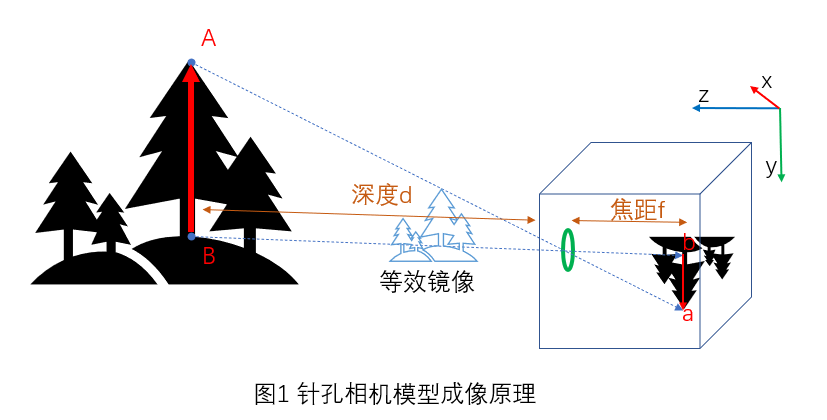<br />如果不借助其他东西,这个成像过程会遵循如下原理:小孔越小,成像越清晰,但因为进光更少,所以图案会越暗。 \
如下图,小孔直径从2mm变到0.35mm过程,**图像越来越清晰,但也越来越暗。** <br />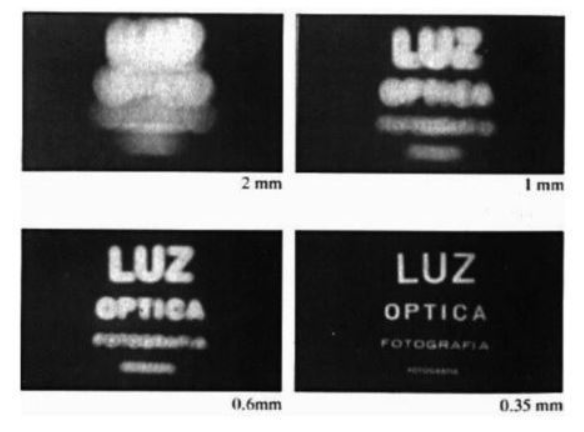<br />但我们总是既要又要,想要照片既清晰,同时又要有足够的亮度。从物理上来说,就是要让足够的光线进来,同时又能把光汇聚在一起。为了达到这个效果,透镜闪亮登场:<br />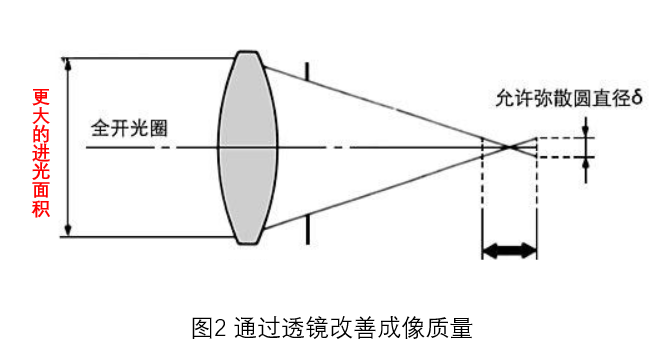
透镜是现代相机的一大杀手锏,解决了成像的清晰度与亮度问题,为了达到更好的成像效果,现代相机镜头都是由多种透镜组合而成:
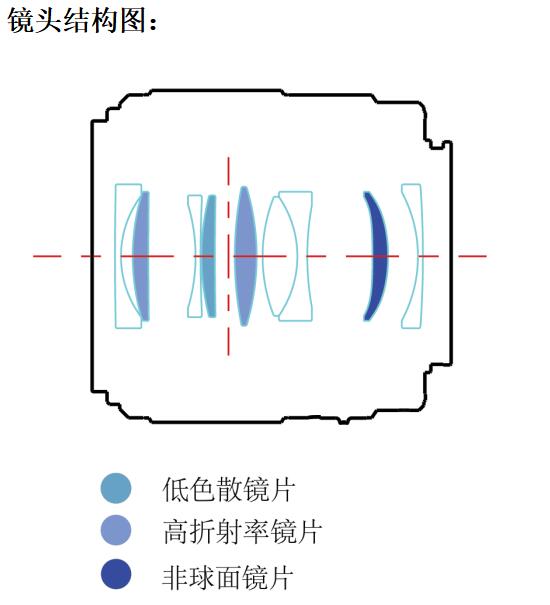
简单来说,**相机 = 镜头 (Lens) + 图像传感器 (Image Sensor)**
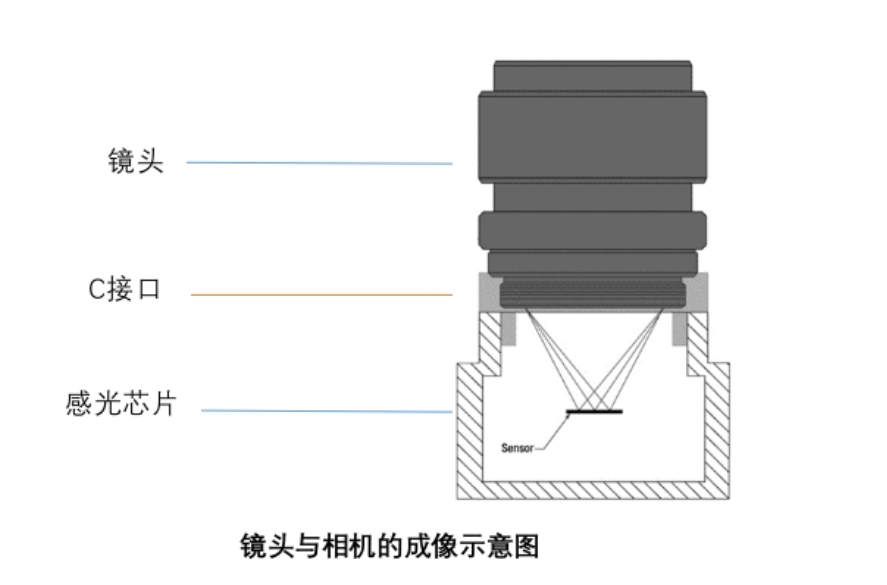
## **1.2 畸变模型**
光线在穿过众多镜片到达底片上时,与理想的小孔成像的光路会有所差异,比如下方的鱼眼镜头成像过程,为了模拟镜头对光线的折射效果,于是出现了畸变模型。\
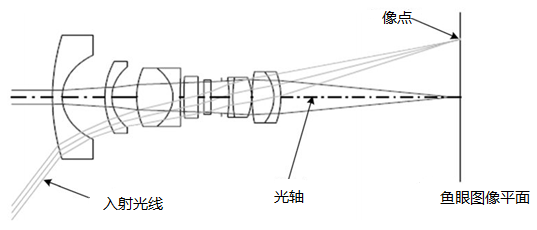
最常用的畸变模型有Radtan径切畸变模型(对于标准镜头)及Kannala-Brandt模型(对于广角及鱼眼镜头)
### **1.2.1径向畸变**
径向畸变的原因与相机镜头的设计和光学特性密切相关。特别是对于广角镜头,视角较宽,光线进入镜头时,靠近边缘的光线会受到镜头元素的非均匀折射,导致图像畸变。\
**径向畸变的类型:**
+ **桶形畸变(Barrel Distortion)**:这种畸变通常发生在广角镜头和超广角镜头中,图像中心的物体保持正常,而越靠近边缘的物体越容易被拉伸,造成图像边缘像一个桶一样膨胀。
+ **表现**:图像的边缘部分会被拉向外部,像桶的形状。
+ **枕形畸变(Pincushion Distortion)**:这种畸变常见于长焦镜头,图像的边缘部分被压缩,导致边缘向内弯曲,像枕头一样。
+ **表现**:图像的边缘部分会被压向中心,形成枕形的效果。
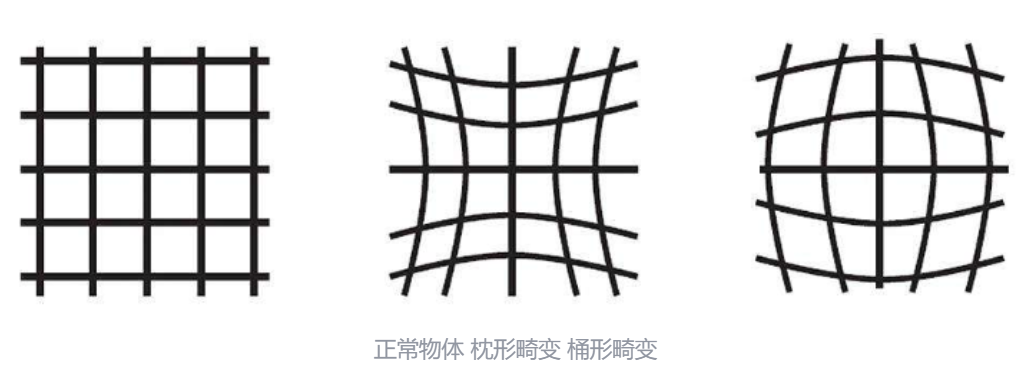
对于径向畸变,常用如下公式进行修正<br />$\begin{array}{l}
x_{\text {distortion }}=x\left(1+k_{1} r^{2}+k_{2} r^{4}+k_{3} r^{6}\right) \\
y_{\text {distortion }}=y\left(1+k_{1} r^{2}+k_{2} r^{4}+k_{3} r^{6}\right)
\end{array} \\
\text { 其中: } r^{2}=x^{2}+y^{2}$<br />k1,k2,k3称为径向畸变系数。
### **1.2.2切向畸变**
切向畸变来自于整个摄像机的组装过程。由于透镜制造上的缺陷使得透镜本身与图像平面不平行而产生的,如下图所示。\
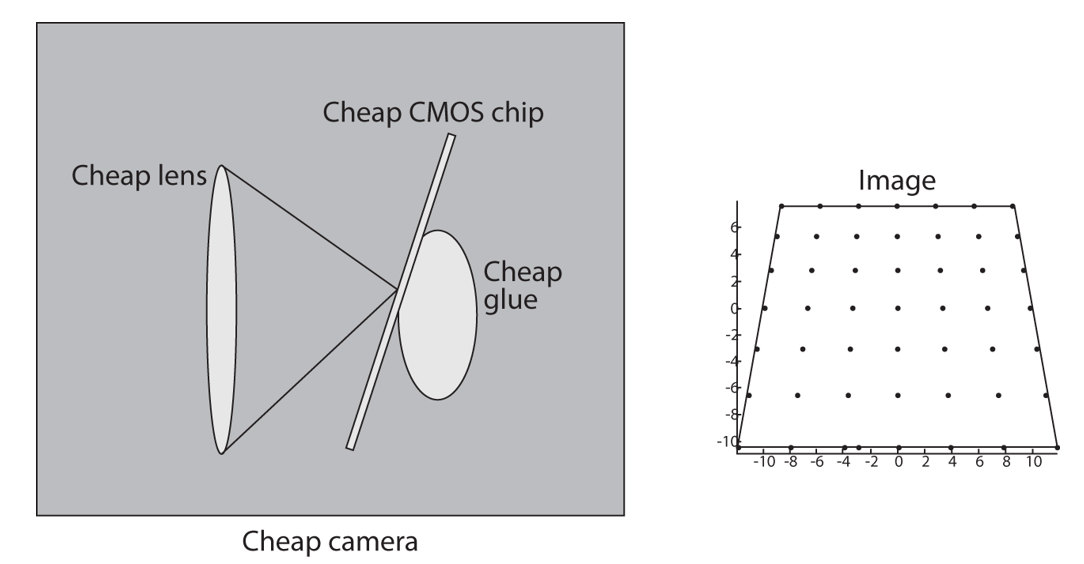
切向图像畸变使用如下公式进行修正
<br />$\begin{aligned}
x_{\text {distortion }} & =x+\left[2 p_{1} x y+p_{2}\left(r^{2}+2 x^{2}\right)\right] \\
y_{\text {distortion }} & =y+\left[p_{1}\left(r^{2}+2 y^{2}\right)+2 p_{2} x y\right]
\end{aligned}
\\
其中: r^{2}=x^{2}+y^{2}$<br />其中 p1,p2为切向畸变系数。<br />将径向畸变与切向畸变校正,结合在一起,便是常见的畸变过程。<br />$\begin{array}{l}
x_{\text {distortion }}=x\left(1+k_{1} r^{2}+k_{2} r^{4}+k_{3} r^{6}\right)+\left[2 p_{1} x y+p_{2}\left(r^{2}+2 x^{2}\right)\right] \\
y_{\text {distortion }}=y\left(1+k_{1} r^{2}+k_{2} r^{4}+k_{3} r^{6}\right)+\left[p_{1}\left(r^{2}+2 y^{2}\right)+2 p_{2} x y\right]
\end{array}
\\
其中: r^{2}=x^{2}+y^{2}$<br />
等式右边的(x, y)是理想小孔成像的照片上像素点坐标,没有畸变,将其带入等式右边,经过径向和切向变换后,得到左边的添加畸变后的实际点坐标(Xdistortion, Ydistortion),就是我们实际获得的照片,如果我们将这个映射取逆,就可以对存在畸变的实际图像,进行去畸变,得到去畸变后的图像:
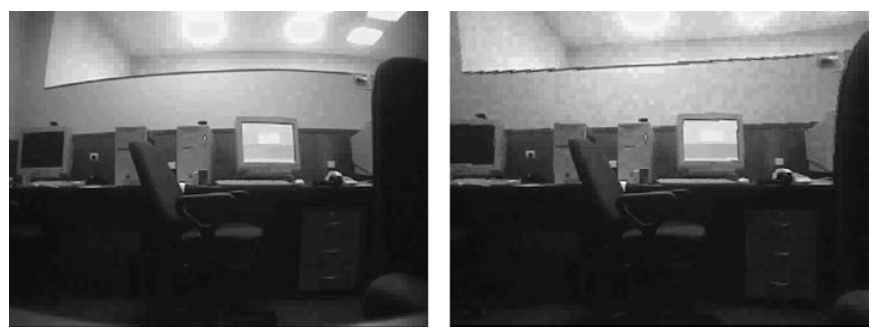
### **1.2.3Kannala-Brandt模型**
Kannala-Brandt模型(简称KB模型)是处理广角和鱼眼相机时最主流的相机模型之一。它在2006年由Juho Kannala和Sami S. Brandt提出,其核心思想是使用一个高阶多项式来统一描述各种镜头的投影和畸变,尤其擅长处理超过180°视场的极端广角场景。简单来说,KB模型对入射光线入射角与投影位置进行近似模拟,最简单的就是认为投影位置与入射角θ成线性正比关系,即
$$
r_{d} = f \theta
$$
上面的公式就是等距模型,KB模型中一共有四种假设模型,通过这四个模型,发现投影位置是θ的奇函数,将这些式子按泰勒级数展开,畸变位置可以用θ的奇次多项式表示,即
$$ \theta_{d}=k_{0} \theta+k_{1} \theta^{3}+k_{2} \theta^{5}+\cdots $$
取前5项,给出了足够的自由度来很好的近似各种投影模型。
$$ \theta_{d}=k_{0} \theta+k_{1} \theta^{3}+k_{2} \theta^{5}+k_{3} \theta^{7}+k_{4} \theta^{9} $$
上式是根据四种鱼眼相机投影模型得出的一种通用鱼眼相机多项式模型。OpenCV中鱼眼相机标定方法就是用的这种KB模型。其中一般会假设k0为1,然后标定得到k1,k2,k3,k4四个畸变系数。
## **1.3 不同相机及其适用的畸变模型**
首先要注意的是,不同相机模型,畸变的大小是不同的,简单来说,FOV(视场角)越大的相机,畸变程度就越大。
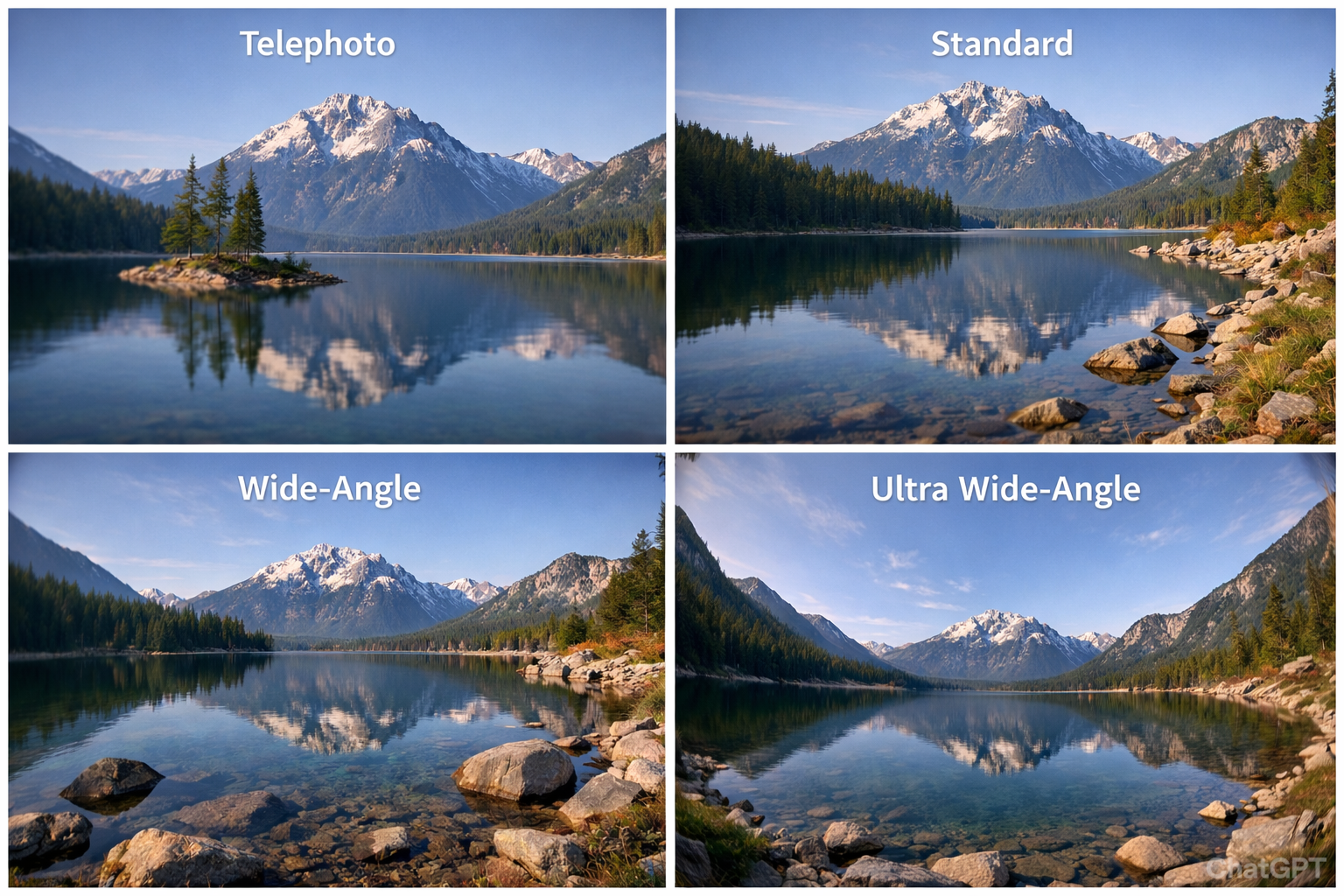
在视觉SLAM中,不同FOV镜头适用的畸变模型如下:
| 镜头类型 | FoV范围 | 畸变模型 | 特点 |
| --- | --- | --- | --- |
| 长焦 | 20°~40° | radtan | 大多数长焦镜头会表现出一些**轻微的桶形畸变**,但一般不显著。由于其较长的焦距,图像的边缘处畸变通常较不明显 |
| 标准 | 40°~60° | radtan | 标准镜头通常表现出非常少的畸变,尤其是在相机的中心区域。大多数标准镜头的畸变在图像中心非常轻微,但在图像的边缘可能出现**轻微的桶形畸变** |
| 广角 | 60°~90° | 高阶radtan | 广角镜头有较大的视场角,因此畸变较为明显,尤其是在图像的边缘区域。广角镜头通常会出现**桶形畸变**(图像中心物体正常,边缘物体被拉伸或扭曲),并且会出现更多的**几何畸变**。 |
| 超广角 | 90°~180° | KB模型 | 超广角镜头有非常大的视场角,因此畸变会更加严重,尤其是在画面边缘。超广角镜头经常出现**明显的桶形畸变**,而且在一些极端情况下,还会出现**鱼眼效应**(图像中心正常,边缘极度弯曲) |
| 鱼眼 | ≥180° | KB模型 | 鱼眼镜头的畸变非常强烈,几乎是**极端的桶形畸变**,并且呈现出明显的“球形”畸变,导致图像中心正常而边缘区域严重拉伸。鱼眼镜头的视场角可以达到180度,甚至更广,所有图像都被极度弯曲。 |
## **1.4 感光元件**
现代相机都是数码相机,使用电子感光元件进行图像记录。感光元件一般为CCD或者CMOS,其原理是将光转化为模拟电信号来记录。 \
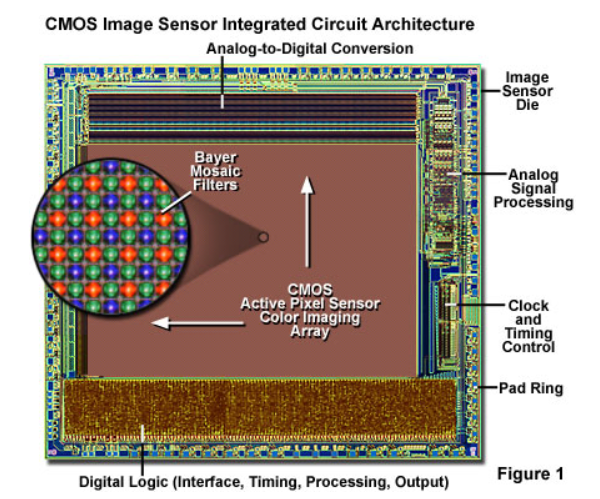
> 电子感光元件也叫图像传感器(Image Sensor),分为两种:一种是广泛使用的 CCD(电荷耦合)元件,另一种是 CMOS(互补金属氧化物半导体)器件。其产生的模拟信号,首先经过模拟信号放大器进行信号放大,进而经过数模转换电路(DAC)变为数字图像,数字图像再经过 ISP(Image Signal Processor)图像处理器进行数字图像处理,最后数字图像经过压缩编码算法,存储到 SD 卡中成为一个照片文件。
>
> 1. CCD
>
> CCD 全称 Charge Coupled Device,它使用一种高感光度的半导体材料制成,由许多感光单位组成,通常以百万像素为单位。当 CCD 表面受到光线照射时,每个感光单位会将电荷反映在组件上,即把光转换为电荷,所有的感光单位所产生的信号加在一起,就构成了一幅完整的画面。
>
> 2. CMOS
>
> CMOS 全称 Complementary Metal-Oxide Semiconductor,它主要是利用硅和锗这两种元素所做成的半导体,使其在 CMOS 上共存着 N 极和 P 极的半导体,这两个互补效应所产生的电流即可被处理芯片记录为影像。
>
> 两者最主要的区别在于:CCD 传感器的图像质量优于 CMOS 传感器,而 CMOS 传感器在成像速度、功耗、价格等方面优于 CCD 传感器。
>
传感器生成的图像,是对连续世界的离散采样,即一个一个像素,我们所说的图像,也是由这一个一个像素构成,在计算机下面来看,就是一个二维数组。下图中的uv坐标系就是像素坐标系。
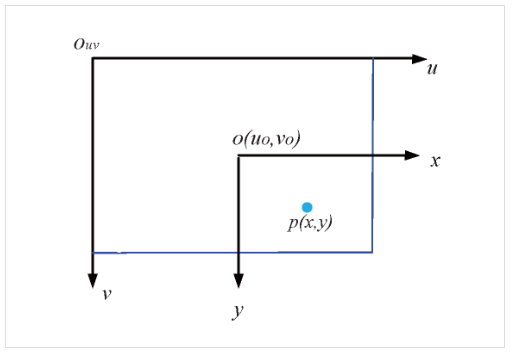
<a name="kpuFm"></a>
## **2.2 相机成像的几个坐标系**
要把相机拍摄的照片与实际物体关联起来,就要建立三维世界到二维图像平面的映射关系,这个过程主要通过世界坐标系,相机坐标系,图像坐标系与像素坐标系这几个坐标系之间的转换来实现。
<a name="t69Jy"></a>
### **2.2.1成像坐标系之间的关系**
世界坐标系下物体的光线(世界坐标系),通过透镜(相机坐标系),投射到感光原件上(图像坐标系),最后计算机在像素坐标系(离散化过程)上做处理。<br />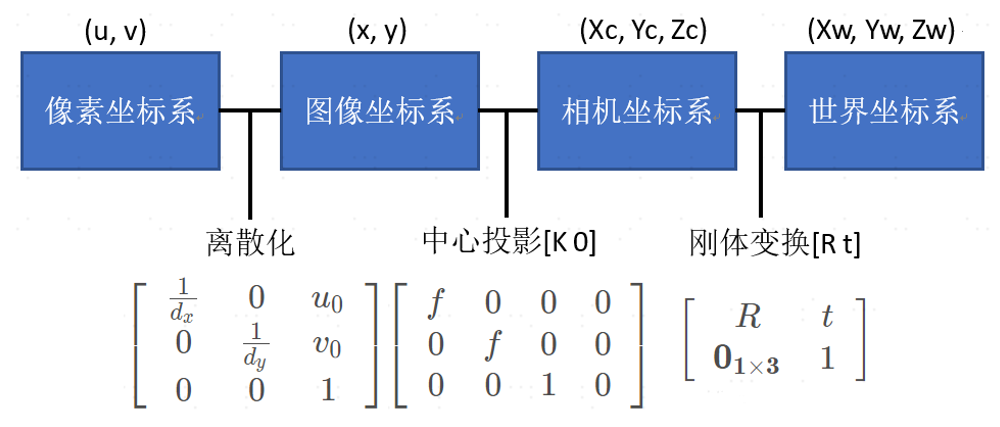<br />**世界坐标系**:用于表示空间物体的绝对坐标,使用(Xw,Yw,Zw)表示,世界坐标系可通过旋转和平移得到相机坐标系。<br />**相机坐标系**:以相机的光心为坐标系原点,Xc.Yc轴平行于图像坐标系的x,y轴,相机的光轴为Zc轴,坐标系满足右手法则,相机的光心可理解为相机透镜的几何中心。<br />**图像物理坐标系**:坐标原点在CCD图像平面的中心x,y轴分别平行于图像像素坐标系的(u,v)轴,坐标用(x,y)表示。<br />**图像像素坐标系**:表示三维空间物体在图像平面上的投影,**像素是离散化的**,其坐标原点在CCD图像平面的左上角,u轴平行于CCD平面水平向右,v轴垂直于u轴向下,坐标使用(u,v)来表示。图像宽度W,高度H。
<a name="SYpV2"></a>
### **2.2.2 坐标计算**
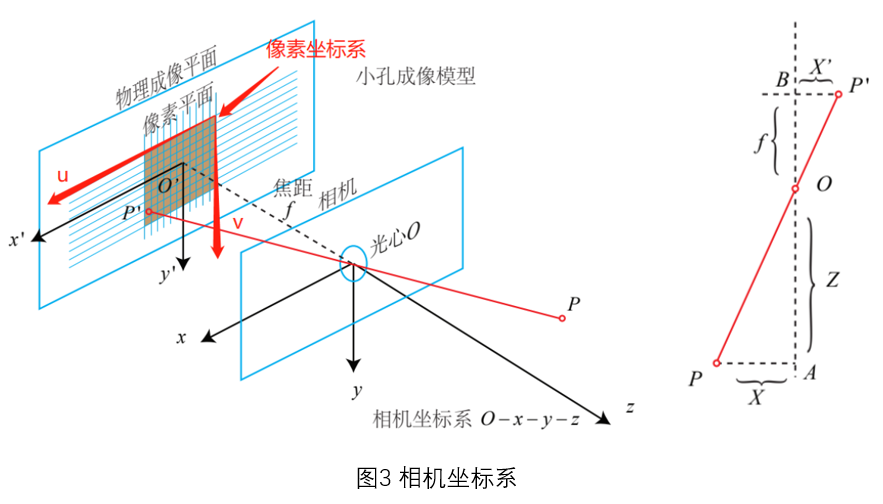<br />三维坐标投影到成像平面的坐标(**完成三维到二维点的映射**),可以通过相似三角形得出,对于相机坐标系下的P(X,Y,Z),成像坐标为:<br />$\frac{f}{Z}=-\frac{X^{\prime}}{X}=-\frac{Y^{\prime}}{Y}$<br />为了方便运算,取对称的镜像进行计算,效果等价。<br />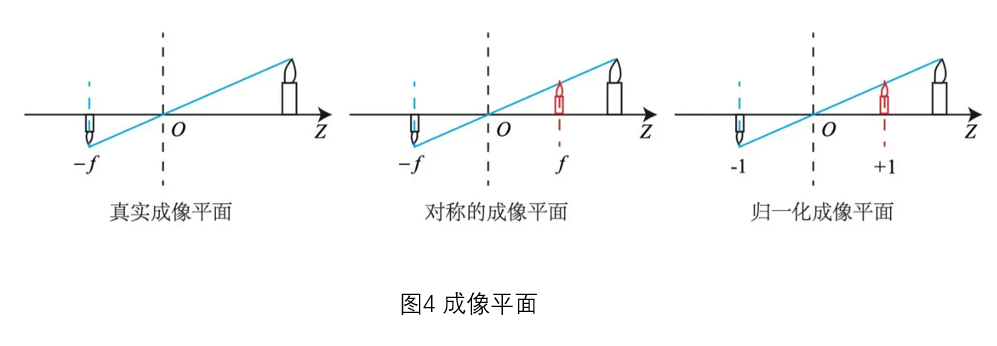<br />$\frac{f}{Z}=\frac{X^{\prime}}{X}=\frac{Y^{\prime}}{Y}$<br />可得:<br />$X^{\prime}=f \frac{X}{Z}$<br />$Y^{\prime}=f \frac{Y}{Z}$<br />计算机中的图像,是一个个像素构成,且其并不是图像中心为坐标原点,而是一般把左上角规定为坐标原点,要在计算机中处理图像信息,需要在得到成像平面上的坐标后,把成像坐标,转为像素坐标。<br />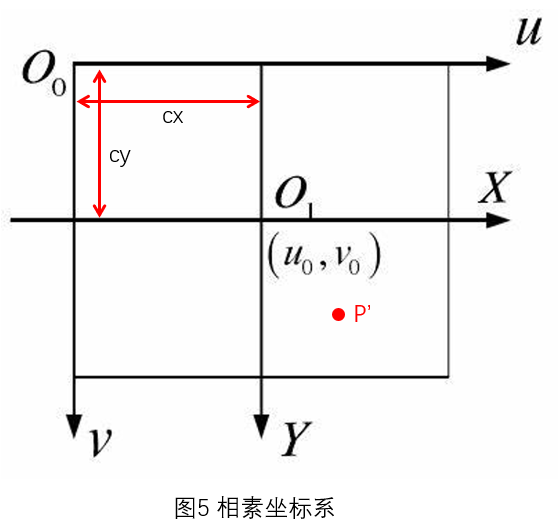<br />其中O1是投影后的坐标系原点,位于图像中心,而在计算机图像处理库中(如OpenCV),则是定义的左上角O0为图像坐标系原点,横坐标轴为u轴,向右,纵坐标轴为v轴,向下。<br />相机内感光原件(如cmos)是一个一个小格子拼接而成的,可以认为是离散的,这个小格子可能不是正方形,要将投影坐标P'转化为像素坐标,需要经历如下过程:<br />计算P'到图像中心的像素距离<br />$u^{\prime}=\frac{X^{\prime}}{\alpha_{x}}=\frac{f}{\alpha_{x}} \frac{X}{Z}=f_{x} \frac{X}{Z}$<br />$v^{\prime}=\frac{Y^{\prime}}{\alpha_{y}}=\frac{f}{\alpha_{y}} \frac{Y}{Z}=f_{y} \frac{Y}{Z}$<br />其中f为成像焦距,αx与αy为u,v方向像素的长度。<br />最后转为O0下的坐标<br />实现摄像机下三维世界的点到像素平面二维图像平面的点的映射,f为单位米转化为像素的数量,**非线性变换**如下<br />$u=u^{\prime}+c_{x}=f_{x} \frac{X}{Z}+c_{x}$<br />$v=v^{\prime}+c_{y}=f_{y} \frac{Y}{Z}+c_{y}$<br />引入齐次坐标,改为线性变换,以方便运算<br />$\left(\begin{array}{ccc}
u \\
v \\
1
\end{array}\right)=\frac{1}{Z}\left(\begin{array}{ccc}
f_{x} & 0 & c_{x} \\
0 & f_{y} & c_{y} \\
0 & 0 & 1
\end{array}\right)\left(\begin{array}{c}
X \\
Y \\
Z
\end{array}\right)=\frac{1}{Z} K P \\$<br />其中<br />$K=\left(\begin{array}{ccc}
f_{x} & 0 & c_{x} \\
0 & f_{y} & c_{y} \\
0 & 0 & 1
\end{array}\right)$<br />就是通常所说的相机内参矩阵<br />通过内参矩阵K,就可以将相机坐标系的下三维的坐标点转换为图像上的二维像素坐标。而对于世界坐标系上的坐标,转换到相机坐标系中则涉及的是不同坐标系中坐标转换,这个会在第二章中进行讲解。
## **本章小结**
本节以针孔相机模型作为基本模型,简要介绍了相机成像原理,相机模型中的几个坐标系及相机的畸变及相机标定的方法。最后鱼眼相机模型作为扩展介绍。<br />通过相机标定,可以获得相机内参及畸变系数,这解决了相机坐标系,图像坐标系,像素坐标系之间的转换过程,属于投影过程。而世界坐标系到相机坐标系之间的转换,则涉及到不同坐标系之间的空间转换,这部分涉及的参数为外参,这部分内容在下节进行讲解。
<a name="ynZLk"></a>
## 本章思考
1.叙述相机内参的物理意义。如果一幅图像长宽缩小变为原来的一半而其他不变,那么它的内参将如何变化?<br />2.调研全局快门(global shutter)相机和卷帘快门(rolling shutter)相机的异同。它们在SLAM中有何优缺点?
<a name="CHe9l"></a>
## 扩展
**a.透镜的聚焦和失焦**
>关于透镜,有两个概念:聚焦与失焦 \
聚焦:从物体不同部分射出的光线,通过镜头之后,聚焦在底片的一个点上,使影像具有清晰的轮廓与真实的质感,这个过程称为聚焦。 \
失焦:即接收的点的信息未聚焦到一起会导致成像模糊。
注意:物体“聚焦”有特定距离(景深),在景深内可清晰成像,景深外成像模糊。 \
加入透镜之后,成像规律会有一点变化,此时当物体离透镜不同距离时,会形成不同的像。当物体处于凸透镜的 2 倍焦距之外,会形成倒立的、缩小的实像。一倍焦距到二倍焦距之间,则会形成倒立的、放大的实像。成像物体则在一倍焦距内,成正立的、放大的虚像。
一般地,相机成像时,**物体在透镜的二倍焦距之外**。而对于投影仪,则会把成像物体放在一倍焦距到二倍焦距之间。对于放大镜,成像物体则在一倍焦距内。
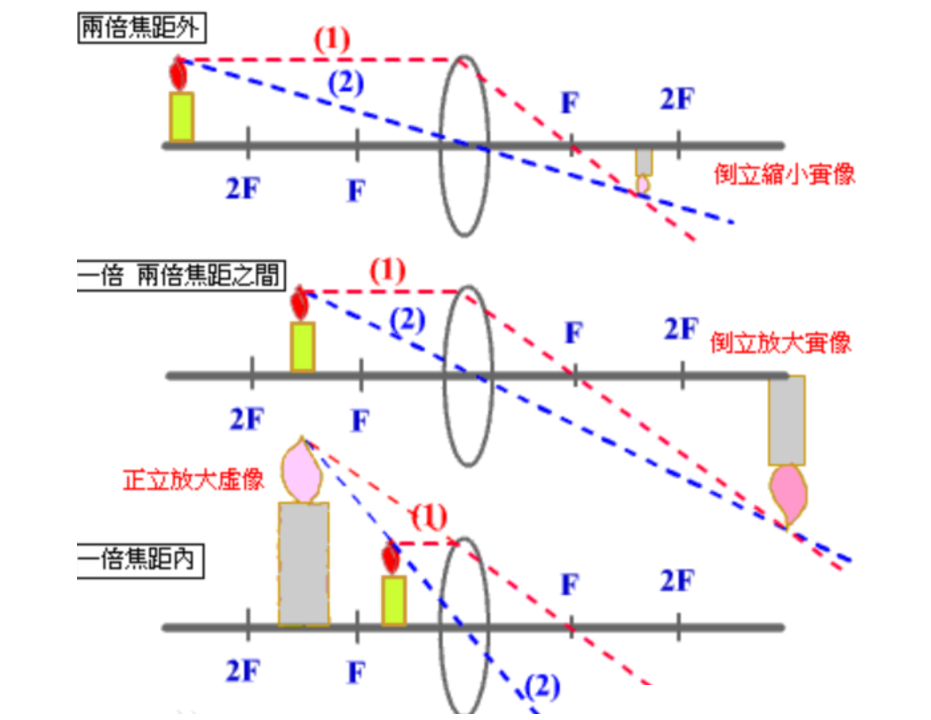
**b.鱼眼相机模型** \
鱼眼镜头一般是由十几个不同的透镜组合而成的,在成像的过程中,入射光线经过不同程度的折射,投影到尺寸有限的成像平面上,使得鱼眼镜头与普通镜头相比起来拥有了更大的视野范围。下图表示出了鱼眼相机的一般组成结构。最前面的两个镜头发生折射,使入射角减小,其余的镜头相当于一个成像镜头,这种多元件的构造结构使对鱼眼相机的折射关系的分析变得相当复杂。<br />
**b.鱼眼相机成像模型** \
研究表明鱼眼相机成像时遵循的模型可以近似为单位球面投影模型。可以将鱼眼相机的成像过程分解成两步:第一步,三维空间点线性地投影到一个球面上,它是一个虚拟的单位球面,它的球心与相机坐标系的原点重合;第二步,单位球面上的点投影到图像平面上,这个过程是非线性的。下图表示出了鱼眼相机的成像过程。<br />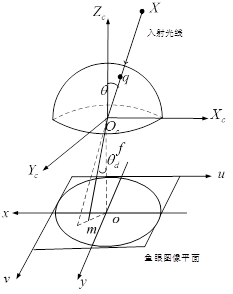<br />我们知道,普通相机成像遵循的是针孔相机模型,在成像过程中实际场景中的直线仍被投影为图像平面上的直线。但是鱼眼相机如果按照针孔相机模型成像的话,投影图像会变得非常大,当相机视场角达到180°时,图像甚至会变为无穷大。所以,鱼眼相机的投影模型为了将尽可能大的场景投影到有限的图像平面内,允许了相机畸变的存在。并且由于鱼眼相机的径向畸变非常严重,所以鱼眼相机主要的是考虑径向畸变,而忽略其余类型的畸变。
<a name="QwJF7"></a>
### **1* 鱼眼相机投影函数**
为了将尽可能大的场景投影到有限的图像平面内,鱼眼相机会按照一定的投影函数来设计。根据投影函数的不同,鱼眼相机的设计模型大致能被分为四种:等距投影模型、等立体角投影模型、正交投影模型和体视投影模型。下面的四种鱼眼相机的投影模型反映出了空间中的一点P是如何投影到球面上,然后到图像平面上成像的。<br />1、等距投影模型<br />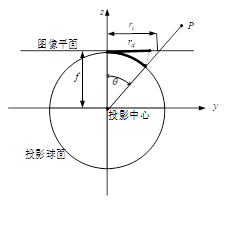<br /><br />上述式子中,rd表示鱼眼图像中的点到畸变中心的距离,是鱼眼相机的焦距,是入射光线与鱼眼相机光轴之间的夹角,即入射角。 <br />2、等立体角投影模型<br />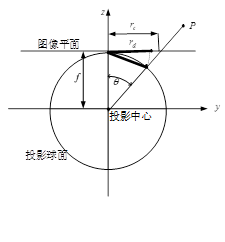<br />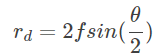<br />3、正交投影模型<br />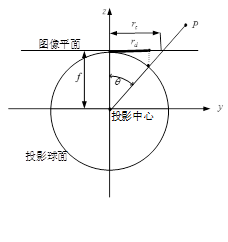<br />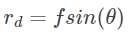<br />4、体视投影模型<br />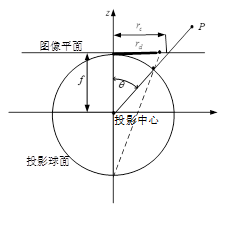<br />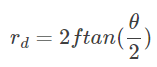
<a name="qVgNV"></a>
## 附录
<a name="WRl86"></a>
## **1.1相机内参标定简介**
到目前为止,相机成像有两大转换过程,相机投影及畸变消除,主要由:<br />$K=\left(\begin{array}{ccc}
f_{x} & 0 & c_{x} \\
0 & f_{y} & c_{y} \\
0 & 0 & 1
\end{array}\right)$<br />内参矩阵以及畸变参数:Distortioncoefficients=(k1,k2,k3, p1,p2),这两种参数来决定。而求出这两类参数的过程,就是相机标定,目前相机常用的方法是借助棋盘格标定板,在相机前面拿着标定板上下左右前后移动,然后借助标定算法来求出以上参数,常用的标定算法有张正友标定法。<br />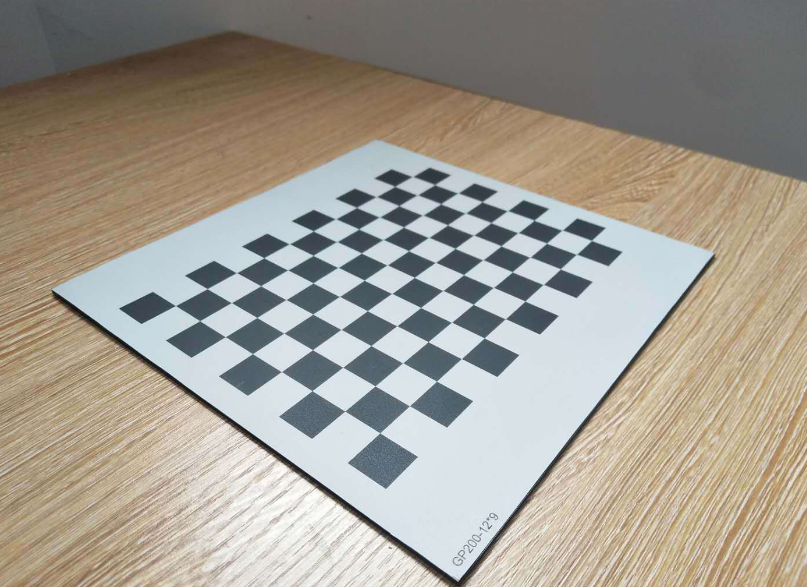
<a name="oc7IY"></a>
## 1.2 相机内参标定工具
<a name="NDPEE"></a>
### **1.2.1 OpenCV**
OpenCV是一款广泛使用的计算机视觉库,其中包含相机内参标定的相关函数。在OpenCV中,使用calibrateCamera函数进行相机内参标定,该函数使用棋盘格等标定板,通过对标定板拍摄的多幅图像进行处理,得出相机的内参参数。OpenCV还提供了相关的可视化工具,如drawChessboardCorners函数,用于显示标定板的角点,以及projectPoints函数,用于将3D点投影到2D图像平面上。
1. 循环读取图片
2. 使用findChessboardCorners函数检测角点(需提前输入角点数)
3. 使用find4QuadCornerSubpix函数对角点进行亚像素精确化
4. 可用drawChessboardCorners将角点显示
5. 根据角点数和尺寸创建一个理想的棋盘格(用point向量存储所有理论上的角点坐标)
6. 通过calibrateCamera函数由理想坐标和实际图像坐标进行标定,可得到标定结果
7. 由projectPoints函数计算反向投影误差
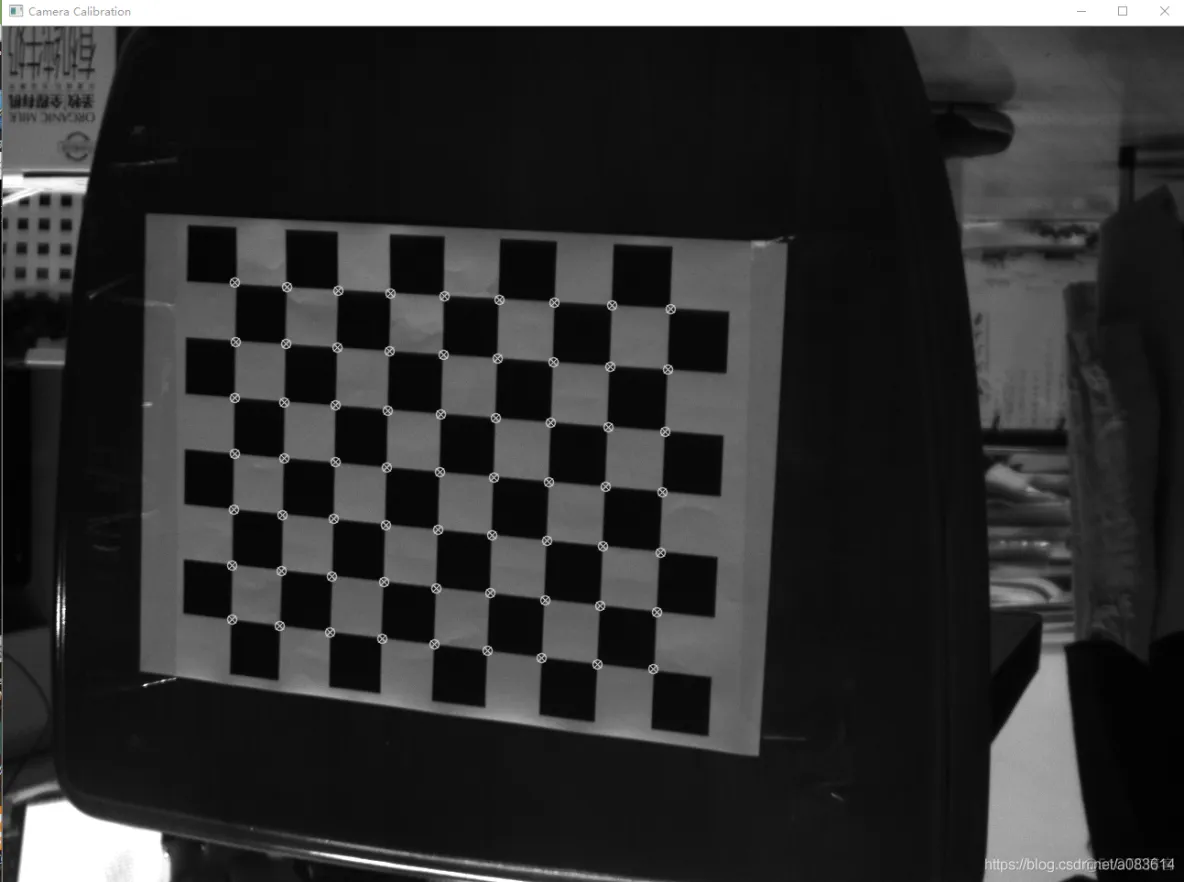
<a name="poP1N"></a>
### **1.2.2 MATLAB**
MATLAB也提供了相机内参标定的工具箱,包括Camera Calibration Toolbox和Image Processing Toolbox等。Camera Calibration Toolbox使用标定板对相机进行标定,并提供了可视化工具,如ShowExtrinsics函数,用于显示相机的外参参数。Image Processing Toolbox提供了更加高级的算法,如多目相机标定,以支持更加复杂的应用场景。<br />简单过程如下:
1. 应用程序中找到Camera Calibration
2. 添加标定板拍摄图片(按Ctrl可一次添加多张)
3. 输入棋盘格每格的尺寸大小
4. 显示已检测出的棋盘格,点击Calibration,开始标定。
5. 得到标定结果(平均误差小于0.5即可认为结果可靠)
6. 可查看标定结果和程序
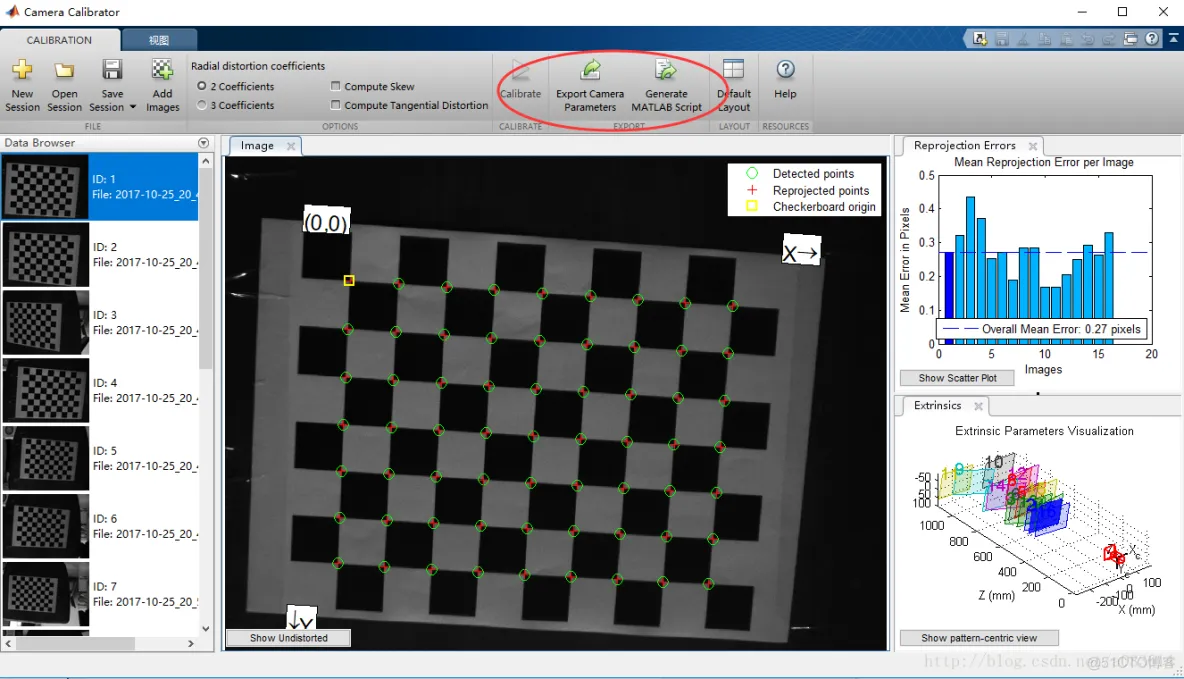
<a name="emm9n"></a>
### **1.2.3 ROS**
ROS(Robot Operating System)是一种常用的机器人操作系统,其中包含相机内参标定的相关包,如camera_calibration。该包通过对标定板拍摄的多幅图像进行处理,计算出相机的内参参数,并自动保存标定结果。此外,ROS还提供了一系列可视化工具,如image_view,用于显示相机的图像和标定结果。
<a name="BATKX"></a>
## **参考**
[1.图像处理——4个坐标系及相关转换图像像素坐标系 图像物理坐标系 相机坐标系 世界坐标系](https://blog.csdn.net/MengYa_Dream/article/details/120233806)<br />[2.相机畸变模型及去畸变计算](https://blog.csdn.net/TimeRiverForever/article/details/117283430)<br />
[3.相机透镜及畸变](https://robot.czxy.com/docs/camera/chapter01/05-distortions/)
[4. 最详细、最完整的相机标定讲解_51CTO博客_相机标定](https://blog.51cto.com/u_15242250/2870251)
[5.鱼眼相机成像模型_sylvester0510的博客-CSDN博客](https://blog.csdn.net/u010128736/article/details/52864024)
[6.The Camera Basics for Visual SLAM](https://www.kudan.io/blog/camera-basics-visual-slam/)
================================================
FILE: docs/chapter10/chapter10.md
================================================
# **10.又回到曾经的地点:回环检测**
学习这件事不在乎有没有人教你,最重要的是在于你自己有没有觉悟和恒心。——法布尔
---
> **本章主要内容** \
> 1.回环检测的作用 \
> 2.视觉常用回环检测方法 \
> 3.使用词袋模型进行回环检测
前面几个章节介绍了VSLAM系统中前端和后端,这里介绍下一个重要模块-回环检测。回环检测作为VSLAM中相对独立又重要的一个模块,在消除累积误差,重定位等方面有着重要作用,更有甚者,把系统是否有重定位模块,来作为判断一个系统是SLAM还是里程计的依据,那么接下来我们看下到底什么是回环模块,其为什么会有这么重要的作用。
<a name="CGTVb"></a>
## 10.1 回环检测
回环检测顾名思义,就是检测当前是否有回环。如下面所示,在场景A中,我们从1点出发,沿着某条路线走,如果没有碰到之前的场景,我们的路线一直处于开环状态。当到达地点3时,属于之前走过的地方,路线闭合,形成闭环,这个闭合过程称为发生了回环。如果我们继续沿着之前的路线走(下图中白色虚线框内路径),则会不断发生新的回环,继续产生多个回环点。<br />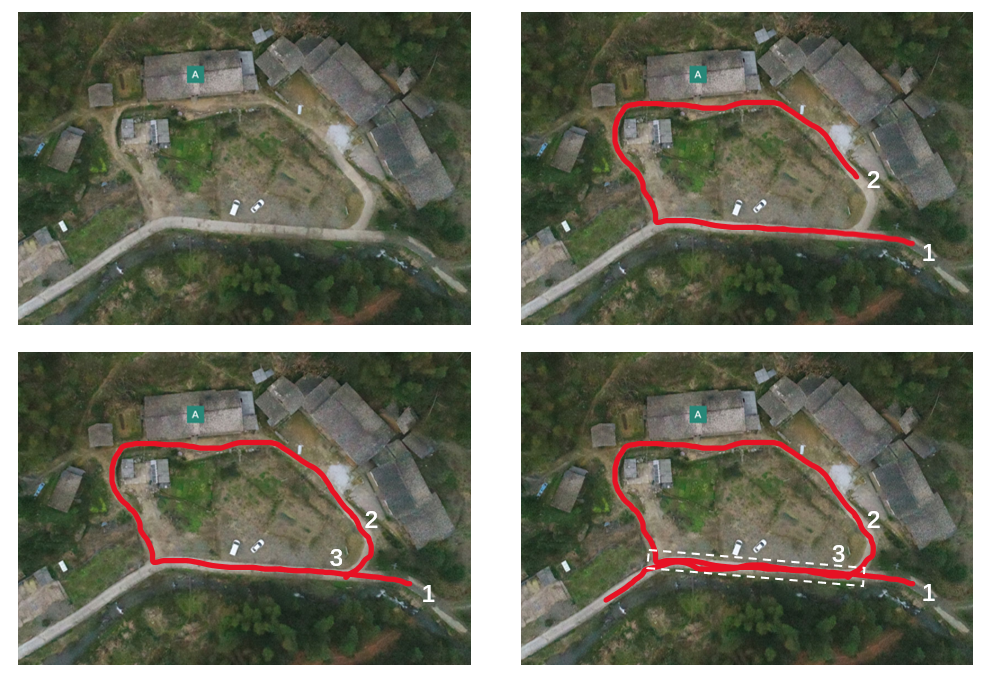<br />为什么会有回环检测呢,或者说回环检测的作用是什么。这一切都和里程计的累计误差有关系。在上述场景,我们理想中的轨迹是这样的:<br />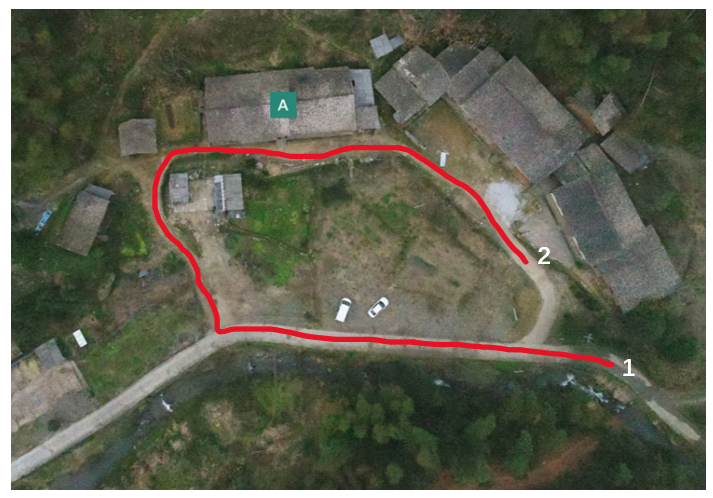<br />由于里程计的累计误差,走的越远越不准,最后实际估计的路线可能是下图这样,可以看到,从左侧开始,轨迹就逐渐开始偏掉了:<br />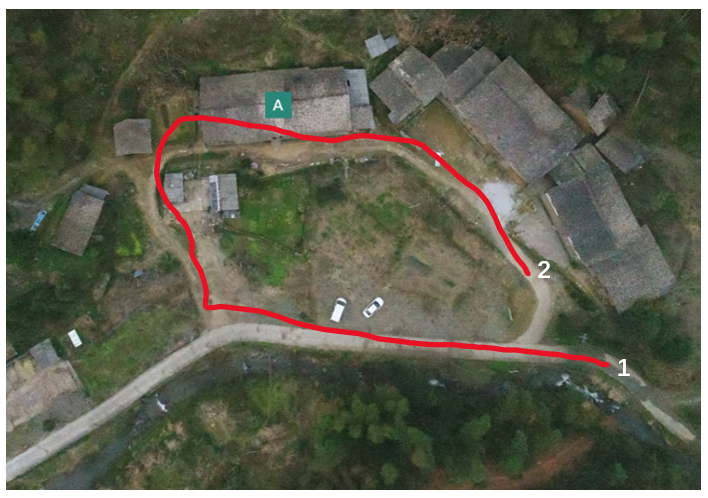<br />导致最后我们回到交叉路口时,人是回来了,估计的轨迹没有回来(下图左),整个轨迹与实际相比,出现了很大的偏差。<br />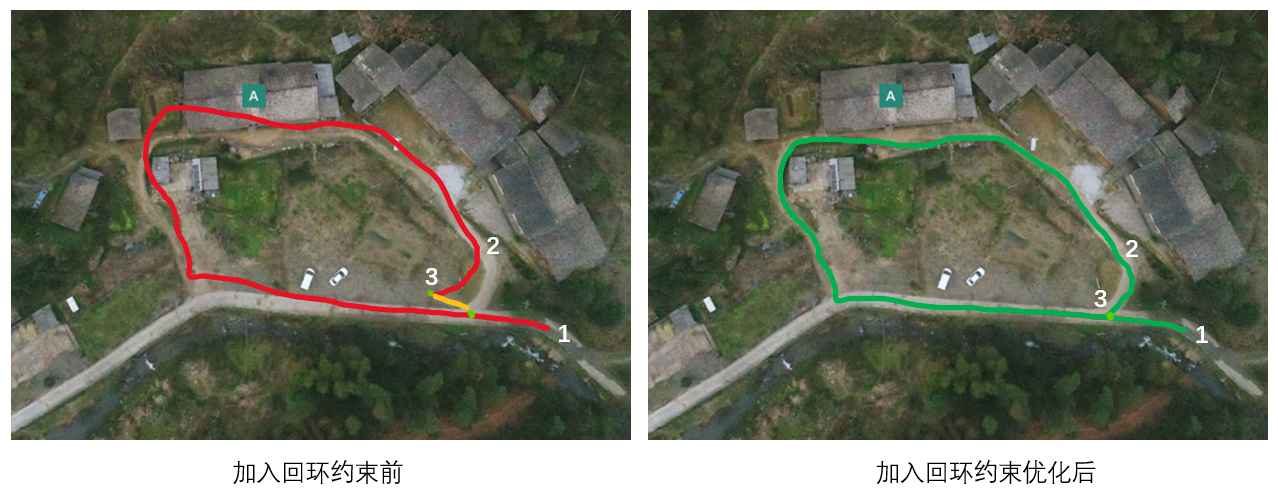<br />如果能通过算法检测到当前发生了回环,即上图中的两个绿点,其实是同一个地方,就可以通过匹配算法计算两个绿点之间的相对位置关系(黄线),通过这个相对位置关系,可以得到3点真实的位姿。把这个相对约束加到优化中,就可以把轨迹拉到正确的位置上,得到一个全局一致的姿态估计。<br />所以我们说,回环检测是消除里程计累计误差的好帮手。想在长时间,大范围的姿态估计中获得好的结果,回环检测是不可或缺的。更极端一点的是,我们会把只有前端和局部优化的算法叫做里程计,而有回环检测和全局优化的算法,称为SLAM算法。<br />另外也可以发现,回环检测算法也可以用在重定位之中。检测到回环后,可以通过匹配算法计算回环位置与当前位置之间的相对位置关系,然后得到当前的真实位姿。因此在定位阶段,回环检测的原理也能发挥重要的作用,回环检测算法真是一个应用很广泛的算法。
<a name="EjrbN"></a>
## 10.2 回环检测的方法
现在回过头来,如何做回环检测呢?对于视觉SLAM,最简单的方法是对任意两幅图像都做一遍特征匹配,根据正确匹配的数量确定哪两幅图像存在关联。这种方法朴素但是有效,缺点是任意两幅图像做特征匹配,计算量实在太大,因此不实用。退而求其次的话,随机抽取历史数据进行回环检测,比如在帧中随机抽5帧与当前帧比较。时间效率提高很多,但是抽到回环几率不高,也就是检测效率不高。<br />另外也有如下的一些可能方式:
- **1.基于里程计几何关系的方法:**
1.大概思路是当我们发现当前相机运动到之前的某个位置附近时,检测他们是否存在回环<br />缺点:由于累积误差,很难确定运动到了之前某个位置
- **2.基于外观的方法**
1.仅仅依靠两幅图像的相似性确定回环<br />其核心问题是如何计算图像的相似性。<br />目前视觉SLAM中主要是基于外观的方法,细分下的话,分为传统的方法与基于深度学习的方法,传统的方法有词袋模型与随机蕨法,基于深度学习的方法有CALC算法。
<a name="Xgiiw"></a>
### **10.2.1词袋模型(Bag of words)**
Bag of words模型最初被用在文本分类中,将文档表示成特征矢量。它的基本思想是假定对于一个文本,忽略其词序和语法、句法,仅仅将其看做是一些词汇的集合,而文本中的每个词汇都是独立的。如果文档中猪、马、牛、羊、山谷、土地、拖拉机这样的词汇多些,而银行、大厦、汽车、公园这样的词汇少些,我们就倾向于判断它是一篇描绘乡村的文档,而不是描述城镇的。
> 举例说明
> 文档一:Bob likes to play basketball, Jim likes too.
> 文档二:Bob also likes to play football games.
> 基于这两个文本文档,构造一个词典:Dictionary = {1:”Bob”, 2. “like”, 3. “to”, 4. “play”, 5. “basketball”, 6. “also”, 7. “football”,8. “games”, 9. “Jim”, 10. “too”}。
> 基于上述的词典可以构造出一个两个直方图向量
> 1:[1, 2, 1, 1, 1, 0, 0, 0, 1, 1]
> 2:[1, 1, 1, 1 ,0, 1, 1, 1, 0, 0]
> 这两个向量共包含10个元素, 其中第i个元素表示字典中第i个单词在句子中出现的次数. 因此BoW模型可认为是一种统计直方图 (histogram)
在视觉SLAM当中,每个词换为了特征点的描述子,而一幅图像可以理解为由许多描述子形成的文本,然后使用词袋向量来表示这幅图像。在检测是否发生回环时,通过计算每个关键帧与当前关键帧词袋向量的相似度来看是否发生回环。<br />DBoW系类库是开源的词袋模型库,许多有代表性的VSLAM算法都使用了DBoW做为回环检测算法,如ORB-SLAM系列,VINS-Mono,RTAB-Map。另外,对于激光SLAM,目前也有使用LinK3D描述子的BoW3D词袋库。
<a name="J58cs"></a>
### **10.2.2 随机蕨法(Random ferns)**
开始看到这个名字时,我第一时间想到的是随机森林,但看了算法后,感觉这个和随机森林好像没啥关系。。。<br />先来看下蕨<br /><br />哦不,先看下随机蕨算法。。。<br />随机蕨算法是一种图像压缩编码的算法,它首先通过随机算法,对整幅图像随机生成N个采样点,然后对每个采样点,再随机生成一个阈值。然后对每个通道,对比阈值与对应灰度值的大小,生成1或者0的编码,这样每个位置,会生成一个四维的向量。整个图像,会生成一个4N维的向量作为编码,一个随机蕨的生成过程如下:<br />将F=|fi|,i∈{R,G,B,D}定义为一个随机蕨<br />$f_{i}=\left\{\begin{array}{l}
1, I_{i}(x) \geqslant \tau_{i} \\
0, I_{i}(x)<\tau_{i}
\end{array}\right.$<br />式中Ti,的值通过随机函数产生(TR,TG,TB∈[0,255],TD∈[800,4000])。将随机蕨F中所有的fi按顺序排列,<br />得到一个二进制编码块bF<br /><br />在计算相似度时,使用基于块的汉明距离(block-wise hamming distance: BlockHD),即只要一个块里有一位不一样,则整个块的距离为1,反之都一样则为0。两幅图像的 BlockHD越小,说明两者越相似,如果 BlockHD值越大,说明差异性越大。使用随机蕨算法来进行相似度计算的有一些RGBD-SLAM算法,如kinect fusion,elastic fusion等
<a name="S5YEP"></a>
### **10.2.3 基于深度学习的方法: CALC**
CALC是用于回环检测的卷积自动编码器。它该代码分为两个模块。TrainAndTest用于训练和测试模型,DeepLCD是一个用于在线回环检测或图像检索的C ++库。
> 在大型实时SLAM中采用无监督深度神经网络的方法检测回环可以提升检测效果。该方法创建了一个自动编码结构,可以有效的解决边界定位错误。对于一个位置进行拍摄,在不同时间时,由于视角变化、光照、气候、动态目标变化等因素,会导致定位不准。卷积神经网络可以有效地进行基于视觉的分类任务。在场景识别中,将CNN嵌入到系统可以有效的识别出相似图片。但是传统的基于CNN的方法有时会产生低特征提取,查询过慢,需要训练的数据过大等缺点。而CALC是一种轻量级地实时快速深度学习架构,它只需要很少的参数,可以用于SLAM回环检测或任何其他场所识别任务,即使对于资源有限地系统也可以很好地运行。
> 这个模型将高维的原始数据映射到有旋转不变性的低维的描述子空间。在训练之前,图片序列中的每一个图片进行随机投影变换,重新缩放成120×160产生图像对,为了捕捉运动过程中的视角的极端变化。然后随机选择一些图片计算HOG算子,采用固定长度的HOG描述子可以帮助网络更好地学习场景的几何。将训练图片的每一个块的HOG存储到堆栈里,定义为X2,其维度为NxD,其中N是块的大小,D是每一个HOG算子的维度。网络有两个带池化层的卷积层,一个纯卷积层,和三个全连接层,同时用ReLU做卷积层的激活单元。在该体系结构中,将图片进行投影变换,提取HOG描述子的操作仅针对整个训练数据集计算一次,然后将结果写入数据库以用于训练。在训练时,批量大小N设置为1,并且仅使用boxed区域中的层。
> 
<a name="luzp7"></a>
### **10.2.4 基于缩略图**
PTAM的回环检测方法和random ferns很像。PTAM是在构建关键帧时将每一帧图像缩小并高斯模糊生成一个缩略图,作为整张图像的描述子。在进行图像检索时,通过这个缩略图来计算当前帧和关键帧的相似度。这种方法的主要缺点是当视角发生变化时,结果会发生较大的偏差,鲁棒性不如基于不变量特征的方法。
目前最广泛使用并且最有效的方法是基于外观的一种方法,使用词袋模型进行回环检测
<a name="pgXPM"></a>
## 10.3 词袋模型
词袋是什么,当然是装词的袋子啦。<br />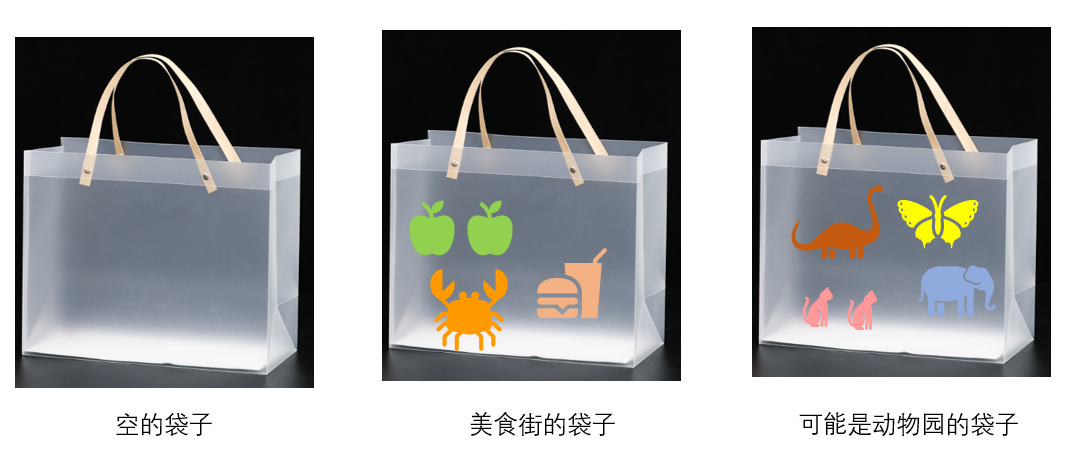<br />我们一般只关心袋子里物品的种类和数量,对它们的顺序并不关心。现在我们想问,这袋子容量是多少,能装的物品种类是多少,词袋和回环检测有什么关系?别着急,咱们一个个回答。<br />**首先是词袋和回环检测的关系:**词袋模型用于回环检测的基本假设是,如果两幅图像中出现的特征种类和数量差不多,那么两幅图像大概率是同一个地方拍摄的。这就是基于外观的回环检测原理。<br />想象你去商业街购物,在同一家商店里购买东西,出门时袋子里的东西基本是十分相似的,如果去另外一家商店购买,则出门时购物袋里的东西就大概率不一样,当然,也要小心类似于麦当劳和肯德基这种卖同种商品的店铺。因此,我们可以说,词袋相似是回环的必要但不充分条件。<br />**袋子的容量:**取决于每幅图像提取的特征点数量。而如果袋子能装的东西越多,那包含不同内容的袋子的数量就越多。<br />**而袋子能装的物品的种类:**取决于我们词库里单词的数量。单词数量越多,每个袋子的差异性就可以越大,不同场景的区分性越好。比如上文的麦当劳和肯德基,如果我们把物品只区分到汉堡这个层面,那我们就无法区分这个袋子是麦当劳的购物袋还是肯德基的购物袋,但如果我们对汉堡进一步分类,香辣鸡腿堡是肯德基的,麦辣鸡腿堡是麦当劳的,炫辣鸡腿堡是汉堡王的,那么我们就可以区分这个购物袋的来源了。<br />如何表征每个袋子呢,用它里面装的东西就可以了。上图右边两个袋子可以表示为:<br />**美食街的袋子= 2*青苹果+1*螃蟹+1*汉堡套餐**<br />**动物园的袋子= 1*大象+1*蝴蝶+2*猫+1*腕龙 **<br />一看到这两个表示,我们基本可以断定,这肯定不是一个类型的东西,如果看到一个:<br />**神秘的袋子 = 1*大象+1*蝴蝶+2*猫+1*腕龙 + 1*熊猫**<br />我们有很大把握说,这个袋子和动物园的袋子来着同一个商店。<br />那么接下来的问题就是:<br />1.构建袋子中的这些类别<br />2.用这些类别物品,表征这个袋子<br />3.计算两个袋子的相似度<br />在接下来的几个小节中我们来对每个问题逐一进行讲解。
<a name="iwKqr"></a>
### 10.3.1 词的生成
就像生活中常见的做法一样,按照某些特征的不同,我们会把生活中不同物品不断细分为不同类别。<br />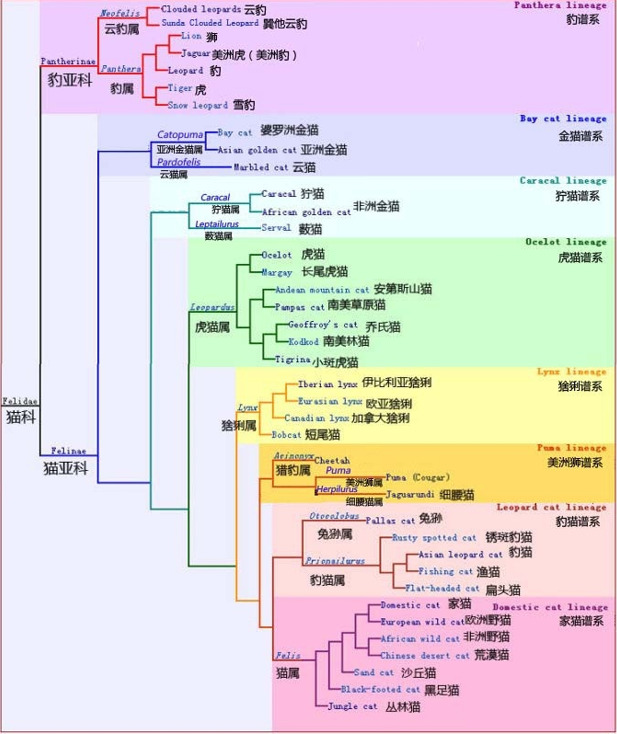<br /> 然后按照这个分类模型,就可以对未知物品,进行分类了。<br /><br />词的构建也是如此,我们先采集大量的图片,然后从中提取出大量描述子,然后对这些描述子,使用聚类的方法,构建出一个一个类出来,每个类,就是一个单词。聚类问题在无监督机器学习(Unsupervised ML)中特别常见,用于让机器自行寻找数据中的规律。BoW的字典生成问题也属于其中之一。首先,假设我们对大量的图像提取了特征点,例如有N个。现在,我们想找一个有k个单词的字典,每个单词可以看作局部相邻特征点的集合,这可以用经典的K-means(K均值)算法解决。
> K-means是一个非常简单有效的方法,因此在无监督学习中广为使用,下面对其原理稍做介绍。简单的说,当有N个数据,想要归成k个类,那么用K-means来做主要包括如下步骤:
> 1.随机选取k个中心点:c1,... ,ck。
> 2.对每一个样本,计算它与每个中心点之间的距离,取最小的作为它的归类。
> 3.重新计算每个类的中心点。
> 4.如果每个中心点都变化很小,则算法收敛,退出:否则返回第2步。
但实际训练单词时,我们使用的是和动物学分类中类似的树状形式,进一步说,是K叉树形式。
> 1.在根节点,用K-means把所有样本聚成k类(实际中为保证聚类均匀性会使用K-means++)。这样就得到了第一层。
> 2.对第一层的每个节点,把属于该节点的样本再聚成k类,得到下一层。
> 3.依此类推,最后得到叶子层。叶子层即为所谓的wods。
> 4.计算每个单词的DF权重:idf(i)=logN/n
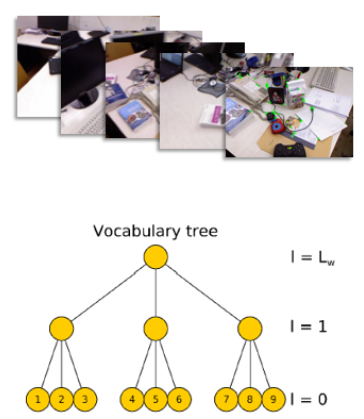<br />实际上,最终我们仍在叶子层构建了单词,而树结构中的中间节点仅供快速查找时使用。这样一个k分支、深度为d的树,可以容纳kd个单词。另外,在查找某个给定特征对应的单词时,只需将它与每个中间节点的聚类中心比较(一共d次),即可找到最后的单词,保证了对数级别的查找效率。而为每一个单词计算一个IDF权重,主要用来给每个词增加区分度,在数据集中出现得越少的单词,其可辨认度就越高。<br />我们把生成的这个词汇树,称为字典。训练词汇树的过程就是构建词典的过程。
<a name="DFTXH"></a>
### 10.3.2 使用字典表征图像
有了字典之后,给定任意特征,只要在字典树中逐层查找,最后都能找到与之对应的单词wj:当字典足够大时。我们可以认为fi和wj来自同一类物体。那么,假设从一幅图像中提取了N个特征,找到这N个特征对应的单词之后,就相当于拥有了该图像在单词列表中的分布,或者直方图。<br />另外我们还需要知道每个词的权重。TF-IDF(Term Frequency-Inverse Document Frequency),或译频率-逆文档频率,是文本检索中常用的一种加权方式,也用于BoW模型中。T部分的思想是,某单词在一幅图像中经常出现,它的区分度就高。另外,IDF的思想是,某单词在字典中出现的频率越低,分类图像时区分度越高。<br />IDF是在构建字典时就进行的。假设所有特征数量为n,wj的数量为ni,那么该单词的IDF为:<br />$\mathrm{IDF}_{i}=\log \frac{n}{n_{i}}$<br />TF部分则是在获得每幅图像时计算的。假设图像A中单词wi出现了ni次,而该幅图像中共出现的单词次数为n,那么TF为<br />$\mathrm{TF}_{i}=\frac{n_{i}}{n}$<br />于是,wi的权重等于TF乘IDF之积:<br />$\eta_{i}=\mathrm{TF}_{i} \times \mathrm{IDF}_{i}$<br />考虑权重以后,对于某幅图像A,把它的特征点匹配到对应单词之后,组成它的BoW:<br />$A=\left\{\left(w_{1}, \eta_{1}\right),\left(w_{2}, \eta_{2}\right), \ldots,\left(w_{N}, \eta_{N}\right)\right\} \stackrel{\text { def }}{=} \boldsymbol{v}_{A} \\$<br />由于相似的特征可能落到同一个类中,因此实际的VA中会存在大量的零。无论如何,通过词袋我们用单个向量)VA描述了一幅图像A。这个向量vA是一个稀疏的向量,它的非零部分指示了图像A中含有哪些单词,而这些部分的值为TF-IDF的值。
<a name="wWjbP"></a>
### 10.3.3 相似度计算
接下来的问题是:给定vA和vB,如何计算它们的差异呢?这个问题和范数定义的方式一样,存在若干种解决方式,比如常用的L1范数形式:<br />$s\left(\boldsymbol{v}_{A}-\boldsymbol{v}_{B}\right)=2 \sum_{i=1}^{N}\left|\boldsymbol{v}_{A i}\right|+\left|\boldsymbol{v}_{B i}\right|-\left|\boldsymbol{v}_{A i}-\boldsymbol{v}_{B i}\right| \\$
<a name="psXIr"></a>
### 10.3.4 回环检测流程
**数据库查询:**<br />假设通过上节的算法,我们得到了当前图像的词袋(Bow)向量v,现在要在词库中检索最为相似的图像。如何实现这一步,需要先介绍一下DBoW词袋库的特点,以DBoW2词袋库为例:<br />DBoW2库的结构如下,即保存了图像到词汇(根节点)的正向索引,也保存了词汇到图像的逆向索引。<br />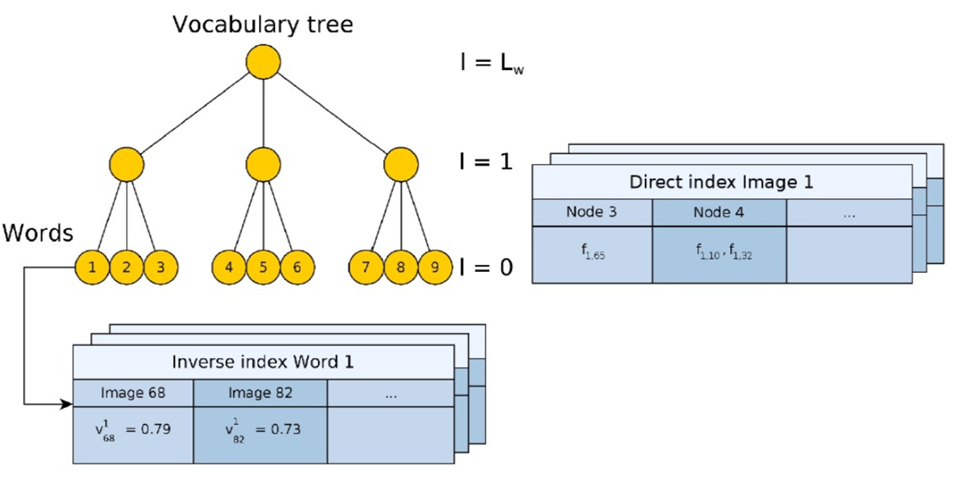<br />每当有新图像进来,DBoW2库就会根据描述子的情况,不断更新这个正向索引和逆索引。<br />在检索最相似的图像时,使用了DBoW2库的逆索引,来加速索引速度,而不是使用暴力匹配的方式:<br />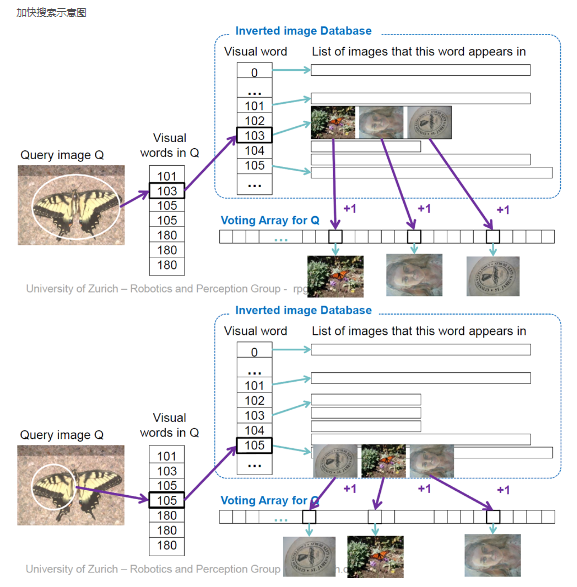<br />上图的含义,就是对图像Q中每个特征点,通过逆索引找到出现的图像,然后给该图像投一票,到最后哪个图像得票多,哪个就是最相似的图像。<br />在查询到相似图像后,其得分计算公式如下:<br />$\eta\left(\mathbf{v}_{t}, \mathbf{v}_{t_{j}}\right)=\frac{s\left(\mathbf{v}_{t}, \mathbf{v}_{t_{j}}\right)}{s\left(\mathbf{v}_{t}, \mathbf{v}_{t-\Delta t}\right)} \\$<br />其中分母是当前关键帧上一帧,与当前的帧的相似度(最优图像得分),用以对查询结果分数做归一化。但需要注意是在转弯等部分场景,上一帧的相似度与当前帧会很小。为防止分母很小导致得分异常得大,需要对分母做判断,跳过那些得分差的帧,往前找直到得到一个分数合理的关键帧。<br />**组匹配:**<br />在进行回环匹配时,会将待匹配的图像按时间划分为独立的组,每一组的相似得分是组内所有图像相似得分之和。这是因为回环帧前后的帧,基本也是相似的,但我们只需要一帧,因此需要进行类似非极大值抑制。<br />$H\left(\mathrm{v}_{t}, V_{T_{i}}\right)=\sum_{j=n_{i}}^{m_{i}} \eta\left(\mathrm{v}_{t}, \mathrm{v}_{t_{j}}\right)$<br /> 1、防止连续图像在数据库查询时存在的竞争关系,但是不会考虑同一地点,不同时间的关键帧。<br /> 2、防止误匹配<br />**时间一致性判断:**<br />在经过组匹配之后,得到了最佳组匹配,此时需要检验该组匹配的时间一致性。这时做法是,对于当前组匹配vt,与前k帧的最优组匹配,应该有较大的重叠。简单来说,就是在第一次检测到相似帧后,并不会立即认为已发生回环,而是会继续等待接下来k次匹配,在这k次最佳匹配组之间,均有较大的重叠区,这个时候,才会认为真正发生了回环。<br />在当前经过时间一致性校验之后的匹配组,取组内得分最高的图像,作为匹配图像,进入结构一致性校验。<br />**结构一致性判断:**<br />该部分通过特征点匹配,通过RANSAC计算基本矩阵,再通过基本矩阵,对两幅图像的特征点进行投影匹配。这个部分用到了各个特征点在空间中的位置是唯一不变的这一假设。<br />在匹配时,使用了词袋库维护的正向索引(direct image index),加速了特征点的匹配速度。搜索的时候需要注意,同时为了获取足够数量的特征点,不能直接选取words作为匹配索引。同时凸显特征之间的区分度,也不能采用采用较高层数的节点(词袋树形结构),即需要在合适的某一层进行索引匹配。<br />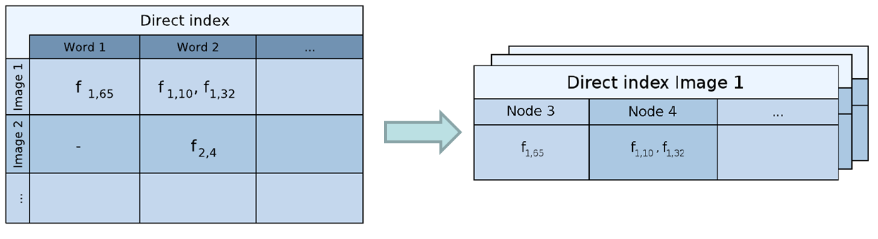<br />如果使用基础矩阵投影匹配的点数(内点数)大于12个,认为发生了真正的回环。<br />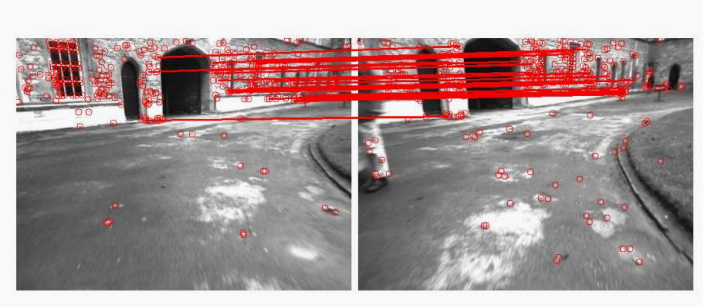
<a name="vXefC"></a>
## 10.4 回环检测算法性能评估
对于回环检测算法的评估,常用的标准就是精度—召回曲线,如下<br />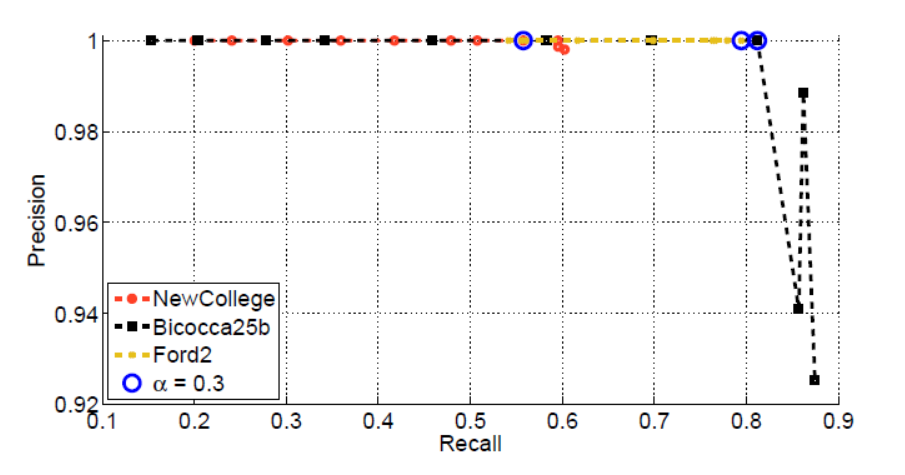<br />评价标准<br /> 精度:正确回环检测占总检测回环数目的比率<br /> 召回:正确回环检测占测试样本总回环的比率<br />$\operatorname{Precision}=\frac{\mathrm{TP}}{\mathrm{TP}+\mathrm{FP}} \\
\text { Recall }=\frac{\mathrm{TP}}{\mathrm{TP}+\mathrm{FN}} \\$<br />一般地,如果某个回环检测算法曲线,被另一个算法的PR曲线包裹在下方,则认为被包裹算法性能弱于包裹其的算法。
<a name="YKIdf"></a>
## 10.5 DBoW系列库
**1)DBoW**<br />DBoW库是一个开源的C++库,用来把图像转换为bag-of-word的表示(词袋模型)。它使用特征提取算法(可选取)提取图像的特征描述子,然后根据一定的策略将这些特征描述子聚类为“单词”,并使用树的形式组织,得到一个vocabulary tree。之后将利用vocabulary tree将图像转换为{单词,权值}的向量表示,通过计算向量间距离的方式计算图像之间的相似性。<br />源码地址:[https://github.com/dorian3d/DBow](https://github.com/dorian3d/DBow)
**2)DBOW2**<br />DBoW2是DBow库的改进版本,DBoW2实现了具有正序和逆序指向索引图片的的图像数据库,可以实现快速查询和特征比较。与以前的DBow库的主要区别是:
- DBoW2类是模板化的,因此它可以与任何类型的描述符一起使用。
- DBoW2可直接使用ORB或BRIEF描述符。
- DBoW2将直接文件添加到图像数据库以进行快速功能比较,由DLoopDetector实现。
- DBoW2不再使用二进制格式。另一方面,它使用OpenCV存储系统来保存词汇表和数据库。这意味着这些文件可以以YAML格式存储为纯文本,更具有兼容性,或以gunzip格式(.gz)压缩以减少磁盘使用。
- 已经重写了一些代码以优化速度。DBoW2的界面已经简化。
- 出于性能原因,DBoW2不支持停止词。
DBoW2需要OpenCV和 Boost::dynamic_bitset类才能使用BRIEF版本。<br />DBoW2和DLoopDetector已经在几个真实数据集上进行了测试,执行了3毫秒,可以将图像的简要特征转换为词袋向量量,在5毫秒可以在数据库中查找图像匹配超过19000张图片。<br />源码地址:[https://github.com/dorian3d/DBoW2](https://github.com/dorian3d/DBoW2)
**3)DBoW3**<br />DBoW3是DBow2库的改进版本,与以前的DBow2库的主要区别是:
- DBoW3只需要OpenCV。DLIB的DBoW2依赖性已被删除。
- DBoW3能够适用二进制和浮点描述符。无需为任何描述符重新实现任何类。
- DBoW3在linux和windows中编译。
- 已经重写了一些代码以优化速度。DBoW3的界面已经简化。
- 使用二进制文件。二进制文件加载/保存比yml快4-5倍。而且,它们可以被压缩。
- 兼容DBoW2的yml文件
源码地址:[https://github.com/rmsalinas/DBow3](https://github.com/rmsalinas/DBow3)
**4)FBOW**<br />FBOW(Fast Bag of Words)是DBow2 / DBow3库的极端优化版本。该库经过高度优化,可以使用AVX,SSE和MMX指令加速Bag of Words创建。在加载词汇表时,fbow比DBOW2快约80倍。在使用具有AVX指令的机器上将图像转换为词袋时,它的速度提高了约6.4倍。<br />源码地址:[https://github.com/rmsalinas/fbow](https://github.com/rmsalinas/fbow)
<a name="KGDsk"></a>
## 本章小结
本章主要介绍了回环检测在SLAM中的意义,即消除里程计的累计误差,获得一张全局一致的地图。并介绍了目前视觉中最为流行的基于外观的回环检测算法,词袋模型。并给出了DBOW3的练习。<br />下一节我们会介绍VSLAM算法最后一个模块,建图模块,也是与需求端连接最为紧密的一个模块。地图作为一个纽带,连接着建图与定位。
<a name="e48hR"></a>
## 本节思考
验证回环检测算法,需要有人工标记回环的数据集。然而人工标记回环是很不方便的,我们会考虑根据标准轨迹计算回环。即,如果轨迹中有两个帧的位姿非常相近,就认为它们是回环。请根据TUM数据集给出的标准轨迹,计算出一个数据集中的回环。这些回环的图像真的相似吗?
<a name="uXGZH"></a>
## 本章练习
[回环检测-词袋模型代码练习](https://github.com/datawhalechina/smoothly-vslam/tree/main/ch10)<br />[DBoW3仓库](https:/github.com/rmsalinas/DBow3)
<a name="xQU7k"></a>
## 参考
0.《视觉SLAM十四讲》<br />[1.回环检测中词袋模型DBoW2的原理分析](https://blog.csdn.net/weixin_37835423/article/details/112890634)<br />[2.ORB-SLAM3知识点(一):词袋模型BoW](https://zhuanlan.zhihu.com/p/354616831)<br />[3.[ORB-SLAM2] 回环&DBoW视觉词袋](https://zhuanlan.zhihu.com/p/61850005)<br />[4.ORBSLAM2学习(三):DBoW2理论知识学习](https://blog.csdn.net/lwx309025167/article/details/80524020)<br />[5.视觉slam中的回环检测概述](https://blog.csdn.net/qq_42518956/article/details/107546479#:~:text=1%20%E6%9C%80%E7%AE%80%E5%8D%95%E7%9A%84%E6%96%B9%E6%B3%95%E6%98%AF%E5%AF%B9%E4%BB%BB%E6%84%8F%E4%B8%A4%E5%B9%85%E5%9B%BE%E5%83%8F%E9%83%BD%E5%81%9A%E4%B8%80%E9%81%8D%E7%89%B9%E5%BE%81%E5%8C%B9%E9%85%8D%EF%BC%8C%E6%A0%B9%E6%8D%AE%E6%AD%A3%E7%A1%AE%E5%8C%B9%E9%85%8D%E7%9A%84%E6%95%B0%E9%87%8F%E7%A1%AE%E5%AE%9A%E5%93%AA%E4%B8%A4%E5%B9%85%E5%9B%BE%E5%83%8F%E5%AD%98%E5%9C%A8%E5%85%B3%E8%81%94%E3%80%82%20%E8%BF%99%E7%A7%8D%E6%96%B9%E6%B3%95%E6%9C%B4%E7%B4%A0%E4%BD%86%E6%98%AF%E6%9C%89%E6%95%88%EF%BC%8C%E7%BC%BA%E7%82%B9%E6%98%AF%E4%BB%BB%E6%84%8F%E4%B8%A4%E5%B9%85%E5%9B%BE%E5%83%8F%E5%81%9A%E7%89%B9%E5%BE%81%E5%8C%B9%E9%85%8D%EF%BC%8C%20%E8%AE%A1%E7%AE%97%E9%87%8F%E5%AE%9E%E5%9C%A8%E5%A4%AA%E5%A4%A7%EF%BC%8C%E5%9B%A0%E6%AD%A4%E4%B8%8D%E5%AE%9E%E7%94%A8%20%E3%80%82,2%20%E9%9A%8F%E6%9C%BA%E6%8A%BD%E5%8F%96%E5%8E%86%E5%8F%B2%E6%95%B0%E6%8D%AE%E8%BF%9B%E8%A1%8C%E5%9B%9E%E7%8E%AF%E6%A3%80%E6%B5%8B%EF%BC%8C%E6%AF%94%E5%A6%82%E5%9C%A8nn%E5%B8%A7%E4%B8%AD%E9%9A%8F%E6%9C%BA%E6%8A%BD5%E5%B8%A7%E4%B8%8E%E5%BD%93%E5%89%8D%E5%B8%A7%E6%AF%94%E8%BE%83%E3%80%82%20%E6%97%B6%E9%97%B4%E6%95%88%E7%8E%87%E6%8F%90%E9%AB%98%E5%BE%88%E5%A4%9A%EF%BC%8C%E4%BD%86%E6%98%AF%E6%8A%BD%E5%88%B0%E5%9B%9E%E7%8E%AF%E5%87%A0%E7%8E%87%E4%B8%8D%E9%AB%98%EF%BC%8C%E4%B9%9F%E5%B0%B1%E6%98%AF%20%E6%A3%80%E6%B5%8B%E6%95%88%E7%8E%87%E4%B8%8D%E9%AB%98%20%E3%80%82)<br />[6.实时词袋模型BoW3D | 用于3D激光雷达SLAM回环检测(开源)](https://zhuanlan.zhihu.com/p/598151357)<br />[7.浅谈回环检测中的词袋模型(bag of words)](https://blog.csdn.net/qq_24893115/article/details/52629248)<br />[8.猫科の完全指南①--猫科动物概论](https://zhuanlan.zhihu.com/p/33842443)
================================================
FILE: docs/chapter11/chapter11.md
================================================
# **11.终识庐山真面目:建图**
学到很多东西的诀窍,就是一下子不要学很多。——洛克
---
> **本章主要内容** \
> 1.地图的类型 \
> 2.稠密重建 \
> 3.点云地图 \
> 4.TSDF地图 \
> 5.实时三维重建
建图的目的是获得满足任务需求的地图。地图的种类十分多,不同类型任务需要不同类型的地图。一般来说,地图可以分为度量地图与拓扑地图,而对于度量地图,又可以继续细分为**栅格地图、特征地图、点云地图等。**<br />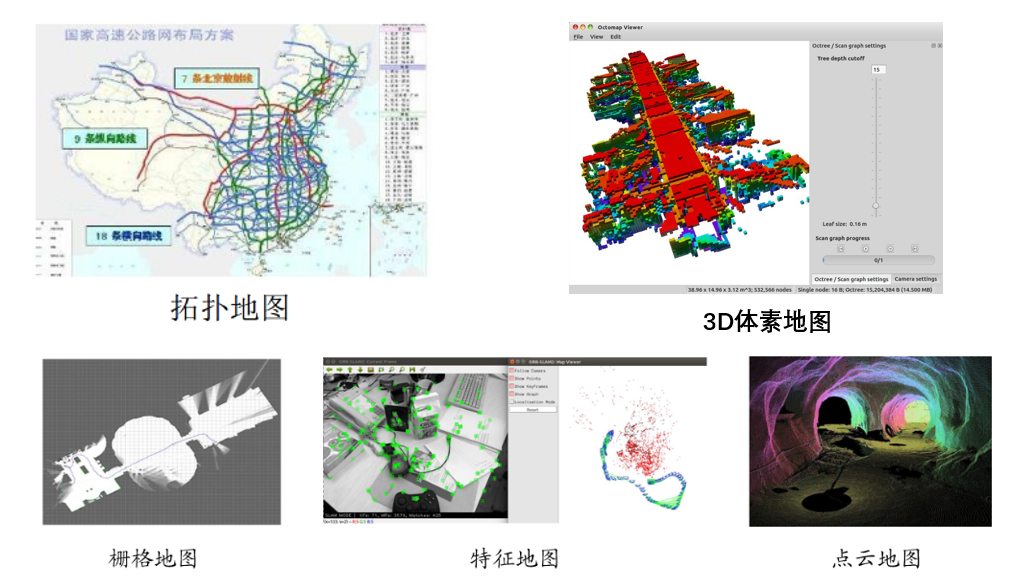<br />不同类型地图满足不同任务需求:<br />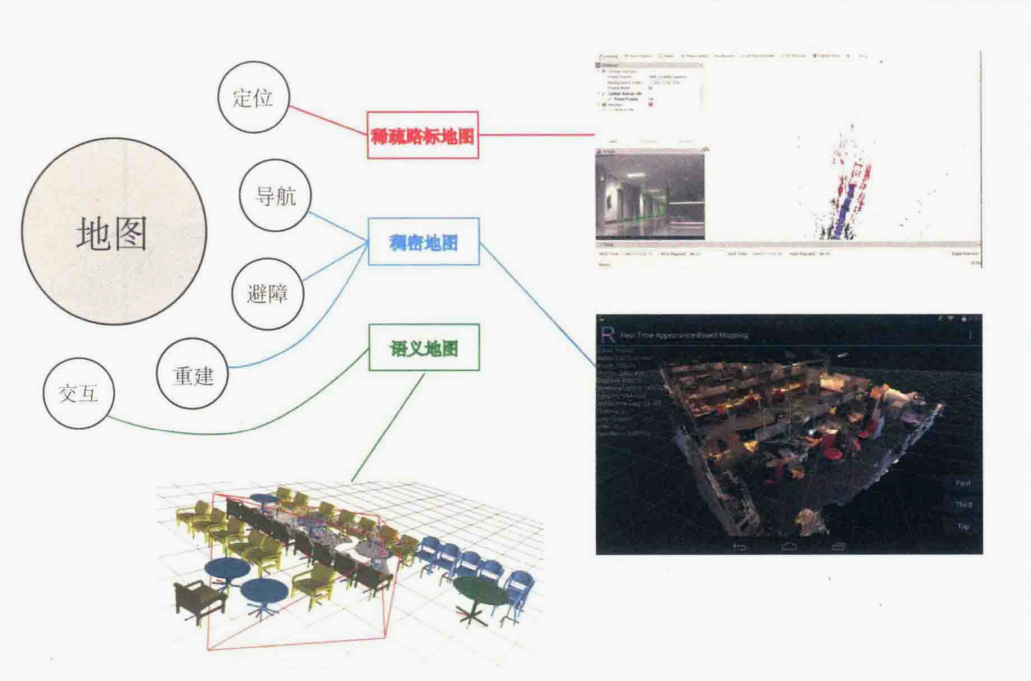<br />总结来说,地图分类如下:<br />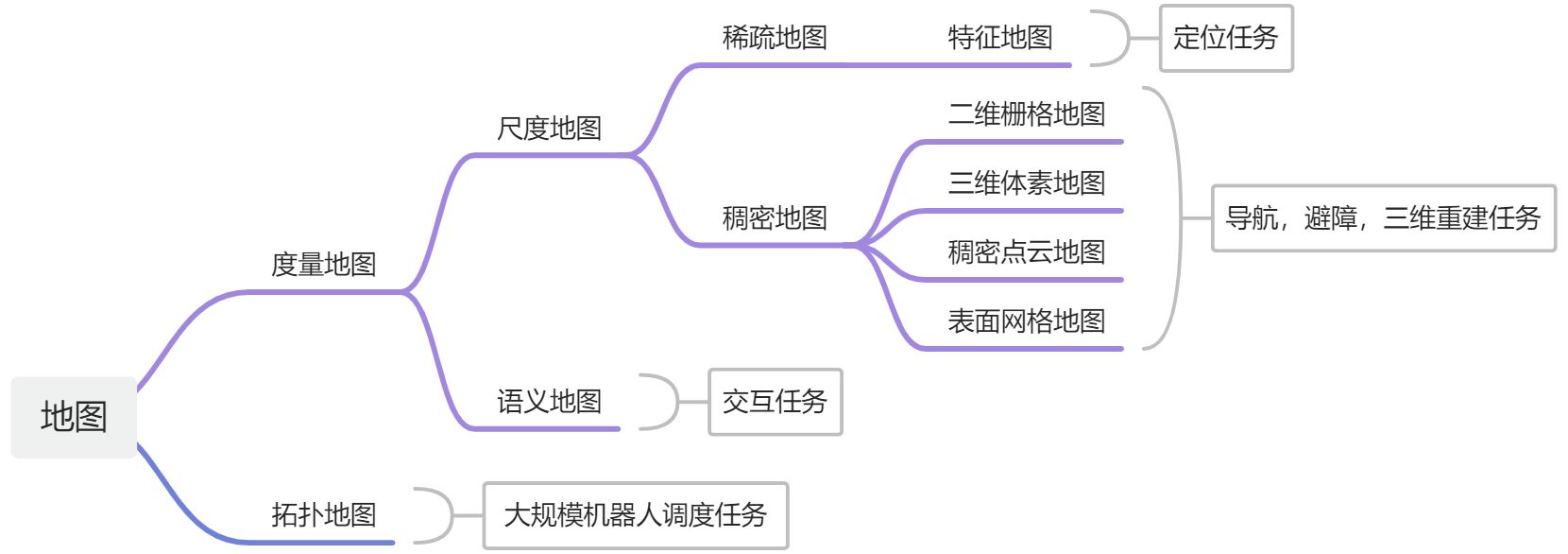
<a name="LVu44"></a>
## 11.1 度量地图(Metric Map)与拓扑地图(Topological Map)
**度量地图**强调精确地表示地图中物体的空间位置,通常用 稀疏(Sparse) 和 稠密(Dense) 对它们进行分类。
- 稀疏地图:进行了一定程度的抽象,并不需要表达所有的物体。例如,选择场景中一部分具有代表意义的东西,称之为路标(Landmark),那么一张稀疏地图就是由路标组成的地图,而不是路标的部分就可以忽略。**定位时用稀疏路标地图就足够了**。
- 稠密地图:稠密地图着重于建模所有看到的东西。通常按照某种分辨率,由许多小块组成。二维度量地图是许多小格子(Grid,二维栅格地图),三维中则是许多小方块(Voxel,体素地图)。一个小块一般含有占据、空闲、未知三种状态,以表达该格内是否有物体。当查询某个空间位置时,地图能够给出该位置是否可以通过的信息。这样的地图可以用于各种导航算法,如A*、D*等。
**拓扑地图**则更强调地图元素之间的关系。拓扑地图是一个图(Graph),由节点和边组成,只考虑节点间的连通性。它放松了地图对精确位置的需要,去掉地图的细节问题,是一种更为紧凑的表达方式。<br />这里说一下个人对导航和避障的理解,二者是全局路径规划与局部路径规划的关系。全局路径规划需要知道全局静态障碍物的分布,比如墙体,台阶,桌椅这种不会移动的物体的位置,然后在两个点之间基于全局可通行区域搜索出一条路径出来,所以导航注重静态障碍物。避障需要实时感知周围障碍物信息,对突然出现的动态障碍物及时更改路线,因此避障注重动态障碍物,强调实时感知。<br />对于重建,个人感觉更偏向配准,及如何把点云拼起来,得到一个更还原的三维模型。在这个意义上说,SLAM强调的是通过估计位姿,并通过估计的位姿还原环境,而其地图,更强调拿来做定位。其强调定位准确,而不是得到一个更逼真的三维模型,这是和三维重建的区别所在。所以大多SLAM算法生成的,都是稀疏路标点地图。但通过SLAM估计的位姿及传感器数据,也能获得用于导航的稠密地图。<br />基于特征点的VSLAM算法建立的地图为稀疏路标点地图,可直接保存描述子信息,使用基于词袋模型的回环检测算法来进行全局定位,这里就不在赘述,接下来着重介绍生成稠密地图。
<a name="jxKat"></a>
## 11.2 稠密建图
由于相机,被认为是只有角度的传感器(Bearing only)。单幅图像中的像素,只能提供物体与相机成像平面的角度及物体采集到的亮度,而无法提供物体的距离(Range)。而在稠密重建中,我们需要知道每一个像素点(或大部分像素点)的距离,对此大致上有如下解决方案:
- 1.使用单目相机,估计相机运动,并且三角化计算像素的距离。
- 2.使用双目相机,利用左右目的视差计算像素的距离(多目原理相同)。
- 3.使用RGB-D相机直接获得像素距离。
前两种方式称为立体视觉(Stereo Vision),其中移动单目相机的又称为移动视角的立体视觉(Moving View Stereo,MVS)。相比于RGB-D直接测量的深度,使用单目和双目的方式对深度获取往往是“费力不讨好”的一计算量巨大,最后得到一些不怎么可靠的深度估计。当然,RGB-D也有一些量程、应用范围和光照的限制,不过相比于单目和双目的结果,**使用RGB-D进行稠密重建往往是更常见的选择**。**而单目、双目的好处是,在目前RGB-D还无法被很好地应用的室外、大场景场合中,仍能通过立体视觉估计深度信息。**<br />我们从最简单的情况讲起:假设通过SLAM,我们获得了每幅图像对应的相机轨迹,通过这些图像的位姿,估计某幅图像每个像素的深度,这就是最简单的建图问题。<br />首先,请回忆在特征点部分我们是如何完成该过程的:
- 1.对图像提取特征,并根据描述子计算特征之间的匹配。换言之,通过特征,我们对某一个空间点进行了跟踪,知道了它在各个图像之间的位置。
- 2.由于无法仅用一幅图像确定特征点的位置,所以必须通过不同视角下的观测估计它的深度,原理即前面讲过的三角测量。
但在稠密深度图估计中,不同之处在于,**我们无法把每个像素都当作特征点计算描述子**。因此,稠密深度估计问题中,匹配就成为很重要的一环:如何确定第一幅图的某像素出现在其他图里的位置呢?这需要用到极线搜索和块匹配技术2)。当我们知道了某个像素在各个图中的位置,就能像特征点那样,利用三角测量法确定它的深度。不过不同的是,在这里要使用很多次三角测量法让深度估计收敛,而不仅使用一次。我们希望深度估计能够随着测量的增加从一个非常不确定的量,逐渐收敛到一个稳定值。这就是深度滤波器技术。所以,下面的内容将主要围绕这个主题展开。
<a name="kUuBw"></a>
### 11.2.1 立体视觉稠密重建
<a name="OjfJg"></a>
#### 11.2.1.1 立体视觉稠密重建
接上一节,以下两种称为立体视觉(Stereo Vision),其中移动单目相机的又称为移动视角的立体视觉(Moving View Stereo,MVS)。
- 1.使用单目相机,估计相机运动,并且三角化计算像素的距离。
- 2.使用双目相机,利用左右目的视差计算像素的距离(多目原理相同)。
在单目情况下,通过不同时刻相机位姿进行像素深度估计,而对于双目,则通过左右目图像进行像素深度估计。需要使用极线搜索与块匹配来获取深度分布,然后使用深度滤波器更新深度直到收敛。<br />第一步,极线计算。由相机之间位姿,计算出该图像上每个像素,在另外一幅图像上的极线。<br />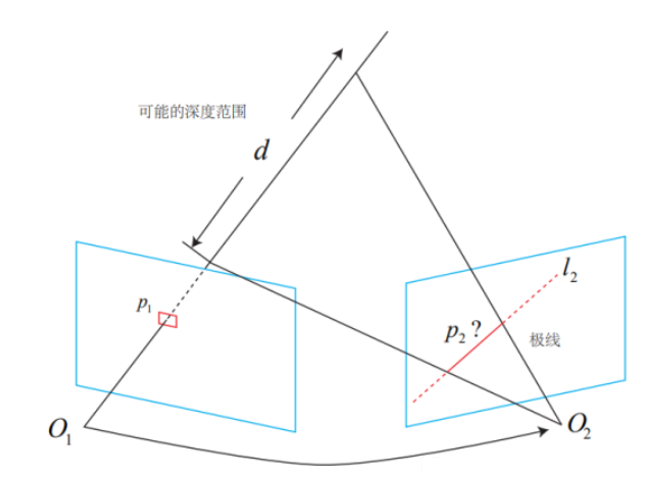<br />第二步,沿着极线,计算该像素周围纹理,与待匹配点周围纹理的匹配程度。这一步称为块匹配算法。假设我们要计算下图中绿框块与白框块的相似度,可以这么做:<br />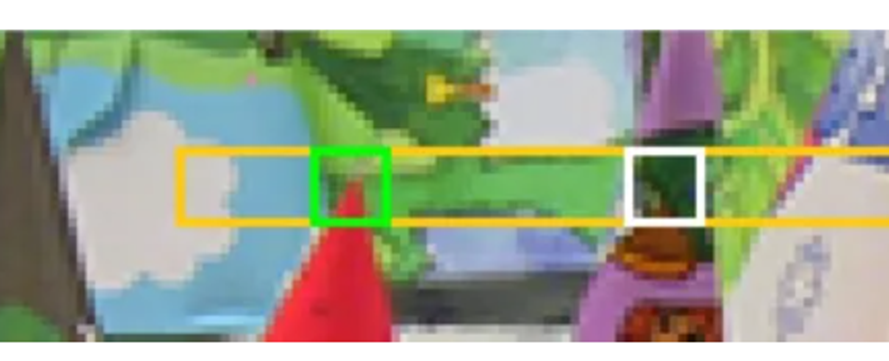<br />先转为灰度图,然后计算每个像素的灰度差的绝对值之和:<br />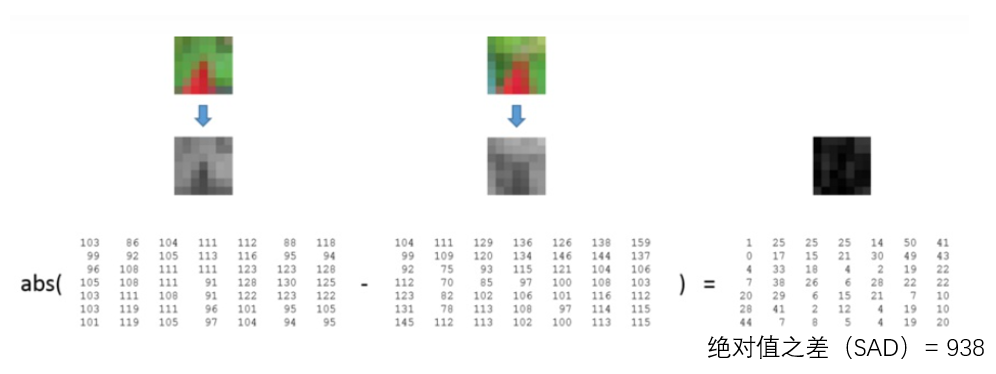<br />当然,这里的指标有很多,也可以计算距离平方和(Sum of Squared Distance: SSD)或者归一化相关(Normalized Cross Correlation: NCC)。为了去除光照影响,这一步也可以先减去每个小块的均值,称为去均值的SSD,去均值的NCC等。为了将相机视角对图像的影响考虑进去,也会对匹配的图像块加入仿射变换后,再计算相似度分数。<br />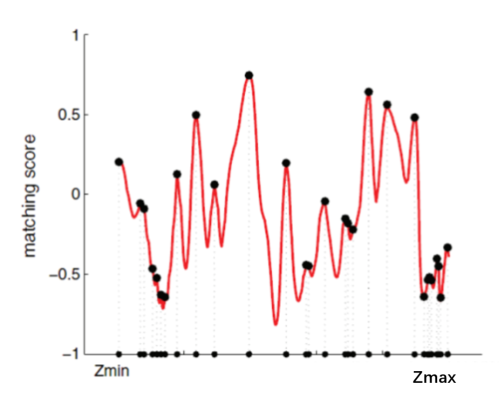<br />第三步,获得最佳匹配点,计算不确定度。获得极线上每个像素点相似度分数可能如下,取最高得分,作为最佳匹配点。这时需要考虑当前匹配点_P__2_下,左右如果误匹配一个像素点,会造成多大的误差,即下图中的P与P'之差,作为方差σobs,而μobs则是这次估计的深度P。<br />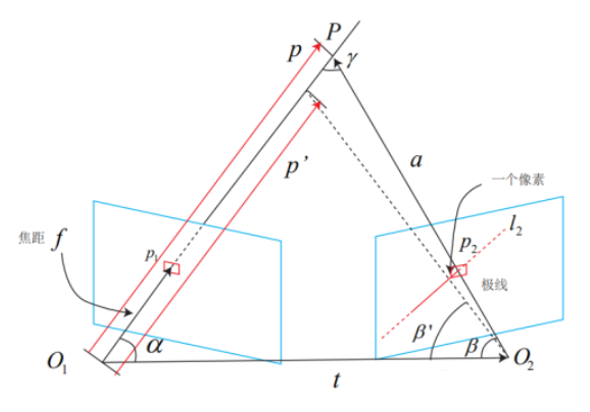<br />假设深度分布服从高斯分布,则该点深度分布服从:<br />$P(d_{obs}) = N(\mu _{obs},\delta ^{2}_{obs})$<br />第四步,更新深度分布。在_P__2_与其他图像的产生了匹配后,按照以上1到3步获得了新的深度分布,则将两个高斯分布进行相乘,得到融合后的深度分布。<br />$\mu_{f u s e}=\frac{\sigma_{o b s}^{2} \mu+\sigma^{2} \mu_{o b s}}{\sigma^{2}+\sigma_{o b s}^{2}}, \quad \sigma_{f u s e}^{2}=\frac{\sigma^{2} \sigma_{o b s}^{2}}{\sigma^{2}+\sigma_{o b s}^{2}}$<br />其中σ,而μ是原深度方差及均值。这样不断更新,直到深度不确定度小于阈值,停止更新。<br />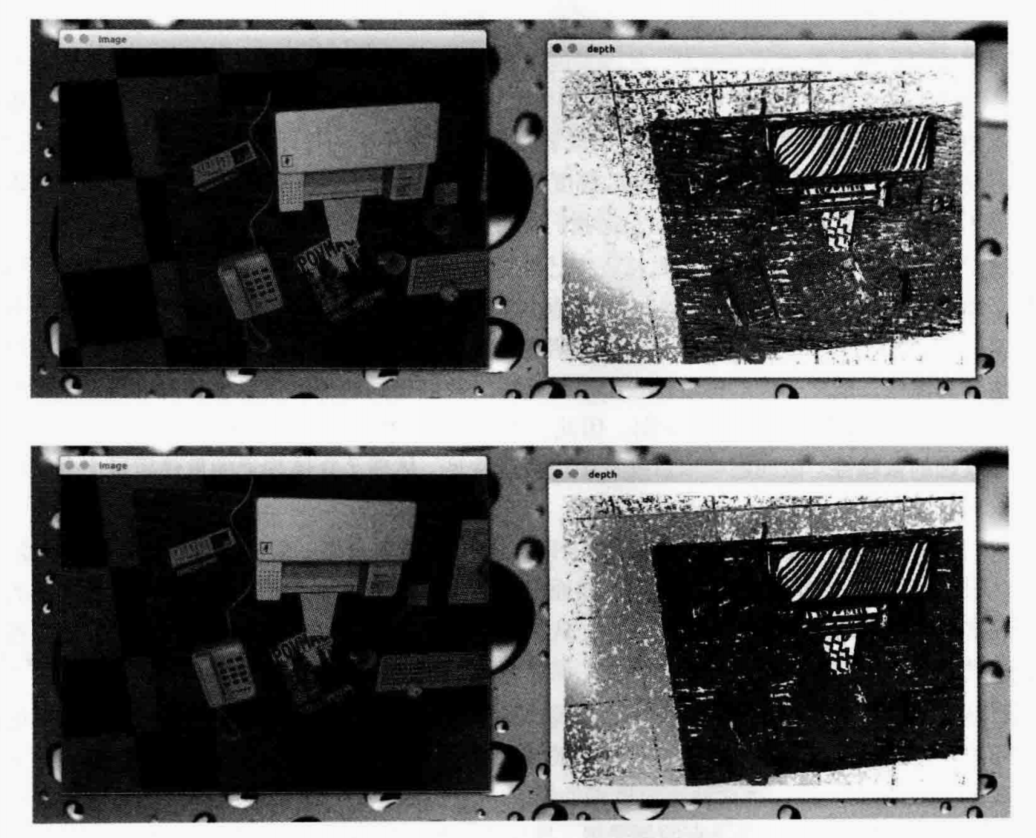<br />迭代次数越多,深度越稳定。上图是迭代10次后与30次后的效果。
<a name="uXqb2"></a>
#### 11.2.1.2 稠密重建影响因数分析
- **像素梯度**
对深度图像进行观察,会发现一件明显的事实。块匹配的正确与否依赖于图像块是否具有区分度,即像素梯度变化分布情况。纯色的色块没有灰度梯度,无法得到有效的匹配。产生的深度信息多半是不正确的。如图中打印机表面出现了明显不该有的条纹状深度估计(而根据我们的直观想象,打印机表面肯定是光滑的)。相反,像素梯度比较明显的地方,我们得到的深度信息也相对准确,例如桌面上的杂志、电话等具有明显纹理的物体。这表明了立体视觉中一个非常常见的问题:对物体纹理的依赖性。该问题在双目视觉中也极其常见,体现了立体视觉的重建质量十分依赖于环境纹理。<br />从某种角度来说,该问题是无法在现有的算法流程上加以改进并解决的。如果我们依然只关心某个像素周围的邻域(小块)的话。进一步讨论像素梯度问题,还会发现像素梯度和极线之间的联系。我们举两种比较极端的情况,一个是像素灰度沿着极线变化(左),一个是像素灰度垂直于极线变化(右)。<br />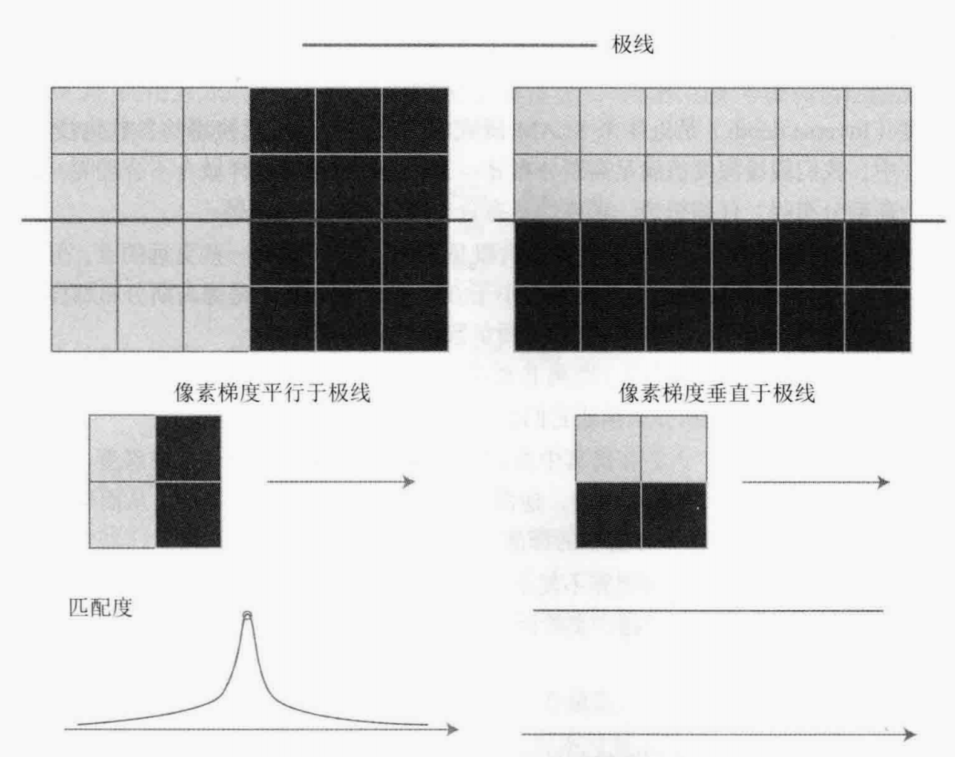<br />像素梯度平行于极线方向(像素灰度沿着极线变化,左图),我们能够精确地、确定匹配度最高点出现在何处。而在垂直的情况,即使小块有明显梯度,当我们沿着极线做块匹配时,会发现匹配程度都是一样的,因此得不到有效的匹配。<br />而实际中,梯度与极线的情况很可能介于二者之间:既不是完全垂直也不是完全平行。这时,我们说,当像素梯度与极线夹角较大时,极线匹配的不确定性大:而当夹角较小时,匹配的不确定性变小。而在演示程序中,我们把这些情况都当成一个像素的误差,实际是不够精细的。考虑到极线与像素梯度的关系,应该使用更精确的不确定性模型。
- **深度分布假设**
从另一个角度看,我们不妨问:把像素深度假设成高斯分布是否合适呢?这里关系到一个参<br />数化的问题。<br />逆深度(Inverse depth)是近年来SLAM研究中出现的一种广泛使用的参数化技巧。简单来说,就是深度并不太服从一个高斯分布:
- 1.我们实际想表达的是:这个场景深度大概是5~10米,可能有一些更远的点,但近处肯定不会小于相机焦距(或认为深度不会小于0)。这个分布并不是像高斯分布那样,形成一个对称的形状。它的尾部可能稍长,而负数区域则为零。
- 2.在一些室外应用中,可能存在距离非常远,乃至无穷远处的点。我们的初始值中难以涵盖这些点,并且用高斯分布描述它们会有一些数值计算上的困难。
逆深度应运而生。人们在仿真中发现,假设深度的倒数,也就是逆深度为高斯分布。是比较有效的。随后,在实际应用中,逆深度也具有更好的数值稳定性,从而逐渐成为一种通用的技巧。
- **平滑及外点假设**
1.现在各像素完全是独立计算的,可能存在这个像素深度很小,边上一个又很大的情况。我们可以假设深度图中相邻的深度变化不会太大,从而给深度估计加上了空间正则项。这种做法会使得到的深度图更加平滑。<br />2.我们没有显式地处理外点(Outlier)的情况。事实上,由于遮挡、光照、运动模糊等各种因素的影响,不可能对每个像素都保持成功匹配。而演示程序的做法中,只要NCC大于一定值,就认为出现了成功的匹配,没有考虑到错误匹配的情况。<br />3.处理错误匹配亦有若干种方式。例如均匀一高斯混合分布下的深度滤波器,显式地将内点与外点进行区别并进行概率建模,能够较好地处理外点数据。<br />从上面的讨论可以看出,存在许多可能的改进方案。如果我们细致地改进每一步的做法,最后是有希望得到一·个良好的稠密建图的方案的。然而,正如我们所讨论的,有一些问题存在理论上的困难,例如对环境纹理的依赖,又如像素梯度与极线方向的关联(以及平行的情况)。这些问题很难通过调整代码实现来解决。所以,直到目前为止,虽然双目和移动单目相机能够建立稠密的地图,但是我们通常认为它们过于依赖环境纹理和光照,不够可靠。
<a name="yp0Np"></a>
### 11.2.2 RGBD稠密重建
除了使用单目和双目相机进行稠密重建,在适用范围内,RGB-D相机是一种更好的选择。对于深度估计问题,在RGB-D相机中可以完全通过传感器中硬件的测量得到,无须消耗大量的计算资源来估计。并且,RGB-D的结构光或飞时原理,保证了深度数据对纹理的无关性。即使面对纯色的物体,只要它能够反射光,我们就能测量到它的深度。这也是RGB-D传感器的一大优势。<br />利用RGBD进行稠密建图是相对容易的。不过,根据地图形式不同,也存在着若干种不同的主流建图方式。最直观、最简单的方法就是根据估算的相机位姿,将RGB-D数据转化为点云,然后进行拼接,最后得到一个由离散的点组成的点云地图(Point Cloud Map)。在此基础上,如果我们对外观有进一步的要求,希望估计物体的表面,则可以使用三角网格(Mesh)、面片(Surfel)进行建图。另外,如果希望知道地图的障碍物信息并在地图上导航,也可通过体素(Voxl)建立占据网格地图(Occupancy Map)。<br />使用RGBD相机生成稠密地图时,需要注意如下一些点:
- 1.在生成每帧点云时,去掉深度值无效的点。这主要是考虑到RGBD相机会有一个有效量程,超过量程之后的深度值会有较大误差或返回一个零。
- 2.利用统计滤波器方法去除孤立点。该滤波器统计每个点与距离它最近的N个点的距离值的分布,去除距离均值过大的点。这样,就保留了那些“粘在一起”的点,去掉了孤立的噪声点。
- 3.利用体素网络滤波器进行降采样。由于多个视角存在视野重叠,在重叠区域会存在大量的位置十分相近的点。这会占用许多内存空间。体素滤波保证了在某个一定大小的立方体(或称体素)内仅有一个点,相当于对三维空间进行了降采样,从而节省了很多存储空间。
<a name="q7HXO"></a>
## 11.3 点云地图
经过以上稠密重建,我们可以获得如下稠密的点云地图。<br />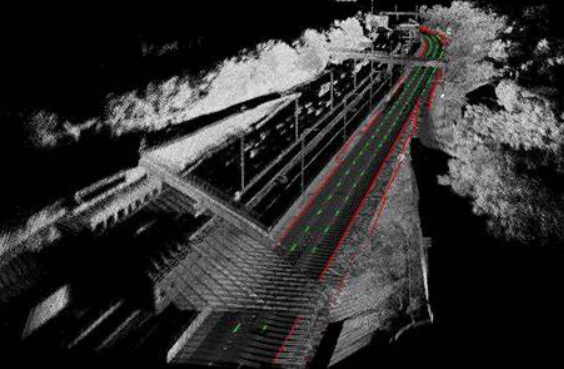<br />点云地图提供了比较基本的可视化地图,让我们能够大致了解环境的样子。它以三维方式存储,使我们能够快速地浏览场景的各个角落,乃至在场景中进行漫游。不过,使用点云表达地图仍然是十分初级的,我们不妨按照之前提的对地图的需求,看看点云地图是否能满足这些需求。
- 1.定位需求:取决于前端视觉里程计的处理方式。如果是基于特征点的视觉里程计,由于点云中没有存储特征点信息,则无法用于基于特征点的定位方法。如果前端是点云的ICP,那么可以考虑将局部点云对全局点云进行ICP以估计位姿。然而,这要求全局点云具有较好的精度。我们处理点云的方式并没有对点云本身进行优化,所以是不够的。
- 2.导航与避障的需求:无法直接用于导航和避障。纯粹的点云无法表示“是否有障碍物”的信息,我们也无法在点云中做“任意空间点是否被占据”这样的查询,而这是导航和避障的基本需要。不过,可以在点云基础上进行加工,得到更适合导航与避障的地图形式。
- 3.可视化和交互:具有基本的可视化与交互能力。我们能够看到场景的外观,也能在场景里漫游。从可视化角度来说,由于点云只含有离散的点,没有物体表面信息(例如法线),所以不太符合人们的可视化习惯。例如,从正面和背面看点云地图的物体是一样的,而且还能透过物体看到它背后的东西:这些都不太符合我们日常的经验。
综上所述,我们说点云地图是“基础的”或“初级的”,是指它更接近传感器读取的原始数据。它具有一些基本的功能,但通常用于调试和基本的显示,不便直接用于应用程序。
<a name="KOwgv"></a>
### 11.3.1 由点云地图构建网格地图
如果我们希望地图有更高级的功能,那么点云地图是一个不错的出发点。例如,针对导航功能,可以从点云出发,构建占据网格(Occupancy Grid)地图,以供导航算法查询某点是否可以通过。再如,SfM中常用的泊松重建方法,就能通过基本的点云重建物体网格地图,得到物体的表面信息。除了泊松重建,Surfel也是一种表达物体表面的方式,以面元作为地图的基本单位,能够建立漂亮的可视化地图。<br />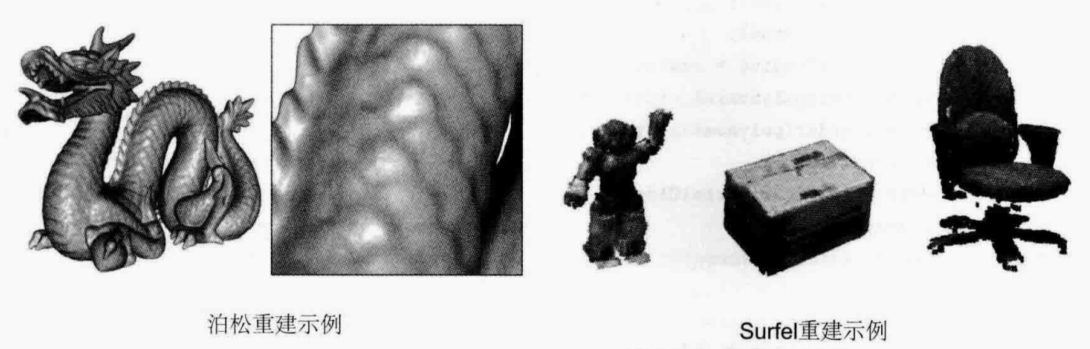<br />点云重建网格:<br />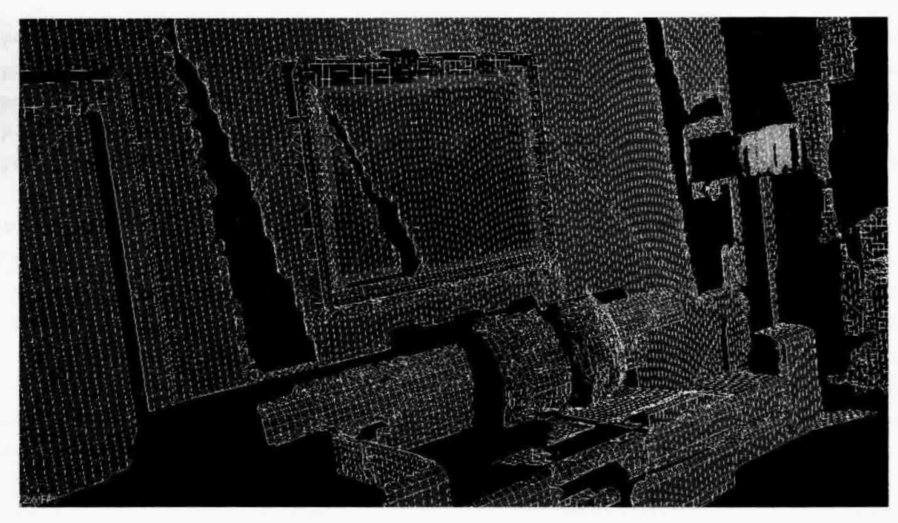
<a name="FKp60"></a>
### 11.3.2 由点云地图构建八叉树地图
在一个立方体过中心的位置,在上,前,左方向各沿平行于两面的方向切一刀,可以将一个立方体分割为八个小块,然后不断对每个小方块进行分割,每个小块会继续分为八个小块。这相当于每个方块节点展开都会有八个子节点,因此称之为八叉树。每个小立方体是空间的一个元素,称为体素。体素可以表示占据状态,如果该方格内有点云时,该网站占据状态为1,没有占据的话,占据状态为0,还有一种是未知的占据状态。<br />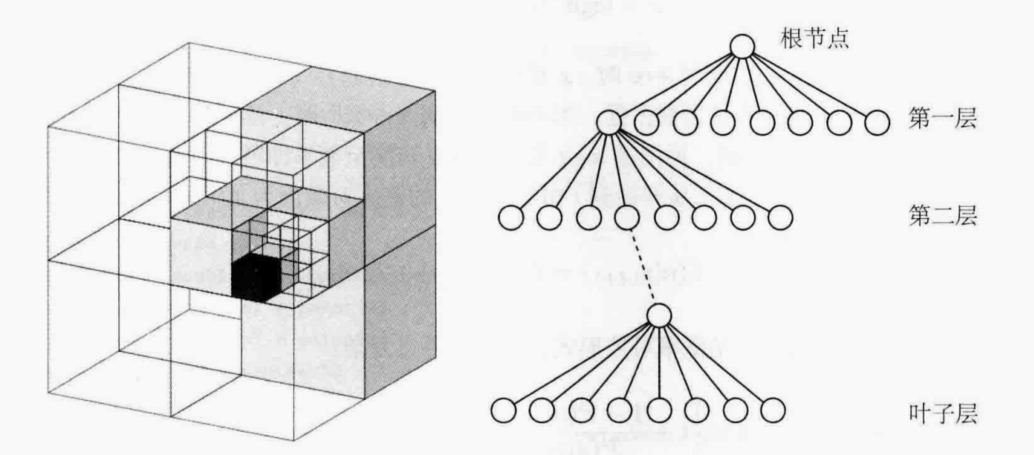<br />这里展开的层数可以设定,层数越多,每个叶子层表示的体素越小,地图“分辨”率越高。看起来会越精细,反之则会越来越粗糙。<br />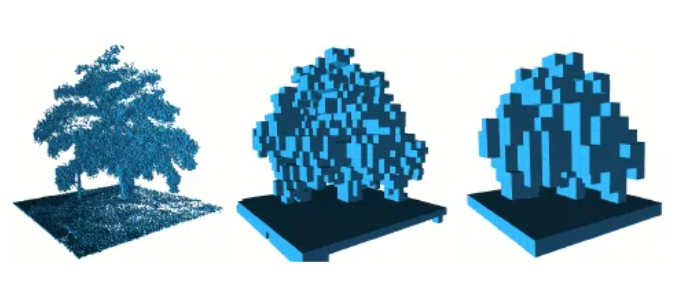<br />相比于直接使用点云地图,八叉树地图有如下好处:
- 1.减少存储空间。点云文件通常都比较大,相比之下,八叉树存储同样的点云信息则更高效。因为在某一大块立方体内,每个小块都是同一状态时。该大块节点就可以不展开。
- 2.点云地图不能表示直接表示某个空间是否被占据,不能用于导航,而**八叉树地图可以表示某个空间状态,可直接用于导航。**
- 3.可以方便地更新空间状态。对于八叉树,我们会选择用概率形式表达某节点是否被占据的事情。例如,用一个浮点数x∈0,1来表达。这个x一开始取0.5。如果不断观测到它被占据,那么让这个值不断增加;反之,如果不断观测到它是空白,那就让它不断减小即可。通过这种方式,我们动态地建模了地图中的障碍物信息。
每一个体素的概率,一般使用对数几率来表示:<br />$x=\operatorname{logit}^{-1}(y)=\frac{\exp (y)}{\exp (y)+1}$<br />其中y为当前体素的观测状态,如果该体素不断被观测到为“占据”状态时,则给y加上一个数,反之,则给y减去一个数。当查询概率时,则使用上式,将y转为概率即可。使用公式来说,就是t+1时刻的,对于节点n来说,其概率为开始到t-1时刻的状态,加上t时刻的观测。<br />$L\left(n \mid z_{1: t+1}\right)=L\left(n \mid z_{1: t-1}\right)+L\left(n \mid z_{t}\right)$<br />如果要写为概率形式,则比较复杂,这里放在附录中,感兴趣的小伙伴可以自行查看。
<a name="DuaVo"></a>
## 11.4 TSDF地图
TSDF是Truncated Signed Distance Function的缩写,与八叉树相似,TSDF地图也是一种网格式(或者说方块式)的地图,先选定要建模的三维空间,按照一定分辨率将这个空间分成许多小块,存储每个小块内部的信息。不同的是,TSDF地图整个存储在显存而不是内存中。利用GPU的并行特性,我们可以并行地对每个体素进行计算和更新,而不像CPU遍历内存区域那样不得不串行。<br />每个TSDF体素内存储了该小块与距其最近的物体表面的距离。如果小块在该物体表面的前方,则它有一个正值:反之,如果该小块位于表面之后,那么就为负值。TSDF为0的地方就是表面本身或者,由于数值误差的存在,TSDF由负号变成正号的地方就是表面本身。如下图,我们看到一个类似人脸的表面出现在TSDF改变符号的地方。<br />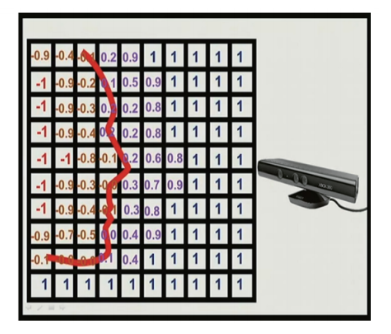<br />TSDF也有“定位”与“建图”两个问题,与SLAM非常相似,不过具体的形式与本书前面几讲介绍的稍有不同。在这里,定位问题主要指如何把当前的RGB-D图像与GPU中的TSDF地图进行比较,估计相机位姿。而建图问题就是如何根据估计的相机位姿,对TSDF地图进行更新。传统做法中,我们还会对RGB-D图像进行一次双边贝叶斯滤波,以去除深度图中的噪声。<br />TSDF的定位类似于前面介绍的ICP,不过由于GPU的并行化,我们可以对整张深度图和TSDF地图进行ICP计算,而不必像传统视觉里程计那样必须先计算特征点。同时,由于TSDF没有颜色信息,意味着我们**可以只使用深度图,不使用彩色图就完成位姿估计**,这在一定程度上摆脱了视觉里程计算法对光照和纹理的依赖性,使得RGB-D重建更加稳健。另外,建图部分也是一种并行地对TSDF中的数值进行更新的过程,使得所估计的表面更加平滑可靠。由于我们并不过多介绍GPU相关的内容,所以具体的方法就不展开了,请感兴趣的读者参阅相关文献。
<a name="GOgtP"></a>
## 11.5 实时三维重建
实时三维重建是一个与SLAM非常相似但又有稍许不同的研究方向。在前面的地图模型中,以定位为主体。地图的拼接是作为后续加工步骤放在SLAM框架中的。这种框架成为主流的原因是定位算法可以满足实时性的需求,而地图的加工可以在关键帧处进行处理,无须实时响应。定位通常是轻量级的,特别是当使用稀疏特征或稀疏直接法时:相应地,地图的表达与存储则是重量级的。它们的规模和计算需求较大,不利于实时处理。特别是稠密地图,往往只能在关键帧层面进行计算。<br />但是,现有做法中并没有对稠密地图进行优化。例如,当两幅图像都观察到同一把椅子时,我们只根据两幅图像的位姿把两处的点云进行叠加,生成了地图。由于位姿估计通常是带有误差的,这种直接拼接往往不够准确,比如同一把椅子的点云无法完美地叠加在一起。这时,地图中会出现这把椅子的两个重影一一这种现象被形象地称为“鬼影”。<br />这种现象显然不是我们想要的,我们希望重建结果是光滑的、完整的,是符合我们对地图的认识的。在这种思想下,出现了一种以“建图”为主体,定位居于次要地位的做法,也就是本节要介绍的实时三维重建。由于三维重建把重建准确地图作为主要目标,所以需要利用GPU进行加速,甚至需要非常高级的GPU或多个GPU进行并行加速,通常需要较重的计算设备。与之相反,**SLAM是朝轻量级、小型化方向发展的**,有些方案甚至放弃了建图和回环检测部分,只保留了视觉里程计。而**实时重建则正在朝大规模、大型动态场景的重建方向发展**。<br />自从RGB-D传感器出现以来,利用RGB-D图像进行实时重建成为了一个重要的发展方向,陆续产生了Kinect Fusion、Dynamic Fusion、Elastic Fusion、Fusion4D、Volumn Deform等成果。其中,KinectFusion完成了基本的模型重建,但仅限于小型场景;后续的工作则是将它向大型的、运动的,甚至变形场景下拓展。由于篇幅有限,这部分算法在这里就不做展开介绍了,感兴趣的小伙伴可以自行查找了解。<br />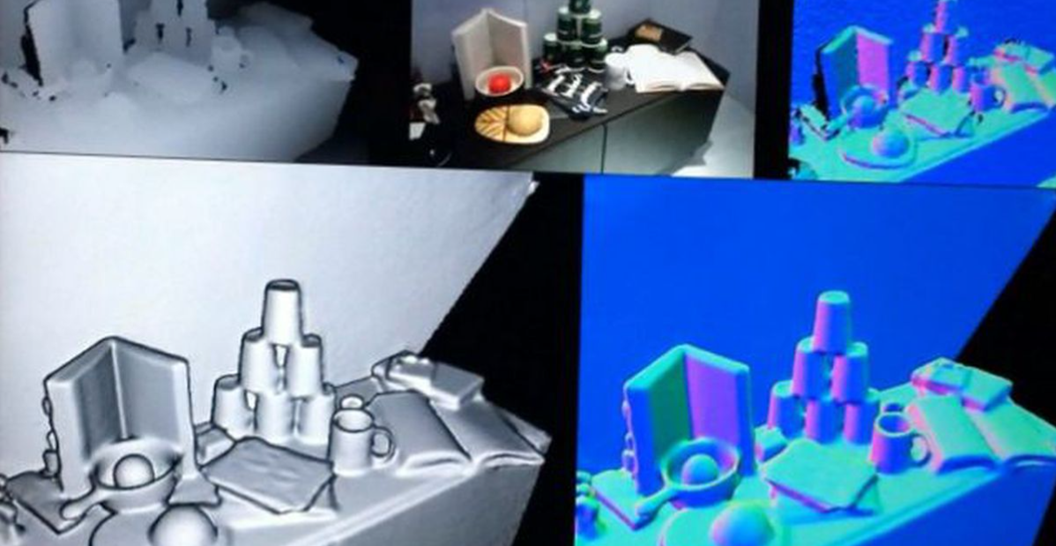<br />Kinetic Fusion建图效果<br />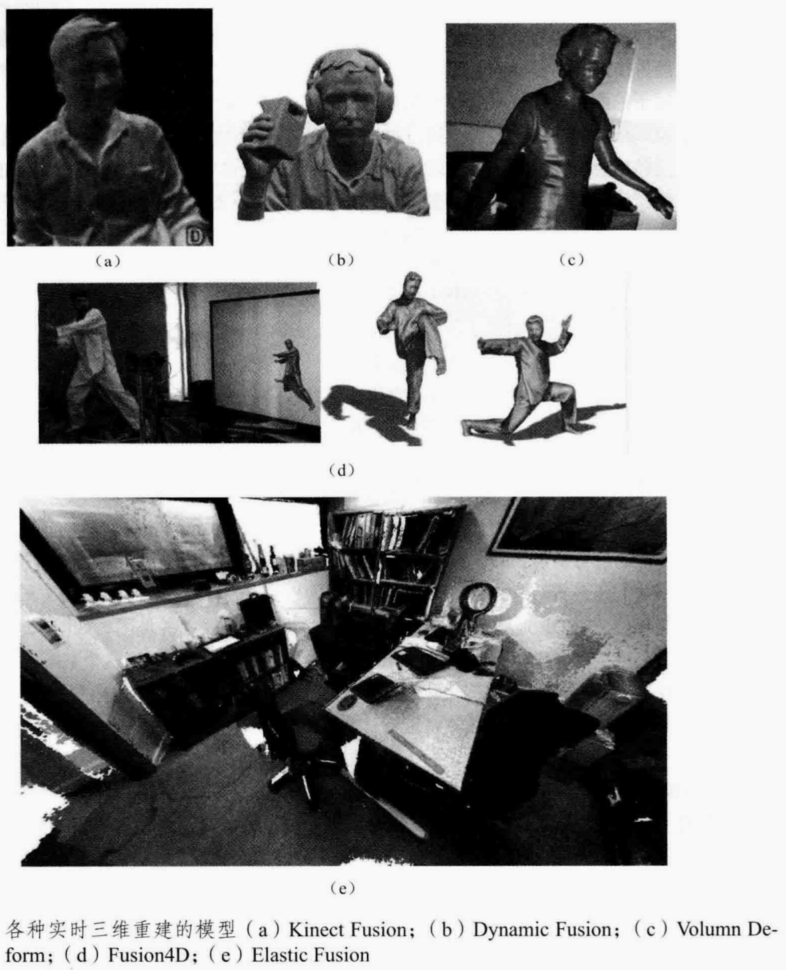
<a name="sVBjs"></a>
## 本章小结
本节介绍SLAM最后一个模块,建图部分。主要介绍了一些常见的地图类型,着重介绍了稠密地图的建图形式与立体视觉如何进行稠密重建。也比较了与SLAM十分类似的一个分支-实时三维重建的特点。
<a name="BDCNs"></a>
## 本章思考
1.是否可以只关注梯度显著的区域,进行立体视觉的半稠密重建。<br />2.如何在八叉树地图中进行导航或路径规划。<br />3.了解均匀-高斯混合滤波器的原理与实现。
<a name="ikDhR"></a>
## 附录
<a name="ys5mR"></a>
### 1.八叉树体素网格概率更新公式:
$P\left(n \mid z_{1: T}\right)=\left[1+\frac{1-P\left(n \mid z_{T}\right)}{P\left(n \mid z_{T}\right)} \frac{1-P\left(n \mid z_{1: T-1}\right)}{P\left(n \mid z_{1: T-1}\right)} \frac{P(n)}{1-P(n)}\right]^{-1}$
<a name="XgdFr"></a>
## 本节代码练习
[smoothly-vslam:单目稠密重建](https://github.com/datawhalechina/smoothly-vslam/tree/main/ch11)
<a name="nc63i"></a>
## 参考
1.《视觉SLAM十四讲》<br />[2.占据栅格地图构建(Occupancy Grid Map)](https://www.guyuehome.com/14968)<br />[3.基于图像的三维模型重建——稠密点云重建](https://zhuanlan.zhihu.com/p/131590433)<br />[4.SLAM14讲学习笔记(九)单目稠密重建、深度滤波器详解与补充](https://blog.csdn.net/zkk9527/article/details/89095967#:~:text=%E6%9E%81%E7%BA%BF%E6%90%9C%E7%B4%A2%E5%92%8C%E5%9D%97%E5%8C%B9%E9%85%8D%E7%9A%84%E7%9B%AE%E7%9A%84%E5%B0%B1%E6%98%AF%E6%89%BE%E5%88%B0%E7%89%B9%E5%AE%9A%E7%9A%84%E7%82%B9%E5%9C%A8%E4%B8%8B%E4%B8%80%E5%B8%A7%E4%B8%AD%E7%9A%84%E4%BD%8D%E7%BD%AE%E3%80%82%20%E8%BF%99%E4%B8%AA%E7%9B%AE%E7%9A%84%E5%B0%B1%E6%98%AF%E8%BF%BD%E8%B8%AA%E5%83%8F%E7%B4%A0%E7%82%B9%EF%BC%8C%E5%92%8C%E5%85%89%E6%B5%81%E6%B3%95%E5%92%8C%E7%9B%B4%E6%8E%A5%E6%B3%95%E7%9A%84%E7%9B%AE%E7%9A%84%E6%98%AF%E4%B8%80%E6%A0%B7%E7%9A%84%E3%80%82%20%E8%BF%99%E7%A7%8D%E6%96%B9%E5%BC%8F%E5%B0%B1%E6%98%AF%E5%9F%BA%E4%BA%8E%E6%95%B0%E5%AD%A6%E7%9A%84%E5%87%A0%E4%BD%95%E6%96%B9%E5%BC%8F%EF%BC%9A%20O1p%E8%BF%99%E6%9D%A1%E5%B0%84%E7%BA%BF%E5%9C%A8O2%E5%AF%B9%E5%BA%94%E7%9A%84%E9%82%A3%E4%B8%AA%E6%88%90%E5%83%8F%E5%B9%B3%E9%9D%A2%E4%BC%9A%E5%BD%A2%E6%88%90%E4%B8%80%E4%B8%AA%E6%8A%95%E5%BD%B1%EF%BC%8C%E4%B9%9F%E5%B0%B1%E6%98%AF%E6%89%80%E8%B0%93%E2%80%9C%E6%9E%81%E7%BA%BF%E2%80%9D%EF%BC%8C%E7%BA%A2%E8%89%B2%E7%9A%84%E9%82%A3%E6%9D%A1%E5%AE%9E%E7%BA%BF%E3%80%82%20%E7%89%A9%E4%BD%93%E5%8F%AF%E8%83%BD%E5%9C%A8O1p1%E8%BF%99%E6%9D%A1%E5%B0%84%E7%BA%BF%E4%B8%8A%E7%9A%84%E4%BB%BB%E4%BD%95%E4%BD%8D%E7%BD%AE%EF%BC%8C%E8%BF%99%E4%B8%AA%E4%BD%8D%E7%BD%AE%E6%98%AF%E4%B8%8D%E7%9F%A5%E9%81%93%E7%9A%84%E3%80%82,%E4%BD%86%E6%98%AF%E7%89%A9%E4%BD%93%E6%98%AF%E5%9C%A8%E5%B0%84%E7%BA%BF%E4%B8%8A%E7%9A%84%EF%BC%8C%E5%B0%84%E7%BA%BF%E5%9C%A8%E5%8F%B3%E8%BE%B9%E6%88%90%E5%83%8F%E5%B9%B3%E9%9D%A2%E7%9A%84%E6%8A%95%E5%BD%B1%E5%8F%88%E6%98%AF%E6%9E%81%E7%BA%BF%EF%BC%8C%E9%82%A3%E4%B9%88%E7%89%A9%E4%BD%93%E5%9C%A8%E5%8F%B3%E8%BE%B9%E7%9A%84%E6%88%90%E5%83%8F%E5%B9%B3%E9%9D%A2%E4%B8%8A%E7%9A%84%E6%8A%95%E5%BD%B1%E4%B8%80%E5%AE%9A%E5%9C%A8%E6%9E%81%E7%BA%BF%E4%B8%8A%E3%80%82%20%E4%B8%80%E6%97%A6%E7%A1%AE%E5%AE%9A%E7%89%A9%E4%BD%93%E7%9A%84%E6%8A%95%E5%BD%B1%E5%9C%A8%E6%9E%81%E7%BA%BF%E4%B8%8A%E7%9A%84%E4%BD%8D%E7%BD%AE%EF%BC%8C%E8%BF%9E%E7%BA%BF%E5%B0%B1%E8%83%BD%E7%A1%AE%E5%AE%9A%E7%89%A9%E4%BD%93%E7%9A%84%E7%A9%BA%E9%97%B4%E4%BD%8D%E7%BD%AE%E3%80%82%20%E2%80%9D%E6%9E%81%E7%BA%BF%E6%90%9C%E7%B4%A2%E2%80%9C%E7%9A%84%E5%90%AB%E4%B9%89%E5%B0%B1%E6%98%AF%E5%9C%A8%E6%9E%81%E7%BA%BF%E4%B8%8A%E6%90%9C%E7%B4%A2%EF%BC%8C%E6%89%BE%E5%88%B0%E5%AF%B9%E5%BA%94%E7%9A%84%E6%8A%95%E5%BD%B1%E7%82%B9%E3%80%82%20%E2%80%9D%E5%9D%97%E5%8C%B9%E9%85%8D%E2%80%9C%E7%9A%84%E5%90%AB%E4%B9%89%E5%B0%B1%E6%98%AF%EF%BC%8C%E4%B8%8D%E5%8D%95%E7%8B%AC%E5%8C%B9%E9%85%8D%E7%82%B9%EF%BC%8C%E8%80%8C%E6%98%AF%E5%8C%B9%E9%85%8D%E7%82%B9%E6%89%80%E5%9C%A8%E7%9A%84%E5%B0%8F%E5%9D%97%E7%9A%84%E7%9B%B8%E4%BC%BC%E7%A8%8B%E5%BA%A6%E3%80%82%20%E5%9B%A0%E6%AD%A4%E8%BF%99%E9%87%8C%E5%B0%B1%E5%8F%88%E6%98%AF%E5%9F%BA%E4%BA%8E%E7%81%B0%E5%BA%A6%E4%B8%8D%E5%8F%98%E6%80%A7%EF%BC%8C%E8%B7%9F%E5%85%89%E6%B5%81%E5%92%8C%E7%9B%B4%E6%8E%A5%E6%B3%95%E7%9A%84%E5%81%87%E8%AE%BE%E6%98%AF%E7%9B%B8%E5%90%8C%E7%9A%84%E3%80%82)<br />[5.三角化---深度滤波器---单目稠密重建(高翔slam---十三讲)](https://www.cnblogs.com/Jessica-jie/p/7730731.html)
================================================
FILE: docs/chapter12/chapter12.md
================================================
# **_12.实践是检验真理的唯一标准:设计VSLAM系统**
人生是没有毕业的学校。——黎凯
---
> **本章主要内容** \
> 1.C++的工程结构 \
> 2.系统设计方法 \
> 3.设计一个VSLAM系统
教程选做环节,本节为教程结束实践环节,按照前面11节内容,设计一个VSLAM系统。<br />首先是开发语言,由于性能要求,一般SLAM工程需要C++来开发,因此我们的VSLAM系统会以一个C++工程的形式实现。而对于C++工程进行编译,一般使用CMAKE。
- 关于C++工程的目录结构,可以阅读下面这个链接了解:
[ cpp-project-structure Public](https://github.com/hattonl/cpp-project-structure)
- 关于CMAKE,可以通过这个了解:
[CMAKE手册](https://www.zybuluo.com/khan-lau/note/254724)<br />工欲善其事,必先利其器,一个趁手的开发工具可以加速开发进程。常见的写代码工具有vs code,QT,Clion等。<br />最后,需要了解运行平台,一般VSLAM算法都是跑在Linux系统上的,即ubuntu系统。在window上,可以通过VMware虚拟机来实现。<br />基本的准备工作做完了,现在来设计我们的VSLAM系统吧!
<a name="mdtXt"></a>
## 12.1 搭建厂房:工程框架确定
大多数Liux库都会按照模块对算法代码文件进行分类存放,譬如头文件会放在头文件目录中,源代码则放在源代码目录中。此外,可能还有配置文件、测试文件、三方库,等等。现在我们按照小型算法库的普遍做法分类,我们的文件:<br />1.在bin下存储编译好的二进制文件。<br />2.include/myslam存放SLAM模块的头文件,主要是.h文件。这种做法的目的是,当把包含目录设到include,引用自己的头文件时,需要写include"myslam/xxx.h",这样不容易和别的库混淆。<br />3.src存放源代码文件,主要是.cpp文件。<br />4.test存放测试用的文件,也是.cpp文件。<br />5.config存放配置文件。<br />6.cmake_modules存放第三方库的cmake文件,在使用g2o之类的库时会用到它。<br />这样就确定了代码文件的位置。接下来我们要讨论视觉里程计涉及的基础数据结构。
<a name="rBVSm"></a>
## 12.2 构建生产流水线:核心算法模块及流程的确定
确定工程框架,相当于把厂房搭建好。而系统的运行,则相当于厂房中的流水线,需要确定有哪些模块,各自负责哪道工序。<br />那么,我们需要确定这个加工的原材料是什么,有哪些工序,及加工的流程。<br />既然是VSLAM,那么我们加工的原材料就是图像。我们的上游厂家就是各类相机,比如单目相机,双目相机,RGBD相机等等。单目SLAM难度比较高,对于第一次开厂的我们不太友好,为了控制风险,这次选择加工难度较小的双目相机生产的双目图像。<br />确定了原材料,接下来就是技术选型了。我们知道一个SLAM系统大致分为
- 核心部分:前端,后端,回环检测,地图模块
- 周边模块:数据接入模块,相机模块,参数配置模块,可视化模块
首先是核心模块设计:<br />**前端:**<br />前端主要负责对图像数据提取特征并追踪特征,对当前帧的位姿进行估计,并判断当前帧是否为关键帧。将特征点追踪结果,关键帧的初始估计位姿送到后端进行优化,前端需要实时性较好。<br />以下是具体技术选型:
- 提取特征:为了平衡性能与精度,这里我们选择提取ORB特征。
- 特征追踪:考虑到追踪速度,这里使用光流追踪。
- 位姿估计:基于匀速相机模型,与上一帧建立追踪关系后,我们使用BA来获取当前帧相机的优化位姿。
- 特征点估计:在优化后,追踪结果为内点的特征点,追踪右目图像,并进行三角化获得3D空间坐标。
**后端:**<br />后端对前端估计的初始位姿及特征点进行局部和全局优化,并返回优化结果,对前端估计的位姿进行修正。后端的计算量很大,主要是修复前端的误差:即位姿估计的误差和错误的数据关联,这部分主流技术使用非线性优化。<br />以下是具体设计:
- 通过条件变量,当前端插入关键帧时,唤醒后端优化线程。
- 使用距离,来剔除最近与较远的关键帧,控制优化的关键帧为7帧。
**回环检测:**<br />完整的SLAM系统需要回环检测模块以修正长时间运行下的累计漂移,获得全局一致的地图。且回环检测模块可以在建好地图后进行重定位使用。
- 回环检测,使用DBoW3库作为回环检测库。
**地图模块:**<br />根据我们VSLAM应用的场景,需要确定最后生成何种类型的地图。如果只是定位,则使用路标点地图就可以了,但如果是进一步的导航等其他使用,则需要生成至少是半稠密的地图。<br />构建的地图主要用以定位,保存描述子信息就可以了。<br />以下是部分算法框架:<br />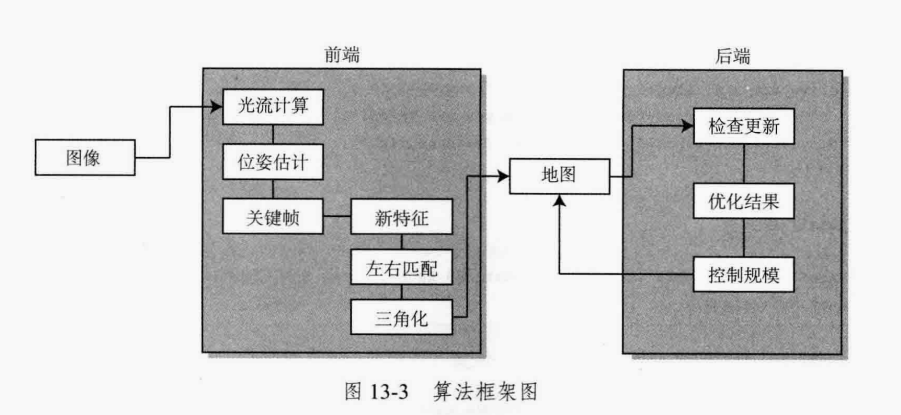
<a name="YJ87b"></a>
## 12.3 基本数据结构设计
老的编程思想认为,程序就是算法加数据结构,在上面几节,我们自顶向下设计了工程框架,算法框架,完成了核心算法的设计,接下来最后一步,就是数据结构的设计了。数据结构就需要我们根据各模块的需求,抽象出需要使用的每个类,然后实现这些基本的数据结构。<br />安装需求,我们需要实现对应于每幅图像的帧这一类,即Frame类,然后是追踪的特征类,即Feature类,保存在地图中的用以定位的路标点,即MapPoint类。还有管理Frame和MapPoint的类,即Map类。
<a name="wc0DT"></a>
## 12.4 具体处理逻辑设计
在编码阶段,会涉及具体的处理逻辑。比如前端在根据双目图像确定该帧的位姿时,我们应该怎样使用右目的图像呢?是每一帧都和左右目各比较一遍,还是仅比较左右目之一呢?在三角化的时候,我们是考虑左右目图像的三角化,还是考虑时间上前后帧的三角化呢?实际中任意两张图像都可以做三角化(比如前一帧的左图对下一帧的右图),所以每个人实现起来也会不太一样。<br />为简单起见,我们先确定**前端的处理逻辑**:
- 1.前端本身有初始化、正常追踪、追踪丢失三种状态。
- 2.在初始化状态中,根据左右目之间的光流匹配,寻找可以三角化的地图点,成功时建立初始地图。
- 3.追踪阶段中,前端计算上一帧的特征点到当前帧的光流,根据光流结果计算图像位姿。该算只使用左目图像,不使用右目。
- 4.如果追踪到的点较少,就判定当前帧为关键帧。对于关键帧,做以下几件事:
- 提取新的特征点:
- 找到这些点在右图的对应点,用三角化建立新的路标点:
- 将新的关键帧和路标点加入地图,并触发一次后端优化。
- 5.如果追踪丢失,就重置前端系统,重新初始化。
然后根据这个逻辑,我们就可以做实际的编码了。<br />**后端运行逻辑**为,在启动之后,将等待map_update的条件变量。当地图更新被触发时,从地图中拿取激活的关键帧和地图点,执行优化。
<a name="en9oJ"></a>
## 12.5 效果验证
在编码完成后,我们可以去下载一些公开的双目图像数据集,比如kitti数据集:http://www.cvlibs.net/datasets/.kitti/eval_odometry.php。读取该数据集,通过可视化界面查看系统运行效果。<br />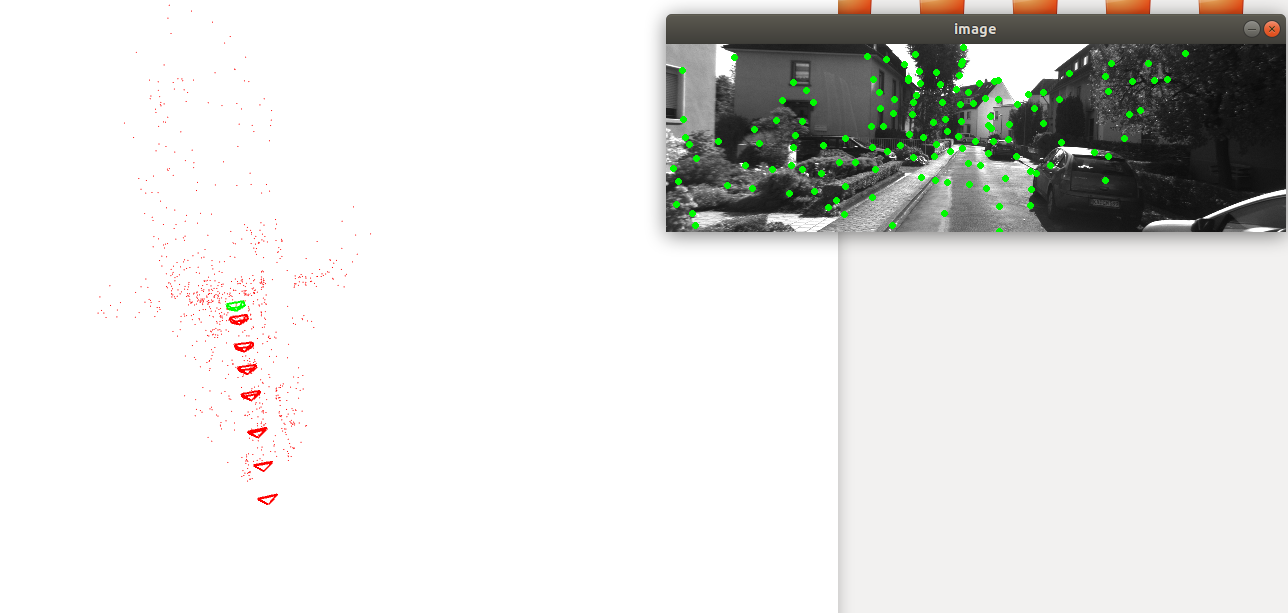<br />需要注意的是,练习代码中只包含前端和后端部分,回环检测及地图保存加载模块并未实现,有兴趣的同学可以尝试把这两个模块加到系统中。
<a name="Tg1lg"></a>
## 本章小结
本章主要介绍一个C++工程的基本结构,和如何自顶向下构建一个实际的VSLAM工程。
<a name="Qk86d"></a>
## 本章思考
1.如何把回环模块加入到系统中。<br />2.如何保存地图及加载地图。
<a name="zR4jk"></a>
## 本章练习
[设计VSLAM系统](https://github.com/https://github.com/datawhalechina/smoothly-vslam/tree/main/ch12hu-minghao/smoothly-vslam/tree/main/ch12)
<a name="P4ZBi"></a>
## 参考
0.视觉SLAM十四讲<br />[1.VS Code 基础教程(一)—— VS Code 的基本使用入门](https://blog.csdn.net/weixin_46215588/article/details/110160065)<br />[2.CMAKE手册](https://www.zybuluo.com/khan-lau/note/254724)
================================================
FILE: docs/chapter2/chapter2.md
================================================
# **2.差异与统一:坐标系变换与外参标定**
学习这件事不在乎有没有人教你,最重要的是在于你自己有没有觉悟和恒心。——法布尔
---
> **本章主要内容** \
> 1.坐标系变换 \
> 2.相机外参标定
上一章我们了解了相机内参的概念,内参主要解决三维世界与二维图像之间的映射关系。有了内参我们可以一定程度上还原相机看到了什么(但缺乏尺度)。但相机看到的数据只是处于相机坐标系,为局部观测,我们需要将局部观测转换到全局观测上,这就涉及坐标系间转换。将传感器坐标系观测转换到载体坐标系需要通过外参。本章将介绍坐标系转换及相机外参这两部分内容。
<a name="wH8Kr"></a>
## **2.1 坐标系转换**
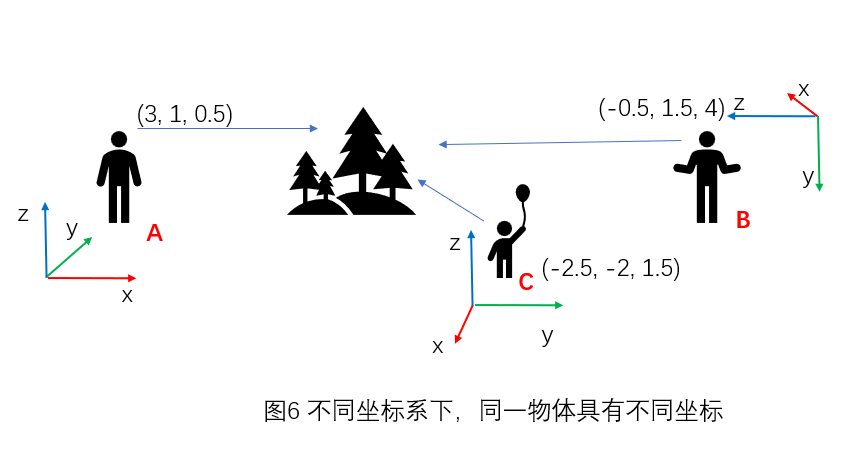<br />如图6,对同一物体,在不同坐标系下便有不同坐标。那么如果知道A与B的相对位置关系,且知道树在A坐标系下的坐标,我们如何求出树在B坐标系下的坐标呢,这就涉及到坐标系转换的内容。<br />首先我们有一个人为设定的世界坐标系,任何物体在这个坐标系下有其固定的坐标,这个是不变的。而这个物体被相机观测到之后,在相机坐标系下会有一个观测坐标,如图6中的A,B,C,但这个观测是相对观测,只对当前的相机坐标系有意义,对其他观测者是没有意义的,因为它无法把这个信息转换为对自己有用的信息,只有当坐标能转化到世界坐标系这个公共坐标系下,其他观测者才能利用这次观测,从而达到对环境的“有效建模”。<br />那么如何转换呢,需要使用转换矩阵来完成。接下来我们会从最简单的二维坐标系变换开始,一步一步推导出三维坐标系之间坐标转换的计算方式。
<a name="LYI3C"></a>
### **2.1.1 二维纯旋转变换**
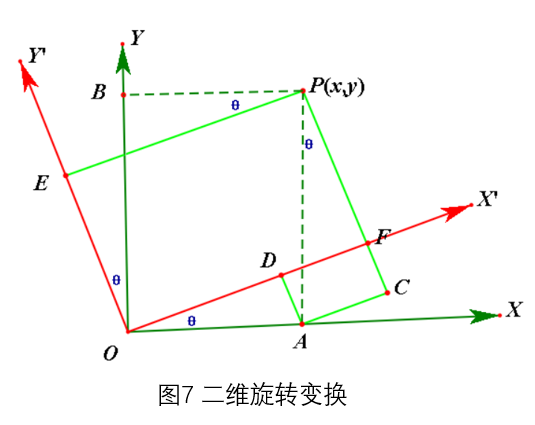<br />假设XOY为固定的世界坐标系,X'OY'为活动坐标系,在XOY坐标系下有一点P(x,y),假设X'OY'相对于XOY旋转了θ度,则根据三角函数,可以得到在X'OY'下点P的坐标P'为:<br />$\mathbf{x}^{*}=\mathbf{O D}+\mathrm{DF}=\mathbf{x} \times \cos (\theta)+\mathbf{y} \times \sin (\theta) \\
\mathbf{y}^{*}=\mathbf{P C}-\mathrm{FC}=y \times \cos (\theta)-\mathbf{x} \times \sin (\theta) \\$<br />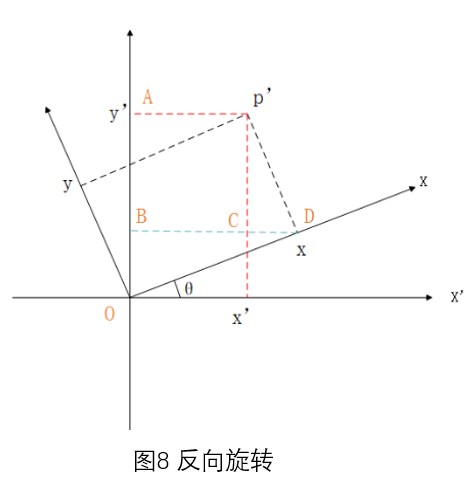<br />根据上述计算关系,我们也可以把P看做首先在X'OY'中测得的坐标,而XOY相对于X'OY'反向旋转了θ度(-θ),可以得到在活动坐标系下点P(x,y),在固定世界坐标系下坐标为<br />$\mathbf{x}^{*}=\mathbf{O D}+\mathrm{DF}=\mathbf{x} \times \cos (-\theta)+\mathbf{y} \times \sin (-\theta)=\mathbf{x} \times \cos (\theta)-\mathbf{y} \times \sin (\theta) \\
\mathbf{y}^{*}=\mathbf{P C}-\mathbf{F C}=y \times \cos (-\theta)-\mathbf{x} \times \sin (-\theta)=y \times \cos (\theta)+\mathbf{x} \times \sin (\theta) \\$<br />写为矩阵形式为<br />$\left(\begin{array}{l}
x^{*} \\
y^{*}
\end{array}\right)=\left(\begin{array}{cc}
\cos \theta & -\sin \theta \\
\sin \theta & \cos \theta
\end{array}\right)\left(\begin{array}{l}
x \\
y
\end{array}\right)=R\left(\begin{array}{l}
x \\
y
\end{array}\right) \\$<br />其中R为X'OY'在XOY坐标系下的旋转矩阵
<a name="aHLlL"></a>
### **2.1.2二维纯平移变换**
两个坐标系只有平移变换,则坐标系转换很简单,如下<br />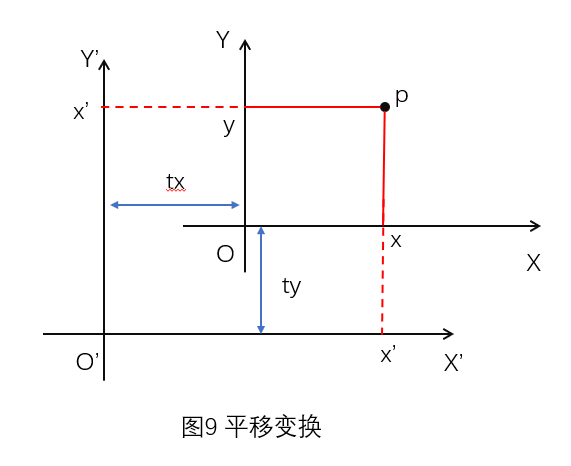<br />$\mathbf{x}^{*}=\mathbf{x}+t_{x} \\
\mathbf{y}^{*}=\mathbf{y}+t_{y} \\$
<a name="nrHE1"></a>
### **2.1.3二维坐标系变换**
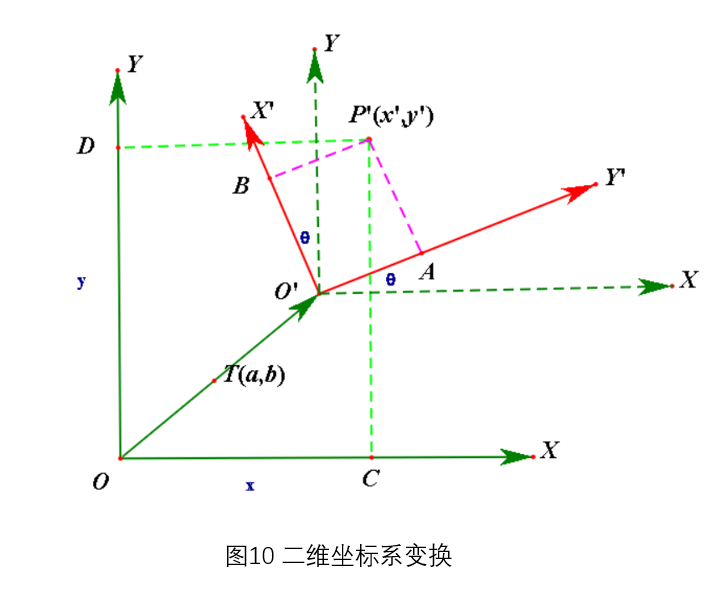<br />把上述旋转变换与平移变换结合在一起,就是二维坐标系变换<br />$\left(\begin{array}{l}
x^{*} \\
y^{*}
\end{array}\right)=\left(\begin{array}{cc}
\cos \theta & -\sin \theta \\
\sin \theta & \cos \theta
\end{array}\right)\left(\begin{array}{l}
x \\
y
\end{array}\right)+\left(\begin{array}{l}
t_{x} \\
t_{y}
\end{array}\right) \\$
<a name="Wf4TK"></a>
### **2.1.4 最终坐标系变换-扩展到三维**
二维的旋转,可以看做三维下只绕Z轴的旋转,其中Z坐标不变,旋转矩阵扩展为<br />$\left(\begin{array}{l}
x^{*} \\
y^{*} \\
z^{*}
\end{array}\right)=\left(\begin{array}{ccc}
\cos \theta & -\sin \theta & 0 \\
\sin \theta & \cos \theta & 0 \\
0 & 0 & 1
\end{array}\right)\left(\begin{array}{l}
x \\
y \\
z
\end{array}\right) \\$<br />相应的,对于不同旋转,目前只需要记住中间有一个3X3的旋转矩阵就行(该矩阵有一个特殊性质,就是属于SO3群),而平移则是从二维变为三维就行了,最后三维变换:<br />$\left(\begin{array}{l}
x^{*} \\
y^{*} \\
z^{*}
\end{array}\right)=\left(\begin{array}{ccc}
\cos \theta & -\sin \theta & 0 \\
\sin \theta & \cos \
gitextract_pi78t8bo/
├── LICENSE
├── README.md
├── TASK.md
├── code/
│ ├── ch10/
│ │ ├── CMakeLists.txt
│ │ ├── cmake_modules/
│ │ │ └── FindDBoW3.cmake
│ │ ├── feature_training.cpp
│ │ ├── gen_vocab_large.cpp
│ │ └── loop_closure.cpp
│ ├── ch11/
│ │ └── dense_mono/
│ │ ├── CMakeLists.txt
│ │ └── dense_mapping.cpp
│ └── ch12/
│ └── myslam/
│ ├── CMakeLists.txt
│ ├── app/
│ │ ├── CMakeLists.txt
│ │ └── run_kitti_stereo.cpp
│ ├── bin/
│ │ └── run_kitti_stereo
│ ├── cmake_modules/
│ │ ├── FindCSparse.cmake
│ │ ├── FindG2O.cmake
│ │ └── FindGlog.cmake
│ ├── config/
│ │ └── default.yaml
│ ├── include/
│ │ └── myslam/
│ │ ├── algorithm.h
│ │ ├── backend.h
│ │ ├── camera.h
│ │ ├── common_include.h
│ │ ├── config.h
│ │ ├── dataset.h
│ │ ├── feature.h
│ │ ├── frame.h
│ │ ├── frontend.h
│ │ ├── g2o_types.h
│ │ ├── map.h
│ │ ├── mappoint.h
│ │ ├── viewer.h
│ │ └── visual_odometry.h
│ └── src/
│ ├── CMakeLists.txt
│ ├── backend.cpp
│ ├── camera.cpp
│ ├── config.cpp
│ ├── dataset.cpp
│ ├── feature.cpp
│ ├── frame.cpp
│ ├── frontend.cpp
│ ├── map.cpp
│ ├── mappoint.cpp
│ ├── viewer.cpp
│ └── visual_odometry.cpp
└── docs/
├── _sidebar.md
├── chapter1/
│ └── chapter1.md
├── chapter10/
│ └── chapter10.md
├── chapter11/
│ └── chapter11.md
├── chapter12/
│ └── chapter12.md
├── chapter2/
│ └── chapter2.md
├── chapter3/
│ └── chapter3.md
├── chapter4/
│ └── chapter4.md
├── chapter5/
│ └── chapter5.md
├── chapter6/
│ └── chapter6.md
├── chapter7/
│ └── chapter7.md
├── chapter8/
│ └── chapter8.md
├── chapter9/
│ └── chapter9.md
└── reference_answers_for_each_chapter/
└── reference_answers_for_each_chapter.md
SYMBOL INDEX (120 symbols across 30 files)

FILE: code/ch10/feature_training.cpp
  function main (line 16) | int main( int argc, char** argv ) {

FILE: code/ch10/gen_vocab_large.cpp
  function main (line 13) | int main( int argc, char** argv )

FILE: code/ch10/loop_closure.cpp
  function main (line 15) | int main(int argc, char **argv) {

FILE: code/ch11/dense_mono/dense_mapping.cpp
  function getBilinearInterpolatedValue (line 126) | inline double getBilinearInterpolatedValue(const Mat &img, const Vector2...
  function Vector3d (line 142) | inline Vector3d px2cam(const Vector2d px) {
  function Vector2d (line 151) | inline Vector2d cam2px(const Vector3d p_cam) {
  function inside (line 159) | inline bool inside(const Vector2d &pt) {
  function main (line 176) | int main(int argc, char **argv) {
  function readDatasetFiles (line 221) | bool readDatasetFiles(
  function update (line 260) | bool update(const Mat &ref, const Mat &curr, const SE3d &T_C_R, Mat &dep...
  function epipolarSearch (line 293) | bool epipolarSearch(
  function NCC (line 337) | double NCC(
  function updateDepthFilter (line 370) | bool updateDepthFilter(
  function plotDepth (line 434) | void plotDepth(const Mat &depth_truth, const Mat &depth_estimate) {
  function evaludateDepth (line 441) | void evaludateDepth(const Mat &depth_truth, const Mat &depth_estimate) {
  function showEpipolarMatch (line 458) | void showEpipolarMatch(const Mat &ref, const Mat &curr, const Vector2d &...
  function showEpipolarLine (line 471) | void showEpipolarLine(const Mat &ref, const Mat &curr, const Vector2d &p...

FILE: code/ch12/myslam/app/run_kitti_stereo.cpp
  function main (line 10) | int main(int argc, char **argv) {

FILE: code/ch12/myslam/include/myslam/algorithm.h
  function namespace (line 11) | namespace myslam {

FILE: code/ch12/myslam/include/myslam/backend.h
  function namespace (line 12) | namespace myslam {

FILE: code/ch12/myslam/include/myslam/camera.h
  function namespace (line 8) | namespace myslam {

FILE: code/ch12/myslam/include/myslam/common_include.h
  type Eigen (line 26) | typedef Eigen::Matrix<double, Eigen::Dynamic, Eigen::Dynamic> MatXX;
  type Eigen (line 27) | typedef Eigen::Matrix<double, 10, 10> Mat1010;
  type Eigen (line 28) | typedef Eigen::Matrix<double, 13, 13> Mat1313;
  type Eigen (line 29) | typedef Eigen::Matrix<double, 8, 10> Mat810;
  type Eigen (line 30) | typedef Eigen::Matrix<double, 8, 3> Mat83;
  type Eigen (line 31) | typedef Eigen::Matrix<double, 6, 6> Mat66;
  type Eigen (line 32) | typedef Eigen::Matrix<double, 5, 3> Mat53;
  type Eigen (line 33) | typedef Eigen::Matrix<double, 4, 3> Mat43;
  type Eigen (line 34) | typedef Eigen::Matrix<double, 4, 2> Mat42;
  type Eigen (line 35) | typedef Eigen::Matrix<double, 3, 3> Mat33;
  type Eigen (line 36) | typedef Eigen::Matrix<double, 2, 2> Mat22;
  type Eigen (line 37) | typedef Eigen::Matrix<double, 8, 8> Mat88;
  type Eigen (line 38) | typedef Eigen::Matrix<double, 7, 7> Mat77;
  type Eigen (line 39) | typedef Eigen::Matrix<double, 4, 9> Mat49;
  type Eigen (line 40) | typedef Eigen::Matrix<double, 8, 9> Mat89;
  type Eigen (line 41) | typedef Eigen::Matrix<double, 9, 4> Mat94;
  type Eigen (line 42) | typedef Eigen::Matrix<double, 9, 8> Mat98;
  type Eigen (line 43) | typedef Eigen::Matrix<double, 8, 1> Mat81;
  type Eigen (line 44) | typedef Eigen::Matrix<double, 1, 8> Mat18;
  type Eigen (line 45) | typedef Eigen::Matrix<double, 9, 1> Mat91;
  type Eigen (line 46) | typedef Eigen::Matrix<double, 1, 9> Mat19;
  type Eigen (line 47) | typedef Eigen::Matrix<double, 8, 4> Mat84;
  type Eigen (line 48) | typedef Eigen::Matrix<double, 4, 8> Mat48;
  type Eigen (line 49) | typedef Eigen::Matrix<double, 4, 4> Mat44;
  type Eigen (line 50) | typedef Eigen::Matrix<double, 3, 4> Mat34;
  type Eigen (line 51) | typedef Eigen::Matrix<double, 14, 14> Mat1414;
  type Eigen (line 54) | typedef Eigen::Matrix<float, 3, 3> Mat33f;
  type Eigen (line 55) | typedef Eigen::Matrix<float, 10, 3> Mat103f;
  type Eigen (line 56) | typedef Eigen::Matrix<float, 2, 2> Mat22f;
  type Eigen (line 57) | typedef Eigen::Matrix<float, 3, 1> Vec3f;
  type Eigen (line 58) | typedef Eigen::Matrix<float, 2, 1> Vec2f;
  type Eigen (line 59) | typedef Eigen::Matrix<float, 6, 1> Vec6f;
  type Eigen (line 60) | typedef Eigen::Matrix<float, 1, 8> Mat18f;
  type Eigen (line 61) | typedef Eigen::Matrix<float, 6, 6> Mat66f;
  type Eigen (line 62) | typedef Eigen::Matrix<float, 8, 8> Mat88f;
  type Eigen (line 63) | typedef Eigen::Matrix<float, 8, 4> Mat84f;
  type Eigen (line 64) | typedef Eigen::Matrix<float, 6, 6> Mat66f;
  type Eigen (line 65) | typedef Eigen::Matrix<float, 4, 4> Mat44f;
  type Eigen (line 66) | typedef Eigen::Matrix<float, 12, 12> Mat1212f;
  type Eigen (line 67) | typedef Eigen::Matrix<float, 13, 13> Mat1313f;
  type Eigen (line 68) | typedef Eigen::Matrix<float, 10, 10> Mat1010f;
  type Eigen (line 69) | typedef Eigen::Matrix<float, 9, 9> Mat99f;
  type Eigen (line 70) | typedef Eigen::Matrix<float, 4, 2> Mat42f;
  type Eigen (line 71) | typedef Eigen::Matrix<float, 6, 2> Mat62f;
  type Eigen (line 72) | typedef Eigen::Matrix<float, 1, 2> Mat12f;
  type Eigen (line 73) | typedef Eigen::Matrix<float, Eigen::Dynamic, Eigen::Dynamic> MatXXf;
  type Eigen (line 74) | typedef Eigen::Matrix<float, 14, 14> Mat1414f;
  type Eigen (line 77) | typedef Eigen::Matrix<double, 14, 1> Vec14;
  type Eigen (line 78) | typedef Eigen::Matrix<double, 13, 1> Vec13;
  type Eigen (line 79) | typedef Eigen::Matrix<double, 10, 1> Vec10;
  type Eigen (line 80) | typedef Eigen::Matrix<double, 9, 1> Vec9;
  type Eigen (line 81) | typedef Eigen::Matrix<double, 8, 1> Vec8;
  type Eigen (line 82) | typedef Eigen::Matrix<double, 7, 1> Vec7;
  type Eigen (line 83) | typedef Eigen::Matrix<double, 6, 1> Vec6;
  type Eigen (line 84) | typedef Eigen::Matrix<double, 5, 1> Vec5;
  type Eigen (line 85) | typedef Eigen::Matrix<double, 4, 1> Vec4;
  type Eigen (line 86) | typedef Eigen::Matrix<double, 3, 1> Vec3;
  type Eigen (line 87) | typedef Eigen::Matrix<double, 2, 1> Vec2;
  type Eigen (line 88) | typedef Eigen::Matrix<double, Eigen::Dynamic, 1> VecX;
  type Eigen (line 91) | typedef Eigen::Matrix<float, 12, 1> Vec12f;
  type Eigen (line 92) | typedef Eigen::Matrix<float, 8, 1> Vec8f;
  type Eigen (line 93) | typedef Eigen::Matrix<float, 10, 1> Vec10f;
  type Eigen (line 94) | typedef Eigen::Matrix<float, 4, 1> Vec4f;
  type Eigen (line 95) | typedef Eigen::Matrix<float, 12, 1> Vec12f;
  type Eigen (line 96) | typedef Eigen::Matrix<float, 13, 1> Vec13f;
  type Eigen (line 97) | typedef Eigen::Matrix<float, 9, 1> Vec9f;
  type Eigen (line 98) | typedef Eigen::Matrix<float, Eigen::Dynamic, 1> VecXf;
  type Eigen (line 99) | typedef Eigen::Matrix<float, 14, 1> Vec14f;
  type Sophus (line 105) | typedef Sophus::SE3d SE3;
  type Sophus (line 106) | typedef Sophus::SO3d SO3;

FILE: code/ch12/myslam/include/myslam/config.h
  function namespace (line 7) | namespace myslam {

FILE: code/ch12/myslam/include/myslam/dataset.h
  function namespace (line 7) | namespace myslam {

FILE: code/ch12/myslam/include/myslam/feature.h
  type Frame (line 15) | struct Frame
  type MapPoint (line 16) | struct MapPoint
  type Feature (line 22) | struct Feature {

FILE: code/ch12/myslam/include/myslam/frame.h
  function namespace (line 9) | namespace myslam {

FILE: code/ch12/myslam/include/myslam/frontend.h
  function FrontendStatus (line 16) | enum class FrontendStatus { INITING, TRACKING_GOOD, TRACKING_BAD, LOST };

FILE: code/ch12/myslam/include/myslam/g2o_types.h
  function namespace (line 22) | namespace myslam {

FILE: code/ch12/myslam/include/myslam/map.h
  function namespace (line 9) | namespace myslam {

FILE: code/ch12/myslam/include/myslam/mappoint.h
  function namespace (line 7) | namespace myslam {

FILE: code/ch12/myslam/include/myslam/viewer.h
  function namespace (line 15) | namespace myslam {

FILE: code/ch12/myslam/include/myslam/visual_odometry.h
  function namespace (line 11) | namespace myslam {

FILE: code/ch12/myslam/src/backend.cpp
  type myslam (line 12) | namespace myslam {

FILE: code/ch12/myslam/src/camera.cpp
  type myslam (line 3) | namespace myslam {
    function Vec3 (line 8) | Vec3 Camera::world2camera(const Vec3 &p_w, const SE3 &T_c_w) {
    function Vec3 (line 12) | Vec3 Camera::camera2world(const Vec3 &p_c, const SE3 &T_c_w) {
    function Vec2 (line 16) | Vec2 Camera::camera2pixel(const Vec3 &p_c) {
    function Vec3 (line 23) | Vec3 Camera::pixel2camera(const Vec2 &p_p, double depth) {
    function Vec2 (line 31) | Vec2 Camera::world2pixel(const Vec3 &p_w, const SE3 &T_c_w) {
    function Vec3 (line 35) | Vec3 Camera::pixel2world(const Vec2 &p_p, const SE3 &T_c_w, double dep...

FILE: code/ch12/myslam/src/config.cpp
  type myslam (line 3) | namespace myslam {

FILE: code/ch12/myslam/src/dataset.cpp
  type myslam (line 9) | namespace myslam {

FILE: code/ch12/myslam/src/feature.cpp
  type myslam (line 7) | namespace myslam {

FILE: code/ch12/myslam/src/frame.cpp
  type myslam (line 22) | namespace myslam {

FILE: code/ch12/myslam/src/frontend.cpp
  type myslam (line 16) | namespace myslam {

FILE: code/ch12/myslam/src/map.cpp
  type myslam (line 23) | namespace myslam {

FILE: code/ch12/myslam/src/mappoint.cpp
  type myslam (line 23) | namespace myslam {

FILE: code/ch12/myslam/src/viewer.cpp
  type myslam (line 11) | namespace myslam {

FILE: code/ch12/myslam/src/visual_odometry.cpp
  type myslam (line 8) | namespace myslam {
Condensed preview — 58 files, each showing path, character count, and a content snippet. Download the .json file or copy for the full structured content (512K chars).
[
  {
    "path": "LICENSE",
    "chars": 18092,
    "preview": "                    GNU GENERAL PUBLIC LICENSE\n                       Version 2, June 1991\n\n Copyright (C) 1989, 1991 Fr"
  },
  {
    "path": "README.md",
    "chars": 5040,
    "preview": "# smoothly-vslam\n\n- **项目简介** \n\n  👋  **欢迎来到VSLAM的世界**<br />SLAM是一个与传感器紧密联系的系统,VSLAM使用的传感器就是摄像头。处理摄像头数据需要理解相机成像的过程,这是一个从现实"
  },
  {
    "path": "TASK.md",
    "chars": 2200,
    "preview": "# smoothly-vslam\n基本信息 \\\n本项目涉及VSLAM基础概念及算法原理,通过本项目内容,降低学习者后续学习开源vslam算法的难度,平滑小白学习vslam的学习曲线,为后续学习者掌握复杂的vslam算法打下基础。\n\n    "
  },
  {
    "path": "code/ch10/CMakeLists.txt",
    "chars": 812,
    "preview": "cmake_minimum_required( VERSION 2.8 )\nproject( loop_closure )\n\nset( CMAKE_BUILD_TYPE \"Release\" )\nset( CMAKE_CXX_FLAGS \"-"
  },
  {
    "path": "code/ch10/cmake_modules/FindDBoW3.cmake",
    "chars": 0,
    "preview": ""
  },
  {
    "path": "code/ch10/feature_training.cpp",
    "chars": 1277,
    "preview": "#include \"DBoW3/DBoW3.h\"\n#include <opencv2/core/core.hpp>\n#include <opencv2/highgui/highgui.hpp>\n#include <opencv2/featu"
  },
  {
    "path": "code/ch10/gen_vocab_large.cpp",
    "chars": 1874,
    "preview": "#include \"DBoW3/DBoW3.h\"\n#include <opencv2/core/core.hpp>\n#include <opencv2/highgui/highgui.hpp>\n#include <opencv2/featu"
  },
  {
    "path": "code/ch10/loop_closure.cpp",
    "chars": 2514,
    "preview": "#include \"DBoW3/DBoW3.h\"\n#include <opencv2/core/core.hpp>\n#include <opencv2/highgui/highgui.hpp>\n#include <opencv2/featu"
  },
  {
    "path": "code/ch11/dense_mono/CMakeLists.txt",
    "chars": 706,
    "preview": "cmake_minimum_required(VERSION 2.8)\nproject(dense_monocular)\n\nset(CMAKE_BUILD_TYPE \"Release\")\nset(CMAKE_CXX_FLAGS \"-std="
  },
  {
    "path": "code/ch11/dense_mono/dense_mapping.cpp",
    "chars": 15737,
    "preview": "#include <iostream>\n#include <vector>\n#include <fstream>\n\nusing namespace std;\n\n#include <boost/timer.hpp>\n\n// for sophu"
  },
  {
    "path": "code/ch12/myslam/CMakeLists.txt",
    "chars": 1561,
    "preview": "cmake_minimum_required(VERSION 2.8)\nproject(myslam)\n\nset(CMAKE_BUILD_TYPE Release)\n\nset(CMAKE_CXX_FLAGS \"-std=c++11 -Wal"
  },
  {
    "path": "code/ch12/myslam/app/CMakeLists.txt",
    "chars": 120,
    "preview": "add_executable(run_kitti_stereo run_kitti_stereo.cpp)\ntarget_link_libraries(run_kitti_stereo myslam ${THIRD_PARTY_LIBS})"
  },
  {
    "path": "code/ch12/myslam/app/run_kitti_stereo.cpp",
    "chars": 425,
    "preview": "//\n// Created by gaoxiang on 19-5-4.\n//\n\n#include <gflags/gflags.h>\n#include \"myslam/visual_odometry.h\"\n\nDEFINE_string(c"
  },
  {
    "path": "code/ch12/myslam/cmake_modules/FindCSparse.cmake",
    "chars": 618,
    "preview": "# Look for csparse; note the difference in the directory specifications!\nfind_path(CSPARSE_INCLUDE_DIR NAMES cs.h\n  PATH"
  },
  {
    "path": "code/ch12/myslam/cmake_modules/FindG2O.cmake",
    "chars": 3277,
    "preview": "# Find the header files\n\nFIND_PATH(G2O_INCLUDE_DIR g2o/core/base_vertex.h\n  ${G2O_ROOT}/include\n  $ENV{G2O_ROOT}/include"
  },
  {
    "path": "code/ch12/myslam/cmake_modules/FindGlog.cmake",
    "chars": 8917,
    "preview": "# Ceres Solver - A fast non-linear least squares minimizer\n# Copyright 2015 Google Inc. All rights reserved.\n# http://ce"
  },
  {
    "path": "code/ch12/myslam/config/default.yaml",
    "chars": 333,
    "preview": "%YAML:1.0\n# data\n# the tum dataset directory, change it to yours! \n# dataset_dir: /media/xiang/Data/Dataset/Kitti/datase"
  },
  {
    "path": "code/ch12/myslam/include/myslam/algorithm.h",
    "chars": 1232,
    "preview": "//\n// Created by gaoxiang on 19-5-4.\n//\n\n#ifndef MYSLAM_ALGORITHM_H\n#define MYSLAM_ALGORITHM_H\n\n// algorithms used in my"
  },
  {
    "path": "code/ch12/myslam/include/myslam/backend.h",
    "chars": 1143,
    "preview": "//\n// Created by gaoxiang on 19-5-2.\n//\n\n#ifndef MYSLAM_BACKEND_H\n#define MYSLAM_BACKEND_H\n\n#include \"myslam/common_incl"
  },
  {
    "path": "code/ch12/myslam/include/myslam/camera.h",
    "chars": 1358,
    "preview": "#pragma once\n\n#ifndef MYSLAM_CAMERA_H\n#define MYSLAM_CAMERA_H\n\n#include \"myslam/common_include.h\"\n\nnamespace myslam {\n\n/"
  },
  {
    "path": "code/ch12/myslam/include/myslam/common_include.h",
    "chars": 3824,
    "preview": "#pragma once\n#ifndef MYSLAM_COMMON_INCLUDE_H\n#define MYSLAM_COMMON_INCLUDE_H\n\n// std\n#include <atomic>\n#include <conditi"
  },
  {
    "path": "code/ch12/myslam/include/myslam/config.h",
    "chars": 708,
    "preview": "#pragma once\n#ifndef MYSLAM_CONFIG_H\n#define MYSLAM_CONFIG_H\n\n#include \"myslam/common_include.h\"\n\nnamespace myslam {\n\n/*"
  },
  {
    "path": "code/ch12/myslam/include/myslam/dataset.h",
    "chars": 794,
    "preview": "#ifndef MYSLAM_DATASET_H\n#define MYSLAM_DATASET_H\n#include \"myslam/camera.h\"\n#include \"myslam/common_include.h\"\n#include"
  },
  {
    "path": "code/ch12/myslam/include/myslam/feature.h",
    "chars": 849,
    "preview": "//\n// Created by gaoxiang on 19-5-2.\n//\n#pragma once\n\n#ifndef MYSLAM_FEATURE_H\n#define MYSLAM_FEATURE_H\n\n#include <memor"
  },
  {
    "path": "code/ch12/myslam/include/myslam/frame.h",
    "chars": 1515,
    "preview": "#pragma once\n\n#ifndef MYSLAM_FRAME_H\n#define MYSLAM_FRAME_H\n\n#include \"myslam/camera.h\"\n#include \"myslam/common_include."
  },
  {
    "path": "code/ch12/myslam/include/myslam/frontend.h",
    "chars": 3235,
    "preview": "#pragma once\n#ifndef MYSLAM_FRONTEND_H\n#define MYSLAM_FRONTEND_H\n\n#include <opencv2/features2d.hpp>\n\n#include \"myslam/co"
  },
  {
    "path": "code/ch12/myslam/include/myslam/g2o_types.h",
    "chars": 4964,
    "preview": "//\n// Created by gaoxiang on 19-5-4.\n//\n\n#ifndef MYSLAM_G2O_TYPES_H\n#define MYSLAM_G2O_TYPES_H\n\n#include \"myslam/common_"
  },
  {
    "path": "code/ch12/myslam/include/myslam/map.h",
    "chars": 1744,
    "preview": "#pragma once\n#ifndef MAP_H\n#define MAP_H\n\n#include \"myslam/common_include.h\"\n#include \"myslam/frame.h\"\n#include \"myslam/"
  },
  {
    "path": "code/ch12/myslam/include/myslam/mappoint.h",
    "chars": 1363,
    "preview": "#pragma once\n#ifndef MYSLAM_MAPPOINT_H\n#define MYSLAM_MAPPOINT_H\n\n#include \"myslam/common_include.h\"\n\nnamespace myslam {"
  },
  {
    "path": "code/ch12/myslam/include/myslam/viewer.h",
    "chars": 1230,
    "preview": "//\n// Created by gaoxiang on 19-5-4.\n//\n\n#ifndef MYSLAM_VIEWER_H\n#define MYSLAM_VIEWER_H\n\n#include <thread>\n#include <pa"
  },
  {
    "path": "code/ch12/myslam/include/myslam/visual_odometry.h",
    "chars": 1142,
    "preview": "#pragma once\n#ifndef MYSLAM_VISUAL_ODOMETRY_H\n#define MYSLAM_VISUAL_ODOMETRY_H\n\n#include \"myslam/backend.h\"\n#include \"my"
  },
  {
    "path": "code/ch12/myslam/src/CMakeLists.txt",
    "chars": 324,
    "preview": "add_library(myslam SHARED\n        frame.cpp\n        mappoint.cpp\n        map.cpp\n        camera.cpp\n        config.cpp\n "
  },
  {
    "path": "code/ch12/myslam/src/backend.cpp",
    "chars": 5538,
    "preview": "//\n// Created by gaoxiang on 19-5-2.\n//\n\n#include \"myslam/backend.h\"\n#include \"myslam/algorithm.h\"\n#include \"myslam/feat"
  },
  {
    "path": "code/ch12/myslam/src/camera.cpp",
    "chars": 894,
    "preview": "#include \"myslam/camera.h\"\n\nnamespace myslam {\n\nCamera::Camera() {\n}\n\nVec3 Camera::world2camera(const Vec3 &p_w, const S"
  },
  {
    "path": "code/ch12/myslam/src/config.cpp",
    "chars": 601,
    "preview": "#include \"myslam/config.h\"\n\nnamespace myslam {\nbool Config::SetParameterFile(const std::string &filename) {\n    if (conf"
  },
  {
    "path": "code/ch12/myslam/src/dataset.cpp",
    "chars": 2538,
    "preview": "#include \"myslam/dataset.h\"\n#include \"myslam/frame.h\"\n\n#include <boost/format.hpp>\n#include <fstream>\n#include <opencv2/"
  },
  {
    "path": "code/ch12/myslam/src/feature.cpp",
    "chars": 91,
    "preview": "//\n// Created by gaoxiang on 19-5-2.\n//\n\n#include \"myslam/feature.h\"\n\nnamespace myslam {\n\n}"
  },
  {
    "path": "code/ch12/myslam/src/frame.cpp",
    "chars": 1325,
    "preview": "/*\n * <one line to give the program's name and a brief idea of what it does.>\n * Copyright (C) 2016  <copyright holder> "
  },
  {
    "path": "code/ch12/myslam/src/frontend.cpp",
    "chars": 13389,
    "preview": "//\n// Created by gaoxiang on 19-5-2.\n//\n\n#include <opencv2/opencv.hpp>\n\n#include \"myslam/algorithm.h\"\n#include \"myslam/b"
  },
  {
    "path": "code/ch12/myslam/src/map.cpp",
    "chars": 3640,
    "preview": "/*\n * <one line to give the program's name and a brief idea of what it does.>\n * Copyright (C) 2016  <copyright holder> "
  },
  {
    "path": "code/ch12/myslam/src/mappoint.cpp",
    "chars": 1540,
    "preview": "/*\n * <one line to give the program's name and a brief idea of what it does.>\n * Copyright (C) 2016  <copyright holder> "
  },
  {
    "path": "code/ch12/myslam/src/viewer.cpp",
    "chars": 4838,
    "preview": "//\n// Created by gaoxiang on 19-5-4.\n//\n#include \"myslam/viewer.h\"\n#include \"myslam/feature.h\"\n#include \"myslam/frame.h\""
  },
  {
    "path": "code/ch12/myslam/src/visual_odometry.cpp",
    "chars": 1754,
    "preview": "//\n// Created by gaoxiang on 19-5-4.\n//\n#include \"myslam/visual_odometry.h\"\n#include <chrono>\n#include \"myslam/config.h\""
  },
  {
    "path": "docs/_sidebar.md",
    "chars": 611,
    "preview": "- [1.一幅图像的诞生:相机投影及相机畸变](chapter1/chapter1)\n- [2.差异与统一:坐标系变换与外参标定](chapter2/chapter2)\n- [3.描述状态不简单:三维空间刚体运动](chapter3/cha"
  },
  {
    "path": "docs/chapter1/chapter1.md",
    "chars": 18633,
    "preview": "# **1.一幅图像的诞生:相机模型及坐标系**\n\n一个能思考的人,才真是一个力量无边的人。——巴尔扎克\n\n---\n\n> **本章主要内容:** \\\n> 本教程结构 \\\n> 1.相机模型 \\\n> 2.相机成像的几个坐标系 \\\n> 3.相机标"
  },
  {
    "path": "docs/chapter10/chapter10.md",
    "chars": 19577,
    "preview": "# **10.又回到曾经的地点:回环检测**\n\n学习这件事不在乎有没有人教你,最重要的是在于你自己有没有觉悟和恒心。——法布尔\n\n---\n\n> **本章主要内容** \\\n> 1.回环检测的作用 \\\n> 2.视觉常用回环检测方法 \\\n> 3."
  },
  {
    "path": "docs/chapter11/chapter11.md",
    "chars": 20303,
    "preview": "# **11.终识庐山真面目:建图**\n\n学到很多东西的诀窍,就是一下子不要学很多。——洛克\n\n---\n\n> **本章主要内容** \\\n> 1.地图的类型 \\\n> 2.稠密重建 \\\n> 3.点云地图 \\\n> 4.TSDF地图 \\\n> 5.实"
  },
  {
    "path": "docs/chapter12/chapter12.md",
    "chars": 4573,
    "preview": "# **_12.实践是检验真理的唯一标准:设计VSLAM系统**\n\n人生是没有毕业的学校。——黎凯\n\n---\n\n> **本章主要内容** \\\n> 1.C++的工程结构 \\\n> 2.系统设计方法 \\\n> 3.设计一个VSLAM系统\n\n教程选做"
  },
  {
    "path": "docs/chapter2/chapter2.md",
    "chars": 17035,
    "preview": "# **2.差异与统一:坐标系变换与外参标定**\n\n学习这件事不在乎有没有人教你,最重要的是在于你自己有没有觉悟和恒心。——法布尔\n\n---\n\n> **本章主要内容** \\\n> 1.坐标系变换 \\\n> 2.相机外参标定\n\n上一章我们了解了相"
  },
  {
    "path": "docs/chapter3/chapter3.md",
    "chars": 24099,
    "preview": "# **3.描述状态不简单:三维空间刚体运动**\n\n知识就是力量。——培根\n\n---\n\n> **本章主要内容** \\\n> 1.世界坐标系与里程计坐标系  \\\n> 2.三维刚体运动 \\\n> 3.旋转的参数化\n\n三维空间刚体的运动,简单来说由平"
  },
  {
    "path": "docs/chapter4/chapter4.md",
    "chars": 6633,
    "preview": "# **4.也见森林:视觉SLAM简介**\n\n构成我们学习最大障碍的是已知的东西,而不是未知的东西。——贝尔纳\n\n---\n\n| **本章主要内容**<br />1.什么是视觉SLAM<br />2.视觉SLAM的主流框架及分类 |\n| --"
  },
  {
    "path": "docs/chapter5/chapter5.md",
    "chars": 41706,
    "preview": "# **5.以不变应万变:前端-视觉里程计之特征点**\n\n愚昧从来没有给人带来幸福;幸福的根源在于知识。——左拉\n\n---\n\n> **本章主要内容** \\\n> 1.局部特征 \\\n> 2.特征点的分类 \\\n> 3. 常见的特征提取算法 \\\n>"
  },
  {
    "path": "docs/chapter6/chapter6.md",
    "chars": 13582,
    "preview": "# **6.换一个视角看世界:前端-视觉里程计之对极几何**\n\n荣誉和财富,若没有聪明才智,是很不牢靠的财产。——德谟克里特\n\n---\n\n> **本章主要内容** \\\n> 1.对极几何 \\\n> 2.本质矩阵及其求解 \\\n> 3.单应矩阵及其"
  },
  {
    "path": "docs/chapter7/chapter7.md",
    "chars": 20301,
    "preview": "# **7.积硅步以至千里:前端-视觉里程计之相对位姿估计**\n\n志不强者智不达。——墨翟\n\n---\n\n> **本章主要内容**\n> 1.已知3D-2D匹配关系,估计相机相对位姿的常用算法\n\n\nPnP(Perspective-n-Point"
  },
  {
    "path": "docs/chapter8/chapter8.md",
    "chars": 13821,
    "preview": "在观察的领域中,机遇只偏爱那种有准备的头脑。——巴斯德\n\n---\n\n> **本章主要内容** \\\n> 1.滤波器,滤波算法简介 \\\n> 2.卡尔曼滤波公式推导\n\n<a name=\"s2ASQ\"></a>\n## 8.1滤波器及滤波算法\n在很久"
  },
  {
    "path": "docs/chapter9/chapter9.md",
    "chars": 11704,
    "preview": "# **9.每次更好,就是最好:后端之非线性优化**\n\n人生如同故事。重要的并不在有多长,而是在有多好。——塞涅卡\n\n---\n\n> **本章主要内容** \\\n> 1.最小二乘问题 \\\n> 2.牛顿法 \\\n> 3.高斯牛顿法 \\\n> 4.LM"
  },
  {
    "path": "docs/reference_answers_for_each_chapter/reference_answers_for_each_chapter.md",
    "chars": 14704,
    "preview": "# **思考题参考答案**\n\n<a name=\"HHRHd\"></a>\n## 1.一幅图像的诞生:相机投影及相机畸变\n<a name=\"yFOco\"></a>\n### 1.叙述相机内参的物理意义。如果一部相机的分辨率变为原来的两倍而其他地方"
  }
]

// ... and 1 more files (download for full content)
About this extraction
This page contains the full source code of the datawhalechina/smoothly-vslam GitHub repository, extracted and formatted as plain text for AI agents and large language models (LLMs). The extraction includes 58 files (344.1 KB), approximately 164.8k tokens, and a symbol index with 120 extracted functions, classes, methods, constants, and types. Use this with OpenClaw, Claude, ChatGPT, Cursor, Windsurf, or any other AI tool that accepts text input. You can copy the full output to your clipboard or download it as a .txt file.
Extracted by GitExtract — free GitHub repo to text converter for AI. Built by Nikandr Surkov.