Showing preview only (1,207K chars total). Download the full file or copy to clipboard to get everything.
Repository: noshluk2/ROS2-Self-Driving-Car-AI-using-OpenCV
Branch: main
Commit: 951fc5f8ee0e
Files: 202
Total size: 1.1 MB
Directory structure:
gitextract_7qtw75cv/

├── .gitignore
├── .vscode/
│   ├── c_cpp_properties.json
│   └── settings.json
├── LICENSE
├── README.md
├── Repo_resources/
│   ├── How_to_run_the_project.txt
│   ├── Issues.txt
│   ├── installation_requirements_python.txt
│   ├── installation_requirements_ros.txt
│   └── ros_Commands.txt
├── docker/
│   ├── create_container.bash
│   ├── docker_commands.md
│   ├── running_on_linux.md
│   └── running_on_windows.md
├── self_driving_car_pkg/
│   ├── launch/
│   │   ├── maze_solving_world.launch.py
│   │   ├── record_and_drive.launch.py
│   │   ├── test_laneFollow.launch.py
│   │   └── world_gazebo.launch.py
│   ├── package.xml
│   ├── resource/
│   │   └── self_driving_car_pkg
│   ├── scripts/
│   │   ├── lights_spawner.bash
│   │   └── lights_spawner_maze.bash
│   ├── self_driving_car_pkg/
│   │   ├── Detection/
│   │   │   ├── Lanes/
│   │   │   │   ├── Lane_Detection.py
│   │   │   │   ├── Morph_op.py
│   │   │   │   ├── __init__.py
│   │   │   │   ├── a_Segmentation/
│   │   │   │   │   ├── __init__.py
│   │   │   │   │   └── colour_segmentation_final.py
│   │   │   │   ├── b_Estimation/
│   │   │   │   │   ├── Our_EstimationAlgo.py
│   │   │   │   │   └── __init__.py
│   │   │   │   ├── c_Cleaning/
│   │   │   │   │   ├── CheckifYellowLaneCorrect_RetInnerBoundary.py
│   │   │   │   │   ├── ExtendLanesAndRefineMidLaneEdge.py
│   │   │   │   │   └── __init__.py
│   │   │   │   ├── d_LaneInfo_Extraction/
│   │   │   │   │   ├── GetStateInfoandDisplayLane.py
│   │   │   │   │   └── __init__.py
│   │   │   │   └── utilities.py
│   │   │   ├── Signs/
│   │   │   │   ├── Classification/
│   │   │   │   │   ├── CNN.py
│   │   │   │   │   ├── Classification_CNN.py
│   │   │   │   │   ├── Visualize_CNN.py
│   │   │   │   │   └── __init__.py
│   │   │   │   ├── SignDetectionApi.py
│   │   │   │   └── __init__.py
│   │   │   ├── TrafficLights/
│   │   │   │   ├── HaarCascade/
│   │   │   │   │   ├── Saved_Cascade/
│   │   │   │   │   │   ├── cascade.xml
│   │   │   │   │   │   ├── params.xml
│   │   │   │   │   │   ├── stage0.xml
│   │   │   │   │   │   ├── stage1.xml
│   │   │   │   │   │   ├── stage2.xml
│   │   │   │   │   │   ├── stage3.xml
│   │   │   │   │   │   ├── stage4.xml
│   │   │   │   │   │   ├── stage5.xml
│   │   │   │   │   │   ├── stage6.xml
│   │   │   │   │   │   └── stage7.xml
│   │   │   │   │   └── Training/
│   │   │   │   │       ├── Best_Run.txt
│   │   │   │   │       ├── Cascades/
│   │   │   │   │       │   └── trained_cascade.xml
│   │   │   │   │       ├── Linux_Auto_Train.sh
│   │   │   │   │       ├── Readme.md
│   │   │   │   │       ├── Windows_Auto_Train.bat
│   │   │   │   │       ├── neg.txt
│   │   │   │   │       ├── pos.txt
│   │   │   │   │       ├── pos.vec
│   │   │   │   │       └── utils.py
│   │   │   │   ├── TrafficLights_Detection.py
│   │   │   │   └── __init__.py
│   │   │   └── __init__.py
│   │   ├── Drive_Bot.py
│   │   ├── GPS_Navigation/
│   │   │   ├── Navigation.py
│   │   │   ├── __init__.py
│   │   │   ├── bot_localization.py
│   │   │   ├── bot_mapping.py
│   │   │   ├── bot_motionplanning.py
│   │   │   ├── bot_pathplanning.py
│   │   │   ├── config.py
│   │   │   ├── resource/
│   │   │   │   └── maze_bot
│   │   │   ├── utilities.py
│   │   │   └── utilities_disp.py
│   │   ├── Guide_to_run_Sat-Nav_on_SDC.md
│   │   ├── __init__.py
│   │   ├── computer_vision_node.py
│   │   ├── config/
│   │   │   ├── __init__.py
│   │   │   └── config.py
│   │   ├── data/
│   │   │   ├── Requirements.txt
│   │   │   ├── TrafficLight_cascade.xml
│   │   │   ├── __init__.py
│   │   │   └── saved_model_Ros2_5_Sign.h5
│   │   ├── drive_node.py
│   │   ├── sdc_V2.py
│   │   ├── sdf_spawner.py
│   │   ├── upper_camera_video.py
│   │   └── video_save.py
│   ├── self_driving_car_pkg copy/
│   │   ├── Detection/
│   │   │   ├── Lanes/
│   │   │   │   ├── Lane_Detection.py
│   │   │   │   ├── Morph_op.py
│   │   │   │   ├── __init__.py
│   │   │   │   ├── a_Segmentation/
│   │   │   │   │   ├── __init__.py
│   │   │   │   │   └── colour_segmentation_final.py
│   │   │   │   ├── b_Estimation/
│   │   │   │   │   ├── Our_EstimationAlgo.py
│   │   │   │   │   └── __init__.py
│   │   │   │   ├── c_Cleaning/
│   │   │   │   │   ├── CheckifYellowLaneCorrect_RetInnerBoundary.py
│   │   │   │   │   ├── ExtendLanesAndRefineMidLaneEdge.py
│   │   │   │   │   └── __init__.py
│   │   │   │   ├── d_LaneInfo_Extraction/
│   │   │   │   │   ├── GetStateInfoandDisplayLane.py
│   │   │   │   │   └── __init__.py
│   │   │   │   └── utilities.py
│   │   │   ├── Signs/
│   │   │   │   ├── Classification/
│   │   │   │   │   ├── CNN.py
│   │   │   │   │   ├── Classification_CNN.py
│   │   │   │   │   ├── Visualize_CNN.py
│   │   │   │   │   └── __init__.py
│   │   │   │   ├── SignDetectionApi.py
│   │   │   │   └── __init__.py
│   │   │   ├── TrafficLights/
│   │   │   │   ├── HaarCascade/
│   │   │   │   │   ├── Saved_Cascade/
│   │   │   │   │   │   ├── cascade.xml
│   │   │   │   │   │   ├── params.xml
│   │   │   │   │   │   ├── stage0.xml
│   │   │   │   │   │   ├── stage1.xml
│   │   │   │   │   │   ├── stage2.xml
│   │   │   │   │   │   ├── stage3.xml
│   │   │   │   │   │   ├── stage4.xml
│   │   │   │   │   │   ├── stage5.xml
│   │   │   │   │   │   ├── stage6.xml
│   │   │   │   │   │   └── stage7.xml
│   │   │   │   │   └── Training/
│   │   │   │   │       ├── Best_Run.txt
│   │   │   │   │       ├── Cascades/
│   │   │   │   │       │   └── trained_cascade.xml
│   │   │   │   │       ├── Linux_Auto_Train.sh
│   │   │   │   │       ├── Readme.md
│   │   │   │   │       ├── Windows_Auto_Train.bat
│   │   │   │   │       ├── neg.txt
│   │   │   │   │       ├── pos.txt
│   │   │   │   │       ├── pos.vec
│   │   │   │   │       └── utils.py
│   │   │   │   ├── TrafficLights_Detection.py
│   │   │   │   └── __init__.py
│   │   │   └── __init__.py
│   │   ├── GPS_Navigation/
│   │   │   ├── Navigation.py
│   │   │   ├── __init__.py
│   │   │   ├── bot_localization.py
│   │   │   ├── bot_mapping.py
│   │   │   ├── bot_motionplanning.py
│   │   │   ├── bot_pathplanning.py
│   │   │   ├── config.py
│   │   │   ├── resource/
│   │   │   │   └── maze_bot
│   │   │   ├── utilities.py
│   │   │   └── utilities_disp.py
│   │   ├── Guide_to_run_Sat-Nav_on_SDC.md
│   │   ├── __init__.py
│   │   ├── config/
│   │   │   ├── __init__.py
│   │   │   └── config.py
│   │   ├── data/
│   │   │   ├── Requirements.txt
│   │   │   ├── TrafficLight_cascade.xml
│   │   │   ├── __init__.py
│   │   │   └── saved_model_Ros2_5_Sign.h5
│   │   ├── sdc_V2.py
│   │   └── upper_camera_video.py
│   ├── setup.cfg
│   ├── setup.py
│   ├── test/
│   │   ├── test_copyright.py
│   │   ├── test_flake8.py
│   │   └── test_pep257.py
│   └── worlds/
│       ├── Lane_follow_test.world
│       ├── maze_solving.world
│       └── sdc.world
└── self_driving_car_pkg_models/
    ├── CMakeLists.txt
    ├── models/
    │   ├── light_green/
    │   │   ├── model.config
    │   │   └── model.sdf
    │   ├── light_red/
    │   │   ├── model.config
    │   │   └── model.sdf
    │   ├── light_yellow/
    │   │   ├── model.config
    │   │   └── model.sdf
    │   ├── prius_hybrid/
    │   │   ├── meshes/
    │   │   │   └── Hybrid.mtl
    │   │   ├── model.config
    │   │   └── model.sdf
    │   ├── sign_board_30/
    │   │   ├── materials/
    │   │   │   └── scripts/
    │   │   │       └── sign_board_30.material
    │   │   ├── meshes/
    │   │   │   ├── sign_board.mtl
    │   │   │   └── sign_stand.mtl
    │   │   ├── model.config
    │   │   └── model.sdf
    │   ├── sign_board_60/
    │   │   ├── materials/
    │   │   │   └── scripts/
    │   │   │       └── sign_board_60.material
    │   │   ├── meshes/
    │   │   │   ├── sign_board.mtl
    │   │   │   └── sign_stand.mtl
    │   │   ├── model.config
    │   │   └── model.sdf
    │   ├── sign_board_90/
    │   │   ├── materials/
    │   │   │   └── scripts/
    │   │   │       └── sign_board_90.material
    │   │   ├── meshes/
    │   │   │   ├── sign_board.mtl
    │   │   │   └── sign_stand.mtl
    │   │   ├── model.config
    │   │   └── model.sdf
    │   ├── sign_board_stop/
    │   │   ├── materials/
    │   │   │   └── scripts/
    │   │   │       └── sign_board_stop.material
    │   │   ├── meshes/
    │   │   │   ├── sign_board.mtl
    │   │   │   └── sign_stand.mtl
    │   │   ├── model.config
    │   │   └── model.sdf
    │   ├── sign_board_turn/
    │   │   ├── materials/
    │   │   │   └── scripts/
    │   │   │       └── sign_board_turn.material
    │   │   ├── meshes/
    │   │   │   ├── sign_board.mtl
    │   │   │   └── sign_stand.mtl
    │   │   ├── model.config
    │   │   └── model.sdf
    │   ├── track/
    │   │   ├── materials/
    │   │   │   └── scripts/
    │   │   │       ├── chowk.material
    │   │   │       └── road.material
    │   │   ├── meshes/
    │   │   │   ├── chowk.dae
    │   │   │   └── complete_circuit.dae
    │   │   ├── model.config
    │   │   └── model.sdf
    │   └── traffic_stand/
    │       ├── meshes/
    │       │   └── traffic_stand.dae
    │       ├── model.config
    │       └── model.sdf
    └── package.xml
================================================
FILE CONTENTS
================================================
================================================
FILE: .gitignore
================================================
# Byte-compiled / optimized / DLL files
__pycache__/
*.py[cod]
prius_sdc/prius_sdc/Detection/__pycache__/__init__.cpython-36.pyc
prius_sdc/prius_sdc/Detection/Lanes/__pycache__/__init__.cpython-36.pyc
prius_sdc/prius_sdc/Detection/Lanes/__pycache__/Lane_Detection.cpython-36.pyc
*.pyc
self_driving_car_pkg/self_driving_car_pkg/Detection/Signs/a_Localization/__pycache__/UsingHough_2.cpython-36.pyc
self_driving_car_pkg/self_driving_car_pkg/Detection/Signs/a_Localization/__pycache__/UsingHough.cpython-36.pyc
self_driving_car_pkg/self_driving_car_pkg/Detection/Signs/a_Localization/__pycache__/UsingHough.cpython-36.pyc
self_driving_car_pkg/Detection/Signs/a_Localization/__pycache__/UsingHough.cpython-36.pyc
self_driving_car_pkg/data/vids/ishara_turning.avi
self_driving_car_pkg/data/vids/ishara_sign_conflict.avi
self_driving_car_pkg/data/vids/new_ishara.avi
self_driving_car_pkg/self_driving_car_pkg/data/vids/ishara_sign_conflict.avi
self_driving_car_pkg/self_driving_car_pkg/data/vids/ishara_turning.avi
self_driving_car_pkg/self_driving_car_pkg/data/vids/new_ishara.avi
self_driving_car_pkg/self_driving_car_pkg/Detection/TrafficLights/HaarCascade/Training/test.py
self_driving_car_pkg/self_driving_car_pkg/Detection/TrafficLights/HaarCascade/Training/vids/*.avi
self_driving_car_pkg/self_driving_car_pkg/Detection/TrafficLights/HaarCascade/Training/Negative/*
self_driving_car_pkg/self_driving_car_pkg/Detection/TrafficLights/HaarCascade/Training/Positive/*
self_driving_car_pkg/self_driving_car_pkg/Detection/TrafficLights/HaarCascade/Training/Augmented_Positives/*
# Distribution / packaging
.Python
ROS2SDC_VENV/
Haar_Cascade_Training/
build/
install/
log/
dataset_signs/
self_driving_car_pkg/self_driving_car_pkg/Detection/TrafficLights/HaarCascade/Training/Cascades/params.xml
self_driving_car_pkg/self_driving_car_pkg/Detection/TrafficLights/HaarCascade/Training/Cascades/stage0.xml
self_driving_car_pkg/self_driving_car_pkg/Detection/TrafficLights/HaarCascade/Training/Cascades/stage2.xml
self_driving_car_pkg/self_driving_car_pkg/Detection/TrafficLights/HaarCascade/Training/Cascades/stage3.xml
self_driving_car_pkg/self_driving_car_pkg/Detection/TrafficLights/HaarCascade/Training/Cascades/stage1.xml
self_driving_car_pkg/self_driving_car_pkg/Detection/TrafficLights/HaarCascade/Training/Cascades/stage4.xml
self_driving_car_pkg/self_driving_car_pkg/Detection/TrafficLights/HaarCascade/Training/Cascades/stage5.xml
self_driving_car_pkg/self_driving_car_pkg/Detection/TrafficLights/HaarCascade/Training/Cascades/stage6.xml
self_driving_car_pkg/self_driving_car_pkg/Detection/TrafficLights/HaarCascade/Training/Cascades/stage7.xml
self_driving_car_pkg/self_driving_car_pkg/Detection/TrafficLights/HaarCascade/Training/Cascades/cascade.xml
================================================
FILE: .vscode/c_cpp_properties.json
================================================
{
"configurations": [
{
"browse": {
"databaseFilename": "",
"limitSymbolsToIncludedHeaders": true
},
"includePath": [
"/home/luqman/ros2_workspace/install/turtlesim_interface/include/**",
"/home/luqman/extra_ros_ws/install/velocity_controllers/include/**",
"/home/luqman/extra_ros_ws/install/transmission_interface/include/**",
"/home/luqman/extra_ros_ws/install/ros2_control_test_assets/include/**",
"/home/luqman/extra_ros_ws/install/ros2_control_demo_hardware/include/**",
"/home/luqman/extra_ros_ws/install/position_controllers/include/**",
"/home/luqman/extra_ros_ws/install/joint_trajectory_controller/include/**",
"/home/luqman/extra_ros_ws/install/joint_state_broadcaster/include/**",
"/home/luqman/extra_ros_ws/install/gripper_controllers/include/**",
"/home/luqman/extra_ros_ws/install/effort_controllers/include/**",
"/home/luqman/extra_ros_ws/install/forward_command_controller/include/**",
"/home/luqman/extra_ros_ws/install/diff_drive_controller/include/**",
"/home/luqman/extra_ros_ws/install/controller_manager/include/**",
"/home/luqman/extra_ros_ws/install/controller_interface/include/**",
"/home/luqman/extra_ros_ws/install/hardware_interface/include/**",
"/home/luqman/extra_ros_ws/install/controller_manager_msgs/include/**",
"/opt/ros/foxy/include/**",
"/usr/include/**"
],
"name": "ROS"
}
],
"version": 4
}
================================================
FILE: .vscode/settings.json
================================================
{
"python.autoComplete.extraPaths": [
"/home/luqman/ros2_workspace/install/turtlesim_interface/lib/python3.8/site-packages",
"/home/luqman/ros2_workspace/install/tracks_gazebo_worlds/lib/python3.8/site-packages",
"/home/luqman/ros2_workspace/install/py_service/lib/python3.8/site-packages",
"/home/luqman/ros2_workspace/install/my_robot_tutorials/lib/python3.8/site-packages",
"/home/luqman/ros2_workspace/install/mr_rehri/lib/python3.8/site-packages",
"/home/luqman/ros2_workspace/install/basic_rera/lib/python3.8/site-packages",
"/home/luqman/ros2_workspace/install/autonomous_rover/lib/python3.8/site-packages",
"/home/luqman/ros2_workspace/install/BAZU/lib/python3.8/site-packages",
"/home/luqman/slam_ws/install/basic_rera/lib/python3.8/site-packages",
"/home/luqman/extra_ros_ws/install/ros2controlcli/lib/python3.8/site-packages",
"/home/luqman/extra_ros_ws/install/ros2_control_test_nodes/lib/python3.8/site-packages",
"/home/luqman/extra_ros_ws/install/controller_manager/lib/python3.8/site-packages",
"/home/luqman/extra_ros_ws/install/controller_manager_msgs/lib/python3.8/site-packages",
"/opt/ros/foxy/lib/python3.8/site-packages"
],
"python.analysis.extraPaths": [
"/home/luqman/ros2_workspace/install/turtlesim_interface/lib/python3.8/site-packages",
"/home/luqman/ros2_workspace/install/tracks_gazebo_worlds/lib/python3.8/site-packages",
"/home/luqman/ros2_workspace/install/py_service/lib/python3.8/site-packages",
"/home/luqman/ros2_workspace/install/my_robot_tutorials/lib/python3.8/site-packages",
"/home/luqman/ros2_workspace/install/mr_rehri/lib/python3.8/site-packages",
"/home/luqman/ros2_workspace/install/basic_rera/lib/python3.8/site-packages",
"/home/luqman/ros2_workspace/install/autonomous_rover/lib/python3.8/site-packages",
"/home/luqman/ros2_workspace/install/BAZU/lib/python3.8/site-packages",
"/home/luqman/slam_ws/install/basic_rera/lib/python3.8/site-packages",
"/home/luqman/extra_ros_ws/install/ros2controlcli/lib/python3.8/site-packages",
"/home/luqman/extra_ros_ws/install/ros2_control_test_nodes/lib/python3.8/site-packages",
"/home/luqman/extra_ros_ws/install/controller_manager/lib/python3.8/site-packages",
"/home/luqman/extra_ros_ws/install/controller_manager_msgs/lib/python3.8/site-packages",
"/opt/ros/foxy/lib/python3.8/site-packages"
],
"python.linting.pylintEnabled": true,
"python.linting.enabled": false
}
================================================
FILE: LICENSE
================================================
MIT License
Copyright (c) 2021 Muhammad Luqman
Permission is hereby granted, free of charge, to any person obtaining a copy
of this software and associated documentation files (the "Software"), to deal
in the Software without restriction, including without limitation the rights
to use, copy, modify, merge, publish, distribute, sublicense, and/or sell
copies of the Software, and to permit persons to whom the Software is
furnished to do so, subject to the following conditions:
The above copyright notice and this permission notice shall be included in all
copies or substantial portions of the Software.
THE SOFTWARE IS PROVIDED "AS IS", WITHOUT WARRANTY OF ANY KIND, EXPRESS OR
IMPLIED, INCLUDING BUT NOT LIMITED TO THE WARRANTIES OF MERCHANTABILITY,
FITNESS FOR A PARTICULAR PURPOSE AND NONINFRINGEMENT. IN NO EVENT SHALL THE
AUTHORS OR COPYRIGHT HOLDERS BE LIABLE FOR ANY CLAIM, DAMAGES OR OTHER
LIABILITY, WHETHER IN AN ACTION OF CONTRACT, TORT OR OTHERWISE, ARISING FROM,
OUT OF OR IN CONNECTION WITH THE SOFTWARE OR THE USE OR OTHER DEALINGS IN THE
SOFTWARE.
================================================
FILE: README.md
================================================
# ROS2 Prius Self Driving Car using AI/Deeplearning and Computer Vision
<details open="open">
<summary>Table of Contents</summary>
<ol>
<li><a href="#About-this-Repository">🤝 About This Repository</a></li>
<li><a href="#Using-this-Repository">⚡ Using this Repository</a></li>
<li><a href="#Course-Workflow">🔄 Course Workflow</a></li>
<li><a href="#Features">⛲ Features</a></li>
<li><a href="#Pre-Course-Requirments">🧊 Pre-Course Requirements</a></li>
<li><a href="#Repository-Tree">🌳 Repository Tree</a></li>
<li><a href="#Star-History">🌟 Star History</a></li>
<li><a href="#Link-to-the-Course">🔗 Link to the Course</a></li>
<li><a href="#Instructors">👤 Instructors</a></li>
<li><a href="#License">📝 License</a></li>
</ol>
</details>
## About this Repository
A tesla Like Car in ROS2 will follow lane , Use AI to classify Sign Boards and perform Object tracking to act on the sign boards and set speed respectively
[](https://youtu.be/D5BkqDcfw2U "Click to Watch Intro Video on Youtube")
----
## Using this Repository
----
**Docker**:
[](https://github.com/noshluk2/ROS2-Self-Driving-Car-AI-using-OpenCV/blob/main/docker/running_on_linux.md "Follow the guide to setup docker on Linux")
[](https://github.com/noshluk2/ROS2-Self-Driving-Car-AI-using-OpenCV/blob/main/docker/running_on_windows.md "Follow the guide to setup docker on Windows 10")
**Ubuntu-20.04**:
- Follow along the [Wiki](https://github.com/noshluk2/ROS2-Self-Driving-Car-AI-using-OpenCV/wiki/Ubuntu-20.04-Setup-Guide) guide to setup the project.
----
## Course Workflow
#### **Ros Package**
* World Models Creation
* Prius OSRF gazebo Model Editing
* Nodes , Launch Files
* SDF through Gazebo
* Textures and Plugins in SDF
#### **Computer Vision**
* Perception Pipeline setup
* Lane Detection with Computer Vision Techniques
* Traffic Light Detection Using Haar Cascades
* Sign and Traffic Light Tracking using Optical Flow
* Rule-Based Control Algorithms
#### **DeepLearning**
* Sign Classification using (custom-built) CNN
---
## Features
* **Prius Hybrid Car**
- 
* **Satellite Navigation (NEW!)**
* **Stage 1: Localiation**
- 
* **Stage 2: Mapping**
- 
* **Stage 3: Path-Planning**
- 
* **Stage 4: Motion-Planning**
- 
* **Lane Following**
- 
* **Sign Board Detection**
- 
* **Traffic Signal Recognition**
- 
* **T-Junction Navigation**
- 
* **The World**
- 
* **Custom Models**
- 
----
## Pre-Course Requirments
**Software Based**
* Ubuntu 20.04 (LTS)
* ROS2 - Foxy Fitzroy
* Python 3.6
* Opencv 4.2
* Tensorflow 2.14
**Skill Based**
* Basic ROS2 Nodes Communication
* Launch Files
* Gazebo Model Creation
* Basic OpenCV Usage
* Motivated mind :)
---
## Repository Tree
> Explaining repository structure (i.e important files and their functions).

----
## Star History
[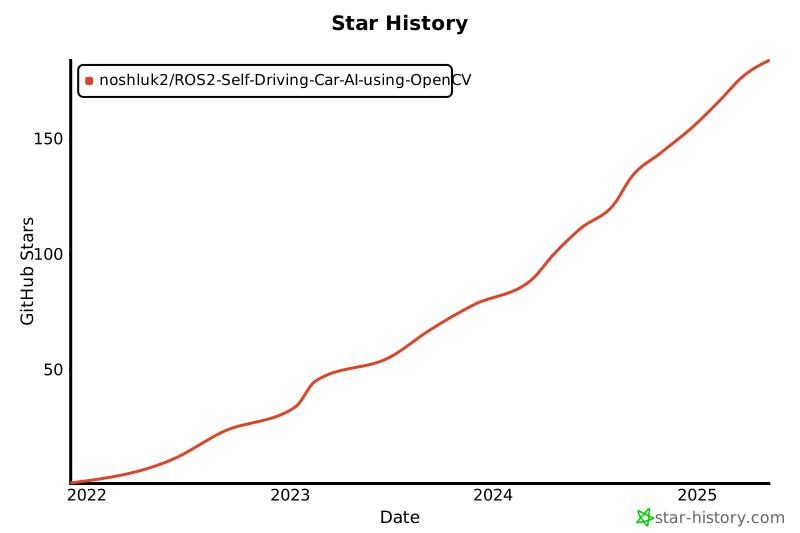](https://star-history.com/#noshluk2/ROS2-Self-Driving-Car-AI-using-OpenCV&Date)
---
## Link to the Course
✨ Enroll Now with Special Discount ✨ **[[Discounted Link]](https://www.udemy.com/course/ros2-self-driving-car-with-deep-learning-and-computer-vision/?couponCode=STARTON)**
----
## Instructors
Haider Najeeb (Computer Vision) - [Profile Link](https://www.linkedin.com/in/haider-najeeb-68812516a/)
Muhammad Luqman (ROS Simulation and Control Systems) - [Profile Link](https://www.linkedin.com/in/muhammad-luqman-9b227a11b/)
----
## License
Distributed under the GNU-GPL License. See `LICENSE` for more information.
================================================
FILE: Repo_resources/How_to_run_the_project.txt
================================================
############################################# VIRTUAL ENVIRONMENT CREATION ##############################################################
# Install virtualenv package using pip
python3 -m pip install --user virtualenv
# Create a virutal Environment
python3 -m virtualenv ROS2SDC_VENV
# Activate Virtaul Environment
source ROS2SDC_VENV/bin/activate
# Install neccesary python modules
pip3 install -r Repo_resources/installation_requirements_python.txt
############################ Installing Dependencies (Not mentioned in the video lecture ) #######################################
mkdir -p ~/.gazebo/models
sudo apt install -y python3-colcon-common-extensions
sudo apt install -y ros-foxy-gazebo-ros-pkgs
############################################# BUILDING THE PROJECT ######################################################################
# Notify Colcon to ignore ROS2SDC_VENV while build
touch ROS2SDC_VENV/COLCON_IGNORE
#Build repo
colcon build
############################################# RUNNING THE PROJECT #######################################################################
>>>>>>> Open A new Terminal <<<<<<<<
#Activate Environment
source ROS2SDC_VENV/bin/activate
# Source *your Workspace* in any terminal you open to Run files from this workspace
source /home/haiderabbasi/Development/HAD_LUQ/ROS2-Self-Driving-Car-AI-using-OpenCV/install/setup.bash
source /opt/ros/foxy/setup.bash
## once build you can run the simulation e.g [ ros2 launch (package_name) world(launch file) ]
ros2 launch self_driving_car_pkg world_gazebo.launch.py
## To activate the SelfDriving Car
ros2 run self_driving_car_pkg computer_vision_node
############################################# PROBLEMS & SOLUTION ########################################3
## TypeError: Descriptors cannot not be created directly.
pip install protobuf==3.20.0
================================================
FILE: Repo_resources/Issues.txt
================================================
# ISSUES WITH ROS2-ZINDAGI
1) We want Khali Ghar in ROS2 for Python Packages
https://docs.ros.org/en/foxy/Guides/Using-Python-Packages.html
2) But ROS2 is like naraz phupi
https://github.com/ros2/ros2/issues/1094
3) It says "i want to stay in my purana ghar"
https://github.com/colcon/colcon-core/issues/181
4) We give ROS2 Tofi
https://github.com/colcon/colcon-core/issues/181#issuecomment-486390317
5) Phupi is living in new ghar but still purani ghar ka toota nalka yad a ra ha
https://github.com/colcon/colcon-core/pull/183
================================================
FILE: Repo_resources/installation_requirements_python.txt
================================================
tensorflow==2.4.1
sklearn
# Visualization libraries
matplotlib
visualkeras
# [Reqs. for Sat-Nav]
opencv-contrib-python==3.4.15.55
pygame
================================================
FILE: Repo_resources/installation_requirements_ros.txt
================================================
sudo apt-get install ros-humble-gazebo-msgs
sudo apt-get install ros-humble-gazebo-plugins
================================================
FILE: Repo_resources/ros_Commands.txt
================================================
## This file contains ros commands to run Nodes and launch files from
## this package
## To run the simulation we need to build the package
- cd path/to/ROS2-Self-Driving-Car-AI-using-OpenCV/
- colcon build
########### Commands to utilize files in the simulation ##########
## once build you can run the simulation
- ros2 launch (package_name) world(launch file)
- ros2 run self_driving_car_pkg computer_vision_node
## To drive the car Manully from keyboard run the commands below in order
- ros2 launch (package_name) world(launch file)
- ros2 run teleop_twist_keyboard teleop_twist_keyboard
## To record the video from car's camera
- ros2 launch (package_name) world(launch file)
- ros2 run teleop_twist_keyboard teleop_twist_keyboard
================================================
FILE: docker/create_container.bash
================================================
xhost local:root
XAUTH=/tmp/.docker.xauth
docker run -it \
--name=ros2_sdc_container \
--env="DISPLAY=$DISPLAY" \
--env="QT_X11_NO_MITSHM=1" \
--volume="/tmp/.X11-unix:/tmp/.X11-unix:rw" \
--env="XAUTHORITY=$XAUTH" \
--volume="$XAUTH:$XAUTH" \
--net=host \
--privileged \
--runtime=nvidia \
noshluk2/ros2-self-driving-car-ai-using-opencv \
bash
echo "Done."
================================================
FILE: docker/docker_commands.md
================================================
# Docker Commands
### If you want to understand docker for ROS in detail go through this video
```
https://www.youtube.com/watch?v=qWuudNxFGOQ
```
## IMAGES
- Downloading Images
```
docker pull <image name>
```
- List all images
```
docker images -a
```
- Delete single Image
```
docker rmi <image id>
```
- All images delete
```
docker rmi $(docker images -q)
```
- Dangling images delete
```
docker rmi $(docker images --filter "dangling=true" -q --no-trunc)
```
## CONTAINERS
- Creating a interactive container from image
```
docker run -it <image name>
```
- Giving Name to a container while creating
```
docker run --name <container name> <image name>
```
- Start a stopped Container
```
docker start (container_id)
```
- Stop all containers
```
sudo docker kill $(sudo docker ps -a)
```
- Connect shell to running container
```
docker exec -it (container_id) bash
```
- Delete single Container
```
docker rm <container id or container name>
```
- Delete all containers
```
docker rm $(docker ps -a -q)
```
## Building Image from Docker File
- Terminal from same directory
```
docker built -t <image name > .
```
## GUI arguments
### Windows
## Complete Examples
- Running a container with GUI enabled for Windows
```
docker run -it --name r2_pathplanning_container -e DISPLAY=host.docker.internal:0.0 -e haiderabbasi333/ros2-pathplanning-course:1 bash
```
## Mistakes
- Mixing options
```
docker run --name -it <container name> <image name>
```
here you should have provided name for **--name** before giving another option **-it**
================================================
FILE: docker/running_on_linux.md
================================================
## 1. Install Docker on Ubuntu 22.04
```
https://www.digitalocean.com/community/tutorials/how-to-install-and-use-docker-on-ubuntu-22-04
```
## 2. Setup Nvidia Runtime for faster execution
- Reference https://github.com/NVIDIA/nvidia-docker/issues/838
### Setting the GPG and remote repo for the package:
```
curl -s -L nvidia.github.io/nvidia-docker/gpgkey | sudo apt-key add -
```
```
distribution=$(. /etc/os-release;echo $ID$VERSION_ID)
```
```
curl -s -L nvidia.github.io/nvidia-docker/$distribution/nvidia-docker.list | sudo tee /etc/apt/sources.list.d/nvidia-docker.list
```
### Save that file and refresh the package list
```
sudo apt-get update
```
### Install nvidia-docker2 and reload the Docker configurations
```
sudo apt-get install -y nvidia-docker2
```
```
sudo pkill -SIGHUP dockerd
```
## 3. Pull Image from Docker-hub
- Get docker image
```
docker pull noshluk2/ros2-self-driving-car-ai-using-opencv:latest
```
## 4. Create container from image
- Make bash script executable
```
chmod +x create_container.bash
```
- Run it
```
./create_container.bash
```
- **IMPORTANT** : Do not run the bash script again and again . It will keep on creating multiple containers and we donot need that . Only one container is required.
## 5. Getting into container
- If container was stopped then
```
docker start ros2_sdc_container
```
- Connecting a terminal with started container
```
docker exec -it ros2_sdc_container bash
```
## 6. Launching Project
1. Bringing the Environment with Prius Car
```
ros2 launch self_driving_car_pkg world_gazebo.launch.py
```
2. Open another terminal and connect it to container
```
docker exec -it ros2_sdc_container bash
```
3. Move inside of workspace
```
cd ~/ROS2-Self-Driving-Car-AI-using-OpenCV/
```
4. Run Self Driving node
```
ros2 run self_driving_car_pkg computer_vision_node
```
================================================
FILE: docker/running_on_windows.md
================================================
## Pre-Requisites Installation:
1. Get Docker desktop installed and running by following this [Guide](https://docs.docker.com/desktop/install/windows-install/)
2. Ensure WSL-2 is installed or upgraded from WSL-1 (if you have older version).
3. Install VcXsrv Windows X Server from this [link](https://sourceforge.net/projects/vcxsrv/)
## 1. Pull Image from Docker-hub
- Get docker image
```
docker pull noshluk2/ros2-self-driving-car-ai-using-opencv:latest
```
## 2. Create container from image
- > ( For Cuda-enabled Graphic cards ) **Faster**
```
docker run -it --name ros2_sdc_container -e DISPLAY=host.docker.internal:0.0 -e LIBGL_ALWAYS_INDIRECT=0 --runtime=nvidia noshluk2/ros2-self-driving-car-ai-using-opencv bash
```
- > ( For Non-Cuda (Amd or CPU) ) **Slower!**
```
docker run -it --name ros2_sdc_container -e DISPLAY=host.docker.internal:0.0 -e LIBGL_ALWAYS_INDIRECT=0 noshluk2/ros2-self-driving-car-ai-using-opencv bash
```
- **IMPORTANT** : Do not run upper command again and again . It will keep on creating multiple containers and we donot need that . Only one container is required.
- To enter an **already running container** run,
## 3. Getting into container
- If container was stopped then
```
docker start ros2_sdc_container
```
- Connecting a terminal with started container
```
docker exec -it ros2_sdc_container bash
```
## 4. Launching Project
1. Bringing the Environment with Prius Car
```
ros2 launch self_driving_car_pkg world_gazebo.launch.py
```
2. Open another terminal and connect it to container
```
docker exec -it ros2_sdc_container bash
```
3. Move inside of workspace
```
cd ~/ROS2-Self-Driving-Car-AI-using-OpenCV/
```
4. Run Self Driving node
```
ros2 run self_driving_car_pkg computer_vision_node
```
================================================
FILE: self_driving_car_pkg/launch/maze_solving_world.launch.py
================================================
import os
from ament_index_python.packages import get_package_share_directory
from launch import LaunchDescription
from launch.actions import DeclareLaunchArgument, ExecuteProcess, IncludeLaunchDescription
from launch.substitutions import LaunchConfiguration
from launch_ros.actions import Node
from launch.launch_description_sources import PythonLaunchDescriptionSource
def generate_launch_description():
package_dir=get_package_share_directory('self_driving_car_pkg')
world_file = os.path.join(package_dir,'worlds','maze_solving.world')
return LaunchDescription([
ExecuteProcess(
cmd=['gazebo', '--verbose',world_file, '-s', 'libgazebo_ros_factory.so'],
output='screen'),
Node(
package='self_driving_car_pkg',
executable='lights_spawner_maze.bash',
name='Lights_installer',
output='screen'),
])
================================================
FILE: self_driving_car_pkg/launch/record_and_drive.launch.py
================================================
import os
from launch import LaunchDescription
from launch_ros.actions import Node
def generate_launch_description():
return LaunchDescription([
Node(
package='self_driving_car_pkg',
executable='video_recording_node',
name='video_recorder',
output='screen'),
Node(
package='teleop_twist_keyboard',
executable='teleop_twist_keyboard',
name='Car_driver',
output='screen'),
])
================================================
FILE: self_driving_car_pkg/launch/test_laneFollow.launch.py
================================================
#!/usr/bin/env python3
import os
from ament_index_python.packages import get_package_share_directory
from launch import LaunchDescription
from launch.actions import IncludeLaunchDescription
from launch.launch_description_sources import PythonLaunchDescriptionSource
from launch.actions import IncludeLaunchDescription, TimerAction, ExecuteProcess
def generate_launch_description():
pkg_gazebo_ros = get_package_share_directory('gazebo_ros')
pkg_share_dir = get_package_share_directory('self_driving_car_pkg')
model_pkg_share_dir = get_package_share_directory('self_driving_car_pkg_models')
models_share_dir = os.pathsep + os.path.join(model_pkg_share_dir, 'models')
if 'GAZEBO_MODEL_PATH' in os.environ:
os.environ['GAZEBO_MODEL_PATH'] += models_share_dir
else:
os.environ['GAZEBO_MODEL_PATH'] = models_share_dir
print(os.environ['GAZEBO_MODEL_PATH'])
world = os.path.join(
pkg_share_dir,
'worlds',
'sdc.world'
)
gzserver_cmd = IncludeLaunchDescription(
PythonLaunchDescriptionSource(
os.path.join(pkg_gazebo_ros, 'launch', 'gzserver.launch.py')
),
launch_arguments={'world': world}.items()
)
gzclient_cmd = IncludeLaunchDescription(
PythonLaunchDescriptionSource(
os.path.join(pkg_gazebo_ros, 'launch', 'gzclient.launch.py')
)
)
red_light_sdf = os.path.join(model_pkg_share_dir,'models','light_red/model.sdf')
yellow_light_sdf = os.path.join(model_pkg_share_dir,'models','light_yellow/model.sdf')
green_light_sdf = os.path.join(model_pkg_share_dir,'models','light_green/model.sdf')
spawn_red_light = ExecuteProcess(
cmd=['ros2', 'run', 'self_driving_car_pkg', 'spawner_node', red_light_sdf,'red_light'],
output='screen'
)
spawn_yellow_light = ExecuteProcess(
cmd=['ros2', 'run', 'self_driving_car_pkg', 'spawner_node', yellow_light_sdf,'yellow_light'],
output='screen'
)
spawn_green_light = ExecuteProcess(
cmd=['ros2', 'run', 'self_driving_car_pkg', 'spawner_node', green_light_sdf,'green_Light'],
output='screen'
)
ld = LaunchDescription()
ld.add_action(gzserver_cmd)
ld.add_action(gzclient_cmd)
ld.add_action(spawn_red_light)
ld.add_action(TimerAction(
period=7.5,
actions=[spawn_yellow_light]
))
ld.add_action(TimerAction(
period=8.5,
actions=[spawn_green_light]
))
return ld
================================================
FILE: self_driving_car_pkg/launch/world_gazebo.launch.py
================================================
#!/usr/bin/env python3
import os
from ament_index_python.packages import get_package_share_directory
from launch import LaunchDescription
from launch.actions import IncludeLaunchDescription
from launch.launch_description_sources import PythonLaunchDescriptionSource
from launch.actions import IncludeLaunchDescription, TimerAction, ExecuteProcess
def generate_launch_description():
pkg_gazebo_ros = get_package_share_directory('gazebo_ros')
pkg_share_dir = get_package_share_directory('self_driving_car_pkg')
model_pkg_share_dir = get_package_share_directory('self_driving_car_pkg_models')
models_share_dir = os.pathsep + os.path.join(model_pkg_share_dir, 'models')
if 'GAZEBO_MODEL_PATH' in os.environ:
os.environ['GAZEBO_MODEL_PATH'] += models_share_dir
else:
os.environ['GAZEBO_MODEL_PATH'] = models_share_dir
print(os.environ['GAZEBO_MODEL_PATH'])
world = os.path.join(
pkg_share_dir,
'worlds',
'sdc.world'
)
gzserver_cmd = IncludeLaunchDescription(
PythonLaunchDescriptionSource(
os.path.join(pkg_gazebo_ros, 'launch', 'gzserver.launch.py')
),
launch_arguments={'world': world}.items()
)
gzclient_cmd = IncludeLaunchDescription(
PythonLaunchDescriptionSource(
os.path.join(pkg_gazebo_ros, 'launch', 'gzclient.launch.py')
)
)
red_light_sdf = os.path.join(pkg_share_dir,'models','light_red/model.sdf')
yellow_light_sdf = os.path.join(pkg_share_dir,'models','light_yellow/model.sdf')
green_light_sdf = os.path.join(pkg_share_dir,'models','light_green/model.sdf')
spawn_red_light = ExecuteProcess(
cmd=['ros2', 'run', 'self_driving_car_pkg', 'spawner_node', red_light_sdf,'red_light'],
output='screen'
)
spawn_yellow_light = ExecuteProcess(
cmd=['ros2', 'run', 'self_driving_car_pkg', 'spawner_node', yellow_light_sdf,'yellow_light'],
output='screen'
)
spawn_green_light = ExecuteProcess(
cmd=['ros2', 'run', 'self_driving_car_pkg', 'spawner_node', green_light_sdf,'green_Light'],
output='screen'
)
ld = LaunchDescription()
ld.add_action(gzserver_cmd)
ld.add_action(gzclient_cmd)
ld.add_action(spawn_red_light)
ld.add_action(TimerAction(
period=7.5,
actions=[spawn_yellow_light]
))
ld.add_action(TimerAction(
period=8.5,
actions=[spawn_green_light]
))
return ld
================================================
FILE: self_driving_car_pkg/package.xml
================================================
<?xml version="1.0"?>
<?xml-model href="http://download.ros.org/schema/package_format3.xsd" schematypens="http://www.w3.org/2001/XMLSchema"?>
<package format="3">
<name>self_driving_car_pkg</name>
<version>1.0.0</version>
<description>This package is to run your ROS simulation with a prius model from gazebo with SDC features</description>
<maintainer email="noshluk2@gmail.com">luqman</maintainer>
<license>GNU-GPL</license>
<depend>rclpy</depend>
<test_depend>ament_copyright</test_depend>
<test_depend>ament_flake8</test_depend>
<test_depend>ament_pep257</test_depend>
<test_depend>python3-pytest</test_depend>
<export>
<build_type>ament_python</build_type>
</export>
</package>
================================================
FILE: self_driving_car_pkg/resource/self_driving_car_pkg
================================================
================================================
FILE: self_driving_car_pkg/scripts/lights_spawner.bash
================================================
#!/bin/bash
### This bash is going to spawn Traffic Lights into your simulation at origin
### Inside the traffic stand
green_light_sdf=$HOME/.gazebo/models/green_light/model.sdf
red_light_sdf=$HOME/.gazebo/models/red_light/model.sdf
yellow_light_sdf=$HOME/.gazebo/models/yellow_light/model.sdf
ros2 run self_driving_car_pkg spawner_node $red_light_sdf red_light
sleep 7.5
ros2 run self_driving_car_pkg spawner_node $yellow_light_sdf yellow_light
sleep 1
ros2 run self_driving_car_pkg spawner_node $green_light_sdf green_Light
================================================
FILE: self_driving_car_pkg/scripts/lights_spawner_maze.bash
================================================
#!/bin/bash
### This bash is going to spawn Traffic Lights into your simulation at origin
### Inside the traffic stand
green_light_sdf=$HOME/.gazebo/models/green_light/model.sdf
red_light_sdf=$HOME/.gazebo/models/red_light/model.sdf
yellow_light_sdf=$HOME/.gazebo/models/yellow_light/model.sdf
ros2 run self_driving_car_pkg spawner_node $red_light_sdf red_light 14.72 4.26
sleep 7.5
ros2 run self_driving_car_pkg spawner_node $yellow_light_sdf yellow_light 13.7 4.26
sleep 1
ros2 run self_driving_car_pkg spawner_node $green_light_sdf green_Light 12.66 4.26
================================================
FILE: self_driving_car_pkg/self_driving_car_pkg/Detection/Lanes/Lane_Detection.py
================================================
from ...config import config
# **************************************************** DETECTION ****************************************************
# **************************************************** LANES ****************************************************
# >>>>>>>>>>>>>>>>>>>>>>>> STAGE 1 [IMPORTS] <<<<<<<<<<<<<<<<<<<<<<<<<<<<<<<
from .a_Segmentation.colour_segmentation_final import Segment_Colour
# >>>>>>>>>>>>>>>>>>>>>>>> STAGE 2 [IMPORTS] <<<<<<<<<<<<<<<<<<<<<<<<<<<<<<<
from .b_Estimation.Our_EstimationAlgo import Estimate_MidLane
# >>>>>>>>>>>>>>>>>>>>>>>> STAGE 3 [IMPORTS] <<<<<<<<<<<<<<<<<<<<<<<<<<<<<<<
from .c_Cleaning.CheckifYellowLaneCorrect_RetInnerBoundary import GetYellowInnerEdge
from .c_Cleaning.ExtendLanesAndRefineMidLaneEdge import ExtendShortLane
# >>>>>>>>>>>>>>>>>>>>>>>> STAGE 4 [IMPORTS] <<<<<<<<<<<<<<<<<<<<<<<<<<<<<<<
from .d_LaneInfo_Extraction.GetStateInfoandDisplayLane import FetchInfoAndDisplay
def detect_Lane(img):
""" Extract required data from the lane lines representing road lane boundaries.
Args:
img (numpy nd array): Prius front-cam view
Returns:
distance (int): car_front <===distance===> ideal position on road
curvature (angle): car <===angle===> roads_direction
e.g. car approaching a right turn so road direction is around or less then 45 deg
cars direction is straight so it is around 90 deg
"""
# >>>>>>>>>>>>>>>>>>>>>>>> Optimization No 2 [CROPPING] <<<<<<<<<<<<<<<<<<<<<<<<<<<<<<<
img_cropped = img[config.CropHeight_resized:,:]
# [Lane Detection] STAGE_1 (Segmentation) <<<<<<--->>>>>> [COLOR]:
Mid_edge_ROI,Mid_ROI_mask,Outer_edge_ROI,OuterLane_TwoSide,OuterLane_Points = Segment_Colour(img_cropped,config.minArea_resized)
# [Lane Detection] STAGE_2 (Estimation) <<<<<<--->>>>>> [Our Approach]:
Estimated_midlane = Estimate_MidLane(Mid_edge_ROI,config.MaxDist_resized)
# [Lane Detection] STAGE_3 (Cleaning) <<<<<<--->>>>>> [STEP_1]:
OuterLane_OneSide,Outer_cnts_oneSide,Mid_cnts,Offset_correction = GetYellowInnerEdge(OuterLane_TwoSide,Estimated_midlane,OuterLane_Points)#3ms
# [Lane Detection] STAGE_3 (Cleaning) <<<<<<--->>>>>> [STEP_2]:
Estimated_midlane,OuterLane_OneSide = ExtendShortLane(Estimated_midlane,Mid_cnts,Outer_cnts_oneSide,OuterLane_OneSide)
# [Lane Detection] STAGE_4 (Data_Extraction) <<<<<<--->>>>>> [Our Approach]:
Distance , Curvature = FetchInfoAndDisplay(Mid_edge_ROI,Estimated_midlane,OuterLane_OneSide,img_cropped,Offset_correction)
return Distance,Curvature
================================================
FILE: self_driving_car_pkg/self_driving_car_pkg/Detection/Lanes/Morph_op.py
================================================
import cv2
import numpy as np
import math
import time
from .utilities import Distance, Distance_
from ...config import config
def BwareaOpen(img,MinArea):
thresh = cv2.threshold(img, 0, 255, cv2.THRESH_BINARY)[1]
# Filter using contour area and remove small noise
cnts = cv2.findContours(thresh, cv2.RETR_LIST, cv2.CHAIN_APPROX_SIMPLE)[1]
cnts_TooSmall = []
for index, cnt in enumerate(cnts):
area = cv2.contourArea(cnt)
if area < MinArea:
cnts_TooSmall.append(cnt)
thresh = cv2.drawContours(thresh, cnts_TooSmall, -1, 0, -1) # [ contour = less then minarea contour, contourIDx, Colour , Thickness ]
return thresh
def FindExtremas(img):
positions = np.nonzero(img) # position[0] 0 = rows 1 = cols
if (len(positions)!=0):
top = positions[0].min()
bottom = positions[0].max()
left = positions[1].min()
right = positions[1].max()
return top,bottom
else:
return 0,0
def FindLowestRow(img):
positions = np.nonzero(img) # position[0] 0 = rows 1 = cols
if (len(positions)!=0):
top = positions[0].min()
bottom = positions[0].max()
left = positions[1].min()
right = positions[1].max()
return bottom
else:
return img.shape[0]
def RetLargestContour(gray):
LargestContour_Found = False
thresh=np.zeros(gray.shape,dtype=gray.dtype)
_,bin_img = cv2.threshold(gray,0,255,cv2.THRESH_BINARY)
#Find the two Contours for which you want to find the min distance between them.
cnts = cv2.findContours(bin_img, cv2.RETR_LIST, cv2.CHAIN_APPROX_SIMPLE)[1]
Max_Cntr_area = 0
Max_Cntr_idx= -1
for index, cnt in enumerate(cnts):
area = cv2.contourArea(cnt)
if area > Max_Cntr_area:
Max_Cntr_area = area
Max_Cntr_idx = index
LargestContour_Found = True
if (Max_Cntr_idx!=-1):
thresh = cv2.drawContours(thresh, cnts, Max_Cntr_idx, (255,255,255), -1) # [ contour = less then minarea contour, contourIDx, Colour , Thickness ]
return thresh, LargestContour_Found
def RetLargestContour_OuterLane(gray,minArea):
LargestContour_Found = False
thresh=np.zeros(gray.shape,dtype=gray.dtype)
_,bin_img = cv2.threshold(gray,0,255,cv2.THRESH_BINARY)
#################################### TESTING SHADOW BREAKER CODE BY DILATING####################
# 3. Dilating Segmented ROI's
kernel = cv2.getStructuringElement(shape=cv2.MORPH_ELLIPSE, ksize=(5,5))
bin_img_dilated = cv2.morphologyEx(bin_img, cv2.MORPH_DILATE, kernel) #Find the two Contours for which you want to find the min distance between them.
bin_img_ret = cv2.morphologyEx(bin_img_dilated, cv2.MORPH_ERODE, kernel) #Find the two Contours for which you want to find the min distance between them.
bin_img = bin_img_ret
#################################### TESTING SHADOW BREAKER CODE BY DILATING####################
cnts = cv2.findContours(bin_img, cv2.RETR_LIST, cv2.CHAIN_APPROX_SIMPLE)[1]
Max_Cntr_area = 0
Max_Cntr_idx= -1
for index, cnt in enumerate(cnts):
area = cv2.contourArea(cnt)
if area > Max_Cntr_area:
Max_Cntr_area = area
Max_Cntr_idx = index
LargestContour_Found = True
if Max_Cntr_area < minArea:
LargestContour_Found = False
if ((Max_Cntr_idx!=-1) and (LargestContour_Found)):
thresh = cv2.drawContours(thresh, cnts, Max_Cntr_idx, (255,255,255), -1) # [ contour = less then minarea contour, contourIDx, Colour , Thickness ]
return thresh, LargestContour_Found
def ROI_extracter(image,strtPnt,endPnt):
# Selecting Only ROI from Image
ROI_mask = np.zeros(image.shape, dtype=np.uint8)
cv2.rectangle(ROI_mask,strtPnt,endPnt,255,thickness=-1)
#image_ROI = cv2.bitwise_and(image,image,mask=ROI_mask)
image_ROI = cv2.bitwise_and(image,ROI_mask)
return image_ROI
def ExtractPoint(img,specified_row):
Point= (0,specified_row)
specified_row_data = img[ specified_row-1,:]
#print("specified_row_data",specified_row_data)
positions = np.nonzero(specified_row_data) # position[0] 0 = rows 1 = cols
#print("positions",positions)
#print("len(positions[0])",len(positions[0]))
if (len(positions[0])!=0):
#print(positions[0])
min_col = positions[0].min()
Point=(min_col,specified_row)
return Point
def Ret_LowestEdgePoints(gray):
Outer_Points_list=[]
thresh = np.zeros(gray.shape,dtype=gray.dtype)
Lane_OneSide=np.zeros(gray.shape,dtype=gray.dtype)
Lane_TwoSide=np.zeros(gray.shape,dtype=gray.dtype)
_,bin_img = cv2.threshold(gray,0,255,cv2.THRESH_BINARY)
#Find the two Contours for which you want to find the min distance between them.
cnts = cv2.findContours(bin_img, cv2.RETR_EXTERNAL, cv2.CHAIN_APPROX_NONE)[1]
thresh = cv2.drawContours(thresh, cnts, 0, (255,255,255), 1) # [ contour = less then minarea contour, contourIDx, Colour , Thickness ]
# Boundary of the Contour is extracted and Saved in Thresh
Top_Row,Bot_Row = FindExtremas(thresh)
Contour_TopBot_PortionCut = ROI_extracter(thresh,(0, Top_Row + 5),(thresh.shape[1],Bot_Row-5))
cnts2 = cv2.findContours(Contour_TopBot_PortionCut, cv2.RETR_EXTERNAL, cv2.CHAIN_APPROX_NONE)[1]
LowRow_a=-1
LowRow_b=-1
Euc_row=0# Row for the points to be compared
First_line = np.copy(Lane_OneSide)
cnts_tmp = []
if(len(cnts2)>1):
for index_tmp, cnt_tmp in enumerate(cnts2):
if((cnt_tmp.shape[0])>50):
cnts_tmp.append(cnt_tmp)
cnts2 = cnts_tmp
for index, cnt in enumerate(cnts2):
Lane_OneSide = np.zeros(gray.shape,dtype=gray.dtype)
Lane_OneSide = cv2.drawContours(Lane_OneSide, cnts2, index, (255,255,255), 1) # [ contour = less then minarea contour, contourIDx, Colour , Thickness ]
Lane_TwoSide = cv2.drawContours(Lane_TwoSide, cnts2, index, (255,255,255), 1) # [ contour = less then minarea contour, contourIDx, Colour , Thickness ]
if(len(cnts2)==2):
if (index==0):
First_line = np.copy(Lane_OneSide)
LowRow_a = FindLowestRow(Lane_OneSide)
elif(index==1):
LowRow_b = FindLowestRow(Lane_OneSide)
if(LowRow_a<LowRow_b):# First index is shorter
Euc_row=LowRow_a
else:
Euc_row=LowRow_b
#print("Euc_row",Euc_row)
#cv2.namedWindow("First_line",cv2.WINDOW_NORMAL)
#cv2.imshow("First_line",First_line)
#cv2.waitKey(0)
Point_a = ExtractPoint(First_line,Euc_row)
Point_b = ExtractPoint(Lane_OneSide,Euc_row)
Outer_Points_list.append(Point_a)
Outer_Points_list.append(Point_b)
return Lane_TwoSide, Outer_Points_list
def ApproxDistBWCntrs(cnt,cnt_cmp):
# compute the center of the contour
M = cv2.moments(cnt)
cX = int(M["m10"] / M["m00"])
cY = int(M["m01"] / M["m00"])
# compute the center of the contour
M_cmp = cv2.moments(cnt_cmp)
cX_cmp = int(M_cmp["m10"] / M_cmp["m00"])
cY_cmp = int(M_cmp["m01"] / M_cmp["m00"])
minDist=Distance_((cX,cY),(cX_cmp,cY_cmp))
Centroid_a=(cX,cY)
Centroid_b=(cX_cmp,cY_cmp)
return minDist,Centroid_a,Centroid_b
def Estimate_MidLane(BW,MaxDistance):
#cv2.namedWindow("BW_zero",cv2.WINDOW_NORMAL)
BW_zero= cv2.cvtColor(BW,cv2.COLOR_GRAY2BGR)
#Find the two Contours for which you want to find the min distance between them.
cnts= cv2.findContours(BW, cv2.RETR_LIST, cv2.CHAIN_APPROX_SIMPLE)[1]#3ms
MinArea=1
cnts_Legit=[]
for index, _ in enumerate(cnts):
area = cv2.contourArea(cnts[index])
if area > MinArea:
cnts_Legit.append(cnts[index])
cnts=cnts_Legit
# Cycle through each point in the Two contours & find the distance between them.
# Take the minimum Distance by comparing all other distances & Mark that Points.
CntIdx_BstMatch = []# [BstMatchwithCnt0,BstMatchwithCnt1,....]
Closests_Pixels_list = []
#200msec
for index, cnt in enumerate(cnts):
prevmin_dist = 100000
Bstindex_cmp = 0
#BstClosests_Pixels =0
BstCentroid_a=0
BstCentroid_b=0
for index_cmp in range(len(cnts)-index):
index_cmp = index_cmp + index
cnt_cmp = cnts[index_cmp]
if (index!=index_cmp):
min_dist,Centroid_a,Centroid_b = ApproxDistBWCntrs(cnt,cnt_cmp)
#Closests_Pixels=(cnt[min_dstPix_Idx[0]],cnt_cmp[min_dstPix_Idx[1]])
if(min_dist < prevmin_dist):
if (len(CntIdx_BstMatch)==0):
prevmin_dist = min_dist
Bstindex_cmp = index_cmp
#BstClosests_Pixels = Closests_Pixels
BstCentroid_a=Centroid_a
BstCentroid_b=Centroid_b
else:
Present= False
for i in range(len(CntIdx_BstMatch)):
if ( (index_cmp == i) and (index == CntIdx_BstMatch[i]) ):
Present= True
if not Present:
prevmin_dist = min_dist
Bstindex_cmp = index_cmp
#BstClosests_Pixels = Closests_Pixels
BstCentroid_a=Centroid_a
BstCentroid_b=Centroid_b
if ((prevmin_dist!=100000 ) and (prevmin_dist>MaxDistance)):
break
if (type(BstCentroid_a)!=int):
CntIdx_BstMatch.append(Bstindex_cmp)
#Closests_Pixels_list.append(BstClosests_Pixels)
#cv2.line(BW_zero,(BstClosests_Pixels[0][0][0],BstClosests_Pixels[0][0][1]),(BstClosests_Pixels[1][0][0],BstClosests_Pixels[1][0][1]),(0,0,255),thickness=2)
cv2.line(BW_zero,BstCentroid_a,BstCentroid_b,(0,255,0),thickness=2)
#cv2.imshow("BW_zero",BW_zero)
#cv2.imwrite("D:/Had_LuQ/MidlaneClosestJoined.png",BW_zero)
BW_zero = cv2.cvtColor(BW_zero,cv2.COLOR_BGR2GRAY)
BW_Largest,Largest_found = RetLargestContour(BW_zero)#3msec
if(Largest_found):
return BW_Largest
else:
return BW
================================================
FILE: self_driving_car_pkg/self_driving_car_pkg/Detection/Lanes/__init__.py
================================================
================================================
FILE: self_driving_car_pkg/self_driving_car_pkg/Detection/Lanes/a_Segmentation/__init__.py
================================================
================================================
FILE: self_driving_car_pkg/self_driving_car_pkg/Detection/Lanes/a_Segmentation/colour_segmentation_final.py
================================================
import cv2
import numpy as np
import time
from ....config import config
from ..Morph_op import BwareaOpen,RetLargestContour_OuterLane,Ret_LowestEdgePoints
HLS=0
src=0
Hue_Low = 0
Lit_Low = 225
Sat_Low = 0#61
Hue_Low_Y = 30#30
Hue_High_Y = 33#40
Lit_Low_Y = 120#63
Sat_Low_Y = 0#81
def OnHueLowChange(val):
global Hue_Low
Hue_Low = val
MaskExtract()
def OnLitLowChange(val):
global Lit_Low
Lit_Low = val
MaskExtract()
def OnSatLowChange(val):
global Sat_Low
Sat_Low = val
MaskExtract()
def OnHueLowChange_Y(val):
global Hue_Low_Y
Hue_Low_Y = val
MaskExtract()
def OnHueHighChange_Y(val):
global Hue_High_Y
Hue_High_Y = val
MaskExtract()
def OnLitLowChange_Y(val):
global Lit_Low_Y
Lit_Low_Y = val
MaskExtract()
def OnSatLowChange_Y(val):
global Sat_Low_Y
Sat_Low_Y = val
MaskExtract()
def MaskExtract():
mask = clr_segment(HLS,(Hue_Low ,Lit_Low ,Sat_Low ),(255 ,255,255))
mask_Y = clr_segment(HLS,(Hue_Low_Y,Lit_Low_Y ,Sat_Low_Y),(Hue_High_Y,255,255))#Combine 6ms
mask_Y_ = mask_Y != 0
dst_Y = src * (mask_Y_[:,:,None].astype(src.dtype))
mask_ = mask != 0
dst = src * (mask_[:,:,None].astype(src.dtype))
if (config.debugging_Lane and config.debugging and config.debugging_L_ColorSeg):
cv2.imshow('[Segment_Colour_final] mask',dst)
cv2.imshow('[Segment_Colour_final] mask_Y',dst_Y)
#cv2.namedWindow("HSL",cv2.WINDOW_NORMAL)
#cv2.namedWindow("frame_Lane",cv2.WINDOW_NORMAL)
#cv2.namedWindow("Lane_gray",cv2.WINDOW_NORMAL)
#cv2.namedWindow("Lane_gray_opened",cv2.WINDOW_NORMAL)
#cv2.namedWindow("Lane_gray_Smoothed",cv2.WINDOW_NORMAL)
#cv2.namedWindow("Lane_edge",cv2.WINDOW_NORMAL)
#cv2.namedWindow("Lane_edge_ROI",cv2.WINDOW_NORMAL)
#cv2.namedWindow("Mid_ROI_mask",cv2.WINDOW_NORMAL)
def clr_segment(HSL,lower_range,upper_range):
# 2. Performing Color Segmentation on Given Range
lower = np.array( [lower_range[0],lower_range[1] ,lower_range[2]] )
upper = np.array( [upper_range[0] ,255 ,255])
mask = cv2.inRange(HSL, lower, upper)
# 3. Dilating Segmented ROI's
kernel = cv2.getStructuringElement(shape=cv2.MORPH_ELLIPSE, ksize=(3,3))
mask = cv2.morphologyEx(mask, cv2.MORPH_DILATE, kernel)
return mask
def LaneROI(frame,mask,minArea):
# 4a. Keeping only Midlane ROI of frame
frame_Lane = cv2.bitwise_and(frame,frame,mask=mask)#Extracting only RGB from a specific region
# 4b. Converting frame to grayscale
Lane_gray = cv2.cvtColor(frame_Lane,cv2.COLOR_BGR2GRAY) # Converting to grayscale
# 4c. Keep Only larger objects
Lane_gray_opened = BwareaOpen(Lane_gray,minArea) # Getting mask of only objects larger then minArea
Lane_gray = cv2.bitwise_and(Lane_gray,Lane_gray_opened)# Getting the gray of that mask
Lane_gray_Smoothed = cv2.GaussianBlur(Lane_gray,(11,11),1) # Smoothing out the edges for edge extraction later
# 4d. Keeping only Edges of Segmented ROI
Lane_edge = cv2.Canny(Lane_gray_Smoothed,50,150, None, 3) # Extracting the Edge of Canny
#cv2.imshow('ROI_mask',mask)
#cv2.imshow('frame_Lane',frame_Lane)
#cv2.imshow('Lane_gray',Lane_gray)
#cv2.imshow('Lane_gray_opened',Lane_gray_opened)
#cv2.imshow('Lane_gray_Smoothed',Lane_gray_Smoothed)
#cv2.imshow('Lane_edge',Lane_edge)
return Lane_edge,Lane_gray_opened
def OuterLaneROI(frame,mask,minArea):
Outer_Points_list=[]
# 5a. Extracted OuterLanes Mask And Edge
frame_Lane = cv2.bitwise_and(frame,frame,mask=mask)#Extracting only RGB from a specific region
Lane_gray = cv2.cvtColor(frame_Lane,cv2.COLOR_BGR2GRAY)# Converting to grayscale
Lane_gray_opened = BwareaOpen(Lane_gray,minArea) # Getting mask of only objects larger then minArea
Lane_gray = cv2.bitwise_and(Lane_gray,Lane_gray_opened)# Getting the gray of that mask
Lane_gray_Smoothed = cv2.GaussianBlur(Lane_gray,(11,11),1)# Smoothing out the edges for edge extraction later
Lane_edge = cv2.Canny(Lane_gray_Smoothed,50,150, None, 3) # Extracting the Edge of Canny
# 5b. Kept Larger OuterLane
ROI_mask_Largest,Largest_found = RetLargestContour_OuterLane(Lane_gray_opened,minArea) # Extracting the largest Yellow object in frame
if(Largest_found):
# 5c. Kept Larger OuterLane [Edge]
Outer_edge_Largest = cv2.bitwise_and(Lane_edge,ROI_mask_Largest)
# 5d. Returned Lowest Edge Points
Lane_TwoEdges, Outer_Points_list = Ret_LowestEdgePoints(ROI_mask_Largest)
Lane_edge = Outer_edge_Largest
else:
Lane_TwoEdges = np.zeros(Lane_gray.shape,Lane_gray.dtype)
#cv2.imshow('frame_Lane',frame_Lane)
#cv2.imshow('Lane_gray',Lane_gray)
#cv2.imshow('Lane_gray_opened',Lane_gray_opened)
#cv2.imshow('Lane_gray_Smoothed',Lane_gray_Smoothed)
#cv2.imshow('Lane_edge_ROI',Lane_edge_ROI)
#cv2.imshow('ROI_mask_Largest',ROI_mask_Largest)
#cv2.imshow('Lane_edge',Lane_edge)
#cv2.imshow('Lane_TwoEdges',Lane_TwoEdges)
return Lane_edge,Lane_TwoEdges,Outer_Points_list
def Segment_Colour(frame,minArea):
""" Segment Lane-Lines (both outer and middle) from the road lane
Args:
frame (numpy nd array): Prius front-cam view
minArea (int): minimum area of an object required to be considered as a valid object
Returns:
numpy 2d array: Edges of white mid-lane
numpy 2d array: Mask of white mid-lane
numpy 2d array: Edges of yellow outer-lane
numpy 2d array: Edges of outer-lane (Seperated to get inner side later)
List: Two points taken one each from outer-Lane edge seperated
"""
global HLS,src
src = frame.copy()
# 1. Converting frame to HLS ColorSpace
HLS = cv2.cvtColor(frame,cv2.COLOR_BGR2HLS)#2 msc
mask = clr_segment(HLS,(Hue_Low ,Lit_Low ,Sat_Low ),(255 ,255,255))
mask_Y = clr_segment(HLS,(Hue_Low_Y,Lit_Low_Y ,Sat_Low_Y),(Hue_High_Y,255,255))#Combine 6ms
Outer_edge_ROI,OuterLane_SidesSeperated,Outer_Points_list = OuterLaneROI(frame,mask_Y,minArea+500)#27msec
Mid_edge_ROI,Mid_ROI_mask = LaneROI(frame,mask,minArea)#20 msec
#cv2.imshow('Mid_ROI_mask',Mid_ROI_mask)
if (config.debugging_Lane and config.debugging and config.debugging_L_ColorSeg):
# Debugging lane segmentation on colour only once......
if not config.clr_seg_dbg_created:
config.clr_seg_dbg_created = True
cv2.namedWindow("[Segment_Colour_final] mask")
cv2.namedWindow("[Segment_Colour_final] mask_Y")
cv2.createTrackbar("Hue_L","[Segment_Colour_final] mask",Hue_Low,255,OnHueLowChange)
cv2.createTrackbar("Lit_L","[Segment_Colour_final] mask",Lit_Low,255,OnLitLowChange)
cv2.createTrackbar("Sat_L","[Segment_Colour_final] mask",Sat_Low,255,OnSatLowChange)
cv2.createTrackbar("Hue_L","[Segment_Colour_final] mask_Y",Hue_Low_Y,255,OnHueLowChange_Y)
cv2.createTrackbar("Hue_H","[Segment_Colour_final] mask_Y",Hue_High_Y,255,OnHueHighChange_Y)
cv2.createTrackbar("Lit_L","[Segment_Colour_final] mask_Y",Lit_Low_Y,255,OnLitLowChange_Y)
cv2.createTrackbar("Sat_L","[Segment_Colour_final] mask_Y",Sat_Low_Y,255,OnSatLowChange_Y)
cv2.imshow('[Segment_Colour_final] mask',mask)
cv2.imshow('[Segment_Colour_final] mask_Y',mask_Y)
cv2.imshow('Mid_edge_ROI',Mid_edge_ROI)
cv2.imshow('Outer_edge_ROI',Outer_edge_ROI)
cv2.imshow('OuterLane_Side_Seperated',OuterLane_SidesSeperated)
else:
if config.clr_seg_dbg_created:
cv2.destroyWindow('[Segment_Colour_final] mask')
cv2.destroyWindow('[Segment_Colour_final] mask_Y')
cv2.destroyWindow('Mid_edge_ROI')
cv2.destroyWindow('Outer_edge_ROI')
cv2.destroyWindow('OuterLane_Side_Seperated')
return Mid_edge_ROI,Mid_ROI_mask,Outer_edge_ROI,OuterLane_SidesSeperated,Outer_Points_list
================================================
FILE: self_driving_car_pkg/self_driving_car_pkg/Detection/Lanes/b_Estimation/Our_EstimationAlgo.py
================================================
import cv2
import numpy as np
import math
def Distance_(a,b):
return math.sqrt( ( (a[1]-b[1])**2 ) + ( (a[0]-b[0])**2 ) )
def ApproxDistBWCntrs(cnt,cnt_cmp):
# compute the center of the contour
M = cv2.moments(cnt)
cX = int(M["m10"] / M["m00"])
cY = int(M["m01"] / M["m00"])
# compute the center of the contour
M_cmp = cv2.moments(cnt_cmp)
cX_cmp = int(M_cmp["m10"] / M_cmp["m00"])
cY_cmp = int(M_cmp["m01"] / M_cmp["m00"])
minDist=Distance_((cX,cY),(cX_cmp,cY_cmp))
Centroid_a=(cX,cY)
Centroid_b=(cX_cmp,cY_cmp)
return minDist,Centroid_a,Centroid_b
def RetLargestContour(gray):
LargestContour_Found = False
thresh=np.zeros(gray.shape,dtype=gray.dtype)
_,bin_img = cv2.threshold(gray,0,255,cv2.THRESH_BINARY)
#Find the two Contours for which you want to find the min distance between them.
cnts = cv2.findContours(bin_img, cv2.RETR_LIST, cv2.CHAIN_APPROX_SIMPLE)[1]
Max_Cntr_area = 0
Max_Cntr_idx= -1
for index, cnt in enumerate(cnts):
area = cv2.contourArea(cnt)
if area > Max_Cntr_area:
Max_Cntr_area = area
Max_Cntr_idx = index
LargestContour_Found = True
if (Max_Cntr_idx!=-1):
thresh = cv2.drawContours(thresh, cnts, Max_Cntr_idx, (255,255,255), -1) # [ contour = less then minarea contour, contourIDx, Colour , Thickness ]
return thresh, LargestContour_Found
def Estimate_MidLane(BW,MaxDistance):
"""Estimate the mid-lane trajectory based on the detected midlane (patches) mask
Args:
BW (numpy_1d_array): Midlane (patches) mask extracted from the GetLaneROI()
MaxDistance (int): max distance for a patch to be considered part of the midlane
else it is noise
Returns:
numpy_1d_array: estimated midlane trajectory (mask)
"""
kernel = cv2.getStructuringElement(cv2.MORPH_RECT,(2,2))
BW = cv2.morphologyEx(BW,cv2.MORPH_DILATE,kernel)
#cv2.namedWindow("BW_zero",cv2.WINDOW_NORMAL)
BW_zero= cv2.cvtColor(BW,cv2.COLOR_GRAY2BGR)
# 1. Find the two Contours for which you want to find the min distance between them.
cnts = cv2.findContours(BW, cv2.RETR_LIST, cv2.CHAIN_APPROX_SIMPLE)[1]#3ms
# 2. Keep Only those contours that are not lines
MinArea=1
cnts_Legit=[]
for index, _ in enumerate(cnts):
area = cv2.contourArea(cnts[index])
if area > MinArea:
cnts_Legit.append(cnts[index])
cnts = cnts_Legit
# Cycle through each point in the Two contours & find the distance between them.
# Take the minimum Distance by comparing all other distances & Mark that Points.
CntIdx_BstMatch = []# [BstMatchwithCnt0,BstMatchwithCnt1,....]
# 3. Connect each contous with its closest
for index, cnt in enumerate(cnts):
prevmin_dist = 100000 ; Bstindex_cmp = 0 ; BstCentroid_a=0 ; BstCentroid_b=0
for index_cmp in range(len(cnts)-index):
index_cmp = index_cmp + index
cnt_cmp = cnts[index_cmp]
if (index!=index_cmp):
min_dist,Centroid_a,Centroid_b = ApproxDistBWCntrs(cnt,cnt_cmp)
#Closests_Pixels=(cnt[min_dstPix_Idx[0]],cnt_cmp[min_dstPix_Idx[1]])
if(min_dist < prevmin_dist):
if (len(CntIdx_BstMatch)==0):
prevmin_dist = min_dist
Bstindex_cmp = index_cmp
#BstClosests_Pixels = Closests_Pixels
BstCentroid_a = Centroid_a
BstCentroid_b = Centroid_b
else:
Present= False
for i in range(len(CntIdx_BstMatch)):
if ( (index_cmp == i) and (index == CntIdx_BstMatch[i]) ):
Present= True
if not Present:
prevmin_dist = min_dist
Bstindex_cmp = index_cmp
#BstClosests_Pixels = Closests_Pixels
BstCentroid_a = Centroid_a
BstCentroid_b = Centroid_b
if ((prevmin_dist!=100000 ) and (prevmin_dist>MaxDistance)):
break
if (type(BstCentroid_a)!=int):
CntIdx_BstMatch.append(Bstindex_cmp)
cv2.line(BW_zero,BstCentroid_a,BstCentroid_b,(0,255,0),thickness=2)
BW_zero = cv2.cvtColor(BW_zero,cv2.COLOR_BGR2GRAY)
# 4. Get estimated midlane by returning the largest contour
BW_Largest,Largest_found = RetLargestContour(BW_zero)#3msec
# 5. Return Estimated Midlane if found otherwise send original
if(Largest_found):
return BW_Largest
else:
return BW
================================================
FILE: self_driving_car_pkg/self_driving_car_pkg/Detection/Lanes/b_Estimation/__init__.py
================================================
================================================
FILE: self_driving_car_pkg/self_driving_car_pkg/Detection/Lanes/c_Cleaning/CheckifYellowLaneCorrect_RetInnerBoundary.py
================================================
import cv2
import numpy as np
from ....config import config
from ..utilities import findLineParameter,findlaneCurvature,Distance_,Cord_Sort
def IsPathCrossingMid(Midlane,Mid_cnts,Outer_cnts):
is_Ref_to_path_Left = 0
Ref_To_Path_Image = np.zeros_like(Midlane)
Midlane_copy = Midlane.copy()
Mid_cnts_Rowsorted = Cord_Sort(Mid_cnts,"rows")
Outer_cnts_Rowsorted = Cord_Sort(Outer_cnts,"rows")
if (config.debugging_Lane and config.debugging and config.debugging_L_Cleaning):
if not Mid_cnts:
print("[Warning!!!] NO Midlane detected")
Mid_Rows = Mid_cnts_Rowsorted.shape[0]
Outer_Rows = Outer_cnts_Rowsorted.shape[0]
Mid_lowP = Mid_cnts_Rowsorted[Mid_Rows-1,:]
Outer_lowP = Outer_cnts_Rowsorted[Outer_Rows-1,:]
Traj_lowP = ( int( (Mid_lowP[0] + Outer_lowP[0] ) / 2 ) , int( (Mid_lowP[1] + Outer_lowP[1] ) / 2 ) )
#cv2.line(Ref_To_Path_Image,Traj_lowP,(int(Ref_To_Path_Image.shape[1]/2),Traj_lowP[1]),(255,255,0),2)# distance of car center with lane path
#cv2.line(Ref_To_Path_Image,(Traj_lowP[0],Ref_To_Path_Image.shape[0]),(int(Ref_To_Path_Image.shape[1]/2),Ref_To_Path_Image.shape[0]),(255,255,0),2)# distance of car center with lane path
cv2.line(Ref_To_Path_Image,Traj_lowP,(int(Ref_To_Path_Image.shape[1]/2),Ref_To_Path_Image.shape[0]),(255,255,0),2)# distance of car center with lane path
cv2.line(Midlane_copy,tuple(Mid_lowP),(Mid_lowP[0],Midlane_copy.shape[0]-1),(255,255,0),2)# distance of car center with lane path
is_Ref_to_path_Left = ( (int(Ref_To_Path_Image.shape[1]/2) - Traj_lowP[0]) > 0 )
#Distance_And_Midlane = cv2.bitwise_and(Ref_To_Path_Image,Midlane_copy)
if( np.any( (cv2.bitwise_and(Ref_To_Path_Image,Midlane_copy) > 0) ) ):
# Midlane and CarPath Intersets (MidCrossing)
return True,is_Ref_to_path_Left
else:
return False,is_Ref_to_path_Left
def GetYellowInnerEdge(OuterLanes,MidLane,OuterLane_Points):
"""Fetching closest outer lane (side) to mid lane
Args:
OuterLanes (numpy_1d_array): detected outerlane
MidLane (numpy_1d_array): estimated midlane trajectory
OuterLane_Points (list): points one from each side of detected outerlane
Returns:
numpy_1d_array: outerlane (side) closest to midlane
list[List[tuple]]: refined contours of outerlane
list[List[tuple]]: refined contours of midlane
int: Offset to compensate for **removal of either midlane or outerlane
**(incase of false-positives)
"""
# Fetching the closest outer lane to mid lane is the main goal here
if (config.debugging_Lane and config.debugging and config.debugging_L_Cleaning):
cv2.imshow("[GetYellowInnerEdge] OuterLanes",OuterLanes)
else:
cv2.destroyWindow("[GetYellowInnerEdge] OuterLanes")
# Variable to correct car offset if no YellowLane is Seen in Image
Offset_correction = 0
#Container for storing/returning closest Outer Lane
Outer_Lanes_ret= np.zeros(OuterLanes.shape,OuterLanes.dtype)
# 1. Extracting Mid and OuterLane Contours
Mid_cnts = cv2.findContours(MidLane, cv2.RETR_EXTERNAL, cv2.CHAIN_APPROX_SIMPLE)[1]
Outer_cnts = cv2.findContours(OuterLanes, cv2.RETR_EXTERNAL, cv2.CHAIN_APPROX_SIMPLE)[1]
# 2. Checking if OuterLane was Present initially or not
if not Outer_cnts:
NoOuterLane_before=True
else:
NoOuterLane_before=False
# 3. Setting the first contour of Midlane as Refrence
Ref = (0,0) #If MidContours are present use the first ContourPoint as Ref To Find Nearest YellowLaneContour
if(Mid_cnts):
Ref = tuple(Mid_cnts[0][0][0])
# 4. >>>>>>>>>>>>>> Condition 1 : if Both Midlane and Outlane is detected <<<<<<<<<<<<<
# 4. [len(OuterLane_Points)==2)]
if ( Mid_cnts and (len(OuterLane_Points)==2)):
Point_a = OuterLane_Points[0]
Point_b = OuterLane_Points[1]
# 4. [len(OuterLane_Points)==2)] _ A: Find closest outlane to the midlane
Closest_Index = 0
if(Distance_(Point_a,Ref) <= Distance_(Point_b,Ref)):
Closest_Index=0
elif(len(Outer_cnts)>1):
Closest_Index=1
Outer_Lanes_ret = cv2.drawContours(Outer_Lanes_ret, Outer_cnts, Closest_Index, 255, 1)
Outer_cnts_ret = [Outer_cnts[Closest_Index]]
# ================================ Checking IF Correct Side outlane is detected =====================================
# The idea is to find lane points here and determine if trajectory is crossing midlane
#If (Yes):
# Discard
#Else
# Continue
# 4. [len(OuterLane_Points)==2)] _ B: Find Connection between Mid And Detected OuterLane Crosses Mid
IsPathCrossing , IsCrossingLeft = IsPathCrossingMid(MidLane,Mid_cnts,Outer_cnts_ret)
if(IsPathCrossing):
if(config.debugging_Lane and config.debugging and config.debugging_L_Cleaning):
print("[FindClosestLane] [(len(OuterLane_Points)==2)] Zeroing OuterLanes because LAnes are crossing")
OuterLanes = np.zeros_like(OuterLanes)#Empty outerLane
else:
#If no fllor crossing return results
return Outer_Lanes_ret ,Outer_cnts_ret, Mid_cnts,0
if (config.debugging_Lane and config.debugging and config.debugging_L_Cleaning):
cv2.imshow("[GetYellowInnerEdge] OuterLanesaftr",OuterLanes)
else:
cv2.destroyWindow("[GetYellowInnerEdge] OuterLanesaftr")
# 4. [len(OuterLane_Points)!=2)]
elif( Mid_cnts and np.any(OuterLanes>0) ):
# 4. [len(OuterLane_Points)!=2)] : Checking IF Correct Side outlane is detected
IsPathCrossing , IsCrossingLeft = IsPathCrossingMid(MidLane,Mid_cnts,Outer_cnts)
if(IsPathCrossing):
if (config.debugging_Lane and config.debugging and config.debugging_L_Cleaning):
print("[FindClosestLane] [np.any(OuterLanes>0)] Zeroing OuterLanes because LAnes are crossing")
OuterLanes = np.zeros_like(OuterLanes)#Empty outerLane
else:
if (config.debugging_Lane and config.debugging and config.debugging_L_Cleaning):
print("[FindClosestLane] [np.any(OuterLanes>0)] Path are not crossing --> Ret as it is")
#If no fllor crossing return results
return OuterLanes ,Outer_cnts, Mid_cnts,0
# 4. >>>>>>>>>>>>>> Condition 2 : if MidLane is present but no Outlane detected >>>>>>>>>>>>>> Or Outlane got zerod because of crossings Midlane
# Action: Create Outlane on Side that represent the larger Lane as seen by camera
if( Mid_cnts and ( not np.any(OuterLanes>0) ) ):
if (config.debugging_Lane and config.debugging and config.debugging_L_Cleaning):
print("[FindClosestLane] [OuterLanes is Empty] OuterLanes Not empty but points are empty")
# Condition where MidCnts are detected
Mid_cnts_Rowsorted = Cord_Sort(Mid_cnts,"rows")
Mid_Rows = Mid_cnts_Rowsorted.shape[0]
Mid_lowP = Mid_cnts_Rowsorted[Mid_Rows-1,:]
Mid_highP = Mid_cnts_Rowsorted[0,:]
Mid_low_Col = Mid_lowP[0]
DrawRight = False
# 4. [Midlane But , No OuterLanes!!!]
# 4. [Midlane But , No OuterLanes!!!] _ A : Check if Present before or Not
if NoOuterLane_before:
if (config.debugging_Lane and config.debugging and config.debugging_L_Cleaning):
print("[FindClosestLane] [OuterLanes is Empty] No OuterLanes were detected at all so can only rely on Midlane Info!!")
if(Mid_low_Col < int(MidLane.shape[1]/2)): # MidLane on left side of Col/2 of image --> Bigger side is right side draw there
DrawRight = True
# If Outerlane was present before and got EKIA: >>> DrawRight because it was Crossing LEFt
else:
if (config.debugging_Lane and config.debugging and config.debugging_L_Cleaning):
print("[FindClosestLane] IsPathCrossing = ",IsPathCrossing," IsCrossingLeft = ",IsCrossingLeft)
if IsCrossingLeft: # trajectory from reflane to lane path is crossing midlane while moving left --> Draw Right
DrawRight = True
if (config.debugging_Lane and config.debugging and config.debugging_L_Cleaning):
print("[FindClosestLane] [OuterLanes is Empty] DrawRight = ",DrawRight)
#Offset Correction wil be set here to correct for the yellow lane not found
# IF we are drawing right then we need to correct car to move right to find that outerlane
# Else Move Left
# 4. [Midlane But , No OuterLanes!!!] _ D : Calculate Offset Correction
if not DrawRight:
low_Col=0
high_Col=0
Offset_correction = -20
else:
low_Col=(int(MidLane.shape[1])-1)
high_Col=(int(MidLane.shape[1])-1)
Offset_correction = 20
Mid_lowP[1] = MidLane.shape[0]# setting mid_trajectory_lowestPoint_Row to MaxRows of Image
LanePoint_lower = (low_Col , int( Mid_lowP[1] ) )
LanePoint_top = (high_Col, int( Mid_highP[1]) )
# 4. [Midlane But , No OuterLanes!!!] _ B : Draw OuterLAnes according to midlane information
OuterLanes = cv2.line(OuterLanes,LanePoint_lower,LanePoint_top,255,1)
# 4. [Midlane But , No OuterLanes!!!] _ C : Find OuterLane Contours
Outer_cnts = cv2.findContours(OuterLanes, cv2.RETR_EXTERNAL, cv2.CHAIN_APPROX_SIMPLE)[1]
return OuterLanes, Outer_cnts, Mid_cnts, Offset_correction
# 5. Condition 3 [No MidLane]
else:
return OuterLanes, Outer_cnts, Mid_cnts, Offset_correction
================================================
FILE: self_driving_car_pkg/self_driving_car_pkg/Detection/Lanes/c_Cleaning/ExtendLanesAndRefineMidLaneEdge.py
================================================
import cv2
import numpy as np
from ....config import config
from ..utilities import Cord_Sort
def ExtendShortLane(MidLane,Mid_cnts,Outer_cnts,OuterLane):
# 1. Sorting the Mid and Outer Contours on basis of rows (Ascending)
if(Mid_cnts and Outer_cnts):
Mid_cnts_Rowsorted = Cord_Sort(Mid_cnts,"rows")
Outer_cnts_Rowsorted = Cord_Sort(Outer_cnts,"rows")
Image_bottom = MidLane.shape[0]
Lane_Rows = Mid_cnts_Rowsorted.shape[0]
Lane_Cols = Mid_cnts_Rowsorted.shape[1]
BottomPoint_Mid = Mid_cnts_Rowsorted[Lane_Rows-1,:]
# 2. Connect Midlane to imagebottom by drawing a Vertical line
if (BottomPoint_Mid[1] < Image_bottom):
MidLane = cv2.line(MidLane,tuple(BottomPoint_Mid),(BottomPoint_Mid[0],Image_bottom),255)
RefLane_Rows = Outer_cnts_Rowsorted.shape[0]
RefLane_Cols = Outer_cnts_Rowsorted.shape[1]
BottomPoint_Outer = Outer_cnts_Rowsorted[RefLane_Rows-1,:]
# 3. Connect Outerlane to imagebottom by performing 2 steps if neccasary
if (BottomPoint_Outer[1] < Image_bottom):
if(RefLane_Rows>20):
shift=20
else:
shift=2
RefLast10Points = Outer_cnts_Rowsorted[RefLane_Rows-shift:RefLane_Rows-1:2,:]
# 3a. Connect Outerlane to imagebottom by Estimating its sloping and extending in
# the direction of that slope
if(len(RefLast10Points)>1):# Atleast 2 points needed to estimate a line
Ref_x = RefLast10Points[:,0]#cols
Ref_y = RefLast10Points[:,1]#rows
Ref_parameters = np.polyfit(Ref_x, Ref_y, 1)
Ref_slope = Ref_parameters[0]
Ref_yiCntercept = Ref_parameters[1]
#Decreasing slope means Current lane is left lane and by going towards 0 x we touchdown
if(Ref_slope < 0):
Ref_LineTouchPoint_col = 0
Ref_LineTouchPoint_row = Ref_yiCntercept
else:
Ref_LineTouchPoint_col = OuterLane.shape[1]-1 # Cols have lenth of ColLength But traversal is from 0 to ColLength-1
Ref_LineTouchPoint_row = Ref_slope * Ref_LineTouchPoint_col + Ref_yiCntercept
Ref_TouchPoint = (Ref_LineTouchPoint_col,int(Ref_LineTouchPoint_row))#(col ,row)
Ref_BottomPoint_tup = tuple(BottomPoint_Outer)
OuterLane = cv2.line(OuterLane,Ref_TouchPoint,Ref_BottomPoint_tup,255)
# 3b. Incase extended outerlane is still less then image bottom extend by
# drawing a vertical line
if(Ref_LineTouchPoint_row < Image_bottom):
Ref_TouchPoint_Ref = (Ref_LineTouchPoint_col,Image_bottom)
OuterLane = cv2.line(OuterLane,Ref_TouchPoint,Ref_TouchPoint_Ref,255)
if (config.debugging and config.debugging_Lane and config.debugging_L_Cleaning):
cv2.imshow("[ExtendShortLane] OuterLanes",OuterLane)
else:
cv2.destroyWindow("[ExtendShortLane] OuterLanes")
return MidLane,OuterLane
================================================
FILE: self_driving_car_pkg/self_driving_car_pkg/Detection/Lanes/c_Cleaning/__init__.py
================================================
================================================
FILE: self_driving_car_pkg/self_driving_car_pkg/Detection/Lanes/d_LaneInfo_Extraction/GetStateInfoandDisplayLane.py
================================================
import cv2
import numpy as np
from ....config import config
from ..utilities import Cord_Sort,findlaneCurvature
def EstimateNonMidMask(MidEdgeROi):
Mid_Hull_Mask = np.zeros((MidEdgeROi.shape[0], MidEdgeROi.shape[1], 1), dtype=np.uint8)
contours = cv2.findContours(MidEdgeROi,cv2.RETR_LIST,cv2.CHAIN_APPROX_SIMPLE)[1]
if contours:
hull_list = []
contours = np.concatenate(contours)
hull = cv2.convexHull(contours)
hull_list.append(hull)
# Draw contours + hull results
Mid_Hull_Mask = cv2.drawContours(Mid_Hull_Mask, hull_list, 0, 255,-1)
#cv2.namedWindow("Mid_Hull_Mask",cv2.WINDOW_NORMAL)
#cv2.imshow("Mid_Hull_Mask",Mid_Hull_Mask)
Non_Mid_Mask=cv2.bitwise_not(Mid_Hull_Mask)
return Non_Mid_Mask
def LanePoints(MidLane,OuterLane,Offset_correction):
Mid_cnts = cv2.findContours(MidLane, cv2.RETR_EXTERNAL, cv2.CHAIN_APPROX_SIMPLE)[1]
Outer_cnts = cv2.findContours(OuterLane, cv2.RETR_EXTERNAL, cv2.CHAIN_APPROX_SIMPLE)[1]
if(Mid_cnts and Outer_cnts):
Mid_cnts_Rowsorted = Cord_Sort(Mid_cnts,"rows")
Outer_cnts_Rowsorted = Cord_Sort(Outer_cnts,"rows")
#print(Mid_cnts_Rowsorted)
Mid_Rows = Mid_cnts_Rowsorted.shape[0]
Outer_Rows = Outer_cnts_Rowsorted.shape[0]
Mid_lowP = Mid_cnts_Rowsorted[Mid_Rows-1,:]
Mid_highP = Mid_cnts_Rowsorted[0,:]
Outer_lowP = Outer_cnts_Rowsorted[Outer_Rows-1,:]
Outer_highP = Outer_cnts_Rowsorted[0,:]
LanePoint_lower = ( int( (Mid_lowP[0] + Outer_lowP[0] ) / 2 ) + Offset_correction, int( (Mid_lowP[1] + Outer_lowP[1] ) / 2 ) )
LanePoint_top = ( int( (Mid_highP[0] + Outer_highP[0]) / 2 ) + Offset_correction, int( (Mid_highP[1] + Outer_highP[1]) / 2 ) )
return LanePoint_lower,LanePoint_top
else:
return (0,0),(0,0)
def FetchInfoAndDisplay(Mid_lane_edge,Mid_lane,Outer_Lane,frame,Offset_correction):
"""Extracts the required data from the detected lane lines (outer and middle)
Args:
MidEdgeROi (numpy_1d_array): detected midlane edge
Mid_lane (numpy_1d_array): estimated midlane [mask]
Outer_Lane (numpy_1d_array): detected outerlane (closest side) [mask]
frame (numpy_3d_array): Prius front-cam view (BGR)
Offset_correction (int): offset to apply to computed lane information [incase either
midlane or outerlane was missing or removed (false-positives)]
Returns:
distance (int): car_front <===distance===> ideal position on road
curvature (angle): car <===angle===> roads_direction
e.g. car approaching a right turn so road direction is around or less then 45 deg
cars direction is straight so it is around 90 deg
"""
# 1. Using Both outer and middle information to create probable path
Traj_lowP,Traj_upP = LanePoints(Mid_lane,Outer_Lane,Offset_correction)
# 2. Compute Distance and Curvature from Trajectory Points
PerpDist_LaneCentralStart_CarNose= -1000
if(Traj_lowP!=(0,0)):
PerpDist_LaneCentralStart_CarNose = Traj_lowP[0] - int(Mid_lane.shape[1]/2)
curvature = findlaneCurvature(Traj_lowP[0],Traj_lowP[1],Traj_upP[0],Traj_upP[1])
if config.Testing:
if (config.debugging and config.debugging_Lane and config.debugging_L_LaneInfoExtraction):
cv2.imshow("[FetchInfoAndDisplay] Mid_lane_edge",Mid_lane_edge)
cv2.imshow("[FetchInfoAndDisplay] Mid_lane ",Mid_lane)
else:
cv2.destroyWindow("[FetchInfoAndDisplay] Mid_lane_edge")
cv2.destroyWindow("[FetchInfoAndDisplay] Mid_lane ")
# 3. Keep only those edge that are part of MIDLANE
Mid_lane_edge = cv2.bitwise_and(Mid_lane_edge,Mid_lane)
if (config.debugging and config.debugging_Lane and config.debugging_L_LaneInfoExtraction):
cv2.imshow("[FetchInfoAndDisplay] Trash Removed (Mid_lane_edge) ",Mid_lane_edge)
else:
cv2.destroyWindow("[FetchInfoAndDisplay] Trash Removed (Mid_lane_edge) ")
# 4. Combine Mid and OuterLane to get Lanes Combined
Lanes_combined = cv2.bitwise_or(Outer_Lane,Mid_lane)
if (config.debugging and config.debugging_Lane and config.debugging_L_LaneInfoExtraction):
cv2.imshow("[FetchInfoAndDisplay] Lanes_combined",Lanes_combined)
else:
cv2.destroyWindow("[FetchInfoAndDisplay] Lanes_combined")
#Creating an empty image
ProjectedLane = np.zeros(Lanes_combined.shape,Lanes_combined.dtype)
cnts = cv2.findContours(Lanes_combined,cv2.RETR_LIST,cv2.CHAIN_APPROX_SIMPLE)[1]
# 5. Fill ProjectedLane with fillConvexPoly
if cnts:
cnts = np.concatenate(cnts)
cnts = np.array(cnts)
cv2.fillConvexPoly(ProjectedLane, cnts, 255)
if (config.debugging and config.debugging_Lane and config.debugging_L_LaneInfoExtraction):
cv2.imshow("[FetchInfoAndDisplay] ProjectedLane",ProjectedLane)
else:
cv2.destroyWindow("[FetchInfoAndDisplay] ProjectedLane")
# 6. Extract MidlessMask from MidLaneEdge
Mid_less_Mask = EstimateNonMidMask(Mid_lane_edge)
if (config.debugging and config.debugging_Lane and config.debugging_L_LaneInfoExtraction):
cv2.imshow("[FetchInfoAndDisplay] Mid_less_Mask ",Mid_less_Mask)
else:
cv2.destroyWindow("[FetchInfoAndDisplay] Mid_less_Mask ")
# 7. Remove Midlane_Region from ProjectedLane
ProjectedLane = cv2.bitwise_and(Mid_less_Mask,ProjectedLane)
# copy where we'll assign the new values
Lane_drawn_frame = frame
# 8. Draw projected lane
Lane_drawn_frame[ProjectedLane==255] = Lane_drawn_frame[ProjectedLane==255] + (0,100,0)
Lane_drawn_frame[Outer_Lane==255] = Lane_drawn_frame[Outer_Lane==255] + (0,0,100)# Outer Lane Coloured Red
Lane_drawn_frame[Mid_lane==255] = Lane_drawn_frame[Mid_lane==255] + (100,0,0)# Mid Lane Coloured Blue
Out_image = Lane_drawn_frame
# 9. Draw Cars direction and Lanes direction
cv2.line(Out_image,(int(Out_image.shape[1]/2),Out_image.shape[0]),(int(Out_image.shape[1]/2),Out_image.shape[0]-int (Out_image.shape[0]/5)),(0,0,255),2)
cv2.line(Out_image,Traj_lowP,Traj_upP,(255,0,0),2)
if(Traj_lowP!=(0,0)):
cv2.line(Out_image,Traj_lowP,(int(Out_image.shape[1]/2),Traj_lowP[1]),(255,255,0),2)# distance of car center with lane path
if (config.debugging and config.debugging_Lane):
# 10. Draw extracted distance and curvature
curvature_str="Curvature = " + f"{curvature:.2f}"
PerpDist_ImgCen_CarNose_str="Distance = " + str(PerpDist_LaneCentralStart_CarNose)
textSize_ratio = 0.5
cv2.putText(Out_image,curvature_str,(10,30),cv2.FONT_HERSHEY_DUPLEX,textSize_ratio,(0,255,255),1)
cv2.putText(Out_image,PerpDist_ImgCen_CarNose_str,(10,50),cv2.FONT_HERSHEY_DUPLEX,textSize_ratio,(0,255,255),1)
return PerpDist_LaneCentralStart_CarNose,curvature
================================================
FILE: self_driving_car_pkg/self_driving_car_pkg/Detection/Lanes/d_LaneInfo_Extraction/__init__.py
================================================
================================================
FILE: self_driving_car_pkg/self_driving_car_pkg/Detection/Lanes/utilities.py
================================================
import numpy as np
import cv2
import math
def Distance(a,b):
a_y = a[0,0]
a_x = a[0,1]
b_y = b[0,0]
b_x = b[0,1]
distance = math.sqrt( ((a_x-b_x)**2)+((a_y-b_y)**2) )
return distance
def Distance_(a,b):
return math.sqrt( ( (a[1]-b[1])**2 ) + ( (a[0]-b[0])**2 ) )
def findlaneCurvature(x1,y1,x2,y2):
offset_Vert=90# angle found by tan-1 (slop) is wrt horizontal --> This will shift to wrt Vetical
if((x2-x1)!=0):
slope = (y2-y1)/(x2-x1)
y_intercept = y2 - (slope*x2) #y= mx+c
anlgeOfinclination = math.atan(slope) * (180 / np.pi)#Conversion to degrees
else:
slope=1000#infinity
y_intercept=0#None [Line never crosses the y axis]
anlgeOfinclination = 90#vertical line
#print("Vertical Line [Undefined slope]")
if(anlgeOfinclination!=90):
if(anlgeOfinclination<0):#right side
angle_wrt_vertical = offset_Vert + anlgeOfinclination
else:#left side
angle_wrt_vertical = anlgeOfinclination - offset_Vert
else:
angle_wrt_vertical= 0#aligned
return angle_wrt_vertical
def findLineParameter(x1,y1,x2,y2):
if((x2-x1)!=0):
slope = (y2-y1)/(x2-x1)
y_intercept = y2 - (slope*x2) #y= mx+c
else:
slope=1000
y_intercept=0
#print("Vertical Line [Undefined slope]")
return (slope,y_intercept)
def Cord_Sort(cnts,order):
if cnts:
cnt=cnts[0]
cnt=np.reshape(cnt,(cnt.shape[0],cnt.shape[2]))
order_list=[]
if(order=="rows"):
order_list.append((0,1))
else:
order_list.append((1,0))
ind = np.lexsort((cnt[:,order_list[0][0]],cnt[:,order_list[0][1]]))
Sorted=cnt[ind]
return Sorted
else:
return cnts
def average_2b_(Edge_ROI):
#First Threshold data
TrajectoryOnEdge = np.copy(Edge_ROI)
row = Edge_ROI.shape[0] # Shape = [row, col, channels]
col = Edge_ROI.shape[1]
Lane_detected = np.zeros(Edge_ROI.shape,dtype = Edge_ROI.dtype)
Edge_Binary = Edge_ROI > 0
Edge_Binary_nz_pix = np.where(Edge_Binary)
x_len = Edge_Binary_nz_pix[0].shape[0]
if(Edge_Binary_nz_pix[0].shape[0]):
y = Edge_Binary_nz_pix[0]
x = Edge_Binary_nz_pix[1]
Zpoly = np.polyfit(x, y, 2)
Zpoly_Func = np.poly1d(Zpoly)
# calculate new x's and y's
x_new = np.linspace(0, col, col)
y_new = Zpoly_Func(x_new)
x_new = x_new.astype(np.int32)
y_new = y_new.astype(np.int32)
draw_points = (np.asarray([x_new, y_new]).T).astype(np.int32) # needs to be int32 and transposed
cv2.polylines(TrajectoryOnEdge, [draw_points], False, (255,255,255),2) # args: image, points, closed, color
cv2.polylines(Lane_detected, [draw_points], False, (255,255,255),2) # args: image, points, closed, color
#cv2.namedWindow("TrajectoryOnEdge",cv2.WINDOW_NORMAL)
#cv2.imshow("TrajectoryOnEdge",TrajectoryOnEdge)
return Lane_detected
================================================
FILE: self_driving_car_pkg/self_driving_car_pkg/Detection/Signs/Classification/CNN.py
================================================
import tensorflow as tf
import keras
import os
import pathlib
import numpy as np
import matplotlib.pyplot as plt
from sklearn.model_selection import train_test_split
from tensorflow.keras.preprocessing import image
from tensorflow.keras.preprocessing.image import img_to_array, load_img
from tensorflow.keras.utils import to_categorical
from tensorflow.keras.layers import Conv2D, MaxPool2D, Dense, Flatten, Dropout
from tensorflow.keras.models import Sequential
from tensorflow.keras.models import load_model # import load_model function to load trained CNN model for Sign classification
print(tf.__version__)#2.4.1 Required
print(keras.__version__)#2.4.3 Required
Training_CNN = True
NUM_CATEGORIES = 0
def load_data(data_dir):
'''
Loading data from Train folder.
Returns a tuple `(images, labels)` , where `images` is a list of all the images in the train directory,
where each image is formatted as a numpy ndarray with dimensions IMG_WIDTH x IMG_HEIGHT x 3.
`labels` is a list of integer labels, representing the categories for each of the
corresponding `images`.
'''
global NUM_CATEGORIES
images = list()
labels = list()
for category in range(NUM_CATEGORIES):
categories = os.path.join(data_dir, str(category))
for img in os.listdir(categories):
img = load_img(os.path.join(categories, img), target_size=(30, 30))
image = img_to_array(img)
images.append(image)
labels.append(category)
return images, labels
def train_SignsModel(data_dir,IMG_HEIGHT = 30,IMG_WIDTH = 30,EPOCHS = 30, save_model = True,saved_model = "data/saved_model_Ros2_5_Sign.h5"):
train_path = data_dir + '/Train_Ros2'
global NUM_CATEGORIES
# Number of Classes
NUM_CATEGORIES = len(os.listdir(train_path))
print("NUM_CATEGORIES = " , NUM_CATEGORIES)
# Visualizing all the different Signs
img_dir = pathlib.Path(train_path)
plt.figure(figsize=(14,14))
index = 0
for i in range(NUM_CATEGORIES):
plt.subplot(7, 7, i+1)
plt.grid(False)
plt.xticks([])
plt.yticks([])
print(img_dir)
sign = list(img_dir.glob(f'{i}/*'))[0]
img = load_img(sign, target_size=(IMG_WIDTH, IMG_HEIGHT))
plt.imshow(img)
plt.show()
images, labels = load_data(train_path)
print(len(labels))
# One hot encoding the labels
labels = to_categorical(labels)
# Splitting the dataset into training and test set
x_train, x_test, y_train, y_test = train_test_split(np.array(images), labels, test_size=0.4)
#========================================= Model Creation ===============================================
#========================================================================================================
model = Sequential()
# First Convolutional Layer
model.add(Conv2D(filters=16, kernel_size=3, activation='relu', input_shape=(IMG_HEIGHT,IMG_WIDTH,3)))
model.add(MaxPool2D(pool_size=(2, 2)))
model.add(Dropout(rate=0.25))
# Second Convolutional Layer
model.add(Conv2D(filters=32, kernel_size=3, activation='relu'))
model.add(MaxPool2D(pool_size=(2, 2)))
model.add(Dropout(rate=0.25))
# Flattening the layer and adding Dense Layer
model.add(Flatten())
model.add(Dense(units=32, activation='relu'))
model.add(Dense(NUM_CATEGORIES, activation='softmax'))
model.summary()
#========================================================================================================
opt = tf.keras.optimizers.Adam(learning_rate=0.005)
# Compiling the model
model.compile(loss='categorical_crossentropy',optimizer=opt,metrics=['accuracy'])
# Fitting the model
history = model.fit(x_train,
y_train,
validation_data = (x_test, y_test),
epochs=EPOCHS,
steps_per_epoch=60)
print(x_test.shape)
print(y_test.shape)
print(y_test)
loss, accuracy = model.evaluate(x_test, y_test)
print('test set accuracy: ', accuracy * 100)
accuracy = history.history['accuracy']
val_accuracy = history.history['val_accuracy']
loss=history.history['loss']
val_loss=history.history['val_loss']
epochs_range = range(EPOCHS)
plt.figure(figsize=(8, 8))
plt.subplot(1, 2, 1)
plt.plot(epochs_range, accuracy, label='Training Accuracy')
plt.plot(epochs_range, val_accuracy, label='Validation Accuracy')
plt.legend(loc='lower right')
plt.title('Training and Validation Accuracy')
plt.subplot(1, 2, 2)
plt.plot(epochs_range, loss, label='Training Loss')
plt.plot(epochs_range, val_loss, label='Validation Loss')
plt.legend(loc='upper right')
plt.title('Training and Validation Loss')
plt.show()
#========================================= Saving Model =================================================
#========================================================================================================
# save model and architecture to single file
if save_model:
model.save(saved_model)
print("Saved model to disk")
#========================================================================================================
def EvaluateModelOnImage(model_path,image_path,image_label):
# load model
model = load_model(model_path)
# summarize model.
model.summary()
# load dataset
# split into input (X) and output (Y) variables
output = []
image = load_img(image_path, target_size=(30, 30))
output.append(np.array(image))
X_test=np.array(output)
X = np.array(image).reshape(1,30,30,3)
if (image_label == 0):
Y = np.array([[1,0,0,0]])
elif (image_label == 1):
Y = np.array([[0,1,0,0]])
elif (image_label == 2):
Y = np.array([[0,0,1,0]])
else:
Y = np.array([[0,0,0,1]])
print(X.shape)
print(Y.shape)
# evaluate the model
score = model.evaluate(X, Y, verbose=0)
print("%s: %.2f%%" % (model.metrics_names[1], score[1]*100))
def main():
if Training_CNN:
train_SignsModel("D:/Ros2SelfDrivingCar/Ros2_SDC/data/dataset_signs")
if __name__ == '__main__':
main()
================================================
FILE: self_driving_car_pkg/self_driving_car_pkg/Detection/Signs/Classification/Classification_CNN.py
================================================
import tensorflow as tf # tensorflow imported to check installed tf version
from tensorflow.keras.models import load_model # import load_model function to load trained CNN model for Sign classification
import timeit
import os # for getting absolute filepath to mitigate cross platform inconsistensies
import cv2
import time
import numpy as np
import config
import math
detected_img = 0 #Set this to current dataset images size so that new images number starts from there and dont overwrite
if config.Detect_lane_N_Draw:
write_data = False
else:
write_data = True
draw_detected = True
display_images = False
model_loaded = False
model = 0
sign_classes = ["speed_sign_70","speed_sign_80","stop","No_Sign"] # Trained CNN Classes
class SignTracking:
def __init__(self):
print("Initialized Object of signTracking class")
mode = "Detection"
max_allowed_dist = 100
feature_params = dict(maxCorners=100,qualityLevel=0.3,minDistance=7,blockSize=7)
lk_params = dict(winSize=(15, 15),maxLevel=2,criteria=(cv2.TERM_CRITERIA_EPS | cv2.TERM_CRITERIA_COUNT,10, 0.03))
# Create some random colors
color = np.random.randint(0, 255, (100, 3))
known_centers = []
known_centers_confidence = []
old_gray = 0
p0 = []
Tracked_class = 0
mask = 0
def Distance(self,a,b):
#return math.sqrt( ( (a[1]-b[1])**2 ) + ( (a[0]-b[0])**2 ) )
return math.sqrt( ( (float(a[1])-float(b[1]))**2 ) + ( (float(a[0])-float(b[0]))**2 ) )
def MatchCurrCenter_ToKnown(self,center):
match_found = False
match_idx = 0
for i in range(len(self.known_centers)):
if ( self.Distance(center,self.known_centers[i]) < self.max_allowed_dist ):
match_found = True
match_idx = i
return match_found, match_idx
# If no match found as of yet return default values
return match_found, match_idx
def Reset(self):
self.known_centers = []
self.known_centers_confidence = []
self.old_gray = 0
self.p0 = []
signTrack = SignTracking()
def image_forKeras(image):
image = cv2.cvtColor(image,cv2.COLOR_BGR2RGB)# Image everywher is in rgb but Opencv does it in BGR convert Back
image = cv2.resize(image,(30,30)) #Resize to model size requirement
image = np.expand_dims(image, axis=0) # Dimension of model is [Batch_size, input_row,inp_col , inp_chan]
return image
def SignDetection(gray,cimg,frame_draw,model):
NumOfVotesForCircle = 40 #parameter 1 MinVotes needed to be classified as circle
CannyHighthresh = 200 # High threshold value for applying canny
mindDistanBtwnCircles = 100 # kept as sign will likely not be overlapping
max_rad = 150 # smaller circles dont have enough votes so only maxRadius need to be controlled
# As signs are right besides road so they will eventually be in view so ignore circles larger than said limit
circles = cv2.HoughCircles(gray,cv2.HOUGH_GRADIENT,1,mindDistanBtwnCircles,param1=CannyHighthresh,param2=NumOfVotesForCircle,minRadius=10,maxRadius=max_rad)
if circles is not None:
circles = np.uint16(np.around(circles))
for i in circles[0,:]:
center =(i[0],i[1])
#match_found,match_idx = MatchCurrCenter_ToKnown(center,known_centers,30)
match_found,match_idx = signTrack.MatchCurrCenter_ToKnown(center)
#if not match_found:
#signTrack.known_centers.append(center)
radius = i[2] + 5
if (radius !=5):
global detected_img
detected_img = detected_img + 1
startP = (center[0]-radius,center[1]-radius)
endP = (center[0]+radius,center[1]+radius)
detected_sign = cimg[startP[1]:endP[1],startP[0]:endP[0]]
if(detected_sign.shape[1] and detected_sign.shape[0]):
sign = sign_classes[np.argmax(model(image_forKeras(detected_sign)))]
if(sign != "No_Sign"):
cv2.putText(frame_draw,sign,(endP[0]-30,startP[1]-10),cv2.FONT_HERSHEY_DUPLEX,0.65,(0,0,255),1)
if draw_detected:
# draw the outer circle
cv2.circle(frame_draw,(i[0],i[1]),i[2],(0,255,0),1)
# draw the center of the circle
cv2.circle(frame_draw,(i[0],i[1]),2,(0,0,255),3)
if write_data:
if (sign =="speed_sign_70"):
class_id ="0/"
elif(sign =="speed_sign_80"):
class_id ="1/"
elif(sign =="stop"):
class_id ="2/"
else:
class_id ="3/"
img_dir = os.path.abspath("Detection/Signs/datasets/") + class_id
#img_name = "Detection/Signs/datasets/"+ class_id + str(detected_img)+".png"
img_name = img_dir + str(detected_img)+".png"
if not os.path.exists(img_dir):
os.makedirs(img_dir)
cv2.imwrite(img_name , detected_sign)
if display_images:
cimg_str = 'detected circles'
cv2.imshow(cimg_str,frame_draw)
cv2.waitKey(1)
def detect_Signs(frame,frame_draw):
global model_loaded
if not model_loaded:
print(tf.__version__)#2.4.1
print("************ LOADING MODEL **************")
global model
# load model
model = load_model(os.path.abspath('data/saved_model.h5'),compile=False)
# summarize model.
model.summary()
model_loaded = True
# Convert Rgb to colourImg
gray = cv2.cvtColor(frame,cv2.COLOR_BGR2GRAY)
# Localizing Potetial Candidates and Classifying them in SignDetection
start_signDetection = time.time()
#cv2.putText(frame_draw,signTrack.mode,(10,10),cv2.FONT_HERSHEY_PLAIN,0.5,(255,255,255),1)
SignDetection(gray.copy(),frame.copy(),frame_draw,model)
end_signDetection = time.time()
print("[Profiling] [ ",signTrack.mode," ] SignDetection took ",end_signDetection - start_signDetection," sec <--> ")
print("[Profiling] [ ",signTrack.mode," ] SignDetection took ",end_signDetection - start_signDetection," sec <--> ",(1/(end_signDetection - start_signDetection + 0.0001))," FPS ")
return signTrack.mode , signTrack.Tracked_class
================================================
FILE: self_driving_car_pkg/self_driving_car_pkg/Detection/Signs/Classification/Visualize_CNN.py
================================================
from PIL import ImageFont
import visualkeras
import os
from tensorflow.keras.models import load_model
def Vis_CNN(model):
font = ImageFont.truetype("arial.ttf", 24) # using comic sans is strictly prohibited!
model.add(visualkeras.SpacingDummyLayer(spacing=100))
visualkeras.layered_view(model, to_file='self_driving_car_pkg/self_driving_car_pkg/data/Vis_CNN.png',legend=True, font=font,scale_z=2).show() # font is optional!
def main():
model = load_model(os.path.abspath('self_driving_car_pkg/self_driving_car_pkg/data/saved_model_5_Sign.h5'),compile=False)
Vis_CNN(model)
if __name__ == '__main__':
main()
================================================
FILE: self_driving_car_pkg/self_driving_car_pkg/Detection/Signs/Classification/__init__.py
================================================
================================================
FILE: self_driving_car_pkg/self_driving_car_pkg/Detection/Signs/SignDetectionApi.py
================================================
import tensorflow as tf # tensorflow imported to check installed tf version
from tensorflow.keras.models import load_model # import load_model function to load trained CNN model for Sign classification
import os # for getting absolute filepath to mitigate cross platform inconsistensies
import cv2
import time
import numpy as np
from ...config import config
import math
detected_img = 1000 #Set this to current dataset images size so that new images number starts from there and dont overwrite
#if config.Detect_lane_N_Draw:
# write_data = False # not gathering data # No Training
#else:
# write_data = True
if config.Training_CNN:
write_data = True
else:
write_data = False # not gathering data # No Training
draw_detected = True
model_loaded = False
model = 0
sign_classes = ["speed_sign_30","speed_sign_60","speed_sign_90","stop","left_turn","No_Sign"] # Trained CNN Classes
class SignTracking:
def __init__(self):
print("Initialized Object of signTracking class")
mode = "Detection"
max_allowed_dist = 100
feature_params = dict(maxCorners=100,qualityLevel=0.3,minDistance=7,blockSize=7)
lk_params = dict(winSize=(15, 15),maxLevel=2,criteria=(cv2.TERM_CRITERIA_EPS | cv2.TERM_CRITERIA_COUNT,10, 0.03))
# Create some random colors
color = np.random.randint(0, 255, (100, 3))
known_centers = []
known_centers_confidence = []
old_gray = 0
p0 = []
# [NEW]: If no Sign Tracked ==> Then default is Unknown
Tracked_class = "Unknown"
mask = 0
def Distance(self,a,b):
#return math.sqrt( ( (a[1]-b[1])**2 ) + ( (a[0]-b[0])**2 ) )
return math.sqrt( ( (float(a[1])-float(b[1]))**2 ) + ( (float(a[0])-float(b[0]))**2 ) )
def MatchCurrCenter_ToKnown(self,center):
match_found = False
match_idx = 0
for i in range(len(self.known_centers)):
if ( self.Distance(center,self.known_centers[i]) < self.max_allowed_dist ):
match_found = True
match_idx = i
return match_found, match_idx
# If no match found as of yet return default values
return match_found, match_idx
def Reset(self):
self.known_centers = []
self.known_centers_confidence = []
self.old_gray = 0
self.p0 = []
signTrack = SignTracking()
def image_forKeras(image):
image = cv2.cvtColor(image,cv2.COLOR_BGR2RGB)# Image everywher is in rgb but Opencv does it in BGR convert Back
image = cv2.resize(image,(30,30)) #Resize to model size requirement
image = np.expand_dims(image, axis=0) # Dimension of model is [Batch_size, input_row,inp_col , inp_chan]
return image
def SignDetection_Nd_Tracking(gray,cimg,frame_draw,model):
# 3. IF Mode of SignTrack is Detection , Proceed
if (signTrack.mode == "Detection"):
# cv2.putText(frame_draw,"Sign Detected ==> "+str(signTrack.Tracked_class),(20,85),cv2.FONT_HERSHEY_COMPLEX,0.75,(255,255,0),2)
NumOfVotesForCircle = 32 #parameter 1 MinVotes needed to be classified as circle
CannyHighthresh = 250 # High threshold value for applying canny
mindDistanBtwnCircles = 100 # kept as sign will likely not be overlapping
max_rad = 140 # smaller circles dont have enough votes so only maxRadius need to be controlled
# As signs are right besides road so they will eventually be in view so ignore circles larger than said limit
# 4. Detection (Localization)
circles = cv2.HoughCircles(gray,cv2.HOUGH_GRADIENT,1,mindDistanBtwnCircles,param1=CannyHighthresh,param2=NumOfVotesForCircle,minRadius=16,maxRadius=max_rad)
# 4a. Detection (Localization) Checking if circular regions were localized
if circles is not None:
circles = np.uint16(np.around(circles))
# 4b. Detection (Localization) Looping over each localized circle
for i in circles[0,:]:
center =(i[0],i[1])
#match_found,match_idx = MatchCurrCenter_ToKnown(center,known_centers,30)
match_found,match_idx = signTrack.MatchCurrCenter_ToKnown(center)
#if not match_found:
#signTrack.known_centers.append(center)
radius = i[2] + 5
if (radius !=5):
global detected_img
detected_img = detected_img + 1
startP = (center[0]-radius + 3 ,center[1]-radius + 3 )
endP = (center[0]+radius - 3 ,center[1]+radius - 3 )
# 4c. Detection (Localization) Extracting Roi from localized circle
detected_sign = cimg[startP[1]:endP[1],startP[0]:endP[0]]
# 4d. Detection (Classification) Classifying sign in the ROi
if(detected_sign.shape[1] and detected_sign.shape[0]):
sign = sign_classes[np.argmax(model(image_forKeras(detected_sign)))]
# 4e. Check if Classified Region is a Sign
if(sign != "No_Sign"):
# 4f. If match found , Increment ... known centers confidence
if match_found:
signTrack.known_centers_confidence[match_idx] += 1
# 4g. Check if same sign detected 3 times , If yes initialize OF Tracker
if(signTrack.known_centers_confidence[match_idx] > 3):
#cv2.imshow("Detected_SIGN",detected_sign)
circle_mask = np.zeros_like(gray)
circle_mask[startP[1]:endP[1],startP[0]:endP[0]] = 255
if not config.Training_CNN:
signTrack.mode = "Tracking" # Set mode to tracking
signTrack.Tracked_class = sign # keep tracking frame sign name
signTrack.old_gray = gray.copy()
signTrack.p0 = cv2.goodFeaturesToTrack(signTrack.old_gray, mask=circle_mask, **signTrack.feature_params)
signTrack.mask = np.zeros_like(frame_draw)
# 4h. Else if Sign detected First time ... Update signs location and its detected count
else:
signTrack.known_centers.append(center)
signTrack.known_centers_confidence.append(1)
# 4i. Display BBox and Class
cv2.putText(frame_draw,sign,(endP[0]-150,startP[1]-10),cv2.FONT_HERSHEY_PLAIN,1,(0,0,255),1)
if draw_detected:
cv2.circle(frame_draw,(i[0],i[1]),i[2],(0,255,0),1) # draw the outer circle
cv2.circle(frame_draw,(i[0],i[1]),2,(0,0,255),3) # draw the center of the circle
if write_data:
if (sign =="speed_sign_30"):
class_id ="/0/"
elif(sign =="speed_sign_60"):
class_id ="/1/"
elif(sign =="speed_sign_90"):
class_id ="/2/"
elif(sign =="stop"):
class_id ="/3/"
elif(sign =="left_turn"):
class_id ="/4/"
else:
class_id ="/5/"
img_dir = os.path.abspath("self_driving_car_pkg/self_driving_car_pkg/data/dataset_signs/datasets") + class_id
img_name = img_dir + str(detected_img)+".png"
if not os.path.exists(img_dir):
os.makedirs(img_dir)
cv2.imwrite(img_name , detected_sign)
if (config.debugging and config.debugging_Signs):
cv2.imshow("detected Signs",frame_draw)
# 5. IF Mode of SignTrack is Tracking , Proceed
else:
# Calculate optical flow
p1, st, err = cv2.calcOpticalFlowPyrLK(signTrack.old_gray, gray, signTrack.p0, None,**signTrack.lk_params)
# 5a. If no flow, look for new points
if ( (p1 is None) or ( len(p1[st == 1])<3 ) ):
#if p1 is None:
signTrack.mode = "Detection"
signTrack.mask = np.zeros_like(frame_draw)
signTrack.Reset()
# 5b. If flow , Extract good points ... Update SignTrack class
else:
# Select good points
good_new = p1[st == 1]
good_old = signTrack.p0[st == 1]
# Draw the tracks
for i, (new, old) in enumerate(zip(good_new, good_old)):
a, b = (int(x) for x in new.ravel())
c, d = (int(x) for x in old.ravel())
signTrack.mask = cv2.line(signTrack.mask, (a, b), (c, d), signTrack.color[i].tolist(), 2)
frame_draw = cv2.circle(frame_draw, (a, b), 5, signTrack.color[i].tolist(), -1)
frame_draw_ = frame_draw + signTrack.mask # Display the image with the flow lines
np.copyto(frame_draw,frame_draw_) #important to copy the data to same address as frame_draw
signTrack.old_gray = gray.copy() # Update the previous frame and previous points
signTrack.p0 = good_new.reshape(-1, 1, 2)
if not (config.debugging and config.debugging_Signs):
cv2.destroyWindow("detected Signs")
def detect_Signs(frame,frame_draw):
"""Extract required data from the traffic signs on the road
Args:
frame (numpy nd array): Prius front-cam view
frame_draw (numpy nd array): for displaying detected signs
Returns:
string: Current mode of signtracker class
string: detected speed sign (e.g speed sign 70)
"""
global model_loaded
if not model_loaded:
print(tf.__version__)#2.4.1
print("************ LOADING MODEL **************")
# 1. Load CNN model
global model
model = load_model(os.path.join(os.getcwd(),"self_driving_car_pkg/self_driving_car_pkg/data/saved_model_Ros2_5_Sign.h5"),compile=False)
# summarize model.
model.summary()
model_loaded = True
# 2. Convert Rgb to Gray
gray = cv2.cvtColor(frame,cv2.COLOR_BGR2GRAY)
# Localizing Potetial Candidates and Classifying them in SignDetection
start_signDetection = time.time()
#cv2.putText(frame_draw,signTrack.mode,(20,10),cv2.FONT_HERSHEY_PLAIN,0.5,(255,255,255),1)
SignDetection_Nd_Tracking(gray.copy(),frame.copy(),frame_draw,model)
end_signDetection = time.time()
print("[Profiling] [ ",signTrack.mode," ] SignDetection took ",end_signDetection - start_signDetection," sec <--> ")
print("[Profiling] [ ",signTrack.mode," ] SignDetection took ",end_signDetection - start_signDetection," sec <--> ",(1/(end_signDetection - start_signDetection + 0.0001))," FPS ")
return signTrack.mode , signTrack.Tracked_class
================================================
FILE: self_driving_car_pkg/self_driving_car_pkg/Detection/Signs/__init__.py
================================================
================================================
FILE: self_driving_car_pkg/self_driving_car_pkg/Detection/TrafficLights/HaarCascade/Saved_Cascade/cascade.xml
================================================
<?xml version="1.0"?>
<opencv_storage>
<cascade>
<stageType>BOOST</stageType>
<featureType>HAAR</featureType>
<height>24</height>
<width>72</width>
<stageParams>
<boostType>GAB</boostType>
<minHitRate>9.9500000476837158e-01</minHitRate>
<maxFalseAlarm>7.9999998211860657e-02</maxFalseAlarm>
<weightTrimRate>9.4999999999999996e-01</weightTrimRate>
<maxDepth>1</maxDepth>
<maxWeakCount>100</maxWeakCount></stageParams>
<featureParams>
<maxCatCount>0</maxCatCount>
<featSize>1</featSize>
<mode>BASIC</mode></featureParams>
<stageNum>8</stageNum>
<stages>
<!-- stage 0 -->
<_>
<maxWeakCount>2</maxWeakCount>
<stageThreshold>-1.2599469721317291e-01</stageThreshold>
<weakClassifiers>
<_>
<internalNodes>
0 -1 15 -7.5589969754219055e-02</internalNodes>
<leafValues>
9.3034827709197998e-01 -9.6992480754852295e-01</leafValues></_>
<_>
<internalNodes>
0 -1 14 3.5681620240211487e-02</internalNodes>
<leafValues>
-9.6589720249176025e-01 8.4393012523651123e-01</leafValues></_></weakClassifiers></_>
<!-- stage 1 -->
<_>
<maxWeakCount>3</maxWeakCount>
<stageThreshold>5.6167262792587280e-01</stageThreshold>
<weakClassifiers>
<_>
<internalNodes>
0 -1 33 -1.0687854228308424e-04</internalNodes>
<leafValues>
7.8280544281005859e-01 -9.8416888713836670e-01</leafValues></_>
<_>
<internalNodes>
0 -1 23 -1.6732537915231660e-05</internalNodes>
<leafValues>
7.6957178115844727e-01 -9.8991423845291138e-01</leafValues></_>
<_>
<internalNodes>
0 -1 26 -3.1687002046965063e-04</internalNodes>
<leafValues>
7.7626967430114746e-01 -9.8573827743530273e-01</leafValues></_></weakClassifiers></_>
<!-- stage 2 -->
<_>
<maxWeakCount>4</maxWeakCount>
<stageThreshold>-3.9471873641014099e-01</stageThreshold>
<weakClassifiers>
<_>
<internalNodes>
0 -1 29 -7.0699535310268402e-02</internalNodes>
<leafValues>
8.8601034879684448e-01 -9.1154789924621582e-01</leafValues></_>
<_>
<internalNodes>
0 -1 6 -1.1801386717706919e-03</internalNodes>
<leafValues>
6.8487507104873657e-01 -9.3089747428894043e-01</leafValues></_>
<_>
<internalNodes>
0 -1 34 1.3432001695036888e-02</internalNodes>
<leafValues>
-8.1693869829177856e-01 7.5818145275115967e-01</leafValues></_>
<_>
<internalNodes>
0 -1 22 -8.7908271234482527e-04</internalNodes>
<leafValues>
6.8954521417617798e-01 -8.9072096347808838e-01</leafValues></_></weakClassifiers></_>
<!-- stage 3 -->
<_>
<maxWeakCount>5</maxWeakCount>
<stageThreshold>-1.2019714117050171e+00</stageThreshold>
<weakClassifiers>
<_>
<internalNodes>
0 -1 40 -4.8143202438950539e-03</internalNodes>
<leafValues>
7.3786407709121704e-01 -8.9340102672576904e-01</leafValues></_>
<_>
<internalNodes>
0 -1 13 1.7929422855377197e-01</internalNodes>
<leafValues>
-9.1737359762191772e-01 6.1928272247314453e-01</leafValues></_>
<_>
<internalNodes>
0 -1 38 -1.0415744967758656e-02</internalNodes>
<leafValues>
6.9478100538253784e-01 -7.6361083984375000e-01</leafValues></_>
<_>
<internalNodes>
0 -1 36 -1.4634034596383572e-04</internalNodes>
<leafValues>
4.7414976358413696e-01 -9.8020923137664795e-01</leafValues></_>
<_>
<internalNodes>
0 -1 7 1.1524775996804237e-02</internalNodes>
<leafValues>
-7.3300081491470337e-01 6.6321623325347900e-01</leafValues></_></weakClassifiers></_>
<!-- stage 4 -->
<_>
<maxWeakCount>7</maxWeakCount>
<stageThreshold>-5.4354321956634521e-01</stageThreshold>
<weakClassifiers>
<_>
<internalNodes>
0 -1 21 -5.0878807902336121e-02</internalNodes>
<leafValues>
5.9798997640609741e-01 -7.9551124572753906e-01</leafValues></_>
<_>
<internalNodes>
0 -1 5 2.2055031731724739e-03</internalNodes>
<leafValues>
-8.5430049896240234e-01 5.1518177986145020e-01</leafValues></_>
<_>
<internalNodes>
0 -1 37 -1.3464186849887483e-05</internalNodes>
<leafValues>
5.2383828163146973e-01 -8.3067661523818970e-01</leafValues></_>
<_>
<internalNodes>
0 -1 0 -9.3305660411715508e-03</internalNodes>
<leafValues>
6.4862805604934692e-01 -6.8207150697708130e-01</leafValues></_>
<_>
<internalNodes>
0 -1 9 1.8327299039810896e-03</internalNodes>
<leafValues>
-9.1599386930465698e-01 5.0124806165695190e-01</leafValues></_>
<_>
<internalNodes>
0 -1 24 -1.8837365496437997e-04</internalNodes>
<leafValues>
3.6596235632896423e-01 -9.7777706384658813e-01</leafValues></_>
<_>
<internalNodes>
0 -1 19 -2.3799959308234975e-05</internalNodes>
<leafValues>
4.4484734535217285e-01 -8.9207071065902710e-01</leafValues></_></weakClassifiers></_>
<!-- stage 5 -->
<_>
<maxWeakCount>6</maxWeakCount>
<stageThreshold>-5.7008022069931030e-01</stageThreshold>
<weakClassifiers>
<_>
<internalNodes>
0 -1 31 -7.1239039301872253e-02</internalNodes>
<leafValues>
5.4205608367919922e-01 -8.1865286827087402e-01</leafValues></_>
<_>
<internalNodes>
0 -1 12 -2.1471783518791199e-02</internalNodes>
<leafValues>
6.9159471988677979e-01 -6.5315192937850952e-01</leafValues></_>
<_>
<internalNodes>
0 -1 25 6.6061764955520630e-03</internalNodes>
<leafValues>
-9.2613869905471802e-01 4.5513471961021423e-01</leafValues></_>
<_>
<internalNodes>
0 -1 11 1.5344331040978432e-03</internalNodes>
<leafValues>
-9.2489665746688843e-01 3.8806974887847900e-01</leafValues></_>
<_>
<internalNodes>
0 -1 4 -6.7687053233385086e-03</internalNodes>
<leafValues>
5.7647144794464111e-01 -6.9420886039733887e-01</leafValues></_>
<_>
<internalNodes>
0 -1 20 4.3287623673677444e-02</internalNodes>
<leafValues>
-4.8142459988594055e-01 9.5409381389617920e-01</leafValues></_></weakClassifiers></_>
<!-- stage 6 -->
<_>
<maxWeakCount>7</maxWeakCount>
<stageThreshold>-3.2128763198852539e-01</stageThreshold>
<weakClassifiers>
<_>
<internalNodes>
0 -1 35 -3.6912509240210056e-03</internalNodes>
<leafValues>
5.3110045194625854e-01 -7.9539644718170166e-01</leafValues></_>
<_>
<internalNodes>
0 -1 32 8.9089870452880859e-03</internalNodes>
<leafValues>
-8.5631865262985229e-01 4.2503869533538818e-01</leafValues></_>
<_>
<internalNodes>
0 -1 2 -9.8200626671314240e-02</internalNodes>
<leafValues>
6.1667722463607788e-01 -6.4753454923629761e-01</leafValues></_>
<_>
<internalNodes>
0 -1 30 7.1177110075950623e-03</internalNodes>
<leafValues>
-7.8683513402938843e-01 5.8013355731964111e-01</leafValues></_>
<_>
<internalNodes>
0 -1 3 8.6545394733548164e-03</internalNodes>
<leafValues>
-6.8967032432556152e-01 6.4356213808059692e-01</leafValues></_>
<_>
<internalNodes>
0 -1 1 -8.6317621171474457e-03</internalNodes>
<leafValues>
4.4715473055839539e-01 -8.4827971458435059e-01</leafValues></_>
<_>
<internalNodes>
0 -1 27 -1.7863763496279716e-03</internalNodes>
<leafValues>
-9.3628758192062378e-01 4.5630943775177002e-01</leafValues></_></weakClassifiers></_>
<!-- stage 7 -->
<_>
<maxWeakCount>7</maxWeakCount>
<stageThreshold>-7.6672440767288208e-01</stageThreshold>
<weakClassifiers>
<_>
<internalNodes>
0 -1 8 -1.1668179184198380e-02</internalNodes>
<leafValues>
5.6000000238418579e-01 -7.7999997138977051e-01</leafValues></_>
<_>
<internalNodes>
0 -1 39 -8.2262174692004919e-04</internalNodes>
<leafValues>
5.5610609054565430e-01 -7.4356287717819214e-01</leafValues></_>
<_>
<internalNodes>
0 -1 17 -3.0505093745887280e-03</internalNodes>
<leafValues>
3.8492611050605774e-01 -9.5353639125823975e-01</leafValues></_>
<_>
<internalNodes>
0 -1 18 -2.2545387037098408e-04</internalNodes>
<leafValues>
-9.7817331552505493e-01 3.0819591879844666e-01</leafValues></_>
<_>
<internalNodes>
0 -1 10 7.6938313213759102e-06</internalNodes>
<leafValues>
-8.7190592288970947e-01 3.8641789555549622e-01</leafValues></_>
<_>
<internalNodes>
0 -1 16 5.9515651082620025e-04</internalNodes>
<leafValues>
5.8687323331832886e-01 -7.3499828577041626e-01</leafValues></_>
<_>
<internalNodes>
0 -1 28 1.1335899216646794e-05</internalNodes>
<leafValues>
-8.2756918668746948e-01 4.1229683160781860e-01</leafValues></_></weakClassifiers></_></stages>
<features>
<_>
<rects>
<_>
0 0 8 9 -1.</_>
<_>
4 0 4 9 2.</_></rects>
<tilted>0</tilted></_>
<_>
<rects>
<_>
0 0 22 8 -1.</_>
<_>
11 0 11 8 2.</_></rects>
<tilted>0</tilted></_>
<_>
<rects>
<_>
0 8 69 12 -1.</_>
<_>
23 8 23 12 3.</_></rects>
<tilted>0</tilted></_>
<_>
<rects>
<_>
0 16 6 8 -1.</_>
<_>
0 20 6 4 2.</_></rects>
<tilted>0</tilted></_>
<_>
<rects>
<_>
0 17 6 7 -1.</_>
<_>
3 17 3 7 2.</_></rects>
<tilted>0</tilted></_>
<_>
<rects>
<_>
0 18 6 6 -1.</_>
<_>
0 21 6 3 2.</_></rects>
<tilted>0</tilted></_>
<_>
<rects>
<_>
0 20 8 3 -1.</_>
<_>
4 20 4 3 2.</_></rects>
<tilted>0</tilted></_>
<_>
<rects>
<_>
1 0 10 16 -1.</_>
<_>
1 0 5 8 2.</_>
<_>
6 8 5 8 2.</_></rects>
<tilted>0</tilted></_>
<_>
<rects>
<_>
1 0 6 8 -1.</_>
<_>
1 4 6 4 2.</_></rects>
<tilted>0</tilted></_>
<_>
<rects>
<_>
2 7 33 6 -1.</_>
<_>
2 9 33 2 3.</_></rects>
<tilted>0</tilted></_>
<_>
<rects>
<_>
3 15 49 3 -1.</_>
<_>
3 16 49 1 3.</_></rects>
<tilted>0</tilted></_>
<_>
<rects>
<_>
5 10 31 6 -1.</_>
<_>
5 12 31 2 3.</_></rects>
<tilted>0</tilted></_>
<_>
<rects>
<_>
7 18 57 4 -1.</_>
<_>
7 20 57 2 2.</_></rects>
<tilted>0</tilted></_>
<_>
<rects>
<_>
8 4 59 18 -1.</_>
<_>
8 10 59 6 3.</_></rects>
<tilted>0</tilted></_>
<_>
<rects>
<_>
10 4 51 8 -1.</_>
<_>
10 8 51 4 2.</_></rects>
<tilted>0</tilted></_>
<_>
<rects>
<_>
11 5 27 17 -1.</_>
<_>
20 5 9 17 3.</_></rects>
<tilted>0</tilted></_>
<_>
<rects>
<_>
11 22 32 1 -1.</_>
<_>
27 22 16 1 2.</_></rects>
<tilted>0</tilted></_>
<_>
<rects>
<_>
13 0 12 12 -1.</_>
<_>
19 0 6 12 2.</_></rects>
<tilted>0</tilted></_>
<_>
<rects>
<_>
14 13 29 3 -1.</_>
<_>
14 14 29 1 3.</_></rects>
<tilted>0</tilted></_>
<_>
<rects>
<_>
16 4 2 12 -1.</_>
<_>
17 4 1 12 2.</_></rects>
<tilted>0</tilted></_>
<_>
<rects>
<_>
16 20 37 4 -1.</_>
<_>
16 22 37 2 2.</_></rects>
<tilted>0</tilted></_>
<_>
<rects>
<_>
17 8 15 11 -1.</_>
<_>
22 8 5 11 3.</_></rects>
<tilted>0</tilted></_>
<_>
<rects>
<_>
17 15 10 1 -1.</_>
<_>
22 15 5 1 2.</_></rects>
<tilted>0</tilted></_>
<_>
<rects>
<_>
18 17 2 7 -1.</_>
<_>
19 17 1 7 2.</_></rects>
<tilted>0</tilted></_>
<_>
<rects>
<_>
19 16 9 2 -1.</_>
<_>
19 17 9 1 2.</_></rects>
<tilted>0</tilted></_>
<_>
<rects>
<_>
25 4 15 9 -1.</_>
<_>
30 4 5 9 3.</_></rects>
<tilted>0</tilted></_>
<_>
<rects>
<_>
25 17 10 2 -1.</_>
<_>
25 18 10 1 2.</_></rects>
<tilted>0</tilted></_>
<_>
<rects>
<_>
27 2 6 22 -1.</_>
<_>
27 2 3 11 2.</_>
<_>
30 13 3 11 2.</_></rects>
<tilted>0</tilted></_>
<_>
<rects>
<_>
28 6 10 4 -1.</_>
<_>
33 6 5 4 2.</_></rects>
<tilted>0</tilted></_>
<_>
<rects>
<_>
32 5 27 16 -1.</_>
<_>
41 5 9 16 3.</_></rects>
<tilted>0</tilted></_>
<_>
<rects>
<_>
33 4 12 17 -1.</_>
<_>
37 4 4 17 3.</_></rects>
<tilted>0</tilted></_>
<_>
<rects>
<_>
37 7 21 14 -1.</_>
<_>
44 7 7 14 3.</_></rects>
<tilted>0</tilted></_>
<_>
<rects>
<_>
42 5 15 6 -1.</_>
<_>
42 8 15 3 2.</_></rects>
<tilted>0</tilted></_>
<_>
<rects>
<_>
43 15 6 2 -1.</_>
<_>
43 16 6 1 2.</_></rects>
<tilted>0</tilted></_>
<_>
<rects>
<_>
45 4 15 15 -1.</_>
<_>
50 4 5 15 3.</_></rects>
<tilted>0</tilted></_>
<_>
<rects>
<_>
55 0 5 6 -1.</_>
<_>
55 2 5 2 3.</_></rects>
<tilted>0</tilted></_>
<_>
<rects>
<_>
57 17 11 2 -1.</_>
<_>
57 18 11 1 2.</_></rects>
<tilted>0</tilted></_>
<_>
<rects>
<_>
59 3 2 7 -1.</_>
<_>
60 3 1 7 2.</_></rects>
<tilted>0</tilted></_>
<_>
<rects>
<_>
63 0 8 14 -1.</_>
<_>
63 0 4 7 2.</_>
<_>
67 7 4 7 2.</_></rects>
<tilted>0</tilted></_>
<_>
<rects>
<_>
64 0 6 8 -1.</_>
<_>
66 0 2 8 3.</_></rects>
<tilted>0</tilted></_>
<_>
<rects>
<_>
71 0 1 18 -1.</_>
<_>
71 9 1 9 2.</_></rects>
<tilted>0</tilted></_></features></cascade>
</opencv_storage>
================================================
FILE: self_driving_car_pkg/self_driving_car_pkg/Detection/TrafficLights/HaarCascade/Saved_Cascade/params.xml
================================================
<?xml version="1.0"?>
<opencv_storage>
<params>
<stageType>BOOST</stageType>
<featureType>HAAR</featureType>
<height>24</height>
<width>72</width>
<stageParams>
<boostType>GAB</boostType>
<minHitRate>9.9500000476837158e-01</minHitRate>
<maxFalseAlarm>7.9999998211860657e-02</maxFalseAlarm>
<weightTrimRate>9.4999999999999996e-01</weightTrimRate>
<maxDepth>1</maxDepth>
<maxWeakCount>100</maxWeakCount></stageParams>
<featureParams>
<maxCatCount>0</maxCatCount>
<featSize>1</featSize>
<mode>BASIC</mode></featureParams></params>
</opencv_storage>
================================================
FILE: self_driving_car_pkg/self_driving_car_pkg/Detection/TrafficLights/HaarCascade/Saved_Cascade/stage0.xml
================================================
<?xml version="1.0"?>
<opencv_storage>
<stage0>
<maxWeakCount>2</maxWeakCount>
<stageThreshold>-1.2599469721317291e-01</stageThreshold>
<weakClassifiers>
<_>
<internalNodes>
0 -1 422138 -7.5589969754219055e-02</internalNodes>
<leafValues>
9.3034827709197998e-01 -9.6992480754852295e-01</leafValues></_>
<_>
<internalNodes>
0 -1 387256 3.5681620240211487e-02</internalNodes>
<leafValues>
-9.6589720249176025e-01 8.4393012523651123e-01</leafValues></_></weakClassifiers></stage0>
</opencv_storage>
================================================
FILE: self_driving_car_pkg/self_driving_car_pkg/Detection/TrafficLights/HaarCascade/Saved_Cascade/stage1.xml
================================================
<?xml version="1.0"?>
<opencv_storage>
<stage1>
<maxWeakCount>3</maxWeakCount>
<stageThreshold>5.6167262792587280e-01</stageThreshold>
<weakClassifiers>
<_>
<internalNodes>
0 -1 1228495 -1.0687854228308424e-04</internalNodes>
<leafValues>
7.8280544281005859e-01 -9.8416888713836670e-01</leafValues></_>
<_>
<internalNodes>
0 -1 661538 -1.6732537915231660e-05</internalNodes>
<leafValues>
7.6957178115844727e-01 -9.8991423845291138e-01</leafValues></_>
<_>
<internalNodes>
0 -1 855706 -3.1687002046965063e-04</internalNodes>
<leafValues>
7.7626967430114746e-01 -9.8573827743530273e-01</leafValues></_></weakClassifiers></stage1>
</opencv_storage>
================================================
FILE: self_driving_car_pkg/self_driving_car_pkg/Detection/TrafficLights/HaarCascade/Saved_Cascade/stage2.xml
================================================
<?xml version="1.0"?>
<opencv_storage>
<stage2>
<maxWeakCount>4</maxWeakCount>
<stageThreshold>-3.9471873641014099e-01</stageThreshold>
<weakClassifiers>
<_>
<internalNodes>
0 -1 1010933 -7.0699535310268402e-02</internalNodes>
<leafValues>
8.8601034879684448e-01 -9.1154789924621582e-01</leafValues></_>
<_>
<internalNodes>
0 -1 39048 -1.1801386717706919e-03</internalNodes>
<leafValues>
6.8487507104873657e-01 -9.3089747428894043e-01</leafValues></_>
<_>
<internalNodes>
0 -1 1250958 1.3432001695036888e-02</internalNodes>
<leafValues>
-8.1693869829177856e-01 7.5818145275115967e-01</leafValues></_>
<_>
<internalNodes>
0 -1 629787 -8.7908271234482527e-04</internalNodes>
<leafValues>
6.8954521417617798e-01 -8.9072096347808838e-01</leafValues></_></weakClassifiers></stage2>
</opencv_storage>
================================================
FILE: self_driving_car_pkg/self_driving_car_pkg/Detection/TrafficLights/HaarCascade/Saved_Cascade/stage3.xml
================================================
<?xml version="1.0"?>
<opencv_storage>
<stage3>
<maxWeakCount>5</maxWeakCount>
<stageThreshold>-1.2019714117050171e+00</stageThreshold>
<weakClassifiers>
<_>
<internalNodes>
0 -1 1451012 -4.8143202438950539e-03</internalNodes>
<leafValues>
7.3786407709121704e-01 -8.9340102672576904e-01</leafValues></_>
<_>
<internalNodes>
0 -1 317265 1.7929422855377197e-01</internalNodes>
<leafValues>
-9.1737359762191772e-01 6.1928272247314453e-01</leafValues></_>
<_>
<internalNodes>
0 -1 1428399 -1.0415744967758656e-02</internalNodes>
<leafValues>
6.9478100538253784e-01 -7.6361083984375000e-01</leafValues></_>
<_>
<internalNodes>
0 -1 1395146 -1.4634034596383572e-04</internalNodes>
<leafValues>
4.7414976358413696e-01 -9.8020923137664795e-01</leafValues></_>
<_>
<internalNodes>
0 -1 40535 1.1524775996804237e-02</internalNodes>
<leafValues>
-7.3300081491470337e-01 6.6321623325347900e-01</leafValues></_></weakClassifiers></stage3>
</opencv_storage>
================================================
FILE: self_driving_car_pkg/self_driving_car_pkg/Detection/TrafficLights/HaarCascade/Saved_Cascade/stage4.xml
================================================
<?xml version="1.0"?>
<opencv_storage>
<stage4>
<maxWeakCount>7</maxWeakCount>
<stageThreshold>-5.4354321956634521e-01</stageThreshold>
<weakClassifiers>
<_>
<internalNodes>
0 -1 620682 -5.0878807902336121e-02</internalNodes>
<leafValues>
5.9798997640609741e-01 -7.9551124572753906e-01</leafValues></_>
<_>
<internalNodes>
0 -1 37695 2.2055031731724739e-03</internalNodes>
<leafValues>
-8.5430049896240234e-01 5.1518177986145020e-01</leafValues></_>
<_>
<internalNodes>
0 -1 1404960 -1.3464186849887483e-05</internalNodes>
<leafValues>
5.2383828163146973e-01 -8.3067661523818970e-01</leafValues></_>
<_>
<internalNodes>
0 -1 280 -9.3305660411715508e-03</internalNodes>
<leafValues>
6.4862805604934692e-01 -6.8207150697708130e-01</leafValues></_>
<_>
<internalNodes>
0 -1 100361 1.8327299039810896e-03</internalNodes>
<leafValues>
-9.1599386930465698e-01 5.0124806165695190e-01</leafValues></_>
<_>
<internalNodes>
0 -1 690200 -1.8837365496437997e-04</internalNodes>
<leafValues>
3.6596235632896423e-01 -9.7777706384658813e-01</leafValues></_>
<_>
<internalNodes>
0 -1 582088 -2.3799959308234975e-05</internalNodes>
<leafValues>
4.4484734535217285e-01 -8.9207071065902710e-01</leafValues></_></weakClassifiers></stage4>
</opencv_storage>
================================================
FILE: self_driving_car_pkg/self_driving_car_pkg/Detection/TrafficLights/HaarCascade/Saved_Cascade/stage5.xml
================================================
<?xml version="1.0"?>
<opencv_storage>
<stage5>
<maxWeakCount>6</maxWeakCount>
<stageThreshold>-5.7008022069931030e-01</stageThreshold>
<weakClassifiers>
<_>
<internalNodes>
0 -1 1117171 -7.1239039301872253e-02</internalNodes>
<leafValues>
5.4205608367919922e-01 -8.1865286827087402e-01</leafValues></_>
<_>
<internalNodes>
0 -1 302481 -2.1471783518791199e-02</internalNodes>
<leafValues>
6.9159471988677979e-01 -6.5315192937850952e-01</leafValues></_>
<_>
<internalNodes>
0 -1 840103 6.6061764955520630e-03</internalNodes>
<leafValues>
-9.2613869905471802e-01 4.5513471961021423e-01</leafValues></_>
<_>
<internalNodes>
0 -1 220009 1.5344331040978432e-03</internalNodes>
<leafValues>
-9.2489665746688843e-01 3.8806974887847900e-01</leafValues></_>
<_>
<internalNodes>
0 -1 36760 -6.7687053233385086e-03</internalNodes>
<leafValues>
5.7647144794464111e-01 -6.9420886039733887e-01</leafValues></_>
<_>
<internalNodes>
0 -1 603070 4.3287623673677444e-02</internalNodes>
<leafValues>
-4.8142459988594055e-01 9.5409381389617920e-01</leafValues></_></weakClassifiers></stage5>
</opencv_storage>
================================================
FILE: self_driving_car_pkg/self_driving_car_pkg/Detection/TrafficLights/HaarCascade/Saved_Cascade/stage6.xml
================================================
<?xml version="1.0"?>
<opencv_storage>
<stage6>
<maxWeakCount>7</maxWeakCount>
<stageThreshold>-3.2128763198852539e-01</stageThreshold>
<weakClassifiers>
<_>
<internalNodes>
0 -1 1369984 -3.6912509240210056e-03</internalNodes>
<leafValues>
5.3110045194625854e-01 -7.9539644718170166e-01</leafValues></_>
<_>
<internalNodes>
0 -1 1205123 8.9089870452880859e-03</internalNodes>
<leafValues>
-8.5631865262985229e-01 4.2503869533538818e-01</leafValues></_>
<_>
<internalNodes>
0 -1 23434 -9.8200626671314240e-02</internalNodes>
<leafValues>
6.1667722463607788e-01 -6.4753454923629761e-01</leafValues></_>
<_>
<internalNodes>
0 -1 1031152 7.1177110075950623e-03</internalNodes>
<leafValues>
-7.8683513402938843e-01 5.8013355731964111e-01</leafValues></_>
<_>
<internalNodes>
0 -1 35785 8.6545394733548164e-03</internalNodes>
<leafValues>
-6.8967032432556152e-01 6.4356213808059692e-01</leafValues></_>
<_>
<internalNodes>
0 -1 835 -8.6317621171474457e-03</internalNodes>
<leafValues>
4.4715473055839539e-01 -8.4827971458435059e-01</leafValues></_>
<_>
<internalNodes>
0 -1 887459 -1.7863763496279716e-03</internalNodes>
<leafValues>
-9.3628758192062378e-01 4.5630943775177002e-01</leafValues></_></weakClassifiers></stage6>
</opencv_storage>
================================================
FILE: self_driving_car_pkg/self_driving_car_pkg/Detection/TrafficLights/HaarCascade/Saved_Cascade/stage7.xml
================================================
<?xml version="1.0"?>
<opencv_storage>
<stage7>
<maxWeakCount>7</maxWeakCount>
<stageThreshold>-7.6672440767288208e-01</stageThreshold>
<weakClassifiers>
<_>
<internalNodes>
0 -1 40592 -1.1668179184198380e-02</internalNodes>
<leafValues>
5.6000000238418579e-01 -7.7999997138977051e-01</leafValues></_>
<_>
<internalNodes>
0 -1 1433049 -8.2262174692004919e-04</internalNodes>
<leafValues>
5.5610609054565430e-01 -7.4356287717819214e-01</leafValues></_>
<_>
<internalNodes>
0 -1 476684 -3.0505093745887280e-03</internalNodes>
<leafValues>
3.8492611050605774e-01 -9.5353639125823975e-01</leafValues></_>
<_>
<internalNodes>
0 -1 535057 -2.2545387037098408e-04</internalNodes>
<leafValues>
-9.7817331552505493e-01 3.0819591879844666e-01</leafValues></_>
<_>
<internalNodes>
0 -1 152145 7.6938313213759102e-06</internalNodes>
<leafValues>
-8.7190592288970947e-01 3.8641789555549622e-01</leafValues></_>
<_>
<internalNodes>
0 -1 442601 5.9515651082620025e-04</internalNodes>
<leafValues>
5.8687323331832886e-01 -7.3499828577041626e-01</leafValues></_>
<_>
<internalNodes>
0 -1 919057 1.1335899216646794e-05</internalNodes>
<leafValues>
-8.2756918668746948e-01 4.1229683160781860e-01</leafValues></_></weakClassifiers></stage7>
</opencv_storage>
================================================
FILE: self_driving_car_pkg/self_driving_car_pkg/Detection/TrafficLights/HaarCascade/Training/Best_Run.txt
================================================
PS D:\SelfDrive_Course> D:\CODES\OpenCV_S\Opencv_3.46\build\install\x64\vc16\bin\opencv_traincascade.exe -data TrafficLightCascade/ -vec pos.vec -bg neg.txt -precalcValBufSize 6000 -precalcIdxBufSize 6000 -numPos 200 -numNeg 400 -numStages 12 -w 72 -h 24 -maxFalseAlarmRate 0.08
PARAMETERS:
cascadeDirName: TrafficLightCascade/
vecFileName: pos.vec
bgFileName: neg.txt
numPos: 200
numNeg: 400
numStages: 12
precalcValBufSize[Mb] : 6000
precalcIdxBufSize[Mb] : 6000
acceptanceRatioBreakValue : -1
stageType: BOOST
featureType: HAAR
sampleWidth: 72
sampleHeight: 24
boostType: GAB
minHitRate: 0.995
maxFalseAlarmRate: 0.08
weightTrimRate: 0.95
maxDepth: 1
maxWeakCount: 100
mode: BASIC
Number of unique features given windowSize [72,24] : 1451232
===== TRAINING 0-stage =====
<BEGIN
POS count : consumed 200 : 200
NEG count : acceptanceRatio 400 : 1
Precalculation time: 4.465
+----+---------+---------+
| N | HR | FA |
+----+---------+---------+
| 1| 1| 1|
+----+---------+---------+
| 2| 1| 0.0675|
+----+---------+---------+
END>
Training until now has taken 0 days 0 hours 0 minutes 17 seconds.
===== TRAINING 1-stage =====
<BEGIN
POS count : consumed 200 : 200
NEG count : acceptanceRatio 400 : 0.179453
Precalculation time: 4.006
+----+---------+---------+
| N | HR | FA |
+----+---------+---------+
| 1| 1| 1|
+----+---------+---------+
| 2| 1| 0.13|
+----+---------+---------+
| 3| 1| 0.01|
+----+---------+---------+
END>
Training until now has taken 0 days 0 hours 0 minutes 39 seconds.
===== TRAINING 2-stage =====
<BEGIN
POS count : consumed 200 : 200
NEG count : acceptanceRatio 400 : 0.00660982
Precalculation time: 4.493
+----+---------+---------+
| N | HR | FA |
+----+---------+---------+
| 1| 1| 1|
+----+---------+---------+
| 2| 1| 1|
+----+---------+---------+
| 3| 1| 0.2125|
+----+---------+---------+
| 4| 1| 0.045|
+----+---------+---------+
END>
Training until now has taken 0 days 0 hours 1 minutes 9 seconds.
===== TRAINING 3-stage =====
<BEGIN
POS count : consumed 200 : 200
NEG count : acceptanceRatio 400 : 0.00152388
Precalculation time: 4.535
+----+---------+---------+
| N | HR | FA |
+----+---------+---------+
| 1| 1| 1|
+----+---------+---------+
| 2| 1| 1|
+----+---------+---------+
| 3| 1| 0.295|
+----+---------+---------+
| 4| 1| 0.1325|
+----+---------+---------+
| 5| 1| 0.045|
+----+---------+---------+
END>
Training until now has taken 0 days 0 hours 1 minutes 46 seconds.
===== TRAINING 4-stage =====
<BEGIN
POS count : consumed 200 : 200
NEG count : acceptanceRatio 400 : 0.000124987
Precalculation time: 4.687
+----+---------+---------+
| N | HR | FA |
+----+---------+---------+
| 1| 1| 1|
+----+---------+---------+
| 2| 1| 1|
+----+---------+---------+
| 3| 1| 0.5|
+----+---------+---------+
| 4| 1| 0.5|
+----+---------+---------+
| 5| 1| 0.2575|
+----+---------+---------+
| 6| 1| 0.1375|
+----+---------+---------+
| 7| 1| 0.0525|
+----+---------+---------+
END>
Training until now has taken 0 days 0 hours 3 minutes 1 seconds.
===== TRAINING 5-stage =====
<BEGIN
POS count : consumed 200 : 200
NEG count : acceptanceRatio 400 : 1.47122e-05
Precalculation time: 4.42
+----+---------+---------+
| N | HR | FA |
+----+---------+---------+
| 1| 1| 1|
+----+---------+---------+
| 2| 1| 1|
+----+---------+---------+
| 3| 1| 0.5325|
+----+---------+---------+
| 4| 1| 0.275|
+----+---------+---------+
| 5| 1| 0.205|
+----+---------+---------+
| 6| 1| 0.0775|
+----+---------+---------+
END>
Training until now has taken 0 days 0 hours 5 minutes 52 seconds.
===== TRAINING 6-stage =====
<BEGIN
POS count : consumed 200 : 200
NEG count : acceptanceRatio 400 : 2.05127e-06
Precalculation time: 4.433
+----+---------+---------+
| N | HR | FA |
+----+---------+---------+
| 1| 1| 1|
+----+---------+---------+
| 2| 1| 1|
+----+---------+---------+
| 3| 1| 0.5075|
+----+---------+---------+
| 4| 1| 0.69|
+----+---------+---------+
| 5| 1| 0.2775|
+----+---------+---------+
| 6| 1| 0.1025|
+----+---------+---------+
| 7| 1| 0.04|
+----+---------+---------+
END>
Training until now has taken 0 days 0 hours 21 minutes 42 seconds.
===== TRAINING 7-stage =====
<BEGIN
POS count : consumed 200 : 200
NEG count : acceptanceRatio 400 : 1.71138e-07
Precalculation time: 4.25
+----+---------+---------+
| N | HR | FA |
+----+---------+---------+
| 1| 1| 1|
+----+---------+---------+
| 2| 1| 1|
+----+---------+---------+
| 3| 1| 0.6325|
+----+---------+---------+
| 4| 1| 0.4175|
+----+---------+---------+
| 5| 1| 0.165|
+----+---------+---------+
| 6| 1| 0.275|
+----+---------+---------+
| 7| 1| 0.0675|
+----+---------+---------+
END>
Training until now has taken 0 days 3 hours 20 minutes 38 seconds.
===== TRAINING 8-stage =====
POS count : consumed 200 : 200
PS D:\SelfDrive_Course> D:\CODES\OpenCV_S\Opencv_3.46\build\install\x64\vc16\bin\opencv_traincascade.exe -data TrafficLightCascade/ -vec pos.vec -bg neg.txt -precalcValBufSize 6000 -precalcIdxBufSize 6000 -numPos 200 -numNeg 400 -numStages 8 -w 72 -h 24 -maxFalseAlarmRate 0.08
---------------------------------------------------------------------------------
Training parameters are pre-loaded from the parameter file in data folder!
Please empty this folder if you want to use a NEW set of training parameters.
---------------------------------------------------------------------------------
PARAMETERS:
cascadeDirName: TrafficLightCascade/
vecFileName: pos.vec
bgFileName: neg.txt
numPos: 200
numNeg: 400
numStages: 8
precalcValBufSize[Mb] : 6000
precalcIdxBufSize[Mb] : 6000
acceptanceRatioBreakValue : -1
stageType: BOOST
featureType: HAAR
sampleWidth: 72
sampleHeight: 24
boostType: GAB
minHitRate: 0.995
maxFalseAlarmRate: 0.08
weightTrimRate: 0.95
maxDepth: 1
maxWeakCount: 100
mode: BASIC
Number of unique features given windowSize [72,24] : 1451232
Stages 0-7 are loaded
================================================
FILE: self_driving_car_pkg/self_driving_car_pkg/Detection/TrafficLights/HaarCascade/Training/Cascades/trained_cascade.xml
================================================
<?xml version="1.0"?>
<opencv_storage>
<cascade>
<stageType>BOOST</stageType>
<featureType>HAAR</featureType>
<height>24</height>
<width>72</width>
<stageParams>
<boostType>GAB</boostType>
<minHitRate>9.9500000476837158e-01</minHitRate>
<maxFalseAlarm>7.9999998211860657e-02</maxFalseAlarm>
<weightTrimRate>9.4999999999999996e-01</weightTrimRate>
<maxDepth>1</maxDepth>
<maxWeakCount>100</maxWeakCount></stageParams>
<featureParams>
<maxCatCount>0</maxCatCount>
<featSize>1</featSize>
<mode>BASIC</mode></featureParams>
<stageNum>8</stageNum>
<stages>
<!-- stage 0 -->
<_>
<maxWeakCount>2</maxWeakCount>
<stageThreshold>-1.2599469721317291e-01</stageThreshold>
<weakClassifiers>
<_>
<internalNodes>
0 -1 15 -7.5589969754219055e-02</internalNodes>
<leafValues>
9.3034827709197998e-01 -9.6992480754852295e-01</leafValues></_>
<_>
<internalNodes>
0 -1 14 3.5681620240211487e-02</internalNodes>
<leafValues>
-9.6589720249176025e-01 8.4393012523651123e-01</leafValues></_></weakClassifiers></_>
<!-- stage 1 -->
<_>
<maxWeakCount>3</maxWeakCount>
<stageThreshold>5.6167262792587280e-01</stageThreshold>
<weakClassifiers>
<_>
<internalNodes>
0 -1 33 -1.0687854228308424e-04</internalNodes>
<leafValues>
7.8280544281005859e-01 -9.8416888713836670e-01</leafValues></_>
<_>
<internalNodes>
0 -1 23 -1.6732537915231660e-05</internalNodes>
<leafValues>
7.6957178115844727e-01 -9.8991423845291138e-01</leafValues></_>
<_>
<internalNodes>
0 -1 26 -3.1687002046965063e-04</internalNodes>
<leafValues>
7.7626967430114746e-01 -9.8573827743530273e-01</leafValues></_></weakClassifiers></_>
<!-- stage 2 -->
<_>
<maxWeakCount>4</maxWeakCount>
<stageThreshold>-3.9471873641014099e-01</stageThreshold>
<weakClassifiers>
<_>
<internalNodes>
0 -1 29 -7.0699535310268402e-02</internalNodes>
<leafValues>
8.8601034879684448e-01 -9.1154789924621582e-01</leafValues></_>
<_>
<internalNodes>
0 -1 6 -1.1801386717706919e-03</internalNodes>
<leafValues>
6.8487507104873657e-01 -9.3089747428894043e-01</leafValues></_>
<_>
<internalNodes>
0 -1 34 1.3432001695036888e-02</internalNodes>
<leafValues>
-8.1693869829177856e-01 7.5818145275115967e-01</leafValues></_>
<_>
<internalNodes>
0 -1 22 -8.7908271234482527e-04</internalNodes>
<leafValues>
6.8954521417617798e-01 -8.9072096347808838e-01</leafValues></_></weakClassifiers></_>
<!-- stage 3 -->
<_>
<maxWeakCount>5</maxWeakCount>
<stageThreshold>-1.2019714117050171e+00</stageThreshold>
<weakClassifiers>
<_>
<internalNodes>
0 -1 40 -4.8143202438950539e-03</internalNodes>
<leafValues>
7.3786407709121704e-01 -8.9340102672576904e-01</leafValues></_>
<_>
<internalNodes>
0 -1 13 1.7929422855377197e-01</internalNodes>
<leafValues>
-9.1737359762191772e-01 6.1928272247314453e-01</leafValues></_>
<_>
<internalNodes>
0 -1 38 -1.0415744967758656e-02</internalNodes>
<leafValues>
6.9478100538253784e-01 -7.6361083984375000e-01</leafValues></_>
<_>
<internalNodes>
0 -1 36 -1.4634034596383572e-04</internalNodes>
<leafValues>
4.7414976358413696e-01 -9.8020923137664795e-01</leafValues></_>
<_>
<internalNodes>
0 -1 7 1.1524775996804237e-02</internalNodes>
<leafValues>
-7.3300081491470337e-01 6.6321623325347900e-01</leafValues></_></weakClassifiers></_>
<!-- stage 4 -->
<_>
<maxWeakCount>7</maxWeakCount>
<stageThreshold>-5.4354321956634521e-01</stageThreshold>
<weakClassifiers>
<_>
<internalNodes>
0 -1 21 -5.0878807902336121e-02</internalNodes>
<leafValues>
5.9798997640609741e-01 -7.9551124572753906e-01</leafValues></_>
<_>
<internalNodes>
0 -1 5 2.2055031731724739e-03</internalNodes>
<leafValues>
-8.5430049896240234e-01 5.1518177986145020e-01</leafValues></_>
<_>
<internalNodes>
0 -1 37 -1.3464186849887483e-05</internalNodes>
<leafValues>
5.2383828163146973e-01 -8.3067661523818970e-01</leafValues></_>
<_>
<internalNodes>
0 -1 0 -9.3305660411715508e-03</internalNodes>
<leafValues>
6.4862805604934692e-01 -6.8207150697708130e-01</leafValues></_>
<_>
<internalNodes>
0 -1 9 1.8327299039810896e-03</internalNodes>
<leafValues>
-9.1599386930465698e-01 5.0124806165695190e-01</leafValues></_>
<_>
<internalNodes>
0 -1 24 -1.8837365496437997e-04</internalNodes>
<leafValues>
3.6596235632896423e-01 -9.7777706384658813e-01</leafValues></_>
<_>
<internalNodes>
0 -1 19 -2.3799959308234975e-05</internalNodes>
<leafValues>
4.4484734535217285e-01 -8.9207071065902710e-01</leafValues></_></weakClassifiers></_>
<!-- stage 5 -->
<_>
<maxWeakCount>6</maxWeakCount>
<stageThreshold>-5.7008022069931030e-01</stageThreshold>
<weakClassifiers>
<_>
<internalNodes>
0 -1 31 -7.1239039301872253e-02</internalNodes>
<leafValues>
5.4205608367919922e-01 -8.1865286827087402e-01</leafValues></_>
<_>
<internalNodes>
0 -1 12 -2.1471783518791199e-02</internalNodes>
<leafValues>
6.9159471988677979e-01 -6.5315192937850952e-01</leafValues></_>
<_>
<internalNodes>
0 -1 25 6.6061764955520630e-03</internalNodes>
<leafValues>
-9.2613869905471802e-01 4.5513471961021423e-01</leafValues></_>
<_>
<internalNodes>
0 -1 11 1.5344331040978432e-03</internalNodes>
<leafValues>
-9.2489665746688843e-01 3.8806974887847900e-01</leafValues></_>
<_>
<internalNodes>
0 -1 4 -6.7687053233385086e-03</internalNodes>
<leafValues>
5.7647144794464111e-01 -6.9420886039733887e-01</leafValues></_>
<_>
<internalNodes>
0 -1 20 4.3287623673677444e-02</internalNodes>
<leafValues>
-4.8142459988594055e-01 9.5409381389617920e-01</leafValues></_></weakClassifiers></_>
<!-- stage 6 -->
<_>
<maxWeakCount>7</maxWeakCount>
<stageThreshold>-3.2128763198852539e-01</stageThreshold>
<weakClassifiers>
<_>
<internalNodes>
0 -1 35 -3.6912509240210056e-03</internalNodes>
<leafValues>
5.3110045194625854e-01 -7.9539644718170166e-01</leafValues></_>
<_>
<internalNodes>
0 -1 32 8.9089870452880859e-03</internalNodes>
<leafValues>
-8.5631865262985229e-01 4.2503869533538818e-01</leafValues></_>
<_>
<internalNodes>
0 -1 2 -9.8200626671314240e-02</internalNodes>
<leafValues>
6.1667722463607788e-01 -6.4753454923629761e-01</leafValues></_>
<_>
<internalNodes>
0 -1 30 7.1177110075950623e-03</internalNodes>
<leafValues>
-7.8683513402938843e-01 5.8013355731964111e-01</leafValues></_>
<_>
<internalNodes>
0 -1 3 8.6545394733548164e-03</internalNodes>
<leafValues>
-6.8967032432556152e-01 6.4356213808059692e-01</leafValues></_>
<_>
<internalNodes>
0 -1 1 -8.6317621171474457e-03</internalNodes>
<leafValues>
4.4715473055839539e-01 -8.4827971458435059e-01</leafValues></_>
<_>
<internalNodes>
0 -1 27 -1.7863763496279716e-03</internalNodes>
<leafValues>
-9.3628758192062378e-01 4.5630943775177002e-01</leafValues></_></weakClassifiers></_>
<!-- stage 7 -->
<_>
<maxWeakCount>7</maxWeakCount>
<stageThreshold>-7.6672440767288208e-01</stageThreshold>
<weakClassifiers>
<_>
<internalNodes>
0 -1 8 -1.1668179184198380e-02</internalNodes>
<leafValues>
5.6000000238418579e-01 -7.7999997138977051e-01</leafValues></_>
<_>
<internalNodes>
0 -1 39 -8.2262174692004919e-04</internalNodes>
<leafValues>
5.5610609054565430e-01 -7.4356287717819214e-01</leafValues></_>
<_>
<internalNodes>
0 -1 17 -3.0505093745887280e-03</internalNodes>
<leafValues>
3.8492611050605774e-01 -9.5353639125823975e-01</leafValues></_>
<_>
<internalNodes>
0 -1 18 -2.2545387037098408e-04</internalNodes>
<leafValues>
-9.7817331552505493e-01 3.0819591879844666e-01</leafValues></_>
<_>
<internalNodes>
0 -1 10 7.6938313213759102e-06</internalNodes>
<leafValues>
-8.7190592288970947e-01 3.8641789555549622e-01</leafValues></_>
<_>
<internalNodes>
0 -1 16 5.9515651082620025e-04</internalNodes>
<leafValues>
5.8687323331832886e-01 -7.3499828577041626e-01</leafValues></_>
<_>
<internalNodes>
0 -1 28 1.1335899216646794e-05</internalNodes>
<leafValues>
-8.2756918668746948e-01 4.1229683160781860e-01</leafValues></_></weakClassifiers></_></stages>
<features>
<_>
<rects>
<_>
0 0 8 9 -1.</_>
<_>
4 0 4 9 2.</_></rects>
<tilted>0</tilted></_>
<_>
<rects>
<_>
0 0 22 8 -1.</_>
<_>
11 0 11 8 2.</_></rects>
<tilted>0</tilted></_>
<_>
<rects>
<_>
0 8 69 12 -1.</_>
<_>
23 8 23 12 3.</_></rects>
<tilted>0</tilted></_>
<_>
<rects>
<_>
0 16 6 8 -1.</_>
<_>
0 20 6 4 2.</_></rects>
<tilted>0</tilted></_>
<_>
<rects>
<_>
0 17 6 7 -1.</_>
<_>
3 17 3 7 2.</_></rects>
<tilted>0</tilted></_>
<_>
<rects>
<_>
0 18 6 6 -1.</_>
<_>
0 21 6 3 2.</_></rects>
<tilted>0</tilted></_>
<_>
<rects>
<_>
0 20 8 3 -1.</_>
<_>
4 20 4 3 2.</_></rects>
<tilted>0</tilted></_>
<_>
<rects>
<_>
1 0 10 16 -1.</_>
<_>
1 0 5 8 2.</_>
<_>
6 8 5 8 2.</_></rects>
<tilted>0</tilted></_>
<_>
<rects>
<_>
1 0 6 8 -1.</_>
<_>
1 4 6 4 2.</_></rects>
<tilted>0</tilted></_>
<_>
<rects>
<_>
2 7 33 6 -1.</_>
<_>
2 9 33 2 3.</_></rects>
<tilted>0</tilted></_>
<_>
<rects>
<_>
3 15 49 3 -1.</_>
<_>
3 16 49 1 3.</_></rects>
<tilted>0</tilted></_>
<_>
<rects>
<_>
5 10 31 6 -1.</_>
<_>
5 12 31 2 3.</_></rects>
<tilted>0</tilted></_>
<_>
<rects>
<_>
7 18 57 4 -1.</_>
<_>
7 20 57 2 2.</_></rects>
<tilted>0</tilted></_>
<_>
<rects>
<_>
8 4 59 18 -1.</_>
<_>
8 10 59 6 3.</_></rects>
<tilted>0</tilted></_>
<_>
<rects>
<_>
10 4 51 8 -1.</_>
<_>
10 8 51 4 2.</_></rects>
<tilted>0</tilted></_>
<_>
<rects>
<_>
11 5 27 17 -1.</_>
<_>
20 5 9 17 3.</_></rects>
<tilted>0</tilted></_>
<_>
<rects>
<_>
11 22 32 1 -1.</_>
<_>
27 22 16 1 2.</_></rects>
<tilted>0</tilted></_>
<_>
<rects>
<_>
13 0 12 12 -1.</_>
<_>
19 0 6 12 2.</_></rects>
<tilted>0</tilted></_>
<_>
<rects>
<_>
14 13 29 3 -1.</_>
<_>
14 14 29 1 3.</_></rects>
<tilted>0</tilted></_>
<_>
<rects>
<_>
16 4 2 12 -1.</_>
<_>
17 4 1 12 2.</_></rects>
<tilted>0</tilted></_>
<_>
<rects>
<_>
16 20 37 4 -1.</_>
<_>
16 22 37 2 2.</_></rects>
<tilted>0</tilted></_>
<_>
<rects>
<_>
17 8 15 11 -1.</_>
<_>
22 8 5 11 3.</_></rects>
<tilted>0</tilted></_>
<_>
<rects>
<_>
17 15 10 1 -1.</_>
<_>
22 15 5 1 2.</_></rects>
<tilted>0</tilted></_>
<_>
<rects>
<_>
18 17 2 7 -1.</_>
<_>
19 17 1 7 2.</_></rects>
<tilted>0</tilted></_>
<_>
<rects>
<_>
19 16 9 2 -1.</_>
<_>
19 17 9 1 2.</_></rects>
<tilted>0</tilted></_>
<_>
<rects>
<_>
25 4 15 9 -1.</_>
<_>
30 4 5 9 3.</_></rects>
<tilted>0</tilted></_>
<_>
<rects>
<_>
25 17 10 2 -1.</_>
<_>
25 18 10 1 2.</_></rects>
<tilted>0</tilted></_>
<_>
<rects>
<_>
27 2 6 22 -1.</_>
<_>
27 2 3 11 2.</_>
<_>
30 13 3 11 2.</_></rects>
<tilted>0</tilted></_>
<_>
<rects>
<_>
28 6 10 4 -1.</_>
<_>
33 6 5 4 2.</_></rects>
<tilted>0</tilted></_>
<_>
<rects>
<_>
32 5 27 16 -1.</_>
<_>
41 5 9 16 3.</_></rects>
<tilted>0</tilted></_>
<_>
<rects>
<_>
33 4 12 17 -1.</_>
<_>
37 4 4 17 3.</_></rects>
<tilted>0</tilted></_>
<_>
<rects>
<_>
37 7 21 14 -1.</_>
<_>
44 7 7 14 3.</_></rects>
<tilted>0</tilted></_>
<_>
<rects>
<_>
42 5 15 6 -1.</_>
<_>
42 8 15 3 2.</_></rects>
<tilted>0</tilted></_>
<_>
<rects>
<_>
43 15 6 2 -1.</_>
<_>
43 16 6 1 2.</_></rects>
<tilted>0</tilted></_>
<_>
<rects>
<_>
45 4 15 15 -1.</_>
<_>
50 4 5 15 3.</_></rects>
<tilted>0</tilted></_>
<_>
<rects>
<_>
55 0 5 6 -1.</_>
<_>
55 2 5 2 3.</_></rects>
<tilted>0</tilted></_>
<_>
<rects>
<_>
57 17 11 2 -1.</_>
<_>
57 18 11 1 2.</_></rects>
<tilted>0</tilted></_>
<_>
<rects>
<_>
59 3 2 7 -1.</_>
<_>
60 3 1 7 2.</_></rects>
<tilted>0</tilted></_>
<_>
<rects>
<_>
63 0 8 14 -1.</_>
<_>
63 0 4 7 2.</_>
<_>
67 7 4 7 2.</_></rects>
<tilted>0</tilted></_>
<_>
<rects>
<_>
64 0 6 8 -1.</_>
<_>
66 0 2 8 3.</_></rects>
<tilted>0</tilted></_>
<_>
<rects>
<_>
71 0 1 18 -1.</_>
<_>
71 9 1 9 2.</_></rects>
<tilted>0</tilted></_></features></cascade>
</opencv_storage>
================================================
FILE: self_driving_car_pkg/self_driving_car_pkg/Detection/TrafficLights/HaarCascade/Training/Linux_Auto_Train.sh
================================================
#!/bin/sh
# Author : Haider Abbasi
# Script follows here:
# Title Traffic Light Training batch script!
if [ $# -eq 0 ]; then
echo
echo "############# ERROR #############"
echo "> Path/to/OpenCV/bin not provided"
echo "############# ERROR #############"
exit 1
fi
OPENCV_PATH=$1
echo "OPENCV_BIN_PATH = $OPENCV_PATH"
echo
echo "########################################################"
echo "#### [Step - 1] : Generate neg.txt from Training/Negative"
echo "########################################################"
echo
python -c "import utils;utils.generate_negative_description_file('Negative')"
echo
read -p "Press enter to continue...."
echo
echo
echo "###################################################################"
echo "#### [Step - 2] : Annotating Positive images from Training/Positive"
echo "###################################################################"
echo
$OPENCV_PATH/opencv_annotation.exe -a=pos.txt -i=Positive
echo
read -p "Press enter to continue..."
echo
echo "#######################################################################"
echo "#### [Step - 3] : Generating Positive Samples from the annotations ####"
echo "####### INFO: Add -show to display generated positive samples ########"
echo "#######################################################################"
echo
$OPENCV_PATH/opencv_createsamples.exe -info pos.txt -w 72 -h 24 -num 1000 -vec pos.vec
echo
read -p "Press enter to continue..."
echo
echo "##################################################"
echo "#### [Step - 4] : Training Haar Cascade ####"
echo "##################################################"
mkdir Cascades
echo
$OPENCV_PATH/opencv_traincascade.exe -data Cascades/ -vec pos.vec -bg neg.txt -precalcValBufSize 6000 -precalcIdxBufSize 6000 -numPos 200 -numNeg 400 -numStages 8 -w 72 -h 24 -maxFalseAlarmRate 0.08
echo
================================================
FILE: self_driving_car_pkg/self_driving_car_pkg/Detection/TrafficLights/HaarCascade/Training/Readme.md
================================================
# Haar Cascade Training
**0)** *Gather Training Videos from ROS2 Simulation*
<br/>
<p align="center">
<img src="https://github.com/noshluk2/ROS2-Self-Driving-Car-AI-using-OpenCV/blob/main/Images_videos/HaarCascade/Training_Steps/0.png" style="width:700px;height:100px;"><br/><br/>
</p>
<br/>
**1)** *Extracted frames from vids using following function by importing from Training/utils.py*
```python
from utils import extract_frames_from_batch
extract_frames_from_batch(vids_folder)
```
<br/>
<p align="center">
<img src="https://github.com/noshluk2/ROS2-Self-Driving-Car-AI-using-OpenCV/blob/main/Images_videos/HaarCascade/Training_Steps/1.png" style="width:600px;height:300px;"><br/><br/>
</p>
<br/>
**2)** *Manually sort frames from Training/vids/Extracted_frames into +ve and -ve and place inside Training/Positive and Training/Negative respectively.*
<br/>
<p align="center">
<img src="https://github.com/noshluk2/ROS2-Self-Driving-Car-AI-using-OpenCV/blob/main/Images_videos/HaarCascade/Training_Steps/2.png" style="width:600px;height:400px;"><br/><br/>
</p>
<br/>
**3)** *Visualize the data*
```Python
from utils import count_files_in_dirs_n_subdirs
count_files_in_dirs_n_subdirs(Path/To/Training, display_bar=True)
```
<br/>
<p align="center">
<img src="https://github.com/noshluk2/ROS2-Self-Driving-Car-AI-using-OpenCV/blob/main/Images_videos/HaarCascade/Training_Steps/3.png" style="width:450px;height:300px;"><br/><br/>
</p>
<br/>
<br/>
> **Note:** **( Step 4 Onwards )** Can be done Automatically by simply running the script file .
> a) Windows_Auto_Train.bat
<p align="center">
<img src="https://github.com/noshluk2/ROS2-Self-Driving-Car-AI-using-OpenCV/blob/main/Images_videos/HaarCascade/Training_Steps/Windows_bat_run.png" style="width:750px;height:300px;"><br/><br/>
</p>
> b) Linux_Auto_Train.sh
<br/>
**4)** *Open Cmd Prompt and Navigate Inside Training directory*
```
cd path\to\Training
```
<br/>
**5)** *Generate neg.txt indicating the Negative samples directories by following command*
```python
from util.py import generate_negative_description_file
generate_negative_description_file('Negative')
```
<br/>
<p align="center">
<img src="https://github.com/noshluk2/ROS2-Self-Driving-Car-AI-using-OpenCV/blob/main/Images_videos/HaarCascade/Training_Steps/5.png" style="width:450px;height:150px;"><br/><br/>
</p>
<br/>
<br/>
<p align="center">
<img src="https://github.com/noshluk2/ROS2-Self-Driving-Car-AI-using-OpenCV/blob/main/Images_videos/HaarCascade/Training_Steps/5b.png" style="width:450px;height:150px;"><br/><br/>
</p>
<br/>
**6)** *To generate **pos.txt** file*
<br/>
<p align="center">
<img src="https://github.com/noshluk2/ROS2-Self-Driving-Car-AI-using-OpenCV/blob/main/Images_videos/HaarCascade/Training_Steps/8.png" style="width:600px;height:300px;"><br/><br/>
</p>
<br/>
* We can go one of two ways
a) Either use few (10-15) + ve images and augment the rest of the images using opencv_createsamples.exe
```
"Path_to_OpenCV"/build/install/x64/vc16/bin/opencv_createsamples -img Pos.jpg -bg neg.txt -info pos.txt -num 128 -maxxangle 0.0 -maxyangle 0.0 -maxzangle 0.3 -bgcolor 255 -bgthresh 8 -w 72 -h 24
```
b) Otherwise, If you have all the positive images sorted already inside **Training/Positive/** then generate their **.txt** file by following cmd.
```
"Path_to_OpenCV"/build/install/x64/vc16/bin/opencv_annotation.exe -a=pos.txt -i=Positive
```
<br/>
<p align="center">
<img src="https://github.com/noshluk2/ROS2-Self-Driving-Car-AI-using-OpenCV/blob/main/Images_videos/HaarCascade/Training_Steps/6.png" style="width:450px;height:150px;"><br/><br/>
</p>
<br/>
<br/>
<p align="center">
<img src="https://github.com/noshluk2/ROS2-Self-Driving-Car-AI-using-OpenCV/blob/main/Images_videos/HaarCascade/Training_Steps/6b.png" style="width:450px;height:150px;"><br/><br/>
</p>
<br/>
**7)** *Generate positive samples from the annotations to get a vector file by executing in cmd*
```
"Path_to_OpenCV"\build\install\x64\vc16\bin\opencv_createsamples.exe -info pos.txt -w 72 -h 24 -num 1000 -vec pos.vec
```
<br/>
<p align="center">
<img src="https://github.com/noshluk2/ROS2-Self-Driving-Car-AI-using-OpenCV/blob/main/Images_videos/HaarCascade/Training_Steps/7.png" style="width:450px;height:150px;"><br/><br/>
</p>
<br/>
**8)** *Configure Parameters in the following cmd and start Training!*
```
"Path_to_OpenCV"\build\install\x64\vc16\bin\opencv_traincascade.exe -data Cascades/ -vec pos.vec -bg neg.txt -precalcValBufSize 6000 -precalcIdxBufSize 6000 -numPos 200 -numNeg 400 -numStages 8 -w 72 -h 24 -maxFalseAlarmRate 0.08
```
> **Note:** Positive Samples (numPos) cannot be more than the actual samples present inside Training/Positive/
<br/>
<p align="center">
<img src="https://github.com/noshluk2/ROS2-Self-Driving-Car-AI-using-OpenCV/blob/main/Images_videos/HaarCascade/Training_Steps/8b.png" style="width:450px;height:150px;"><br/><br/>
</p>
<br/>
**9)** *Test Trained Cascade*
```Python
from utils import test_trained_cascade
test_trained_cascade("vids/xyz.avi","Cascades/trained_cascade.xml")
```
<br/>
<p align="center">
<img src="https://github.com/noshluk2/ROS2-Self-Driving-Car-AI-using-OpenCV/blob/main/Images_videos/HaarCascade/Training_Steps/9.png" style="width:600px;height:300px;"><br/><br/>
</p>
<br/>
================================================
FILE: self_driving_car_pkg/self_driving_car_pkg/Detection/TrafficLights/HaarCascade/Training/Windows_Auto_Train.bat
================================================
@echo off
title Traffic Light Training batch script!
if [%1]==[] goto ExitProgram
set OPENCV_PATH=%1
echo OPENCV_BIN_PATH = %OPENCV_PATH%
echo:
echo ########################################################
echo #### [Step -1] : Generate neg.txt from Training/Negative
echo ########################################################
echo:
python -c "import utils;utils.generate_negative_description_file('Negative')"
echo:
pause
echo:
echo ###################################################################
echo #### [Step -2] : Annotating Positive images from Training/Positive
echo ###################################################################
echo:
%OPENCV_PATH%/opencv_annotation.exe -a=pos.txt -i=Positive
echo:
pause
echo #######################################################################
echo #### [Step -3] : Generating Positive Samples from the annotations ####
echo ####### INFO: Add -show to display generated positive samples ########
echo #######################################################################
echo:
%OPENCV_PATH%/opencv_createsamples.exe -info pos.txt -w 72 -h 24 -num 1000 -vec pos.vec
echo:
pause
echo ##################################################
echo #### [Step -4] : Training Haar Cascade ####
echo ##################################################
mkdir Cascades
echo:
%OPENCV_PATH%/opencv_traincascade.exe -data Cascades/ -vec pos.vec -bg neg.txt -precalcValBufSize 6000 -precalcIdxBufSize 6000 -numPos 200 -numNeg 400 -numStages 8 -w 72 -h 24 -maxFalseAlarmRate 0.08
echo:
:ExitProgram:
echo:
echo #################### ERROR #######################
echo ------) Path/To/OpenCV/bin not provided!!! (------
echo ##################################################
================================================
FILE: self_driving_car_pkg/self_driving_car_pkg/Detection/TrafficLights/HaarCascade/Training/neg.txt
================================================
Negative/121.jpg
Negative/123.jpg
Negative/124.jpg
Negative/126.jpg
Negative/128.jpg
Negative/130.jpg
Negative/132.jpg
Negative/134.jpg
Negative/135.jpg
Negative/137.jpg
Negative/139.jpg
Negative/140.jpg
Negative/141.jpg
Negative/142.jpg
Negative/143.jpg
Negative/144.jpg
Negative/146.jpg
Negative/178.jpg
Negative/179.jpg
Negative/181.jpg
Negative/182.jpg
Negative/184.jpg
Negative/187.jpg
Negative/188.jpg
Negative/190.jpg
Negative/192.jpg
Negative/196.jpg
Negative/198.jpg
Negative/199.jpg
Negative/200.jpg
Negative/201.jpg
Negative/202.jpg
Negative/204.jpg
Negative/245.jpg
Negative/246.jpg
Negative/247.jpg
Negative/249.jpg
Negative/250.jpg
Negative/251.jpg
Negative/253.jpg
Negative/254.jpg
Negative/256.jpg
Negative/259.jpg
Negative/261.jpg
Negative/266.jpg
Negative/267.jpg
Negative/271.jpg
Negative/273.jpg
Negative/275.jpg
Negative/276.jpg
Negative/279.jpg
Negative/281.jpg
Negative/282.jpg
Negative/288.jpg
Negative/289.jpg
Negative/291.jpg
Negative/292.jpg
Negative/293.jpg
Negative/294.jpg
Negative/295.jpg
Negative/296.jpg
Negative/297.jpg
Negative/298.jpg
Negative/299.jpg
Negative/300.jpg
Negative/301.jpg
Negative/303.jpg
Negative/304.jpg
Negative/305.jpg
Negative/307.jpg
Negative/308.jpg
Negative/309.jpg
Negative/310.jpg
Negative/312.jpg
Negative/313.jpg
Negative/314.jpg
Negative/315.jpg
Negative/316.jpg
Negative/317.jpg
Negative/318.jpg
Negative/320.jpg
Negative/321.jpg
Negative/322.jpg
Negative/323.jpg
Negative/324.jpg
Negative/325.jpg
Negative/326.jpg
Negative/327.jpg
Negative/328.jpg
Negative/329.jpg
Negative/330.jpg
Negative/331.jpg
Negative/332.jpg
Negative/333.jpg
Negative/334.jpg
Negative/335.jpg
Negative/336.jpg
Negative/337.jpg
Negative/338.jpg
Negative/339.jpg
Negative/342.jpg
Negative/343.jpg
Negative/344.jpg
Negative/346.jpg
Negative/347.jpg
Negative/348.jpg
Negative/349.jpg
Negative/350.jpg
Negative/351.jpg
Negative/352.jpg
Negative/353.jpg
Negative/354.jpg
Negative/355.jpg
Negative/356.jpg
Negative/357.jpg
Negative/358.jpg
Negative/359.jpg
Negative/360.jpg
Negative/361.jpg
Negative/362.jpg
Negative/363.jpg
Negative/364.jpg
Negative/365.jpg
Negative/366.jpg
Negative/367.jpg
Negative/368.jpg
Negative/369.jpg
Negative/370.jpg
Negative/371.jpg
Negative/372.jpg
Negative/375.jpg
Negative/377.jpg
Negative/378.jpg
Negative/379.jpg
Negative/380.jpg
Negative/381.jpg
Negative/382.jpg
Negative/384.jpg
Negative/386.jpg
Negative/387.jpg
Negative/388.jpg
Negative/389.jpg
Negative/390.jpg
Negative/391.jpg
Negative/392.jpg
Negative/393.jpg
Negative/394.jpg
Negative/395.jpg
Negative/396.jpg
Negative/397.jpg
Negative/398.jpg
Negative/403.jpg
Negative/404.jpg
Negative/405.jpg
Negative/406.jpg
Negative/41.jpg
Negative/45.jpg
Negative/46.jpg
Negative/49.jpg
Negative/491.jpg
Negative/492.jpg
Negative/493.jpg
Negative/494.jpg
Negative/495.jpg
Negative/496.jpg
Negative/497.jpg
Negative/498.jpg
Negative/499.jpg
Negative/50.jpg
Negative/500.jpg
Negative/501.jpg
Negative/502.jpg
Negative/503.jpg
Negative/504.jpg
Negative/505.jpg
Negative/506.jpg
Negative/507.jpg
Negative/508.jpg
Negative/509.jpg
Negative/510.jpg
Negative/511.jpg
Negative/512.jpg
Negative/513.jpg
Negative/514.jpg
Negative/515.jpg
Negative/516.jpg
Negative/517.jpg
Negative/518.jpg
Negative/519.jpg
Negative/52.jpg
Negative/520.jpg
Negative/521.jpg
Negative/523.jpg
Negative/525.jpg
Negative/527.jpg
Negative/528.jpg
Negative/530.jpg
Negative/534.jpg
Negative/537.jpg
Negative/539.jpg
Negative/541.jpg
Negative/543.jpg
Negative/545.jpg
Negative/549.jpg
Negative/55.jpg
Negative/552.jpg
Negative/554.jpg
Negative/556.jpg
Negative/560.jpg
Negative/561.jpg
Negative/564.jpg
Negative/566.jpg
Negative/568.jpg
Negative/569.jpg
Negative/57.jpg
Negative/571.jpg
Negative/572.jpg
Negative/573.jpg
Negative/574.jpg
Negative/575.jpg
Negative/576.jpg
Negative/577.jpg
Negative/579.jpg
Negative/580.jpg
Negative/582.jpg
Negative/583.jpg
Negative/584.jpg
Negative/586.jpg
Negative/587.jpg
Negative/588.jpg
Negative/59.jpg
Negative/590.jpg
Negative/591.jpg
Negative/593.jpg
Negative/594.jpg
Negative/595.jpg
Negative/596.jpg
Negative/597.jpg
Negative/598.jpg
Negative/599.jpg
Negative/60.jpg
Negative/600.jpg
Negative/601.jpg
Negative/602.jpg
Negative/603.jpg
Negative/604.jpg
Negative/62.jpg
Negative/64.jpg
Negative/65.jpg
Negative/67.jpg
Negative/68.jpg
Negative/71.jpg
Negative/72.jpg
Negative/73.jpg
Negative/74.jpg
Negative/76.jpg
Negative/77.jpg
Negative/78.jpg
Negative/81.jpg
================================================
FILE: self_driving_car_pkg/self_driving_car_pkg/Detection/TrafficLights/HaarCascade/Training/pos.txt
================================================
Positive\100.jpg 1 436 174 123 42
Positive\101.jpg 1 436 174 123 42
Positive\102.jpg 1 436 174 123 42
Positive\103.jpg 1 436 174 123 42
Positive\104.jpg 1 436 174 123 42
Positive\105.jpg 1 436 174 123 42
Positive\106.jpg 1 436 174 123 42
Positive\107.jpg 1 436 174 123 42
Positive\108.jpg 1 436 174 123 42
Positive\109.jpg 1 436 174 123 42
Positive\110.jpg 1 436 174 123 42
Positive\111.jpg 1 436 174 123 42
Positive\112.jpg 1 436 174 123 42
Positive\113.jpg 1 436 174 123 42
Positive\114.jpg 1 436 174 123 42
Positive\115.jpg 1 436 174 123 42
Positive\116.jpg 1 436 174 123 42
Positive\117.jpg 1 436 174 123 42
Positive\118.jpg 1 436 174 123 42
Positive\119.jpg 1 436 174 123 42
Positive\120.jpg 1 436 174 123 42
Positive\149.jpg 1 436 174 123 42
Positive\150.jpg 1 436 174 123 42
Positive\151.jpg 1 436 174 123 42
Positive\152.jpg 1 436 174 123 42
Positive\153.jpg 1 436 174 123 42
Positive\154.jpg 1 436 174 123 42
Positive\155.jpg 1 436 174 123 42
Positive\156.jpg 0
================================================
FILE: self_driving_car_pkg/self_driving_car_pkg/Detection/TrafficLights/HaarCascade/Training/utils.py
================================================
import cv2
import os
from matplotlib import pyplot as plt
import numpy as np
def plt_bar(Categories,Data_Amount):
#x_pos = [i for i, _ in enumerate(Categories)]
plt.style.use('ggplot')
max_value_idx = Data_Amount.index(max(Data_Amount))
for i in range(len(Data_Amount)):
if i == max_value_idx:
color ='green'
else:
color ='red'
plt.bar(Categories[i],Data_Amount[i],0.3,color=color)
plt.ylabel("# of data")
plt.xlabel("Categories")
plt.title("Dataset Spread")
plt.show()
def count_files_in_dirs_n_subdirs(path=None, display_bar=True):
if path is None:
path= os.getcwd()
print("CWD = {} ".format(path))
Categories = []
Amount = []
mn = 20
folders = ([name for name in os.listdir(path)
if os.path.isdir(os.path.join(path, name))]) # get all directories
for folder in folders:
contents = os.listdir(os.path.join(path,folder)) # get list of contents
if len(contents) > mn: # if greater than the limit, print folder and number of contents
print(folder,len(contents))
Categories.append(folder)
Amount.append(len(contents))
if display_bar:
plt_bar(Categories,Amount)
def generate_negative_description_file(Negative_dir):
# open the output file for writing. will overwrite all existing data in there
Neg_txt_dir=os.path.join(os.path.dirname(Negative_dir), 'neg.txt').replace("\\","/")
print("Saving Negative Images dirs to => ", Neg_txt_dir)
with open(Neg_txt_dir, 'w') as f:
# loop over all the filenames
for filename in os.listdir(Negative_dir):
f.write( Negative_dir+'/' + filename + '\n')
def extract_frames_from_vid(vid_path, dest_path = None, strt_idx = None, skip_frames = 5):
if dest_path is None:
dest_path = os.path.join(os.path.dirname(vid_path),"Extracted_frames")
if not os.path.isdir(dest_path):
os.mkdir(dest_path)
print("Creating ExtractedFrame dir!!!")
if strt_idx is None:
# Compute Strt_idx
strt_idx = len([name for name in os.listdir(dest_path)])
print("Computed Strt_idx = {} ".format(strt_idx))
# Creating a videocapture object to acces each frame
cap = cv2.VideoCapture(vid_path)
iter_idx = 0
while(cap.isOpened()):
ret, frame = cap.read()
if ret:
if(iter_idx % skip_frames == 0):
img_name = str(strt_idx) + ".png"
save_img_path = os.path.join(dest_path,img_name)
print("Saving {} at {} ".format(img_name,save_img_path))
cv2.imwrite(save_img_path, frame)
strt_idx += 1
iter_idx += 1
else:
break
def extract_frames_from_batch(vids_folder=None, dest_path_ = None, skip_frames_ = 10):
if vids_folder is None:
print("\nError! : No Vid directory specified \n\n##### [Function(Arguments)] = extract_frames_from_batch(vids_folder=None, dest_path_ = None, skip_frames_ = 10) #####\n")
return
vids_dir = (os.path.join(vids_folder,vid_file).replace("\\","/") for vid_file in os.listdir(vids_folder) if os.path.isfile( os.path.join(vids_folder,vid_file) ) )
for vid_dir in vids_dir:
extract_frames_from_vid(vid_dir, dest_path = dest_path_, skip_frames = skip_frames_)
def test_trained_cascade(test_vid_path=None,cascade_path=None):
if (test_vid_path and cascade_path) is None:
print("\nError! : No test vid directory or cascade path specified \n\n##### [Function(Arguments)] = test_trained_cascade(test_vid_path,cascade_path) #####\n")
return
# Class Variables
TrafficLight_cascade_str = os.path.join(cascade_path)
TrafficLight_cascade = cv2.CascadeClassifier()
#-- 1. Load the cascades
if not TrafficLight_cascade.load(cv2.samples.findFile(TrafficLight_cascade_str)):
print('--(!)Error loading face cascade')
exit(0)
cap = cv2.VideoCapture(test_vid_path)
while(cap.isOpened()):
ret,img=cap.read()
if ret:
gray = cv2.cvtColor(img, cv2.COLOR_BGR2GRAY)
target = TrafficLight_cascade.detectMultiScale(gray)
for (x,y,w,h) in target:
cv2.rectangle(img, (x,y), (x+w,y+h), (0,255,0),4)
cv2.imshow("Test video",img)
cv2.waitKey(1)
else:
break
### 1) Extracted frames from vids using following function
### importing from Training/utils.py
# vids_folder = "Path/to/vids"
# extract_frames_from_batch(vids_folder)
# OUTPUT = "%vids_folder%/Extracted_frames"
### 2) Megative description file can be generated as following
# Neg_dir = "Path/to/vids/Training_data/Negative"
# generate_negative_description_file(Neg_dir)
# OUTPUT = "Path/to/vids/Training_data/neg.txt"
### 6) Testing Trained Cascade
# from utils import test_trained_cascade
# test_trained_cascade("vids/xyz.avi","Cascades/trained_cascade.xml")
================================================
FILE: self_driving_car_pkg/self_driving_car_pkg/Detection/TrafficLights/TrafficLights_Detection.py
================================================
import cv2
import numpy as np
from ...config import config
import os
import math
class Segment_On_Clr:
def __init__(self, a_1 = 56,a_2 = 66,a_3 = 41,a_4 = 23, b_1 = 0,b_2 = 8,b_3 = 33,b_4 = 23):
self.HLS = 0
self.src = 0
self.Hue_Low_G = a_1
self.Hue_High_G = a_2
self.Lit_Low_G = a_3
self.Sat_Low_G = a_4
self.Hue_Low_R = b_1
self.Hue_High_R = b_2
self.Lit_Low_R = b_3
self.Sat_Low_R = b_4
def clr_segment(self,lower_range,upper_range):
# 2. Performing Color Segmentation on Given Range
lower = np.array( [lower_range[0],lower_range[1] ,lower_range[2]] )
upper = np.array( [upper_range[0] ,255 ,255])
mask = cv2.inRange(self.HLS, lower, upper)
# 3. Dilating Segmented ROI's
kernel = cv2.getStructuringElement(shape=cv2.MORPH_ELLIPSE, ksize=(5,5))
mask = cv2.morphologyEx(mask, cv2.MORPH_DILATE, kernel)
return mask
def MaskExtract(self):
mask_Green = self.clr_segment( (self.Hue_Low_G ,self.Lit_Low_G ,self.Sat_Low_G ), (self.Hue_High_G ,255,255) )
mask_Red = self.clr_segment( (self.Hue_Low_R ,self.Lit_Low_R ,self.Sat_Low_R ), (self.Hue_High_R ,255,255) )
Mask = cv2.bitwise_or(mask_Green,mask_Red)
MASK_Binary = Mask != 0
dst = self.src * (MASK_Binary[:,:,None].astype(self.src.dtype))
if (config.debugging and config.debugging_TrafficLights and config.debugging_TL_Config):
cv2.imshow("[TL_Config] mask2",dst)
cv2.imshow("[TL_Config] mask_R2",dst)
return dst
def OnHueLowChange(self,val):
self.Hue_Low_G = val
self.MaskExtract()
def OnHueHighChange(self,val):
self.Hue_High_G = val
self.MaskExtract()
def OnLitLowChange(self,val):
self.Lit_Low_G = val
self.MaskExtract()
def OnSatLowChange(self,val):
self.Sat_Low_G = val
self.MaskExtract()
def OnHueLowChange_R(self,val):
self.Hue_Low_R = val
self.MaskExtract()
def OnHueHighChange_R(self,val):
self.Hue_High_R = val
self.MaskExtract()
def OnLitLowChange_R(self,val):
self.Lit_Low_R = val
self.MaskExtract()
def OnSatLowChange_R(self,val):
self.Sat_Low_R = val
self.MaskExtract()
def in_hls(self,frame,mask=None,Rmv_Clr_From_Frame = False):
Seg_ClrReg_rmvd = None
Frame_Mask = np.ones((frame.shape[0],frame.shape[1]),np.uint8)*255
if Rmv_Clr_From_Frame:
ROI_detected = frame
else:
ROI_detected = cv2.bitwise_and(frame,frame,mask = mask )
#cv2.imshow("ROI_detected",ROI_detected)
if (config.debugging and config.debugging_TrafficLights and config.debugging_TL_Config):
cv2.createTrackbar("Hue_L","[TL_Config] mask2",self.Hue_Low_G,255,self.OnHueLowChange)
cv2.createTrackbar("Hue_H","[TL_Config] mask2",self.Hue_High_G,255,self.OnHueHighChange)
cv2.createTrackbar("Lit_L","[TL_Config] mask2",self.Lit_Low_G,255,self.OnLitLowChange)
cv2.createTrackbar("Sat_L","[TL_Config] mask2",self.Sat_Low_G,255,self.OnSatLowChange)
cv2.createTrackbar("Hue_L_red","[TL_Config] mask_R2",self.Hue_Low_R,255,self.OnHueLowChange_R)
cv2.createTrackbar("Hue_H_red","[TL_Config] mask_R2",self.Hue_High_R,255,self.OnHueHighChange_R)
cv2.createTrackbar("Lit_L_red","[TL_Config] mask_R2",self.Lit_Low_R,255,self.OnLitLowChange_R)
cv2.createTrackbar("Sat_L_red","[TL_Config] mask_R2",self.Sat_Low_R,255,self.OnSatLowChange_R)
# 0. To be accessed in Script Functions without explicitly passing as an Argument
self.src = ROI_detected.copy()
# 1. Converting frame to HLS ColorSpace
self.HLS = cv2.cvtColor(ROI_detected,cv2.COLOR_BGR2HLS)#2 msc
# 2. Extracting Mask of Only Red And Color Regions
Seg_ClrReg = self.MaskExtract()
if mask is not None:
frame_ROI_Gray = cv2.cvtColor(Seg_ClrReg,cv2.COLOR_BGR2GRAY)
frame_ROI_Bin = cv2.threshold(frame_ROI_Gray,0,255,cv2.THRESH_BINARY)[1]
if Rmv_Clr_From_Frame:
Seg_ClrReg_rmvd = cv2.bitwise_xor(Frame_Mask,frame_ROI_Bin)
Seg_ClrReg_rmvd = cv2.bitwise_and(frame,frame,mask=Seg_ClrReg_rmvd)
else:
Seg_ClrReg_rmvd= cv2.bitwise_xor(mask,frame_ROI_Bin)
#cv2.imshow("Seg_ClrReg",Seg_ClrReg)
#cv2.imshow("Seg_ClrReg_rmvd",Seg_ClrReg_rmvd)
#cv2.waitKey(0)
return Seg_ClrReg,Seg_ClrReg_rmvd
class TL_States:
def __init__(self):
# Instance Variables
self.detected_circle = 0
self.Traffic_State = "Unknown"
self.prevTraffic_State = 0
self.write_data = False
self.draw_detected = True
self.display_images = True
self.HLS = 0
self.src = 0
# Class Variables
Hue_Low_G = 56
Hue_High_G = 66
Lit_Low_G = 41
Sat_Low_G = 23
Hue_Low_R = 0
Hue_High_R = 8
Lit_Low_R = 33
Sat_Low_R = 23
@staticmethod
def dist(a,b):
return int( math.sqrt( ( (a[1]-b[1])**2 ) + ( (a[0]-b[0])**2 ) ) )
@staticmethod
def AreCircles_Intersecting(center,center_cmp,r1,r2):
x1,y1=center
x2,y2=center_cmp
distSq = (x1 - x2) * (x1 - x2) + (y1 - y2) * (y1 - y2);
radSumSq = (r1 + r2) * (r1 + r2);
if (distSq == radSumSq):
return 1
elif (distSq > radSumSq):
return -1
else:
return 0
def Check_Color_Cmb(self,center,center_cmp):
Correct_Color_Comb = False
A_hue=self.HLS[center[1]-1,center[0]-1,0]
B_hue=self.HLS[center_cmp[1]-1,center_cmp[0]-1,0]
C_hue=self.HLS[center[1]-1,int((center[0]+center_cmp[0])/2),0]
if( (A_hue<8) or ( (A_hue>56)and (A_hue<66) ) ):
# A is either red or green
if(A_hue<8):
#A is Red then B Should be green
if ( (B_hue>56)and (B_hue<66) ):
print("A is Red B is green")
if ((C_hue>28)and(C_hue<32)):
return True
else:
print("Mid is not yello")
return Correct_Color_Comb
else:
print("A is Red B is NOT green")
return Correct_Color_Comb
else:
# A is green then B should be red
if(B_hue<8):
#B is red then A should be green
if ( (A_hue>56)and (A_hue<66) ):
print("B is Red A is green")
if ((C_hue>28)and(C_hue<32)):
return True
else:
print("Mid is not yello")
return Correct_Color_Comb
else:
print("B is Red A is green")
return Correct_Color_Comb
else:
print("A is Neither Red B NOR green")
return Correct_Color_Comb
def Circledetector(self,gray,cimg,frame_draw):
frame_draw_special= frame_draw.copy()
self.Traffic_State,self.prevTraffic_State
# 2. Apply the HoughCircles to detect the circular regions in the Image
NumOfVotesForCircle = 16 #parameter 1 MinVotes needed to be classified as circle
CannyHighthresh = 230 # High threshold value for applying canny
mindDistanBtwnCircles = 5 # kept as sign will likely not be overlapping
max_rad = 50 # smaller circles dont have enough votes so only maxRadius need to be controlled
# As signs are right besides road so they will eventually be in view so ignore circles larger than said limit
circles = cv2.HoughCircles(gray,cv2.HOUGH_GRADIENT,1,mindDistanBtwnCircles,param1=CannyHighthresh,param2=NumOfVotesForCircle,minRadius=5,maxRadius=max_rad)
TL_Update = "Unknown"
# 3. Loop over detected Circles
if circles is not None:
circles = np.uint16(np.around(circles))
# 4. Check if Circles larger then minim size
i_count=0
for i in circles[0,:]:
center =(int(i[0])-1,int(i[1])-1)
radius = int(i[2] + 5)
if (radius !=5):
self.detected_circle = self.detected_circle + 1
j_count=0
for j in circles[0,:]:
if j_count!=i_count:
center_cmp =(int(j[0])-1,int(j[1])-1)
radius_cmp = int(j[2] + 5)
point_Dist = self.dist( ( center[0],center[1] ) , ( center_cmp[0],center_cmp[1] ) )
#print("Distance between [ center = ", center, "center_cmp = ",center_cmp, " ] is = ",point_Dist)
if ( (point_Dist>10) and (point_Dist<80) and ( abs(center[0]-center_cmp[0]) < 80 ) and ( abs(center[1]-center_cmp[1]) < 5 ) and (abs(radius - radius_cmp)<5) and (self.AreCircles_Intersecting(center,center_cmp,radius,radius_cmp)<0) ):
Correct_Color_Comb = self.Check_Color_Cmb(center,center_cmp)
if (Correct_Color_Comb):
#close enough
# draw the outer circle
cv2.circle(frame_draw_special,(i[0],i[1]),i[2],(0,255,0),1)
# draw the center of the circle
cv2.circle(frame_draw_special,(i[0],i[1]),2,(0,0,255),3)
# draw the outer circle
cv2.circle(frame_draw_special,(j[0],j[1]),j[2],(255,0,0),1)
# draw the center of the circle
cv2.circle(frame_draw_special,(j[0],j[1]),2,(0,0,255),3)
if (config.debugging and config.debugging_TrafficLights and config.debugging_TL_Config):
cv2.imshow('Traffic Light Confirmed!! [Checking State!!!]',frame_draw_special)
#If Center is Brighter
if( (int(self.HLS[center[1],center[0],1]) - int(self.HLS[center_cmp[1],center_cmp[0],1])) > 10 ):
# Left was Brightest [Red]
if(center[0]<center_cmp[0]):
TL_Update = "Left was Brightest [Red]"
self.Traffic_State="Stop"
# Right was Brightest [Green]
elif(center[0]>center_cmp[0]):
TL_Update = "Right was Brightest [Green]"
self.Traffic_State="Go"
#ElseIf Center_cmp is Brighter
elif( ( int(self.HLS[center[1],center[0],1]) - int(self.HLS[center_cmp[1],center_cmp[0],1]) ) < -10):
# Left was Darker [Green]
if(center[0]<center_cmp[0]):
TL_Update = "Left was Darker [Green]"
self.Traffic_State="Go"
# Right was Darker [Red]
elif(center[0]>center_cmp[0]):
TL_Update = "Right was Darker [Red]"
self.Traffic_State="Stop"
else:
if (self.prevTraffic_State != "Stop"):
self.Traffic_State= "Unknown"#Because No Traffic light is detected and we werent looking for Go then Reset Traffic State
print("HLS[center[1],center[0],1] = ",self.HLS[center[1],center[0],1], "HLS[center_cmp[1],center_cmp[0],1] = ",self.HLS[center_cmp[1],center_cmp[0],1])
j_count=j_count+1
i_count=i_count+1
startP = (center[0]-radius,center[1]-radius)
endP = (center[0]+radius,center[1]+radius)
detected_sign = cimg[startP[1]:endP[1],startP[0]:endP[0]]
if(detected_sign.shape[1] and detected_sign.shape[0]):
if self.draw_detected:
# draw the outer circle
cv2.circle(frame_draw,(i[0],i[1]),i[2],(0,255,0),1)
# draw the center of the circle
cv2.circle(frame_draw,(i[0],i[1]),2,(0,0,255),3)
#cv2.imshow('circle',detected_sign)
if (config.debugging and config.debugging_TrafficLights):
detected_circles_str= "#_of_detected_circles = "+ str(circles.shape[1])
cv2.putText(frame_draw,detected_circles_str,(20,100),cv2.FONT_HERSHEY_SIMPLEX,0.45,(255,255,255))
if self.display_images:
if (config.debugging and config.debugging_TrafficLights):
Traffic_State_STR= "Traffic State = "+ self.Traffic_State
cv2.putText(frame_draw, Traffic_State_STR, (20,120), cv2.FONT_HERSHEY_SIMPLEX, 0.45, (255,255,255))
cimg_str = '[Fetch_TL_State] (2) detected circular reg'
cv2.imshow(cimg_str,frame_draw)
if (self.Traffic_State !=self.prevTraffic_State):
print("#################TRAFFIC STATE CHANGED####################")
print ("self.Traffic_State = ",self.Traffic_State)
print ("TL_Reason = ",TL_Update)
if (config.debugging and config.debugging_TrafficLights):
cv2.waitKey(1)
self.prevTraffic_State = self.Traffic_State
return self.Traffic_State
def clr_segment(self,lower_range,upper_range):
# 2. Performing Color Segmentation on Given Range
lower = np.array( [lower_range[0],lower_range[1] ,lower_range[2]] )
upper = np.array( [upper_range[0] ,255 ,255])
mask = cv2.inRange(self.HLS, lower, upper)
# 3. Dilating Segmented ROI's
kernel = cv2.getStructuringElement(shape=cv2.MORPH_ELLIPSE, ksize=(3,3))
mask = cv2.morphologyEx(mask, cv2.MORPH_DILATE, kernel)
return mask
def MaskExtract(self):
mask_Green = self.clr_segment( (self.Hue_Low_G ,self.Lit_Low_G ,self.Sat_Low_G ), (self.Hue_High_G ,255,255) )
mask_Red = self.clr_segment( (self.Hue_Low_R ,self.Lit_Low_R ,self.Sat_Low_R ), (self.Hue_High_R ,255,255) )
MASK = cv2.bitwise_or(mask_Green,mask_Red)
MASK_Binary = MASK != 0
dst = self.src * (MASK_Binary[:,:,None].astype(self.src.dtype))
if (config.debugging and config.debugging_TrafficLights and config.debugging_TL_Config):
cv2.imshow("[TL_Config] mask",dst)
cv2.imshow("[TL_Config] mask_R",dst)
return dst
def OnHueLowChange(self,val):
self.Hue_Low_G = val
self.MaskExtract()
def OnHueHighChange(self,val):
self.Hue_High_G = val
self.MaskExtract()
def OnLitLowChange(self,val):
self.Lit_Low_G = val
self.MaskExtract()
def OnSatLowChange(self,val):
self.Sat_Low_G = val
self.MaskExtract()
def OnHueLowChange_R(self,val):
self.Hue_Low_R = val
self.MaskExtract()
def OnHueHighChange_R(self,val):
self.Hue_High_R = val
self.MaskExtract()
def OnLitLowChange_R(self,val):
self.Lit_Low_R = val
self.MaskExtract()
def OnSatLowChange_R(self,val):
self.Sat_Low_R = val
self.MaskExtract()
def Get_TL_State(self,frame,frame_draw):
if (config.debugging and config.debugging_TrafficLights and config.debugging_TL_Config):
cv2.namedWindow("[TL_Config] mask")
cv2.namedWindow("[TL_Config] mask_R")
cv2.createTrackbar("Hue_L","[TL_Config] mask",self.Hue_Low_G,255,self.OnHueLowChange)
cv2.createTrackbar("Hue_H","[TL_Config] mask",self.Hue_High_G,255,self.OnHueHighChange)
cv2.createTrackbar("Lit_L","[TL_Config] mask",self.Lit_Low_G,255,self.OnLitLowChange)
cv2.createTrackbar("Sat_L","[TL_Config] mask",self.Sat_Low_G,255,self.OnSatLowChange)
cv2.createTrackbar("Hue_L_red","[TL_Config] mask_R",self.Hue_Low_R,255,self.OnHueLowChange_R)
cv2.createTrackbar("Hue_H_red","[TL_Config] mask_R",self.Hue_High_R,255,self.OnHueHighChange_R)
cv2.createTrackbar("Lit_L_red","[TL_Config] mask_R",self.Lit_Low_R,255,self.OnLitLowChange_R)
gitextract_7qtw75cv/
├── .gitignore
├── .vscode/
│ ├── c_cpp_properties.json
│ └── settings.json
├── LICENSE
├── README.md
├── Repo_resources/
│ ├── How_to_run_the_project.txt
│ ├── Issues.txt
│ ├── installation_requirements_python.txt
│ ├── installation_requirements_ros.txt
│ └── ros_Commands.txt
├── docker/
│ ├── create_container.bash
│ ├── docker_commands.md
│ ├── running_on_linux.md
│ └── running_on_windows.md
├── self_driving_car_pkg/
│ ├── launch/
│ │ ├── maze_solving_world.launch.py
│ │ ├── record_and_drive.launch.py
│ │ ├── test_laneFollow.launch.py
│ │ └── world_gazebo.launch.py
│ ├── package.xml
│ ├── resource/
│ │ └── self_driving_car_pkg
│ ├── scripts/
│ │ ├── lights_spawner.bash
│ │ └── lights_spawner_maze.bash
│ ├── self_driving_car_pkg/
│ │ ├── Detection/
│ │ │ ├── Lanes/
│ │ │ │ ├── Lane_Detection.py
│ │ │ │ ├── Morph_op.py
│ │ │ │ ├── __init__.py
│ │ │ │ ├── a_Segmentation/
│ │ │ │ │ ├── __init__.py
│ │ │ │ │ └── colour_segmentation_final.py
│ │ │ │ ├── b_Estimation/
│ │ │ │ │ ├── Our_EstimationAlgo.py
│ │ │ │ │ └── __init__.py
│ │ │ │ ├── c_Cleaning/
│ │ │ │ │ ├── CheckifYellowLaneCorrect_RetInnerBoundary.py
│ │ │ │ │ ├── ExtendLanesAndRefineMidLaneEdge.py
│ │ │ │ │ └── __init__.py
│ │ │ │ ├── d_LaneInfo_Extraction/
│ │ │ │ │ ├── GetStateInfoandDisplayLane.py
│ │ │ │ │ └── __init__.py
│ │ │ │ └── utilities.py
│ │ │ ├── Signs/
│ │ │ │ ├── Classification/
│ │ │ │ │ ├── CNN.py
│ │ │ │ │ ├── Classification_CNN.py
│ │ │ │ │ ├── Visualize_CNN.py
│ │ │ │ │ └── __init__.py
│ │ │ │ ├── SignDetectionApi.py
│ │ │ │ └── __init__.py
│ │ │ ├── TrafficLights/
│ │ │ │ ├── HaarCascade/
│ │ │ │ │ ├── Saved_Cascade/
│ │ │ │ │ │ ├── cascade.xml
│ │ │ │ │ │ ├── params.xml
│ │ │ │ │ │ ├── stage0.xml
│ │ │ │ │ │ ├── stage1.xml
│ │ │ │ │ │ ├── stage2.xml
│ │ │ │ │ │ ├── stage3.xml
│ │ │ │ │ │ ├── stage4.xml
│ │ │ │ │ │ ├── stage5.xml
│ │ │ │ │ │ ├── stage6.xml
│ │ │ │ │ │ └── stage7.xml
│ │ │ │ │ └── Training/
│ │ │ │ │ ├── Best_Run.txt
│ │ │ │ │ ├── Cascades/
│ │ │ │ │ │ └── trained_cascade.xml
│ │ │ │ │ ├── Linux_Auto_Train.sh
│ │ │ │ │ ├── Readme.md
│ │ │ │ │ ├── Windows_Auto_Train.bat
│ │ │ │ │ ├── neg.txt
│ │ │ │ │ ├── pos.txt
│ │ │ │ │ ├── pos.vec
│ │ │ │ │ └── utils.py
│ │ │ │ ├── TrafficLights_Detection.py
│ │ │ │ └── __init__.py
│ │ │ └── __init__.py
│ │ ├── Drive_Bot.py
│ │ ├── GPS_Navigation/
│ │ │ ├── Navigation.py
│ │ │ ├── __init__.py
│ │ │ ├── bot_localization.py
│ │ │ ├── bot_mapping.py
│ │ │ ├── bot_motionplanning.py
│ │ │ ├── bot_pathplanning.py
│ │ │ ├── config.py
│ │ │ ├── resource/
│ │ │ │ └── maze_bot
│ │ │ ├── utilities.py
│ │ │ └── utilities_disp.py
│ │ ├── Guide_to_run_Sat-Nav_on_SDC.md
│ │ ├── __init__.py
│ │ ├── computer_vision_node.py
│ │ ├── config/
│ │ │ ├── __init__.py
│ │ │ └── config.py
│ │ ├── data/
│ │ │ ├── Requirements.txt
│ │ │ ├── TrafficLight_cascade.xml
│ │ │ ├── __init__.py
│ │ │ └── saved_model_Ros2_5_Sign.h5
│ │ ├── drive_node.py
│ │ ├── sdc_V2.py
│ │ ├── sdf_spawner.py
│ │ ├── upper_camera_video.py
│ │ └── video_save.py
│ ├── self_driving_car_pkg copy/
│ │ ├── Detection/
│ │ │ ├── Lanes/
│ │ │ │ ├── Lane_Detection.py
│ │ │ │ ├── Morph_op.py
│ │ │ │ ├── __init__.py
│ │ │ │ ├── a_Segmentation/
│ │ │ │ │ ├── __init__.py
│ │ │ │ │ └── colour_segmentation_final.py
│ │ │ │ ├── b_Estimation/
│ │ │ │ │ ├── Our_EstimationAlgo.py
│ │ │ │ │ └── __init__.py
│ │ │ │ ├── c_Cleaning/
│ │ │ │ │ ├── CheckifYellowLaneCorrect_RetInnerBoundary.py
│ │ │ │ │ ├── ExtendLanesAndRefineMidLaneEdge.py
│ │ │ │ │ └── __init__.py
│ │ │ │ ├── d_LaneInfo_Extraction/
│ │ │ │ │ ├── GetStateInfoandDisplayLane.py
│ │ │ │ │ └── __init__.py
│ │ │ │ └── utilities.py
│ │ │ ├── Signs/
│ │ │ │ ├── Classification/
│ │ │ │ │ ├── CNN.py
│ │ │ │ │ ├── Classification_CNN.py
│ │ │ │ │ ├── Visualize_CNN.py
│ │ │ │ │ └── __init__.py
│ │ │ │ ├── SignDetectionApi.py
│ │ │ │ └── __init__.py
│ │ │ ├── TrafficLights/
│ │ │ │ ├── HaarCascade/
│ │ │ │ │ ├── Saved_Cascade/
│ │ │ │ │ │ ├── cascade.xml
│ │ │ │ │ │ ├── params.xml
│ │ │ │ │ │ ├── stage0.xml
│ │ │ │ │ │ ├── stage1.xml
│ │ │ │ │ │ ├── stage2.xml
│ │ │ │ │ │ ├── stage3.xml
│ │ │ │ │ │ ├── stage4.xml
│ │ │ │ │ │ ├── stage5.xml
│ │ │ │ │ │ ├── stage6.xml
│ │ │ │ │ │ └── stage7.xml
│ │ │ │ │ └── Training/
│ │ │ │ │ ├── Best_Run.txt
│ │ │ │ │ ├── Cascades/
│ │ │ │ │ │ └── trained_cascade.xml
│ │ │ │ │ ├── Linux_Auto_Train.sh
│ │ │ │ │ ├── Readme.md
│ │ │ │ │ ├── Windows_Auto_Train.bat
│ │ │ │ │ ├── neg.txt
│ │ │ │ │ ├── pos.txt
│ │ │ │ │ ├── pos.vec
│ │ │ │ │ └── utils.py
│ │ │ │ ├── TrafficLights_Detection.py
│ │ │ │ └── __init__.py
│ │ │ └── __init__.py
│ │ ├── GPS_Navigation/
│ │ │ ├── Navigation.py
│ │ │ ├── __init__.py
│ │ │ ├── bot_localization.py
│ │ │ ├── bot_mapping.py
│ │ │ ├── bot_motionplanning.py
│ │ │ ├── bot_pathplanning.py
│ │ │ ├── config.py
│ │ │ ├── resource/
│ │ │ │ └── maze_bot
│ │ │ ├── utilities.py
│ │ │ └── utilities_disp.py
│ │ ├── Guide_to_run_Sat-Nav_on_SDC.md
│ │ ├── __init__.py
│ │ ├── config/
│ │ │ ├── __init__.py
│ │ │ └── config.py
│ │ ├── data/
│ │ │ ├── Requirements.txt
│ │ │ ├── TrafficLight_cascade.xml
│ │ │ ├── __init__.py
│ │ │ └── saved_model_Ros2_5_Sign.h5
│ │ ├── sdc_V2.py
│ │ └── upper_camera_video.py
│ ├── setup.cfg
│ ├── setup.py
│ ├── test/
│ │ ├── test_copyright.py
│ │ ├── test_flake8.py
│ │ └── test_pep257.py
│ └── worlds/
│ ├── Lane_follow_test.world
│ ├── maze_solving.world
│ └── sdc.world
└── self_driving_car_pkg_models/
├── CMakeLists.txt
├── models/
│ ├── light_green/
│ │ ├── model.config
│ │ └── model.sdf
│ ├── light_red/
│ │ ├── model.config
│ │ └── model.sdf
│ ├── light_yellow/
│ │ ├── model.config
│ │ └── model.sdf
│ ├── prius_hybrid/
│ │ ├── meshes/
│ │ │ └── Hybrid.mtl
│ │ ├── model.config
│ │ └── model.sdf
│ ├── sign_board_30/
│ │ ├── materials/
│ │ │ └── scripts/
│ │ │ └── sign_board_30.material
│ │ ├── meshes/
│ │ │ ├── sign_board.mtl
│ │ │ └── sign_stand.mtl
│ │ ├── model.config
│ │ └── model.sdf
│ ├── sign_board_60/
│ │ ├── materials/
│ │ │ └── scripts/
│ │ │ └── sign_board_60.material
│ │ ├── meshes/
│ │ │ ├── sign_board.mtl
│ │ │ └── sign_stand.mtl
│ │ ├── model.config
│ │ └── model.sdf
│ ├── sign_board_90/
│ │ ├── materials/
│ │ │ └── scripts/
│ │ │ └── sign_board_90.material
│ │ ├── meshes/
│ │ │ ├── sign_board.mtl
│ │ │ └── sign_stand.mtl
│ │ ├── model.config
│ │ └── model.sdf
│ ├── sign_board_stop/
│ │ ├── materials/
│ │ │ └── scripts/
│ │ │ └── sign_board_stop.material
│ │ ├── meshes/
│ │ │ ├── sign_board.mtl
│ │ │ └── sign_stand.mtl
│ │ ├── model.config
│ │ └── model.sdf
│ ├── sign_board_turn/
│ │ ├── materials/
│ │ │ └── scripts/
│ │ │ └── sign_board_turn.material
│ │ ├── meshes/
│ │ │ ├── sign_board.mtl
│ │ │ └── sign_stand.mtl
│ │ ├── model.config
│ │ └── model.sdf
│ ├── track/
│ │ ├── materials/
│ │ │ └── scripts/
│ │ │ ├── chowk.material
│ │ │ └── road.material
│ │ ├── meshes/
│ │ │ ├── chowk.dae
│ │ │ └── complete_circuit.dae
│ │ ├── model.config
│ │ └── model.sdf
│ └── traffic_stand/
│ ├── meshes/
│ │ └── traffic_stand.dae
│ ├── model.config
│ └── model.sdf
└── package.xml
SYMBOL INDEX (433 symbols across 58 files)

FILE: self_driving_car_pkg/launch/maze_solving_world.launch.py
  function generate_launch_description (line 9) | def generate_launch_description():

FILE: self_driving_car_pkg/launch/record_and_drive.launch.py
  function generate_launch_description (line 5) | def generate_launch_description():

FILE: self_driving_car_pkg/launch/test_laneFollow.launch.py
  function generate_launch_description (line 11) | def generate_launch_description():

FILE: self_driving_car_pkg/launch/world_gazebo.launch.py
  function generate_launch_description (line 11) | def generate_launch_description():

FILE: self_driving_car_pkg/self_driving_car_pkg copy/Detection/Lanes/Lane_Detection.py
  function detect_Lane (line 20) | def detect_Lane(img):

FILE: self_driving_car_pkg/self_driving_car_pkg copy/Detection/Lanes/Morph_op.py
  function BwareaOpen (line 8) | def BwareaOpen(img,MinArea):
  function FindExtremas (line 23) | def FindExtremas(img):
  function FindLowestRow (line 34) | def FindLowestRow(img):
  function RetLargestContour (line 46) | def RetLargestContour(gray):
  function RetLargestContour_OuterLane (line 64) | def RetLargestContour_OuterLane(gray,minArea):
  function ROI_extracter (line 93) | def ROI_extracter(image,strtPnt,endPnt):
  function ExtractPoint (line 101) | def ExtractPoint(img,specified_row):
  function Ret_LowestEdgePoints (line 114) | def Ret_LowestEdgePoints(gray):
  function ApproxDistBWCntrs (line 174) | def ApproxDistBWCntrs(cnt,cnt_cmp):
  function Estimate_MidLane (line 188) | def Estimate_MidLane(BW,MaxDistance):

FILE: self_driving_car_pkg/self_driving_car_pkg copy/Detection/Lanes/a_Segmentation/colour_segmentation_final.py
  function OnHueLowChange (line 19) | def OnHueLowChange(val):
  function OnLitLowChange (line 23) | def OnLitLowChange(val):
  function OnSatLowChange (line 27) | def OnSatLowChange(val):
  function OnHueLowChange_Y (line 32) | def OnHueLowChange_Y(val):
  function OnHueHighChange_Y (line 36) | def OnHueHighChange_Y(val):
  function OnLitLowChange_Y (line 40) | def OnLitLowChange_Y(val):
  function OnSatLowChange_Y (line 44) | def OnSatLowChange_Y(val):
  function MaskExtract (line 49) | def MaskExtract():
  function clr_segment (line 75) | def clr_segment(HSL,lower_range,upper_range):
  function LaneROI (line 88) | def LaneROI(frame,mask,minArea):
  function OuterLaneROI (line 112) | def OuterLaneROI(frame,mask,minArea):
  function Segment_Colour (line 147) | def Segment_Colour(frame,minArea):

FILE: self_driving_car_pkg/self_driving_car_pkg copy/Detection/Lanes/b_Estimation/Our_EstimationAlgo.py
  function Distance_ (line 5) | def Distance_(a,b):
  function ApproxDistBWCntrs (line 8) | def ApproxDistBWCntrs(cnt,cnt_cmp):
  function RetLargestContour (line 22) | def RetLargestContour(gray):
  function Estimate_MidLane (line 42) | def Estimate_MidLane(BW,MaxDistance):

FILE: self_driving_car_pkg/self_driving_car_pkg copy/Detection/Lanes/c_Cleaning/CheckifYellowLaneCorrect_RetInnerBoundary.py
  function IsPathCrossingMid (line 7) | def IsPathCrossingMid(Midlane,Mid_cnts,Outer_cnts):
  function GetYellowInnerEdge (line 40) | def GetYellowInnerEdge(OuterLanes,MidLane,OuterLane_Points):

FILE: self_driving_car_pkg/self_driving_car_pkg copy/Detection/Lanes/c_Cleaning/ExtendLanesAndRefineMidLaneEdge.py
  function ExtendShortLane (line 6) | def ExtendShortLane(MidLane,Mid_cnts,Outer_cnts,OuterLane):

FILE: self_driving_car_pkg/self_driving_car_pkg copy/Detection/Lanes/d_LaneInfo_Extraction/GetStateInfoandDisplayLane.py
  function EstimateNonMidMask (line 6) | def EstimateNonMidMask(MidEdgeROi):
  function LanePoints (line 21) | def LanePoints(MidLane,OuterLane,Offset_correction):
  function FetchInfoAndDisplay (line 45) | def FetchInfoAndDisplay(Mid_lane_edge,Mid_lane,Outer_Lane,frame,Offset_c...

FILE: self_driving_car_pkg/self_driving_car_pkg copy/Detection/Lanes/utilities.py
  function Distance (line 5) | def Distance(a,b):
  function Distance_ (line 13) | def Distance_(a,b):
  function findlaneCurvature (line 16) | def findlaneCurvature(x1,y1,x2,y2):
  function findLineParameter (line 39) | def findLineParameter(x1,y1,x2,y2):
  function Cord_Sort (line 49) | def Cord_Sort(cnts,order):
  function average_2b_ (line 65) | def average_2b_(Edge_ROI):

FILE: self_driving_car_pkg/self_driving_car_pkg copy/Detection/Signs/Classification/CNN.py
  function load_data (line 21) | def load_data(data_dir):
  function train_SignsModel (line 43) | def train_SignsModel(data_dir,IMG_HEIGHT = 30,IMG_WIDTH = 30,EPOCHS = 30...
  function EvaluateModelOnImage (line 139) | def EvaluateModelOnImage(model_path,image_path,image_label):
  function main (line 168) | def main():

FILE: self_driving_car_pkg/self_driving_car_pkg copy/Detection/Signs/Classification/Classification_CNN.py
  class SignTracking (line 23) | class SignTracking:
    method __init__ (line 25) | def __init__(self):
    method Distance (line 42) | def Distance(self,a,b):
    method MatchCurrCenter_ToKnown (line 46) | def MatchCurrCenter_ToKnown(self,center):
    method Reset (line 57) | def Reset(self):
  function image_forKeras (line 66) | def image_forKeras(image):
  function SignDetection (line 72) | def SignDetection(gray,cimg,frame_draw,model):
  function detect_Signs (line 136) | def detect_Signs(frame,frame_draw):

FILE: self_driving_car_pkg/self_driving_car_pkg copy/Detection/Signs/Classification/Visualize_CNN.py
  function Vis_CNN (line 7) | def Vis_CNN(model):
  function main (line 13) | def main():

FILE: self_driving_car_pkg/self_driving_car_pkg copy/Detection/Signs/SignDetectionApi.py
  class SignTracking (line 27) | class SignTracking:
    method __init__ (line 29) | def __init__(self):
    method Distance (line 47) | def Distance(self,a,b):
    method MatchCurrCenter_ToKnown (line 51) | def MatchCurrCenter_ToKnown(self,center):
    method Reset (line 62) | def Reset(self):
  function image_forKeras (line 71) | def image_forKeras(image):
  function SignDetection_Nd_Tracking (line 77) | def SignDetection_Nd_Tracking(gray,cimg,frame_draw,model):
  function detect_Signs (line 206) | def detect_Signs(frame,frame_draw):

FILE: self_driving_car_pkg/self_driving_car_pkg copy/Detection/TrafficLights/HaarCascade/Training/utils.py
  function plt_bar (line 6) | def plt_bar(Categories,Data_Amount):
  function count_files_in_dirs_n_subdirs (line 22) | def count_files_in_dirs_n_subdirs(path=None, display_bar=True):
  function generate_negative_description_file (line 41) | def generate_negative_description_file(Negative_dir):
  function extract_frames_from_vid (line 50) | def extract_frames_from_vid(vid_path, dest_path = None, strt_idx = None,...
  function extract_frames_from_batch (line 78) | def extract_frames_from_batch(vids_folder=None, dest_path_ = None, skip_...
  function test_trained_cascade (line 86) | def test_trained_cascade(test_vid_path=None,cascade_path=None):

FILE: self_driving_car_pkg/self_driving_car_pkg copy/Detection/TrafficLights/TrafficLights_Detection.py
  class Segment_On_Clr (line 8) | class Segment_On_Clr:
    method __init__ (line 10) | def __init__(self, a_1 = 56,a_2 = 66,a_3 = 41,a_4 = 23, b_1 = 0,b_2 = ...
    method clr_segment (line 25) | def clr_segment(self,lower_range,upper_range):
    method MaskExtract (line 36) | def MaskExtract(self):
    method OnHueLowChange (line 52) | def OnHueLowChange(self,val):
    method OnHueHighChange (line 55) | def OnHueHighChange(self,val):
    method OnLitLowChange (line 58) | def OnLitLowChange(self,val):
    method OnSatLowChange (line 61) | def OnSatLowChange(self,val):
    method OnHueLowChange_R (line 66) | def OnHueLowChange_R(self,val):
    method OnHueHighChange_R (line 69) | def OnHueHighChange_R(self,val):
    method OnLitLowChange_R (line 72) | def OnLitLowChange_R(self,val):
    method OnSatLowChange_R (line 75) | def OnSatLowChange_R(self,val):
    method in_hls (line 79) | def in_hls(self,frame,mask=None,Rmv_Clr_From_Frame = False):
  class TL_States (line 125) | class TL_States:
    method __init__ (line 127) | def __init__(self):
    method dist (line 152) | def dist(a,b):
    method AreCircles_Intersecting (line 156) | def AreCircles_Intersecting(center,center_cmp,r1,r2):
    method Check_Color_Cmb (line 169) | def Check_Color_Cmb(self,center,center_cmp):
    method Circledetector (line 207) | def Circledetector(self,gray,cimg,frame_draw):
    method clr_segment (line 321) | def clr_segment(self,lower_range,upper_range):
    method MaskExtract (line 333) | def MaskExtract(self):
    method OnHueLowChange (line 349) | def OnHueLowChange(self,val):
    method OnHueHighChange (line 352) | def OnHueHighChange(self,val):
    method OnLitLowChange (line 355) | def OnLitLowChange(self,val):
    method OnSatLowChange (line 358) | def OnSatLowChange(self,val):
    method OnHueLowChange_R (line 363) | def OnHueLowChange_R(self,val):
    method OnHueHighChange_R (line 366) | def OnHueHighChange_R(self,val):
    method OnLitLowChange_R (line 369) | def OnLitLowChange_R(self,val):
    method OnSatLowChange_R (line 372) | def OnSatLowChange_R(self,val):
    method Get_TL_State (line 377) | def Get_TL_State(self,frame,frame_draw):
  class Cascade_Detector (line 409) | class Cascade_Detector:
    method __init__ (line 411) | def __init__(self):
    method detect (line 424) | def detect(self,img):
  class TL_Tracker (line 478) | class TL_Tracker:
    method __init__ (line 480) | def __init__(self):
    method Distance (line 500) | def Distance(self,a,b):
    method MatchCurrCenter_ToKnown (line 504) | def MatchCurrCenter_ToKnown(self,center):
    method santitze_pts (line 514) | def santitze_pts(self,pts_src,pts_dst):
    method EstimateTrackedRect (line 536) | def EstimateTrackedRect(self,im_src,pts_src,pts_dst,img_draw):
    method Track (line 587) | def Track(self,frame,frame_draw):
    method Reset (line 626) | def Reset(self):
  function detect_TrafficLights (line 638) | def detect_TrafficLights(img,frame_draw):

FILE: self_driving_car_pkg/self_driving_car_pkg copy/GPS_Navigation/Navigation.py
  class Navigator (line 42) | class Navigator():
    method __init__ (line 44) | def __init__(self):
    method navigate_to_home (line 68) | def navigate_to_home(self,sat_view,bot_view):

FILE: self_driving_car_pkg/self_driving_car_pkg copy/GPS_Navigation/bot_localization.py
  class bot_localizer (line 34) | class bot_localizer():
    method __init__ (line 36) | def __init__(self):
    method ret_rois_boundinghull (line 64) | def ret_rois_boundinghull(rois_mask,cnts):
    method update_frameofrefrence_parameters (line 75) | def update_frameofrefrence_parameters(self,X,Y,W,H,rot_angle):
    method connect_objs (line 94) | def connect_objs(bin_img):
    method connect_objs_excluding (line 112) | def connect_objs_excluding(rois_mask,cnts_mask,exclude = "largest"):
    method most_frequent (line 139) | def most_frequent(List):
    method refine_road_mask (line 143) | def refine_road_mask(self,edges,mask):
    method extract_bg (line 202) | def extract_bg(self,frame):
    method get_centroid (line 271) | def get_centroid(cnt):
    method get_car_loc (line 277) | def get_car_loc(self,car_cnt,car_mask):
    method localize_bot (line 305) | def localize_bot(self,curr_frame,frame_disp):

FILE: self_driving_car_pkg/self_driving_car_pkg copy/GPS_Navigation/bot_mapping.py
  class Graph (line 35) | class Graph():
    method __init__ (line 37) | def __init__(self):
    method add_vertex (line 47) | def add_vertex(self,vertex,neighbor= None,case = None, cost = None):
    method displaygraph (line 60) | def displaygraph(self):
  class bot_mapper (line 65) | class bot_mapper():
    method __init__ (line 67) | def __init__(self):
    method display_connected_nodes (line 96) | def display_connected_nodes(self,curr_node,neighbor_node,case="Unkown"...
    method connect_neighbors (line 111) | def connect_neighbors(self,maze,node_row,node_col,case,step_l = 1,step...
    method triangle (line 210) | def triangle(image,ctr_pt,radius,colour=(0,255,255),thickness=2):
    method get_surround_pixel_intensities (line 226) | def get_surround_pixel_intensities(maze,curr_row,curr_col):
    method reset_connct_paramtrs (line 306) | def reset_connct_paramtrs(self):
    method one_pass (line 313) | def one_pass(self,maze,start_loc=[],destination=[]):
    method graphify (line 468) | def graphify(self,extracted_maze,bot_loc=[],destination=[],car_rect=[]):

FILE: self_driving_car_pkg/self_driving_car_pkg copy/GPS_Navigation/bot_motionplanning.py
  class bot_motionplanner (line 40) | class bot_motionplanner():
    method __init__ (line 43) | def __init__(self):
    method euler_from_quaternion (line 90) | def euler_from_quaternion(x, y, z, w):
    method get_pose (line 106) | def get_pose(self,data):
    method bck_to_orig (line 133) | def bck_to_orig(pt,transform_arr,rot_mat):
    method display_control_mechanism_in_action (line 155) | def display_control_mechanism_in_action(self,bot_loc,path,img_shortest...
    method angle_n_dist (line 205) | def angle_n_dist(pt_a,pt_b):
    method go_to_goal (line 240) | def go_to_goal(self,bot_loc,path):
    method nav_path (line 314) | def nav_path(self,bot_loc,bot_loc_wrt_rdnetwrk,path):

FILE: self_driving_car_pkg/self_driving_car_pkg copy/GPS_Navigation/bot_pathplanning.py
  class bot_pathplanner (line 35) | class bot_pathplanner():
    method __init__ (line 37) | def __init__(self):
    method cords_to_pts (line 48) | def cords_to_pts(cords):
    method draw_path_on_maze (line 51) | def draw_path_on_maze(self,maze,shortest_path_pts,method):
    method find_path_nd_display (line 85) | def find_path_nd_display(self,graph,start,end,maze,method = "DFS"):
  class DFS (line 166) | class DFS():
    method get_paths (line 171) | def get_paths(graph,start,end,path = []):
    method get_paths_cost (line 201) | def get_paths_cost(graph,start,end,path=[],cost=0,trav_cost=0):
  class Heap (line 236) | class Heap():
    method __init__ (line 238) | def __init__(self):
    method new_minHeap_node (line 247) | def new_minHeap_node(self,v,dist):
    method swap_nodes (line 251) | def swap_nodes(self,a,b):
    method minHeapify (line 257) | def minHeapify(self,node_idx):
    method extractmin (line 278) | def extractmin(self):
    method decreaseKey (line 305) | def decreaseKey(self,vertx,dist):
    method isInMinHeap (line 327) | def isInMinHeap(self, v):
  class dijisktra (line 333) | class dijisktra():
    method __init__ (line 335) | def __init__(self):
    method ret_shortestroute (line 354) | def ret_shortestroute(self,parent,start,end,route):
    method find_best_routes (line 368) | def find_best_routes(self,graph,start,end):
  class a_star (line 446) | class a_star(dijisktra):
    method __init__ (line 448) | def __init__(self):
    method euc_d (line 457) | def euc_d(a,b):
    method find_best_routes (line 462) | def find_best_routes(self,graph,start,end):

FILE: self_driving_car_pkg/self_driving_car_pkg copy/GPS_Navigation/utilities.py
  function ret_largest_reg (line 8) | def ret_largest_reg(mask):
  function disp_on_mydev (line 26) | def disp_on_mydev(screen,device="tablet"):
  function closest_node (line 43) | def closest_node(node, nodes):
  function get_centroid (line 49) | def get_centroid(cnt):
  function click_event (line 61) | def click_event(event, x, y, flags, params):
  function find_point_in_FOR (line 71) | def find_point_in_FOR(bot_cntr,transform_arr,rot_mat,cols,rows):
  function imfill (line 99) | def imfill(image):
  function ret_largest_obj (line 104) | def ret_largest_obj(img):
  function ret_smallest_obj (line 123) | def ret_smallest_obj(cnts, noise_thresh = 10):
  class Debugging (line 135) | class Debugging:
    method __init__ (line 137) | def __init__(self):
    method nothing (line 142) | def nothing(self,x):
    method setDebugParameters (line 167) | def setDebugParameters(self):

FILE: self_driving_car_pkg/self_driving_car_pkg copy/GPS_Navigation/utilities_disp.py
  function overlay (line 8) | def overlay(image,overlay_img):
  function overlay_cropped (line 26) | def overlay_cropped(frame_disp,image_rot,crop_loc_row,crop_loc_col,overl...
  function overlay_live (line 45) | def overlay_live(frame_disp,overlay,overlay_map,overlay_path,transform_a...
  function draw_bot_speedo (line 68) | def draw_bot_speedo(image,bot_speed,bot_turning):
  function disp_SatNav (line 124) | def disp_SatNav(frame_disp,sbot_view,bot_curr_speed,bot_curr_turning,maz...

FILE: self_driving_car_pkg/self_driving_car_pkg copy/sdc_V2.py
  class Video_feed_in (line 25) | class Video_feed_in(Node):
    method __init__ (line 26) | def __init__(self):
    method animate_prius_turning (line 58) | def animate_prius_turning(self,num):
    method animate (line 68) | def animate(self):
    method process_sat_data (line 76) | def process_sat_data(self, data):
    method process_data (line 81) | def process_data(self, data):
  function main (line 142) | def main(args=None):

FILE: self_driving_car_pkg/self_driving_car_pkg copy/upper_camera_video.py
  class Video_get (line 18) | class Video_get(Node):
    method __init__ (line 19) | def __init__(self):
    method process_data (line 27) | def process_data(self, data):
  function main (line 35) | def main(args=None):

FILE: self_driving_car_pkg/self_driving_car_pkg/Detection/Lanes/Lane_Detection.py
  function detect_Lane (line 20) | def detect_Lane(img):

FILE: self_driving_car_pkg/self_driving_car_pkg/Detection/Lanes/Morph_op.py
  function BwareaOpen (line 8) | def BwareaOpen(img,MinArea):
  function FindExtremas (line 23) | def FindExtremas(img):
  function FindLowestRow (line 34) | def FindLowestRow(img):
  function RetLargestContour (line 46) | def RetLargestContour(gray):
  function RetLargestContour_OuterLane (line 64) | def RetLargestContour_OuterLane(gray,minArea):
  function ROI_extracter (line 93) | def ROI_extracter(image,strtPnt,endPnt):
  function ExtractPoint (line 101) | def ExtractPoint(img,specified_row):
  function Ret_LowestEdgePoints (line 114) | def Ret_LowestEdgePoints(gray):
  function ApproxDistBWCntrs (line 174) | def ApproxDistBWCntrs(cnt,cnt_cmp):
  function Estimate_MidLane (line 188) | def Estimate_MidLane(BW,MaxDistance):

FILE: self_driving_car_pkg/self_driving_car_pkg/Detection/Lanes/a_Segmentation/colour_segmentation_final.py
  function OnHueLowChange (line 19) | def OnHueLowChange(val):
  function OnLitLowChange (line 23) | def OnLitLowChange(val):
  function OnSatLowChange (line 27) | def OnSatLowChange(val):
  function OnHueLowChange_Y (line 32) | def OnHueLowChange_Y(val):
  function OnHueHighChange_Y (line 36) | def OnHueHighChange_Y(val):
  function OnLitLowChange_Y (line 40) | def OnLitLowChange_Y(val):
  function OnSatLowChange_Y (line 44) | def OnSatLowChange_Y(val):
  function MaskExtract (line 49) | def MaskExtract():
  function clr_segment (line 75) | def clr_segment(HSL,lower_range,upper_range):
  function LaneROI (line 88) | def LaneROI(frame,mask,minArea):
  function OuterLaneROI (line 112) | def OuterLaneROI(frame,mask,minArea):
  function Segment_Colour (line 147) | def Segment_Colour(frame,minArea):

FILE: self_driving_car_pkg/self_driving_car_pkg/Detection/Lanes/b_Estimation/Our_EstimationAlgo.py
  function Distance_ (line 5) | def Distance_(a,b):
  function ApproxDistBWCntrs (line 8) | def ApproxDistBWCntrs(cnt,cnt_cmp):
  function RetLargestContour (line 22) | def RetLargestContour(gray):
  function Estimate_MidLane (line 42) | def Estimate_MidLane(BW,MaxDistance):

FILE: self_driving_car_pkg/self_driving_car_pkg/Detection/Lanes/c_Cleaning/CheckifYellowLaneCorrect_RetInnerBoundary.py
  function IsPathCrossingMid (line 7) | def IsPathCrossingMid(Midlane,Mid_cnts,Outer_cnts):
  function GetYellowInnerEdge (line 40) | def GetYellowInnerEdge(OuterLanes,MidLane,OuterLane_Points):

FILE: self_driving_car_pkg/self_driving_car_pkg/Detection/Lanes/c_Cleaning/ExtendLanesAndRefineMidLaneEdge.py
  function ExtendShortLane (line 6) | def ExtendShortLane(MidLane,Mid_cnts,Outer_cnts,OuterLane):

FILE: self_driving_car_pkg/self_driving_car_pkg/Detection/Lanes/d_LaneInfo_Extraction/GetStateInfoandDisplayLane.py
  function EstimateNonMidMask (line 6) | def EstimateNonMidMask(MidEdgeROi):
  function LanePoints (line 21) | def LanePoints(MidLane,OuterLane,Offset_correction):
  function FetchInfoAndDisplay (line 45) | def FetchInfoAndDisplay(Mid_lane_edge,Mid_lane,Outer_Lane,frame,Offset_c...

FILE: self_driving_car_pkg/self_driving_car_pkg/Detection/Lanes/utilities.py
  function Distance (line 5) | def Distance(a,b):
  function Distance_ (line 13) | def Distance_(a,b):
  function findlaneCurvature (line 16) | def findlaneCurvature(x1,y1,x2,y2):
  function findLineParameter (line 39) | def findLineParameter(x1,y1,x2,y2):
  function Cord_Sort (line 49) | def Cord_Sort(cnts,order):
  function average_2b_ (line 65) | def average_2b_(Edge_ROI):

FILE: self_driving_car_pkg/self_driving_car_pkg/Detection/Signs/Classification/CNN.py
  function load_data (line 21) | def load_data(data_dir):
  function train_SignsModel (line 43) | def train_SignsModel(data_dir,IMG_HEIGHT = 30,IMG_WIDTH = 30,EPOCHS = 30...
  function EvaluateModelOnImage (line 139) | def EvaluateModelOnImage(model_path,image_path,image_label):
  function main (line 168) | def main():

FILE: self_driving_car_pkg/self_driving_car_pkg/Detection/Signs/Classification/Classification_CNN.py
  class SignTracking (line 23) | class SignTracking:
    method __init__ (line 25) | def __init__(self):
    method Distance (line 42) | def Distance(self,a,b):
    method MatchCurrCenter_ToKnown (line 46) | def MatchCurrCenter_ToKnown(self,center):
    method Reset (line 57) | def Reset(self):
  function image_forKeras (line 66) | def image_forKeras(image):
  function SignDetection (line 72) | def SignDetection(gray,cimg,frame_draw,model):
  function detect_Signs (line 136) | def detect_Signs(frame,frame_draw):

FILE: self_driving_car_pkg/self_driving_car_pkg/Detection/Signs/Classification/Visualize_CNN.py
  function Vis_CNN (line 7) | def Vis_CNN(model):
  function main (line 13) | def main():

FILE: self_driving_car_pkg/self_driving_car_pkg/Detection/Signs/SignDetectionApi.py
  class SignTracking (line 27) | class SignTracking:
    method __init__ (line 29) | def __init__(self):
    method Distance (line 47) | def Distance(self,a,b):
    method MatchCurrCenter_ToKnown (line 51) | def MatchCurrCenter_ToKnown(self,center):
    method Reset (line 62) | def Reset(self):
  function image_forKeras (line 71) | def image_forKeras(image):
  function SignDetection_Nd_Tracking (line 77) | def SignDetection_Nd_Tracking(gray,cimg,frame_draw,model):
  function detect_Signs (line 206) | def detect_Signs(frame,frame_draw):

FILE: self_driving_car_pkg/self_driving_car_pkg/Detection/TrafficLights/HaarCascade/Training/utils.py
  function plt_bar (line 6) | def plt_bar(Categories,Data_Amount):
  function count_files_in_dirs_n_subdirs (line 22) | def count_files_in_dirs_n_subdirs(path=None, display_bar=True):
  function generate_negative_description_file (line 41) | def generate_negative_description_file(Negative_dir):
  function extract_frames_from_vid (line 50) | def extract_frames_from_vid(vid_path, dest_path = None, strt_idx = None,...
  function extract_frames_from_batch (line 78) | def extract_frames_from_batch(vids_folder=None, dest_path_ = None, skip_...
  function test_trained_cascade (line 86) | def test_trained_cascade(test_vid_path=None,cascade_path=None):

FILE: self_driving_car_pkg/self_driving_car_pkg/Detection/TrafficLights/TrafficLights_Detection.py
  class Segment_On_Clr (line 8) | class Segment_On_Clr:
    method __init__ (line 10) | def __init__(self, a_1 = 56,a_2 = 66,a_3 = 41,a_4 = 23, b_1 = 0,b_2 = ...
    method clr_segment (line 25) | def clr_segment(self,lower_range,upper_range):
    method MaskExtract (line 36) | def MaskExtract(self):
    method OnHueLowChange (line 52) | def OnHueLowChange(self,val):
    method OnHueHighChange (line 55) | def OnHueHighChange(self,val):
    method OnLitLowChange (line 58) | def OnLitLowChange(self,val):
    method OnSatLowChange (line 61) | def OnSatLowChange(self,val):
    method OnHueLowChange_R (line 66) | def OnHueLowChange_R(self,val):
    method OnHueHighChange_R (line 69) | def OnHueHighChange_R(self,val):
    method OnLitLowChange_R (line 72) | def OnLitLowChange_R(self,val):
    method OnSatLowChange_R (line 75) | def OnSatLowChange_R(self,val):
    method in_hls (line 79) | def in_hls(self,frame,mask=None,Rmv_Clr_From_Frame = False):
  class TL_States (line 125) | class TL_States:
    method __init__ (line 127) | def __init__(self):
    method dist (line 152) | def dist(a,b):
    method AreCircles_Intersecting (line 156) | def AreCircles_Intersecting(center,center_cmp,r1,r2):
    method Check_Color_Cmb (line 169) | def Check_Color_Cmb(self,center,center_cmp):
    method Circledetector (line 207) | def Circledetector(self,gray,cimg,frame_draw):
    method clr_segment (line 321) | def clr_segment(self,lower_range,upper_range):
    method MaskExtract (line 333) | def MaskExtract(self):
    method OnHueLowChange (line 349) | def OnHueLowChange(self,val):
    method OnHueHighChange (line 352) | def OnHueHighChange(self,val):
    method OnLitLowChange (line 355) | def OnLitLowChange(self,val):
    method OnSatLowChange (line 358) | def OnSatLowChange(self,val):
    method OnHueLowChange_R (line 363) | def OnHueLowChange_R(self,val):
    method OnHueHighChange_R (line 366) | def OnHueHighChange_R(self,val):
    method OnLitLowChange_R (line 369) | def OnLitLowChange_R(self,val):
    method OnSatLowChange_R (line 372) | def OnSatLowChange_R(self,val):
    method Get_TL_State (line 377) | def Get_TL_State(self,frame,frame_draw):
  class Cascade_Detector (line 409) | class Cascade_Detector:
    method __init__ (line 411) | def __init__(self):
    method detect (line 424) | def detect(self,img):
  class TL_Tracker (line 478) | class TL_Tracker:
    method __init__ (line 480) | def __init__(self):
    method Distance (line 500) | def Distance(self,a,b):
    method MatchCurrCenter_ToKnown (line 504) | def MatchCurrCenter_ToKnown(self,center):
    method santitze_pts (line 514) | def santitze_pts(self,pts_src,pts_dst):
    method EstimateTrackedRect (line 536) | def EstimateTrackedRect(self,im_src,pts_src,pts_dst,img_draw):
    method Track (line 587) | def Track(self,frame,frame_draw):
    method Reset (line 626) | def Reset(self):
  function detect_TrafficLights (line 638) | def detect_TrafficLights(img,frame_draw):

FILE: self_driving_car_pkg/self_driving_car_pkg/Drive_Bot.py
  class Debugging (line 27) | class Debugging:
    method __init__ (line 29) | def __init__(self):
    method nothing (line 33) | def nothing(self,x):
    method setDebugParameters (line 59) | def setDebugParameters(self):
  class Control (line 147) | class Control:
    method __init__ (line 149) | def __init__(self):
    method follow_Lane (line 169) | def follow_Lane(self,Max_Sane_dist,distance,curvature , Mode , Tracked...
    method Obey_LeftTurn (line 232) | def Obey_LeftTurn(self,Angle,Speed,Mode,Tracked_class):
    method OBEY_TrafficLights (line 261) | def OBEY_TrafficLights(self,a,b,Traffic_State,CloseProximity):
    method drive_car (line 287) | def drive_car(self,Current_State,Inc_TL,Inc_LT):
  class Car (line 330) | class Car:
    method __init__ (line 331) | def __init__( self,Inc_TL = True, Inc_LT = True ):
    method display_state (line 340) | def display_state(self,frame_disp,angle_of_car,current_speed,Tracked_c...
    method driveCar (line 377) | def driveCar(self,frame):

FILE: self_driving_car_pkg/self_driving_car_pkg/GPS_Navigation/Navigation.py
  class Navigator (line 42) | class Navigator():
    method __init__ (line 44) | def __init__(self):
    method navigate_to_home (line 68) | def navigate_to_home(self,sat_view,bot_view):

FILE: self_driving_car_pkg/self_driving_car_pkg/GPS_Navigation/bot_localization.py
  class bot_localizer (line 34) | class bot_localizer():
    method __init__ (line 36) | def __init__(self):
    method ret_rois_boundinghull (line 64) | def ret_rois_boundinghull(rois_mask,cnts):
    method update_frameofrefrence_parameters (line 75) | def update_frameofrefrence_parameters(self,X,Y,W,H,rot_angle):
    method connect_objs (line 94) | def connect_objs(bin_img):
    method connect_objs_excluding (line 112) | def connect_objs_excluding(rois_mask,cnts_mask,exclude = "largest"):
    method most_frequent (line 139) | def most_frequent(List):
    method refine_road_mask (line 143) | def refine_road_mask(self,edges,mask):
    method extract_bg (line 202) | def extract_bg(self,frame):
    method get_centroid (line 271) | def get_centroid(cnt):
    method get_car_loc (line 277) | def get_car_loc(self,car_cnt,car_mask):
    method localize_bot (line 305) | def localize_bot(self,curr_frame,frame_disp):

FILE: self_driving_car_pkg/self_driving_car_pkg/GPS_Navigation/bot_mapping.py
  class Graph (line 35) | class Graph():
    method __init__ (line 37) | def __init__(self):
    method add_vertex (line 47) | def add_vertex(self,vertex,neighbor= None,case = None, cost = None):
    method displaygraph (line 60) | def displaygraph(self):
  class bot_mapper (line 65) | class bot_mapper():
    method __init__ (line 67) | def __init__(self):
    method display_connected_nodes (line 96) | def display_connected_nodes(self,curr_node,neighbor_node,case="Unkown"...
    method connect_neighbors (line 111) | def connect_neighbors(self,maze,node_row,node_col,case,step_l = 1,step...
    method triangle (line 210) | def triangle(image,ctr_pt,radius,colour=(0,255,255),thickness=2):
    method get_surround_pixel_intensities (line 226) | def get_surround_pixel_intensities(maze,curr_row,curr_col):
    method reset_connct_paramtrs (line 306) | def reset_connct_paramtrs(self):
    method one_pass (line 313) | def one_pass(self,maze,start_loc=[],destination=[]):
    method graphify (line 468) | def graphify(self,extracted_maze,bot_loc=[],destination=[],car_rect=[]):

FILE: self_driving_car_pkg/self_driving_car_pkg/GPS_Navigation/bot_motionplanning.py
  class bot_motionplanner (line 40) | class bot_motionplanner():
    method __init__ (line 43) | def __init__(self):
    method euler_from_quaternion (line 90) | def euler_from_quaternion(x, y, z, w):
    method get_pose (line 106) | def get_pose(self,data):
    method bck_to_orig (line 133) | def bck_to_orig(pt,transform_arr,rot_mat):
    method display_control_mechanism_in_action (line 155) | def display_control_mechanism_in_action(self,bot_loc,path,img_shortest...
    method angle_n_dist (line 205) | def angle_n_dist(pt_a,pt_b):
    method go_to_goal (line 240) | def go_to_goal(self,bot_loc,path):
    method nav_path (line 314) | def nav_path(self,bot_loc,bot_loc_wrt_rdnetwrk,path):

FILE: self_driving_car_pkg/self_driving_car_pkg/GPS_Navigation/bot_pathplanning.py
  class bot_pathplanner (line 35) | class bot_pathplanner():
    method __init__ (line 37) | def __init__(self):
    method cords_to_pts (line 48) | def cords_to_pts(cords):
    method draw_path_on_maze (line 51) | def draw_path_on_maze(self,maze,shortest_path_pts,method):
    method find_path_nd_display (line 85) | def find_path_nd_display(self,graph,start,end,maze,method = "DFS"):
  class DFS (line 166) | class DFS():
    method get_paths (line 171) | def get_paths(graph,start,end,path = []):
    method get_paths_cost (line 201) | def get_paths_cost(graph,start,end,path=[],cost=0,trav_cost=0):
  class Heap (line 236) | class Heap():
    method __init__ (line 238) | def __init__(self):
    method new_minHeap_node (line 247) | def new_minHeap_node(self,v,dist):
    method swap_nodes (line 251) | def swap_nodes(self,a,b):
    method minHeapify (line 257) | def minHeapify(self,node_idx):
    method extractmin (line 278) | def extractmin(self):
    method decreaseKey (line 305) | def decreaseKey(self,vertx,dist):
    method isInMinHeap (line 327) | def isInMinHeap(self, v):
  class dijisktra (line 333) | class dijisktra():
    method __init__ (line 335) | def __init__(self):
    method ret_shortestroute (line 354) | def ret_shortestroute(self,parent,start,end,route):
    method find_best_routes (line 368) | def find_best_routes(self,graph,start,end):
  class a_star (line 446) | class a_star(dijisktra):
    method __init__ (line 448) | def __init__(self):
    method euc_d (line 457) | def euc_d(a,b):
    method find_best_routes (line 462) | def find_best_routes(self,graph,start,end):

FILE: self_driving_car_pkg/self_driving_car_pkg/GPS_Navigation/utilities.py
  function ret_largest_reg (line 8) | def ret_largest_reg(mask):
  function disp_on_mydev (line 26) | def disp_on_mydev(screen,device="tablet"):
  function closest_node (line 43) | def closest_node(node, nodes):
  function get_centroid (line 49) | def get_centroid(cnt):
  function click_event (line 61) | def click_event(event, x, y, flags, params):
  function find_point_in_FOR (line 71) | def find_point_in_FOR(bot_cntr,transform_arr,rot_mat,cols,rows):
  function imfill (line 99) | def imfill(image):
  function ret_largest_obj (line 104) | def ret_largest_obj(img):
  function ret_smallest_obj (line 123) | def ret_smallest_obj(cnts, noise_thresh = 10):
  class Debugging (line 135) | class Debugging:
    method __init__ (line 137) | def __init__(self):
    method nothing (line 142) | def nothing(self,x):
    method setDebugParameters (line 167) | def setDebugParameters(self):

FILE: self_driving_car_pkg/self_driving_car_pkg/GPS_Navigation/utilities_disp.py
  function overlay (line 8) | def overlay(image,overlay_img):
  function overlay_cropped (line 26) | def overlay_cropped(frame_disp,image_rot,crop_loc_row,crop_loc_col,overl...
  function overlay_live (line 45) | def overlay_live(frame_disp,overlay,overlay_map,overlay_path,transform_a...
  function draw_bot_speedo (line 68) | def draw_bot_speedo(image,bot_speed,bot_turning):
  function disp_SatNav (line 124) | def disp_SatNav(frame_disp,sbot_view,bot_curr_speed,bot_curr_turning,maz...

FILE: self_driving_car_pkg/self_driving_car_pkg/computer_vision_node.py
  class Video_feed_in (line 12) | class Video_feed_in(Node):
    method __init__ (line 13) | def __init__(self):
    method send_cmd_vel (line 25) | def send_cmd_vel(self):
    method process_data (line 28) | def process_data(self, data):
  function main (line 49) | def main(args=None):

FILE: self_driving_car_pkg/self_driving_car_pkg/drive_node.py
  class DriveNode (line 9) | class DriveNode(Node):
    method __init__ (line 11) | def __init__(self):
    method timer_callback (line 21) | def timer_callback(self):
  function main (line 29) | def main(args=None):

FILE: self_driving_car_pkg/self_driving_car_pkg/sdc_V2.py
  class Video_feed_in (line 25) | class Video_feed_in(Node):
    method __init__ (line 26) | def __init__(self):
    method animate_prius_turning (line 58) | def animate_prius_turning(self,num):
    method animate (line 68) | def animate(self):
    method process_sat_data (line 76) | def process_sat_data(self, data):
    method process_data (line 81) | def process_data(self, data):
  function main (line 142) | def main(args=None):

FILE: self_driving_car_pkg/self_driving_car_pkg/sdf_spawner.py
  function main (line 5) | def main():

FILE: self_driving_car_pkg/self_driving_car_pkg/upper_camera_video.py
  class Video_get (line 18) | class Video_get(Node):
    method __init__ (line 19) | def __init__(self):
    method process_data (line 27) | def process_data(self, data):
  function main (line 35) | def main(args=None):

FILE: self_driving_car_pkg/self_driving_car_pkg/video_save.py
  class VisionSave (line 12) | class VisionSave(Node):
    method __init__ (line 14) | def __init__(self):
    method process_data (line 22) | def process_data(self,data):
  function main (line 31) | def main(args=None):

FILE: self_driving_car_pkg/test/test_copyright.py
  function test_copyright (line 21) | def test_copyright():

FILE: self_driving_car_pkg/test/test_flake8.py
  function test_flake8 (line 21) | def test_flake8():

FILE: self_driving_car_pkg/test/test_pep257.py
  function test_pep257 (line 21) | def test_pep257():
Condensed preview — 202 files, each showing path, character count, and a content snippet. Download the .json file or copy for the full structured content (1,215K chars).
[
{
"path": ".gitignore",
"chars": 2755,
"preview": "# Byte-compiled / optimized / DLL files\n__pycache__/\n*.py[cod]\nprius_sdc/prius_sdc/Detection/__pycache__/__init__.cpytho"
},
{
"path": ".vscode/c_cpp_properties.json",
"chars": 1534,
"preview": "{\n \"configurations\": [\n {\n \"browse\": {\n \"databaseFilename\": \"\",\n \"limitSymbolsToIncludedHeaders\":"
},
{
"path": ".vscode/settings.json",
"chars": 2607,
"preview": "{\n \"python.autoComplete.extraPaths\": [\n \"/home/luqman/ros2_workspace/install/turtlesim_interface/lib/python3.8"
},
{
"path": "LICENSE",
"chars": 1072,
"preview": "MIT License\n\nCopyright (c) 2021 Muhammad Luqman\n\nPermission is hereby granted, free of charge, to any person obtaining a"
},
{
"path": "README.md",
"chars": 5460,
"preview": "# ROS2 Prius Self Driving Car using AI/Deeplearning and Computer Vision\n\n\n<details open=\"open\">\n <summary>Table of Con"
},
{
"path": "Repo_resources/How_to_run_the_project.txt",
"chars": 1845,
"preview": "\n############################################# VIRTUAL ENVIRONMENT CREATION ############################################"
},
{
"path": "Repo_resources/Issues.txt",
"chars": 537,
"preview": "# ISSUES WITH ROS2-ZINDAGI\n\n\n1) We want Khali Ghar in ROS2 for Python Packages\nhttps://docs.ros.org/en/foxy/Guides/Using"
},
{
"path": "Repo_resources/installation_requirements_python.txt",
"chars": 137,
"preview": "tensorflow==2.4.1\nsklearn\n# Visualization libraries\nmatplotlib\nvisualkeras\n# [Reqs. for Sat-Nav]\nopencv-contrib-python=="
},
{
"path": "Repo_resources/installation_requirements_ros.txt",
"chars": 91,
"preview": "sudo apt-get install ros-humble-gazebo-msgs\nsudo apt-get install ros-humble-gazebo-plugins\n"
},
{
"path": "Repo_resources/ros_Commands.txt",
"chars": 746,
"preview": "## This file contains ros commands to run Nodes and launch files from\n## this package\n\n## To run the simulation we need "
},
{
"path": "docker/create_container.bash",
"chars": 405,
"preview": "xhost local:root\n\n\nXAUTH=/tmp/.docker.xauth\n\ndocker run -it \\\n --name=ros2_sdc_container \\\n --env=\"DISPLAY=$DISPLA"
},
{
"path": "docker/docker_commands.md",
"chars": 1550,
"preview": "# Docker Commands\n\n### If you want to understand docker for ROS in detail go through this video\n```\nhttps://www.youtube."
},
{
"path": "docker/running_on_linux.md",
"chars": 2024,
"preview": "\n## 1. Install Docker on Ubuntu 22.04\n```\nhttps://www.digitalocean.com/community/tutorials/how-to-install-and-use-docker"
},
{
"path": "docker/running_on_windows.md",
"chars": 1858,
"preview": "\n## Pre-Requisites Installation:\n1. Get Docker desktop installed and running by following this [Guide](https://docs.dock"
},
{
"path": "self_driving_car_pkg/launch/maze_solving_world.launch.py",
"chars": 918,
"preview": "import os\nfrom ament_index_python.packages import get_package_share_directory\nfrom launch import LaunchDescription\nfrom "
},
{
"path": "self_driving_car_pkg/launch/record_and_drive.launch.py",
"chars": 541,
"preview": "import os\nfrom launch import LaunchDescription\nfrom launch_ros.actions import Node\n\ndef generate_launch_description():\n\n"
},
{
"path": "self_driving_car_pkg/launch/test_laneFollow.launch.py",
"chars": 2506,
"preview": "#!/usr/bin/env python3\nimport os\n\nfrom ament_index_python.packages import get_package_share_directory\nfrom launch import"
},
{
"path": "self_driving_car_pkg/launch/world_gazebo.launch.py",
"chars": 2488,
"preview": "#!/usr/bin/env python3\nimport os\n\nfrom ament_index_python.packages import get_package_share_directory\nfrom launch import"
},
{
"path": "self_driving_car_pkg/package.xml",
"chars": 716,
"preview": "<?xml version=\"1.0\"?>\n<?xml-model href=\"http://download.ros.org/schema/package_format3.xsd\" schematypens=\"http://www.w3."
},
{
"path": "self_driving_car_pkg/resource/self_driving_car_pkg",
"chars": 0,
"preview": ""
},
{
"path": "self_driving_car_pkg/scripts/lights_spawner.bash",
"chars": 533,
"preview": "#!/bin/bash\n### This bash is going to spawn Traffic Lights into your simulation at origin \n### Inside the traffic stand\n"
},
{
"path": "self_driving_car_pkg/scripts/lights_spawner_maze.bash",
"chars": 562,
"preview": "#!/bin/bash\n### This bash is going to spawn Traffic Lights into your simulation at origin \n### Inside the traffic stand\n"
},
{
"path": "self_driving_car_pkg/self_driving_car_pkg/Detection/Lanes/Lane_Detection.py",
"chars": 2850,
"preview": "\r\n\r\nfrom ...config import config\r\n# **************************************************** DETECTION ********************"
},
{
"path": "self_driving_car_pkg/self_driving_car_pkg/Detection/Lanes/Morph_op.py",
"chars": 10744,
"preview": "import cv2\r\nimport numpy as np\r\nimport math\r\nimport time\r\nfrom .utilities import Distance, Distance_\r\nfrom ...config imp"
},
{
"path": "self_driving_car_pkg/self_driving_car_pkg/Detection/Lanes/__init__.py",
"chars": 0,
"preview": ""
},
{
"path": "self_driving_car_pkg/self_driving_car_pkg/Detection/Lanes/a_Segmentation/__init__.py",
"chars": 0,
"preview": ""
},
{
"path": "self_driving_car_pkg/self_driving_car_pkg/Detection/Lanes/a_Segmentation/colour_segmentation_final.py",
"chars": 8241,
"preview": "import cv2\r\nimport numpy as np\r\nimport time\r\nfrom ....config import config\r\n\r\nfrom ..Morph_op import BwareaOpen,RetLarg"
},
{
"path": "self_driving_car_pkg/self_driving_car_pkg/Detection/Lanes/b_Estimation/Our_EstimationAlgo.py",
"chars": 4926,
"preview": "import cv2\r\nimport numpy as np\r\nimport math\r\n\r\ndef Distance_(a,b):\r\n return math.sqrt( ( (a[1]-b[1])**2 ) + ( (a[0]-b"
},
{
"path": "self_driving_car_pkg/self_driving_car_pkg/Detection/Lanes/b_Estimation/__init__.py",
"chars": 0,
"preview": ""
},
{
"path": "self_driving_car_pkg/self_driving_car_pkg/Detection/Lanes/c_Cleaning/CheckifYellowLaneCorrect_RetInnerBoundary.py",
"chars": 9014,
"preview": "import cv2\r\nimport numpy as np\r\nfrom ....config import config\r\nfrom ..utilities import findLineParameter,findlaneCurvatu"
},
{
"path": "self_driving_car_pkg/self_driving_car_pkg/Detection/Lanes/c_Cleaning/ExtendLanesAndRefineMidLaneEdge.py",
"chars": 2760,
"preview": "import cv2\r\nimport numpy as np\r\nfrom ....config import config\r\nfrom ..utilities import Cord_Sort\r\n\r\ndef ExtendShortLane("
},
{
"path": "self_driving_car_pkg/self_driving_car_pkg/Detection/Lanes/c_Cleaning/__init__.py",
"chars": 0,
"preview": ""
},
{
"path": "self_driving_car_pkg/self_driving_car_pkg/Detection/Lanes/d_LaneInfo_Extraction/GetStateInfoandDisplayLane.py",
"chars": 6658,
"preview": "import cv2\r\nimport numpy as np\r\nfrom ....config import config\r\nfrom ..utilities import Cord_Sort,findlaneCurvature\r\n\r\nde"
},
{
"path": "self_driving_car_pkg/self_driving_car_pkg/Detection/Lanes/d_LaneInfo_Extraction/__init__.py",
"chars": 0,
"preview": ""
},
{
"path": "self_driving_car_pkg/self_driving_car_pkg/Detection/Lanes/utilities.py",
"chars": 3126,
"preview": "import numpy as np\r\nimport cv2\r\nimport math \r\n\r\ndef Distance(a,b):\r\n a_y = a[0,0]\r\n a_x = a[0,1]\r\n b_y = b[0,0]"
},
{
"path": "self_driving_car_pkg/self_driving_car_pkg/Detection/Signs/Classification/CNN.py",
"chars": 6287,
"preview": "import tensorflow as tf\nimport keras\nimport os\nimport pathlib\nimport numpy as np\nimport matplotlib.pyplot as plt\nfrom sk"
},
{
"path": "self_driving_car_pkg/self_driving_car_pkg/Detection/Signs/Classification/Classification_CNN.py",
"chars": 6850,
"preview": "import tensorflow as tf # tensorflow imported to check installed tf version\r\nfrom tensorflow.keras.models import load_mo"
},
{
"path": "self_driving_car_pkg/self_driving_car_pkg/Detection/Signs/Classification/Visualize_CNN.py",
"chars": 653,
"preview": "from PIL import ImageFont\r\nimport visualkeras\r\nimport os\r\nfrom tensorflow.keras.models import load_model\r\n\r\n\r\ndef Vis_CN"
},
{
"path": "self_driving_car_pkg/self_driving_car_pkg/Detection/Signs/Classification/__init__.py",
"chars": 0,
"preview": ""
},
{
"path": "self_driving_car_pkg/self_driving_car_pkg/Detection/Signs/SignDetectionApi.py",
"chars": 11577,
"preview": "import tensorflow as tf # tensorflow imported to check installed tf version\r\nfrom tensorflow.keras.models import load_mo"
},
{
"path": "self_driving_car_pkg/self_driving_car_pkg/Detection/Signs/__init__.py",
"chars": 0,
"preview": ""
},
{
"path": "self_driving_car_pkg/self_driving_car_pkg/Detection/TrafficLights/HaarCascade/Saved_Cascade/cascade.xml",
"chars": 15877,
"preview": "<?xml version=\"1.0\"?>\n<opencv_storage>\n<cascade>\n <stageType>BOOST</stageType>\n <featureType>HAAR</featureType>\n <hei"
},
{
"path": "self_driving_car_pkg/self_driving_car_pkg/Detection/TrafficLights/HaarCascade/Saved_Cascade/params.xml",
"chars": 594,
"preview": "<?xml version=\"1.0\"?>\n<opencv_storage>\n<params>\n <stageType>BOOST</stageType>\n <featureType>HAAR</featureType>\n <heig"
},
{
"path": "self_driving_car_pkg/self_driving_car_pkg/Detection/TrafficLights/HaarCascade/Saved_Cascade/stage0.xml",
"chars": 566,
"preview": "<?xml version=\"1.0\"?>\n<opencv_storage>\n<stage0>\n <maxWeakCount>2</maxWeakCount>\n <stageThreshold>-1.2599469721317291e-"
},
{
"path": "self_driving_car_pkg/self_driving_car_pkg/Detection/TrafficLights/HaarCascade/Saved_Cascade/stage1.xml",
"chars": 748,
"preview": "<?xml version=\"1.0\"?>\n<opencv_storage>\n<stage1>\n <maxWeakCount>3</maxWeakCount>\n <stageThreshold>5.6167262792587280e-0"
},
{
"path": "self_driving_car_pkg/self_driving_car_pkg/Detection/TrafficLights/HaarCascade/Saved_Cascade/stage2.xml",
"chars": 929,
"preview": "<?xml version=\"1.0\"?>\n<opencv_storage>\n<stage2>\n <maxWeakCount>4</maxWeakCount>\n <stageThreshold>-3.9471873641014099e-"
},
{
"path": "self_driving_car_pkg/self_driving_car_pkg/Detection/TrafficLights/HaarCascade/Saved_Cascade/stage3.xml",
"chars": 1110,
"preview": "<?xml version=\"1.0\"?>\n<opencv_storage>\n<stage3>\n <maxWeakCount>5</maxWeakCount>\n <stageThreshold>-1.2019714117050171e+"
},
{
"path": "self_driving_car_pkg/self_driving_car_pkg/Detection/TrafficLights/HaarCascade/Saved_Cascade/stage4.xml",
"chars": 1467,
"preview": "<?xml version=\"1.0\"?>\n<opencv_storage>\n<stage4>\n <maxWeakCount>7</maxWeakCount>\n <stageThreshold>-5.4354321956634521e-"
},
{
"path": "self_driving_car_pkg/self_driving_car_pkg/Detection/TrafficLights/HaarCascade/Saved_Cascade/stage5.xml",
"chars": 1288,
"preview": "<?xml version=\"1.0\"?>\n<opencv_storage>\n<stage5>\n <maxWeakCount>6</maxWeakCount>\n <stageThreshold>-5.7008022069931030e-"
},
{
"path": "self_driving_car_pkg/self_driving_car_pkg/Detection/TrafficLights/HaarCascade/Saved_Cascade/stage6.xml",
"chars": 1467,
"preview": "<?xml version=\"1.0\"?>\n<opencv_storage>\n<stage6>\n <maxWeakCount>7</maxWeakCount>\n <stageThreshold>-3.2128763198852539e-"
},
{
"path": "self_driving_car_pkg/self_driving_car_pkg/Detection/TrafficLights/HaarCascade/Saved_Cascade/stage7.xml",
"chars": 1469,
"preview": "<?xml version=\"1.0\"?>\n<opencv_storage>\n<stage7>\n <maxWeakCount>7</maxWeakCount>\n <stageThreshold>-7.6672440767288208e-"
},
{
"path": "self_driving_car_pkg/self_driving_car_pkg/Detection/TrafficLights/HaarCascade/Training/Best_Run.txt",
"chars": 6472,
"preview": "PS D:\\SelfDrive_Course> D:\\CODES\\OpenCV_S\\Opencv_3.46\\build\\install\\x64\\vc16\\bin\\opencv_traincascade.exe -data TrafficLi"
},
{
"path": "self_driving_car_pkg/self_driving_car_pkg/Detection/TrafficLights/HaarCascade/Training/Cascades/trained_cascade.xml",
"chars": 15877,
"preview": "<?xml version=\"1.0\"?>\n<opencv_storage>\n<cascade>\n <stageType>BOOST</stageType>\n <featureType>HAAR</featureType>\n <hei"
},
{
"path": "self_driving_car_pkg/self_driving_car_pkg/Detection/TrafficLights/HaarCascade/Training/Linux_Auto_Train.sh",
"chars": 1872,
"preview": "#!/bin/sh\n\n# Author : Haider Abbasi\n# Script follows here:\n# Title Traffic Light Training batch script!\nif [ $# -eq 0 ];"
},
{
"path": "self_driving_car_pkg/self_driving_car_pkg/Detection/TrafficLights/HaarCascade/Training/Readme.md",
"chars": 5370,
"preview": "# Haar Cascade Training \n\n\n**0)** *Gather Training Videos from ROS2 Simulation*\n<br/>\n<p align=\"center\">\n <img src=\"ht"
},
{
"path": "self_driving_car_pkg/self_driving_car_pkg/Detection/TrafficLights/HaarCascade/Training/Windows_Auto_Train.bat",
"chars": 1726,
"preview": "@echo off\ntitle Traffic Light Training batch script!\n\nif [%1]==[] goto ExitProgram\n\nset OPENCV_PATH=%1\necho OPENCV_BIN_P"
},
{
"path": "self_driving_car_pkg/self_driving_car_pkg/Detection/TrafficLights/HaarCascade/Training/neg.txt",
"chars": 4380,
"preview": "Negative/121.jpg\nNegative/123.jpg\nNegative/124.jpg\nNegative/126.jpg\nNegative/128.jpg\nNegative/130.jpg\nNegative/132.jpg\nN"
},
{
"path": "self_driving_car_pkg/self_driving_car_pkg/Detection/TrafficLights/HaarCascade/Training/pos.txt",
"chars": 971,
"preview": "Positive\\100.jpg 1 436 174 123 42\nPositive\\101.jpg 1 436 174 123 42\nPositive\\102.jpg 1 436 174 123 42\nPositive\\103.jpg 1"
},
{
"path": "self_driving_car_pkg/self_driving_car_pkg/Detection/TrafficLights/HaarCascade/Training/utils.py",
"chars": 5109,
"preview": "import cv2\nimport os\nfrom matplotlib import pyplot as plt\nimport numpy as np\n\ndef plt_bar(Categories,Data_Amount):\n\n "
},
{
"path": "self_driving_car_pkg/self_driving_car_pkg/Detection/TrafficLights/TrafficLights_Detection.py",
"chars": 31444,
"preview": "import cv2\nimport numpy as np\n\nfrom ...config import config\nimport os\nimport math\n\nclass Segment_On_Clr:\n\n def __init"
},
{
"path": "self_driving_car_pkg/self_driving_car_pkg/Detection/TrafficLights/__init__.py",
"chars": 0,
"preview": ""
},
{
"path": "self_driving_car_pkg/self_driving_car_pkg/Detection/__init__.py",
"chars": 0,
"preview": ""
},
{
"path": "self_driving_car_pkg/self_driving_car_pkg/Drive_Bot.py",
"chars": 17449,
"preview": "from .Detection.Lanes.Lane_Detection import detect_Lane\nfrom .Detection.Signs.SignDetectionApi import detect_Signs\nfrom "
},
{
"path": "self_driving_car_pkg/self_driving_car_pkg/GPS_Navigation/Navigation.py",
"chars": 6632,
"preview": "'''\n> Purpose :\nNode to perform the actual (worthy of your time) task of maze solving ;) \n- Robot velocity interface\n- U"
},
{
"path": "self_driving_car_pkg/self_driving_car_pkg/GPS_Navigation/__init__.py",
"chars": 0,
"preview": ""
},
{
"path": "self_driving_car_pkg/self_driving_car_pkg/GPS_Navigation/bot_localization.py",
"chars": 15837,
"preview": "'''\n> Purpose :\nModule to perform localization of robot using Background Subtraction.\n\n> Usage :\nYou can perform localiz"
},
{
"path": "self_driving_car_pkg/self_driving_car_pkg/GPS_Navigation/bot_mapping.py",
"chars": 29348,
"preview": "'''\n> Purpose :\nModule to perform mapping to convert [(top down) maze view ==> traversable graph.]\n\n> Usage :\nYou can pe"
},
{
"path": "self_driving_car_pkg/self_driving_car_pkg/GPS_Navigation/bot_motionplanning.py",
"chars": 15160,
"preview": "'''\n> Purpose :\nModule to perform motionplanning for helping the vehicle navigate to the desired destination\n\n> Usage :\n"
},
{
"path": "self_driving_car_pkg/self_driving_car_pkg/GPS_Navigation/bot_pathplanning.py",
"chars": 20986,
"preview": "'''\n> Purpose :\nModule to perform pathplanning from source to destination using provided methods.\n "
},
{
"path": "self_driving_car_pkg/self_driving_car_pkg/GPS_Navigation/config.py",
"chars": 311,
"preview": "\r\n\r\n\r\ndebug = False\r\n\r\ndebug_localization = False\r\ndebug_mapping = False\r\ndebug_pathplanning = False\r\ndebug_motionplanni"
},
{
"path": "self_driving_car_pkg/self_driving_car_pkg/GPS_Navigation/resource/maze_bot",
"chars": 0,
"preview": ""
},
{
"path": "self_driving_car_pkg/self_driving_car_pkg/GPS_Navigation/utilities.py",
"chars": 9055,
"preview": "import cv2\nimport numpy as np\n\nfrom . import config\nimport os\n\n# [NEW]: find largest contour (max pixel amt)\ndef ret_lar"
},
{
"path": "self_driving_car_pkg/self_driving_car_pkg/GPS_Navigation/utilities_disp.py",
"chars": 5808,
"preview": "import cv2\nimport numpy as np\nfrom math import pi,cos,sin\nfrom . import config\n\n\n# Overlay detected regions over the bot"
},
{
"path": "self_driving_car_pkg/self_driving_car_pkg/Guide_to_run_Sat-Nav_on_SDC.md",
"chars": 3607,
"preview": "<blockquote><p><strong>A)</strong> Build & Run the <strong>SDC project</strong> by following </p><ul><li><p><strong>"
},
{
"path": "self_driving_car_pkg/self_driving_car_pkg/__init__.py",
"chars": 0,
"preview": ""
},
{
"path": "self_driving_car_pkg/self_driving_car_pkg/computer_vision_node.py",
"chars": 1651,
"preview": "#!/usr/bin/env python3\n\nimport cv2\nfrom geometry_msgs.msg import Twist\nfrom rclpy.node import Node\nfrom cv_bridge import"
},
{
"path": "self_driving_car_pkg/self_driving_car_pkg/config/__init__.py",
"chars": 0,
"preview": ""
},
{
"path": "self_driving_car_pkg/self_driving_car_pkg/config/config.py",
"chars": 2393,
"preview": "#git push from raspberry pi\r\n#Control Variables for 3c_threaded_Mod4\r\nimport os\r\nimport cv2\r\n\r\ndetect = 1 # Set to 1 for"
},
{
"path": "self_driving_car_pkg/self_driving_car_pkg/data/Requirements.txt",
"chars": 79,
"preview": "pip install visualkeras\r\npip install git+git://github.com/keplr-io/quiver.git\r\n"
},
{
"path": "self_driving_car_pkg/self_driving_car_pkg/data/TrafficLight_cascade.xml",
"chars": 15877,
"preview": "<?xml version=\"1.0\"?>\n<opencv_storage>\n<cascade>\n <stageType>BOOST</stageType>\n <featureType>HAAR</featureType>\n <hei"
},
{
"path": "self_driving_car_pkg/self_driving_car_pkg/data/__init__.py",
"chars": 0,
"preview": ""
},
{
"path": "self_driving_car_pkg/self_driving_car_pkg/drive_node.py",
"chars": 840,
"preview": "#!/usr/bin/env python3\n\nimport rclpy\nfrom rclpy.node import Node\nfrom geometry_msgs.msg import Twist\n\n\n\nclass DriveNode("
},
{
"path": "self_driving_car_pkg/self_driving_car_pkg/sdc_V2.py",
"chars": 5522,
"preview": "import cv2\nfrom geometry_msgs.msg import Twist\nfrom rclpy.node import Node \nfrom cv_bridge import CvBridge \nfrom sensor_"
},
{
"path": "self_driving_car_pkg/self_driving_car_pkg/sdf_spawner.py",
"chars": 988,
"preview": "import sys\nimport rclpy\nfrom gazebo_msgs.srv import SpawnEntity\n\ndef main():\n\n argv = sys.argv[1:]\n\n rclpy.init()\n"
},
{
"path": "self_driving_car_pkg/self_driving_car_pkg/upper_camera_video.py",
"chars": 1216,
"preview": "\"\"\"\n This File is a subscriber for the node \"/camera/image_raw\"\n The video stream will be saved into your home folder\n\n\n"
},
{
"path": "self_driving_car_pkg/self_driving_car_pkg/video_save.py",
"chars": 958,
"preview": "#!/usr/bin/env python3\n\nimport rclpy\nfrom rclpy.node import Node\n\nimport cv2\nfrom cv_bridge import CvBridge\nfrom sensor_"
},
{
"path": "self_driving_car_pkg/self_driving_car_pkg copy/Detection/Lanes/Lane_Detection.py",
"chars": 2850,
"preview": "\r\n\r\nfrom ...config import config\r\n# **************************************************** DETECTION ********************"
},
{
"path": "self_driving_car_pkg/self_driving_car_pkg copy/Detection/Lanes/Morph_op.py",
"chars": 10744,
"preview": "import cv2\r\nimport numpy as np\r\nimport math\r\nimport time\r\nfrom .utilities import Distance, Distance_\r\nfrom ...config imp"
},
{
"path": "self_driving_car_pkg/self_driving_car_pkg copy/Detection/Lanes/__init__.py",
"chars": 0,
"preview": ""
},
{
"path": "self_driving_car_pkg/self_driving_car_pkg copy/Detection/Lanes/a_Segmentation/__init__.py",
"chars": 0,
"preview": ""
},
{
"path": "self_driving_car_pkg/self_driving_car_pkg copy/Detection/Lanes/a_Segmentation/colour_segmentation_final.py",
"chars": 8241,
"preview": "import cv2\r\nimport numpy as np\r\nimport time\r\nfrom ....config import config\r\n\r\nfrom ..Morph_op import BwareaOpen,RetLarg"
},
{
"path": "self_driving_car_pkg/self_driving_car_pkg copy/Detection/Lanes/b_Estimation/Our_EstimationAlgo.py",
"chars": 4926,
"preview": "import cv2\r\nimport numpy as np\r\nimport math\r\n\r\ndef Distance_(a,b):\r\n return math.sqrt( ( (a[1]-b[1])**2 ) + ( (a[0]-b"
},
{
"path": "self_driving_car_pkg/self_driving_car_pkg copy/Detection/Lanes/b_Estimation/__init__.py",
"chars": 0,
"preview": ""
},
{
"path": "self_driving_car_pkg/self_driving_car_pkg copy/Detection/Lanes/c_Cleaning/CheckifYellowLaneCorrect_RetInnerBoundary.py",
"chars": 9014,
"preview": "import cv2\r\nimport numpy as np\r\nfrom ....config import config\r\nfrom ..utilities import findLineParameter,findlaneCurvatu"
},
{
"path": "self_driving_car_pkg/self_driving_car_pkg copy/Detection/Lanes/c_Cleaning/ExtendLanesAndRefineMidLaneEdge.py",
"chars": 2760,
"preview": "import cv2\r\nimport numpy as np\r\nfrom ....config import config\r\nfrom ..utilities import Cord_Sort\r\n\r\ndef ExtendShortLane("
},
{
"path": "self_driving_car_pkg/self_driving_car_pkg copy/Detection/Lanes/c_Cleaning/__init__.py",
"chars": 0,
"preview": ""
},
{
"path": "self_driving_car_pkg/self_driving_car_pkg copy/Detection/Lanes/d_LaneInfo_Extraction/GetStateInfoandDisplayLane.py",
"chars": 6658,
"preview": "import cv2\r\nimport numpy as np\r\nfrom ....config import config\r\nfrom ..utilities import Cord_Sort,findlaneCurvature\r\n\r\nde"
},
{
"path": "self_driving_car_pkg/self_driving_car_pkg copy/Detection/Lanes/d_LaneInfo_Extraction/__init__.py",
"chars": 0,
"preview": ""
},
{
"path": "self_driving_car_pkg/self_driving_car_pkg copy/Detection/Lanes/utilities.py",
"chars": 3126,
"preview": "import numpy as np\r\nimport cv2\r\nimport math \r\n\r\ndef Distance(a,b):\r\n a_y = a[0,0]\r\n a_x = a[0,1]\r\n b_y = b[0,0]"
},
{
"path": "self_driving_car_pkg/self_driving_car_pkg copy/Detection/Signs/Classification/CNN.py",
"chars": 6287,
"preview": "import tensorflow as tf\nimport keras\nimport os\nimport pathlib\nimport numpy as np\nimport matplotlib.pyplot as plt\nfrom sk"
},
{
"path": "self_driving_car_pkg/self_driving_car_pkg copy/Detection/Signs/Classification/Classification_CNN.py",
"chars": 6850,
"preview": "import tensorflow as tf # tensorflow imported to check installed tf version\r\nfrom tensorflow.keras.models import load_mo"
},
{
"path": "self_driving_car_pkg/self_driving_car_pkg copy/Detection/Signs/Classification/Visualize_CNN.py",
"chars": 653,
"preview": "from PIL import ImageFont\r\nimport visualkeras\r\nimport os\r\nfrom tensorflow.keras.models import load_model\r\n\r\n\r\ndef Vis_CN"
},
{
"path": "self_driving_car_pkg/self_driving_car_pkg copy/Detection/Signs/Classification/__init__.py",
"chars": 0,
"preview": ""
},
{
"path": "self_driving_car_pkg/self_driving_car_pkg copy/Detection/Signs/SignDetectionApi.py",
"chars": 11577,
"preview": "import tensorflow as tf # tensorflow imported to check installed tf version\r\nfrom tensorflow.keras.models import load_mo"
},
{
"path": "self_driving_car_pkg/self_driving_car_pkg copy/Detection/Signs/__init__.py",
"chars": 0,
"preview": ""
},
{
"path": "self_driving_car_pkg/self_driving_car_pkg copy/Detection/TrafficLights/HaarCascade/Saved_Cascade/cascade.xml",
"chars": 15877,
"preview": "<?xml version=\"1.0\"?>\n<opencv_storage>\n<cascade>\n <stageType>BOOST</stageType>\n <featureType>HAAR</featureType>\n <hei"
},
{
"path": "self_driving_car_pkg/self_driving_car_pkg copy/Detection/TrafficLights/HaarCascade/Saved_Cascade/params.xml",
"chars": 594,
"preview": "<?xml version=\"1.0\"?>\n<opencv_storage>\n<params>\n <stageType>BOOST</stageType>\n <featureType>HAAR</featureType>\n <heig"
},
{
"path": "self_driving_car_pkg/self_driving_car_pkg copy/Detection/TrafficLights/HaarCascade/Saved_Cascade/stage0.xml",
"chars": 566,
"preview": "<?xml version=\"1.0\"?>\n<opencv_storage>\n<stage0>\n <maxWeakCount>2</maxWeakCount>\n <stageThreshold>-1.2599469721317291e-"
},
{
"path": "self_driving_car_pkg/self_driving_car_pkg copy/Detection/TrafficLights/HaarCascade/Saved_Cascade/stage1.xml",
"chars": 748,
"preview": "<?xml version=\"1.0\"?>\n<opencv_storage>\n<stage1>\n <maxWeakCount>3</maxWeakCount>\n <stageThreshold>5.6167262792587280e-0"
},
{
"path": "self_driving_car_pkg/self_driving_car_pkg copy/Detection/TrafficLights/HaarCascade/Saved_Cascade/stage2.xml",
"chars": 929,
"preview": "<?xml version=\"1.0\"?>\n<opencv_storage>\n<stage2>\n <maxWeakCount>4</maxWeakCount>\n <stageThreshold>-3.9471873641014099e-"
},
{
"path": "self_driving_car_pkg/self_driving_car_pkg copy/Detection/TrafficLights/HaarCascade/Saved_Cascade/stage3.xml",
"chars": 1110,
"preview": "<?xml version=\"1.0\"?>\n<opencv_storage>\n<stage3>\n <maxWeakCount>5</maxWeakCount>\n <stageThreshold>-1.2019714117050171e+"
},
{
"path": "self_driving_car_pkg/self_driving_car_pkg copy/Detection/TrafficLights/HaarCascade/Saved_Cascade/stage4.xml",
"chars": 1467,
"preview": "<?xml version=\"1.0\"?>\n<opencv_storage>\n<stage4>\n <maxWeakCount>7</maxWeakCount>\n <stageThreshold>-5.4354321956634521e-"
},
{
"path": "self_driving_car_pkg/self_driving_car_pkg copy/Detection/TrafficLights/HaarCascade/Saved_Cascade/stage5.xml",
"chars": 1288,
"preview": "<?xml version=\"1.0\"?>\n<opencv_storage>\n<stage5>\n <maxWeakCount>6</maxWeakCount>\n <stageThreshold>-5.7008022069931030e-"
},
{
"path": "self_driving_car_pkg/self_driving_car_pkg copy/Detection/TrafficLights/HaarCascade/Saved_Cascade/stage6.xml",
"chars": 1467,
"preview": "<?xml version=\"1.0\"?>\n<opencv_storage>\n<stage6>\n <maxWeakCount>7</maxWeakCount>\n <stageThreshold>-3.2128763198852539e-"
},
{
"path": "self_driving_car_pkg/self_driving_car_pkg copy/Detection/TrafficLights/HaarCascade/Saved_Cascade/stage7.xml",
"chars": 1469,
"preview": "<?xml version=\"1.0\"?>\n<opencv_storage>\n<stage7>\n <maxWeakCount>7</maxWeakCount>\n <stageThreshold>-7.6672440767288208e-"
},
{
"path": "self_driving_car_pkg/self_driving_car_pkg copy/Detection/TrafficLights/HaarCascade/Training/Best_Run.txt",
"chars": 6472,
"preview": "PS D:\\SelfDrive_Course> D:\\CODES\\OpenCV_S\\Opencv_3.46\\build\\install\\x64\\vc16\\bin\\opencv_traincascade.exe -data TrafficLi"
},
{
"path": "self_driving_car_pkg/self_driving_car_pkg copy/Detection/TrafficLights/HaarCascade/Training/Cascades/trained_cascade.xml",
"chars": 15877,
"preview": "<?xml version=\"1.0\"?>\n<opencv_storage>\n<cascade>\n <stageType>BOOST</stageType>\n <featureType>HAAR</featureType>\n <hei"
},
{
"path": "self_driving_car_pkg/self_driving_car_pkg copy/Detection/TrafficLights/HaarCascade/Training/Linux_Auto_Train.sh",
"chars": 1872,
"preview": "#!/bin/sh\n\n# Author : Haider Abbasi\n# Script follows here:\n# Title Traffic Light Training batch script!\nif [ $# -eq 0 ];"
},
{
"path": "self_driving_car_pkg/self_driving_car_pkg copy/Detection/TrafficLights/HaarCascade/Training/Readme.md",
"chars": 5370,
"preview": "# Haar Cascade Training \n\n\n**0)** *Gather Training Videos from ROS2 Simulation*\n<br/>\n<p align=\"center\">\n <img src=\"ht"
},
{
"path": "self_driving_car_pkg/self_driving_car_pkg copy/Detection/TrafficLights/HaarCascade/Training/Windows_Auto_Train.bat",
"chars": 1726,
"preview": "@echo off\ntitle Traffic Light Training batch script!\n\nif [%1]==[] goto ExitProgram\n\nset OPENCV_PATH=%1\necho OPENCV_BIN_P"
},
{
"path": "self_driving_car_pkg/self_driving_car_pkg copy/Detection/TrafficLights/HaarCascade/Training/neg.txt",
"chars": 4380,
"preview": "Negative/121.jpg\nNegative/123.jpg\nNegative/124.jpg\nNegative/126.jpg\nNegative/128.jpg\nNegative/130.jpg\nNegative/132.jpg\nN"
},
{
"path": "self_driving_car_pkg/self_driving_car_pkg copy/Detection/TrafficLights/HaarCascade/Training/pos.txt",
"chars": 971,
"preview": "Positive\\100.jpg 1 436 174 123 42\nPositive\\101.jpg 1 436 174 123 42\nPositive\\102.jpg 1 436 174 123 42\nPositive\\103.jpg 1"
},
{
"path": "self_driving_car_pkg/self_driving_car_pkg copy/Detection/TrafficLights/HaarCascade/Training/utils.py",
"chars": 5109,
"preview": "import cv2\nimport os\nfrom matplotlib import pyplot as plt\nimport numpy as np\n\ndef plt_bar(Categories,Data_Amount):\n\n "
},
{
"path": "self_driving_car_pkg/self_driving_car_pkg copy/Detection/TrafficLights/TrafficLights_Detection.py",
"chars": 31444,
"preview": "import cv2\nimport numpy as np\n\nfrom ...config import config\nimport os\nimport math\n\nclass Segment_On_Clr:\n\n def __init"
},
{
"path": "self_driving_car_pkg/self_driving_car_pkg copy/Detection/TrafficLights/__init__.py",
"chars": 0,
"preview": ""
},
{
"path": "self_driving_car_pkg/self_driving_car_pkg copy/Detection/__init__.py",
"chars": 0,
"preview": ""
},
{
"path": "self_driving_car_pkg/self_driving_car_pkg copy/GPS_Navigation/Navigation.py",
"chars": 6632,
"preview": "'''\n> Purpose :\nNode to perform the actual (worthy of your time) task of maze solving ;) \n- Robot velocity interface\n- U"
},
{
"path": "self_driving_car_pkg/self_driving_car_pkg copy/GPS_Navigation/__init__.py",
"chars": 0,
"preview": ""
},
{
"path": "self_driving_car_pkg/self_driving_car_pkg copy/GPS_Navigation/bot_localization.py",
"chars": 15837,
"preview": "'''\n> Purpose :\nModule to perform localization of robot using Background Subtraction.\n\n> Usage :\nYou can perform localiz"
},
{
"path": "self_driving_car_pkg/self_driving_car_pkg copy/GPS_Navigation/bot_mapping.py",
"chars": 29348,
"preview": "'''\n> Purpose :\nModule to perform mapping to convert [(top down) maze view ==> traversable graph.]\n\n> Usage :\nYou can pe"
},
{
"path": "self_driving_car_pkg/self_driving_car_pkg copy/GPS_Navigation/bot_motionplanning.py",
"chars": 15160,
"preview": "'''\n> Purpose :\nModule to perform motionplanning for helping the vehicle navigate to the desired destination\n\n> Usage :\n"
},
{
"path": "self_driving_car_pkg/self_driving_car_pkg copy/GPS_Navigation/bot_pathplanning.py",
"chars": 20986,
"preview": "'''\n> Purpose :\nModule to perform pathplanning from source to destination using provided methods.\n "
},
{
"path": "self_driving_car_pkg/self_driving_car_pkg copy/GPS_Navigation/config.py",
"chars": 311,
"preview": "\r\n\r\n\r\ndebug = False\r\n\r\ndebug_localization = False\r\ndebug_mapping = False\r\ndebug_pathplanning = False\r\ndebug_motionplanni"
},
{
"path": "self_driving_car_pkg/self_driving_car_pkg copy/GPS_Navigation/resource/maze_bot",
"chars": 0,
"preview": ""
},
{
"path": "self_driving_car_pkg/self_driving_car_pkg copy/GPS_Navigation/utilities.py",
"chars": 9055,
"preview": "import cv2\nimport numpy as np\n\nfrom . import config\nimport os\n\n# [NEW]: find largest contour (max pixel amt)\ndef ret_lar"
},
{
"path": "self_driving_car_pkg/self_driving_car_pkg copy/GPS_Navigation/utilities_disp.py",
"chars": 5808,
"preview": "import cv2\nimport numpy as np\nfrom math import pi,cos,sin\nfrom . import config\n\n\n# Overlay detected regions over the bot"
},
{
"path": "self_driving_car_pkg/self_driving_car_pkg copy/Guide_to_run_Sat-Nav_on_SDC.md",
"chars": 3607,
"preview": "<blockquote><p><strong>A)</strong> Build & Run the <strong>SDC project</strong> by following </p><ul><li><p><strong>"
},
{
"path": "self_driving_car_pkg/self_driving_car_pkg copy/__init__.py",
"chars": 0,
"preview": ""
},
{
"path": "self_driving_car_pkg/self_driving_car_pkg copy/config/__init__.py",
"chars": 0,
"preview": ""
},
{
"path": "self_driving_car_pkg/self_driving_car_pkg copy/config/config.py",
"chars": 2393,
"preview": "#git push from raspberry pi\r\n#Control Variables for 3c_threaded_Mod4\r\nimport os\r\nimport cv2\r\n\r\ndetect = 1 # Set to 1 for"
},
{
"path": "self_driving_car_pkg/self_driving_car_pkg copy/data/Requirements.txt",
"chars": 79,
"preview": "pip install visualkeras\r\npip install git+git://github.com/keplr-io/quiver.git\r\n"
},
{
"path": "self_driving_car_pkg/self_driving_car_pkg copy/data/TrafficLight_cascade.xml",
"chars": 15877,
"preview": "<?xml version=\"1.0\"?>\n<opencv_storage>\n<cascade>\n <stageType>BOOST</stageType>\n <featureType>HAAR</featureType>\n <hei"
},
{
"path": "self_driving_car_pkg/self_driving_car_pkg copy/data/__init__.py",
"chars": 0,
"preview": ""
},
{
"path": "self_driving_car_pkg/self_driving_car_pkg copy/sdc_V2.py",
"chars": 5522,
"preview": "import cv2\nfrom geometry_msgs.msg import Twist\nfrom rclpy.node import Node \nfrom cv_bridge import CvBridge \nfrom sensor_"
},
{
"path": "self_driving_car_pkg/self_driving_car_pkg copy/upper_camera_video.py",
"chars": 1216,
"preview": "\"\"\"\n This File is a subscriber for the node \"/camera/image_raw\"\n The video stream will be saved into your home folder\n\n\n"
},
{
"path": "self_driving_car_pkg/setup.cfg",
"chars": 156,
"preview": "[develop]\nscript-dir=$base/lib/self_driving_car_pkg\n[install]\ninstall-scripts=$base/lib/self_driving_car_pkg\n[build_scri"
},
{
"path": "self_driving_car_pkg/setup.py",
"chars": 2134,
"preview": "from setuptools import setup\nimport os\nfrom glob import glob\n\n\npackage_name = 'self_driving_car_pkg'\n\n\nconfig_module = \""
},
{
"path": "self_driving_car_pkg/test/test_copyright.py",
"chars": 790,
"preview": "# Copyright 2015 Open Source Robotics Foundation, Inc.\n#\n# Licensed under the Apache License, Version 2.0 (the \"License\""
},
{
"path": "self_driving_car_pkg/test/test_flake8.py",
"chars": 884,
"preview": "# Copyright 2017 Open Source Robotics Foundation, Inc.\n#\n# Licensed under the Apache License, Version 2.0 (the \"License\""
},
{
"path": "self_driving_car_pkg/test/test_pep257.py",
"chars": 803,
"preview": "# Copyright 2015 Open Source Robotics Foundation, Inc.\n#\n# Licensed under the Apache License, Version 2.0 (the \"License\""
},
{
"path": "self_driving_car_pkg/worlds/Lane_follow_test.world",
"chars": 92938,
"preview": "<sdf version='1.7'>\n <world name='default'>\n <light name='sun' type='directional'>\n <cast_shadows>1</cast_shado"
},
{
"path": "self_driving_car_pkg/worlds/maze_solving.world",
"chars": 57749,
"preview": "<sdf version='1.7'>\n <world name='default'>\n <light name='sun' type='directional'>\n <cast_shadows>1</cast_shado"
},
{
"path": "self_driving_car_pkg/worlds/sdc.world",
"chars": 74113,
"preview": "<sdf version='1.7'>\n <world name='default'>\n <light name='sun' type='directional'>\n <cast_shadows>1</cast_shado"
},
{
"path": "self_driving_car_pkg_models/CMakeLists.txt",
"chars": 341,
"preview": "cmake_minimum_required(VERSION 3.8)\nproject(self_driving_car_pkg_models)\n\nif(CMAKE_COMPILER_IS_GNUCXX OR CMAKE_CXX_COMPI"
},
{
"path": "self_driving_car_pkg_models/models/light_green/model.config",
"chars": 395,
"preview": "<?xml version=\"1.0\"?>\n\n<model>\n <name>light_green</name>\n <version>1.0</version>\n <sdf version=\"1.5\">model.sdf</sdf>\n"
},
{
"path": "self_driving_car_pkg_models/models/light_green/model.sdf",
"chars": 1530,
"preview": "<?xml version=\"1.0\" ?>\n<sdf version=\"1.5\">\n\n <model name=\"Green_llight_greenight\">\n <static>true</static>\n\n <li"
},
{
"path": "self_driving_car_pkg_models/models/light_red/model.config",
"chars": 393,
"preview": "<?xml version=\"1.0\"?>\n\n<model>\n <name>light_red</name>\n <version>1.0</version>\n <sdf version=\"1.5\">model.sdf</sdf>\n\n "
},
{
"path": "self_driving_car_pkg_models/models/light_red/model.sdf",
"chars": 1646,
"preview": "<?xml version=\"1.0\" ?>\n<sdf version=\"1.5\">\n\n <model name=\"light_red\">\n <static>true</static>\n\n\n <link name='Red_l"
},
{
"path": "self_driving_car_pkg_models/models/light_yellow/model.config",
"chars": 396,
"preview": "<?xml version=\"1.0\"?>\n\n<model>\n <name>light_yellow</name>\n <version>1.0</version>\n <sdf version=\"1.5\">model.sdf</sdf>"
},
{
"path": "self_driving_car_pkg_models/models/light_yellow/model.sdf",
"chars": 1455,
"preview": "<?xml version=\"1.0\" ?>\n<sdf version=\"1.5\">\n\n <model name=\"light_yellow\">\n <static>true</static>\n\n <link name='Y"
},
{
"path": "self_driving_car_pkg_models/models/prius_hybrid/meshes/Hybrid.mtl",
"chars": 1199,
"preview": "# 3ds Max Wavefront OBJ Exporter v0.97b - (c)2007 guruware\r\n# File Created: 10.01.2017 19:57:05\r\n\r\nnewmtl Hybrid\r\n\tNs 10"
},
{
"path": "self_driving_car_pkg_models/models/prius_hybrid/model.config",
"chars": 283,
"preview": "<?xml version=\"1.0\"?>\n\n<model>\n <name>Prius Hybrid</name>\n <version>1.0</version>\n <sdf version=\"1.6\">model.sdf</sdf>"
},
{
"path": "self_driving_car_pkg_models/models/prius_hybrid/model.sdf",
"chars": 16060,
"preview": "<?xml version=\"1.0\" ?>\n<sdf version=\"1.6\">\n <model name=\"prius_hybrid\">\n <pose>0 0 0.03 0 0 0</pose>\n <link name="
},
{
"path": "self_driving_car_pkg_models/models/sign_board_30/materials/scripts/sign_board_30.material",
"chars": 189,
"preview": "material sign_board_30/Diffuse\n{\n technique\n {\n pass\n {\n texture_unit\n {\n texture 30.png\n "
},
{
"path": "self_driving_car_pkg_models/models/sign_board_30/meshes/sign_board.mtl",
"chars": 124,
"preview": "# Blender MTL File: 'None'\n# Material Count: 1\n\nnewmtl None\nNs 500\nKa 0.8 0.8 0.8\nKd 0.8 0.8 0.8\nKs 0.8 0.8 0.8\nd 1\nillu"
},
{
"path": "self_driving_car_pkg_models/models/sign_board_30/meshes/sign_stand.mtl",
"chars": 124,
"preview": "# Blender MTL File: 'None'\n# Material Count: 1\n\nnewmtl None\nNs 500\nKa 0.8 0.8 0.8\nKd 0.8 0.8 0.8\nKs 0.8 0.8 0.8\nd 1\nillu"
},
{
"path": "self_driving_car_pkg_models/models/sign_board_30/model.config",
"chars": 248,
"preview": "<?xml version=\"1.0\" ?>\n<model>\n <name>sign_board_30</name>\n <version>1.0</version>\n <sdf version=\"1.7\">model.sd"
},
{
"path": "self_driving_car_pkg_models/models/sign_board_30/model.sdf",
"chars": 6181,
"preview": "<?xml version='1.0'?>\n<sdf version='1.7'>\n <model name='sign_board_30'>\n <link name='link_0'>\n <inertial>\n "
},
{
"path": "self_driving_car_pkg_models/models/sign_board_60/materials/scripts/sign_board_60.material",
"chars": 189,
"preview": "material sign_board_60/Diffuse\n{\n technique\n {\n pass\n {\n texture_unit\n {\n texture 60.png\n "
},
{
"path": "self_driving_car_pkg_models/models/sign_board_60/meshes/sign_board.mtl",
"chars": 124,
"preview": "# Blender MTL File: 'None'\n# Material Count: 1\n\nnewmtl None\nNs 500\nKa 0.8 0.8 0.8\nKd 0.8 0.8 0.8\nKs 0.8 0.8 0.8\nd 1\nillu"
},
{
"path": "self_driving_car_pkg_models/models/sign_board_60/meshes/sign_stand.mtl",
"chars": 124,
"preview": "# Blender MTL File: 'None'\n# Material Count: 1\n\nnewmtl None\nNs 500\nKa 0.8 0.8 0.8\nKd 0.8 0.8 0.8\nKs 0.8 0.8 0.8\nd 1\nillu"
},
{
"path": "self_driving_car_pkg_models/models/sign_board_60/model.config",
"chars": 242,
"preview": "<?xml version=\"1.0\" ?>\n<model>\n <name>sign_board_60</name>\n <version>1.0</version>\n <sdf version=\"1.7\">model.sd"
},
{
"path": "self_driving_car_pkg_models/models/sign_board_60/model.sdf",
"chars": 6179,
"preview": "<?xml version='1.0'?>\n<sdf version='1.7'>\n <model name='sign_board_60'>\n <link name='link_0'>\n <inertial>\n "
},
{
"path": "self_driving_car_pkg_models/models/sign_board_90/materials/scripts/sign_board_90.material",
"chars": 189,
"preview": "material sign_board_90/Diffuse\n{\n technique\n {\n pass\n {\n texture_unit\n {\n texture 90.png\n "
},
{
"path": "self_driving_car_pkg_models/models/sign_board_90/meshes/sign_board.mtl",
"chars": 124,
"preview": "# Blender MTL File: 'None'\n# Material Count: 1\n\nnewmtl None\nNs 500\nKa 0.8 0.8 0.8\nKd 0.8 0.8 0.8\nKs 0.8 0.8 0.8\nd 1\nillu"
},
{
"path": "self_driving_car_pkg_models/models/sign_board_90/meshes/sign_stand.mtl",
"chars": 124,
"preview": "# Blender MTL File: 'None'\n# Material Count: 1\n\nnewmtl None\nNs 500\nKa 0.8 0.8 0.8\nKd 0.8 0.8 0.8\nKs 0.8 0.8 0.8\nd 1\nillu"
},
{
"path": "self_driving_car_pkg_models/models/sign_board_90/model.config",
"chars": 242,
"preview": "<?xml version=\"1.0\" ?>\n<model>\n <name>sign_board_90</name>\n <version>1.0</version>\n <sdf version=\"1.7\">model.sd"
},
{
"path": "self_driving_car_pkg_models/models/sign_board_90/model.sdf",
"chars": 6181,
"preview": "<?xml version='1.0'?>\n<sdf version='1.7'>\n <model name='sign_board_90'>\n <link name='link_0'>\n <inertial>\n "
},
{
"path": "self_driving_car_pkg_models/models/sign_board_stop/materials/scripts/sign_board_stop.material",
"chars": 193,
"preview": "material sign_board_stop/Diffuse\n{\n technique\n {\n pass\n {\n texture_unit\n {\n texture stop.png\n "
},
{
"path": "self_driving_car_pkg_models/models/sign_board_stop/meshes/sign_board.mtl",
"chars": 124,
"preview": "# Blender MTL File: 'None'\n# Material Count: 1\n\nnewmtl None\nNs 500\nKa 0.8 0.8 0.8\nKd 0.8 0.8 0.8\nKs 0.8 0.8 0.8\nd 1\nillu"
},
{
"path": "self_driving_car_pkg_models/models/sign_board_stop/meshes/sign_stand.mtl",
"chars": 124,
"preview": "# Blender MTL File: 'None'\n# Material Count: 1\n\nnewmtl None\nNs 500\nKa 0.8 0.8 0.8\nKd 0.8 0.8 0.8\nKs 0.8 0.8 0.8\nd 1\nillu"
},
{
"path": "self_driving_car_pkg_models/models/sign_board_stop/model.config",
"chars": 244,
"preview": "<?xml version=\"1.0\" ?>\n<model>\n <name>sign_board_stop</name>\n <version>1.0</version>\n <sdf version=\"1.7\">model."
},
{
"path": "self_driving_car_pkg_models/models/sign_board_stop/model.sdf",
"chars": 6195,
"preview": "<?xml version='1.0'?>\n<sdf version='1.7'>\n <model name='sign_board_stop'>\n <link name='link_0'>\n <inertial>\n "
},
{
"path": "self_driving_car_pkg_models/models/sign_board_turn/materials/scripts/sign_board_turn.material",
"chars": 204,
"preview": "material sign_board_turn/Diffuse\n{\n technique\n {\n pass\n {\n texture_unit\n {\n texture sign_board_"
},
{
"path": "self_driving_car_pkg_models/models/sign_board_turn/meshes/sign_board.mtl",
"chars": 124,
"preview": "# Blender MTL File: 'None'\n# Material Count: 1\n\nnewmtl None\nNs 500\nKa 0.8 0.8 0.8\nKd 0.8 0.8 0.8\nKs 0.8 0.8 0.8\nd 1\nillu"
},
{
"path": "self_driving_car_pkg_models/models/sign_board_turn/meshes/sign_stand.mtl",
"chars": 124,
"preview": "# Blender MTL File: 'None'\n# Material Count: 1\n\nnewmtl None\nNs 500\nKa 0.8 0.8 0.8\nKd 0.8 0.8 0.8\nKs 0.8 0.8 0.8\nd 1\nillu"
},
{
"path": "self_driving_car_pkg_models/models/sign_board_turn/model.config",
"chars": 244,
"preview": "<?xml version=\"1.0\" ?>\n<model>\n <name>sign_board_turn</name>\n <version>1.0</version>\n <sdf version=\"1.7\">model."
},
{
"path": "self_driving_car_pkg_models/models/sign_board_turn/model.sdf",
"chars": 6195,
"preview": "<?xml version='1.0'?>\n<sdf version='1.7'>\n <model name='sign_board_turn'>\n <link name='link_0'>\n <inertial>\n "
},
{
"path": "self_driving_car_pkg_models/models/track/materials/scripts/chowk.material",
"chars": 184,
"preview": "material chowk/Diffuse\n{\n technique\n {\n pass\n {\n texture_unit\n {\n texture chowk.png\n fil"
},
{
"path": "self_driving_car_pkg_models/models/track/materials/scripts/road.material",
"chars": 182,
"preview": "material road/Diffuse\n{\n technique\n {\n pass\n {\n texture_unit\n {\n texture road.png\n filte"
},
{
"path": "self_driving_car_pkg_models/models/track/meshes/chowk.dae",
"chars": 2901,
"preview": "<?xml version=\"1.0\" encoding=\"utf-8\"?>\n<COLLADA xmlns=\"http://www.collada.org/2005/11/COLLADASchema\" version=\"1.4.1\" xml"
},
{
"path": "self_driving_car_pkg_models/models/track/meshes/complete_circuit.dae",
"chars": 87513,
"preview": "<?xml version=\"1.0\" encoding=\"utf-8\"?>\n<COLLADA xmlns=\"http://www.collada.org/2005/11/COLLADASchema\" version=\"1.4.1\" xml"
},
{
"path": "self_driving_car_pkg_models/models/track/model.config",
"chars": 388,
"preview": "<?xml version=\"1.0\"?>\n\n<model>\n <name>self_driving_track</name>\n <version>1.0</version>\n <sdf version=\"1.5\">model.sdf"
},
{
"path": "self_driving_car_pkg_models/models/track/model.sdf",
"chars": 5147,
"preview": "<?xml version='1.0'?>\n<sdf version='1.7'>\n <model name='self_driving_track'>\n <link name='link_0'>\n <pose>-0.03"
},
{
"path": "self_driving_car_pkg_models/models/traffic_stand/meshes/traffic_stand.dae",
"chars": 111296,
"preview": "<?xml version=\"1.0\" encoding=\"utf-8\"?>\n<COLLADA xmlns=\"http://www.collada.org/2005/11/COLLADASchema\" version=\"1.4.1\" xml"
},
{
"path": "self_driving_car_pkg_models/models/traffic_stand/model.config",
"chars": 397,
"preview": "<?xml version=\"1.0\"?>\n\n<model>\n <name>Traffic Stand</name>\n <version>1.0</version>\n <sdf version=\"1.5\">model.sdf</sdf"
},
{
"path": "self_driving_car_pkg_models/models/traffic_stand/model.sdf",
"chars": 632,
"preview": "<?xml version=\"1.0\" ?>\n<sdf version=\"1.5\">\n\n <model name=\"taffic_stand\">\n <static>true</static>\n\n <link name=\"tra"
},
{
"path": "self_driving_car_pkg_models/package.xml",
"chars": 672,
"preview": "<?xml version=\"1.0\"?>\n<?xml-model href=\"http://download.ros.org/schema/package_format3.xsd\" schematypens=\"http://www.w3."
}
]
// ... and 4 more files (download for full content)
About this extraction
This page contains the full source code of the noshluk2/ROS2-Self-Driving-Car-AI-using-OpenCV GitHub repository, extracted and formatted as plain text for AI agents and large language models (LLMs). The extraction includes 202 files (1.1 MB), approximately 400.9k tokens, and a symbol index with 433 extracted functions, classes, methods, constants, and types. Use this with OpenClaw, Claude, ChatGPT, Cursor, Windsurf, or any other AI tool that accepts text input. You can copy the full output to your clipboard or download it as a .txt file.
Extracted by GitExtract — free GitHub repo to text converter for AI. Built by Nikandr Surkov.